NoteGPT

画像からプロンプト生成

あらゆる画像を、GPT Image、Midjourney、FLUX、Nano Banana向けの最適化されたAIプロンプトに変換します。

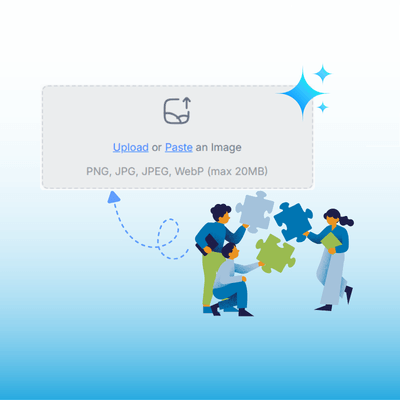
アップロード または ペースト 画像
PNG、JPG、JPEG、WebP 対応 (最大 20MB)
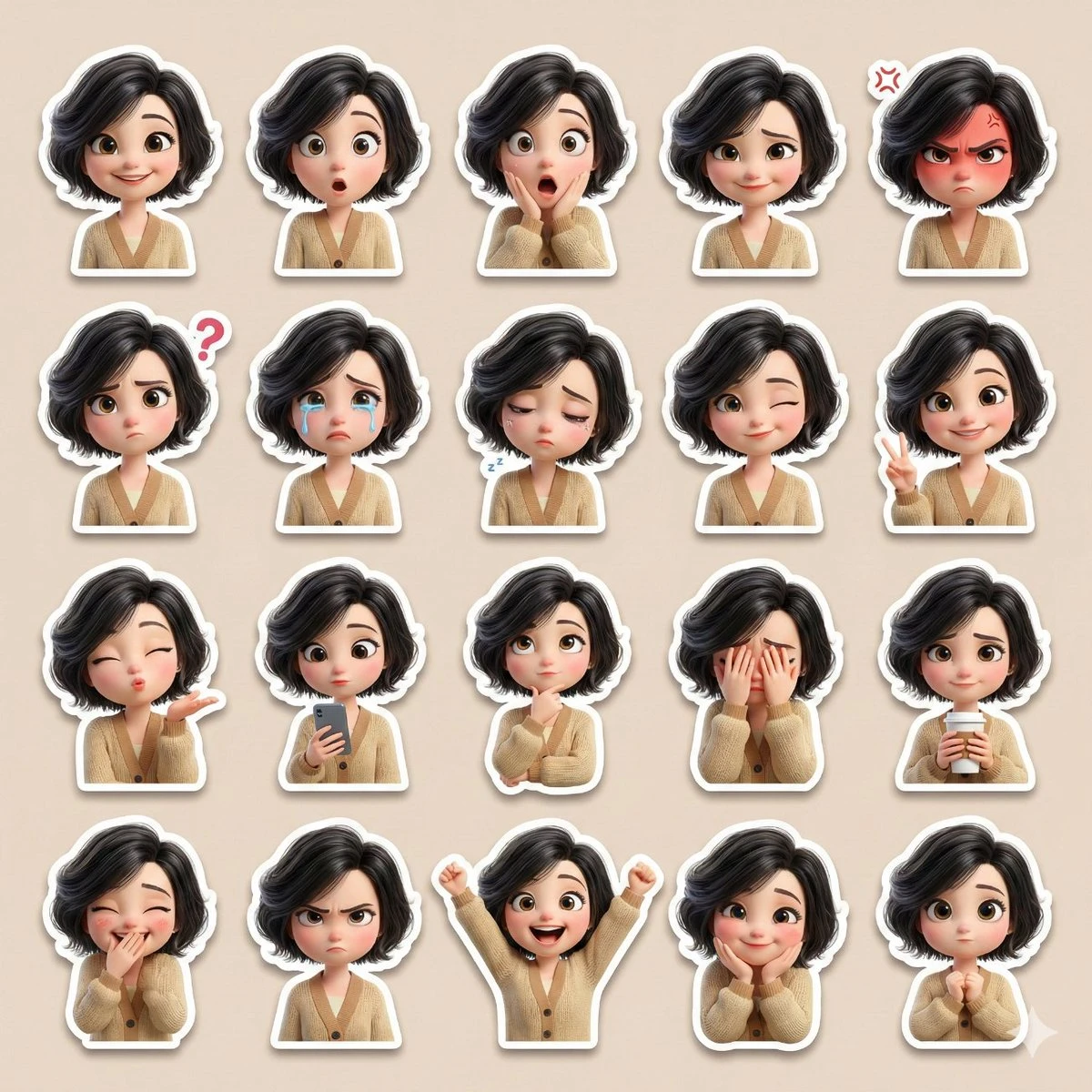
Please use the attached reference image as the base character.
Create a single high-resolution collage containing at least 20 cute sticker-style illustrations of the same female character. Ensure the face, skin tone, hairstyle, and overall appearance perfectly match the reference image.
Art Style: {argument name="art style" default="3D Pixar-style / Disney-style cartoon"}, soft cinematic lighting, smooth pastel colors, large expressive eyes, rounded cute facial proportions, ultra-detailed 3D rendering.
Character Details:
• Lightly permed black hair
• Large expressive eyes
• Beige cardigan
• Cute, slightly chubby proportions
Expressions and Reactions (all distinct):
Happy smile, surprised, shocked, shy smile, angry, confused, crying, sleepy, winking, peace sign, blowing a kiss, holding a cell phone, thinking, covering face, holding coffee, covering mouth while laughing, annoyed, excited, affectionate expression, cute neutral pose (over 20 total).
Sticker Design:
• Each reaction as a separate sticker
• Clean white border on all stickers
• Soft drop shadow
• No text, no watermark
Layout:
• All stickers neatly arranged in one collage
• Balanced grid layout
• Soft beige/pastel-toned background
• Instagram/WhatsApp-style sticker pack design
Quality:
Ultra-high definition, high resolution, smooth 3D finish, professional-grade sticker pack style, lovingly expressive.
Please use the attached reference image as the base character. Create a single high-resolution collage containing at least 20 cute sticker-style illustrations of the same female character. Ensure the face, skin tone, hairstyle, and overall appearance perfectly match the reference image. Art Style: {argument name="art style" default="3D Pixar-style / Disney-style cartoon"}, soft cinematic lighting, smooth pastel colors, large expressive eyes, rounded cute facial proportions, ultra-detailed 3D rendering. Character Details: • Lightly permed black hair • Large expressive eyes • Beige cardigan • Cute, slightly chubby proportions Expressions and Reactions (all distinct): Happy smile, surprised, shocked, shy smile, angry, confused, crying, sleepy, winking, peace sign, blowing a kiss, holding a cell phone, thinking, covering face, holding coffee, covering mouth while laughing, annoyed, excited, affectionate expression, cute neutral pose (over 20 total). Sticker Design: • Each reaction as a separate sticker • Clean white border on all stickers • Soft drop shadow • No text, no watermark Layout: • All stickers neatly arranged in one collage • Balanced grid layout • Soft beige/pastel-toned background • Instagram/WhatsApp-style sticker pack design Quality: Ultra-high definition, high resolution, smooth 3D finish, professional-grade sticker pack style, lovingly expressive.
Example
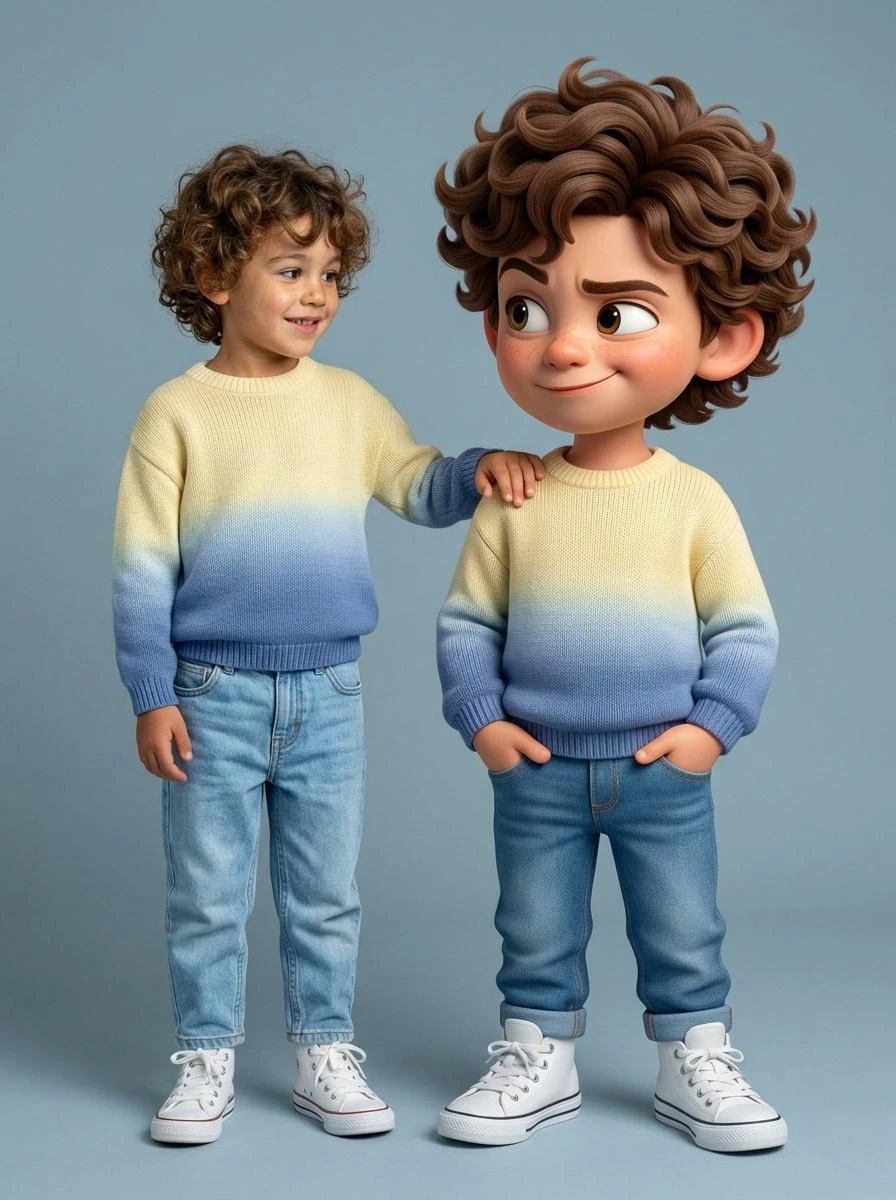
Ultra-high-quality hyper-realistic photo featuring a real human and a giant 3D Pixar-style version of THE SAME person both strictly based on the uploaded reference image. The real person and the Pixar character must have identical facial structure, hairstyle, facial expression, body proportions, height, and clothing.
Both are wearing a knitted sweater with a gradient from light yellow to pink, high-waisted blue jeans, and white high-top sneakers.
The pose must exactly match the reference: the real person stands relaxed with a friendly smile, with their hand naturally resting on the shoulder of the Pixar character. The Pixar version stands slightly wider, arms confidently positioned near the pockets, with a playful sly smirk, one raised eyebrow, and expressive Pixar-style eyes.
The Pixar character should be proportionally larger, but anatomically identical to the real person. The facial expression, head tilt, posture, and body language must precisely replicate the reference image.
Clean gray-blue studio background, soft even studio lighting, realistic shadows, crisp fabric texture, smooth Pixar-style skin shading, cinematic sharpness.
DO NOT change the pose, reaction, clothing, or proportions. Strict adherence to the reference.
Ultra-high-quality hyper-realistic photo featuring a real human and a giant 3D Pixar-style version of THE SAME person both strictly based on the uploaded reference image. The real person and the Pixar character must have identical facial structure, hairstyle, facial expression, body proportions, height, and clothing. Both are wearing a knitted sweater with a gradient from light yellow to pink, high-waisted blue jeans, and white high-top sneakers. The pose must exactly match the reference: the real person stands relaxed with a friendly smile, with their hand naturally resting on the shoulder of the Pixar character. The Pixar version stands slightly wider, arms confidently positioned near the pockets, with a playful sly smirk, one raised eyebrow, and expressive Pixar-style eyes. The Pixar character should be proportionally larger, but anatomically identical to the real person. The facial expression, head tilt, posture, and body language must precisely replicate the reference image. Clean gray-blue studio background, soft even studio lighting, realistic shadows, crisp fabric texture, smooth Pixar-style skin shading, cinematic sharpness. DO NOT change the pose, reaction, clothing, or proportions. Strict adherence to the reference.
Example
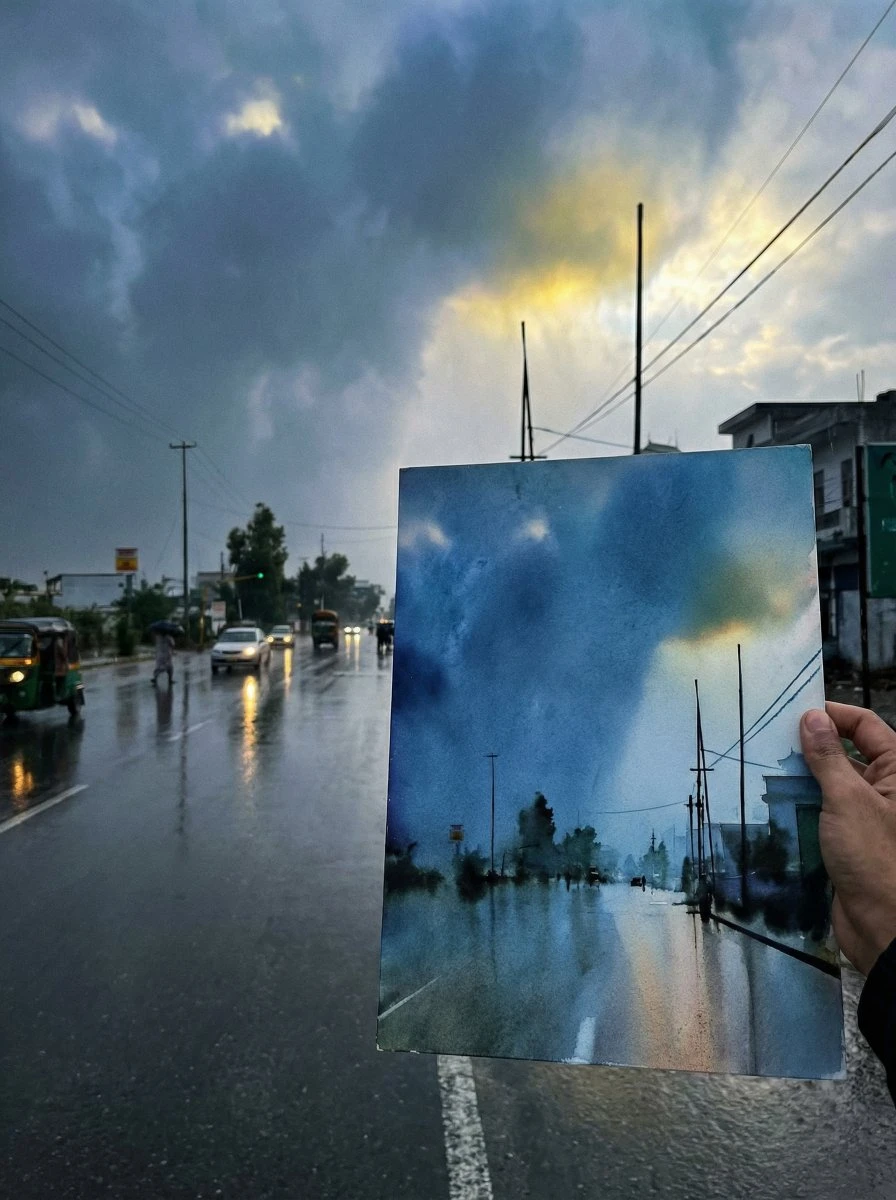
If you like drawing, try drawing something you like, and then take a photo of it together with the drawing.
{argument name="scene description" default="Just finished a sketch, place the drawing paper together with the real scene for a photo, showcasing the finished effect."}"
If you like drawing, try drawing something you like, and then take a photo of it together with the drawing. {argument name="scene description" default="Just finished a sketch, place the drawing paper together with the real scene for a photo, showcasing the finished effect."}"
Example
{
  "project": "CuisineInfographic",
  "metadata": {
    "style": "Hyper-Realistic",
    "theme": "Kashmiri Wazwan",
    "resolution": "8K_Ultra_HD"
  },
  "scene_setup": {
    "background": "Rustic_Dark_Wood",
    "lighting": "Cinematic_Studio_Warm",
    "camera": {
      "type": "DSLR_Full_Frame",
      "focus": "Sharp_Macro",
      "depth_of_field": "Shallow_Bokeh"
    }
  },
  "render_elements": {
    "base_anchor": {
      "object": "Traditional_Kashmiri_Copper_Bowl",
      "content": "Steaming_Rogan_Josh",
      "effects": ["Dramatic_Steam", "Volumetric_Vapor"]
    },
    "levitating_entities": [
      { "item": "Tender_Mutton_Chunks", "texture": "Juicy_Fibrous" },
      { "item": "Fried_Paneer_Cubes", "texture": "Golden_Crispy" },
      { "item": "Kashmiri_Red_Chili", "state": "Whole_Dried" },
      { "item": "Saffron_Water_Splashes", "viscosity": "Glossy_Orange" },
      { "item": "Green_Cardamom_Pods", "arrangement": "Motion_Frozen" },
      { "item": "Cinnamon_Bark", "detail": "Ultra_Textured" },
      { "item": "Fresh_Mint_Leaves", "color": "Vibrant_Green" }
    ],
  "ui_overlay": {
    "language": "{argument name="overlay language" default="Indonesian"}",
    "elements": {
      "pointer_lines": "Thin_Minimalist_White",
      "font_style": "Modern_Editorial_Sans",
      "labels": {
        "mutton": "{argument name="mutton label" default="Daging Domba Lembut"}",
        "chili": "Cabai Merah Kashmir",
        "paneer": "Tahu/Paneer Goreng",
        "sauce": "Kuah Merah Kental"
      }
    }
  }
}
{ "project": "CuisineInfographic", "metadata": { "style": "Hyper-Realistic", "theme": "Kashmiri Wazwan", "resolution": "8K_Ultra_HD" }, "scene_setup": { "background": "Rustic_Dark_Wood", "lighting": "Cinematic_Studio_Warm", "camera": { "type": "DSLR_Full_Frame", "focus": "Sharp_Macro", "depth_of_field": "Shallow_Bokeh" } }, "render_elements": { "base_anchor": { "object": "Traditional_Kashmiri_Copper_Bowl", "content": "Steaming_Rogan_Josh", "effects": ["Dramatic_Steam", "Volumetric_Vapor"] }, "levitating_entities": [ { "item": "Tender_Mutton_Chunks", "texture": "Juicy_Fibrous" }, { "item": "Fried_Paneer_Cubes", "texture": "Golden_Crispy" }, { "item": "Kashmiri_Red_Chili", "state": "Whole_Dried" }, { "item": "Saffron_Water_Splashes", "viscosity": "Glossy_Orange" }, { "item": "Green_Cardamom_Pods", "arrangement": "Motion_Frozen" }, { "item": "Cinnamon_Bark", "detail": "Ultra_Textured" }, { "item": "Fresh_Mint_Leaves", "color": "Vibrant_Green" } ], "ui_overlay": { "language": "{argument name="overlay language" default="Indonesian"}", "elements": { "pointer_lines": "Thin_Minimalist_White", "font_style": "Modern_Editorial_Sans", "labels": { "mutton": "{argument name="mutton label" default="Daging Domba Lembut"}", "chili": "Cabai Merah Kashmir", "paneer": "Tahu/Paneer Goreng", "sauce": "Kuah Merah Kental" } } } }
Example

画像からプロンプト生成 - 無料AI逆引きプロンプトツール

あらゆる画像からAIプロンプトを自動生成。Midjourney、SD、DALL-E対応。スタイル、照明、構図を解析し最適化プロンプトを出力。登録不要、無料。

画像からプロンプト生成 - 無料AI逆引きプロンプトツール

画像からプロンプト生成とは?

画像からプロンプト生成は、あらゆる画像を詳細なモデル対応テキストプロンプトに逆変換するAIツールです。写真、アートワーク、参考画像をアップロードすると、AIが被写体、スタイル、照明、カラーパレット、カメラアングル、テクスチャなどの視覚的特徴を分析し、Midjourney、Stable Diffusion、DALL-E、FLUXなどのテキスト画像生成ツールに直接貼り付けられる完全なプロンプトを出力します。
画像からプロンプト生成とは?

当ツールの画像からプロンプト生成が選ばれる理由

一般的なビジョンAIは「窓辺に座る猫」といった淡白な説明しか返しません。しかし当社の画像からプロンプト生成ツールは、アーティスト参照(「Greg Rutkowskiスタイル」)、カメラメタデータ(「35mm f/1.4、ゴールデンアワー撮影」)、メディア検出(「デジタルペインティング、Octaneレンダリング」)、モデル固有のフォーマットを含む完全なプロンプトエンジニアリングスタックを提供します。
当ツールの画像からプロンプト生成が選ばれる理由

画像プロンプトの推測にまだ悩んでいますか?

任意の参考画像をアップロードするだけで、AI対応のプロンプトを即座に生成します。当社の画像からプロンプト生成ツールは、被写体、スタイル、照明、構図などの重要詳細を抽出し、推測や終わりのない試行錯誤なしで正確なプロンプト作成を支援します。
画像プロンプトの推測にまだ悩んでいますか?

Image to Prompt生成器の主な機能

従来のプロンプト作成よりも高速、スマート、正確なImage to Promptの主な機能をご紹介します。

あらゆる画像をプロンプトに逆変換

数秒で任意の画像を詳細なAIプロンプトに変換。手動のプロンプト作成をスキップし、より高い精度と少ない労力でビジュアルを再現します。

スタイルと視覚的詳細を検出

アートスタイル、照明、構図、色彩、カメラアングルなどを自動識別し、元の画像に近いプロンプトを作成します。

すべてのAI画像モデルに対応

GPT Image、FLUX、Midjourney、Stable Diffusion、Ideogramなど、人気のAI画像生成ツールと互換性のある構造化プロンプトを生成します。

3ステップで画像からプロンプト生成

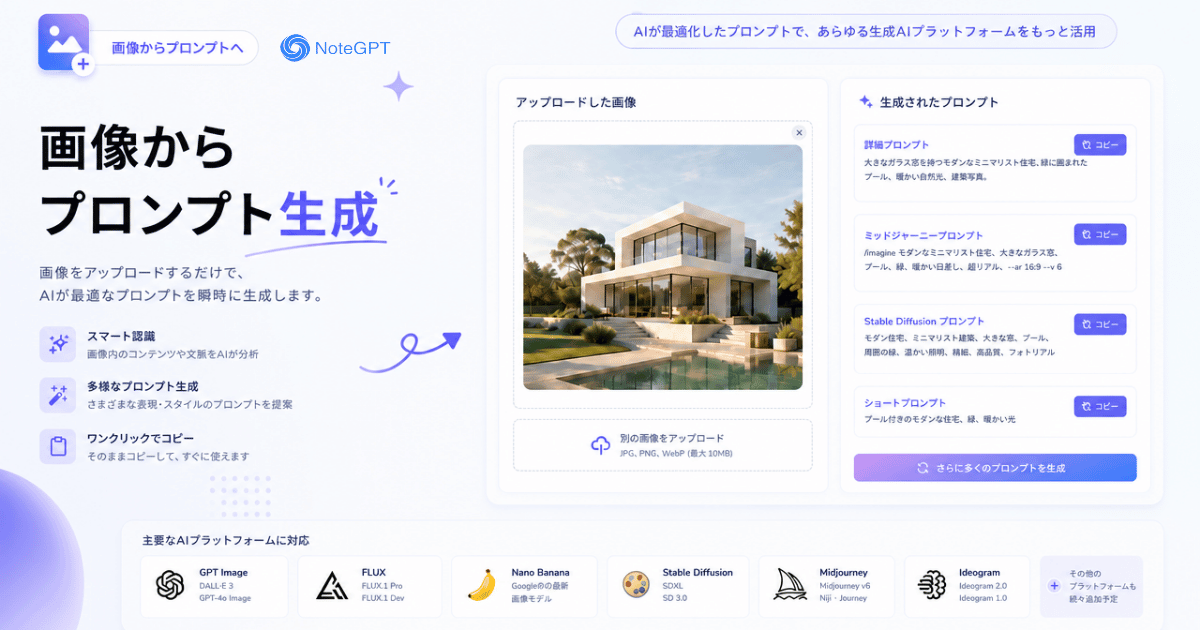
数回のクリックで任意の画像を詳細なAIプロンプトに変換。画像をアップロードし、AIに分析させて、お気に入りのAI画像モデルですぐに使えるプロンプトを取得しましょう。

ステップ1:画像をアップロード

ステップ1:画像をアップロード

分析したい画像を選択またはドラッグ&ドロップしてください。AIは様々な画像形式に対応し、即座に処理を開始します。

ステップ2:画像を分析

ステップ2:画像を分析

AIが自動的に被写体、スタイル、照明、構図、色彩などの視覚的詳細を検出し、正確で構造化されたプロンプトを生成します。

ステップ3:プロンプトをコピーして使用

ステップ3:プロンプトをコピーして使用

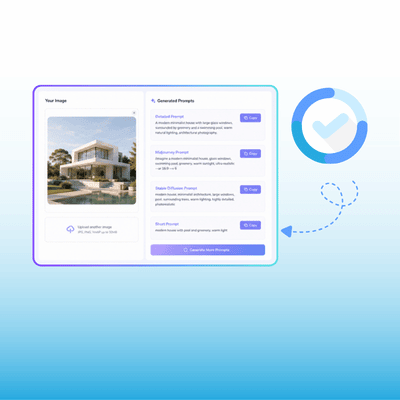
生成されたプロンプトを確認し、ワンクリックでコピーして、GPT Image、FLUX、Midjourney、Stable DiffusionなどのAI画像生成ツールで直接使用できます。

あらゆる画像を完璧なプロンプトに変換

素晴らしいAI画像がどのように作られたのか推測するのはもうやめましょう。任意の画像をアップロードして、AIが即座にスタイル、構図、照明、詳細を分析し、お気に入りのAI画像モデルで使える高品質なプロンプトを生成します。

無料でプロンプトを生成

画像からプロンプト生成のユーザーの声

山田太郎 avatar

山田太郎

AIアーティスト

AIアートを2年ほど続けていますが、プロンプトエンジニアリングは未だに錬金術のようです。誰かがDiscordに素晴らしい画像を投稿してもプロンプトは共有されず、推測するしかありませんでした。画像からプロンプト生成がそれを変えました——参考画像をアップロードすると、照明、カメラスペック、スタイル参照の詳細な内訳が得られ、何時間もの試行錯誤ではなく数分で同品質の画像を生成できるようになりました。

佐藤健太 avatar

佐藤健太

クリエイティブディレクター

クリエイティブディレクターとして、3人のデザイナーと12のクライアントアカウントにわたるビジュアルの一貫性を管理しています。以前は「雰囲気」を説明するのに何時間も費やしていました。今はムードボードの画像を画像からプロンプト生成に入れて、視覚パラメータを構造化データとして抽出し、チーム全体が使えるプロンプトテンプレートを作成しています。プロジェクト間での成果物の一貫性が格段に向上しました。
田中優子 avatar

田中優子

AIアート講師

AIアートとプロンプトエンジニアリングを教えています。初心者にとって最大の壁は「自分が何を求めているか」と「それを生み出す言葉を知っているか」のギャップを埋めることです。画像からプロンプト生成は中核的な教材になりました——学生が参考画像をアップロードし、抽出されたプロンプトを研究し、直接観察を通じて語彙を学びます。
鈴木美咲 avatar

鈴木美咲

ウェディングフォトグラファー

私はウェディングフォトグラファーで、クライアント向けにスタイライズされたAI画像を試しています。課題は異なる照明やロケーションの撮影間での一貫性でした。画像からプロンプト生成を使うと、ベストショットから視覚的シグネチャを抽出し、再利用可能なテンプレートを構築して一貫して適用できます。カメラメタデータの抽出精度も驚くほど正確です。
高橋直人 avatar

高橋直人

ソーシャルメディアマネージャー

マーケティングチームでは週に約50枚のソーシャルメディア画像を生成しています。最もパフォーマンスの良い画像からプロンプトを抽出し、今ではチーム全員が同じビジュアルブループリントから作業を始めています。コンテンツが初めて真に統一感のあるものになり、制作時間も約60%短縮されました。
伊藤大輔 avatar

伊藤大輔

コミュニティマネージャー

ファンアートコミュニティを運営していますが、最大の障壁はアイデア不足ではなく実行力です。クリエイターの半数は自分のプロンプトを覚えていません。コミュニティのアップロードから共有プロンプトライブラリを構築し、新メンバーは最初の1週間を言葉探しに費やすことなく、すぐに制作を始められるようになりました。

画像からプロンプト生成に関するよくある質問