NoteGPT

Free Image to Prompt Generator

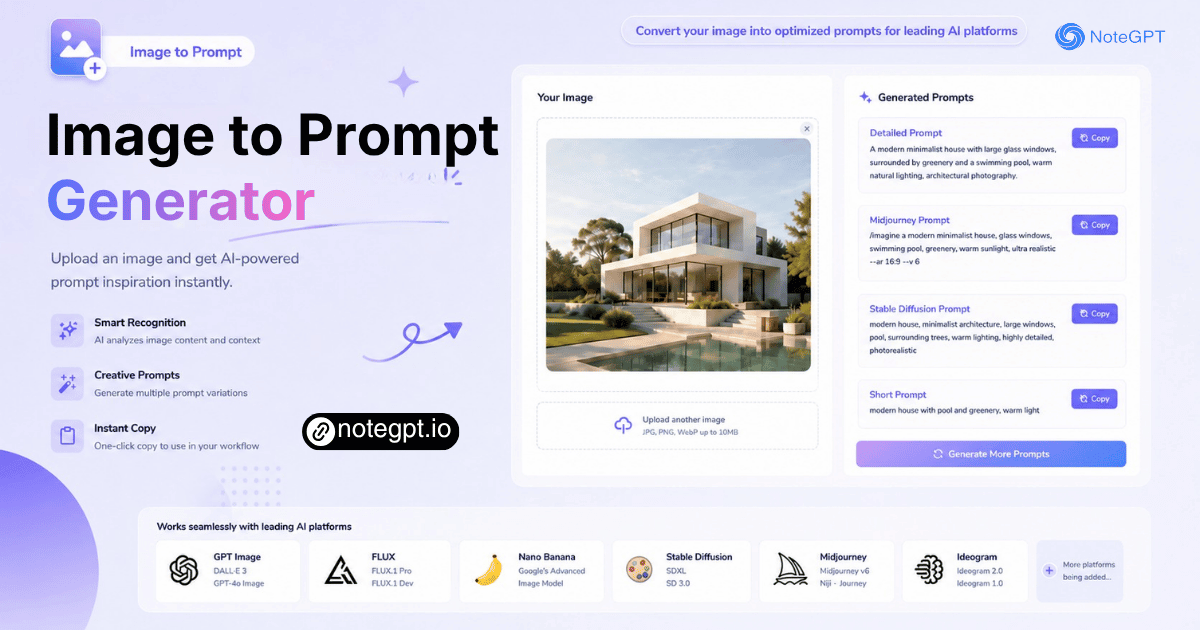
Convert any image into optimized AI prompts for GPT Image, Midjourney, FLUX, and Nano Banana.

Upload or Paste an Image
PNG, JPG, JPEG, WebP (max 20MB)
Please use the attached reference image as the base character.
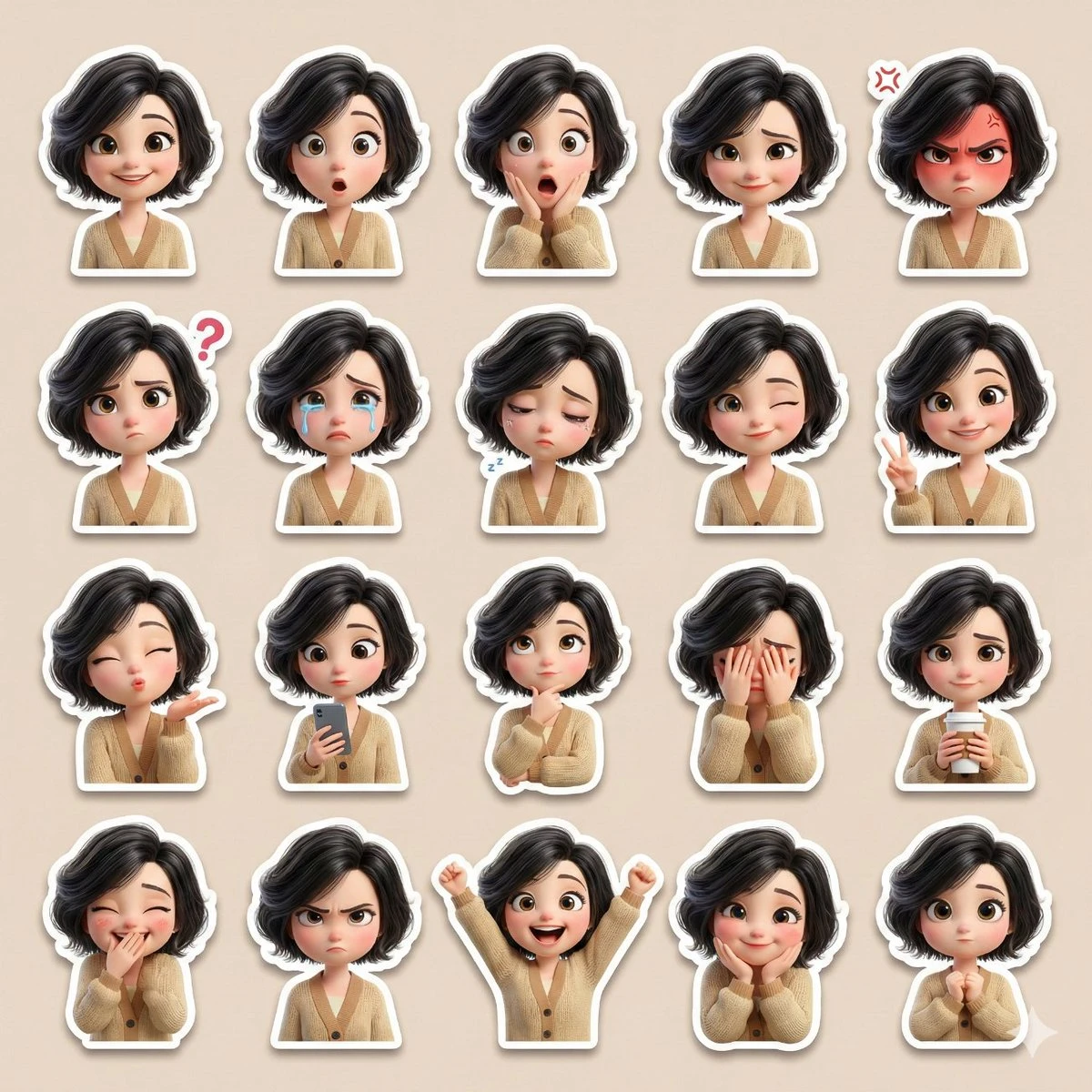
Create a single high-resolution collage containing at least 20 cute sticker-style illustrations of the same female character. Ensure the face, skin tone, hairstyle, and overall appearance perfectly match the reference image.
Art Style: {argument name="art style" default="3D Pixar-style / Disney-style cartoon"}, soft cinematic lighting, smooth pastel colors, large expressive eyes, rounded cute facial proportions, ultra-detailed 3D rendering.
Character Details:
• Lightly permed black hair
• Large expressive eyes
• Beige cardigan
• Cute, slightly chubby proportions
Expressions and Reactions (all distinct):
Happy smile, surprised, shocked, shy smile, angry, confused, crying, sleepy, winking, peace sign, blowing a kiss, holding a cell phone, thinking, covering face, holding coffee, covering mouth while laughing, annoyed, excited, affectionate expression, cute neutral pose (over 20 total).
Sticker Design:
• Each reaction as a separate sticker
• Clean white border on all stickers
• Soft drop shadow
• No text, no watermark
Layout:
• All stickers neatly arranged in one collage
• Balanced grid layout
• Soft beige/pastel-toned background
• Instagram/WhatsApp-style sticker pack design
Quality:
Ultra-high definition, high resolution, smooth 3D finish, professional-grade sticker pack style, lovingly expressive.
Please use the attached reference image as the base character. Create a single high-resolution collage containing at least 20 cute sticker-style illustrations of the same female character. Ensure the face, skin tone, hairstyle, and overall appearance perfectly match the reference image. Art Style: {argument name="art style" default="3D Pixar-style / Disney-style cartoon"}, soft cinematic lighting, smooth pastel colors, large expressive eyes, rounded cute facial proportions, ultra-detailed 3D rendering. Character Details: • Lightly permed black hair • Large expressive eyes • Beige cardigan • Cute, slightly chubby proportions Expressions and Reactions (all distinct): Happy smile, surprised, shocked, shy smile, angry, confused, crying, sleepy, winking, peace sign, blowing a kiss, holding a cell phone, thinking, covering face, holding coffee, covering mouth while laughing, annoyed, excited, affectionate expression, cute neutral pose (over 20 total). Sticker Design: • Each reaction as a separate sticker • Clean white border on all stickers • Soft drop shadow • No text, no watermark Layout: • All stickers neatly arranged in one collage • Balanced grid layout • Soft beige/pastel-toned background • Instagram/WhatsApp-style sticker pack design Quality: Ultra-high definition, high resolution, smooth 3D finish, professional-grade sticker pack style, lovingly expressive.
Example
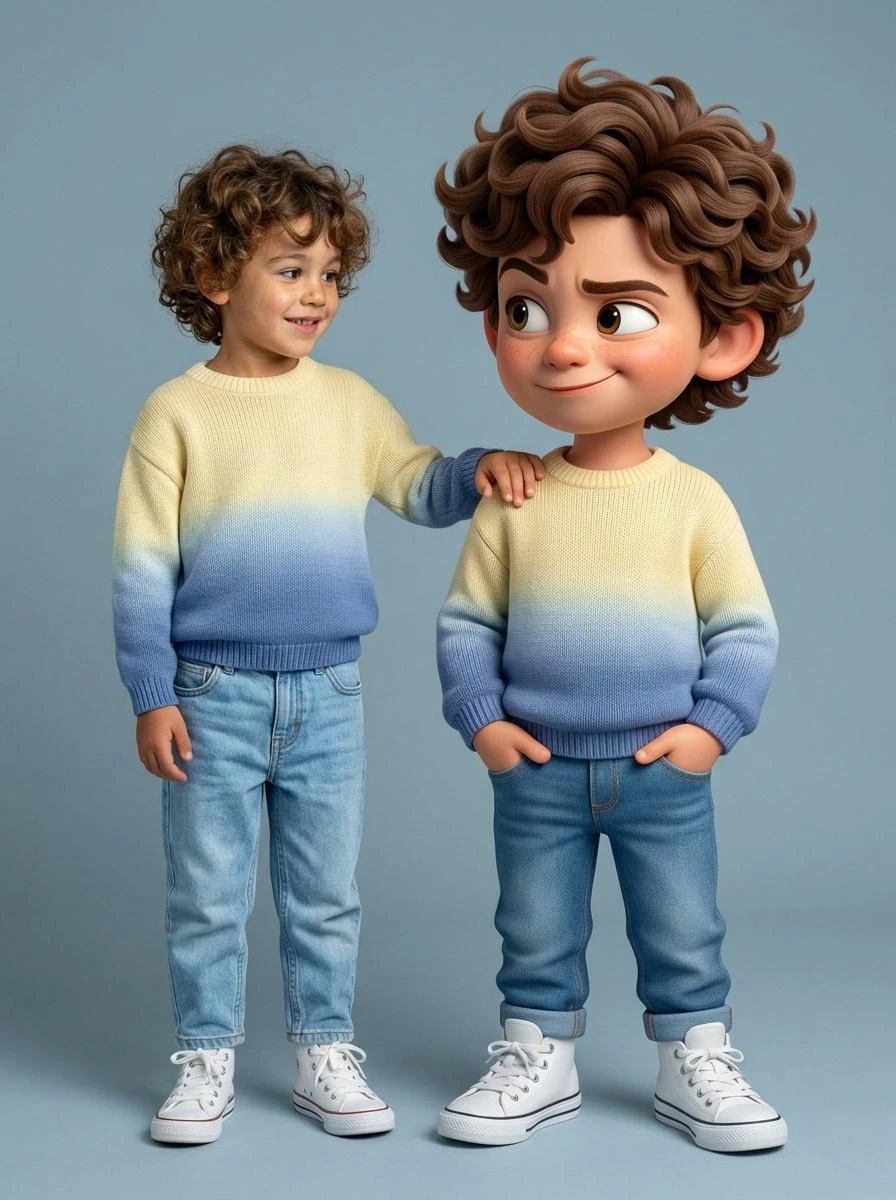
Ultra-high-quality hyper-realistic photo featuring a real human and a giant 3D Pixar-style version of THE SAME person both strictly based on the uploaded reference image. The real person and the Pixar character must have identical facial structure, hairstyle, facial expression, body proportions, height, and clothing.
Both are wearing a knitted sweater with a gradient from light yellow to pink, high-waisted blue jeans, and white high-top sneakers.
The pose must exactly match the reference: the real person stands relaxed with a friendly smile, with their hand naturally resting on the shoulder of the Pixar character. The Pixar version stands slightly wider, arms confidently positioned near the pockets, with a playful sly smirk, one raised eyebrow, and expressive Pixar-style eyes.
The Pixar character should be proportionally larger, but anatomically identical to the real person. The facial expression, head tilt, posture, and body language must precisely replicate the reference image.
Clean gray-blue studio background, soft even studio lighting, realistic shadows, crisp fabric texture, smooth Pixar-style skin shading, cinematic sharpness.
DO NOT change the pose, reaction, clothing, or proportions. Strict adherence to the reference.
Ultra-high-quality hyper-realistic photo featuring a real human and a giant 3D Pixar-style version of THE SAME person both strictly based on the uploaded reference image. The real person and the Pixar character must have identical facial structure, hairstyle, facial expression, body proportions, height, and clothing. Both are wearing a knitted sweater with a gradient from light yellow to pink, high-waisted blue jeans, and white high-top sneakers. The pose must exactly match the reference: the real person stands relaxed with a friendly smile, with their hand naturally resting on the shoulder of the Pixar character. The Pixar version stands slightly wider, arms confidently positioned near the pockets, with a playful sly smirk, one raised eyebrow, and expressive Pixar-style eyes. The Pixar character should be proportionally larger, but anatomically identical to the real person. The facial expression, head tilt, posture, and body language must precisely replicate the reference image. Clean gray-blue studio background, soft even studio lighting, realistic shadows, crisp fabric texture, smooth Pixar-style skin shading, cinematic sharpness. DO NOT change the pose, reaction, clothing, or proportions. Strict adherence to the reference.
Example
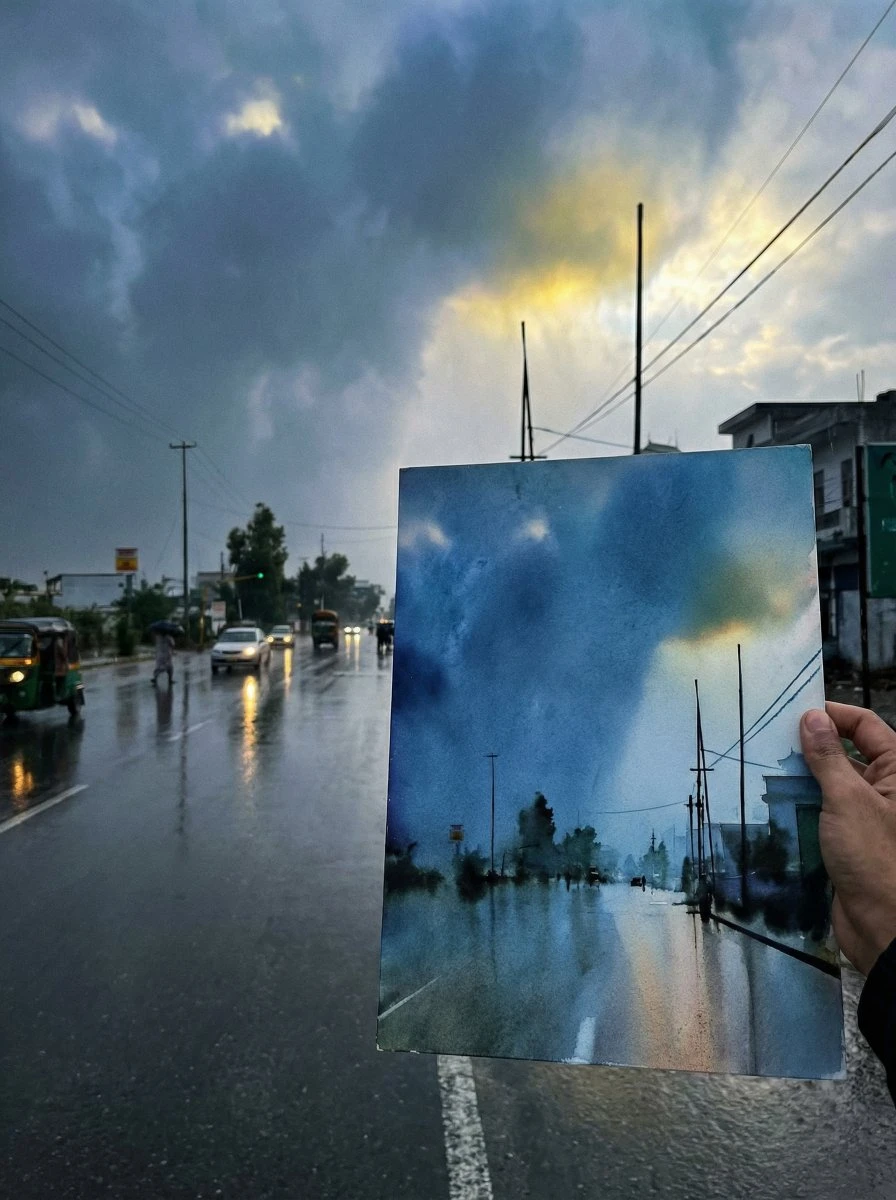
If you like drawing, try drawing something you like, and then take a photo of it together with the drawing.
{argument name="scene description" default="Just finished a sketch, place the drawing paper together with the real scene for a photo, showcasing the finished effect."}"
If you like drawing, try drawing something you like, and then take a photo of it together with the drawing. {argument name="scene description" default="Just finished a sketch, place the drawing paper together with the real scene for a photo, showcasing the finished effect."}"
Example
{
  "project": "CuisineInfographic",
  "metadata": {
    "style": "Hyper-Realistic",
    "theme": "Kashmiri Wazwan",
    "resolution": "8K_Ultra_HD"
  },
  "scene_setup": {
    "background": "Rustic_Dark_Wood",
    "lighting": "Cinematic_Studio_Warm",
    "camera": {
      "type": "DSLR_Full_Frame",
      "focus": "Sharp_Macro",
      "depth_of_field": "Shallow_Bokeh"
    }
  },
  "render_elements": {
    "base_anchor": {
      "object": "Traditional_Kashmiri_Copper_Bowl",
      "content": "Steaming_Rogan_Josh",
      "effects": ["Dramatic_Steam", "Volumetric_Vapor"]
    },
    "levitating_entities": [
      { "item": "Tender_Mutton_Chunks", "texture": "Juicy_Fibrous" },
      { "item": "Fried_Paneer_Cubes", "texture": "Golden_Crispy" },
      { "item": "Kashmiri_Red_Chili", "state": "Whole_Dried" },
      { "item": "Saffron_Water_Splashes", "viscosity": "Glossy_Orange" },
      { "item": "Green_Cardamom_Pods", "arrangement": "Motion_Frozen" },
      { "item": "Cinnamon_Bark", "detail": "Ultra_Textured" },
      { "item": "Fresh_Mint_Leaves", "color": "Vibrant_Green" }
    ],
  "ui_overlay": {
    "language": "{argument name="overlay language" default="Indonesian"}",
    "elements": {
      "pointer_lines": "Thin_Minimalist_White",
      "font_style": "Modern_Editorial_Sans",
      "labels": {
        "mutton": "{argument name="mutton label" default="Daging Domba Lembut"}",
        "chili": "Cabai Merah Kashmir",
        "paneer": "Tahu/Paneer Goreng",
        "sauce": "Kuah Merah Kental"
      }
    }
  }
}
{ "project": "CuisineInfographic", "metadata": { "style": "Hyper-Realistic", "theme": "Kashmiri Wazwan", "resolution": "8K_Ultra_HD" }, "scene_setup": { "background": "Rustic_Dark_Wood", "lighting": "Cinematic_Studio_Warm", "camera": { "type": "DSLR_Full_Frame", "focus": "Sharp_Macro", "depth_of_field": "Shallow_Bokeh" } }, "render_elements": { "base_anchor": { "object": "Traditional_Kashmiri_Copper_Bowl", "content": "Steaming_Rogan_Josh", "effects": ["Dramatic_Steam", "Volumetric_Vapor"] }, "levitating_entities": [ { "item": "Tender_Mutton_Chunks", "texture": "Juicy_Fibrous" }, { "item": "Fried_Paneer_Cubes", "texture": "Golden_Crispy" }, { "item": "Kashmiri_Red_Chili", "state": "Whole_Dried" }, { "item": "Saffron_Water_Splashes", "viscosity": "Glossy_Orange" }, { "item": "Green_Cardamom_Pods", "arrangement": "Motion_Frozen" }, { "item": "Cinnamon_Bark", "detail": "Ultra_Textured" }, { "item": "Fresh_Mint_Leaves", "color": "Vibrant_Green" } ], "ui_overlay": { "language": "{argument name="overlay language" default="Indonesian"}", "elements": { "pointer_lines": "Thin_Minimalist_White", "font_style": "Modern_Editorial_Sans", "labels": { "mutton": "{argument name="mutton label" default="Daging Domba Lembut"}", "chili": "Cabai Merah Kashmir", "paneer": "Tahu/Paneer Goreng", "sauce": "Kuah Merah Kental" } } } }
Example

AI Image to Prompt - GPT Image & FLUX Prompt Generator

Upload any image and instantly generate AI prompts for GPT Image, FLUX, Nano Banana, and more. Free online with accurate style analysis and structured prompts.

AI Image to Prompt - GPT Image & FLUX Prompt Generator

What Is Image to Prompt Generator?

Image to Prompt is an AI tool that reverse-engineers any image into a detailed, model-ready text prompt. You upload a photo, artwork, or reference image, and the AI analyzes its visual DNA — subject, style, lighting, color palette, camera angle, texture — and outputs a complete prompt you can paste directly into Midjourney, Stable Diffusion, DALL-E, FLUX, or any text-to-image generator.
What Is Image to Prompt Generator?

Why Choose Our Image to Prompt Generator?

Most general-purpose vision AIs give you a bland description — "a cat sitting on a windowsill." Our Image to Prompt tool gives you the full prompt engineering stack: specific artist references ("Greg Rutkowski style"), camera metadata ("shot on 35mm f/1.4, golden hour lighting"), medium detection ("digital painting, Octane render"), and model-specific formatting.
Why Choose Our Image to Prompt Generator?

Still Guessing Image Prompts?

Upload any reference image and instantly generate an AI-ready prompt. Our Image to Prompt tool extracts subjects, style, lighting, composition, and other key details, helping you create accurate prompts without guesswork or endless trial and error.
Still Guessing Image Prompts?

Key Features of Image to Prompt Generator

Explore the key features that make Image to Prompt faster, smarter, and more accurate than traditional prompt creation.

Reverse Any Image into a Prompt

Turn any image into a detailed AI prompt in seconds. Skip manual prompt writing and recreate visuals with greater accuracy and less effort.

Detect Style & Visual Details

Automatically identify art style, lighting, composition, colors, camera angles, and more to create prompts that closely match the original image.

Built for Every AI Image Model

Generate structured prompts compatible with GPT Image, FLUX, Midjourney, Stable Diffusion, Ideogram, and other popular AI image generators.

How to Use Image to Prompt in 3 Steps

Transform any image into a detailed AI prompt in just a few clicks. Upload your image, let AI analyze it, and get a ready-to-use prompt for your favorite AI image model.

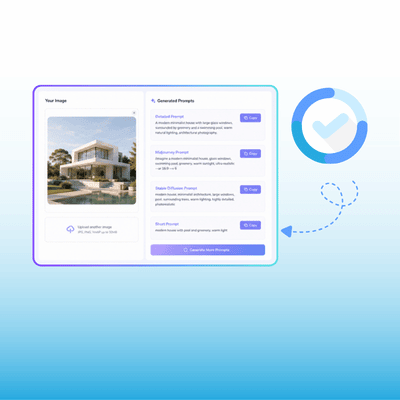
Step 1: Upload Your Image

Step 1: Upload Your Image

Choose or drag and drop the image you want to analyze. Our AI supports various image formats and starts processing your image instantly.

Step 2: Analyze the Image

Step 2: Analyze the Image

The AI automatically detects the subject, style, lighting, composition, colors, and other visual details to generate an accurate, structured prompt.

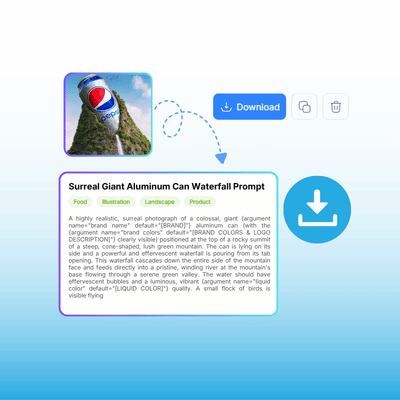
Step 3: Copy & Use Your Prompt

Step 3: Copy & Use Your Prompt

Review the generated prompt, copy it with one click, and use it directly in GPT Image, FLUX, Midjourney, Stable Diffusion, or other AI image generators.

Turn Any Image into the Perfect Prompt

Stop guessing how great AI images were created. Upload any image and let AI instantly analyze its style, composition, lighting, and details to generate a high-quality prompt you can use with your favorite AI image models.

Generate Prompt for Free

What Our Users Are Saying About Image to Prompt

ES avatar

ES

AI Artist

I've been doing AI art for about two years and prompt engineering still feels like alchemy. Someone posts an incredible image on Discord, the prompt isn't shared, and you're left guessing. Image to Prompt changed that — I upload the reference, get a detailed breakdown of lighting, camera specs, and style references, and I'm generating similar-quality images within minutes instead of hours of trial and error.
KD avatar

KD

Creative Director

As a creative director, I manage visual consistency across three designers and 12 client accounts. We used to spend hours describing "the vibe." Now I drop mood board images into Image to Prompt, extract visual parameters as structured data, and build prompt templates the whole team uses. Our output is consistently more cohesive across projects.
TN avatar

TN

AI Art Instructor

I teach AI art and prompt engineering. The biggest hurdle for beginners is bridging the gap between "I know what I want" and "I know what words produce it." Image to Prompt has become a core teaching tool — students upload references, study extracted prompts, and learn vocabulary through direct observation.
RY avatar

RY

Wedding Photographer

I'm a wedding photographer experimenting with AI for stylized client images. The challenge was consistency across shoots with different lighting and locations. Image to Prompt lets me extract the visual signature from my best shots, build a reusable template, and apply it consistently. The camera metadata extraction is eerily accurate.
SB avatar

SB

Social Media Manager

Our marketing team generates about 50 social images per week. I extract prompts from our best-performing images, and now every team member starts from the same visual blueprint. Our content looks legitimately cohesive for the first time, and we've cut production time by about 60%.
MC avatar

MC

Community Manager

I run a fan art community where the biggest block isn't ideas — it's execution. Half the time creators don't remember their prompts. I've built a shared prompt library from community uploads, and new members jump straight into creating instead of spending their first week figuring out what words work.

FAQs About Image to Prompt Generator