

NoteGPT

Free AI Image Generator - GPT Image 2.5 Agent

Create realistic images, edit photos with simple prompts, and refine every detail with advanced AI image generation.

PricingUpgrade (Save 30%)

GPT Image 2.5 - Precise AI Image Editing & Creation Online

Create and edit images with GPT Image 2.5. Generate realistic visuals, make precise AI edits, preserve subjects from reference images with advanced AI model.

GPT Image 2.5 - Precise AI Image Editing & Creation Online

Edit Photos with Simple Prompts Using GPT Image 2.5

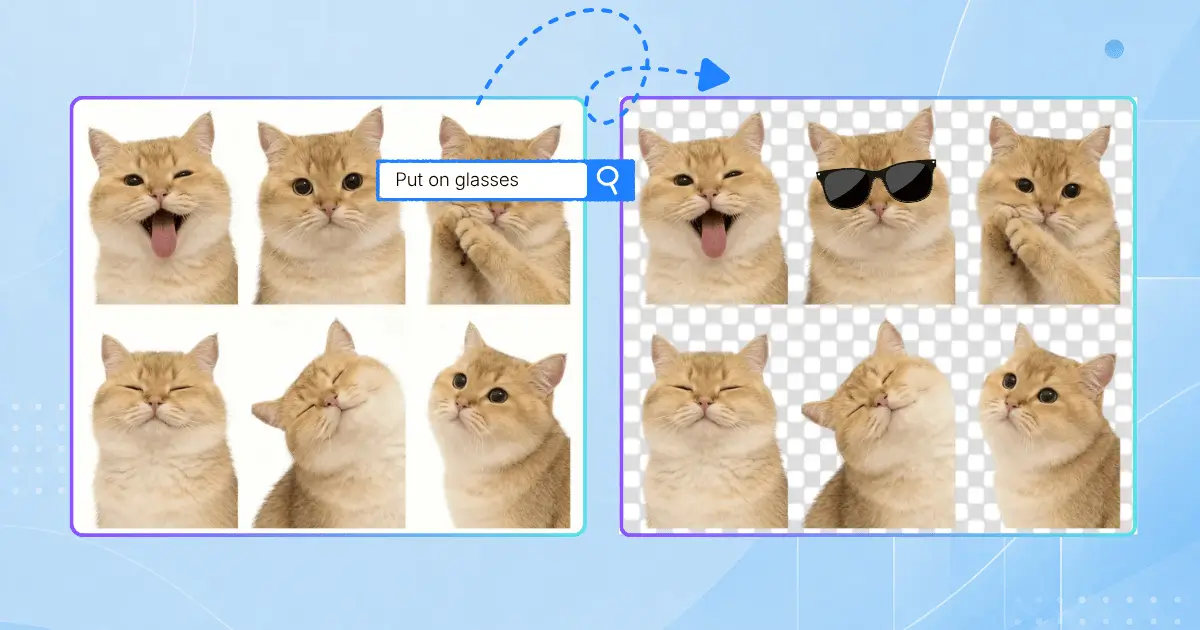
You want to change one thing in a photo — swap the background, fix a color, remove a stranger from the shot — but every editing app wants you to learn layers, masks, and selection brushes first. GPT Image 2.5 changes that: type "remove the person in the background" or "make the walls light blue," and only that changes. Your subject, lighting, and composition stay exactly as they were. What used to take an hour in photo editing software now takes one sentence.
Edit Photos with Simple Prompts Using GPT Image 2.5

Keep Faces & Products Consistent with GPT Image 2.5

Ever tried to put your dog in a Christmas card scene, or place your product on a marble counter, and the AI drew something that only vaguely resembled the original? GPT Image 2.5's reference image fidelity keeps subjects recognizable — your dog still looks like your dog, your product keeps its exact shape and label. Small business owners use it for consistent product shots; families use it for portraits that actually look like the people in them. One reference photo, endless scenes, zero identity drift.
Keep Faces & Products Consistent with GPT Image 2.5

AI Templates for Flyers & Product Photos

Staring at a blank canvas is the fastest way to never start. GPT Image 2.5's template library gives you proven starting points — flyers, product photos, posters — and you just fill in your text, elements, and style. Combine it to rough out a layout and let the model finish it professionally. What used to require a designer and a two-day turnaround becomes a five-minute task you can do yourself, for free.
AI Templates for Flyers & Product Photos

What Makes GPT Image 2.5 Stand Out

GPT Image 2.5 is built differently: it edits with surgical precision, keeps your subjects looking like themselves, and delivers results in seconds.

Precise AI Image Editing

Point at what you want changed — a product, a background, a line of text — and GPT Image 2.5 edits only that element while preserving the subject, composition, and style around it. Place comments directly on the image for focused edits, no technical jargon needed.

Reference Image Fidelity

Generate new scenes from your own photos while keeping people, pets, and products recognizable. Distinctive features carry through across styles and settings, so portraits look like the person and products stay true to the brand — variation after variation.

Sketch-to-Image & Templates

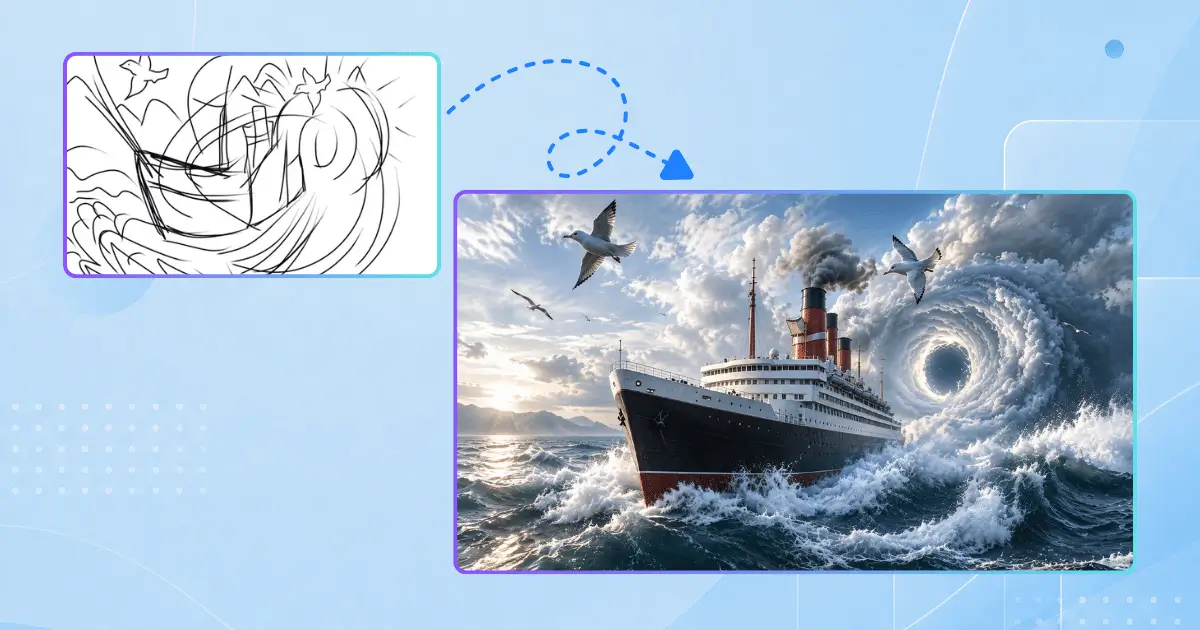
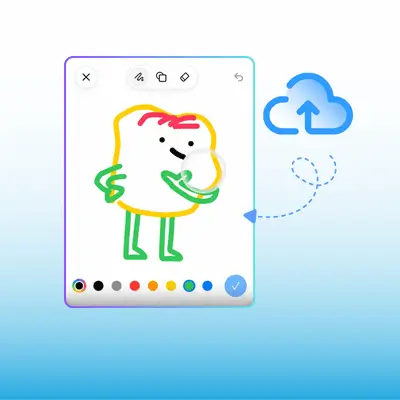
Draw a rough layout with GPT Image 2.5 turns your doodle into a finished image. Or start from templates for flyers, product photos, and other popular formats. Blank-canvas paralysis is officially over.

GPT Image 2.5 vs Other Image Models

GPT Image 2.5 trades flashy art styles for something more useful: precise edits, consistent subjects, and speed. Here's how it stacks up against the leading image models on the features that matter day to day.

FeatureGPT Image 2.5Midjourney v6.1FLUX.1Google Imagen 3
Editing PrecisionPinpoint edits + commentsRegion varyInpainting masksPrompt inpainting
Reference FidelityVery high (subject-locked)ModerateRequires LoRAModerate
Generation Speed5–8 seconds20–45 seconds12–25 seconds10–15 seconds
Multi-Turn ConsistencyVery high (edits stay locked)ModerateModerateModerate
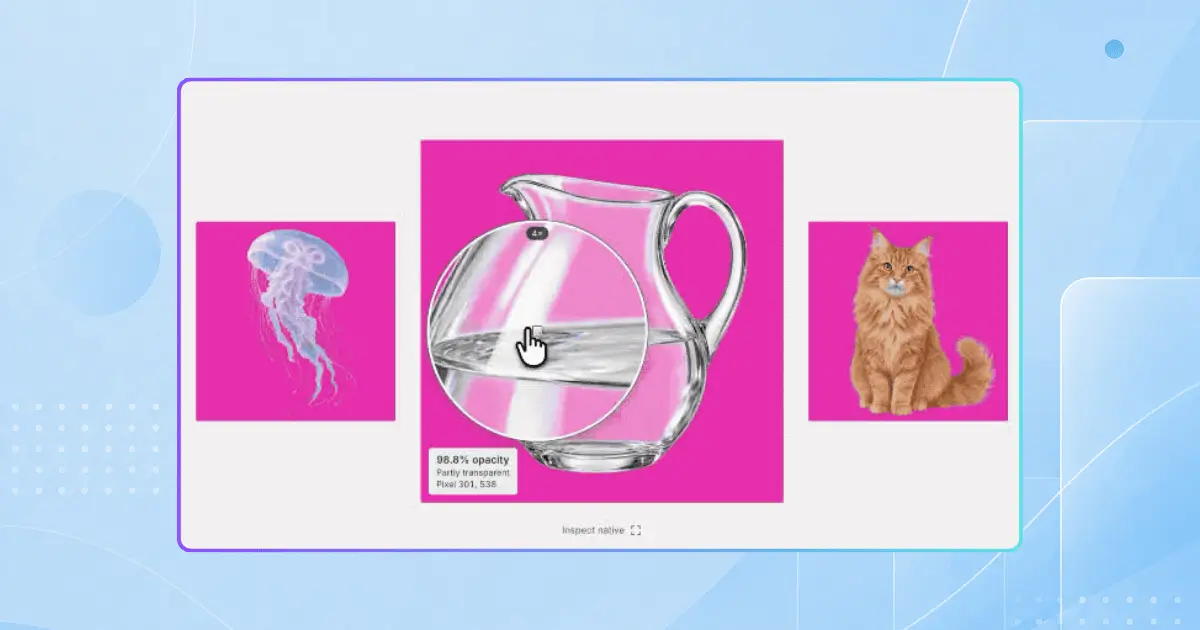
Transparent PNGNativeNeeds external cutoutNeeds RemBG nodeLimited
Sketch-to-ImageYesNoNoNo
TemplatesYes (flyers, product photos)NoNoNo
Free TierYesNoOpen-weight (self-host)Limited
APIYes (Flare & Sunburst)No (Discord/Web)Self-hostedVertex AI
Best ForEveryday creation & editingCinematic art stylesLocal executionPhotorealism

How to Use GPT Image 2.5 Online

Creating and editing images takes seconds. No downloads, no design experience — just type what you want.

Step 1: Open NoteGPT

Step 1: Open NoteGPT

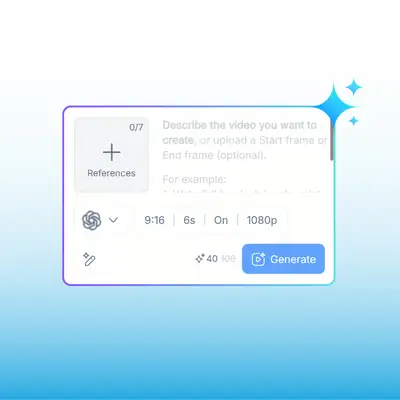
Go to NoteGPT and select GPT Image 2.5. You'll land in the image workspace immediately — no sign-up required to try it out.

Step 2: Describe or Upload

Step 2: Describe or Upload

Type a prompt describing the image you want, or upload a reference photo to edit. You can also draw a quick sketch as a layout guide. Plain language works fine — "make the background a beach at sunset" is all it takes.

Step 3: Refine with Simple Prompts

Step 3: Refine with Simple Prompts

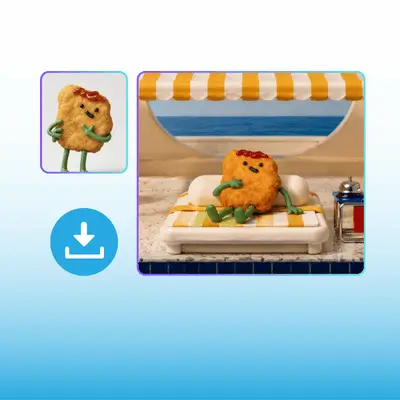
Point it out and describe the change. GPT Image 2.5 edits only that detail and keeps everything else intact. Download your finished image in up to 4K, with transparent PNG support when you need it.

Start Creating with GPT Image 2.5 Free

Create realistic images, edit details with precision, and bring your ideas to life with GPT Image 2.5.

Try GPT Image 2.5 Now →

What Users Say About GPT Image 2.5

E.R. avatar

E.R.

Etsy Shop Owner

I sell handmade candles online and my product photos were killing me. Every time I changed a label or launched a new scent, I had to reshoot everything. With GPT Image 2.5, I photograph a candle once, then swap backgrounds, colors, and props with a sentence — and the candle itself never changes. My listing photos went from inconsistent to professionally uniform in an afternoon. This paid for itself the first week.
M.T. avatar

M.T.

Hobbyist Photographer

I've tried every AI image tool out there and the editing was always the weak spot — ask for a small change and watch the whole image morph. GPT Image 2.5 is the first one that actually listens. I asked it to change my shirt from red to navy in a family photo and literally nothing else moved. Not my face, not the lighting, not the background. I actually said "whoa" out loud.
K.L. avatar

K.L.

Social Media Manager

As a social media manager, speed is everything. GPT Image 2.5 generates images in about 6 seconds, so I can prototype five visual concepts in the time my old tool did one. The templates for product posts are a lifesaver, and the comment-on-image editing means I can point at exactly what the client wants changed instead of writing paragraphs of feedback. My content output has roughly doubled.
S.W. avatar

S.W.

Children's Book Illustrator

I'm a children's book illustrator and consistency is my biggest challenge — the main character needs to look identical on every page. GPT Image 2.5's reference image feature keeps my character's face, hair, and outfit locked across every scene I generate. I sketched the rough layouts and let the model render them in my style. What used to take me three weeks took four days.
J.O. avatar

J.O.

Restaurant Owner

I run a small restaurant and needed flyers for weekly specials. I have zero design background. With GPT Image 2.5's flyer template, I typed in my menu items and the vibe I wanted, and got a printable flyer that looked better than the one I paid a freelancer $200 for last year. Now I make a new one every Monday in about five minutes.
B.F. avatar

B.F.

Content Creator

I make memes and funny pet edits for fun, and this model gets it. I uploaded a photo of my cat and asked for him "sitting on a throne as a medieval king." Not only did it nail the scene, my cat still looked exactly like my cat — the markings, the grumpy eyes, everything. Then I asked to "just change the crown to gold" and that's all it changed. Ten edits later, quality still perfect.

Frequently Asked Questions About GPT Image 2.5