

NoteGPT

Free AI Image Generator - GPT Image 2 Agent

Create and refine images with GPT Image 2 on NoteGPT. Turn text into images instantly. No sign-up.

2 free images daily with GPT Image 2|PricingUpgrade (Save 30%)
0/8Image refs
NoteGPT - Rated 4.9+ by NoteGPT Users
4.9
Chrome Store
NoteGPT - Rated 4.9+ by NoteGPT Users
NoteGPT - 80,000,000+ Users
80,000,000+
Users
NoteGPT - 80,000,000+ Users
NoteGPT - Trusted By 12,000+ Schools & Teams
12,000+
Schools & Teams
NoteGPT - Trusted By 12,000+ Schools & Teams

Trusted by 12 million users worldwide.

Logo
Logo
YouTube
Logo
Logo
Logo
Logo
Logo
Logo
Logo
Logo
Logo
Logo
Logo
Logo
Logo
Logo
Logo
Logo
Logo
Logo
Logo
Logo
Logo
Logo
Logo
Logo
Logo
Logo
Logo
Logo
Logo
YouTube
Logo
Logo
Logo
Logo
Logo
Logo
Logo
Logo
Logo
Logo
Logo
Logo
Logo
Logo
Logo
Logo
Logo
Logo
Logo
Logo
Logo
Logo
Logo
Logo
Logo
Logo
Logo
Logo
Logo
YouTube
Logo
Logo
Logo
Logo
Logo
Logo
Logo
Logo
Logo
Logo
Logo
Logo
Logo
Logo
Logo
Logo
Logo
Logo
Logo
Logo
Logo
Logo
Logo
Logo
Logo
Logo
Logo

GPT Image 2 (ChatGPT Images 2.0): Free Online, No Sign-up

Try ChatGPT Images 2.0 powered by OpenAI for high-quality image generation. Supports text-in-image and versatile styles for design. Free online, no sign-up.

GPT Image 2 (ChatGPT Images 2.0): Free Online, No Sign-up

What is GPT Image 2?

GPT Image 2 is a powerful AI image generator that turns simple text into detailed visuals online for free. It follows complex prompts well, making it great for realistic portraits, digital art, and custom graphics for websites or marketing. Powered by OpenAI, it handles text inside images better than most tools, so you can create social posts or banners with clear, readable text. Just type your idea, choose a style, and generate high-resolution images in seconds.

What is GPT Image 2?

Struggling to Turn Ideas Into Images Fast?

Creating visuals the old way takes time, skills, and expensive tools. Many AI image generators still miss details or fail with text in images. GPT Image 2 solves this by turning simple prompts into clear, ready-to-use visuals in seconds.

Struggling to Turn Ideas Into Images Fast?

Why GPT Image 2 is Recommended

GPT Image 2 stands out because it makes image creation simple and practical. You can turn text into images, add clear text inside visuals, and generate usable content for ads, blogs, or social posts. It follows prompts well, so you spend less time fixing results. Compared to many AI image generator tools, GPT Image 2 handles layout and text better, which is useful for real design tasks. Whether you want to create images from text prompts or explore different styles, it helps you get clean results fast without complex steps.

Why GPT Image 2 is Recommended

What Makes GPT Image 2 Different

GPT Image 2 focuses on real use, not just good-looking images. It helps you create visuals that work for ads, posts, and design tasks with better text, clearer details, and consistent results.

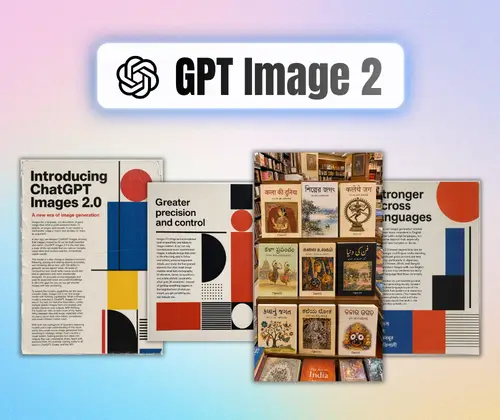
Multilingual Text That Actually Works

Add clear, readable text in different languages without broken words or messy layouts. Great for social posts, banners, and global content.

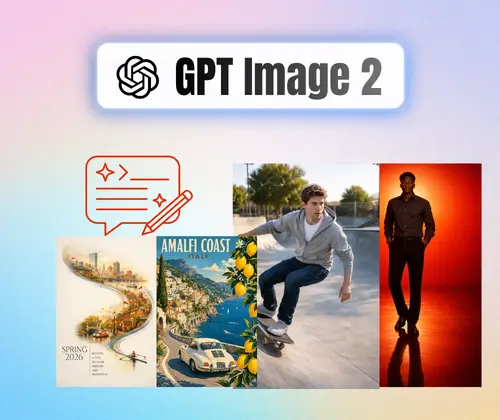
Realistic Visuals That Feel Natural

Create images with lifelike details, better lighting, and clean composition. Works well for portraits, product visuals, and marketing graphics.

Consistent Style Across Multiple Images

Generate a series of images with the same look and feel. Useful for campaigns, story content, and brand visuals that need consistency.

How to Use GPT Image 2 to Create Images

Creating images with GPT Image 2 is simple. Just enter a prompt, let the AI image generator do the work, and export your result. No design skills or setup needed.

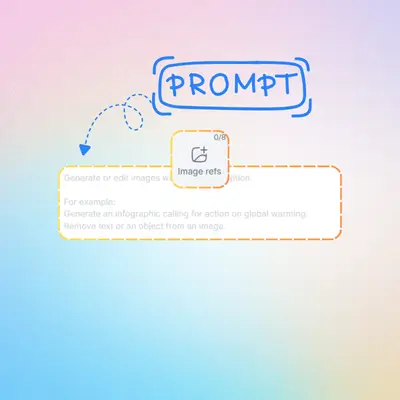
Step 1: Enter Your Prompt

Step 1: Enter Your Prompt

Type what you want to create. Describe the scene, style, or add text you want in the image.

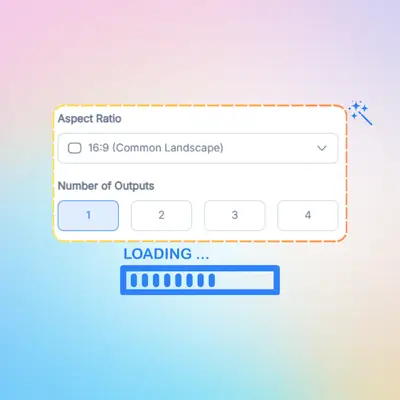
Step 2: Let AI Generate Images

Step 2: Let AI Generate Images

GPT Image 2 turns your prompt into images. It follows details and builds visuals in seconds.

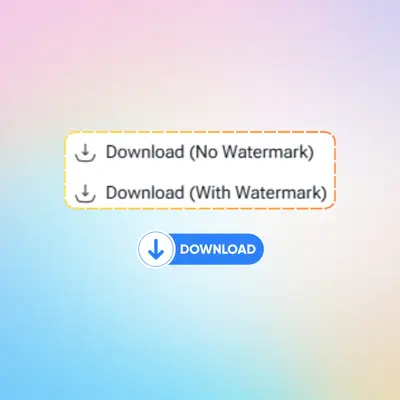
Step 3: Export Your Image

Step 3: Export Your Image

Download your image and use it for ads, posts, or design. Ready to share right away.

Versatile Ways to Use GPT Image 2 Daily

Looking for fresh ideas to elevate your projects? GPT Image 2 makes it easy to produce high-quality graphics for work, play, or business. From social media posts to professional branding, you can transform your creative thoughts into real pictures in just a few clicks without needing any design skills.

Stunning Social Media Graphics

Design eye-catching posts for Instagram or X that grab attention and boost your engagement.

Custom Marketing Banners

Create professional banners for your website or ads that feature clear, readable text overlays.

Unique Blog & Article Covers

Generate featured images that match your content perfectly and make your stories stand out online.

Personalized Logo Concepts

Sketch out brand ideas quickly to find the right look for your new startup or side project.

Realistic Product Mockups

Visualize how your ideas look in real life with lifelike settings for your merchandise.

Creative Educational Aids

Turn complex lessons into simple diagrams or fun illustrations that help students learn faster.

Start Creating Images with GPT Image 2 Now

Turn your ideas into images in seconds with GPT Image 2. Just type a prompt, generate visuals, and download your result. No design skills needed, no setup required. Try it for social posts, ads, or any creative idea.

Try GPT Image 2 Free

What Users Say About GPT Image 2

J. L. avatar

J. L.

Social Media Manager

I've tried many AI image generator tools, but GPT Image 2 feels much more practical for daily work. I use it to create images from text prompts for social posts and quick ad ideas. What I like most is how it handles text in images. The words are clear and usable, which saves me time fixing designs. It's simple to use and doesn't require any setup.
A. K. avatar

A. K.

Content Creator

GPT Image 2 helps me turn ideas into visuals without opening complex design software. I often need images for blog posts and landing pages, and this tool makes it easy to generate clean results. It follows prompts well and gives me different styles to choose from. It's now part of my daily workflow.
M. D. avatar

M. D.

Digital Marketer

As someone who runs small ad campaigns, GPT Image 2 is a huge time saver. I can create banners, test different visuals, and get results quickly. The text inside images looks much better than other tools I've tried. It helps me move faster without hiring extra help.
S. T. avatar

S. T.

eCommerce Seller

I use GPT Image 2 to create product visuals and mockups for my online store. It's useful when I want to test ideas before doing real photos. The images look clean, and I can keep a consistent style across different designs. It really simplifies my workflow.
R. P. avatar

R. P.

Project Manager

GPT Image 2 makes it easy to create images for presentations and simple design tasks. I don't have a design background, but I can still get good results by typing what I need. It's straightforward and saves me a lot of time.
L. W. avatar

L. W.

Student

I enjoy using GPT Image 2 for personal projects and creative ideas. It helps me explore different styles and turn rough ideas into actual images. The process is simple, and I can get results in seconds without learning any tools.

FAQs About GPT Image 2