



NoteGPT
AI Background ChangerMore Image Tools
Upload or Paste an Image
PNG, JPG, JPEG, WebP (max 20MB)
2 free image daily, then 6 premium credits / image.

Free AI Background Changer Online

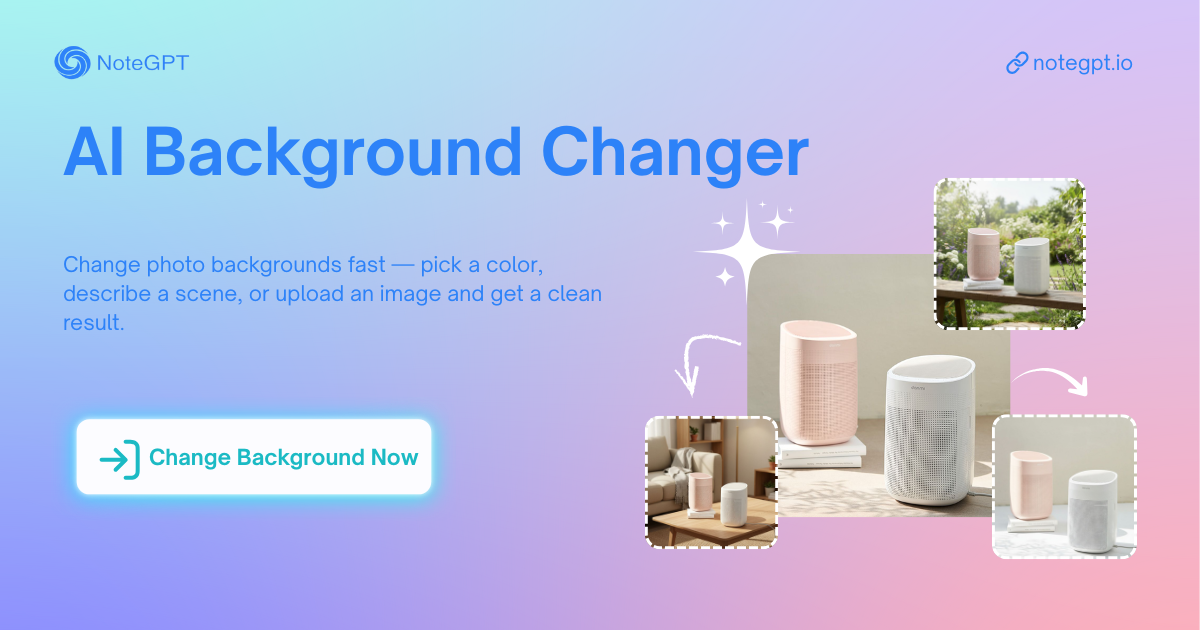
Change photo backgrounds fast — pick a color, describe a scene, or upload an image and get a clean result.

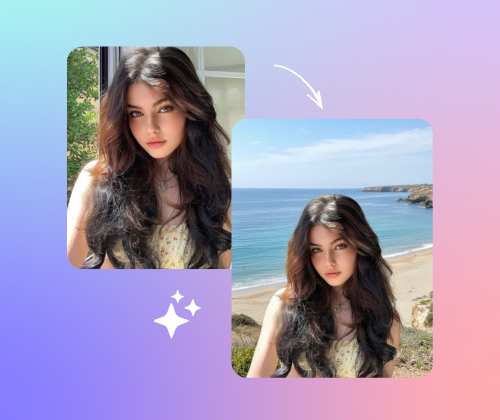
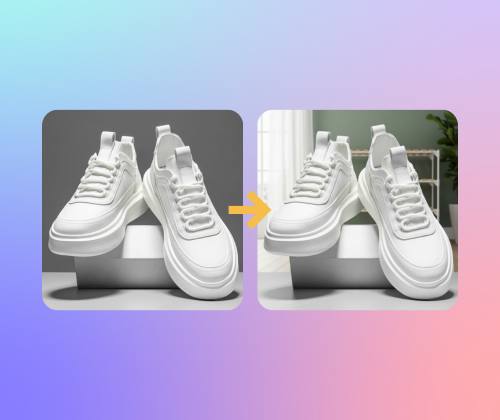
Before
Nano Banana Sample: AI Background Changer(after) | NoteGPT
After
Nano Banana Sample: AI Background Changer(before)  | NoteGPT
NoteGPT - Rated 4.9+ by NoteGPT Users
4.9
Chrome Store
NoteGPT - Rated 4.9+ by NoteGPT Users
NoteGPT - 80,000,000+ Users
80,000,000+
Users
NoteGPT - 80,000,000+ Users
NoteGPT - Trusted By 12,000+ Schools & Teams
12,000+
Schools & Teams
NoteGPT - Trusted By 12,000+ Schools & Teams

Trusted by 12 million users worldwide.

Logo
Logo
YouTube
Logo
Logo
Logo
Logo
Logo
Logo
Logo
Logo
Logo
Logo
Logo
Logo
Logo
Logo
Logo
Logo
Logo
Logo
Logo
Logo
Logo
Logo
Logo
Logo
Logo
Logo
Logo
Logo
Logo
YouTube
Logo
Logo
Logo
Logo
Logo
Logo
Logo
Logo
Logo
Logo
Logo
Logo
Logo
Logo
Logo
Logo
Logo
Logo
Logo
Logo
Logo
Logo
Logo
Logo
Logo
Logo
Logo
Logo
Logo
YouTube
Logo
Logo
Logo
Logo
Logo
Logo
Logo
Logo
Logo
Logo
Logo
Logo
Logo
Logo
Logo
Logo
Logo
Logo
Logo
Logo
Logo
Logo
Logo
Logo
Logo
Logo
Logo

AI Background Changer – Free Online Tool, No Sign-Up

AI Background Changer lets you change photo backgrounds online free — pick a color or describe it, and AI creates a clean, ready-to-use result. No sign-up.

AI Background Changer – Free Online Tool, No Sign-Up

What is AI Background Changer?

AI Background Changer is a free online tool that lets you quickly change the background of your photos. Simply pick a color, describe a scene, or upload a reference image, and AI will replace the background for you in seconds. No sign-up needed, just upload and go!

What is AI Background Changer?

Tired of Wasting Time Changing Backgrounds?

Manually editing photo backgrounds can take forever, especially if you don't have the right tools. With AI Background Changer, you can change your photo's background in seconds, all online and for free. No complicated software, just fast, easy results with no sign-up required.

Tired of Wasting Time Changing Backgrounds?

Why AI Background Changer is Recommended?

AI Background Changer stands out for its simplicity and speed. Unlike traditional photo editing software, it doesn’t require complex skills or long hours. With just a few clicks, you can replace your photo background online for free.

Why AI Background Changer is Recommended?

Why AI Background Changer Stands Out?

The following advantages make AI Background Changer stand out from other tools:

Replace Multiple Backgrounds at Once

With AI Background Changer, you can quickly replace the backgrounds of multiple photos at the same time. It’s perfect for bulk editing without the need to process each image separately.

Customizable Colors, Backgrounds & Prompts

This tool lets you pick a color, upload your own image, or simply type a prompt to create a brand-new background. It’s an easy way to shape your photos to match your style, your scene, or any idea you want to bring to life.

Upload Reference Images for Background Matching

You can upload a reference image, and AI will use it to match and replace your photo’s background. This gives you complete control over the final look with minimal effort.

How to Use the AI Background Changer Step by Step

Changing your photo background is super simple. Just follow these quick steps and get a clean, professional result in seconds.

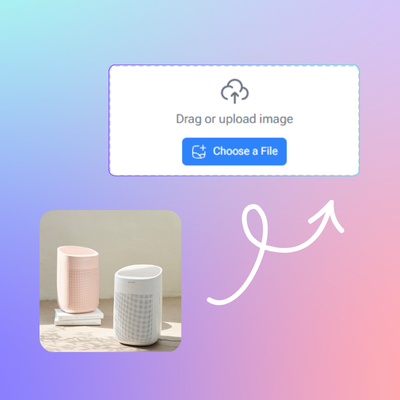
Step 1 – Upload Your Image

Step 1 – Upload Your Image

Choose any photo from your device and upload it to the tool. The AI will detect your subject instantly.

Step 2 – Pick or Describe a New Background

Step 2 – Pick or Describe a New Background

Select a solid color, write a short prompt, or use a reference image to set your desired background.

Step 3 – Preview and Download

Step 3 – Preview and Download

Check the final image and make small tweaks if needed. Once satisfied, download your ready-to-use photo.

Ready to Transform Your Photos?

Getting started is super easy. Upload your photo, choose a color, describe the scene, or upload a reference image, and let AI do the rest. It’s fast, free, and requires no sign-up. Give it a try today!

What Users Say About AI Background Changer?

J.D. avatar

J.D.

Photographer

“I had to change backgrounds for a batch of photos, and AI Background Changer saved me so much time. I love that I can replace multiple backgrounds at once. The tool is super easy to use, and I didn’t need any design experience to get great results. It’s fast, simple, and free. Definitely recommend it!”
L.M. avatar

L.M.

Content Creator

“I’ve tried many photo editing tools, but AI Background Changer is by far the easiest. I was able to customize the background colors and even upload a reference image to match the background perfectly. The best part is there’s no sign-up required, so I could jump right in. It’s a great solution for quick edits.”
C.R. avatar

C.R.

E-commerce Owner

AI Background Changer made it so easy to update the backgrounds for my product photos. I just picked a color and let the AI do the work. The results were perfect, and the tool didn’t take long to process. It’s an absolute time-saver for any online business!”
A.T. avatar

A.T.

Event Planner

“I used AI Background Changer to replace a lot of event photos with new backgrounds, and it was super fast. The AI did a great job matching the background I wanted. The entire process was quick, and I didn’t have to waste time with complicated editing software.”
S.H. avatar

S.H.

Blogger

“As someone with zero design skills, AI Background Changer was a lifesaver. I just uploaded my photos, and the tool did everything else. The backgrounds were changed to my exact specifications with zero hassle. It’s perfect for anyone who needs fast, high-quality results without the steep learning curve.”
M.P. avatar

M.P.

Web Designer

“I needed to replace backgrounds on several photos for my website, and AI Background Changer worked like a charm. It’s easy to use, and I especially like the ability to upload my own reference images. This tool is perfect for quick, professional-looking results.”

FAQs About AI Background Changer