



NoteGPT

Seedance 2.5 - AI Video Generator Agent

Generate 30s 4K videos online with advanced editing, multimodal input, and realism.

PricingUpgrade (Save 30%) · Limited Time
0/7References

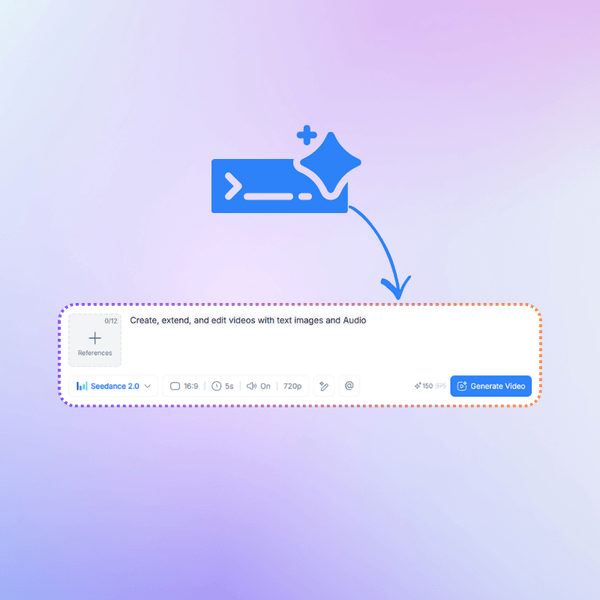
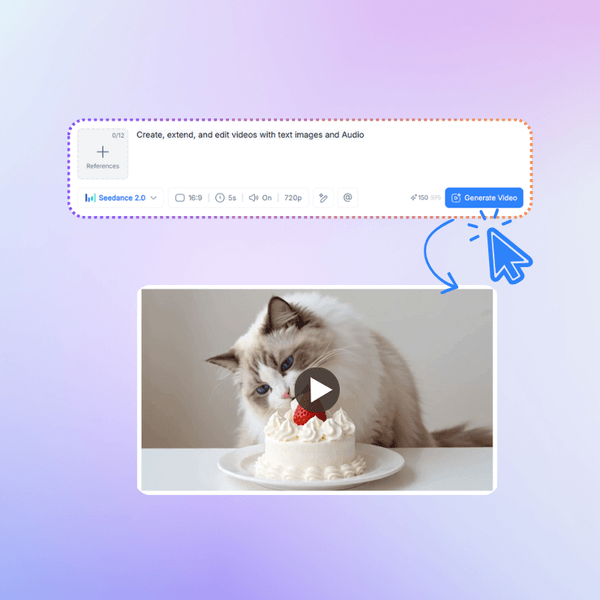
Describe the video you want to create, or upload a Start frame or End frame (optional).

For example:
1. Waterfall in a lush jungle, mist rising
2. Colorful fruit splash in water, high speed capture

40100

Seedance 2.5 - Native 30s 4K AI Video Generation Online

Seedance 2.5 by ByteDance enables native 30s 4K AI video generation online. Create, edit, and generate cinematic videos with advanced AI video generator model.

Seedance 2.5 - Native 30s 4K AI Video Generation Online

What is Seedance 2.5?

Seedance 2.5 is ByteDance's next-gen AI video model that actually delivers on the promise — 30-second clips in one go, native 4K resolution, and up to 50 reference inputs at the same time. You're not stitching five-second fragments anymore or settling for blurry upscaled footage. Describe your scene, toss in your reference images and clips, and get a polished, high-resolution result that's ready to post. Try it free online and see what real AI video generation looks like.
What is Seedance 2.5?

Still Stitching 5-Second Clips into One Video?

You've seen the AI video demos — they look cool for five seconds, then the scene breaks, the style shifts, and you're back to manually stitching fragments. Seedance 2.5 generates a full 30-second clip natively, in 4K, with all your reference materials baked in. One prompt, one output, zero patchwork.
Still Stitching 5-Second Clips into One Video?

Why Choose Seedance 2.5 on NoteGPT?

Seedance 2.5 makes AI video generation feel simple and fast. Instead of stitching short clips, you can create up to 30s native 4K videos in one go, with strong AI video editing support. Compared with Seedance 2.0 Mini, it handles longer scenes, better consistency, and richer multimodal inputs. Good for text to video, AI video generator online, and quick cinematic video creation without heavy editing work.
Why Choose Seedance 2.5 on NoteGPT?

What Makes Seedance 2.5 Different?

Four key upgrades take AI video from an “interesting demo” to a real production-ready tool, making creation smoother, faster, and far more usable in everyday workflows.

30-second Native Video

One prompt, one continuous clip. Seedance 2.5 outputs up to 30 seconds of coherent footage in a single generation, so you skip the fragment-assembly headache entirely.

50 Multimodal References at once

Upload images, clips, and text together — Seedance 2.5 synthesizes all 50 inputs into one unified vision. Your references actually shape the output, not sit unused.

Native 4K Resolution Output

No upscaled shortcuts. Seedance 2.5 generates real 4K footage with clean detail and accurate color — the kind of quality you can put on a brand page without apologizing for it.

Seedance 2.5 vs Other Leading AI Video Models

A quick comparison of Seedance 2.5 with other leading AI video models, helping you clearly see how it performs across key areas before diving into the detailed table below.

CapabilitySeedance 2.5Seedance 2.0 MiniSeedance 2.0 FastSeedance 2.0Gemini OmniHailuo 2.3KlingViduPixVerse
Speed★★★★★★★★★★★★★★★★★★☆☆★★★☆☆★★★★☆★★★☆☆★★★★☆★★★★☆
Video Quality★★★★★★★★★☆★★★★☆★★★★☆★★★★★★★★★☆★★★★★★★★★☆★★★★☆
Cost Efficiency★★★★★★★★★★★★★★☆★★★☆☆★★★☆☆★★★★☆★★★☆☆★★★★☆★★★★★
Ease of Use★★★★★★★★★★★★★★☆★★★★☆★★★★☆★★★★☆★★★★☆★★★★☆★★★★★

How to Use Seedance 2.5 in 3 Simple Steps

From idea to 4K video — no editing timeline required.

Step 1: Upload References

Step 1: Upload References

Gather up to 50 reference files — images, clips, style guides — and write your scene description. The more context you give, the closer the output.

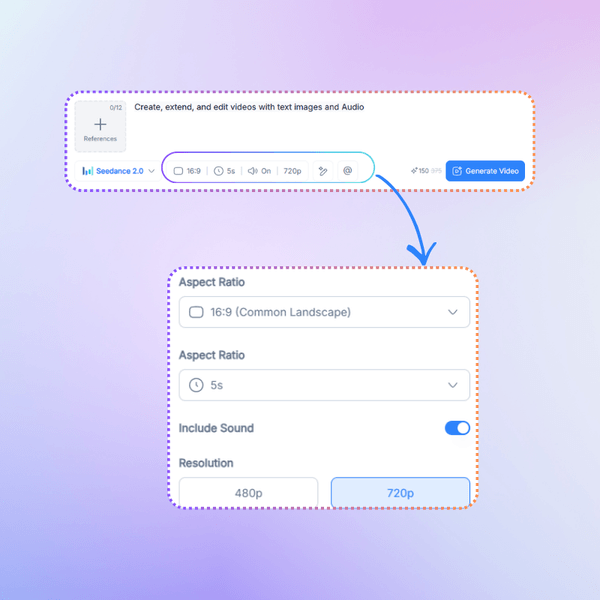
Step 2: Select Seedance 2.5

Step 2: Select Seedance 2.5

Seedance 2.5 builds your 30-second clip in 4K. Need adjustments? Tweak specific areas, motion paths, or timing without starting over.

Step 3: Generate and Review

Step 3: Generate and Review

Download your finished video in native 4K. Post it, embed it, or drop it into your next project — done and dusted.

Ready to Make Video That Actually Looks Good?

Stop settling for stitched fragments and upscaled blur. Seedance 2.5 gives you 30-second 4K clips in one shot — free to try, no signup needed. Your references, your vision, your result.

Creating with Seedance 2.5 Free

What Users Say About Seedance 2.5?

AT avatar

AT

Creative Director

I've been testing AI video tools since the early days of Runway, and Seedance 2.5 is the first one where I didn't immediately think "cool demo, but I can't actually use this." The 30-second native generation is a real game changer — previous models would give me 4 or 5 seconds of decent footage and then fall apart, so I'd spend hours stitching and fixing. With Seedance 2.5, I type my scene, add a couple of reference images, and I get a complete half-minute clip that's coherent from start to end. I used it for a client's product launch teaser last week and they were genuinely impressed. The 4K output means I don't have to explain to clients why the video looks "kind of fuzzy." This is the first AI video tool I've recommended to my team without hedging.
MR avatar

MR

Documentary Filmmaker

As a documentary filmmaker, I'm always looking for ways to quickly visualize scene concepts before committing to actual shoots. Seedance 2.5's ability to take 50 reference inputs simultaneously is incredibly useful — I can feed in location photos, mood reference clips, and character sketches all at once, and the model actually incorporates them. The fine-grained editing is what sold me though. If a character's movement looks off, I can adjust that specific element without regenerating the entire 30-second sequence. That level of control was completely missing from earlier tools. I'm not replacing my camera crew with AI, but for pre-visualization and concept testing, Seedance 2.5 has become an essential part of my workflow.
JC avatar

JC

E-commerce Operations Lead

We run an e-commerce brand with 200+ SKUs and we need product showcase videos for every item. Before Seedance 2.5, we were either paying freelancers (slow, expensive) or using older AI video tools (short, blurry, inconsistent). Now I upload product photos and a brief description, and Seedance 2.5 gives me a 30-second 4K clip that I can actually put on our product pages. The consistency across shots is impressive — the product looks the same from every angle, which older models couldn't manage. We've cut our per-video cost from about 600 RMB to almost nothing, and our time from 3 days to 15 minutes. Our conversion rate on listings with these videos went up 18% in the first month.
KN avatar

KN

Game Cinematic Director

I work in game development and we needed cinematic pre-rendered sequences for our upcoming title. The traditional approach meant weeks of motion capture and rendering. We tried Seedance 2.5 as a rapid prototyping tool and the results were surprisingly usable. I fed it 30 reference images — character designs, environment sketches, lighting references — and it produced a 30-second cinematic sequence that captured the mood perfectly. The 4K native output meant we could actually evaluate the footage at full resolution, not squinting at a thumbnail. We ended up using two of the generated clips as in-game teaser content after minor manual polish. For rapid concept iteration, it's become our go-to.
ZH avatar

ZH

Social Media Agency Owner

Running a social media agency means my team needs to produce video content daily for multiple clients. Volume is everything — but quality can't slip. Seedance 2.5 has been the best balance we've found. The 30-second single-generation clips save us from the stitching nightmare, and the 4K output means clients don't complain about resolution. The reference input feature is probably our most-used capability — each client has brand guidelines, color palettes, and style references, and we can load all of them into one generation. Before, we'd spend an hour per clip on manual editing after AI generation. Now it's maybe 10 minutes of fine-tuning. Our output volume tripled and our client satisfaction scores actually went up.
WL avatar

WL

YouTube & Bilibili Creator

I'm a solo content creator on YouTube and Bilibili, and I've been looking for a tool that can help me produce b-roll and transition clips without spending hours in Premiere. Seedance 2.5 finally delivers something I can use. The 30-second clips are long enough to serve as actual scene transitions, not just flashy three-second fillers. And the fine-grained editing means if one part of the clip looks weird, I fix just that part instead of rolling the dice on a full re-generation. The 4K quality is noticeable — my viewers actually commented that the b-roll "looks way better than before." For independent creators who can't afford a production team, this tool genuinely closes the gap between idea and finished content.

FAQs about Seedance 2.5