






NoteGPT

AI Excel Formula Generator

Create, explain, and fix Excel formulas with AI

PopularAI TranscriberAI ImagesAI VideosText to SpeechAI Podcast
Shared by Users

Excel Formula Generator - AI Formulas from Plain English

Generate Excel formulas from plain English with AI. Analyze your spreadsheet, create complex formulas, explain or fix errors, and get accurate results online.

Text to Formula Spreadsheet Agent
Generate a Formula Free
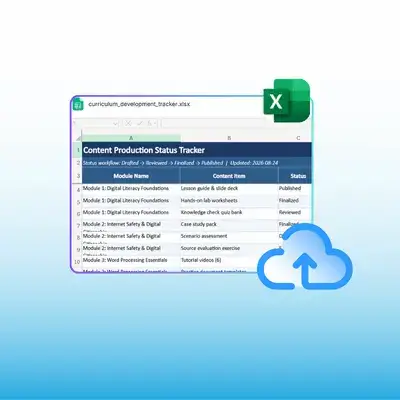
Excel Formula Generator turning a plain English request into a working Excel formula

What Is Excel Formula Generator?

Excel Formula Generator turns a sentence into a working formula. Describe the result you want, point it at your columns, and it returns the syntax with each argument explained. It reads your actual sheet, so range references match your layout instead of a generic example.
What Is Excel Formula Generator?

Why Choose Excel Formula Generator?

Most formula tools stop at a single string and leave you to guess where it goes. Excel Formula Generator reads your headers first, so the ranges it writes point at the right columns, then explains each argument in plain words. Free access lets you test real worksheets first.
Why Choose Excel Formula Generator?

When One Wrong Comma Costs an Afternoon

You need a formula that sums one column where another matches a value, then nests three conditions inside it. The help article is close but not exact, one comma is wrong, and the error names nothing useful. Excel Formula Generator writes it from your sentence and explains why it works.
When One Wrong Comma Costs an Afternoon

What Excel Formula Generator Handles for You

Excel Formula Generator covers writing, explaining, and repairing formulas in one place, turning a syntax problem into a plain description of what you want the sheet to do.

Write from Plain English

Describe the calculation in plain words and Excel Formula Generator returns working syntax for your Excel version, nested lookups included.

Explain Any Formula

Paste a formula you inherited and Excel Formula Generator breaks it down step by step, so you can edit one part and keep the rest intact.

Fix Broken Results

When a cell returns an error, Excel Formula Generator checks the formula alongside nearby data to find the exact range that has drifted.

Write a Formula in 3 Steps

Step 1: Describe the Calculation

Step 1: Describe the Calculation

Type what you need in plain English, naming the columns and the condition, and Excel Formula Generator identifies the function that fits.

Step 2: Paste Your Range Details

Step 2: Paste Your Range Details

Add the sheet layout or upload the file so Excel Formula Generator writes references that match your real columns, not placeholder cells.

Step 3: Review and Copy

Step 3: Review and Copy

Read the explanation, check the ranges against your sheet, then copy the formula into the cell and confirm the first result looks right.

Write the Formula You Have Been Avoiding

Stop guessing at commas. Excel Formula Generator turns your description into working syntax and explains each part, then shows why the result is right.

Generate a Formula Free

What Users Say About Excel Formula Generator

Grace Whitmore avatar

Grace Whitmore

Accounting Manager

“Reconciliation formulas used to mean twenty minutes in a help forum and a few broken attempts. It took my sentence about matching invoice numbers across two tabs and returned a working INDEX MATCH, with each argument explained in one line. I now write the awkward ones in seconds and understand what runs in the cell.”
Hiroshi Tanaka avatar

Hiroshi Tanaka

Data Analyst

“I inherited a workbook with nested IF statements nobody could read. Excel Formula Generator explained each layer in plain language, which let me simplify the logic instead of copying it blind. The part I value most is that it reads the actual sheet, so the ranges it suggested matched my columns rather than the generic example in a tutorial.”
Lucia Ferreira avatar

Lucia Ferreira

Small Business Owner

“I run my own shop and Excel is not my language. Excel Formula Generator lets me describe what I want, like total sales per month excluding refunds, and gives me something that works on the first paste. Being able to ask why it works, in normal words, has taught me more about spreadsheets than any course I started.”
Peter Novak avatar

Peter Novak

Financial Controller

“Board packs depend on formulas that must be right every month. Excel Formula Generator wrote the variance calculation, explained the logic, and flagged that my original range missed the final row. Catching that before the pack went out justified the switch, and it now sits open beside every model I build.”
Amara Okonkwo avatar

Amara Okonkwo

Operations Coordinator

“Our scheduling sheet needs conditional formulas that change with shift patterns. Excel Formula Generator handled the nesting without me hunting for the right bracket, and when one result came back wrong it pointed at a range that had drifted. Fixing that took one edit instead of an afternoon of trial and error.”
Sean Doherty avatar

Sean Doherty

Marketing Analyst

“Campaign reports pull from three exports with different column names. Excel Formula Generator wrote lookups that matched each layout and explained which reference pointed where, so I could verify the joins before trusting a number. What used to be an afternoon of careful copy and paste now takes a short conversation and one check.”

Frequently Asked Questions About Excel Formula Generator