
NoteGPT
AI Image SharpenerMore Image Tools
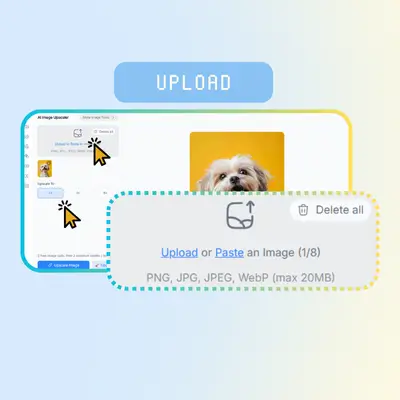
Upload or Paste an Image (0/8)
PNG, JPG, JPEG, WebP (max 20MB)
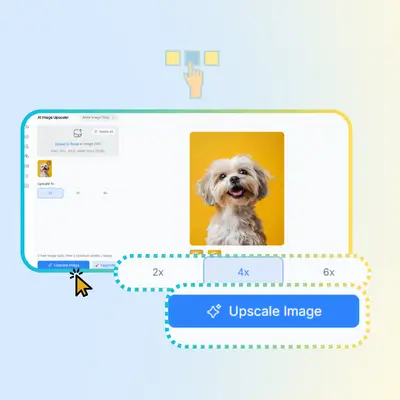
Upscale To
2 free image daily, then 2 premium credits / image.

Free AI Image Sharpener

Sharpens photos, enhances clarity, and removes blur with ease.

Before
Nano Banana Sample: Enhance image(after) | NoteGPT
After
Nano Banana Sample: Enhance image(before) | NoteGPT
NoteGPT - Rated 4.9+ by NoteGPT Users
4.9
Chrome Store
NoteGPT - Rated 4.9+ by NoteGPT Users
NoteGPT - 80,000,000+ Users
80,000,000+
Users
NoteGPT - 80,000,000+ Users
NoteGPT - Trusted By 12,000+ Schools & Teams
12,000+
Schools & Teams
NoteGPT - Trusted By 12,000+ Schools & Teams

Trusted by 12 million users worldwide.

Logo
Logo
YouTube
Logo
Logo
Logo
Logo
Logo
Logo
Logo
Logo
Logo
Logo
Logo
Logo
Logo
Logo
Logo
Logo
Logo
Logo
Logo
Logo
Logo
Logo
Logo
Logo
Logo
Logo
Logo
Logo
Logo
YouTube
Logo
Logo
Logo
Logo
Logo
Logo
Logo
Logo
Logo
Logo
Logo
Logo
Logo
Logo
Logo
Logo
Logo
Logo
Logo
Logo
Logo
Logo
Logo
Logo
Logo
Logo
Logo
Logo
Logo
YouTube
Logo
Logo
Logo
Logo
Logo
Logo
Logo
Logo
Logo
Logo
Logo
Logo
Logo
Logo
Logo
Logo
Logo
Logo
Logo
Logo
Logo
Logo
Logo
Logo
Logo
Logo
Logo

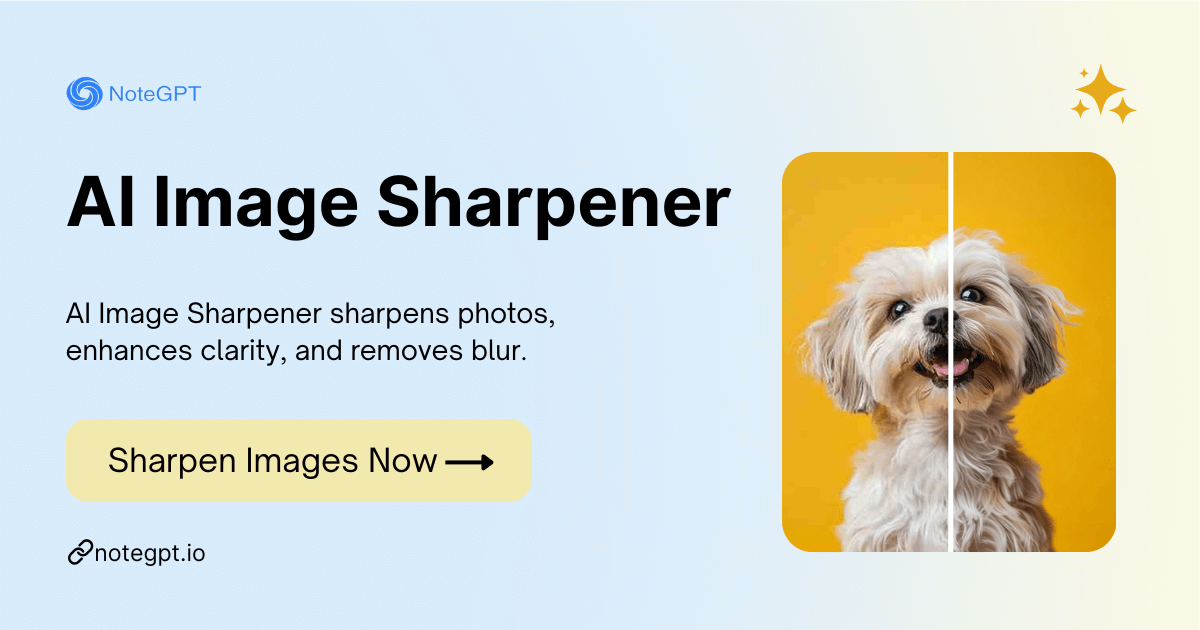
AI Image Sharpener – Free Sharpen Images Online, No Sign-up

AI Image Sharpener sharpens photos, enhances clarity, and removes blur. Free online tool with no sign-up required for crisp, sharper images.

AI Image Sharpener – Free Sharpen Images Online, No Sign-up

What is AI Image Sharpener?

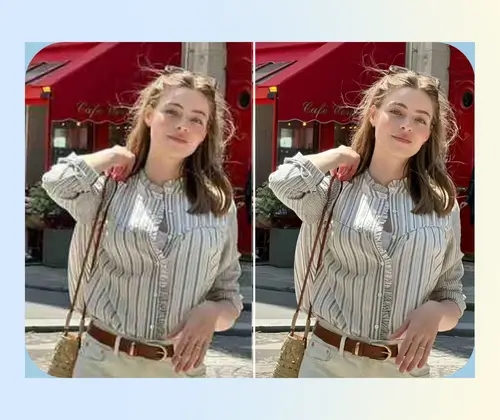
Our AI Image Sharpener is an easy-to-use online tool that helps you sharpen photos, enhance image clarity, and remove blur. Whether you have a blurry picture from your phone or want to improve old photos, this free AI-powered tool makes images sharper and clearer. No sign-up is needed, and it works entirely in your browser, perfect for anyone who wants high-quality, crisp pictures quickly.

What is AI Image Sharpener?

Struggling with Blurry or Low-Quality Photos?

Traditional photo editing is slow and tricky, often needing expensive software or skills. AI Image Sharpener instantly improves clarity, sharpens images, and removes blur online for free, no sign-up required.

Struggling with Blurry or Low-Quality Photos?

Why AI Image Sharpener is Recommended?

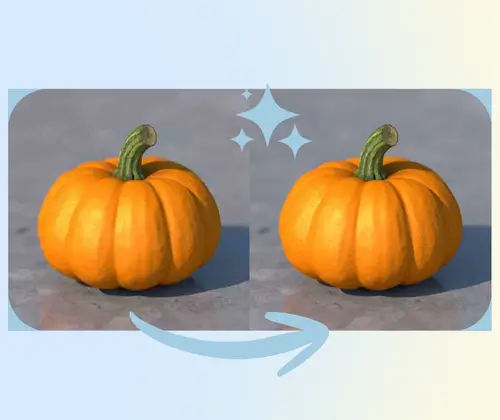
AI Image Sharpener is perfect for anyone who wants to quickly sharpen photos, enhance image quality, and fix blurry pictures without hassle. Unlike traditional software, this free online tool works in your browser, needs no sign-up, and uses AI to improve clarity, color, and details. It's ideal for photographers, social media users, and anyone who wants crisp, high-quality images easily.

Why AI Image Sharpener is Recommended?

Why AI Image Sharpener Stands Out

Unlike ordinary photo tools, AI Image Sharpener offers ultra-clear results with 8K quality, supports multiple file uploads, and keeps every detail crisp.

Ultra-High 8K Image Quality

AI Image Sharpener enhances your photos to 8K resolution, making every detail sharp, clear, and ready for professional use.

Upload Multiple Files at Once

Save time by uploading several images simultaneously. Sharpen photos quickly without the hassle of single-file editing.

Maintain Every Detail Clearly

Even fine textures and small elements stay crisp. This tool preserves all details while sharpening images.

How to Use AI Image Sharpener Easily

Follow three simple steps to sharpen photos, enhance clarity, and remove blur quickly online.

Step 1: Upload Your Images

Step 1: Upload Your Images

Select one or multiple photos from your device to start sharpening immediately.

Step 2: Adjust Settings

Step 2: Adjust Settings

Fine-tune clarity, sharpness, and details to get the perfect enhanced image.

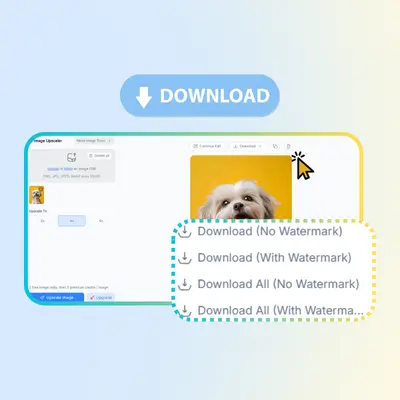
Step 3: Download Sharpened Photos

Step 3: Download Sharpened Photos

Save your improved images directly to your device without signing up.

Ready to Sharpen Your Images Online?

If your photos look blurry or lack detail, AI Image Sharpener makes it easy to fix them. Upload your images, sharpen them with AI, and get clear, high-quality results in just a few clicks—no sign-up needed.

What Users Say About AI Image Sharpener

A.M. avatar

A.M.

E-commerce Seller

I use AI Image Sharpener mainly to fix photos for my online store. Some product images looked soft after resizing, and traditional editors took too much time. This tool helps me sharpen images while keeping the details natural. The 8K quality really makes a difference, especially for zoomed-in views. AI Image Sharpener is simple to use, works fast, and doesn't ruin textures like fabric or edges. It feels made for real work, not just quick demos.
J.K. avatar

J.K.

Content Creator

As a content creator, image quality matters a lot to me. I tried many tools before, but AI Image Sharpener feels more practical. It helps sharpen photos without making them look fake or over-processed. I like that I can upload multiple images at once and keep everything clear. AI Image Sharpener saves me time when preparing posts and thumbnails, especially when older photos need a quick quality boost.
L.T. avatar

L.T.

Graphic Designer

I often work with scanned images and old photos, and clarity is always an issue. AI Image Sharpener helps clean up blur and improve sharpness while keeping small details readable. Compared to desktop software, this tool is much easier to use and doesn't require setup. AI Image Sharpener works well for both personal projects and client work, especially when I need consistent results across many images.
S.R. avatar

S.R.

Travel Blogger

I'm not a professional editor, but I still care about how my photos look. AI Image Sharpener is easy enough for beginners like me. I just upload my images, and the results are clear and natural. It sharpens photos without strange noise or harsh lines. AI Image Sharpener is great for travel pictures and social posts when I want everything to look clean and sharp.
D.H. avatar

D.H.

Business Analyst

For presentations and reports, blurry images can look unprofessional. I started using AI Image Sharpener to improve charts and screenshots. It keeps text edges clean and details clear, even when images are enlarged. AI Image Sharpener works fully online, which is perfect for quick tasks at work. It's reliable and doesn't complicate things with too many options.
M.C. avatar

M.C.

Print Designer

I tested AI Image Sharpener while preparing photos for a print project. The 8K output helped maintain sharpness without losing fine details. Many tools overdo sharpening, but this one feels balanced. AI Image Sharpener supports multiple files, which saved me a lot of time. It's a solid choice when image quality really matters and deadlines are tight.

FAQs About AI Image Sharpener