



NoteGPT
MiniMax M3MiniMax M3
Official

Use MiniMax M3 to analyze long documents, extract key insights, and structure complex content. Handle up to 1M tokens and boost your productivity with advanced AI reasoning.

MiniMax M3: AI with 1M Context and Multimodal Understanding Online Free

MiniMax M3 is a free online AI with 1M token long context and multimodal understanding, designed for agent tasks, coding, reasoning, and document analysis.

MiniMax M3

What is MiniMax M3?

MiniMax M3 is a powerful AI model built for long-context reasoning, multimodal understanding, and complex problem-solving. With support for up to 1M tokens, it can handle large documents, lengthy conversations, code projects, and research tasks without losing context. Whether you need an AI model for coding, document analysis, content creation, or agent workflows, MiniMax M3 helps you work faster and get more accurate results.

What is MiniMax M3?

What Can You Create with MiniMax M3 AI Model

MiniMax M3 is not just a normal AI chat tool. It’s more like a long-context AI model that can read, understand, and work with huge amounts of information at once. You can use it to handle text, images, and files together, which makes it useful for real work, study, and daily productivity tasks.

What Can You Create with MiniMax M3 AI Model

Why Choose MiniMax M3?

MiniMax M3 stands out with its ultra-long context window, strong multimodal understanding, and advanced reasoning abilities. It can work with large amounts of information, understand different content types, and handle complex tasks with greater accuracy, making it a reliable AI model for work, study, and creative projects.

Why Choose MiniMax M3?

1M Context Window for Long Documents and Research

MiniMax M3 supports up to 1M tokens, allowing it to process lengthy reports, books, research papers, and extended conversations while keeping important details in memory.

Native Multimodal Understanding Across Content Types

Beyond text, MiniMax M3 can understand images and mixed content, making it easier to analyze documents, interpret visual information, and complete multimodal AI tasks in one place.

Advanced Reasoning for Coding and Complex Workflows

From software development to deep analysis, MiniMax M3 can break down difficult problems, generate code, follow multi-step instructions, and support agent-based workflows with consistent performance.

MiniMax M3 vs Other AI Models

Choosing the right AI model depends on what you need to do. While many leading models are great at reasoning, coding, or content generation, MiniMax M3 stands out with its combination of a 1M-token context window, multimodal understanding, and strong agent capabilities. This makes it especially useful for handling large documents, long research sessions, and complex workflows that require maintaining context over time.

ModelBest ForLong ContextMultimodal UnderstandingCoding & ReasoningAgent Workflows
MiniMax M3Long documents, research, coding, AI agents⭐⭐⭐⭐⭐⭐⭐⭐⭐⭐⭐⭐⭐⭐⭐⭐⭐⭐⭐⭐
MiniMax M2.7Everyday AI tasks⭐⭐⭐⭐⭐⭐⭐⭐⭐⭐⭐⭐⭐⭐⭐⭐
Claude Opus 4.7Deep reasoning and writing⭐⭐⭐⭐⭐⭐⭐⭐⭐⭐⭐⭐⭐⭐⭐⭐⭐
GPT-5.5General-purpose AI assistance⭐⭐⭐⭐⭐⭐⭐⭐⭐⭐⭐⭐⭐⭐⭐⭐⭐⭐⭐
Gemini 3.1 ProLarge-context analysis⭐⭐⭐⭐⭐⭐⭐⭐⭐⭐⭐⭐⭐⭐⭐⭐⭐⭐
Claude Sonnet 4.6Coding and productivity⭐⭐⭐⭐⭐⭐⭐⭐⭐⭐⭐⭐⭐⭐⭐⭐⭐
DeepSeek V4 ProTechnical problem solving⭐⭐⭐⭐⭐⭐⭐⭐⭐⭐⭐⭐⭐⭐⭐
GLM 5.1 ThinkingReasoning-focused tasks⭐⭐⭐⭐⭐⭐⭐⭐⭐⭐⭐⭐⭐
Kimi K2.6 ThinkingLong-context conversations⭐⭐⭐⭐⭐⭐⭐⭐⭐⭐⭐⭐⭐⭐⭐

How to Use MiniMax M3 in AI Chat

MiniMax M3 works best inside an AI Chat setup, especially when you need to handle long context inputs or mixed content like text and images. It's built for real use cases like research, reading documents, coding help, and multimodal Q&A, all in one place.

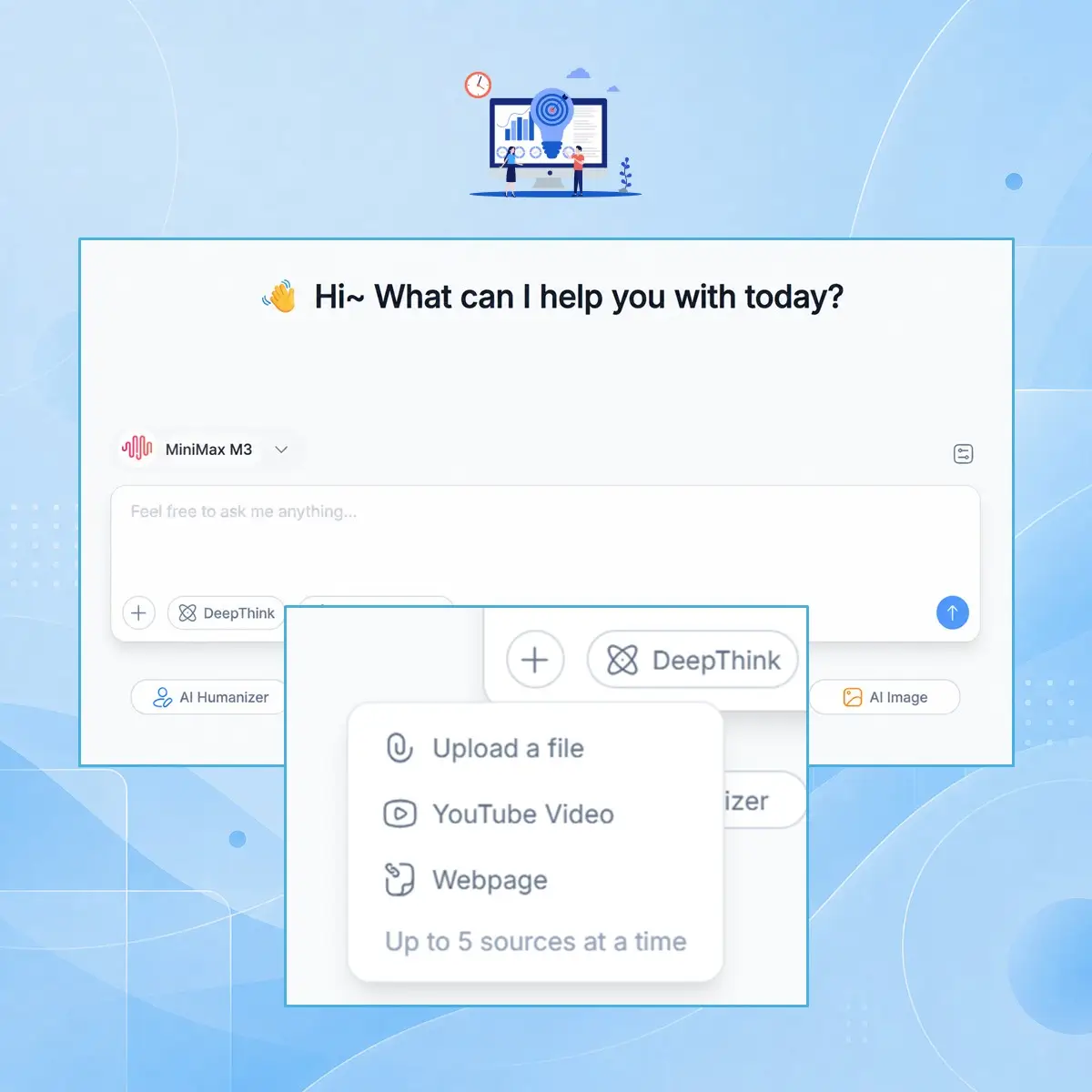
Step 1: Start a Chat with Your Content

Step 1: Start a Chat with Your Content

Open the AI chat and paste your long text, upload files, or add images. MiniMax M3 can take large inputs and understand everything in one go.

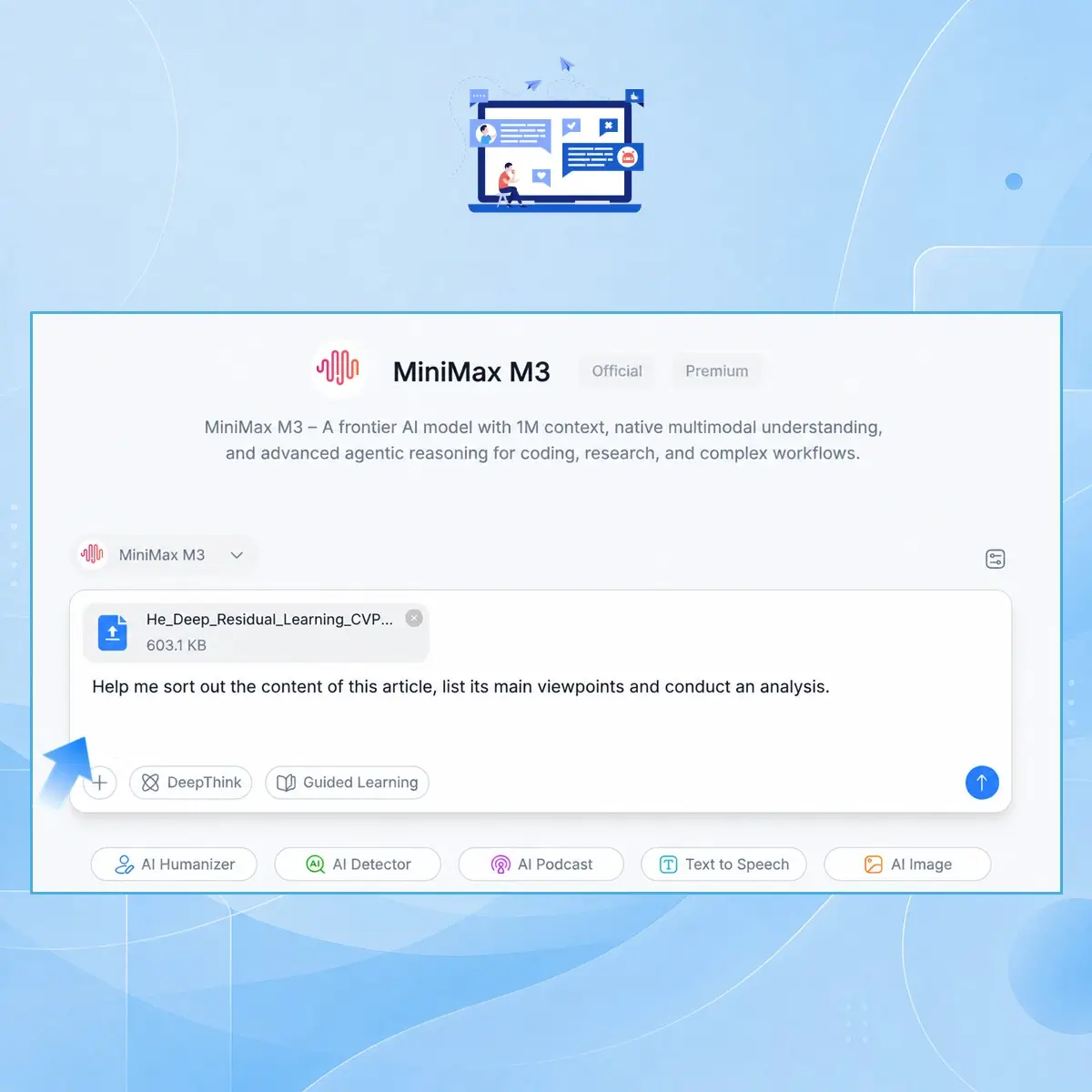
Step 2: Ask Questions or Give Tasks

Step 2: Ask Questions or Give Tasks

You can ask for summaries, explanations, code help, or analysis. The model uses its 1M context window to keep full information in mind while replying.

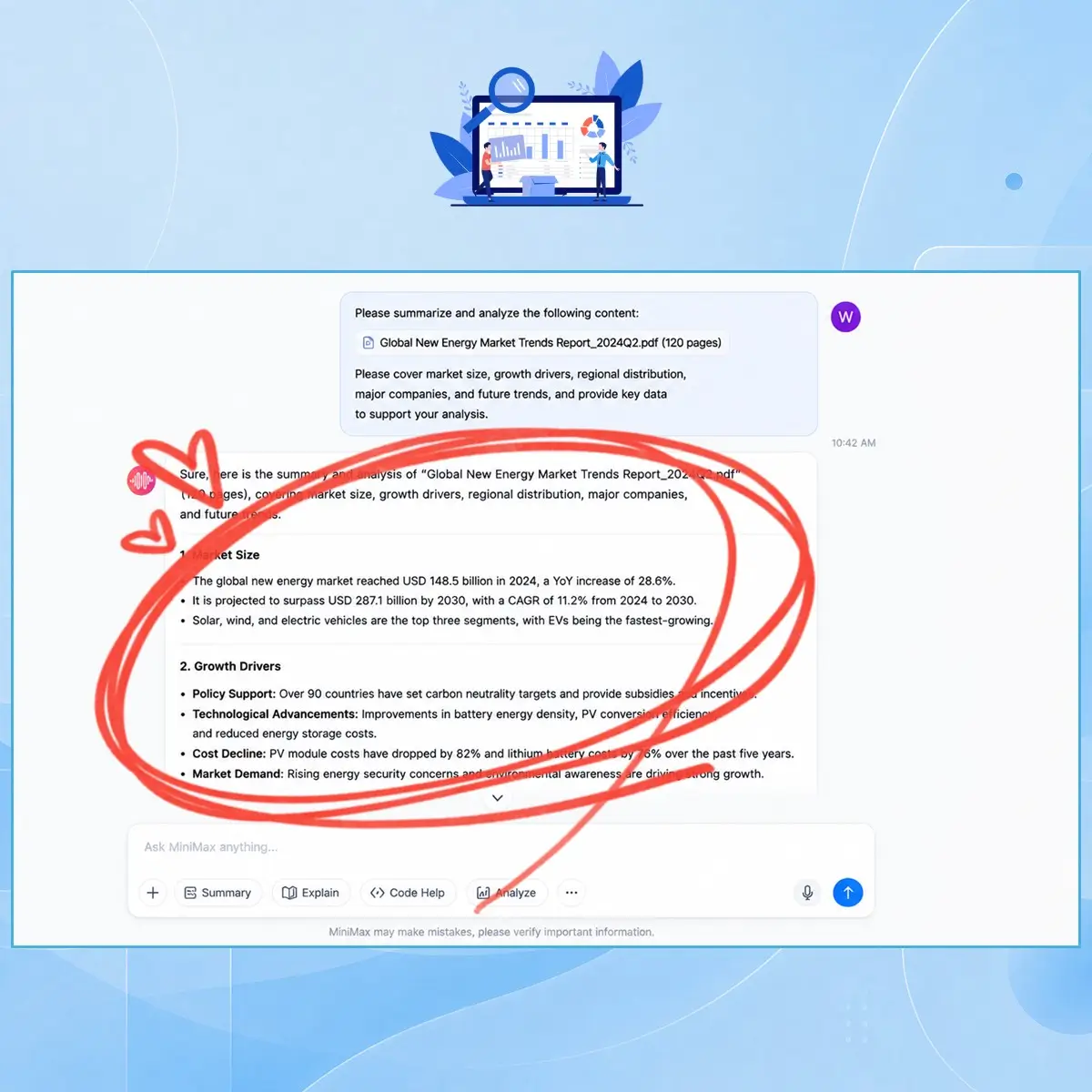
Step 3: Continue with Multimodal Follow-ups

Step 3: Continue with Multimodal Follow-ups

Add more text, images, or new questions anytime. MiniMax M3 keeps the full context and adjusts answers smoothly without losing earlier details.

Start Using MiniMax M3 Today

MiniMax M3 is ready when you are. You can drop in long notes, files, or images and start asking questions right away. It helps you read, understand, and work through complex stuff without losing context, so your workflow feels faster and smoother.
Start your first chat now and see how easy it is to handle long content and mixed media with AI.

Try MiniMax M3 Now

What Users Say About MiniMax M3

J.L. avatar

J.L.

Research Analyst

MiniMax M3 has been really helpful for my research work. I often deal with long reports and academic papers, and most tools lose track after a while. But MiniMax M3 keeps everything in context, even when I upload multiple documents. I also like that it can understand images and text together, which saves me a lot of time when analyzing mixed materials. It feels smooth in AI chat, and I don't need to repeat myself again and again. Overall, it's become part of my daily workflow for reading and summarizing complex content.
R.K. avatar

R.K.

Software Engineer

I use MiniMax M3 for coding support and debugging. What stands out is how it remembers long code context without breaking the flow. I can paste big files and still get accurate suggestions. MiniMax M3 also helps explain logic in simple terms, which is great when I'm stuck. It's not just a chatbot, it actually feels like a working assistant inside my dev process.
M.S. avatar

M.S.

Content Creator

As a content creator, I deal with scripts, notes, and reference images every day. MiniMax M3 makes it easy to organize everything in one place. I can ask questions about both text and visuals, and it responds naturally. It reduces a lot of switching between tools.
A.T. avatar

A.T.

University Student

MiniMax M3 is great for studying. I upload lecture notes and slides, and it helps me break everything down step by step. The long context feature really helps when I review whole chapters in one go.
D.W. avatar

D.W.

Business Consultant

I've tried many AI tools, but MiniMax M3 feels more consistent when working with large inputs. It doesn't forget earlier parts of the chat, which is very useful for my consulting work.
L.H. avatar

L.H.

Product Manager

What I like most about MiniMax M3 is how simple it is to use. I just drop my files and ask questions. It handles everything in a natural way, without me needing to format things too much.

MiniMax M3 FAQs You Should Know