


Making a video used to require a camera, a crew, editing software, and hours of time. Today, an AI video maker can turn a script, a few images, or even a single prompt into a watchable video in minutes. That is why creators, marketers, educators, and small businesses are increasingly using AI video generation instead of traditional production.
But "AI video maker" is a broad category. Some tools generate video from text prompts. Some turn scripts into slideshow-style videos with voiceover. Some edit raw footage automatically, while others repurpose long videos into short clips. The right tool depends on what you want to make and how you want to work.
To help you choose, we compared 10 popular AI video tools: InVideo AI, NoteGPT, Canva, Renderforest, VEED, Opus Clip, Kapwing, Adobe, Pollo AI, and Picsart. Each one fits a different part of the AI video creation workflow. If you already have footage and want to speed up editing, an AI Video Editor is a practical place to start.
What Is an AI Video Maker?
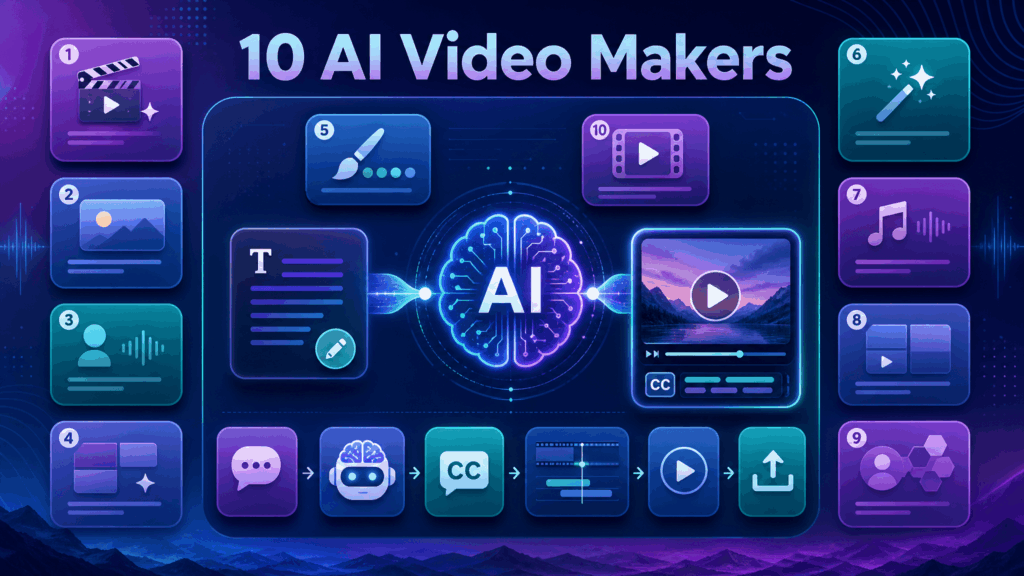
An AI video maker is a tool that uses artificial intelligence to help create videos with less manual work. AI can generate scenes from text, write and voice a script, select stock footage, add captions, sync music, adjust pacing, or repurpose existing content into new formats.
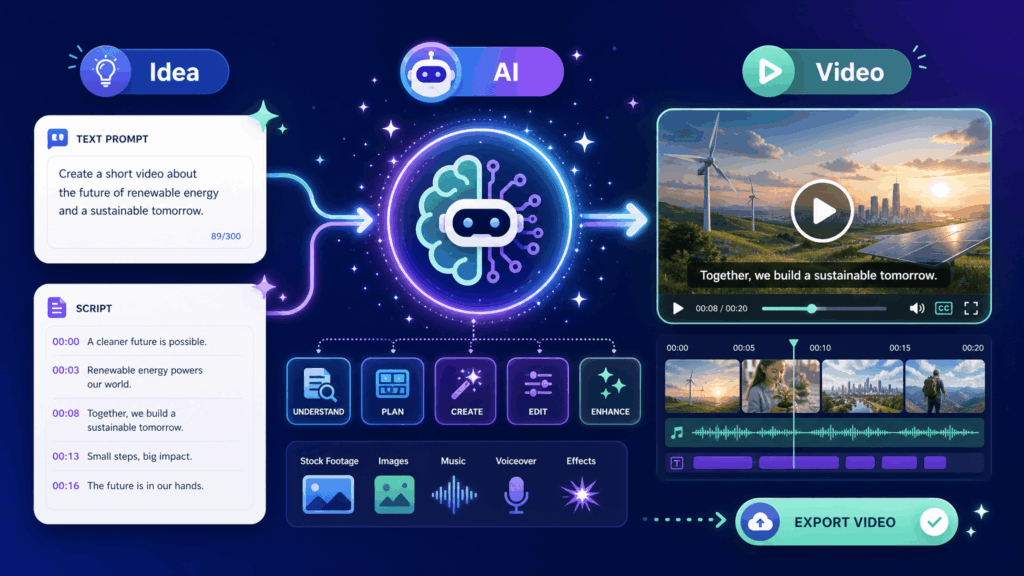
The biggest benefit is speed. Instead of writing a script, recording footage, and editing frame by frame, you can describe your idea and let the tool build a first draft. You then refine captions, timing, visuals, and export settings until the video is ready. That makes AI video makers useful for everything from social media clips to marketing videos, explainers, and short-form content.
How We Chose the Best AI Video Makers
To compare these tools fairly, we looked at five factors.
First, ease of use matters. Most users want to create a video quickly without a steep learning curve. Second, generation quality matters because AI output should look usable, not just fast. Third, flexibility matters: can the tool generate from text, edit footage, add captions, or repurpose content? Fourth, platform fit matters because videos for TikTok, Reels, Shorts, YouTube, and ads need different formats. Fifth, value matters. Free tiers, pricing, watermarks, and export limits all influence which tool is practical for you.
1. InVideo AI
InVideo AI is one of the most popular text-to-video platforms. You type a prompt, and the tool generates a complete video with scenes, stock footage, voiceover, music, and captions. It is designed for users who want to turn an idea into a full video without editing everything manually.
InVideo AI works well for YouTube-style videos, marketing content, and faceless channels. The generated video gives you a strong starting point, and you can then adjust scenes, text, voice, and music in the editor. It is a good choice when you want the AI to do most of the heavy lifting.
Best for: text-to-video creation and faceless content. Pros: generates complete videos from prompts, strong for beginners, useful for YouTube and marketing. Cons: output may still need refinement, and advanced customization can take time. Best use case: choose InVideo AI when you want to turn a prompt or script into a full video quickly.
2. NoteGPT
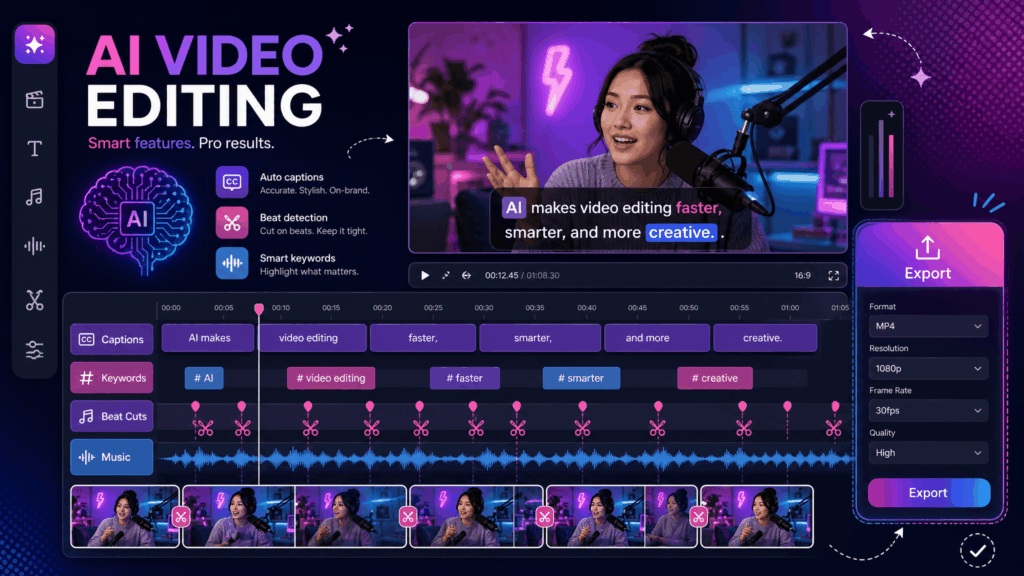
NoteGPT is a versatile AI productivity platform that includes video tools for editing, captioning, and repurposing content. Its AI Video Editor is designed for users who already have video footage and want to finish it faster: trimming clips, adding captions, adjusting pacing, preparing vertical formats, and exporting platform-ready videos.
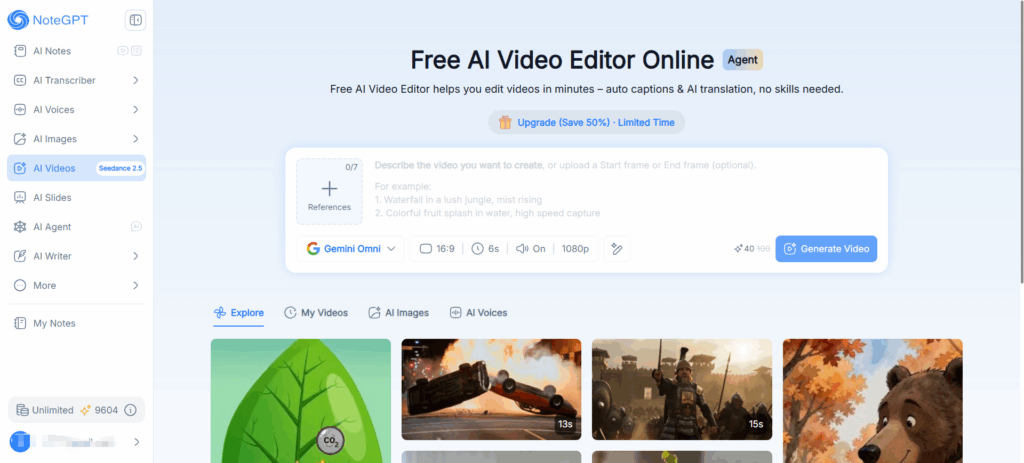
What makes NoteGPT stand out is how it fits into a broader workflow. You can use its AI Video Editor to polish generated or recorded footage, then continue with other AI features for notes, summaries, and content creation. That makes it useful for students, creators, marketers, and professionals who want one connected toolkit rather than several isolated apps.
Best for: fast AI-assisted video editing, captions, and short-form workflows. Pros: practical online workflow, helpful for captions and repurposing, connects with a broader AI productivity platform. Cons: better for editing and finishing videos than for generating scenes from text alone. Best use case: choose NoteGPT when you have footage or AI-generated clips and need to edit, caption, resize, and export them efficiently.
3. Canva
Canva is a design platform that also works as an AI video maker. It offers templates, stock footage, animated text, transitions, and AI-powered tools such as auto captions and Magic Design. Because millions of people already use Canva for images, moving into video feels familiar.
Canva is strongest for social media videos, presentations, promo clips, and simple marketing content. The drag-and-drop editor makes it easy to combine images, text, and video even if you have no editing experience. AI features help with captions, layout suggestions, and quick design variations.
Best for: designers and marketers who want a familiar template-based video maker. Pros: easy to learn, strong templates, good for social and promo content. Cons: less suited to long-form or heavily AI-generated video production. Best use case: choose Canva when you want to design social videos and branded content quickly.
4. Renderforest
Renderforest is an online video maker with a large library of templates for intros, promos, explainers, slideshows, and brand videos. It is designed for users who want a professional-looking video without advanced editing skills.
Renderforest also includes AI features for script generation, voiceover, and scene assembly. It works well for corporate videos, event promos, real estate content, and small-business marketing. If you need a clean template-based result and do not want to start from a blank timeline, Renderforest is a solid choice.
Best for: template-based videos, brand promos, and explainers. Pros: many templates, professional-looking output, beginner-friendly. Cons: templates can feel similar, and deep customization is limited. Best use case: choose Renderforest when you want fast, branded, template-driven videos.
5. VEED
VEED is an online video editor known for its AI captions, subtitles, and social video tools. It is popular with creators and marketers who need quick edits, automatic transcription, text overlays, and platform-ready exports for TikTok, Reels, and Shorts.
VEED is useful when your workflow is editing existing footage rather than generating scenes from prompts. You can upload video, auto-generate captions, clean up audio, add progress bars, and export in vertical format. It is a practical all-in-one editor for short-form content.
Best for: captions, short-form video editing, and social publishing. Pros: strong AI captions, easy online workflow, good for TikTok and Reels. Cons: some advanced features are limited without a paid plan. Best use case: choose VEED when you need fast captions and social-ready edits.
6. Opus Clip
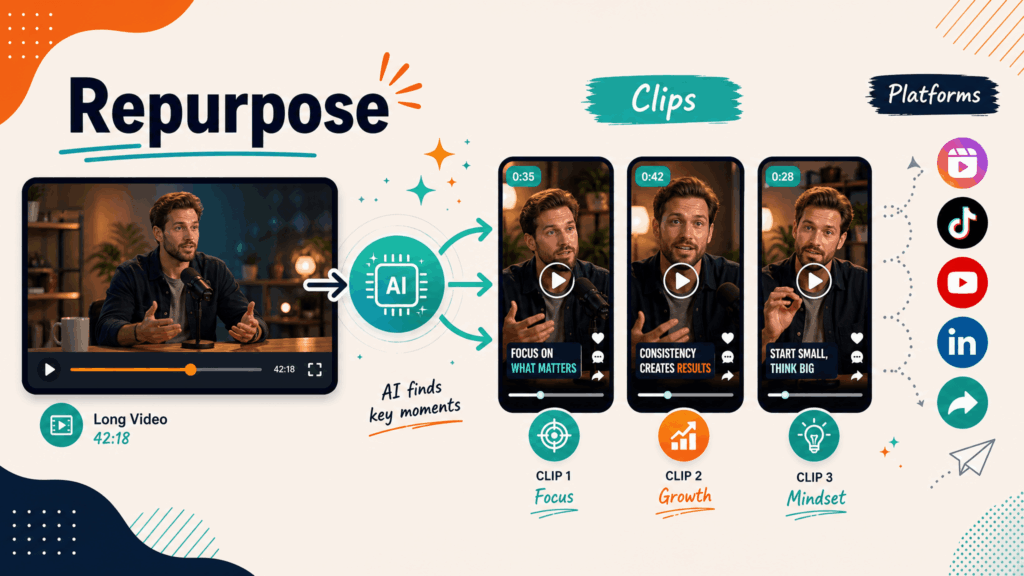
Opus Clip is designed for one specific job: turning long videos into short clips. It analyzes podcasts, lectures, webinars, and YouTube videos, finds highlight moments, and generates ready-to-post shorts with captions and platform-friendly formatting.
This makes Opus Clip ideal for repurposing content. If you already publish long videos, Opus Clip can help you build a steady stream of short clips without editing every one manually. It is especially useful for podcasters, educators, and channels that want more reach from existing content.
Best for: repurposing long videos into short clips. Pros: automatic highlights, captions, fast repurposing workflow. Cons: focused on clips rather than full video creation. Best use case: choose Opus Clip when you want to turn long content into multiple shorts.
7. Kapwing
Kapwing is a collaborative online video editor with AI features for captions, background removal, translation, and content generation. It is popular with creators and teams because multiple people can work on the same project in the browser.
Kapwing works well for editing, captioning, resizing, and exporting video for multiple platforms. It also offers AI-powered tools to generate ideas and adjust content. If you work with a team or need a flexible editor that runs entirely in the browser, Kapwing is a strong option.
Best for: collaborative editing and multi-platform content. Pros: browser-based, team-friendly, useful AI tools. Cons: advanced AI generation is not its core focus. Best use case: choose Kapwing when you want a collaborative online editor for team content.
8. Adobe
Adobe offers several AI video tools across its ecosystem. Adobe Express provides quick social video creation with templates and AI features, while Premiere Pro includes AI-powered tools for editing workflows. Adobe Firefly also supports AI-driven creative generation.
Adobe is strongest for users who want professional-grade control. Express is approachable for beginners, while Premiere Pro is designed for serious editors. If you already use Adobe products or need high-end output, the Adobe ecosystem gives you both ease and depth.
Best for: professional editing and polished creative output. Pros: powerful tools, professional reputation, flexible ecosystem. Cons: can be expensive and steeper to learn than simple AI makers. Best use case: choose Adobe when you need professional control or want to grow from templates into advanced editing.
9. Pollo AI
Pollo AI is focused on AI video generation from text and images. It lets you create stylized videos by describing scenes, using image prompts, or applying AI effects. It is designed for users who want generative video rather than traditional timeline editing.
Pollo AI is useful for creative experiments, visual effects, animated concepts, and social content that depends on striking visuals. If your goal is to generate new scenes from prompts, Pollo AI fits that part of the AI video maker category well.
Best for: AI-generated scenes and creative visual effects. Pros: strong generative focus, fun for creative content, good for concept visuals. Cons: less suited to structured long-form editing. Best use case: choose Pollo AI when you want to generate stylized video from prompts or images.
10. Picsart
Picsart is a creative platform that combines image editing, design, and AI video tools. It is popular with social creators who want quick edits, stickers, text, filters, and AI effects without switching between many apps.
Picsart is strongest for short-form and social content. You can create promo clips, edit photos into videos, add trendy effects, and export vertical formats. It is a good choice if you already use Picsart for images and want to extend that workflow to video.
Best for: social creators who want quick AI-powered video effects. Pros: familiar creative tools, good for social content, easy to use. Cons: less focused on professional video editing or long-form production. Best use case: choose Picsart when you want fast, creative, social-ready videos.
How to Choose the Right AI Video Maker
The best AI video maker depends on what you are trying to create.
If you want to generate a full video from a text prompt, InVideo AI and Pollo AI are strong choices. If you want template-driven branded videos, Canva, Renderforest, and Picsart work well. If you want to edit existing footage, add captions, and export social-ready videos, VEED, Kapwing, and NoteGPT are practical options. If you want to turn long content into clips, Opus Clip is designed for that task. If you want professional-grade control, Adobe gives you the deepest toolkit.
A common workflow combines tools. You might generate scenes with one tool, then refine captions, pacing, and format with an editor. When you edit a video online, check whether the tool supports captions, vertical export, music, and fast platform-ready rendering. That kind of flexibility turns a one-time AI generation into a repeatable content workflow.
Final Recommendations
For users who want to create videos without filming, the best approach is usually a combination: use an AI generation tool for the first draft, then an editor to polish captions, pacing, and format.
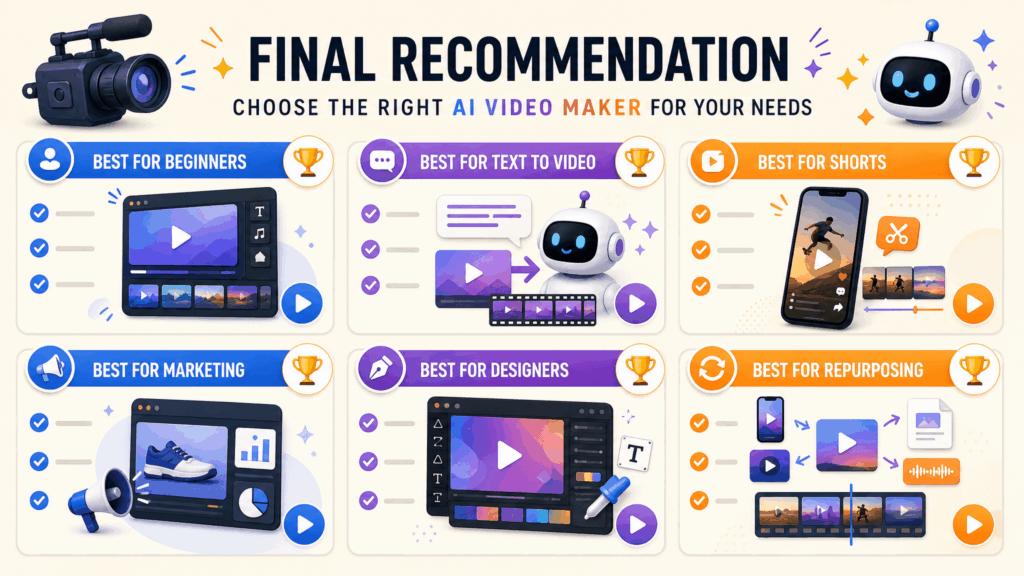
For beginners, InVideo AI and Canva are the easiest entry points. For text-to-video generation, InVideo AI and Pollo AI lead the way. For social and short-form editing, VEED, Kapwing, and Picsart are strong. For repurposing, Opus Clip is the most focused option. For professional work, Adobe offers the most control. For users who want a fast editing workflow with captions and platform-ready exports, NoteGPT's AI Video Editor is a practical choice.
Final Thoughts
AI video makers have changed what it means to produce video. You no longer need a camera crew or days of editing to publish a watchable clip. You can generate ideas from prompts, assemble template-based videos, caption and resize footage, repurpose long content, and export platform-ready files in a fraction of the time.
The key is matching the tool to the task. Start with the workflow you actually need: generation, design, editing, captions, or repurposing. Then refine your process as you learn what your audience responds to. If you want to improve your video editing speed after generating footage, explore related guides and creator resources on NoteGPT to support your video and content workflows.