


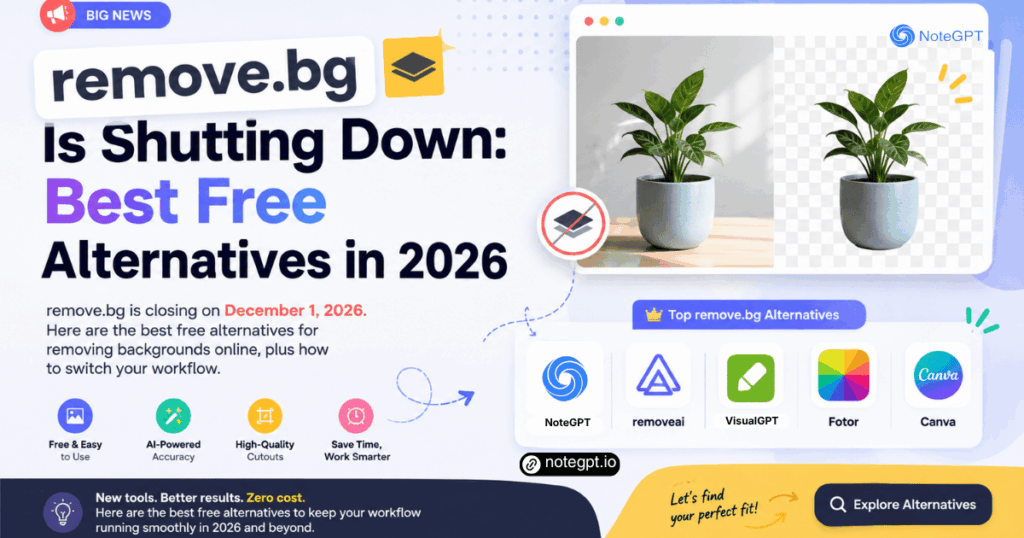
For years, remove.bg was the fastest answer to a simple problem: you have a photo, you need the subject isolated, and you do not want to open Photoshop. One upload, one click, one transparent PNG. That workflow is about to change.
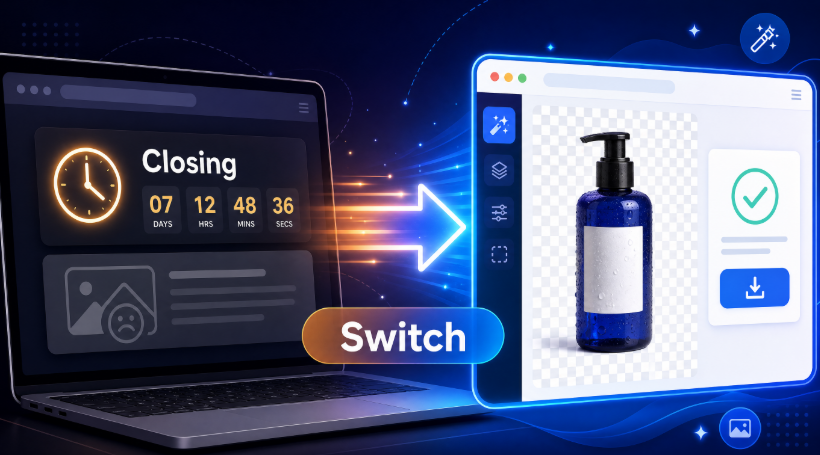
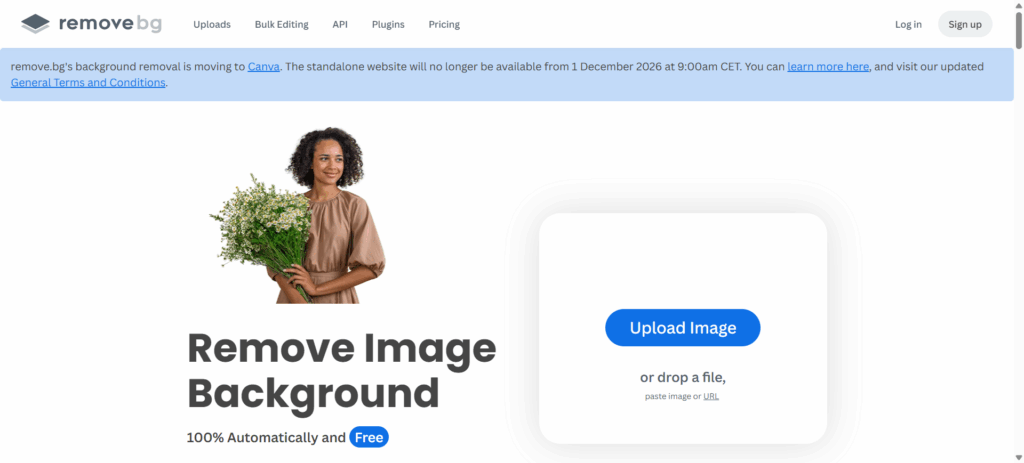
remove.bg has announced that its standalone website will stop operating on December 1, 2026, at 9:00 CET. Background removal is moving into Canva, and the developer API is moving to Leonardo. If you only used the free web tool for quick cutouts, you will need a new home for that job.
The good news is that you do not need to wait until December to find one, and you do not need to pay for it. In this guide, we cover the best free alternative for removing backgrounds online, how the replacement compares to what you are losing, and how to switch your workflow in three steps.
What Is Actually Happening to remove.bg
It helps to separate the product from the technology, because the two are going different places.
The standalone website and its tools are being retired. After the December 1 cutoff, the familiar upload page, the Magic Brush, the desktop app, and the browser-based editor will no longer be available as a remove.bg service. Background removal itself is not disappearing; it is being folded into Canva, which has owned remove.bg since 2021.
For developers, the API is being migrated to Leonardo, another Canva-owned product. That matters if you call the API from your own software, but it does not change anything for everyday users who upload photos manually.
As of September 22, 2026, the service is still running normally. You can keep using it today. But there are two practical takeaways. First, download any transparent PNGs and edited assets you still need, and keep your original source images separately. Second, check the official FAQ for how credits, subscriptions, and refunds will be handled before the cutoff, because those policies apply to your account specifically. Treat any date as subject to change and confirm it against the official notice before you plan a production migration.
Two Jobs to Replace, Not One
Most people think of remove.bg as a single tool, but the product always did two different jobs. The first is extraction: finding the subject and removing everything behind it. The second is replacement: generating or composing a new background behind that subject.
That distinction matters when you look for an alternative, because a tool that only does the first job leaves you halfway through your workflow. You get a transparent cutout and then you have to open a separate editor to put it back on a white background, a studio gradient, or a real scene.
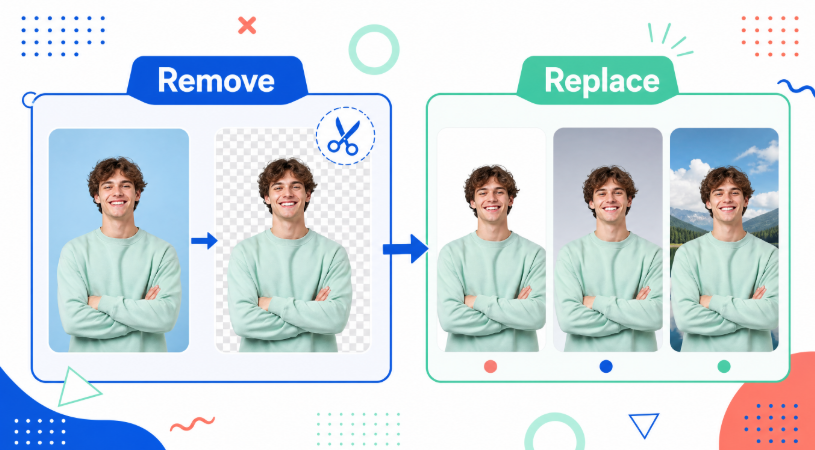
The clean replacement for both jobs is a pair of free browser tools. One handles the cutout, and the other handles the new background.
The Best Free Alternative for Removing Backgrounds
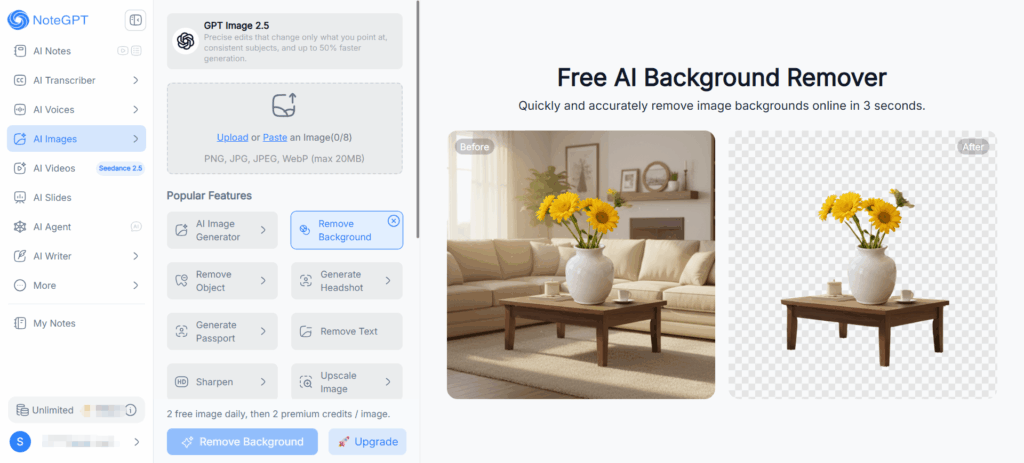
For extraction, the closest free replacement is a free background remover online. It works directly in the browser with no sign-up, processes a typical image in about three seconds, and returns high-definition output rather than a soft, downscaled preview.
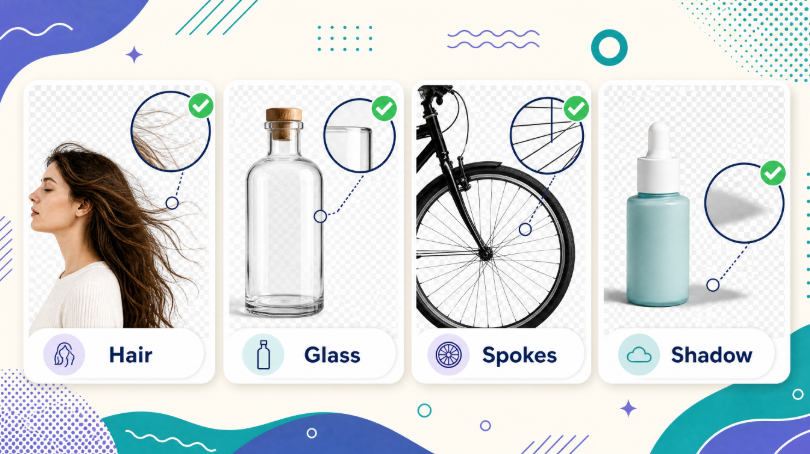
The important question for anyone switching tools is edge quality, because that is where cheap removers fail. Clean edges matter most on the images that are hardest to cut: flyaway hair, fur, glass, thin straps, bicycle spokes, and products with soft shadows. A good remover separates the subject without leaving a grey halo or chewing into the outline.
Format support also removes friction. The tool accepts PNG, JPG, JPEG, and WebP files up to 20 MB, so phone photos, screenshots, and exported design files all work without conversion. You can also queue more than one image per run instead of repeating the upload process.
If you are used to uploading a photo and getting a transparent PNG back, the habit transfers directly. When you need to remove image background data from a new photo, the process is the same: upload, process, download, done. Free usage is subject to a daily free allowance, with credit-based pricing beyond that, so plan around the limit if you process images in bulk.
The Best Free Way to Put a New Background Back
Extraction solves half the problem. The second half is putting something behind your subject, and this is where the replacement actually improves on the old workflow.
remove.bg's background generator created backdrops automatically, with no prompt. That was convenient, but it also meant limited control over the result. A different approach is to use an AI background changer that accepts three kinds of input: a solid color, a written description of a scene, or an uploaded reference image.
That flexibility changes what is possible. If you need a pure white background for a product listing, you pick white and you get white — not an interpretation of white. If you want the subject placed in a warm interior scene, you describe it. If you already have a brand background template, you upload it and let the tool match the look.
There are also preset scenes for common needs, such as professional product images, home interiors, and natural environments. This shortens the path for people who do not want to write prompts at all.
Batch support is the other practical advantage. If you are processing a catalog, you can change photo background online across multiple images instead of rebuilding each one by hand. For sellers, photographers, and marketers, that is the difference between an afternoon of clicking and a short task.
How to Switch in Three Steps
Migrating does not require a new skill set. The workflow is close enough to what you already do that the switch is mostly muscle memory.
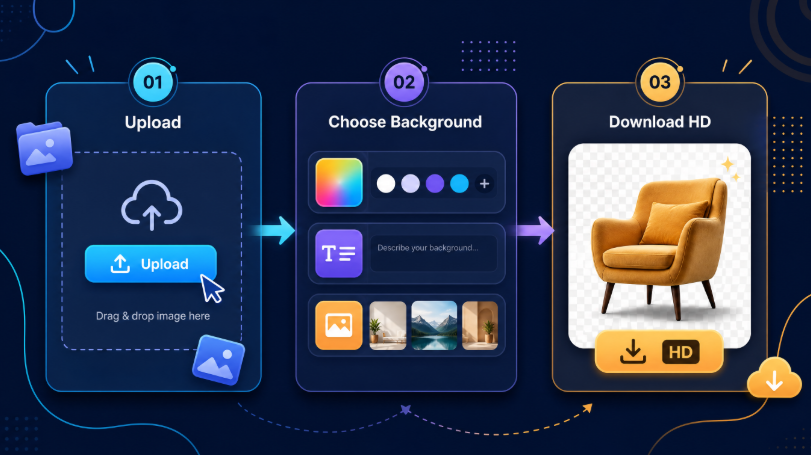
Step 1: Upload your image. Drag and drop a file or paste one in. The subject is detected automatically, so you do not need to trace an outline.
Step 2: Choose what goes behind the subject. Pick a solid color if you need a clean commercial background, describe a scene if you want something atmospheric, or upload a reference image if you are matching an existing brand look.
Step 3: Review and download. Check the edges at full size, then export. Transparent PNG is the right choice when the image will be layered onto something else; a white or colored background is right when the image is the final asset.
A sensible migration habit is to run your five hardest images through the new tool first — the ones with hair, glass, or complex outlines. If those hold up, everything easier will hold up too.
What You Keep and What You Lose
Switching tools is not only about features. It is about which parts of your workflow survive.
You keep the essentials: one-click removal, transparent PNG output, high-definition results, browser access, and no software installation. For most people who used remove.bg casually, that covers everything they actually did.
What you do not get is integration parity. remove.bg offered a public API, plug-ins for Photoshop and Figma, automation through Zapier, and dedicated desktop and mobile apps. If your workflow depends on those specific integrations — an automated pipeline, a plug-in inside your editor, or a scheduled batch job — treat this as a real migration project rather than a simple bookmark change, and evaluate your options carefully before the cutoff.
For everyone else, the honest summary is that the free browser workflow covers the common cases, and you can decide later whether you need anything more.
Best Use Cases for a Free Background Remover
The same pair of tools handles a wide range of everyday jobs.
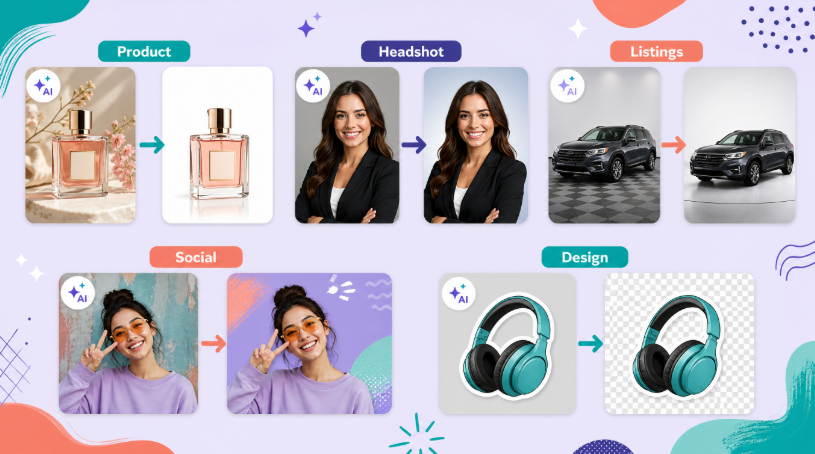
Ecommerce product photos. Most marketplaces want a clean white or transparent background. Extract the product, then set a pure white background so every listing in your catalog looks consistent.
Professional headshots. Cut the subject out and place them on a neutral studio gradient or a soft office scene. The result looks intentional rather than cropped.
Vehicle listings. Cars are difficult to cut because of windows, reflections, and thin mirrors. Test those edges first, then place the vehicle on a neutral showroom floor or a plain background.
Social media content. Remove the subject, drop them onto a bold color or an illustrated scene, and the same photo works as a post, a thumbnail, or an ad creative.
Design assets. Transparent PNGs are the standard input for logos, stickers, mockups, and layered layouts. Keep the transparent version as your master file.
Personal photos. Family pictures, pet photos, and travel shots often look better with a distracting background removed, especially when printing or framing.
How to Get the Best Cutout Quality
Tool choice sets your ceiling, but image quality sets your result. A few habits consistently produce cleaner edges.
Use good lighting with clear separation between the subject and what is behind it. Contrast is what lets the tool find the outline. Avoid motion blur and heavy shadow, and skip images where the subject blends into a background of a similar tone.
Check the small details before you accept the output. Zoom into hair, fur, jewellery, thin straps, and any transparent surface. Those areas reveal whether a remover is genuinely accurate or merely fast.
Keep your original files. Always store the untouched source image next to the edited output, because a transparent PNG cannot be reversed back into the original scene.
Export the right format. Transparent PNG is correct for layered work; JPG is smaller but has no transparency; keep resolution high if the image will be printed or used in ads.
Finally, do not leave the migration to the last day. Test your new workflow now, while the old tool is still available as a fallback.
Frequently Asked Questions
When exactly is remove.bg shutting down?
The standalone website is scheduled to stop operating on December 1, 2026, at 9:00 CET, according to remove.bg's own notice. Until that date the service is still running. Because schedules can shift, confirm the current date and terms on the official announcement before you plan anything dependent on it.
Is there a free remove.bg alternative I can use right now?
Yes. You can use a free background remover online that works in the browser with no sign-up and returns high-definition transparent PNGs. Free usage includes a daily free allowance, after which credit-based pricing applies, so heavy batch processing is best planned around that limit.
Can I still use remove.bg before the shutdown date?
Yes. As of late September 2026 the service is operating normally, and you can continue using it. The practical advice is to download the assets you still need, keep your original source images, and test a replacement workflow before the cutoff rather than after it.
Will my remove.bg credits or subscription be refunded?
That depends on the terms remove.bg applies to your specific plan. Annual subscriptions, monthly subscriptions, and pay-as-you-go credits may be handled differently, so read the official FAQ or contact their support to confirm what applies to your account before the service ends.
What should I do with my existing remove.bg images?
Download anything you still need as soon as possible, in the highest resolution available. Store transparent PNGs and any edited versions in your own folders, and keep the untouched original photos separately so you can re-process them with a new tool if required.
Can I replace remove.bg's background generator as well, not just the cutout?
Yes, and the replacement offers more control. Instead of accepting an automatically generated backdrop, you can pick a solid color, describe the scene you want in a prompt, or upload a reference image to match an existing look. Preset scenes are also available for common product and interior backgrounds.
Do I need to create an account to remove a background?
No account is required for basic use. You can upload an image, process it, and download the result directly in the browser. That makes it convenient for quick one-off jobs, though creating an account can be useful if you want to manage credits or keep a history of your images.
What happens to remove.bg's API and integrations?
Background removal via API is being moved to Leonardo, and the plug-ins and automation integrations are being retired with the standalone service. If your workflow depends on an API, a Photoshop or Figma plug-in, or Zapier automation, plan a dedicated migration and test it well before the cutoff date.
Final Thoughts
The remove.bg shutdown is inconvenient, but it is not a loss of capability. Background removal is a well-solved problem now, and the free browser tools that replaced it handle the same everyday jobs: isolate a subject, export a transparent PNG, and place it on a new background.
The smart move is to act early. Download the assets you need, confirm your account terms, test your hardest images on a new tool, and rebuild your workflow in three steps: upload, choose a background, download in HD. For more free AI image tools that handle cutouts, backgrounds, and everyday photo editing, explore NoteGPT and keep your workflow moving after December 1.