


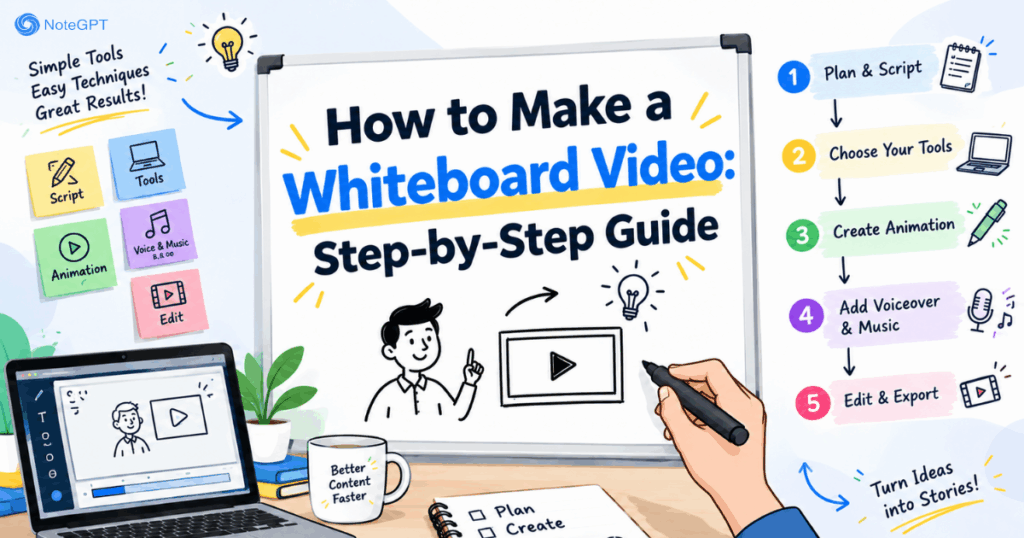
Learning how to make a whiteboard video is one of the fastest ways to explain a complicated idea. A hand draws a simple shape, the drawing grows step by step, and a voice explains what is happening. The viewer follows the marker instead of scanning a crowded slide.
The reason this format keeps working is sequencing. When a concept appears one line at a time, the viewer processes it in the same order the narrator describes it. That is why how to make a whiteboard video remains a common search for teachers, founders, and trainers.
This guide covers the full process, from script to export. You do not need drawing skills. You can write the words and let a whiteboard animation maker handle the artwork and animation.

What Is a Whiteboard Video?
A whiteboard video is an animated explainer in which illustrations are drawn on a white surface while narration plays. The style is deliberately plain: clean outlines, one accent color, a few arrows and labels.
Two mechanics make it effective. The first is sequential reveal, so nobody has to scan a full screen. The second is narration sync, where the voice describes an idea roughly as its drawing finishes. Understanding those mechanics is the foundation of how to make a whiteboard video that holds attention. That is the core mechanism behind how to make a whiteboard video.
Why Learn How to Make a Whiteboard Video?
If you are deciding whether how to make a whiteboard video is worth the effort, consider what the format does well. Learning how to make a whiteboard video pays off across formats.
It lowers cognitive load. Instead of presenting a finished diagram, the video builds one element at a time. Viewers follow a path rather than decoding a wall of text.
It feels human. A hand-drawn line reads as less corporate than a polished template, which helps when the audience arrives with low enthusiasm, such as during mandatory training.
It is cheap to update. Change a statistic, revise the line, and regenerate. There is no illustration library to redraw.
It improves recall. Because each scene carries one idea, viewers can repeat the sequence afterward. So when you learn how to make a whiteboard video, you are also learning a structure that suits teaching.
What You Need Before You Start
You need a clear message and a short script. Nothing else is mandatory. The result depends far more on the writing than on the artwork.
Decide two things first: who will watch, and what they should do afterward. Scene count, pace, and tone all follow from those answers. A tool that supports script-to-video conversion makes how to make a whiteboard video far simpler, because you can export the same story in more than one aspect ratio without rebuilding it. Start there, and how to make a whiteboard video becomes straightforward. Start small when you learn how to make a whiteboard video.
Step 1: How to Make a Whiteboard Video by Writing the Script
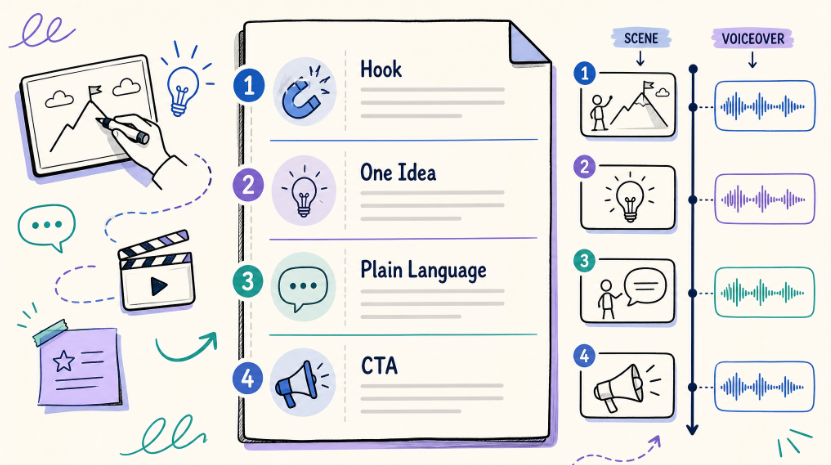
A whiteboard script is a sequence of visual ideas, not an essay. Open with a hook that names the problem in two sentences. Move through the explanation one idea at a time. Close with the action you want.
Keep one idea per scene. If a scene carries two ideas, split it. This single habit decides whether how to make a whiteboard video feels clear or cluttered. This is the step that defines how to make a whiteboard video.
Write for the ear. Read every line aloud; if you stumble, the narrator will too. Use concrete nouns and short sentences. Keep sentences short, because how to make a whiteboard video rewards brevity.
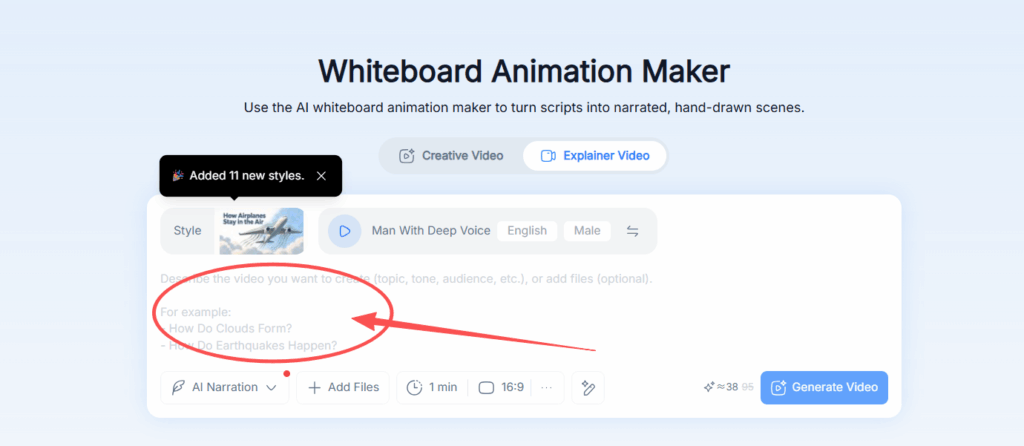
Name the visual. You do not need to design it, but "three steps" or "a locked door" gives the scene something to draw.
Count the words. At a normal pace of 130 to 150 words per minute, a 90-second video needs about 200 to 220 words. Cutting a draft by twenty percent almost always improves it. Budget words first, then think about how to make a whiteboard video look good.
Step 2: How to Make a Whiteboard Video with One Consistent Style
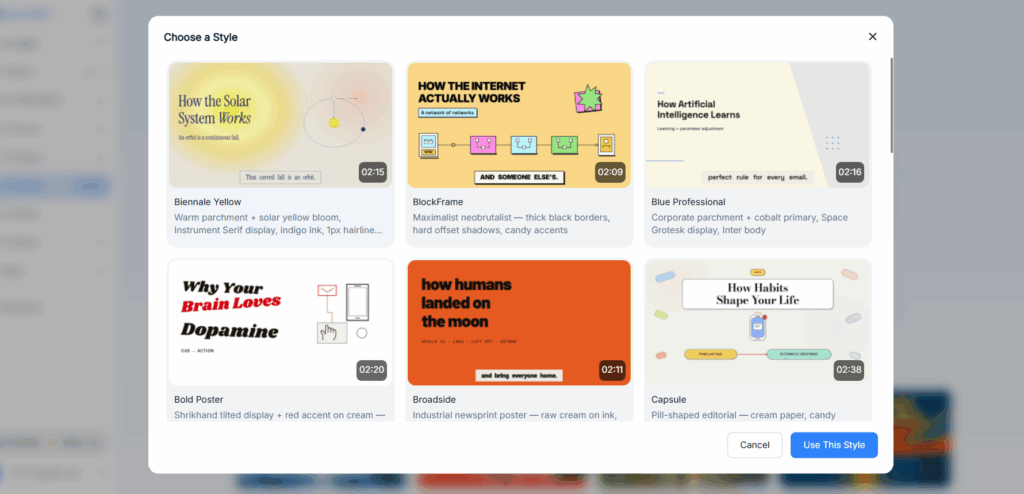
Consistency matters more than variety. Choose a direction and keep it.
Pick a detail level. Simple outlines read best on a phone. More detailed scenes suit desktop viewing.
Pick one accent color. Black line art plus a single highlight keeps the important element obvious.
Keep recurring characters consistent. A person who changes between scenes makes the whole video feel assembled rather than designed.
Match the tone to the audience. A school lesson can be playful; a financial explainer should stay direct. Knowing how to make a whiteboard video for a specific audience is mostly about restraint. Choose once and apply it consistently, because how to make a whiteboard video depends on repetition.
Step 3: How to Make a Whiteboard Video by Generating the Storyboard
This is where automation saves the most time. Supply the script, receive illustrated scenes, review them before rendering. Reviewing before rendering is the practical heart of how to make a whiteboard video.
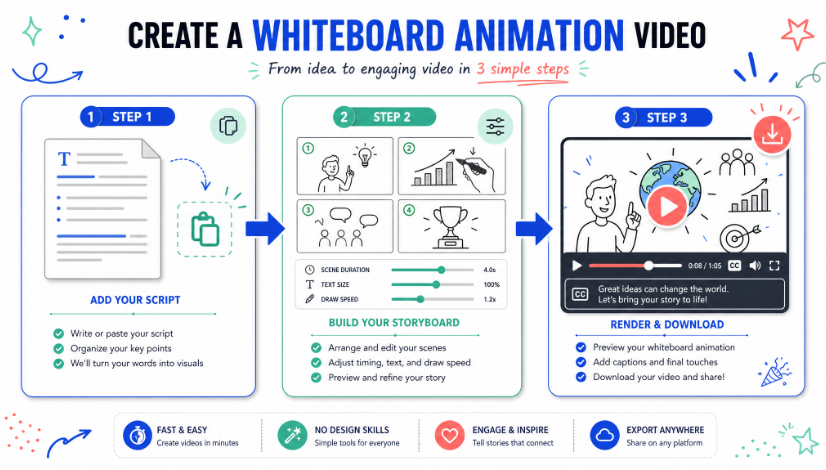
Check four things in order. Does each scene match its narration line? Do the ideas build in a logical order? Is any scene cluttered with objects the narration never mentions? Does each scene connect to the next?
A beautiful drawing for the wrong sentence is worse than a plain one that fits. This review step is the difference between how to make a whiteboard video that works and one that merely looks finished. That habit separates how to make a whiteboard video from a manual animation project. When you make a whiteboard video, treat the storyboard as a draft rather than an output.
Step 4: How to Make a Whiteboard Video with Narration and Captions
Narration carries half the message. Pacing decides more than visuals when you learn how to make a whiteboard video.
Choose a steady pace. Rushed delivery forces the animation to speed up and weakens the format.
Match accent and tone to the audience. Clarity beats personality in training content; a livelier read suits a younger audience.
Check names and numbers. Automated voices mispronounce brand names and abbreviations more often than common words.
Add captions. They help in noisy settings, support accessibility, and clarify technical terms. For vertical exports, captions are required, since many viewers watch muted.
Step 5: How to Make a Whiteboard Video and Review It Properly
Watch the render once, straight through, as your audience will. Test with real viewers after you make a whiteboard video. Use the same checklist every time you make a whiteboard video. If you cannot summarize it in one sentence afterward, the script needs work rather than the animation.
Then watch again and check five items. Pacing: if a scene drags, cut words instead of speeding up the drawing. Sync: drawings should finish near the moment the narration refers to them. Legibility: view it at phone size and remove unreadable labels. Audio balance: narration must sit clearly above music. Opening: the hook should appear immediately, with no logo animation in front.
Step 6: How to Make a Whiteboard Video in the Right Format
Export choices depend on destination.
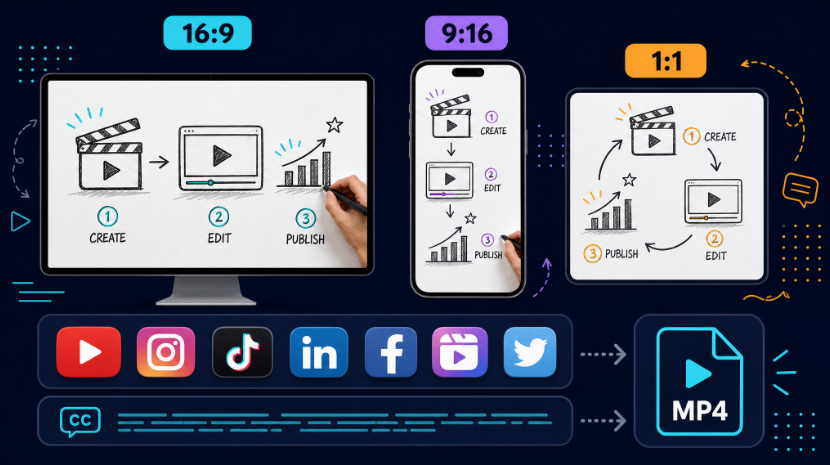
Use 16:9 for websites, course platforms, and video platforms. Use 9:16 for mobile and short-form feeds, with fewer elements and larger labels. Use 1:1 for social tiles and certain learning platforms.
Export MP4 for broad compatibility, at the highest resolution available, because thin line art shows compression artifacts early. A practical part of how to make a whiteboard video for multiple destinations is exporting separate files per ratio instead of cropping one master. One master file makes how to make a whiteboard video portable across platforms. Choose one platform first when you plan how to make a whiteboard video.
Step 7: How to Make a Whiteboard Video Work Harder After Publishing
A whiteboard video explains rather than reports, so it stays useful longer.
Embed it where it answers a recurring question. Cut one strong scene into a standalone clip for social feeds. Reuse it in onboarding, updating only the lines that changed. Regenerate narration in a second language rather than producing a new video. Track completion and conversion, and if viewers drop at one scene, that scene is the problem. Reuse is the long-term reward of knowing how to make a whiteboard video. Each new video is easier once you know how to make a whiteboard video.
Mistakes to Avoid When You Make a Whiteboard Video
Every mistake above comes from treating how to make a whiteboard video as an animation task rather than a writing task.
The script runs long. Cutting four minutes to two usually improves it.
A scene carries several ideas. One scene, one idea.
Narration finishes before the drawing. The visual becomes noise.
Text is too small to read. The format works through drawings and speech, not on-screen paragraphs.
The art style changes between scenes. Mixed levels of detail look unfinished.
There is no closing action. Every video should end with a specific next step.
Who Should Learn How to Make a Whiteboard Video
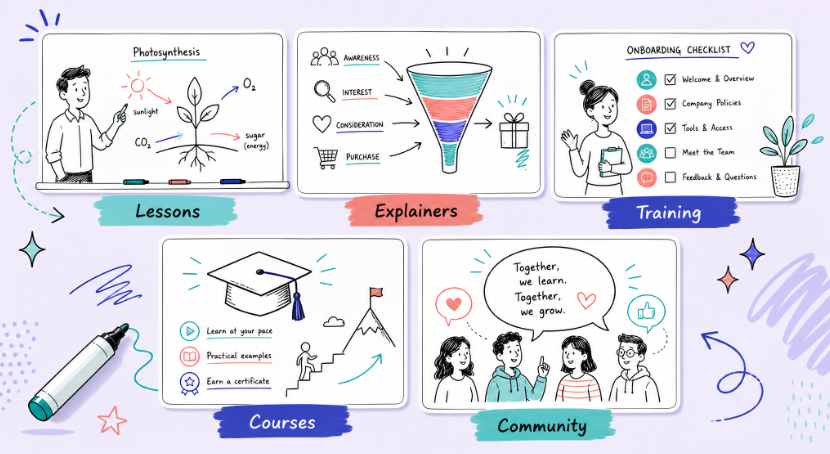
Teachers use the format to explain a process step by step, turning a static diagram into a sequence. Founders use it to describe a problem and a solution on a homepage or launch page. Training teams use it for onboarding and policy modules, where a short narrated explainer is easier to finish than a document. Course creators use it for lesson introductions. Community leaders use it to turn a written message into something watchable.
If any of those describe you, the workflow in this guide is the practical answer to how to make a whiteboard video without hiring an animator.
Frequently Asked Questions About How to Make a Whiteboard Video
How long does it take to learn how to make a whiteboard video?
Most people produce a first usable video the same day. Writing and trimming the script takes the longest, usually an hour or two. Generating the storyboard, narration, and final render is fast by comparison, and revisions are inexpensive because you edit before rendering.
What tools do I need to learn how to make a whiteboard video?
A browser and a script are enough. You can start with a free whiteboard animation maker that converts text into illustrated scenes with narration and captions. No drawing tablet, no animation software, and no editing experience are required.
Is it hard to learn how to make a whiteboard video without design skills?
No. The tool generates the illustrations and animates them. Your contribution is clear writing and a careful storyboard review. Script quality influences the result far more than artistic ability, which is why the writing step matters most.
How long should the video be when I make a whiteboard video?
Match length to purpose. Product explainers usually work at 60 to 90 seconds. Lessons and training modules can run three to five minutes when each scene carries a single step. At 130 to 150 words per minute, a 90-second script is roughly 200 to 220 words.
Can I use my own script when I make a whiteboard video?
Yes. You can paste an existing script and review the narration before the final render. If you are starting from nothing, write a rough draft, then remove about twenty percent before generating the storyboard.
What format should I export when I make a whiteboard video?
Export MP4 for the widest compatibility. Use 16:9 for websites and video platforms, 9:16 for mobile feeds, and 1:1 for social tiles. Export a separate file for each ratio rather than cropping a single master, so labels stay inside the frame.
Is there a free way to learn how to make a whiteboard video?
You can start free and then review current plans for limits on length, credits, voices, and export options. Because those limits change, check the plan details on the tool you choose before committing to a long project.
Can I use the result commercially when I make a whiteboard video?
Licensing depends on the tool and plan you use. Check the current terms before using a video in advertising, paid courses, client work, or monetized channels, since those uses may fall under different conditions than personal projects.
Final Thoughts
How to make a whiteboard video comes down to two decisions: a script that carries one idea per scene, and a storyboard you actually review before rendering. Get those right and the rest is mechanical. Practice is the only remaining variable in how to make a whiteboard video.
Start with a two-minute video rather than your most ambitious idea. Publish it, watch where viewers leave, and fix that scene. That loop teaches you more than any planning session. You can build the whole workflow with a whiteboard animation maker, and find more tools for scripting, voiceover, and video on NoteGPT.