


Your logo is often the first thing people remember about your brand. It appears on your website, social media profiles, business cards, product packaging, and marketing materials. A strong logo should be simple, memorable, and easy to recognize at any size. The good news is that you no longer need to hire an expensive design agency to get one.
Creating a logo online is now faster and more accessible than ever. You can define your brand direction, explore visual ideas, generate concepts, and download usable files in a single afternoon. If you want to create a logo quickly without design skills, an AI logo generator can turn your brand idea into several visual concepts in minutes.
Why Creating a Logo Online Makes Sense
For a new brand, speed and cost usually matter more than perfection. An online approach lets you test ideas quickly, compare multiple directions, and avoid a long back-and-forth process with a designer. This is especially valuable when you are still defining your brand and need something usable soon.
Online logo creation also lowers the barrier to experimentation. You can try different color palettes, fonts, and layouts without committing to a final direction. If a concept does not feel right, you generate another one. That flexibility is hard to match with traditional design services, which often charge per revision.
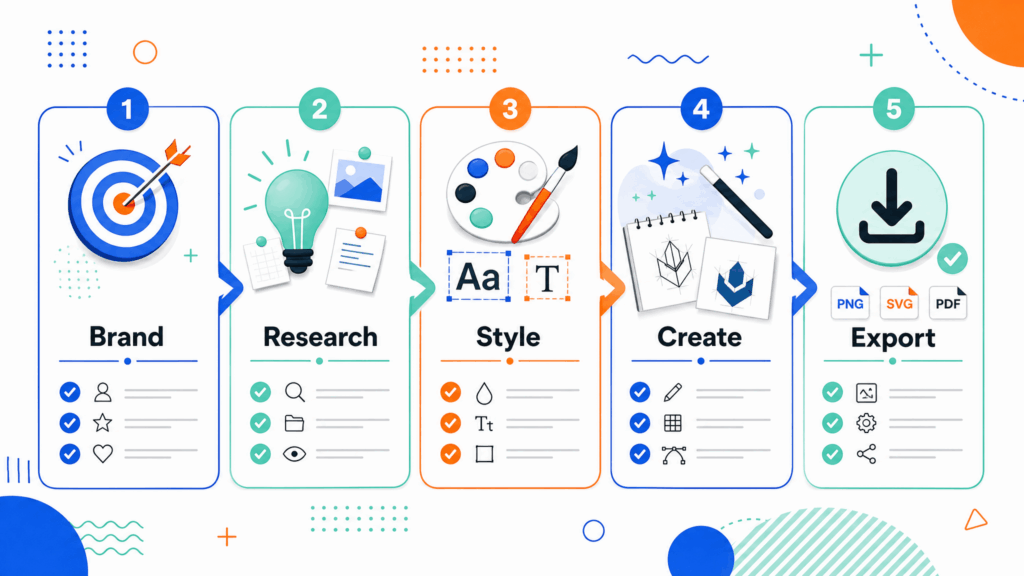
Step 1: Define Your Brand Personality
Before you open any design tool, think about what your brand stands for. A logo that looks nice but communicates the wrong message will not help your business.
Ask yourself what your brand does, who your audience is, and what feeling you want people to have when they see your logo. A children's toy brand may want playful colors and rounded shapes. A law firm may want clean lines and a professional feel. A fitness brand may want bold type and strong contrast.
If you are not sure how to define your brand personality, NoteGPT can help you organize your ideas, analyze your brand information, and turn scattered thoughts into clear design directions. Simply describe your business, target audience, and brand goals, and use AI-generated insights to identify the right style, tone, and visual elements for your logo.
Write down three to five keywords that describe your brand, then use them as the foundation for every design decision.
Step 2: Research Inspiration Without Copying
Look at logos from brands you admire, especially within your industry. Notice what works: the balance of icon and text, the color choices, the use of whitespace, and how the logo behaves at small sizes.
The goal is not to copy another brand. It is to understand visual conventions so your logo feels appropriate for your category while still standing out. Save references that inspire you, note what you like about each one, and use that direction when you generate or sketch your own concepts.
Step 3: Choose Your Logo Style
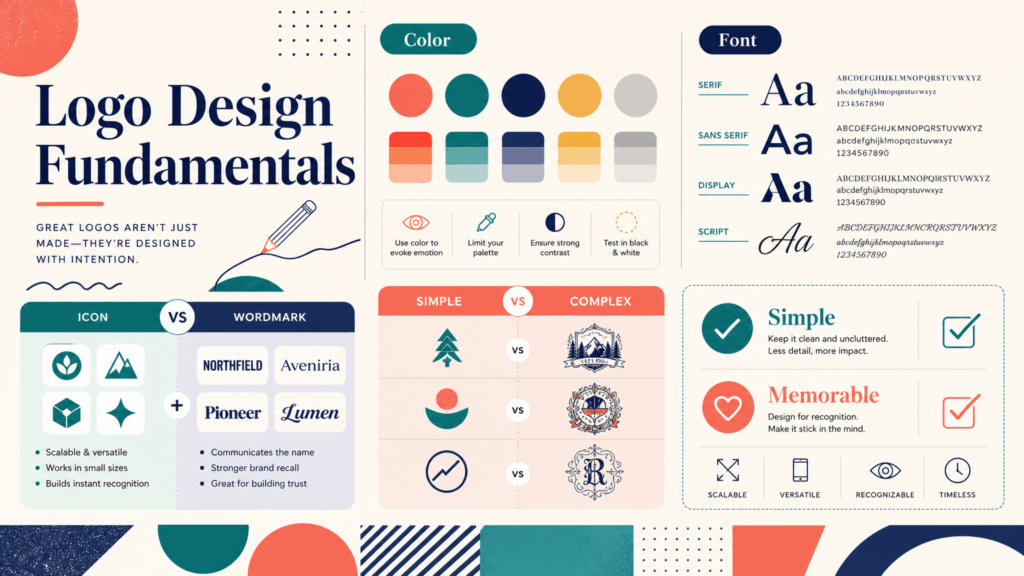
Most logos fall into a few common styles. A wordmark is a text-only logo that uses typography to create the brand identity. A letterform uses a single letter or monogram. An icon or symbol works without text and relies on a visual mark. A combination mark pairs an icon with the brand name, which is the most common choice for new businesses because it is flexible.
For your first logo, a combination mark is usually a safe starting point. It gives you a memorable visual while keeping the brand name clear. As your brand grows, you can use the icon alone on social avatars and the full version on your website.
Step 4: Pick Colors and Fonts That Fit Your Brand
Color and typography carry meaning. Choose a small palette of two to three colors that reflect your brand personality and work well together. Dark blue often feels trustworthy, green suggests growth or nature, red communicates energy, and neutral tones feel modern and premium. Avoid using too many colors, because a cluttered palette makes a logo harder to recognize.
For fonts, simplicity usually wins. Bold sans-serif fonts feel modern and readable, while serif fonts can feel traditional or editorial. Script fonts work for creative or elegant brands but are harder to read at small sizes. Choose one primary font for your logo and avoid decorative type that weakens legibility.
Step 5: Create Logo Concepts with an AI Logo Generator
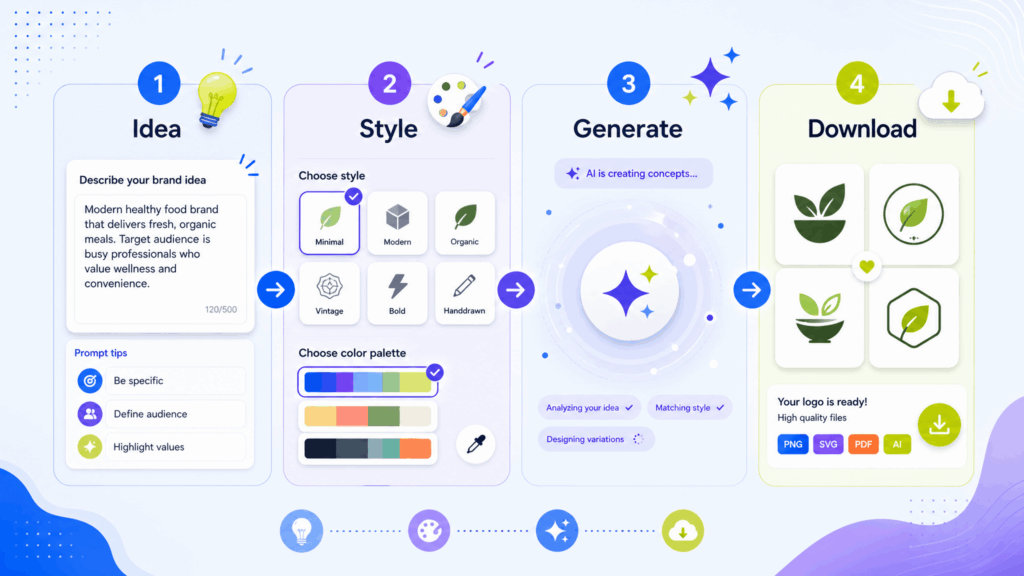
Once you know your style, colors, and fonts, it is time to create actual concepts. This is where an AI logo generator saves you the most time.
You can create a logo with AI by describing your brand name, industry, and style. The tool generates multiple visual directions in seconds, giving you a starting point that would normally take hours of sketching or brainstorming. Instead of staring at a blank canvas, you review options and choose the strongest direction to refine.
When you review generated concepts, look for clarity, originality, and versatility. Would the logo work in a small social avatar? Would it still read clearly in black and white? Does it represent the keywords you defined in Step 1? Keep the options that feel strongest, then narrow them down with fresh eyes or feedback from others.
Step 6: Refine Your Final Logo
Once you select a direction, spend time polishing it. Try the logo in different color variations, including a white version for dark backgrounds and a black version for light ones. Check the spacing around the icon and text, and make sure nothing feels cramped or unbalanced.
Ask for honest feedback from people who represent your target audience. Sometimes a logo that feels clever to you reads differently to others. If the feedback is consistent, adjust accordingly. If the logo no longer feels right, do not be afraid to go back and generate new concepts. Most successful logos go through several rounds of iteration before they feel final.
Step 7: Download the Right File Formats
A logo is not finished until you have the files you need for different uses.
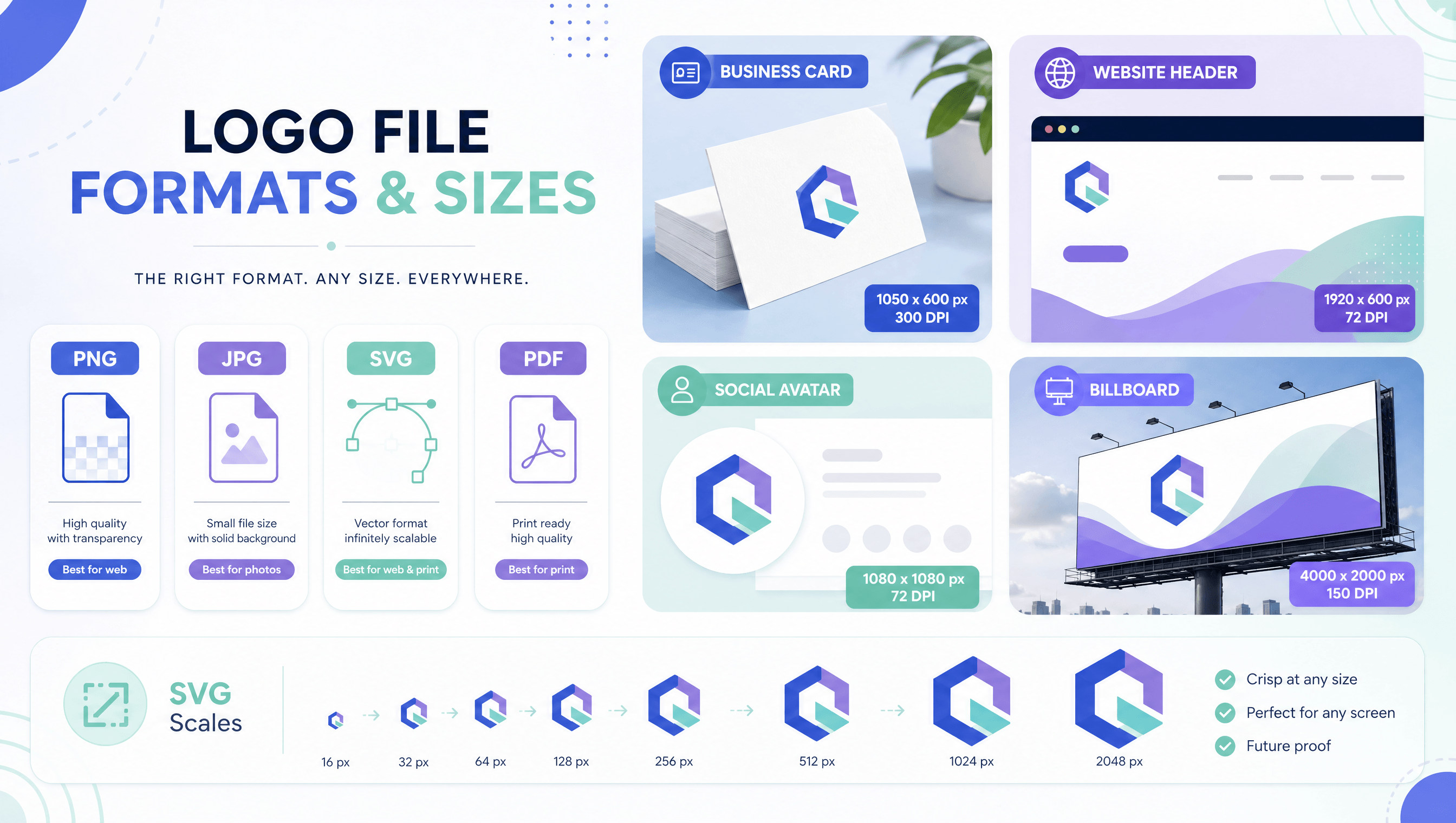
For websites and social media, you will usually need PNG files with a transparent background. For print materials, a high-resolution PNG or PDF works well. If a designer or developer asks for a vector file, SVG is the standard format because it can scale to any size without losing quality. Keep a master folder with the original source file plus the main export formats so you never have to recreate your logo later.
Step 8: Use Your Logo Consistently
A logo only builds recognition when it is used consistently. Add it to your website header, social profiles, email signature, invoices, presentation templates, and any customer-facing materials. Keep consistent spacing and avoid stretching, recoloring, or placing the logo on busy backgrounds.
Over time, consistent use is what makes a logo feel like a real brand mark. The more often people see it in the same form, the easier it becomes to remember.
Logo Design Do's and Don'ts
Keep the logo simple enough to recognize at a glance. Make it memorable with a distinctive element that separates it from generic templates. Ensure it scales well from a small favicon to a large banner.
Avoid following trends that will date quickly. Avoid using too many fonts or effects such as heavy shadows and gradients. Avoid copying elements from other brands, even unintentionally. And avoid making the logo so complex that it becomes unreadable at small sizes.
Frequently Asked Questions
What is the fastest way to create a logo online?
The fastest way is to use an AI-powered tool that generates concepts from your brand name, industry, and style preferences. You can describe your business, review multiple generated options in seconds, and design a logo online without any design experience.
Do I need design skills to create a logo?
No. Modern online tools guide you through the process. You define your brand direction, choose a style and color palette, and let the generator produce concepts. Basic knowledge of what makes a logo effective helps, but you do not need professional design skills.
How much does it cost to create a logo online?
Cost varies by tool. Many AI logo generators offer free tiers or one-time pricing, which is much cheaper than hiring a designer. Professional design services can cost hundreds or thousands of dollars. For a new brand, an online tool is usually the most practical starting point.
What makes a good logo?
A good logo is simple, memorable, versatile, and appropriate for your brand. It should work in different sizes and colors, remain clear in black and white, and communicate something about what your business does or stands for.
Can I use an AI-generated logo for my business?
Yes. AI-generated logos are commonly used for websites, social media, packaging, and marketing materials. Check the license terms of the tool you use, and make sure you have the right to use the final files commercially for your business.
What file formats do I need for my logo?
At minimum, keep a PNG version with a transparent background for web and social use, and a high-resolution version for print. If you plan to work with designers or developers, request an SVG vector file so the logo can scale without losing quality.
How many logo versions should I create?
Start by generating several concepts, usually five to ten, so you can compare different directions. Narrow the options to two or three, gather feedback, and then refine the strongest choice. Finalizing one primary logo with color and monochrome versions is enough to begin.
Can I update my logo later as my brand grows?
Yes. Many brands refresh their logos as they evolve. Keep your original files and export variations so future updates are easier. As your business changes, you can always create a new logo and gradually introduce it across your website and marketing materials.
Final Thoughts
Creating a logo online is no longer a compromise. With clear brand direction, a simple style, and the right tool, you can produce a logo that looks professional and works across your entire business. The process is fast enough for experimentation and flexible enough to support iteration.
If you are ready to begin, an AI logo maker gives you a fast, self-service way to generate, download, and start using your logo the same day. For more AI-powered design and pro