

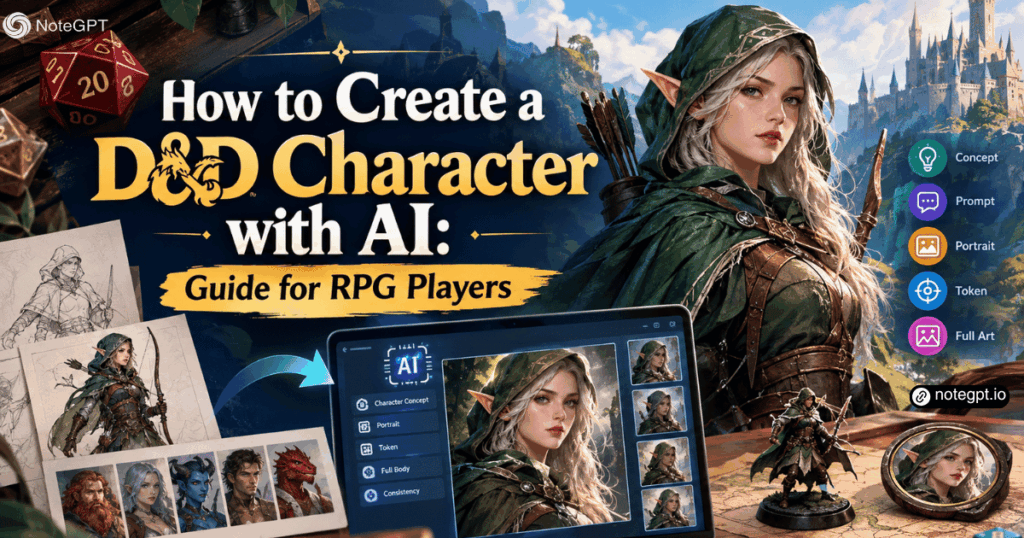
Every tabletop campaign begins with the same exciting problem: you have a character in your head, but you cannot quite see them. You know the class, the ancestry, the backstory hook, and the weapon they carry, yet when the game starts you are still describing them with words while everyone else flips through rulebooks.
Visuals change how a campaign feels. A portrait on a character sheet, a token on a virtual tabletop, or a full illustration of the party helps everyone at the table picture the same world. The challenge is time. Commissioning art for every player character and non-player character is expensive, and many players run multiple campaigns at once.
That is where AI generation becomes genuinely useful. A free AI character generator can turn a written description into visual concepts in seconds, letting you explore how your Dungeons & Dragons character might actually look before you commit to a design.
This guide walks through building a d&d character concept, writing prompts that produce usable results, generating portraits and tokens, and keeping your character consistent across an entire campaign.
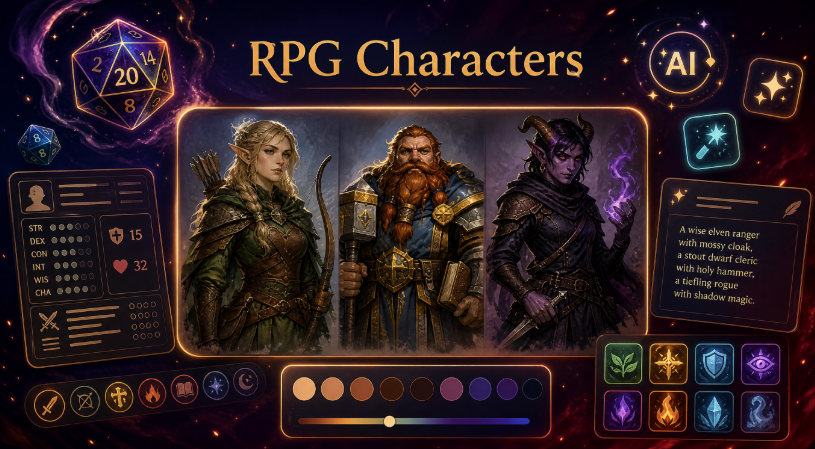
Why Visuals Matter in Tabletop RPGs
Tabletop roleplaying is a verbal medium, but it runs on shared imagination. When the dungeon master describes a rain-soaked tavern and a hooded stranger, each player forms a different mental image. Visual references reduce that drift.
Portraits help players roleplay. When you can see your character's expression, posture, and equipment, it becomes easier to make decisions in character rather than as yourself. Images also help new players understand tone: a grim, armored cleric looks very different from a cheerful halfling bard, even if both are level one.
For game masters, character art solves a practical problem. Running a session with eight NPCs means eight distinct identities. Simple visual references help players remember who they met three sessions ago, which characters they trust, and which ones they should avoid.
Finally, art improves the experience outside the session. Character portraits appear in campaign journals, shared documents, online play spaces, and private group chats. A consistent visual identity makes the campaign feel like a real story rather than a series of sessions.
What Makes a Good D&D Character Concept?
Strong tabletop characters are built from tension. A concept that only lists a class and a weapon is a stat block. A concept that combines a role, a motivation, and a contradiction becomes a character worth playing.
Consider these examples:
- A dwarven cleric who distrusts organized religion but heals everyone anyway.
- An elven ranger exiled for a crime they did not commit and still protecting the forest that banished them.
- A tiefling rogue who steals for a living but refuses to break a promise.
- A human paladin who is physically fearless but terrified of disappointing their family.
Each concept suggests appearance. The exiled ranger likely travels light, wears weathered gear, and carries a token from home. The distrustful cleric may wear mismatched armor and keep symbols hidden.
Your character concept should answer four questions before you generate any art: who they are, what they want, what they hide, and how they fight. Those answers shape clothing, posture, expression, and props.
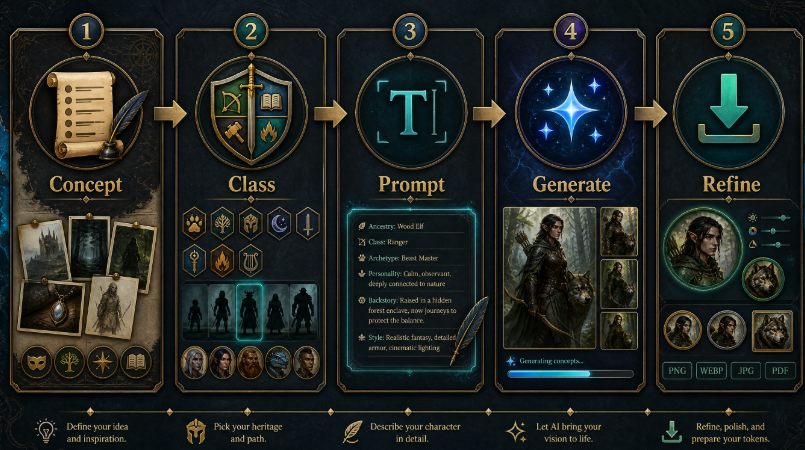
Step 1: Build the Character Concept
Start with the mechanical basics you already know from character creation. Ancestry, class, background, and level give you a working foundation.
Then add the parts that rules cannot describe. What is their personality? What do they sound like? What do they carry that has no mechanical value but matters to them? A cracked locket, a burnt map, a broken horn, or a faded banner can communicate more about a character than expensive armor.
Write two or three sentences that describe the character as a person, not as a stat sheet. For example: "A quiet half-orc fighter who left a mercenary company after refusing an order. Practical, worn gear with mismatched shoulder plates, a notched greataxe, and a tired but watchful expression."
That paragraph is enough to produce a meaningful portrait. It contains ancestry, class, personality, equipment, history, and visual tone.
Step 2: Choose the Art Style for Your Campaign
Tone matters as much as accuracy. A humorous campaign and a grim survival campaign may share the same rules, but they should not share the same visual style.
Common style directions for tabletop art include painterly fantasy illustration, comic and graphic novel line art, dark gothic horror, stylized 3D animation, anime, and clean minimal character design for tokens.
Think about where the image will appear. A detailed painterly portrait looks excellent on a character sheet cover but may become unreadable as a small virtual tabletop token. A simplified design with strong silhouette and clear color blocking works better at tiny sizes.
A practical solution is generating two versions of the same character: a detailed portrait for reference and a simplified bust for tokens.
Step 3: Write a Prompt That Produces Usable Art
A good dnd character prompt describes identity, appearance, equipment, personality, art style, pose, and scene. Structure keeps the prompt readable and helps the generator prioritize the right details.
Use this formula:
Ancestry and class + age and build + facial features + hair + armor and clothing + weapon or signature item + expression + art style + pose and framing + setting and lighting
Example prompt:
"Full-body fantasy character illustration of a half-orc fighter, late thirties, broad muscular build, gray-green skin, short braided black hair, scar across the left brow, worn leather armor with mismatched steel shoulder plates, notched greataxe across the back, tired but watchful expression, painterly fantasy illustration, standing three-quarter pose, muddy forest camp background, warm firelight with cool moonlight rim."
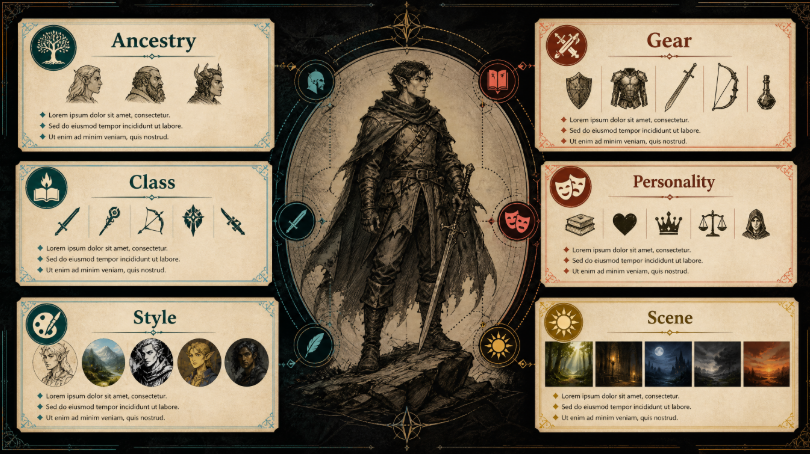
You can create a D&D character with AI by entering a prompt like this and generating several alternatives. Change one variable at a time, such as expression or lighting, so you can tell which adjustment improved the result.
Avoid mixing contradictory instructions. Asking for heavy full plate armor and a stealthy crouching pose, or for a bright cheerful tavern scene and a grim horror mood, produces confused output.
Step 4: Generate Multiple Concepts Before Deciding
Treat the first generation round as a casting call. Generate several versions of the same character and evaluate them as candidates.
Look for different strengths. One result may have the right face, another the best armor design, and a third the strongest overall silhouette. Note the details worth keeping, then rewrite the prompt to combine them.
A simple process works well:
- Generate six to eight concepts from one core prompt.
- Identify the two strongest directions.
- Rewrite the prompt using the best details from both.
- Generate a focused second round.
- Select one concept as your master reference.
This approach produces intentional results. Repeatedly pressing generate without changing the prompt usually produces many similar images and no clear decision.
Step 5: Create a Character Portrait for Your Sheet
Once you choose a master design, generate a portrait specifically for your character sheet. Portrait framing is different from a full-body illustration.
For a sheet portrait, request a chest-up or waist-up composition with a clear facial expression and visible signature details such as armor collar, weapon hilt, or spell focus. Keep the background simple so the character reads clearly when printed small.
If your sheet has limited space, ask for a square composition. If you plan to use the image as a virtual tabletop token, request a centered bust with generous space around the head and shoulders so you can crop it into a circle later.
Step 6: Make Tokens for Virtual Tabletop Play
Virtual tabletop play requires images that work at small sizes. Token design has different priorities from illustration.
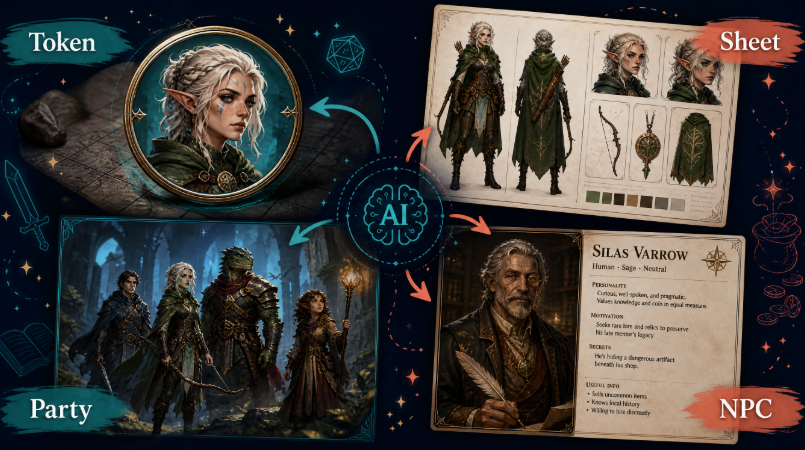
Prioritize silhouette, contrast, and a limited color palette. A character in dark armor standing in a dark dungeon will disappear as a token. Ask for a clean background or strongly separated rim lighting so the figure stands out against any map.
Request a simple, symmetrical pose for tokens. Action poses look dramatic but become unreadable at 100 pixels. A forward-facing bust with a clear expression usually works best.
Generate a transparent-background version when possible, then export a PNG and crop it into a circle for your tabletop platform.
Step 7: Illustrate Scenes, Not Just Portraits
Once your character design is stable, you can generate scene illustrations for campaign moments: the character facing a dragon, resting at a campfire, standing in a ruined temple, or negotiating with a suspicious merchant.
Describe the fixed identity details first, then the new scene. For example: "Same half-orc fighter with braided black hair, brow scar, mismatched shoulder plates, and notched greataxe. Now standing in a flooded crypt, holding a torch, suspicious expression."
Generate scenes with simple lighting first, then add complexity. Rain, smoke, magic effects, and crowds add many variables and can weaken character consistency.
Step 8: Keep Your Character Consistent Across a Campaign
Consistency is the hardest part of AI-generated RPG art. Without a reference system, your character's hair length, eye color, and armor details will drift across images.
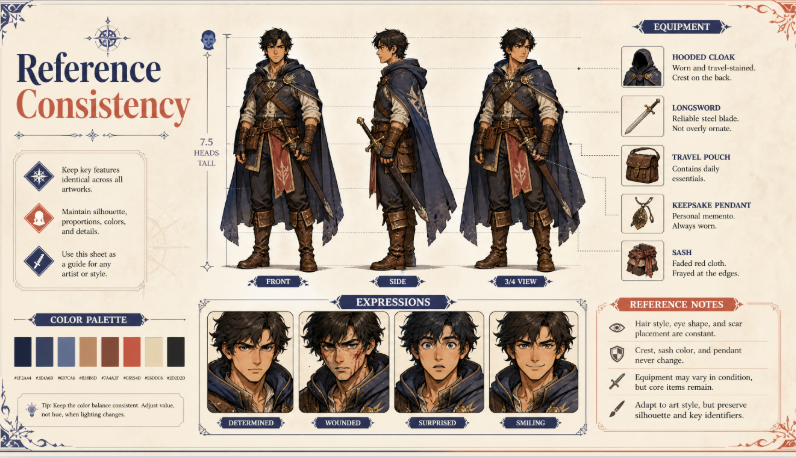
Build a reference sheet that records everything that should never change:
- Ancestry and approximate age
- Body build and height
- Face shape, eye color, and distinctive marks
- Hair color, length, and style
- Armor, clothing, and signature weapon
- Main color palette with specific tones
- Three to six core expressions
Save the master prompt, the chosen reference image, and approved variations in one folder. Reuse the same identity description for every new generation, and change only the pose, expression, camera angle, or scene.
If your tool supports image references, reuse your approved portrait to anchor the design. This is far more reliable than describing the character again from memory.
Step 9: Prepare Art for Your Whole Party and NPCs
The same workflow scales to an entire group. Build a short concept for each player character, generate a consistent set of portraits, and keep the art style identical across the party so the images feel like they belong to one world.
For game masters, AI art solves a recurring problem: preparing many NPCs quickly. Generate a distinct portrait for each significant character, and keep a simple naming system so you can find them again. For minor characters, a single bust is usually enough.
Keep the party's camera framing and lighting consistent. When every portrait uses the same style, background treatment, and level of detail, your campaign materials look intentional rather than mismatched.
Step 10: Respect Campaign Tone, Safety, and Licensing
Visual consistency is not the only consideration. Respect your table's tone.
Avoid generating art that depicts real people in violent or defamatory situations, content that makes other players uncomfortable, or imagery that conflicts with your group's agreed boundaries. Discuss content expectations before generating scenes for the campaign.
Avoid prompts that reproduce protected characters from published settings, official artwork, or a living artist's distinctive style. If you are publishing campaign content, review the commercial usage terms of the tool you use before selling or distributing the images.
Example D&D Character Prompts
Here are four templates you can adapt.
Martial character:
"Full-body fantasy illustration of a dragonborn paladin, tall and broad, brass scales with a chipped right horn, ceremonial but battle-worn plate armor, tower shield with a faded sun emblem, calm determined expression, painterly fantasy art, heroic three-quarter pose, ruined temple courtyard, storm light."
Spellcaster:
"Full-body fantasy illustration of a gnomish wizard, small and wiry, wild silver hair, oversized spectacles, patchwork robe covered in rune-stitched patches, floating spellbook and glowing runes circling one hand, curious expression, warm painterly style, standing pose, cluttered arcane workshop, candlelight."
Rogue or ranger:
"Full-body fantasy illustration of an elven rogue, lean and tall, sharp features, dark hair tied back, hooded charcoal leather armor with hidden knife straps, twin curved daggers, guarded smirk, comic fantasy ink style, crouched pose on a rooftop ledge, moonlit city alley."
Token bust:
"Bust portrait token of a halfling bard, cheerful round face, curly auburn hair, embroidered vest, lute strap across the chest, warm confident smile, clean stylized illustration, centered symmetrical framing, simple neutral background, strong silhouette, high contrast."
If you want to test several styles quickly, a free character creator lets you compare directions and refine the design before you commit to a full character sheet.
Common Mistakes When Generating RPG Characters
The first mistake is writing a stat block instead of a character description. Levels, modifiers, and ability scores do not produce meaningful visuals. Personality, clothing, and props do.
The second mistake is changing everything between generations. If ancestry, class, style, and scene all change at once, you cannot learn what improved the image. Keep the identity section fixed and adjust one variable.
The third mistake is generating only one image per character. One result rarely captures the design. Generate multiple concepts, compare them, and build a master reference before continuing.
The fourth mistake is ignoring token requirements. A beautiful painted portrait can be unusable as a virtual tabletop token. Generate a simplified bust version with a strong silhouette.
The fifth mistake is skipping the reference sheet. Without documented details, hair length, eye color, and armor will drift between sessions, and the character will stop looking like the same person.
Frequently Asked Questions
What is a D&D character generator?
A D&D character generator is a tool that creates a tabletop or RPG character. Some generators produce rules-based characters with stats and equipment, while AI image generators create visual designs from a written description. Both can be used together when preparing a new character.
How do I create a D&D character with AI?
Write a short concept covering ancestry, class, build, equipment, personality, and art style. Enter it as a prompt in an AI character tool, generate several alternatives, then refine the strongest result. Add a simplified bust for your token and a reference sheet for consistency.
Can AI create a full D&D character sheet with stats?
Standard AI image tools generate images, not rules-valid characters. They can visualize a character you have already built, and some AI writing tools can help draft a backstory, but you should still confirm stats, spells, and equipment with your rulebooks or your table's preferred system.
What should I include in a D&D character prompt?
Include ancestry and class, age and body build, facial features, hair, armor and clothing, weapon or signature item, personality or expression, art style, pose and framing, and the setting with lighting. These details produce a recognizable character instead of a generic fantasy figure.
How do I make character tokens for virtual tabletop play?
Generate a centered bust with a strong silhouette, simple background, and high contrast, then export it as a PNG with a transparent background if possible. Crop it into a circle for most virtual tabletop platforms. Avoid busy action poses that become unreadable at small sizes.
How can I keep my character consistent across multiple images?
Create a reference sheet with fixed appearance details, save the master prompt and an approved portrait, and reuse the same identity description for every new image. Change only the pose, expression, camera angle, or scene. Use image references when your tool supports them.
Can I use AI-generated D&D art commercially?
Commercial use depends on the tool's license and your plan. Review the current terms before publishing or selling artwork, and avoid prompts that reproduce protected characters, official illustrations, or a living artist's distinctive style. Many creators keep AI art for personal table use only.
How many images should I generate for one character?
Generate six to eight concepts to explore directions, then narrow to two for refinement. Finalize one master portrait, one simplified token bust, and a small set of expressions or scenes. That is enough for most campaigns and keeps your reference folder manageable.
Final Thoughts
Creating a d&d character with AI is a practical way to close the gap between your imagination and the table. Start with a real concept, choose a style that matches your campaign, write a structured prompt, and generate enough options to make a deliberate choice. Then build a reference sheet so your character looks the same in session one and session twenty.
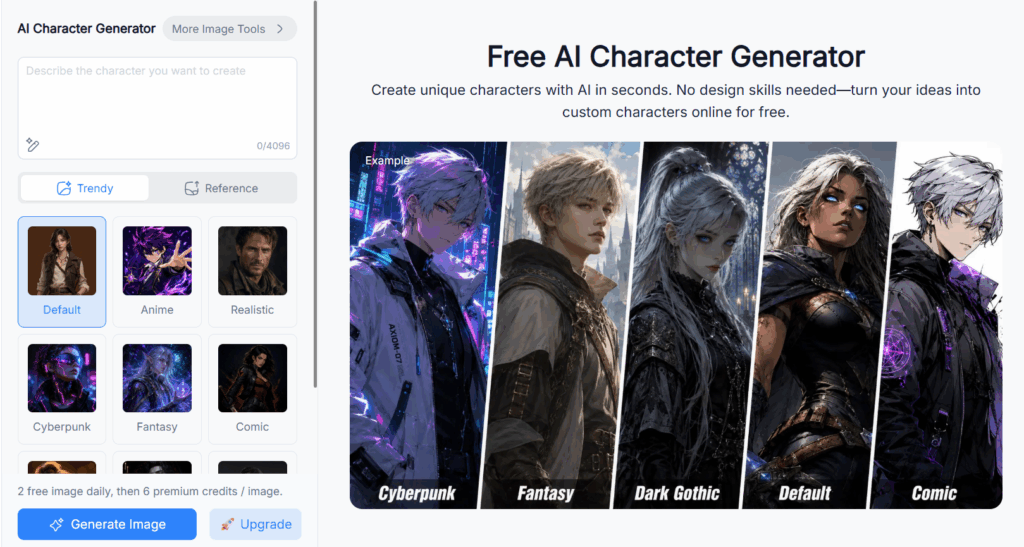
A custom AI character generator makes that process fast enough to prepare an entire party or a roster of NPCs before the next session. For more AI-powered creative and productivity tools, explore NoteGPT to support your storytelling, notes, and campaign preparation.