


If you want to know how to translate a video, the short answer is this: get an accurate transcript first, translate the spoken content into your target language, then decide whether the audience needs subtitles or full voice dubbing. Everything else, from timing to terminology, is refinement on top of that sequence. Skipping the transcript step is the most common reason translated videos feel wrong, because you end up translating half-heard sentences instead of the actual words.
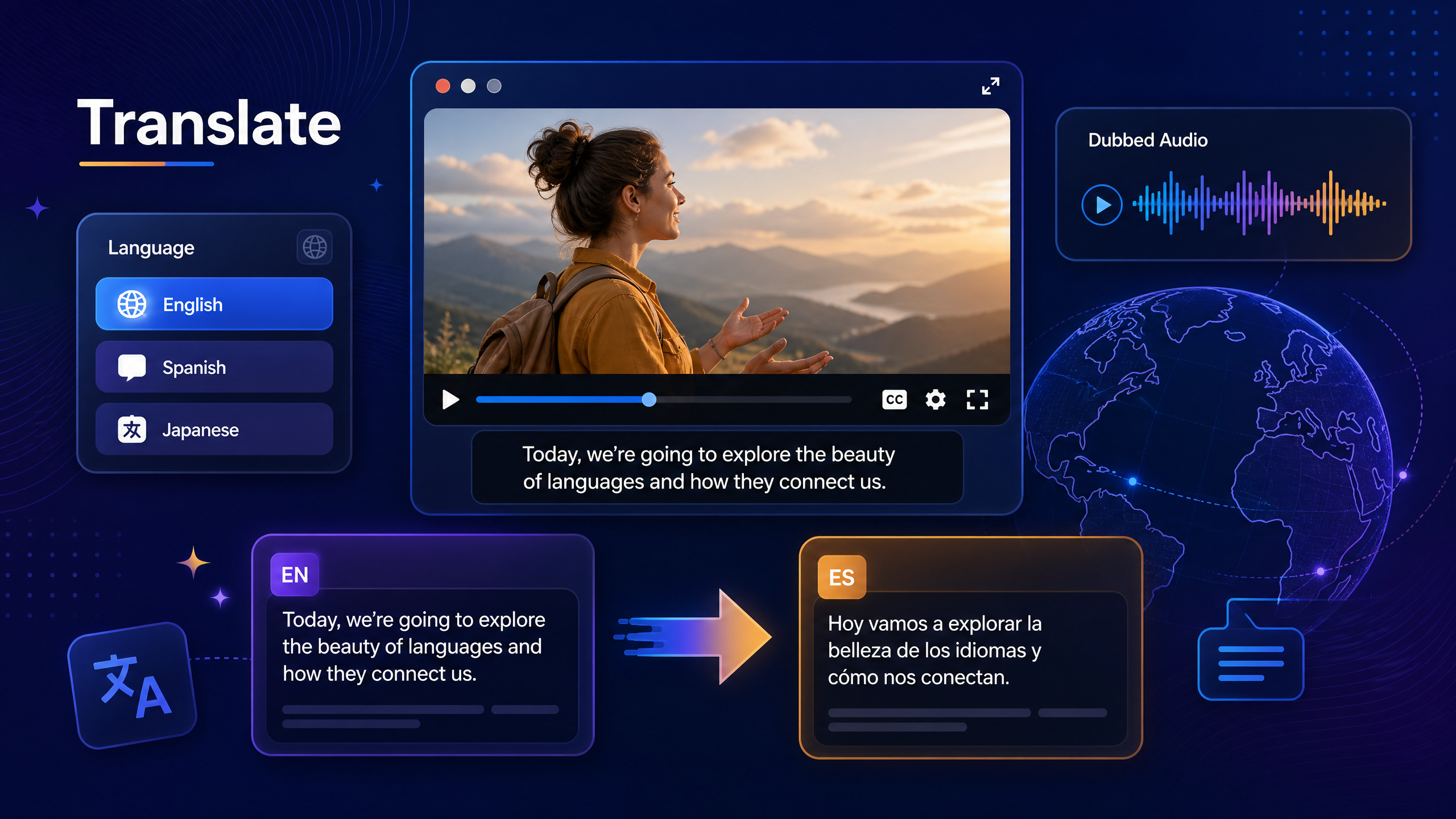
The rest of this guide explains the workflow in detail, what good output looks like, where costs come from, and the numbers that explain why this work is worth doing at all. If you want to move straight to execution, an AI Video Translator can handle the transcript-and-translate stage in a browser, which is the part that used to take the longest.
Why Translating Video Pays Off
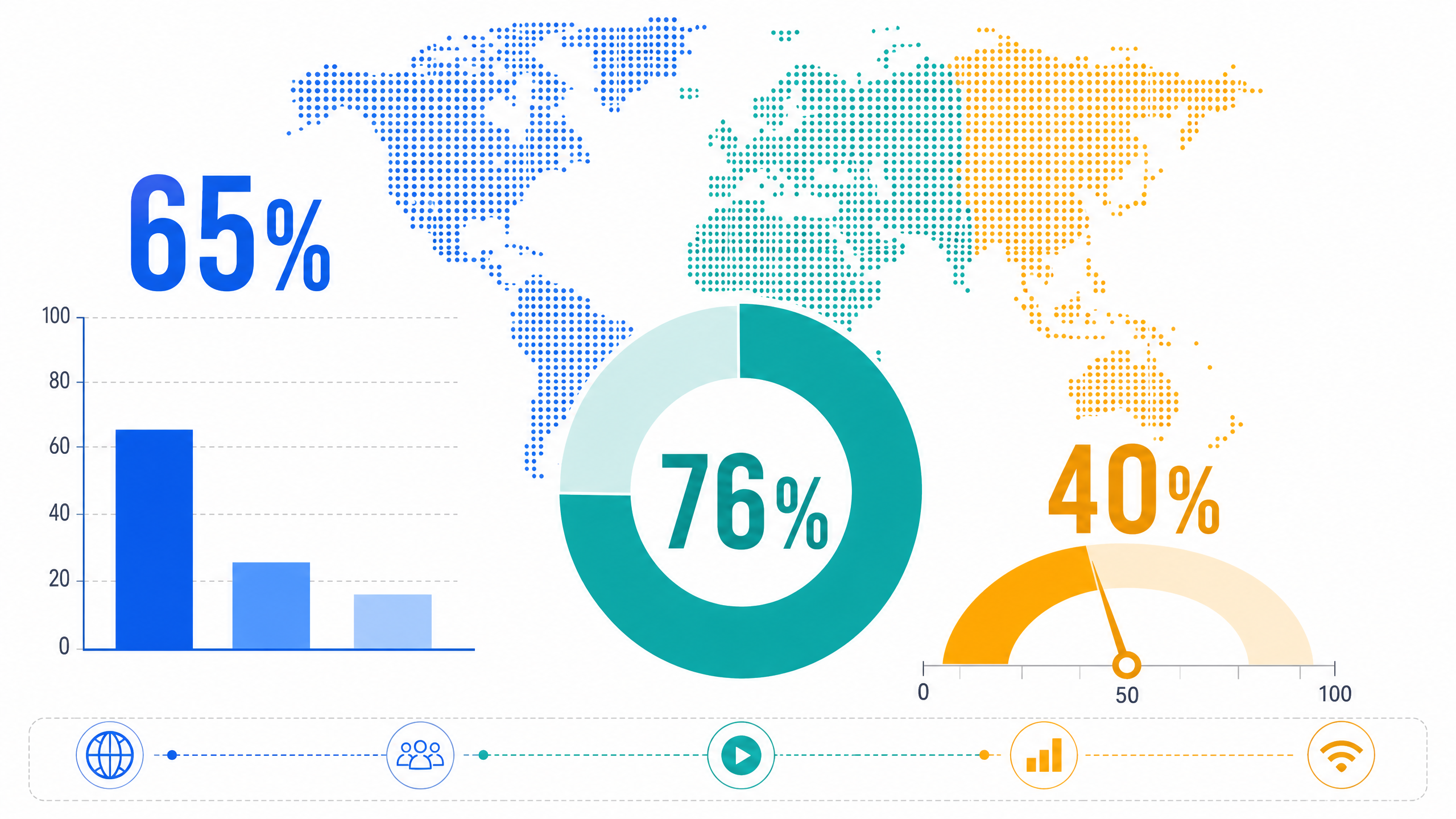
Before you learn how to translate a video, it helps to see why the effort returns money. The business case is not speculative. CSA Research's 2020 study Can't Read, Won't Buy – B2C, which surveyed 8,709 consumers across 29 countries between November 2019 and January 2020, found that 65% of respondents prefer content in their own language, 76% prefer buying products that have information in their own language, and 40% say they will not buy from a website in another language.
Read those three numbers as a sequence. The first is a preference, the second is a purchase behavior, and the third is a hard refusal. That last figure is the expensive one, because it means the audience is not merely less engaged with untranslated content. A meaningful share is excluded from it entirely.
Video scale makes the same point from another direction. YouTube's official figures, published in 2020 and 2021, describe roughly 500 hours of video uploaded every minute, and the platform's own press data notes localized versions in more than 100 countries and over 80 languages. The volume of available video is enormous, which means attention is scarce. Language is one of the few filters that still reliably segments an audience, and it is one you can remove.
Subtitles or Dubbing: Pick the Right Mode First
Before translating anything, decide what the audience actually needs.
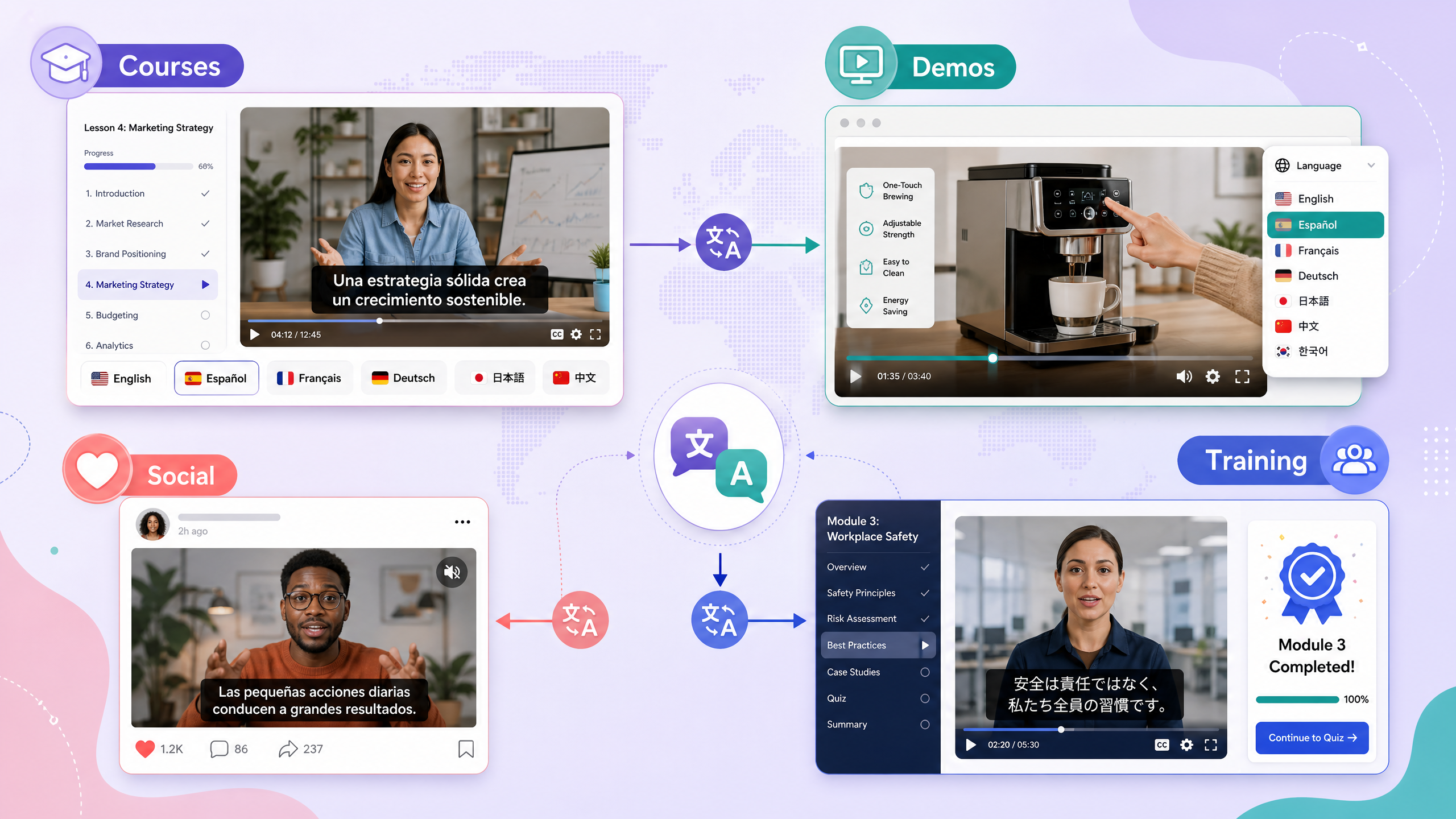
Translated subtitles keep the original voices and add text in the target language. They are cheaper, faster, and preserve the speaker's tone. They suit tutorials, product demos, webinars, and content where the original performance matters.
Dubbing replaces the voice track with narration in the target language, and it is usually the second thing teams attempt once they know how to translate a video with subtitles. It is better for training, children's content, television-style formats, and audiences less comfortable reading at speed. It costs more because voice recording and lip or timing alignment add work.
Many teams do both. Subtitles ship first because they are quick, and dubbing follows for the markets that perform well. Whichever you choose, the decision shapes how to translate a video more than any tool setting does. If you are unsure, start with subtitles and let the performance data decide where to invest next.
What a Good Translation Actually Requires
Knowing how to translate a video is mostly knowing what to protect. Translation is not word substitution. Four things separate a usable result from a confusing one.
Meaning over words. Idioms, jokes, and cultural references rarely survive literal translation. Rewrite them so the intent lands, even if the wording changes.
Reading speed. Subtitles are read, not heard. Viewers cannot pause a phrase the way they can re-read a sentence. Cues that stay on screen too briefly get skipped entirely.
Line length and line count. Long single lines force the eye to travel. Two balanced lines per cue are easier to read than one long line, and easier than three.
Consistent terminology. Product names, job titles, and technical terms must match across every video. An inconsistent glossary is the fastest way to make a translated catalogue look unprofessional.
Guides: How to Translate a Video with NoteGPT
The following workflow is the practical answer to how to translate a video without a production team. NoteGPT uses a browser tool for the mechanical stages and leaves judgment to you.
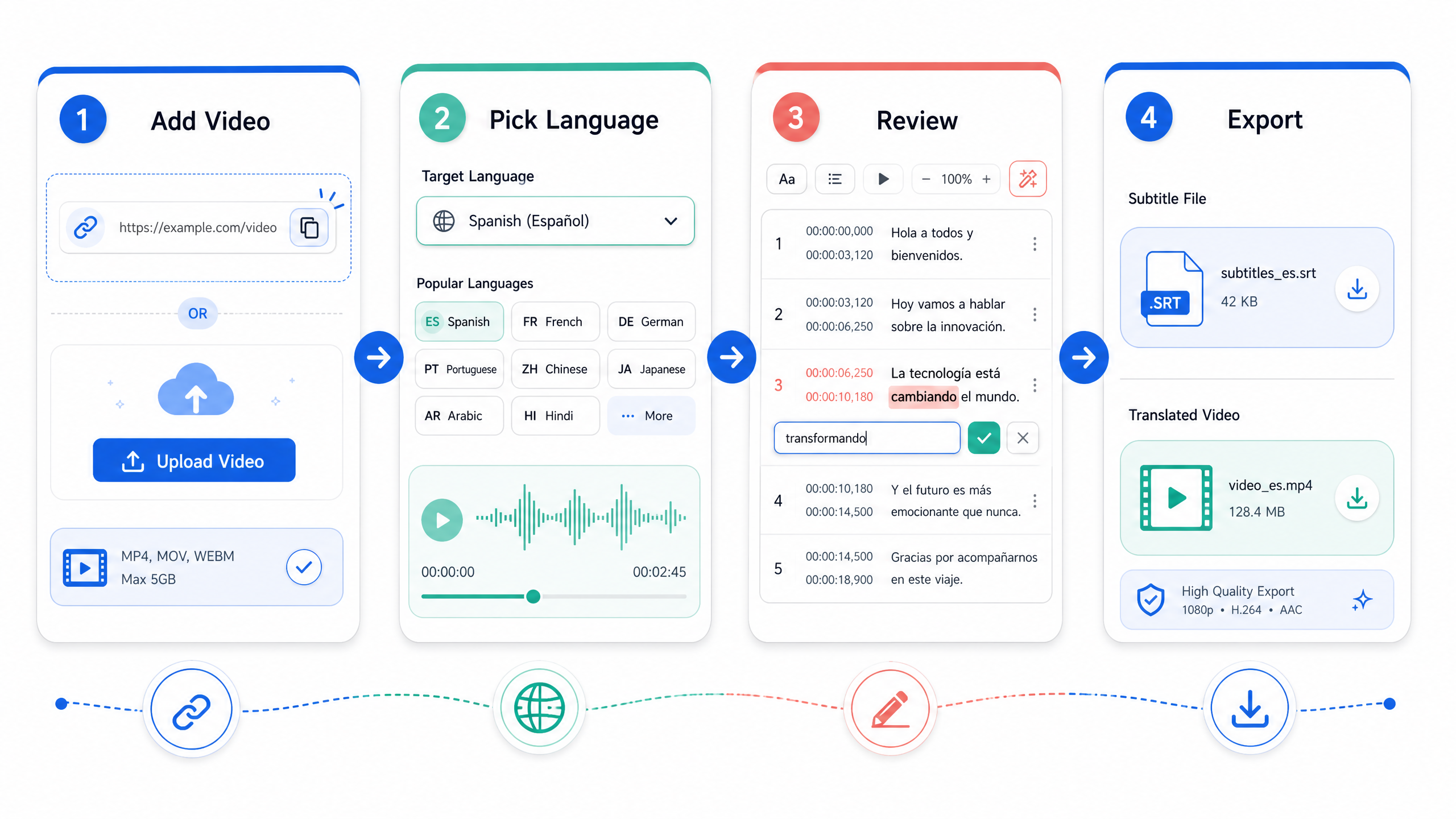
Step 1: Add the video
Open the AI Video Translator and add your source. You can paste a link to a hosted video or upload a file from your device. Choose the version with the cleanest audio you have, because the transcript quality sets the ceiling for everything downstream. This single choice explains most of the difference between how to translate a video well and how to translate it badly.
Step 2: Select the source and target language
Tell the tool what language is being spoken and what language you need. Guessing the source language is a common reason how to translate a video goes wrong from the first step. If the video mixes languages, note the dominant one and treat short foreign phrases as exceptions during review rather than trying to describe every switch.
Step 3: Review the translated text before you export
This is the step people skip, and it is the step that determines whether the output is usable. Read the translation while watching the video, not on its own. This is the habit that separates how to translate a video professionally from pasting text into a converter. Errors that look harmless on a page become obvious when the words no longer match what is on screen.
Check names, numbers, product terms, and anything in a second language. Confirm that each cue appears while the relevant action is visible.
Step 4: Export subtitles, a dubbed version, or both
Decide your output before you export, because how to translate a video depends on where it will live. Export the subtitle file if you plan to embed captions natively on a platform. Export the video with subtitles burned in if you need a single self-contained file for social media or a client. For a full localization, export the translated text and record or generate the voice track separately.
Step 5: Run a two-pass quality check
Watch once with sound. Then watch once on a phone with the sound off. Two passes catch what one cannot, and this routine is the cheapest improvement to how to translate a video you will ever make. The second pass catches timing problems, crowding at the bottom of the frame, and lines that are simply too long to read at small sizes.
Quality Checklist Before Publishing
Run this list every time, and the average quality of your output will rise quickly. A checklist also makes how to translate a video a repeatable process rather than a one-off experiment.
- Names, brands, and product terms are spelled the way the company spells them
- Numbers, currency, and units match the source and make sense in the target market
- Each cue appears while the corresponding action or speech is on screen
- No cue stays for less time than it takes to read at a normal pace
- Two lines maximum per cue, with breaks at natural phrase boundaries
- No subtitle sits under an interface element or off-screen graphic
- Tone matches the original: a humorous explainer should not read like a legal notice
Where Translation Costs Come From
If you are budgeting, the cost drivers are predictable, and they apply whether you outsource or handle how to translate a video in house.
Transcript work is the first cost. Human transcription or careful review of automated output is the foundation of everything else. Translation is the second, and it scales with word count, technical density, and the number of target languages, which is why how to translate a video for five markets costs far more than one. Timing and formatting is the third, and it is frequently underestimated because it involves fitting translated text into fixed time slots. Voice work is the fourth, if you dub, and it depends on voice talent, language, and length.
The practical implication is that shortening the source helps every downstream cost. A tighter script with fewer words and clearer sentences is cheaper to translate, faster to review, and easier to fit into cues.
Common Mistakes That Ruin Translated Videos
Translating without a transcript. Working from what you remember hearing produces confident errors. Most complaints about how to translate a video trace back to this shortcut.
Ignoring reading speed. A faithful translation that nobody can finish reading is not faithful in any useful sense.
Machine output with no review. Automated translation of conversation is good enough to start from and not good enough to publish unchecked, especially for names and numbers, and this is where most shortcuts in how to translate a video fail.
One version for every platform. A cue that fits a widescreen player may overflow on a vertical phone screen. Format for the destination.
Forgetting the metadata. Titles, descriptions, and thumbnails need translation too, or the video stays invisible to the audience you just served.
Final Thoughts
How to translate a video comes down to a sequence: accurate transcript, faithful translation, format that respects reading speed, and a review pass done while watching. The technology now removes most of the mechanical effort, which leaves judgment as the real competitive advantage. Anyone can look up how to translate a video; fewer people will review the output properly.
Start with one high-performing video and one target language. Measure what changes, then scale the workflow instead of guessing. You can run the transcript and translation stages in a browser with an AI Video Translator, then apply the checklist above before anything reaches an audience.
Frequently Asked Questions
What is the fastest way to translate a video?
Use an automated tool to generate the transcript and translation, then do a focused review of names, numbers, and timing. Automated output handles the bulk of the work in minutes, and the review pass is what makes the result publishable rather than merely fast.
Is it better to translate subtitles or dub the audio?
Both are valid answers to how to translate a video. Subtitles are cheaper, faster, and preserve the original performance, so they suit most content. Dubbing suits training material and audiences who prefer listening over reading. Many teams publish subtitles first and add dubbing only for markets that show strong engagement.
Can I translate a video for free?
Yes, within limits. Free tiers usually exist but come with limits on length, number of videos, or export options. For occasional short videos, free usage is often enough. For a channel or a course library, check current plan limits before committing, since processing volume is the main constraint.
How accurate is automated video translation?
It is strong on clear speech and common vocabulary, and weaker on idioms, overlapping speakers, heavy accents, and technical jargon. The reliable pattern is automated draft plus human review of the high-risk elements: names, figures, product terms, and anything that would be embarrassing to get wrong.
Do translated videos rank in search?
They can, but only if the surrounding metadata is translated too. Title, description, tags, and chapter names all contribute. A perfectly translated video with an English-only title remains invisible to a search performed in another language.
How long does it take to translate a 10-minute video?
Automated processing is usually faster than playback, so the transcript and translation stages can complete in a few minutes. Real time goes into review and formatting. Expect the review to take roughly as long as the video plays, and longer for technical content.
Will the translation change the original meaning?
A good translation preserves intent rather than wording. Idioms and cultural references usually need rewriting to land in the target language. Reviewing while watching the video is the fastest way to catch places where the meaning drifted.
Can I translate a video without downloading it?
Yes, if the platform accepts a link. Paste the video URL, let the tool process the audio, and review the translated output. If a link is not accepted, download the source file first, then upload it. Either route produces the same result.