

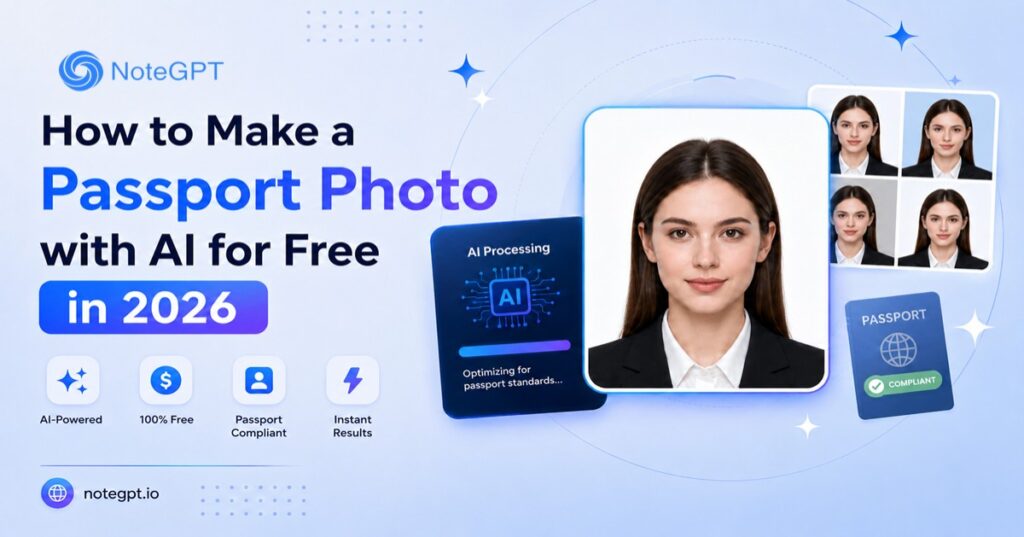
Looking for an AI Passport Photo Maker free tool that actually works? In 2026, you no longer need to find a pharmacy with a working photo booth or pay $15–20 for a studio visit. A growing number of AI tools can turn a normal selfie into a properly sized, correctly cropped passport photo in under a minute — for free. This guide walks through how these tools actually work, what changed with U.S. passport photo rules this year, and how to make one step by step without risking a rejected application.
What Is an AI Passport Photo Maker?
Put simply, it's a tool that automatically converts a regular photo into a passport-compliant image — no manual head-height measuring, pixel-perfect cropping, or background swapping required. Most ai passport photo maker free tools follow this same basic principle, then layer on more advanced features from there.
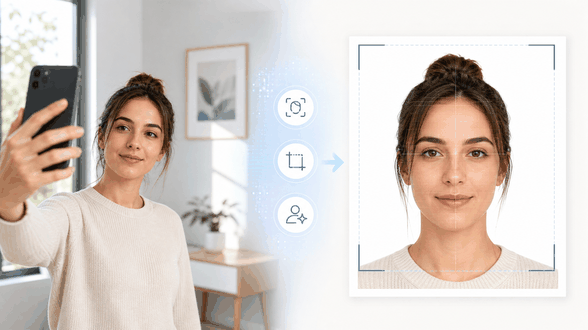
Most tools follow the same basic logic: they detect your face, calculate the correct proportions based on the document type you select (U.S. passport, UK passport, Schengen visa, etc.), crop accordingly, and replace the background with a solid color — usually white or off-white, since that's the standard most governments require.
The more advanced tools go further. Some can adjust lighting, remove shadows, or even digitally change what you're wearing to meet dress-code requirements — a feature worth understanding carefully, since it's also the one most affected by 2026's new compliance rules (more on that below).
The best ai passport photo maker free option for you depends on what you're applying for — a U.S. passport calls for a stricter, less-edited approach, while a visa or ID photo has more room for the styling features these tools offer.
Why Use a Free AI Passport Photo Maker in 2026
Save Time and Money
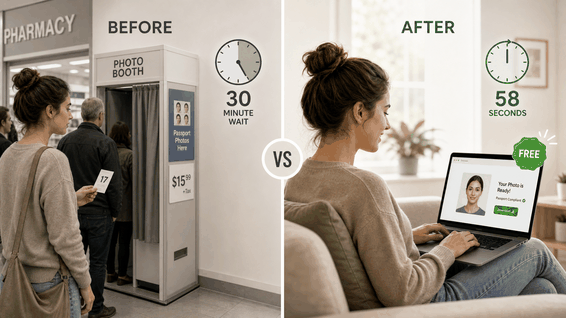
A passport photo at a pharmacy or dedicated photo studio typically costs $15–20 in the U.S., plus the time it takes to get there. A passport photo online free tool — accessible right in your browser, no download required — does the same job in a fraction of the time, with no appointment and no travel.
Get Accurate Sizing and Background Every Time
Manual cropping is where most DIY passport photos go wrong — a head that's 2mm too large or a background that's slightly off-white can trigger a rejection. AI tools apply the same measurement logic every time, which removes most of the human error that causes photos to bounce back. Choosing a reliable ai passport photo maker free tool is one of the simplest ways to avoid a second submission.
2026 Update — New Passport Photo Compliance Rules You Should Know
What Changed
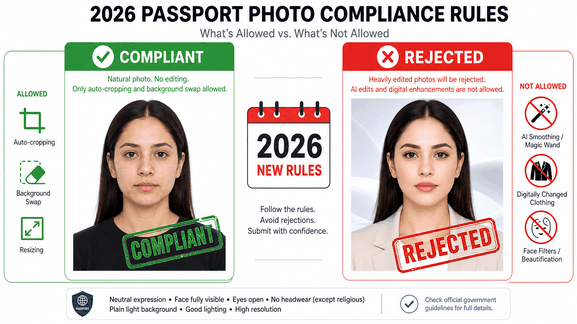
As of January 1, 2026, the U.S. Department of State tightened its stance on digitally altered passport photos. Photos that show signs of AI-based retouching — smoothed skin, digitally changed clothing, or background replacement done in a way that alters facial pixels — are now flagged and rejected more aggressively than in previous years. The policy is aimed at preventing biometric mismatches between the submitted photo and the applicant's actual appearance.
This matters because plenty of ai passport photo maker free tools on the market lean heavily on digital editing as their main selling point — outfit changes, skin smoothing, background swaps done through generative AI. For U.S. passport applications specifically, that's now a risk rather than a convenience.
How to Stay Compliant While Still Using AI Tools
The safest approach for a U.S. passport photo is to let AI handle the parts that don't touch your actual appearance — cropping, sizing, and background replacement using a clean cutout rather than a generative rebuild — and skip any feature that alters your face, skin, or clothing. If you're applying for a UK, Schengen, or other non-U.S. document, the rules are generally more lenient, so features like outfit changes are less likely to cause problems, but it's still worth checking the specific requirements for your destination country before submitting.
How to Make a Passport Photo with AI for Free: Step-by-Step
Here's what the process looks like using NoteGPT's AI Passport Photo Maker — a solid pick if you're trying an ai passport photo maker free option for the first time, since the same general flow applies to most free passport photo maker tools.
Step 1 – Take or Upload a Clear Front-Facing Photo
Start with a recent photo where your full face is visible, lighting is even, and your expression is neutral. Avoid photos with heavy shadows or an off-center angle — the AI can correct a lot, but it works best from a clean starting point.
Step 2 – Select Your Photo Size and Background
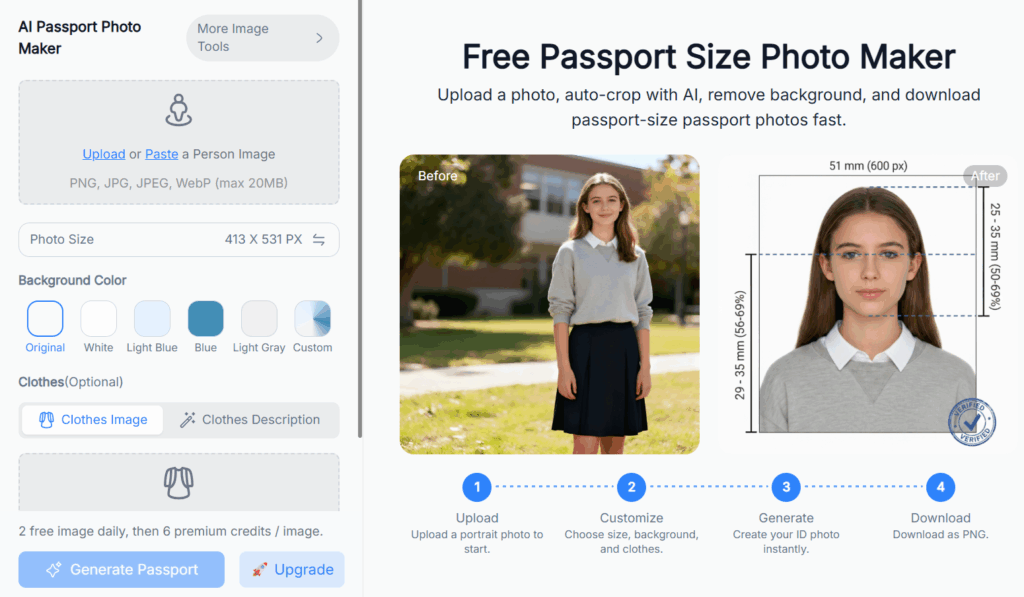
Choose the correct output size for your document — NoteGPT lets you set an exact pixel size (for example, 413×531px) or pick from standard presets, then choose a background color. Options typically include white, light blue, and gray, alongside the option to keep your original background if it's already suitable.
Step 3 – Let AI Auto-Crop and Clean the Background
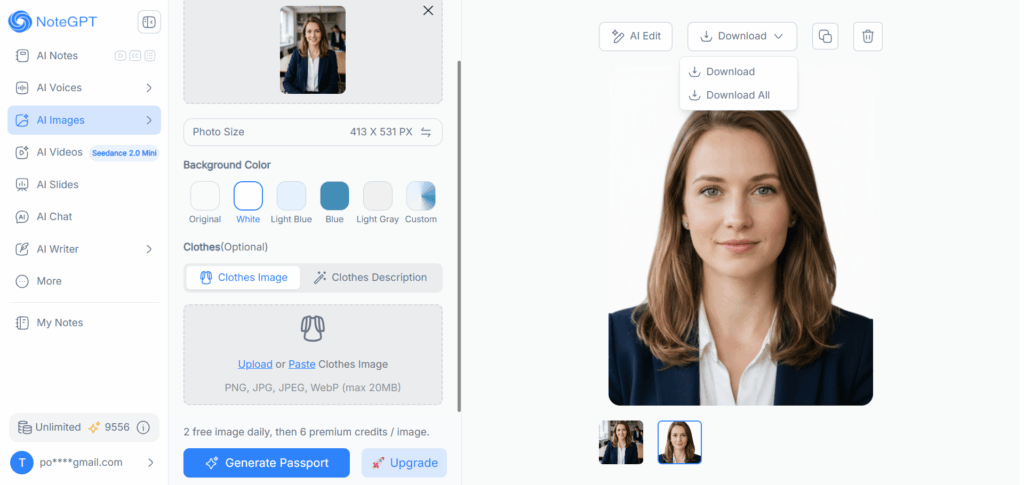
Once you confirm your settings, the AI detects your face, crops to the correct proportions, and swaps the background automatically. This is also where NoteGPT offers an optional clothes-change feature — useful for visa photos, ID badges, or non-U.S. documents, but one to skip if you're applying for a U.S. passport under the current rules.
Step 4 – Review, Download, and Print
Check the preview against your document's official size and head-position guidelines before downloading. NoteGPT exports as a PNG file, ready to upload for an online application or print at home.
Tips for a Passport Photo That Won't Get Rejected
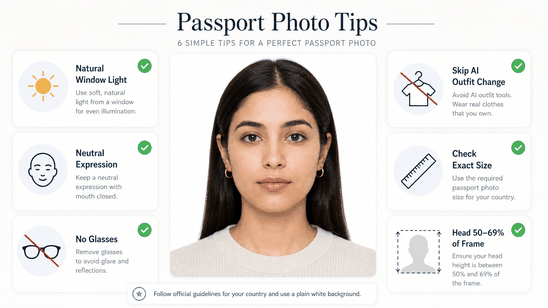
Whichever passport photo maker 2026 tool you choose, a few habits make the difference between a photo that's accepted on the first try and one that gets bounced back.
- Use natural, even lighting — near a window during the day works well
- Keep a neutral expression with your mouth closed
- Remove glasses if your destination country requires it
- Skip AI outfit or skin-editing features for U.S. passport applications
- Double-check your document's exact size requirement before downloading — sizes vary by country
- Compare the final crop against the official head-height percentage (usually 50–69% of the frame)
Best AI Passport Photo Tools Compared (2026)
Before settling on an ai passport photo maker free tool, it helps to see how the major options stack up on compliance versus flexibility.
| Tool | Best For | Free Option | Price (Paid) | AI Outfit/Background Change | Compliance Approach |
| NoteGPT | Flexible sizing + outfit customization for visas, IDs, and non-U.S. documents | 2 free photos daily | Credit-based (6 credits/photo after free daily limit) | Yes — background and outfit changes | No human review; best paired with the compliance tips above for U.S. passports |
| PhotoAiD | Users who want human-verified compliance | No free plan | $13.95 per photo | Background only, no outfit change | AI processing plus human expert review, with a money-back guarantee |
| Cutout.Pro | General photo editing with a passport photo feature built in | Limited free credits | Varies by plan | Background replacement via general AI editing tools | Not marketed as a government-compliance service; more suited to non-U.S. documents |
| PhotoGov | Strict U.S. 2026 compliance, no digital alteration | Free tier available (limited in the U.S.) | Roughly $4.90–$9.99 per photo | None — deliberately avoids any facial or clothing alteration | Automated compliance checks against U.S. State Department standards, optional human verification, money-back guarantee |
A quick way to think about it: NoteGPT and Cutout.Pro give you more creative control (outfits, styling, background variety), which is great for visas, resumes, or ID badges. PhotoAiD and PhotoGov are built specifically around strict compliance for government submissions, with PhotoGov taking the most conservative approach by avoiding AI alteration altogether. If your document is a U.S. passport, lean toward the compliance-first tools — or use NoteGPT with its editing features turned off.
FAQ
Is an AI passport photo maker really free?
Most ai passport photo maker free tools, including NoteGPT, offer a limited number of free photos per day before switching to a credit or subscription system. For occasional use — like a single passport renewal — the free tier is usually enough.
Can I use an AI-edited photo for a U.S. passport in 2026?
Only if the editing is limited to cropping, sizing, and a clean background swap. Since January 2026, the State Department has been rejecting photos that show signs of facial or clothing alteration, so features like AI outfit changes should be avoided for U.S. applications.
What's the correct passport photo size?
A U.S. passport photo must be 2×2 inches (51×51mm), with your head taking up 50–69% of the frame. Other countries have different requirements, so always check your destination's official guidelines before submitting.
Will AI background removal cause a rejection?
A clean background swap to plain white or off-white is standard and generally accepted. The risk comes from generative background replacement that also alters parts of your face or introduces artifacts — stick to tools that isolate the background cleanly. Most ai passport photo maker free tools handle this correctly out of the box, but it's worth checking the preview before you download.
Can I use these tools for visas or ID cards too?
Yes. Visa photos, ID badges, and driver's license photos often have more flexible requirements than passports, which is where AI features like outfit changes and style presets are genuinely useful.
Conclusion
Using an ai passport photo maker free tool is faster, cheaper, and — when used correctly — just as reliable as a trip to the pharmacy. The key in 2026 is knowing which AI features to use and which to skip: cropping, sizing, and clean background swaps are safe and useful everywhere, while outfit changes and heavier digital editing are better saved for visas, ID photos, and non-U.S. documents.
If you need more than just a plain passport crop — say, a visa photo, an ID badge, or a quick outfit swap for a photo that isn't going to a U.S. passport office — NoteGPT's AI Passport Photo Maker is worth trying: it runs right in your browser, offers custom sizing down to the pixel, and gives you two free photos a day to start. Pick a tool that matches what you're applying for, follow the compliance tips above, and you'll have a photo ready to submit in a couple of minutes.