


Got a character idea but don’t know how to bring it to life? An AI Character Description Generator helps you turn a simple concept — whether it’s a name, a visual idea, or a short prompt — into a detailed character profile with appearance, personality, background, and unique traits. Instead of starting from a blank page, you can quickly develop character ideas and create descriptions ready for AI image generation.
Once your character profile is complete, you can use an AI Character Generator to transform those details into a unique visual character. This guide explains how an AI character description generator works, what details you can create with it, and how it fits into the full process of building characters with AI.
What Is an AI Character Description Generator?
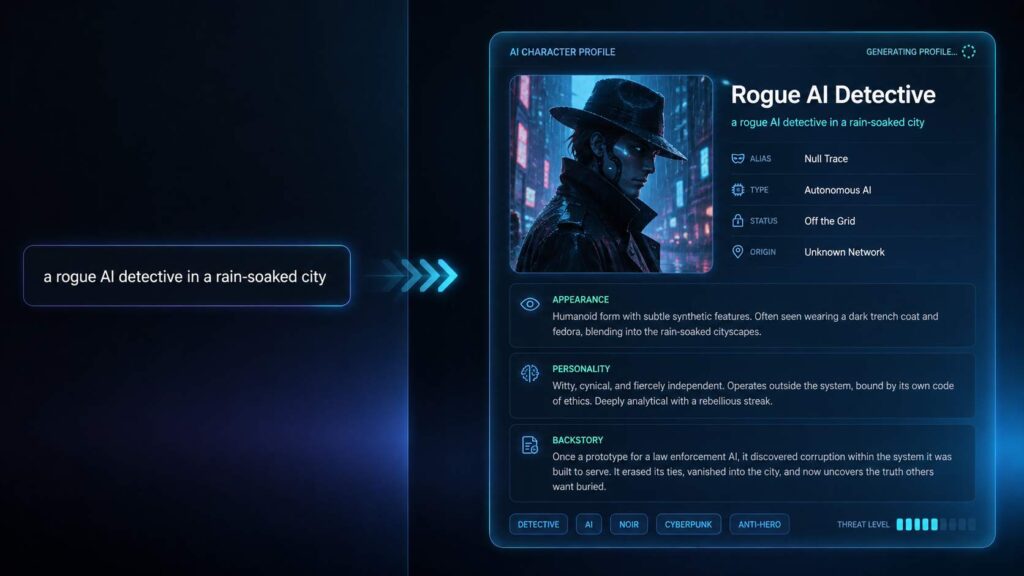
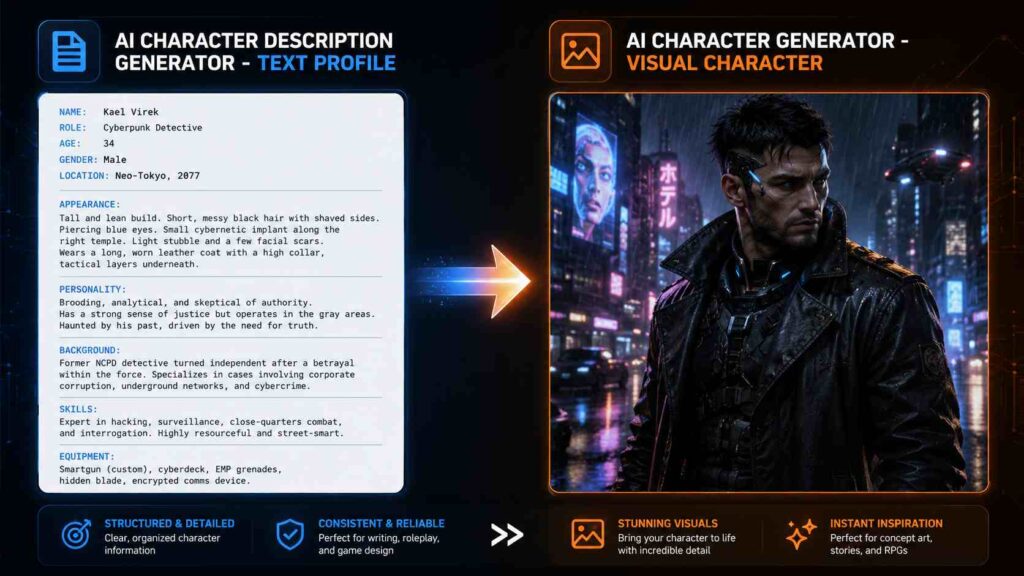
An AI character description generator is a tool that turns a simple idea into a detailed, structured character profile. Instead of staring at a blank page trying to figure out what your character looks like or how they behave, you can start with a short concept — such as “a rogue AI detective in a rain-soaked city” — and expand it into key details like appearance, personality traits, background, and abilities.
Most character ideas start out as simple concepts. “A cyberpunk hacker” or “a fantasy healer” is only the beginning, not a complete character profile. An AI character description generator helps fill in the missing details — from hairstyle and clothing to personality quirks and backstory — creating a stronger foundation for storytelling, game design, and AI image generation. With AI creative tools like NoteGPT, creators can develop character concepts more efficiently and turn their ideas into fully realized visual characters.
An AI character description generator is especially useful for:
● Artists who need a clear visual reference before sketching or designing a character ● Writers who want a consistent character profile to build stories around ● Gamers creating original characters, NPCs, or D&D personas ● Creators who need character ideas quickly for content, worldbuilding, or fan projects
Why Do You Need a Character Description Before Creating an AI Character?
It's tempting to skip straight to generating a character image. But typing a single vague sentence into an image tool usually produces something generic — and if you try again later, you'll get a completely different-looking character, even if you meant it to be the same one.
A written character description solves three problems at once:
- It nails down the appearance. Hairstyle, clothing, facial features, body type — writing these out first means you're not leaving them to chance.
- It keeps your character consistent. If you ever need to regenerate an image, revise a scene, or create multiple images of the same character, a saved description is your reference point.
- It produces sharper AI-generated results. A detailed character description gives an AI Character Generator better instructions to create a unique visual character, instead of a generic stock-art face.
In short: the more specific your character description, the more the final image actually looks like the character in your head.
What Can an AI Character Description Generator Create?
A good AI character description generator doesn't just spit out a name and a one-liner — it works as an AI character profile generator, covering every layer of a character from how they look to who they are and where they came from.
Character Appearance
This is the visual foundation your future AI Character Generator will need:
- Hairstyle and hair color
- Clothing and accessories
- Facial features (eyes, expression, distinguishing marks)
- Body type and posture
- Overall visual style (realistic, anime, fantasy, cyberpunk, and so on)
Personality and Traits
A character isn't just a face — personality shapes how they're written, drawn, and portrayed:
- Core personality (confident, guarded, playful, brooding)
- Typical emotional tone
- Habits and mannerisms
- Strengths and weaknesses
Background Story and Abilities
This is what gives the character depth beyond a single image:
- Origin story
- Skills or powers
- Role in their world (hero, rival, mentor, outsider)
- The fictional world or setting they belong to
Together, these three layers turn a one-line idea into a character profile detailed enough to write from, draw from, or generate an image from.
How to Generate a Character Description with AI
Here's the process from a bare idea to a finished AI character image.
Step 1: Enter Your Character Idea
Start with whatever you already have — even a single sentence works. For example: "A futuristic warrior from a cyberpunk city." You don't need every detail figured out yet; this is just the seed the AI will expand on.
Step 2: Add Details About Your Character
Give the AI more to work with by specifying:
- Genre — fantasy, sci-fi, cyberpunk, realistic, and so on
- Personality — brave, mysterious, sarcastic, calm
- Appearance — any specific visual details you already have in mind
- Style — the overall tone or aesthetic you're going for
The more context you provide here, the more usable — and less generic — your final description will be.
Step 3: Generate and Refine Your Character Description
Once the AI generates a first draft, read it over and refine it. Tighten vague lines, adjust anything that doesn't match your vision, and make sure the appearance details are specific enough to actually be drawn or generated as an image later.
Step 4: Transform Your Description into an AI Character Image
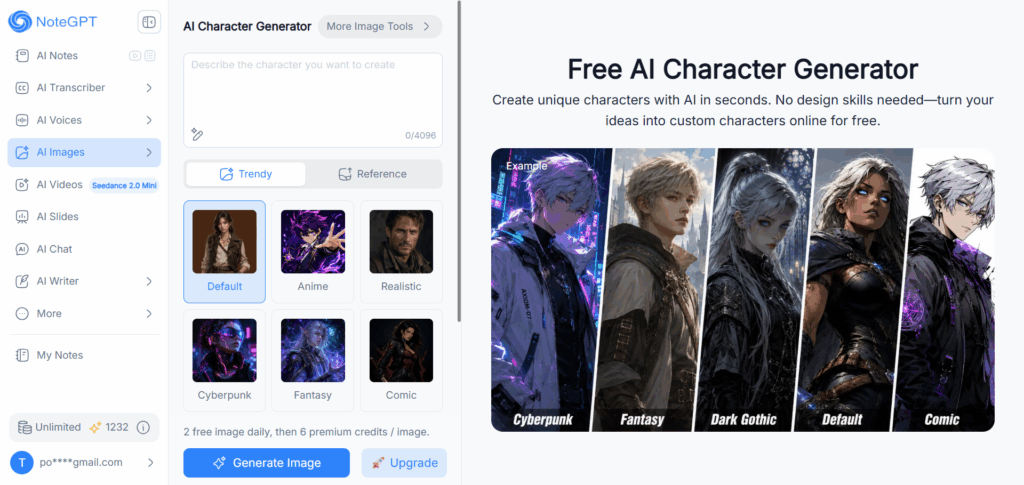
This is where your character description becomes visual. Paste your finished description into NoteGPT's AI Character Generator, choose a visual style — Default, Anime, Realistic, Cyberpunk, Fantasy, Comic, Pixar 3D, Dark Gothic, or Minimal — and generate your character image in seconds. Because your description already spells out appearance, personality cues, and setting, the AI has far more to work with than a single vague sentence would give it.
AI Character Description Generator vs AI Character Generator: What's the Difference?
These two tools sound similar but serve different purposes — and understanding the difference will save you time.
| Tool | Best For | Output |
| AI Character Description Generator | Planning character concepts | Text profile |
| AI Character Generator | Creating visual characters | AI-generated image |
Think of it as planning versus production. The description generator is where you figure out who your character is. The AI Character Generator is where you see what they look like.
Use a character description generator to plan your character, then bring it to life with an AI Character Generator.
Tips for Creating Better AI Character Descriptions for AI Image Generation
A few small adjustments can make the difference between a description that produces a generic result and one that produces a character that actually looks like yours.
Start with a Clear Character Concept
Before adding details, nail down the core idea in one sentence — the genre, the role, the general vibe. Everything else builds on this.
Describe Visual Details
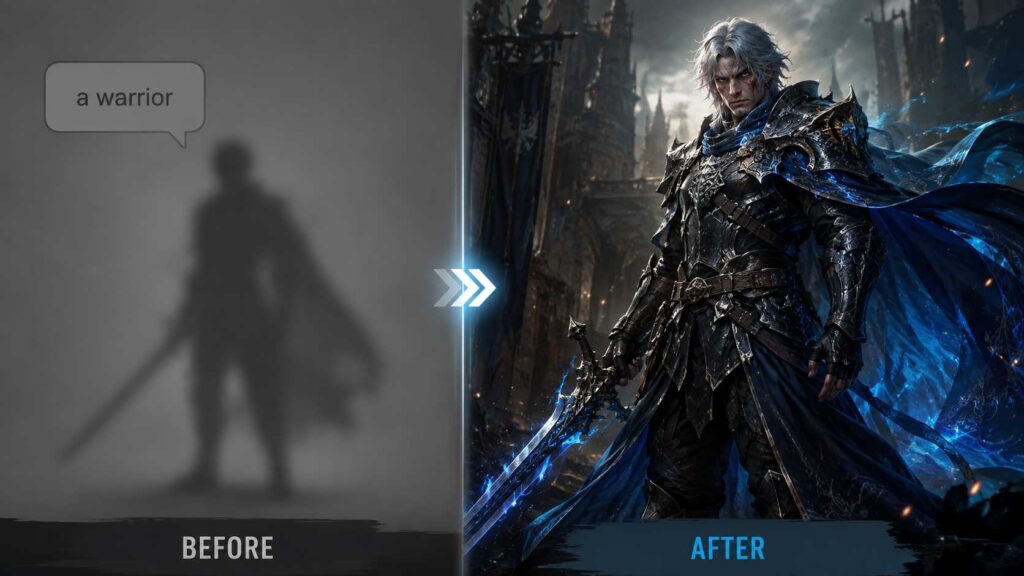
Vague descriptions produce vague images. Instead of "a warrior," try "a battle-scarred warrior with silver hair, dark armor, and a glowing blue cloak." Specific visual details are what an AI Character Generator actually needs to render something unique.
Define Personality and Story
Personality doesn't just help you write the character — it often shapes visual choices too, like posture, expression, and styling. A "guarded, watchful" character reads differently on the page than a "warm, easygoing" one, and a good AI character prompt generator will reflect that in the description itself.
Add Style References
If you already know the visual style you want — anime, realistic, cyberpunk, dark gothic — say so directly in your description. NoteGPT's AI Character Generator also supports a Reference mode, where you can upload a reference image alongside your description to guide the style even further.
Keep an Eye on Length
NoteGPT's character description field supports up to 4,096 characters — more than enough room for a genuinely detailed profile. Use that space; a longer, more specific description almost always beats a short, generic one.
10 AI Character Description Ideas for Creating Unique Characters
Not sure where to start? These AI character ideas can help you create unique concepts and generate better character descriptions.
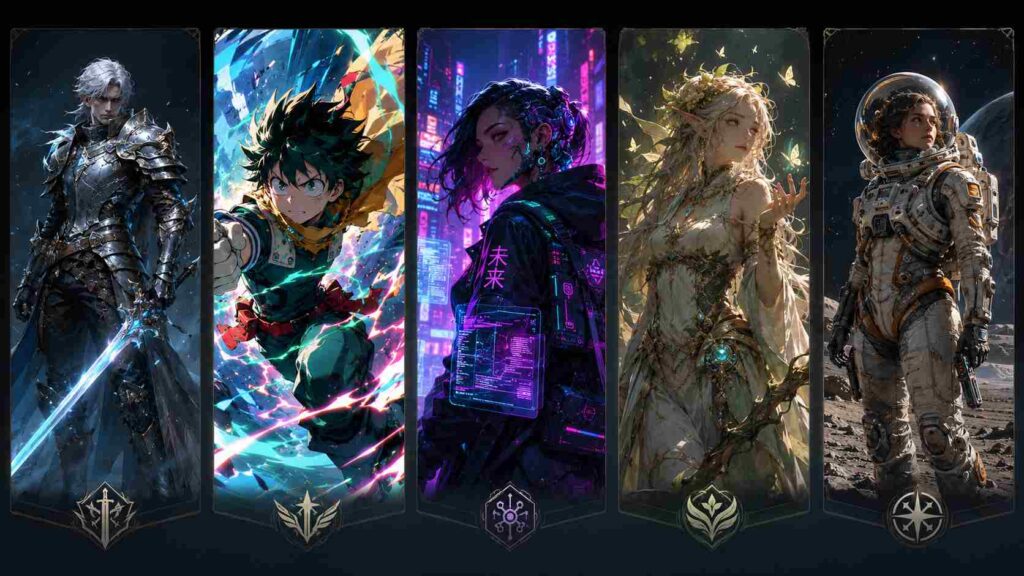
- Fantasy warrior — armored, battle-worn, wielding an ancient weapon
- Anime hero — bright eyes, dynamic pose, bold color palette
- Cyberpunk character — neon-lit city, augmented tech, sharp silhouette
- Magical creature — part-human, part-mythical, otherworldly features
- Sci-fi explorer — futuristic gear, alien landscape, mission-ready look
- Comic-style hero — bold outlines, dramatic pose, superhero aesthetic
- Realistic portrait character — lifelike detail, natural lighting, grounded personality
- Dark gothic character — moody atmosphere, intricate detail, brooding presence
- Pixar 3D-style character — soft, expressive, rounded features
- Minimal-style character — clean lines, simple palette, understated design
Each of these pairs naturally with one of the visual styles available in NoteGPT's AI Character Generator, so once your description is ready, picking a matching style is a quick last step.
Frequently Asked Questions
What is an AI Character Description Generator?
It's a tool that turns a short character idea into a detailed profile covering appearance, personality, and backstory — the groundwork you need before generating a visual character.
Can AI generate a character description from an idea?
Yes. Even a single sentence is enough to start — the AI expands it into a fuller profile, which you can then edit and refine.
Can I use a character description to create an AI image?
Yes. A finished character description can be pasted directly into an AI Character Generator, like NoteGPT's, to produce a visual character based on that description.
What details should a character description include?
At minimum, appearance (hairstyle, clothing, features), personality and traits, and background or backstory. The more specific each of these is, the better the results — whether you're writing with it or generating an image from it.
Is the AI Character Description Generator free to use?
NoteGPT's AI Character Generator offers 2 free images daily, then generates additional images for 6 premium credits each — so you can try the full idea-to-image workflow without any upfront cost.
What is the difference between a character description and an AI character generator?
A character description is the text profile — who your character is and what they look like. An AI Character Generator is the tool that turns that description into an actual image.
Conclusion: Turn Your Character Ideas into AI Characters
A strong character starts with a strong description. Whether you're building a hero for a story, an NPC for a game, or simply exploring a character idea for fun, taking the time to define appearance, personality, and backstory helps you create a more complete and consistent character — and gives an AI Character Generator the details it needs to bring your vision to life.
Start with your idea, build a detailed character profile with an AI character description generator, and transform it into a unique visual character with NoteGPT's AI Character Generator.