


To translate a YouTube video in 2026, you do three things in order: pull the spoken audio into an accurate transcript, translate it into your target language, then publish the result as a subtitle track or a dubbed version. The part most creators underestimate is the fourth step, which is translating the title, description, and chapters. A perfectly translated video with English-only metadata stays invisible to searches performed in another language, so the discovery work sits outside the video file entirely.
This guide covers the whole path: what to translate, how to keep quality under control, and how translated content actually earns more views. Read it as a complete answer to how to translate YouTube video content for a channel rather than a single file.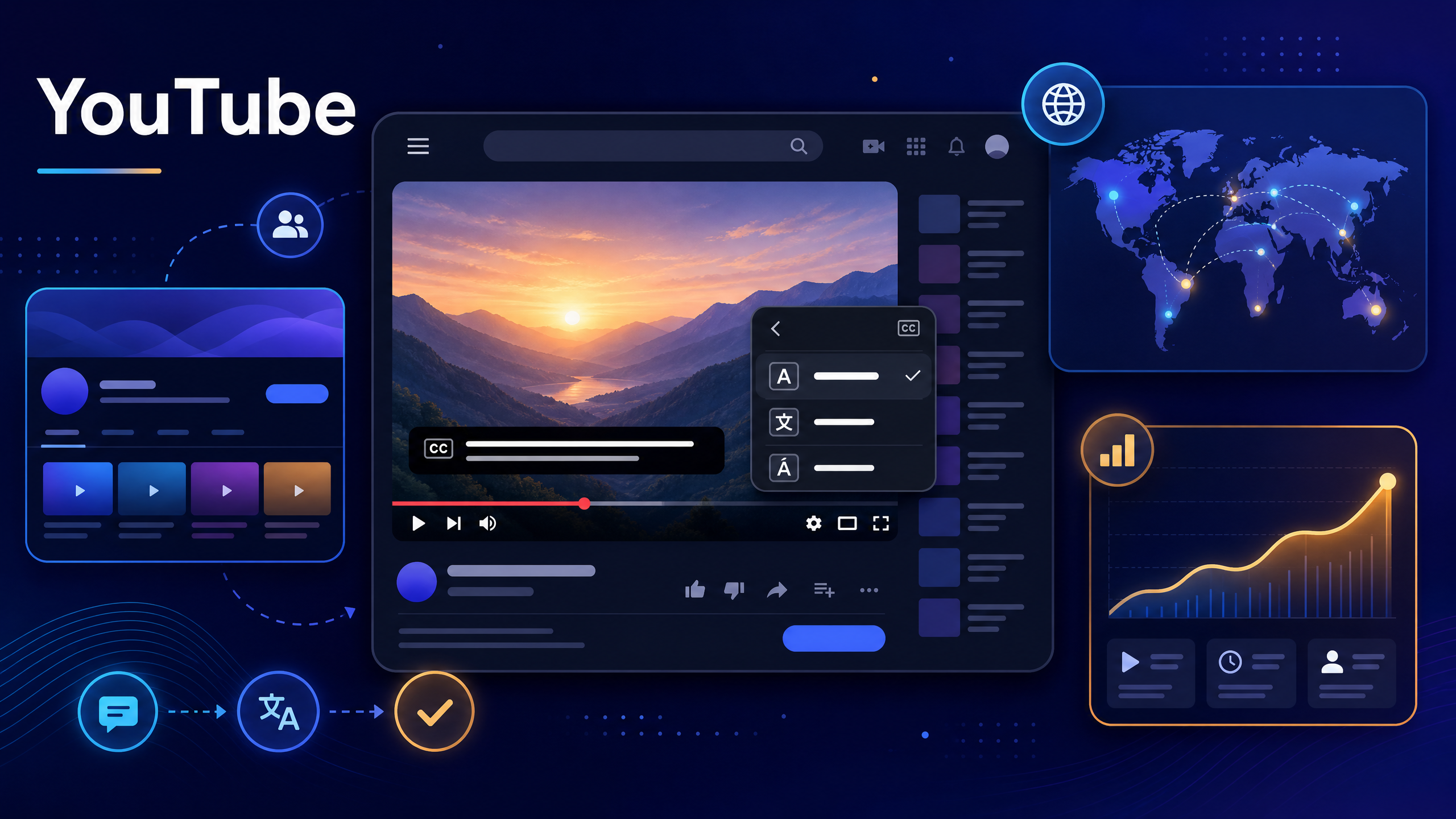
If you want to start at the mechanical stage, an AI Video Translator can generate and translate the subtitle track in a browser before you upload anything to a channel.
Why Translating a YouTube Video Is Worth the Effort
Anyone searching how to translate YouTube video content is really asking how to reach an audience that currently cannot follow them. The audience argument is documented. CSA Research's 2020 study Can't Read, Won't Buy – B2C, surveying 8,709 consumers across 29 countries, found that 65% prefer content in their own language, 76% prefer buying products with information in their own language, and 40% will not buy from a website in another language. Video is not ecommerce, but the underlying behavior carries over: people engage with content they can understand without effort.
The supply side explains the opportunity. YouTube's official figures describe roughly 500 hours of video uploaded every minute, and the platform's press data notes localized versions across more than 100 countries and over 80 languages. Practically every niche is saturated in English. The same niche in a second language is often far less crowded, which means a translated video can compete where a new English video cannot.
There is also a compounding effect. A channel with subtitle tracks in three languages accumulates watch time, comments, and search impressions from three audiences while producing one video. The production cost is paid once.
Step 0: Decide Whether to Translate the Audio or the Subtitle
Before touching a tool, choose the localization mode. The decision affects cost, timeline, and how the video feels.
Translated subtitles keep the original voice, and this is the standard first answer to how to translate YouTube video content on a budget. They are fast, inexpensive, and preserve tone and personality. For tutorials, commentary, reviews, and interviews, this is usually the right first step.
Dubbed audio replaces the voice track, which changes the feel of how to translate YouTube video content for listening-first audiences. It suits training content, children's programming, narrative formats, and audiences who prefer listening. It costs more because voice work and timing alignment take real effort.
Multi-language audio tracks on YouTube let a single video offer several audio versions. This is powerful but demands more production discipline, since each track must match the video's pacing.
A reliable sequence is subtitles first, dubbing for the two or three markets that respond best, and that ordering holds for almost any plan on how to translate YouTube video content. That way you spend money on proven demand rather than guesses.
What to Translate Besides the Video
This is the part creators skip, and it is the part that determines whether anyone finds the translated version. It is also the part that separates how to translate YouTube video content from how to translate a file.
- Title. Translate it, but keep the primary keyword in the target language intact. A literal translation of a clever English title often loses both meaning and searchability.
- Description. Translate the first two lines carefully, since those appear in search results, then the rest for context.
- Chapters or timestamps. Translate chapter names; they appear in search and in the player.
- Tags and hashtags. Use terms people actually search in that language, not translated versions of your English tags.
- Thumbnail text. If your thumbnail contains words, produce a localized version. This has a larger effect on click-through than most creators expect.
- Pinned comment and end screen text. Small details, but they keep the experience consistent.
Guides: How to Translate a YouTube Video with NoteGPT
Follow this workflow with NoteGPT to create a publish-ready subtitle track and the metadata to support it. From translating YouTube videos to preparing subtitles for publication, each step helps you move from the original video to localized content more efficiently.
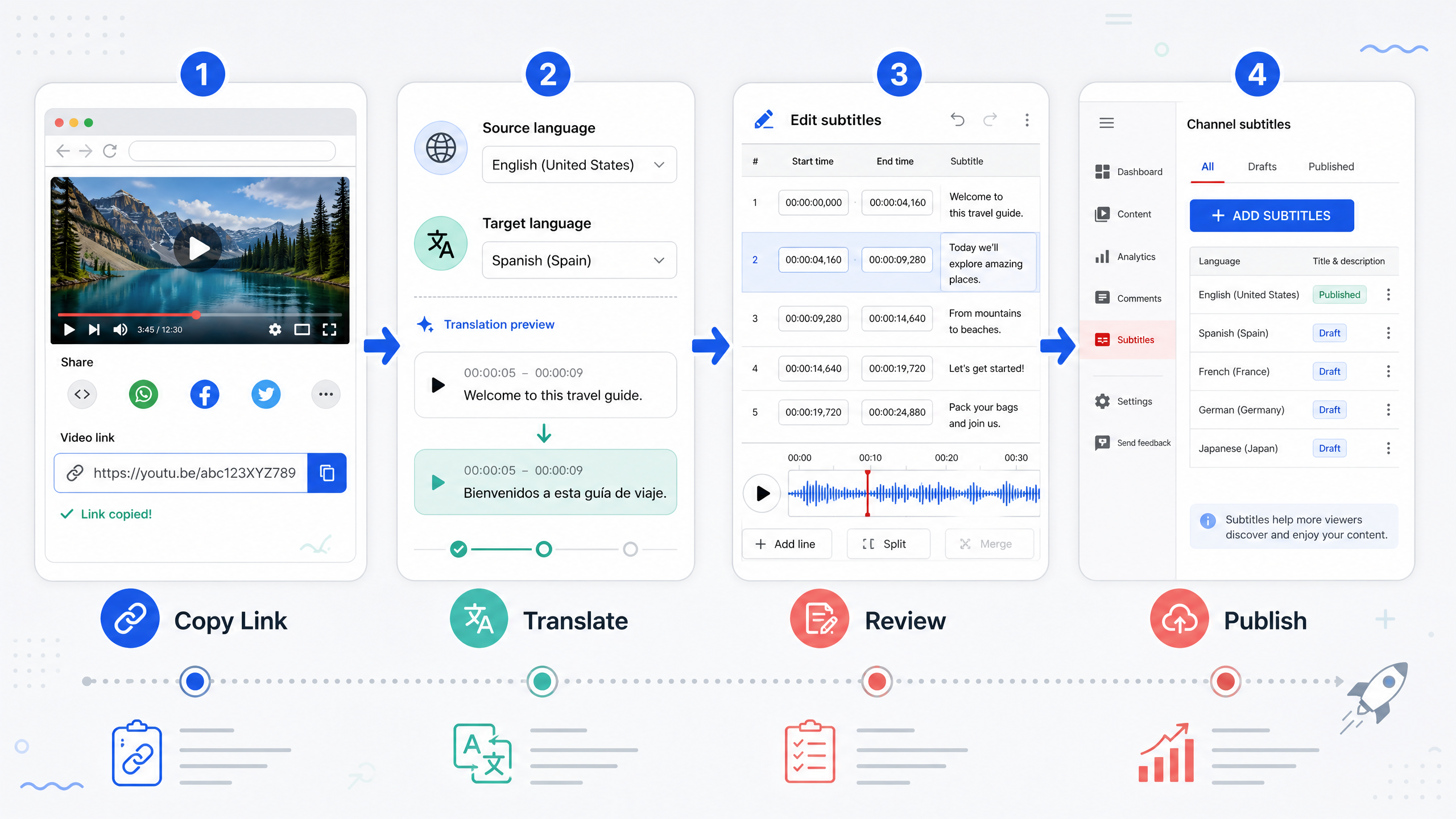
Step 1: Copy the video link
Open the video on YouTube, copy the URL, and keep it handy, since link input is the fastest path when learning how to translate YouTube video content. If the video is unlisted or private, download the file and upload it instead, since link processing depends on the video being reachable.
Step 2: Paste the link and choose languages
Open the AI Video Translator and paste the URL. Set the spoken language (or let the tool detect it) and choose your target language. For a channel with several markets, run the same video once per language rather than trying to combine them.
Step 3: Generate and translate the transcript
Let the tool produce the transcript and the translated cues. Treat the output as a draft, because that expectation is what makes how to translate YouTube video content work in practice. Long videos with technical vocabulary, product names, or multiple speakers will need review, and that review is where quality is decided.
Step 4: Review the cues that carry risk
You do not need to reread every line. Prioritize four categories, and this targeted review is the real skill in how to translate YouTube video content.
Names and brands. Confirm the official spelling in the target language, including whether a brand keeps its English name or uses a localized form.
Numbers and units. Currency, measurements, and dates change format between languages. Verify rather than assume.
Idioms and jokes. If a line depends on wordplay, rewrite for intent.
Cue length. Translations often grow. If a cue is now too dense for its duration, shorten the wording or extend the cue.
Step 5: Export and upload to your channel
Download the subtitle file, then add it in the channel's subtitle settings for the relevant language. Publishing is the step most guides on how to translate YouTube video content leave out. Choose the language code carefully, since a mislabeled track is worse than no track.
If you are dubbing, use the translated text as your recording script, then add the audio track in the platform's multi-language audio settings.
Step 6: Publish the localized metadata
Now translate the title, description, chapters, and thumbnail text. This step is not optional if discovery matters. Publish the metadata in the same language as the subtitle track so the whole listing is coherent.
How Translated Videos Actually Earn More Views
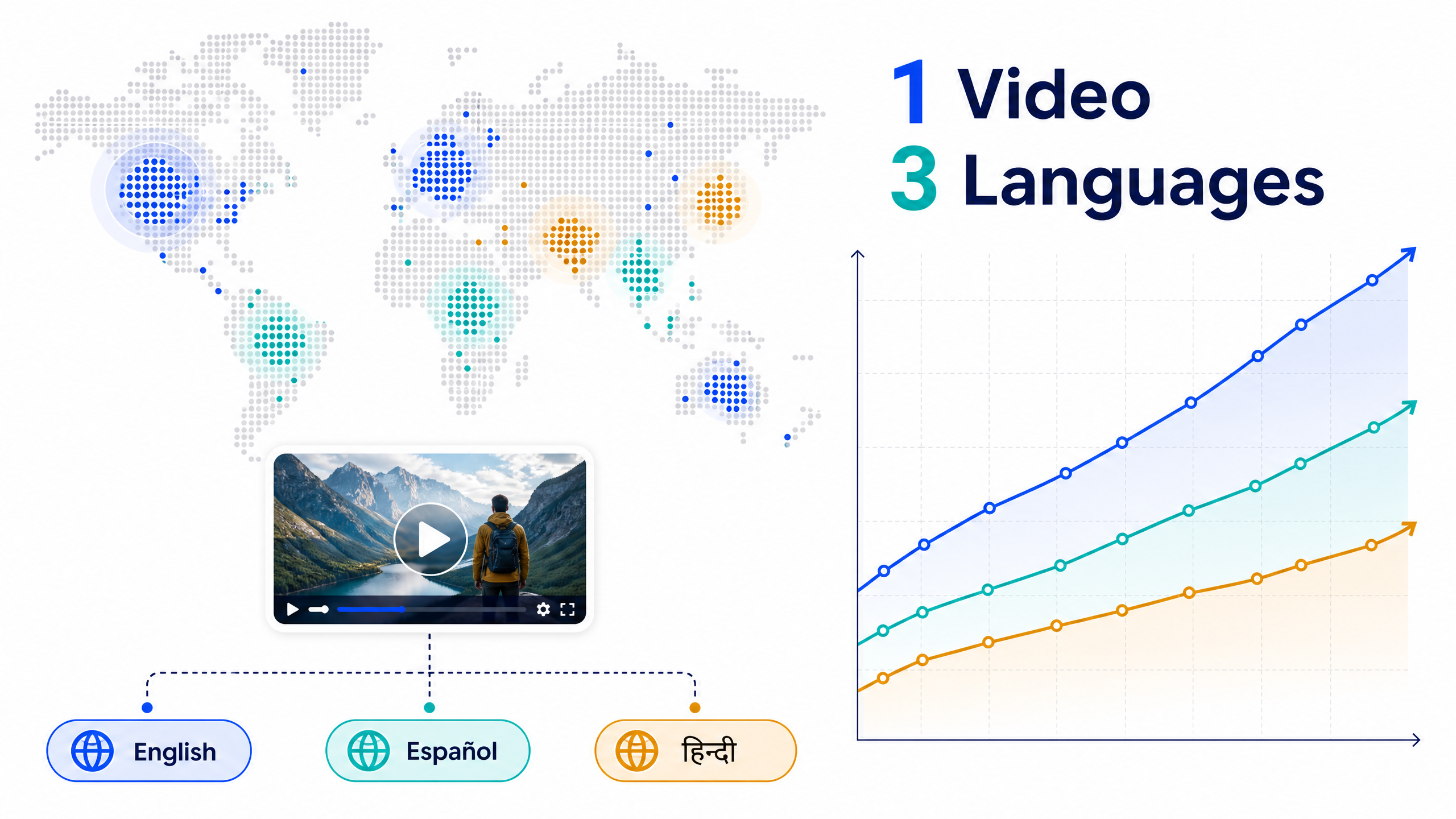
Four mechanisms do the work, and understanding them prevents wasted effort. Together they explain the payoff of how to translate YouTube video content properly.
Search in another language. Translated metadata enters search results you previously could not appear in. This is the largest single effect for evergreen content, and the main reason how to translate YouTube video metadata matters as much as the video.
Watch time from viewers who would otherwise leave. Someone who cannot follow the audio usually exits within seconds. Subtitles convert that exit into a session, which is the clearest measurable win after localization.
Recommendation in regional feeds. Platforms favor content that performs with a local audience. Once a language track shows engagement, related recommendations follow.
Reuse across formats. A translated transcript becomes a blog post, a newsletter section, or a set of social captions. The localization cost amortizes across formats.
Quality Standards for YouTube Subtitle Tracks
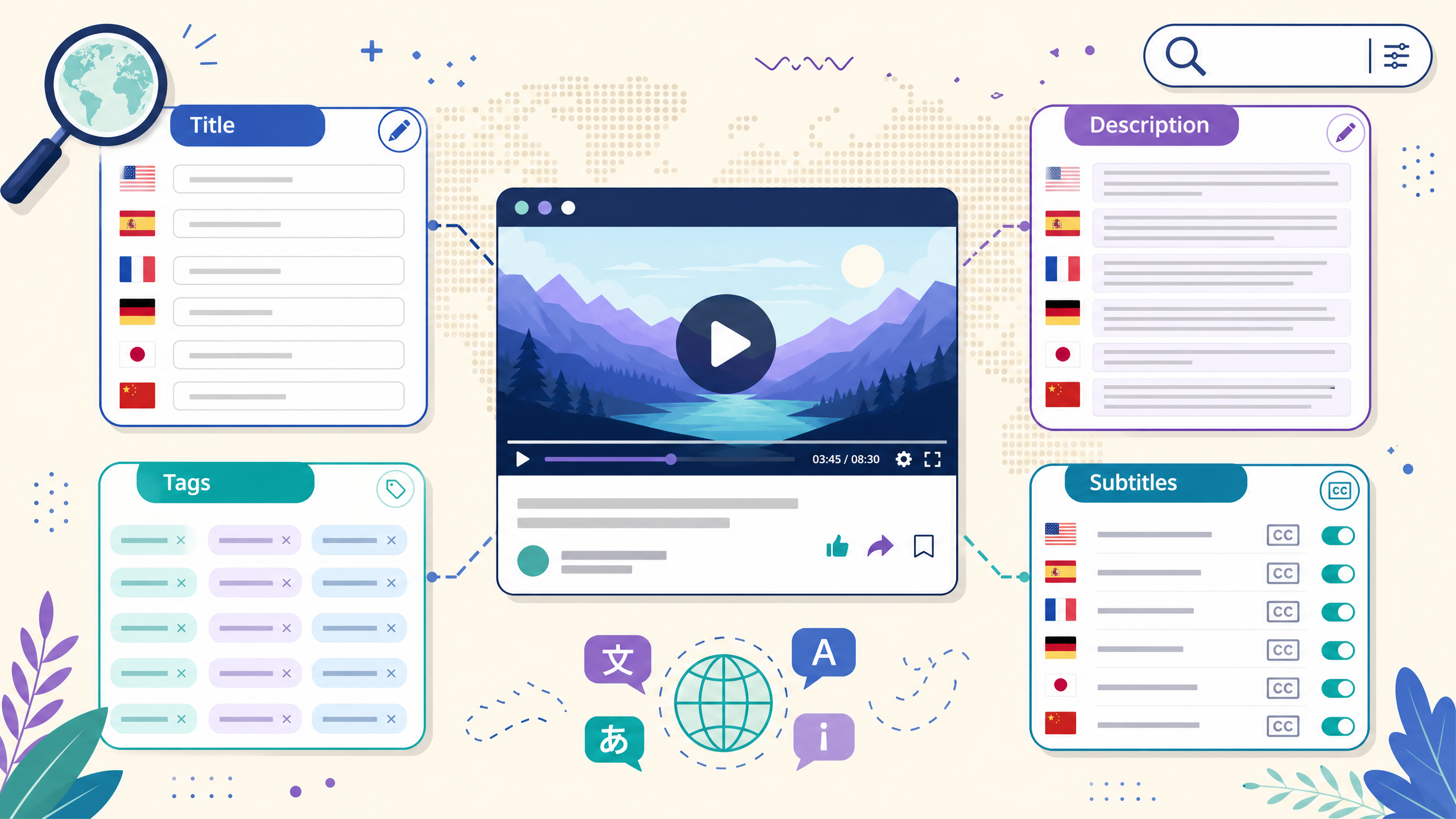
Keep these standards consistent across every upload. They apply to any project, whatever approach you take to how to translate YouTube video content.
- Two lines maximum per cue, broken at natural phrase boundaries
- Cues long enough to read without rushing, with no flashing
- Consistent terminology across the whole channel, especially product names
- Subtitle text clear of on-screen graphics and player controls
- Accurate timing around music, silence, and overlapping speech
- Language code set correctly, and the track marked as the right variant
Common Mistakes When You Translate YouTube Video Content
Translating the video but not the listing. The most common and most expensive mistake, because discovery depends on metadata, and it is the classic failure in how to translate YouTube video content.
Publishing machine output unchecked. Automated translation is a strong draft and a poor final. Names and numbers are where it fails.
One subtitle file for every platform. A file tuned for widescreen may overflow on a vertical Short. Format for the destination.
Ignoring the thumbnail. A translated title beside an English-only thumbnail creates a mismatch that reduces clicks.
Translating every video at once. Start with the videos that already perform. Localizing your best content beats localizing your whole back catalogue.
Forgetting to update translations. When you revise a video, the subtitle tracks need the same edit, or the versions drift apart.
Final Thoughts
How to translate a YouTube video is less about the tool and more about sequence: accurate transcript, translated cues, localized metadata, then upload in the right language settings. The mechanical work is now fast. The advantage comes from doing the review and metadata steps that most creators skip.
Pick one strong video and one target language. Publish both the subtitle track and the translated listing, then compare impressions and watch time after thirty days. That data will tell you which market to localize next. You can handle the transcript and translation stages with an AI Video Translator and finish the publishing work inside your channel settings.
Frequently Asked Questions
What is the fastest way to translate YouTube video content?
Use an automated tool to generate the transcript and translated subtitles, then review the high-risk cues: names, numbers, and idioms. Automated processing handles the bulk within minutes, and a focused review makes the output publishable.
Can I add subtitles in another language to an existing YouTube video?
Yes, without re-uploading. Upload the translated subtitle file to the video's subtitle settings and assign the correct language. The video itself does not need to be re-uploaded, which means you can localize older content without losing its existing views and comments.
Should I dub the audio or use subtitles when I translate YouTube video content?
Subtitles are cheaper and faster and preserve the original voice, so they usually come first. Dubbing suits training content and audiences who prefer listening. Many channels publish subtitles broadly and dub only the markets that show strong engagement.
Does translating the title and description matter as much as the subtitles?
For discovery, it matters more. Subtitles help viewers who already found the video, while translated metadata determines whether they find it at all. Publish both together, since a translated title beside an untranslated subtitle track is an inconsistent experience.
How accurate is automated subtitle translation?
It is reliable for clear speech and everyday vocabulary, and weaker for jargon, overlapping speakers, and strong accents. The practical approach is automated draft plus targeted review, especially for product names and numbers.
How many languages should I start with?
Start with one, chosen by existing audience data or by the size of the market for your topic. Translating into three languages at once multiplies review work without telling you which market actually responds. Add the next language after you see results.
Will a translated video hurt my channel's performance?
No. Different language tracks serve different audiences, and platforms treat engagement per audience. The risk is lowered quality, not dilution, so the review step is what protects performance.
Can I translate a YouTube video without downloading it?
Yes, if the tool accepts a link. Paste the video URL and process the audio directly. If a link cannot be processed, download the file and upload it, which produces the same result.