


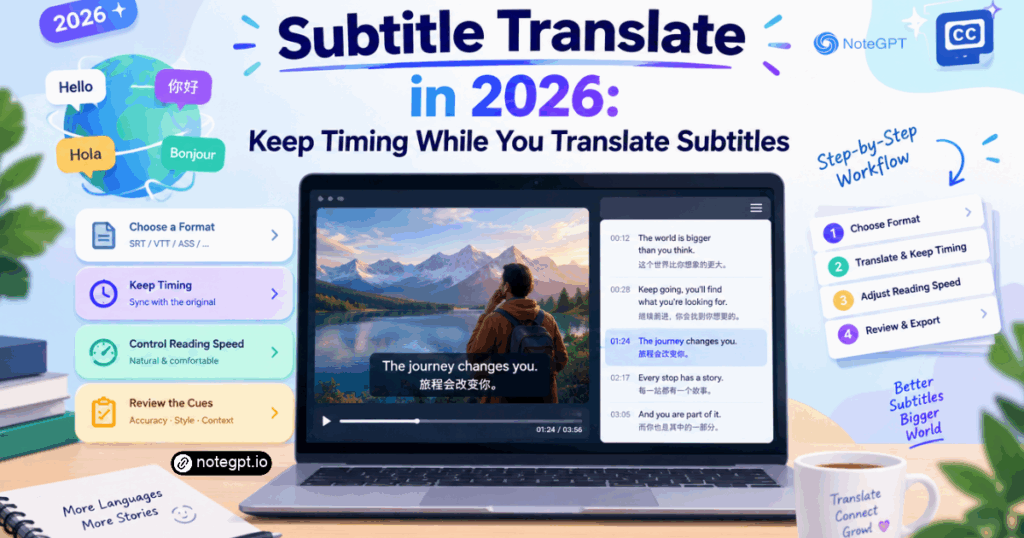
To subtitle translate a video properly in 2026, you work on the subtitle file rather than the picture: extract or generate the original cues, translate the text cue by cue, then fix line length and timing so each line stays on screen long enough to read. The translation is the easy part. Timing and reading speed are where most projects fail, and that is why a translated subtitle file can look perfect in a text editor and feel unusable during playback.
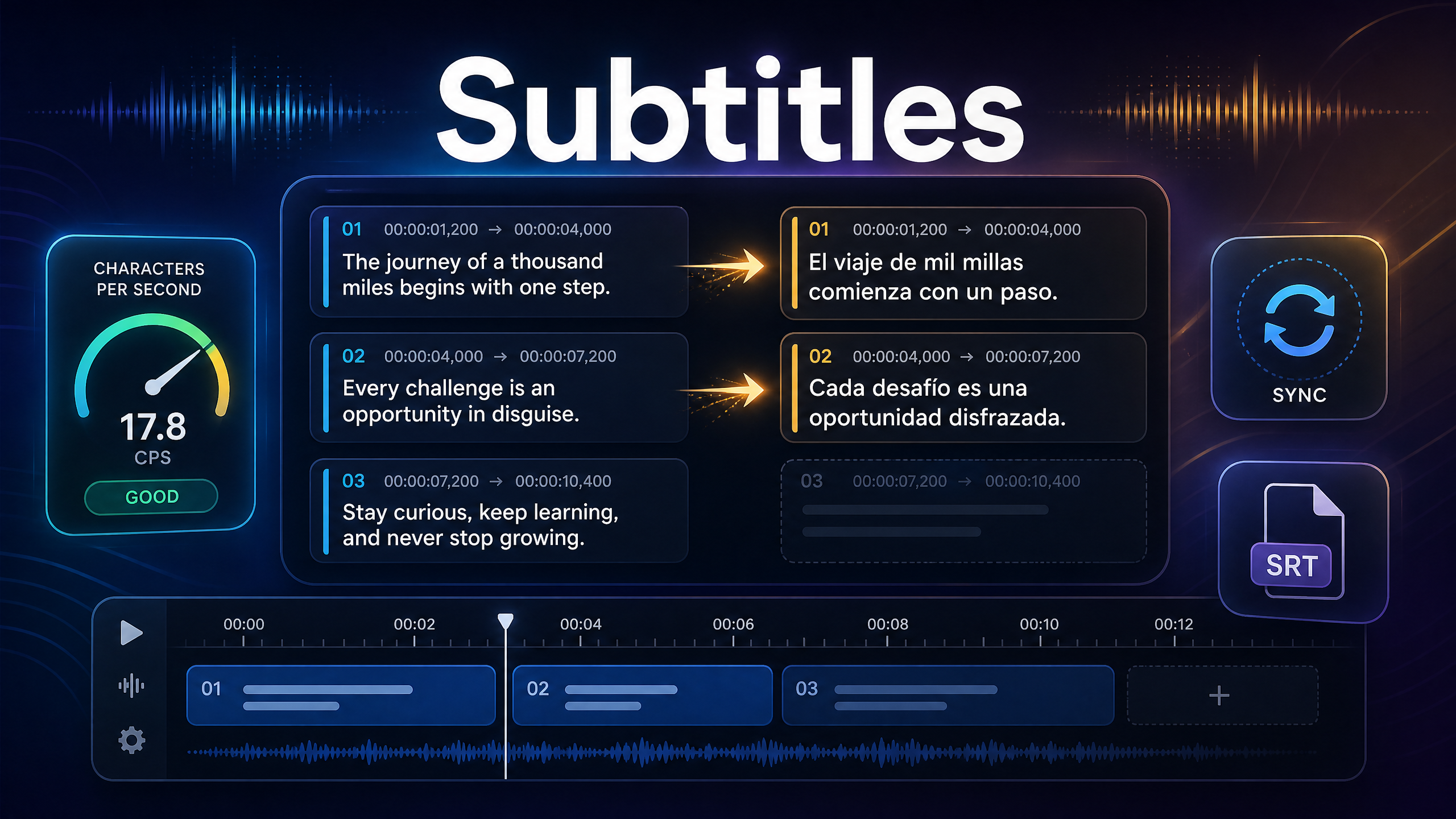
This guide covers the full process, from choosing a subtitle format to the specific quality checks that separate a professional file from a machine dump. If you want to skip the manual assembly, an AI Video Translator can generate and translate cues in a browser, and you can then apply the review checklist below.
Why Subtitle Translation Is a Different Skill
Translating a document and doing subtitle translate work are not the same task, even when the words end up identical.
A document reader controls pace. They reread a clause, pause on a number, and skip a paragraph. A subtitle viewer cannot. The cue appears, stays for a fixed duration, and disappears whether or not the viewer finished reading. That constraint means every translation decision is also a timing decision.
Subtitles are also spatial. There are only two comfortable lines at the bottom of a frame before the text competes with the image. A faithful translation that needs four lines is not actually faithful to the viewing experience.
Finally, subtitles are read in fragments. Cues break at phrase boundaries, so a sentence may be split across two or three appearances. Translation has to survive that fragmentation, which is why word order sometimes changes for readability rather than accuracy.
The Business Case for Getting It Right
Every guide to subtitle translate should start with who is being excluded. Language preference is not a soft preference. CSA Research's 2020 report Can't Read, Won't Buy – B2C, based on a survey of 8,709 consumers in 29 countries, found that 65% prefer content in their own language, 76% prefer buying products with information in their own language, and 40% will not buy from a website in another language.
For video specifically, the scale is enormous. YouTube's official figures describe roughly 500 hours of video uploaded every minute, and its press data notes localized versions across more than 100 countries and over 80 languages. When that much video competes for the same attention, subtitles are one of the few levers that change who can actually consume your work.
Pick Your Subtitle Format First
The format determines what tools can open your file and which styling survives.
SRT is the most widely supported plain-text format, and it is the format most subtitle translate workflows assume by default. Nearly every player, editor, and platform accepts it, and it is the safest default for delivery.
VTT is designed for web players and supports additional cue settings. Use it when you are publishing to a web player that expects it.
ASS or SSA carries styling, positioning, and effects. Use it for fansub-style work or when typography is part of the design, and accept that support outside dedicated players is limited.
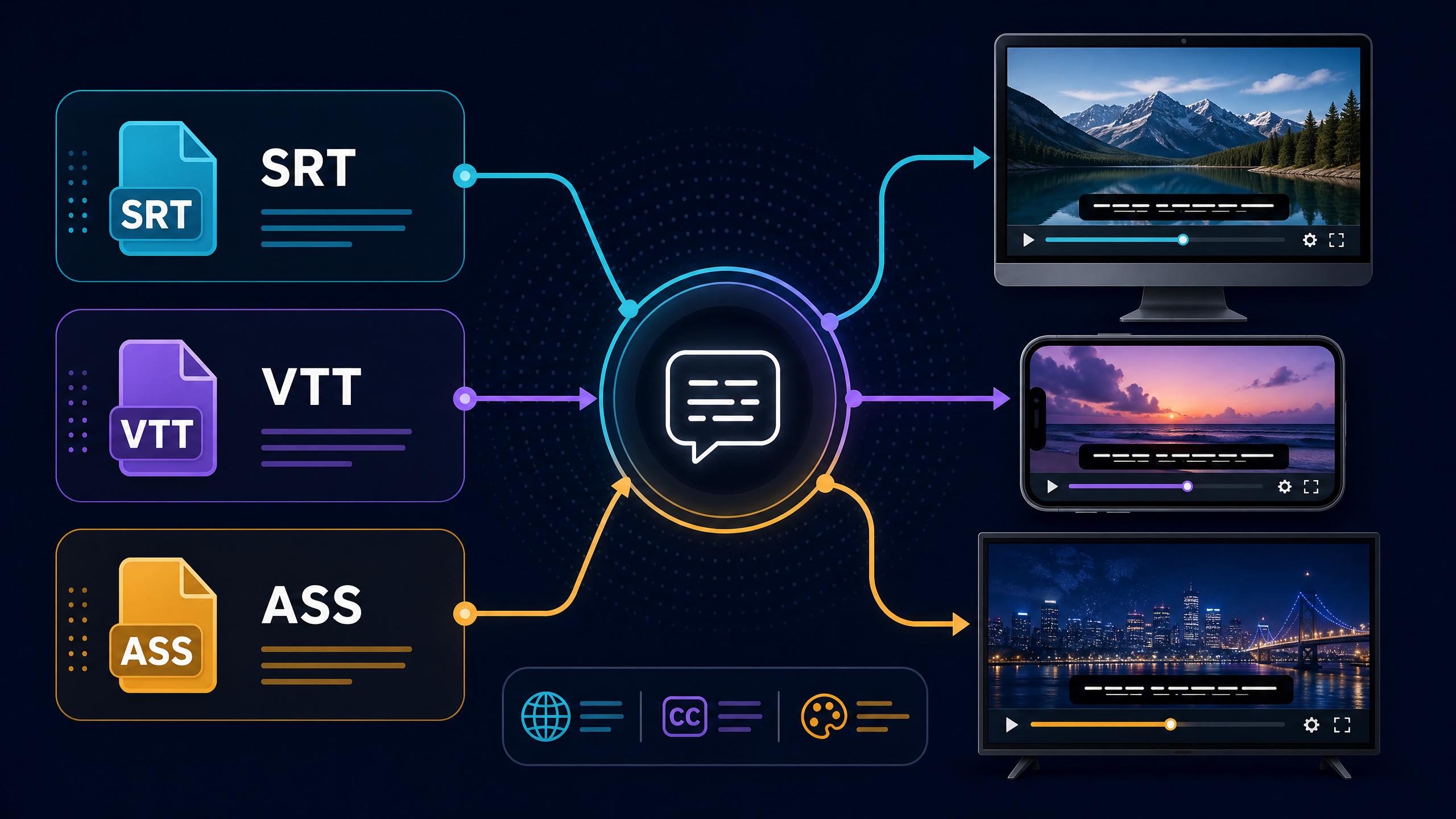
A practical rule: author and review in whichever format you prefer, but deliver SRT unless the platform specifically asks for something else. Format choices rarely change the translation itself, but they do change who can open your file.
Guides: How to Subtitle Translate with NoteGPT
This is the operational section. Follow it in order and you will avoid the usual rework. Each step maps to a decision you would make in any subtitle translate project.
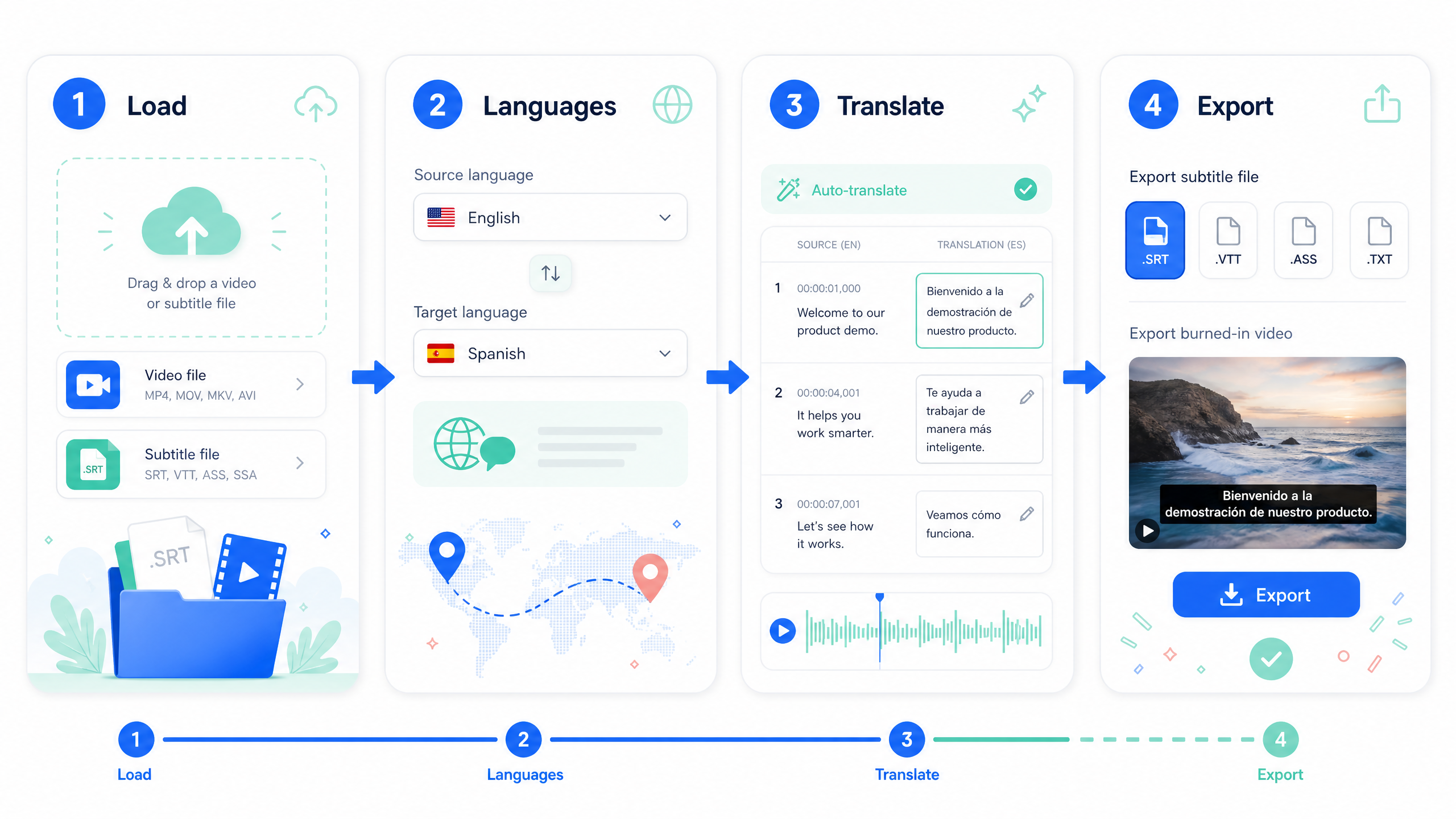
Step 1: Load the video or the existing subtitle file
Open NoteGPT AI Video Translator and add your source video. If you already have original-language subtitles, upload them to skip transcription and get faster, more reliable translation results. Otherwise, let NoteGPT automatically transcribe the audio before translating. While audio transcription is convenient, an existing subtitle file is often more accurate, especially for videos with overlapping speakers.
Step 2: Set the source and target language
Choose the spoken language and your target language. Getting this pair wrong is the most common reason a subtitle translate run produces nonsense. If the video mixes languages, translate the dominant language and handle the minority phrases as review items, because automated detection on short foreign phrases is unreliable.
Step 3: Translate the cues
Let the tool produce translated cues. At this stage, treat the output as a draft, which is the correct mindset for any subtitle translate task. Cue-by-cue structure is preserved, which is what you want, but the text length may have changed in ways that will cause timing problems later.
Step 4: Fix the four things that always break
This is where subtitle translate work actually happens, and where machine output alone usually falls short.
Reading speed. Fast speech in one language often becomes longer text in another. If a cue is now too dense for its duration, either shorten the wording or extend the cue into adjacent silence.
Line breaks. Rebalance so each line is roughly similar in length. Break at clause boundaries, not mid-phrase.
Two-line limit. If a cue needs three lines, split it into two cues and redistribute the timing.
Cue duration. No cue should flash. Give short cues a minimum on-screen duration even if it means a slight overlap with silence.
Step 5: Review while watching, then export
Watch the full video with the translated subtitles on. Read at normal speed, not word by word. When you find yourself struggling, that cue needs shortening, not closer reading.
Then export. Choose the subtitle file for platform-native captions, or burn the subtitles into the video if the destination does not accept a separate file.
The Numbers That Define Readable Subtitles
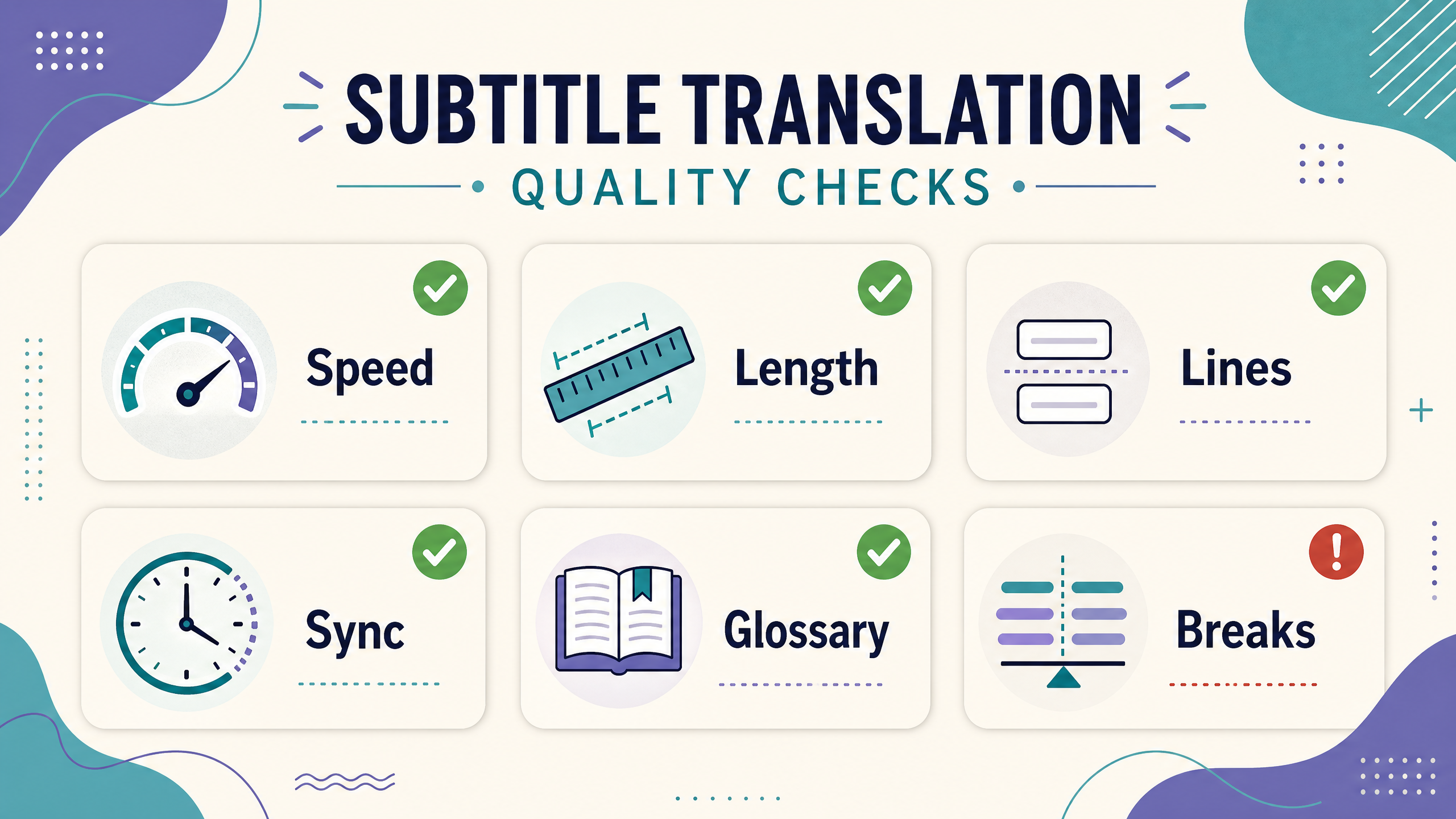
These are working targets rather than absolute rules, but they are a reasonable starting point for most languages.
- Two lines maximum per cue
- Roughly 38 to 42 characters per line for Latin-script languages
- A reading pace a viewer can follow without effort, which in practice means short cues over long ones
- A minimum on-screen duration for every cue, so nothing flashes
- Gaps between cues so the eye can register a change
Different languages need different treatment. Languages that express the same idea in fewer characters leave room to spare. Languages with long compound words or vertical scripts need shorter cues and more generous timing. Do not apply one character limit to every target language.
Subtitles, Dubbing, or Both
Subtitle translation is often the first localization step, not the last.
Subtitles are cheap, fast, preserve the original performance, and are easy to update when a line changes, which is why subtitle translate is usually the first localization step. They are the sensible default for tutorials, webinars, product demos, and most social video.
Dubbing replaces the audio and suits training, children's content, and audiences who prefer listening. It costs more because voice work and timing alignment are labour-intensive.
A common pattern is subtitles first, dubbing only for markets that demonstrate real engagement. That sequencing keeps early localization costs low while leaving room to invest where the data supports it.
Quality Checklist Before You Publish
Run this list on every file. It takes minutes and prevents most complaints, and it works for any subtitle translate project regardless of tool.
- Names, brands, and product terms match the official spelling
- Numbers, currency, and units are correct in the target language
- No cue exceeds two lines
- No cue flashes for a fraction of a second
- Line breaks fall at clause boundaries
- Subtitle text does not collide with player controls or burned-in graphics
- Terminology is consistent across every video in the series
- The translation reads naturally when spoken aloud
Common Mistakes in Subtitle Translation
Translating the transcript instead of the cues. Cue boundaries carry meaning, and ignoring them is the most common structural error in subtitle translate. If you merge and split sentences freely, timing drifts and the viewer notices.
Ignoring character growth. A translation that expands by 30% needs timing adjustments, not a stricter reading pace.
Leaving literal idioms. An idiom translated word for word is often meaningless. Rewrite for intent.
Skipping the phone test. Subtitles that read well on a monitor can crowd a vertical video. Check the smallest screen you support.
Forgetting the metadata. Translated subtitles without a translated title and description reach fewer people than they should.
Final Thoughts
To subtitle translate well, treat the timing as part of the translation. Extract accurate cues, translate for meaning, then spend your effort where viewers actually struggle: reading speed, line length, and cue duration.
Start with one video in one language, apply the checklist, and compare completion rates before and after. That single comparison tells you more than any general advice. You can generate and translate cues in a browser with an AI Video Translator, then finish the job with the review pass above.
Frequently Asked Questions
What does subtitle translate actually involve?
It involves converting the spoken text into written cues in another language while preserving timing. In practice that means generating or extracting original cues, translating each cue, then adjusting line length and duration so the result is readable during playback rather than only correct on paper.
Can I subtitle translate without the original subtitle file?
Yes, audio is enough. The tool can transcribe from the audio and then translate. Having an existing subtitle file usually gives better accuracy for overlapping speakers or unclear audio, but audio-only input works for most clear recordings.
Which subtitle format should I use?
Deliver SRT unless a platform requires otherwise, because it is the most widely accepted. Use VTT for web players that expect it, and ASS or SSA only when styling is essential and you control the player.
How do I handle subtitles that become too long after translation?
Shorten the wording rather than compressing the timing. Trim filler words, replace long phrases with equivalents, and split long cues into two. Extending a cue into adjacent silence is acceptable; forcing a dense cue into the same duration is not.
Do I need to keep the original timing when I subtitle translate?
Ideally yes. Keep the original cue boundaries as your baseline, then adjust where translation length demands it. Preserving structure helps reviewers compare versions, while small timing shifts improve readability.
Are machine-translated subtitles good enough to publish?
For clear speech and straightforward content they are a solid draft. They are risky for names, numbers, idioms, and overlapping dialogue. Review those categories specifically, and the published result will hold up well.
Does translating subtitles help with search visibility?
Indirectly, yes. Subtitles improve accessibility and watch time, and platform search indexes caption text. Pair translated subtitles with a translated title and description for the full effect, since metadata drives discovery more than captions do.
Can I subtitle translate a video without downloading it?
Yes, if the tool accepts a link. Paste the video URL, let it process the audio, and review the translated cues. If a link is rejected, download the file first and upload it instead.