


Finding the best AI Voice Generator in 2026 is not about picking the tool with the flashiest demo — it is about finding the most human-sounding AI voice generator that does not sound like a robot after 30 seconds. We have all heard the same flat, lifeless tone that screams "bot." You need a voice that pauses, emphasizes, and actually performs a script rather than just reading it.
So we tested 10 of the most talked-about AI voice generator platforms head-to-head, feeding them the same scripts across short social hooks, professional explainers, and long narrative monologues. Every verdict below comes from actual testing — not feature checklists copied from landing pages.
The 10 Best AI Voice Generators in 2026 (Quick Comparison)
Before we dive deep, here is the full lineup. Not every AI voice generator belongs in every workflow — but by the end of this article, you will know exactly which one fits yours.
| Rank | Tool | Best For | Free | Overall |
| 1 | NoteGPT | All-in-one content workflow | Yes | ★★★★★ |
| 2 | ElevenLabs | Realistic AI voice generation | Yes | ★★★★★ |
| 3 | Typecast | Emotional, character-based voices | Yes | ★★★★☆ |
| 4 | Adobe Firefly | Commercially safe AI voices | Limited | ★★★★☆ |
| 5 | Murf | Professional voiceovers & teams | Limited | ★★★★☆ |
| 6 | Speechify | Natural AI reading experience | Yes | ★★★☆☆ |
| 7 | Canva | AI voiceovers in design projects | Limited | ★★★☆☆ |
| 8 | CapCut | Free AI voice for video creators | Yes | ★★★☆☆ |
| 9 | MiniMax Audio | Real-time voice cloning | Yes | ★★★☆☆ |
| 10 | NaturalReader | Document reading & accessibility | Yes | ★★★☆☆ |
How We Tested and Ranked These AI Voice Generators
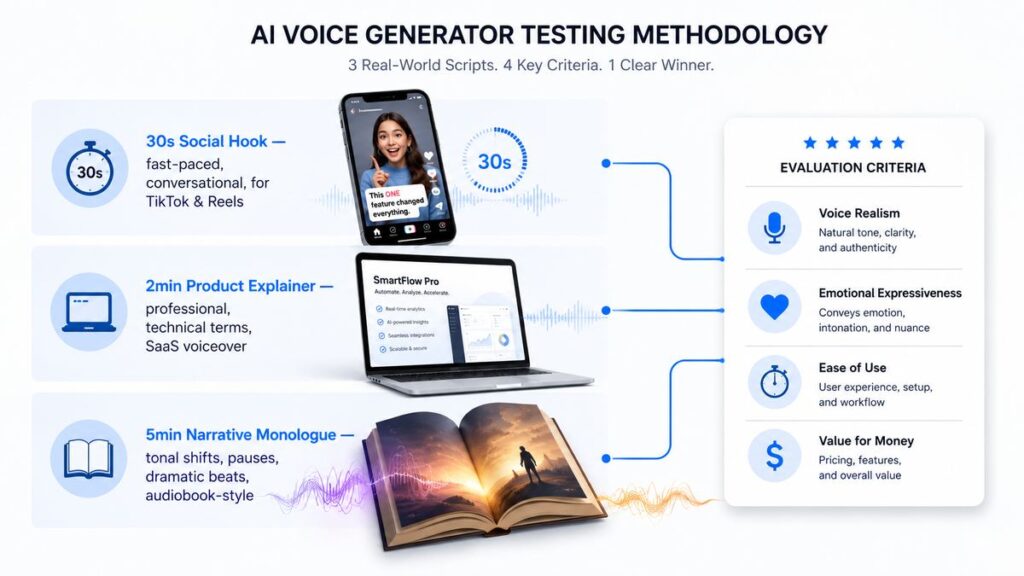
We ran the same three scripts through every tool on this list:
- A 30-second social media hook — fast-paced, conversational, designed to grab attention on TikTok and Reels.
- A 2-minute product explainer — professional, clear, with technical terms and brand names for SaaS demo voiceovers.
- A 5-minute narrative monologue — emotional, with tonal shifts, pauses, and dramatic beats, mimicking audiobook or character-driven content.
Each output was judged on four criteria: voice realism (does it pass as a human recording?), emotional expressiveness (can it perform happy, sad, urgent, or calm on command?), ease of use (how fast from paste to play?), and value for money (does the free tier actually work? Is the paid tier worth it for the target user?). No tool got a free pass — every weakness we found is noted below.
10 Best AI Voice Generators in 2026, Ranked
1. NoteGPT — Best AI Voice Generator for an All-in-One Content Workflow
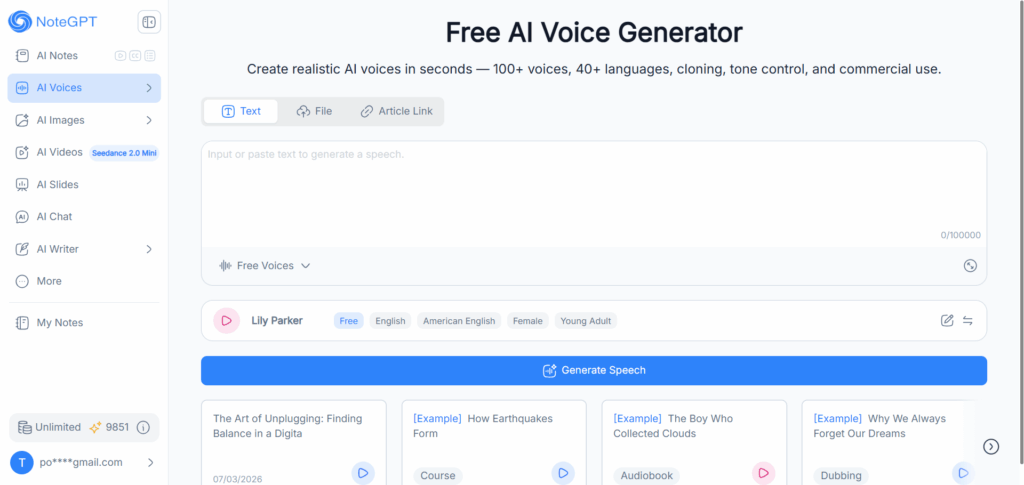
NoteGPT is not just an AI Voice Generator — it is an entire content creation studio where text-to-speech sits alongside AI summarization, script writing, flashcard generation, and image creation. This matters because real creators rarely use voice in isolation. You are summarizing a YouTube video, turning it into a blog script, then generating the voiceover. NoteGPT lets you do all of that without leaving the dashboard.
We tested the AI voice generator with our 2-minute product explainer script — and the default voice delivered natural pacing with appropriate pauses at sentence boundaries. The voice library covers 100+ voices across multiple languages, and the real-time multi-voice dialogue feature let us assign different voices to different roles in a conversation script and hear them speak in sequence. That is something most tools require separate exports and timeline editing to achieve.
Pros:
- Integrates voice generation into a full creative workflow: summarize, write, voice, and design visuals in one place
- Multi-voice real-time dialogue generation for podcasts, interviews, and character conversations
- Voice cloning that captures your tone and style from a short recording
- Free tier genuinely usable — no credit card required for core TTS features
Cons:
- The platform includes 20+ tools — voice is part of a larger suite, so pure TTS power users may find it broader than they need
- Credit-based system means heavy daily users will want a paid plan for unlimited access
Verdict: NoteGPT is the strongest AI voice generator pick if your workflow spans content repurposing — you take a YouTube video, summarize it into a script, generate the voiceover, and create a thumbnail, all without juggling 4 different tabs. If your workflow is purely audio-focused without the surrounding creative steps, a dedicated TTS engine may be a better fit. But for creators who think in terms of "content" rather than "audio files," NoteGPT is hard to beat.
2. ElevenLabs — Best for Realistic AI Voice Generation
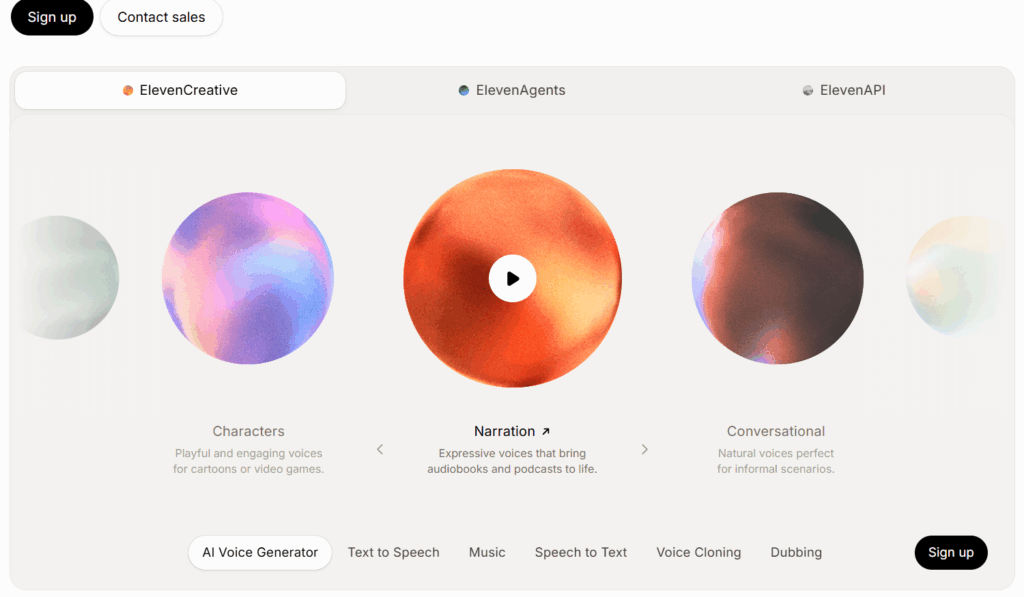
ElevenLabs remains the most realistic AI voice generator in 2026 — the gold standard for voice quality. Blind listener tests consistently show that most listeners cannot distinguish ElevenLabs voices from human speech in short clips. The Eleven v3 model includes audio tags for emotions like excited, whispers, and nervous, giving you emotional performance, not just flat narration.
When we fed it our 5-minute narrative monologue, it handled tonal shifts naturally: a character going from calm reflection to sudden urgency sounded like a real actor making a deliberate choice. Voice cloning — both Instant (a few seconds) and Professional (longer samples) — leads the industry in output quality.
Pros:
- Best-in-class voice realism — the closest AI has come to indistinguishable human speech
- Audio-native tools beyond TTS: Eleven Music, SFX V2, and Eleven Dubbing for whole-episode localization
- 11,000+ community-shared voices plus 70+ languages
- Flash v2.5 model achieves ~75ms latency for real-time voice agents
Cons:
- Credit-based pricing gets expensive fast for high-volume producers
- Free tier limited to 10,000 characters per month (roughly 10 minutes)
- Voice quality degrades on long-form content (8+ minutes)
Verdict: If pure voice quality is your only priority and budget is not a concern, ElevenLabs is the AI voice generator to pick. It is the tool you use when "good enough" is not good enough — for podcasters, filmmakers, and premium content producers who treat audio as a differentiator.
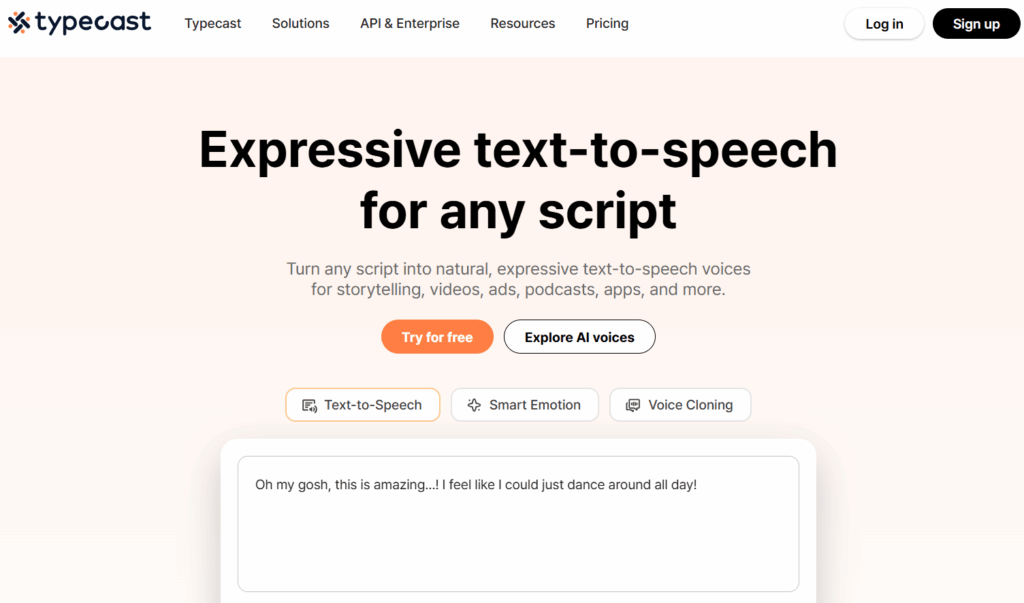
3. Typecast — Best for Emotional, Character-Based Voices
Typecast is the AI voice generator for creators who need their AI voice to act, not just speak. Its proprietary Speech Synthesis Foundation Model supports 7 distinct emotional presets — happy, sad, angry, surprised, and nuanced sub-variants — with per-line, per-character control. While other tools let you pick a voice and hit "generate," Typecast lets you direct each line like a scene.
We tested emotional tagging on our narrative monologue: assigning "sad" to the reflective opening, "angry" to the confrontation, and "calm" to the resolution. The transitions were smoother than any other tool — the model maintained vocal consistency across emotions, which most competitors struggle with. Built-in AI avatar lip-sync means you can produce talking-character videos from the same script.
Pros:
- Industry-leading emotional voice control with 7+ presets and sub-variants
- 500+ voices across 80+ languages with native-quality in 6 flagship languages
- Cross-lingual voice cloning preserves vocal identity across languages
- Free tier gives 5 minutes of downloadable audio per month
Cons:
- Voice cloning realism trails the top cloning-focused engine on the market
- Emotional tagging is manual per line — no automatic sentiment detection
- Monthly character caps on lower tiers restrict long-form production
Verdict: Typecast is the best choice for audiobook producers, game dialogue writers, and character-driven storytellers. If you are building a cast of characters or directing a voice performance rather than just narrating, Typecast gives you tools that no other platform matches at this price.
4. Adobe Firefly — Best for Commercially Safe AI Voices
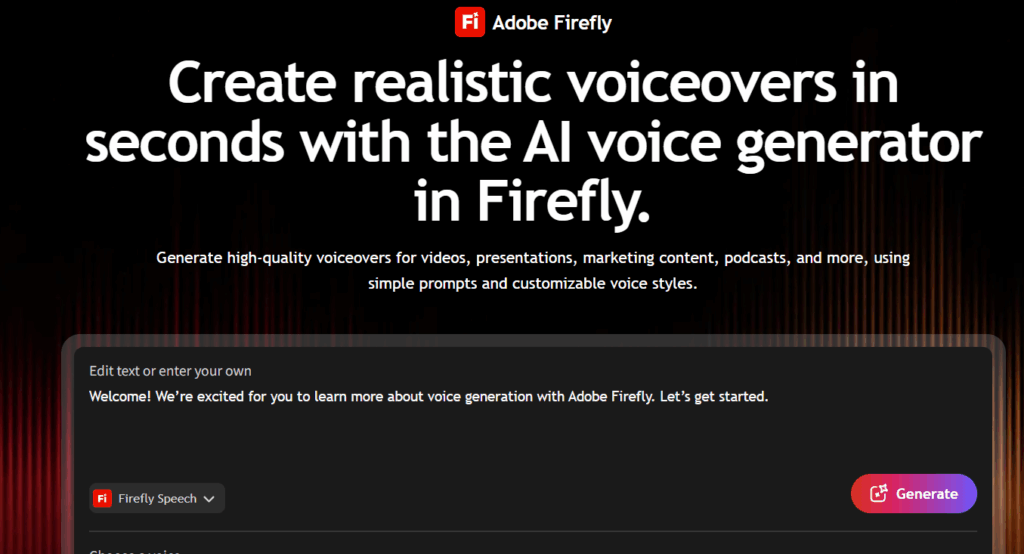
Adobe Firefly's AI voice generator is the safest bet for commercial use. Adobe trains the Firefly Speech Model on licensed and public-domain content, provides IP indemnification for enterprise customers, and deploys safeguards at every stage to prevent copyright-infringing output. For brands where a copyright strike is an existential risk, this matters.
The Generate Speech tool offers 60+ voices across 20+ languages with tone, pacing, emphasis, and pronunciation controls — including a phonetic editor for brand names. It also integrates partner models for extended language coverage. On our 2-minute explainer script, Firefly's output was clear and professional, though less emotionally expressive than tools focused specifically on character-driven content.
Pros:
- Commercially safe by design — licensed training data with IP indemnification
- Seamless integration with Adobe Creative Cloud — drop voiceovers directly into Premiere Pro
- Phonetic pronunciation editor for brand names and jargon
- Supports up to 7,500 characters per generation
Cons:
- Free tier limited to 2 lifetime premium generations
- Requires an Adobe subscription for ongoing use
- Voice library smaller than dedicated TTS platforms
Verdict: Adobe Firefly is for creative teams embedded in the Adobe ecosystem who need legally bulletproof voice generation. If you are a solo creator not using Adobe tools, better value exists elsewhere on this list.
5. Murf — Best for Professional Voiceovers & Teams
Murf is a full AI voice generator studio designed for teams — its editor gives per-word control over pitch, speed, emphasis, and pauses on a block-by-block timeline. Built-in video/slide sync lets you align narration to visual transitions without leaving the platform. E-learning developers, corporate training teams, and marketing agencies use Murf when multiple collaborators are working on the same project.
We tested Murf's emphasis control with a script containing branded terminology. The pronunciation editor let us define tricky names once, and the custom pronunciation library saved them for reuse across the project. The shared workspace with role-based access makes it genuinely collaborative.
Pros:
- Per-word emphasis, pitch, speed, and pause controls in a block-based editor
- Built-in video/slide sync plus royalty-free music library (500+ tracks)
- Team collaboration with shared pronunciation libraries and role-based access
- SOC 2 Type II, ISO 27001, HIPAA, GDPR compliance
Cons:
- Voice quality is professional-grade but not best-in-class for emotion
- Voice cloning is Enterprise-only — no self-serve option
- Free tier is demo-only: 10 minutes total, no downloads
Verdict: Murf is the best pick for corporate teams, e-learning producers, and agencies where collaboration and consistency matter more than absolute voice realism. If you are a solo creator chasing the most lifelike voice, a dedicated TTS platform will serve you better.
6. Speechify — Best for Natural AI Reading Experience
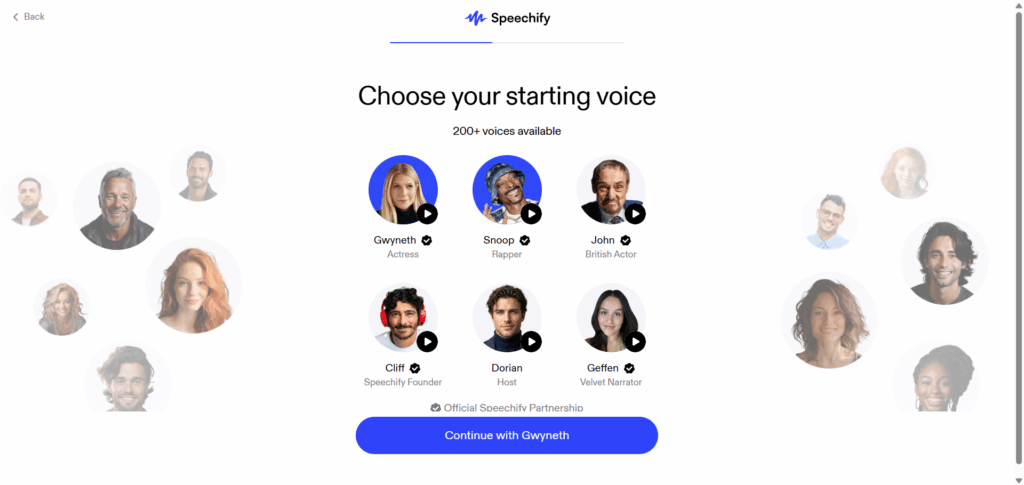
Speechify excels where most AI voice generators stumble: long-form reading that sounds conversational. Its voice engine is tuned for listening — the cadence and pacing make it feel like someone is reading a book to you. With 1,000+ voices across 60+ languages, it has one of the broadest consumer-facing voice libraries.
We tested a 2,000-word article via the Chrome extension. The default voice handled paragraph transitions smoothly, and the text highlighting synced with audio playback is genuinely useful for focus and accessibility. The OCR camera scanner — converting a physical page to spoken audio — is a feature no other tool on this list matches.
Pros:
- Exceptionally natural reading cadence for long-form text
- 1,000+ voices across 60+ languages and dialects
- OCR camera scanner converts physical documents to speech
- Cross-platform sync: start on desktop, continue on mobile
Cons:
- Voice quality for short-form, punchy content lags behind dedicated production tools
- Split across two subscriptions: TTS Reader and Speechify Studio
- No voice cloning available
Verdict: Speechify is for people who want to consume content — students, professionals, and accessibility users who need reliable text-to-speech at scale. For creating voiceovers for an audience, dedicated content creation platforms are better fits.
7. Canva — Best for AI Voiceovers in Design Projects
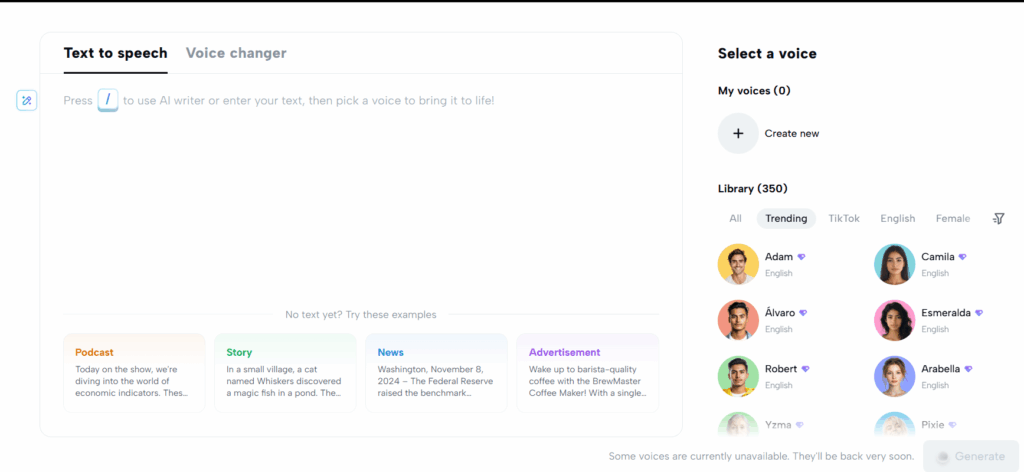
Canva's AI voice generator lives where voiceovers are actually used: inside a design. When building a presentation or social media graphic, Canva's built-in TTS lets you add voiceover directly to your canvas. Select a voice, paste your script, and the audio appears on your timeline — no exporting between separate tools.
We used it for an Instagram Reel template with text overlays and a 30-second voiceover. The workflow was seamless: design the frames, paste the script into the audio tab, pick a voice, and generate. The output synced directly to page transitions. For short, casual content where convenience matters more than studio quality, this integration is the killer feature.
Pros:
- Fully integrated into Canva's design editor — no tool-switching
- 20+ languages for presentations and social content
- Audio auto-syncs to page transitions in Canva presentations
Cons:
- Voice quality is adequate but lags behind dedicated TTS tools
- Character limit per generation (1,000–2,000 chars) is restrictive
- No voice cloning, advanced emotion controls, or pronunciation editor
Verdict: Canva is the AI voice generator you use because you are already in Canva. For professional-grade audio, pair it with a dedicated tool from the top half of this list.
8. CapCut — Best Free AI Voice Generator for Video Creators
CapCut's AI voice generator is the strongest free option on this list. With 269+ voices, auto-captions in 130+ languages, and direct publishing to TikTok — all on the free tier — it gives away an enormous amount at zero cost. If you make Reels, Shorts, or TikToks daily and need voiceovers without a budget, start here.
We tested our 30-second social hook. A TikTok-optimized voice delivered punchy, fast-paced narration that fit the format perfectly. Auto-captions synced flawlessly, and the clip was export-ready in under 2 minutes.
Pros:
- Completely free with 269+ voices and no download watermarks on free voices
- Auto-captions in 130+ languages at no cost
- Direct TikTok and Reels publishing from the editor
- Video editing and voice generation in one app
Cons:
- 15-minute video length cap — not suitable for long-form content
- Voice quality degrades noticeably on 3+ minute narrations
- No voice cloning on the free tier
Verdict: CapCut is the no-brainer AI voice generator pick for short-form video creators on a budget. For long-form YouTube, courses, or audiobooks, use a tool from the top 3 instead.
9. MiniMax Audio — Best for Real-Time Voice Cloning
MiniMax Audio is an AI voice generator built for speed. Its Speech 2.6 model achieves end-to-end latency under 250 milliseconds, making it one of the few high-quality TTS models viable for real-time applications like AI customer service agents and live gaming dialogue. Voice cloning from just 10 seconds of audio — with 99% claimed similarity — is among the fastest in the industry.
We tested cloning with a 10-second sample. The output was impressively close in timbre and pacing, though emotional range was narrower than tools focused specifically on expressive delivery. For real-time use cases, the ultra-low latency is MiniMax's standout advantage.
Pros:
- Ultra-low latency under 250ms for real-time conversational AI
- Voice cloning with just 10 seconds of audio
- 300+ voices across 40+ languages
- Handles up to 10 million characters in a single output
Cons:
- Developer-first platform — consumer UX is less polished
- Turbo model trades naturalness for speed
- Cross-lingual performance is improving but still uneven
Verdict: MiniMax Audio is the pick for developers building real-time voice apps and AI agents. Content creators looking for a polished web app should look at the top 5 tools.
10. NaturalReader — Best for Document Reading & Accessibility
NaturalReader has been a text-to-speech AI voice generator longer than most startups have existed. With 200+ AI voices across 50+ languages, dyslexia-friendly fonts, word-by-word highlighting, and an OCR scanner, it is the most accessibility-focused tool on this list.
We tested a 10-page PDF research paper. The LLM-powered voices handled academic terminology well, and synchronized word highlighting made it easy to follow along — helpful for users with dyslexia, ADHD, or visual impairments. Pricing is clearly split into Personal, Commercial, and EDU tiers.
Pros:
- Purpose-built accessibility features: dyslexia font, word highlighting, OCR
- 200+ voices across 50+ languages
- Clear license separation across Personal, Commercial, and EDU plans
- Native PDF, Word, EPUB, and web page support
Cons:
- Voice quality lacks the emotional expressiveness of tools built for performance-driven content
- Voice cloning is limited
- Interface feels utilitarian compared to newer tools
Verdict: NaturalReader is for educators, students, and accessibility users who want to listen to documents. For producing YouTube voiceovers or marketing content, choose from the top half of this list.
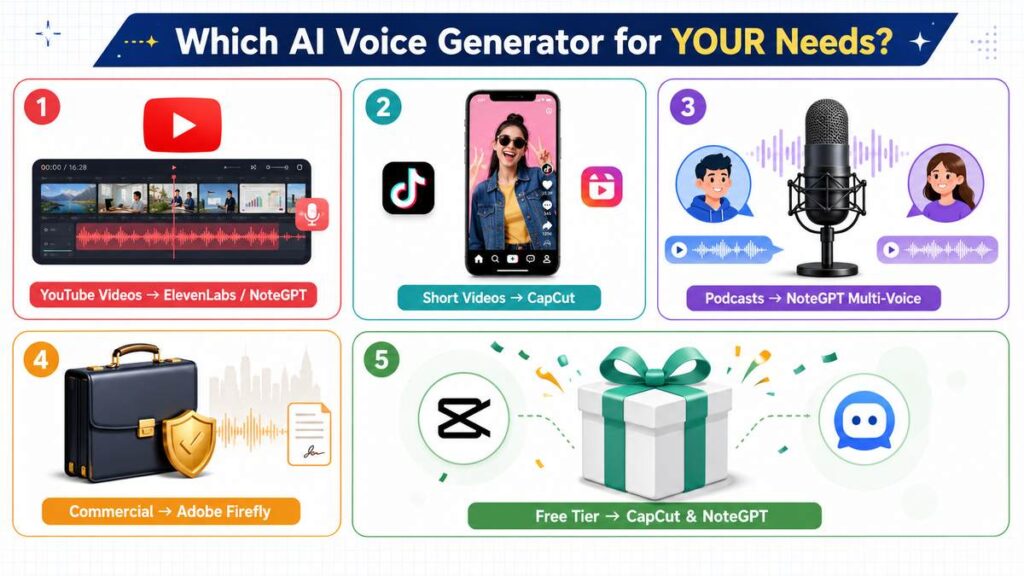
AI Voice Generator Comparison: Which Tool Is Best for Different Needs?
This AI voice generator comparison breaks down the best tools by real-world use cases so you can match the right platform to your workflow.
Best AI Voice Generator for YouTube Videos
For long-form YouTube, ElevenLabs delivers the most natural narration — blind tests back this up. NoteGPT is the stronger AI Voice Generator if your workflow goes beyond voice: you are summarizing competitor videos, writing scripts, and generating voiceovers in the same platform. For tutorials and explainers, Murf's built-in video sync is a productivity win if you already have slides or footage to align.
Best AI Voice Generator for TikTok & Short Videos
CapCut is the clear winner here — free voice generation, auto-captions, trending effects, and direct TikTok publishing in one app. NoteGPT is a strong alternative if you repurpose long-form content into short clips: summarize a YouTube video, turn the summary into a punchy script, and generate the voiceover in the same session.
Best AI Voice Generator for Podcasts
NoteGPT's multi-voice dialogue feature is built for this — assign different AI voices to host and guest roles, generate the conversation in real time, and export as a complete audio file. For solo-style narrative podcasts, ElevenLabs offers the highest voice realism. Typecast's emotional presets add life to interview-style or storytelling formats.
Best AI Voice Generator for Commercial Projects
Adobe Firefly is the safest legal choice — licensed training data and IP indemnification backed by Adobe. NoteGPT and ElevenLabs both include commercial rights on paid plans and are widely used for client work. Murf adds enterprise compliance (SOC 2, HIPAA, GDPR) for regulated industries.
Best Free AI Voice Generator
CapCut offers the most generous free tier with no watermark and production-ready short-form voices. NoteGPT's free tier requires no sign-up, supports long-form content, and includes multi-voice features that most platforms gate behind paywalls. Speechify is excellent for personal listening and accessibility on a free plan.
How to Create an AI Voice with NoteGPT
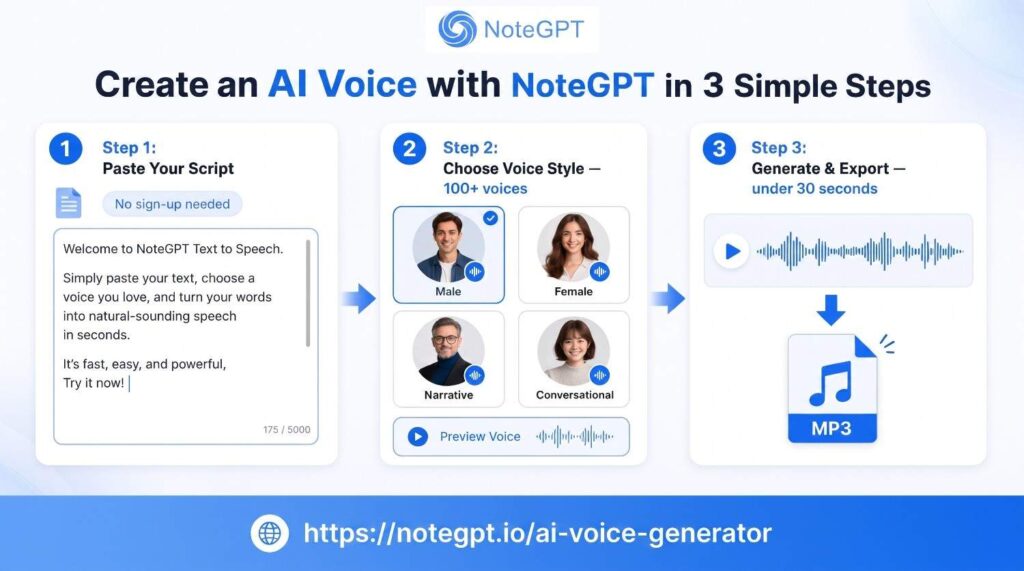
We picked NoteGPT as the fastest AI voice generator to go from text to natural audio. Here is the full process:
Step 1: Enter Your Text or Script
Open the Text to Speech tool at notegpt.io and paste your script — whether it is a 30-second social hook, a 2-minute explainer, or a full-length article. No sign-up required to get started.
Step 2: Choose an AI Voice Style
Pick from 100+ AI voices across multiple languages. Preview each voice before committing so you do not waste time re-generating. If you are making a podcast or dialogue, use the multi-voice feature to assign different voices to different roles and hear them speak in sequence in real time.
Step 3: Generate and Export Your Voice
Click "Convert," listen to the preview, and download as MP3 or WAV. The entire process — paste to play — takes under 30 seconds for a 2-minute script. Paid plans unlock higher quotas, voice cloning, and full commercial licensing.
Are Free AI Voice Generators Good Enough?
Yes — for testing and casual use. CapCut provides the most viable free voice generation for short-form video with no watermark. NoteGPT offers a genuinely usable free tier for longer content, including multi-voice features most platforms paywall. Speechify excels at free personal listening.
The honest answer: free tiers are excellent for experimenting and occasional use. They are not sufficient for a weekly content pipeline. If you publish regularly, budget for a paid plan — the jump from free to paid is the single biggest quality-of-life improvement in your voice production workflow. AI voice generators like NoteGPT and CapCut give you enough on the free tier to know exactly what you are upgrading to.
Frequently Asked Questions About AI Voice Generators
What is the most realistic AI voice generator in 2026?
ElevenLabs is widely considered the most realistic — blind tests show most listeners cannot distinguish its voices from real human speech in short clips. NoteGPT and Typecast are also strong contenders, especially for dialogue and multi-voice scenarios.
Can AI-generated voices be used commercially?
Yes — NoteGPT, ElevenLabs, Murf, and Speechify all include commercial rights on paid plans. Adobe Firefly adds IP indemnification for enterprise. Always check the license, especially on free tiers.
Are free AI voices safe for YouTube monetization?
Only if the free tier explicitly grants commercial rights. CapCut's free voices are generally safe for monetized content, but many free plans restrict commercial use. For worry-free monetization, use a paid plan from NoteGPT or ElevenLabs that includes full commercial licensing.
Can AI voice generators clone a real person's voice?
Yes — ElevenLabs, NoteGPT, Typecast, and MiniMax Audio all support voice cloning from short audio samples. However, cloning someone else's voice without their explicit consent is prohibited. Voice cloning is designed for cloning your own voice for consistent brand content across episodes.
Which AI voice generator is best for beginners?
NoteGPT and CapCut are the most beginner-friendly. NoteGPT requires no sign-up to try and offers voice generation alongside script writing and summarization in one dashboard. CapCut is free and integrates voice directly into video editing. Both go from text to audio in under a minute.
Final Verdict: Choosing the Best AI Voice Generator in 2026
When judged purely on voice realism, ElevenLabs still sets the bar among AI voice generators. But "sounds most human" is only half the question. The real question is: which tool makes your creative work faster, easier, and better?
For most creators, NoteGPT is the strongest overall pick in 2026. You summarize a YouTube video into a script, run it through the AI Voice Generator, produce an image for the thumbnail, and clone your own voice for consistency across episodes — all inside one dashboard. No tab-hopping, no exporting audio between different platforms, no cobbling together 4 separate subscriptions. The voice quality is excellent, the multi-voice dialogue feature is rare at this price point, and the free tier lets you try everything without entering a credit card.
If you are a premium audio producer with a budget to match — ElevenLabs is your tool. If you are a short-form social creator on a budget — CapCut has you covered. For the 80% of creators in between who need voice as one piece of a bigger workflow, NoteGPT delivers the best combination of quality, convenience, and value.