


High-resolution images are no longer a “nice to have.” In 2026, they’re essential—whether you’re running a blog, designing marketing materials, selling products online, or simply trying to revive old photos. The problem? Many images we work with are low-resolution, compressed, or blurry.
That’s where a free image resolution enhancer comes in.
Thanks to advances in AI image enhancement and deep learning super-resolution models, modern tools can now upscale images while preserving detail, reducing noise, and improving clarity—often with just one click. But not all tools deliver the same results, especially when you’re relying on a free plan.
In this guide, we tested and compared the 5 best free image resolution enhancers in 2026, using real-world images across different categories: portraits, product photos, illustrations, and low-light images. The goal is simple: help you find a reliable free AI image enhancer that actually works.
Why Use a Free Image Resolution Enhancer in 2026?
Image enhancement used to mean manual sharpening, resizing, and trial-and-error in photo editors. Today, AI does most of the heavy lifting.
A modern AI image resolution enhancer can:
- Upscale images by 2×, 4×, or more without visible pixelation
- Restore lost details in low-quality or compressed images
- Improve clarity for faces, text, and edges
- Reduce noise while maintaining natural textures
For creators and businesses on a budget, a free image resolution enhancer online is often enough for everyday needs—if you choose the right one.
How We Tested These Free Image Resolution Enhancers
To keep this review practical and honest, we tested each tool using the same set of real images and evaluation criteria.
Test Images Used
We used four common image types:
- A low-resolution portrait photo (facial details matter)
- A product image with text and sharp edges
- A digital illustration with flat colors and gradients
- An old, slightly blurred photo with noise
All images were originally under 1,000px on the longest side.
Evaluation Criteria
Each free AI image enhancer was scored based on:
- Resolution upscaling quality (detail retention)
- Artifact control (over-sharpening, halos, distortions)
- Noise reduction performance
- Ease of use and speed
- Limitations of the free plan
We focused on what you actually get without paying, since many tools advertise “free” but heavily restrict exports.
The 5 Best Free Image Resolution Enhancers in 2026
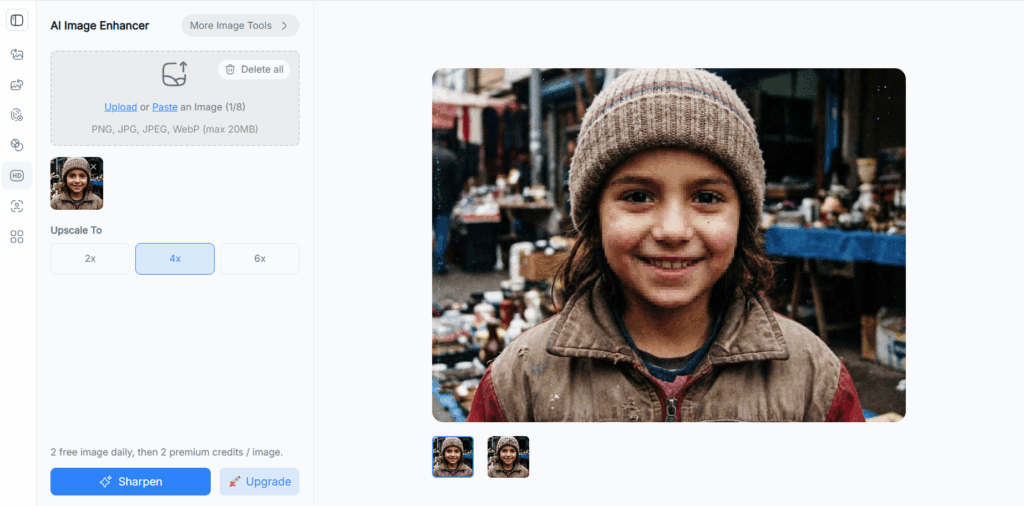
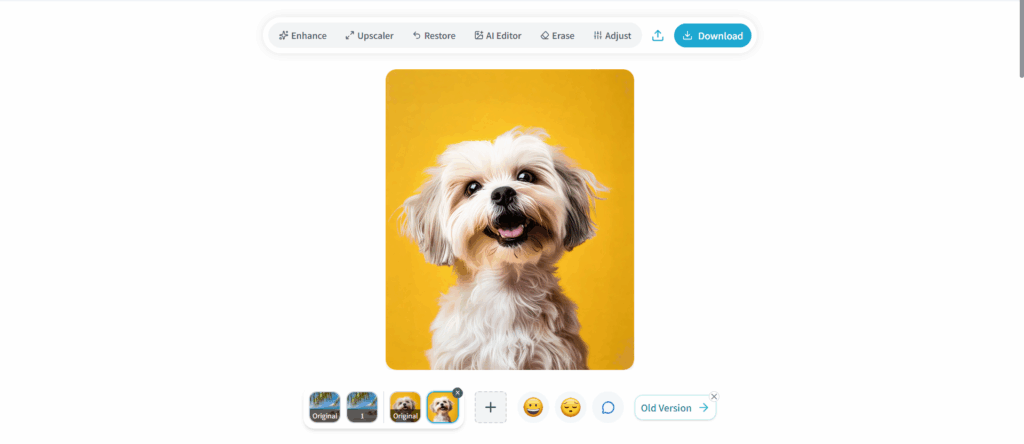
1. NoteGPT AI Image Enhancer — Best Overall Free Image Resolution Enhancer
If you’re looking for a free image resolution enhancer that balances quality, ease of use, and real-world practicality, NoteGPT’s AI Image Enhancer stands out immediately.
Unlike many tools that lock meaningful upscaling behind paywalls, NoteGPT allows you to enhance image resolution online for free with noticeably improved clarity and minimal artifacts.
What Makes NoteGPT Different?
NoteGPT’s AI Image Enhancer uses advanced deep-learning models trained to recognize image structures—faces, edges, textures, and text—rather than simply enlarging pixels.
In our tests, it performed especially well on:
- Portrait photos (natural skin texture, sharp eyes)
- Product images (clean edges, readable text)
- Low-quality images with compression artifacts
Key Features
- Free AI-powered image resolution enhancement
- One-click upscaling with automatic optimization
- Noticeable improvement without over-sharpening
- Clean, beginner-friendly interface
- Works directly in the browser (no installation)
Real Test Results
On a 720px portrait image, NoteGPT’s enhancer produced:
- Sharper facial features without plastic-like skin
- Clean edge definition around hair and glasses
- Reduced noise without blurring details
Compared to other free tools, the output looked more balanced and “natural,” which is crucial if you’re using enhanced images for websites or social media.
Pros
- Excellent free image enhancement quality
- No complicated settings required
- Very fast processing speed
- Ideal for non-technical users
Cons
- Advanced batch processing is limited on the free tier
- Fewer manual controls for power users
2. Pixelbin AI Upscaler — Best for Workflow Integration
Pixelbin is well known for its image processing APIs and automation-friendly tools. Its AI image upscaler is part of a broader image optimization platform, making it attractive for teams and developers.
Strengths
Pixelbin’s AI image resolution enhancer excels in consistency. It produces clean, predictable results that work well for e-commerce images and marketing assets.
In our tests:
- Edges remained sharp without excessive halos
- Background noise was moderately reduced
- Colors stayed accurate after upscaling
Free Plan Limitations
While Pixelbin does offer free usage, the limitations are more noticeable:
- Export resolution is capped
- Free credits are consumed quickly
- Best features are geared toward paid workflows
Pros
- Professional-grade image processing
- Reliable enhancement for product photos
- Strong ecosystem for image optimization
Cons
- Free plan is restrictive
- Interface feels more “technical” for casual users
Pixelbin is a solid AI image enhancer free option if you’re already working within structured image pipelines, but for casual or frequent free usage, it’s less flexible than NoteGPT.
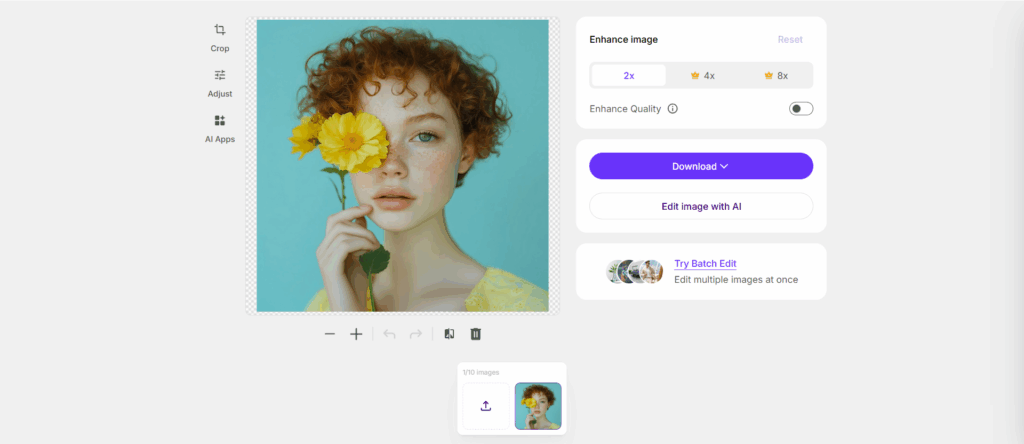
3. AIArty Image Enhancer — Best for High-Detail Upscaling
AIArty is a well-known name in AI image enhancement, especially among users who care about maximum detail and fine texture preservation. Its image resolution enhancer focuses heavily on deep super-resolution models and multiple enhancement modes.
Performance in Our Tests
On high-detail images like illustrations and landscape photos, AIArty delivered impressive results:
- Fine textures were preserved well
- Lines and edges stayed crisp
- Upscaled images looked suitable for large screens
However, when applied to portraits, the output sometimes felt slightly over-processed, especially around skin and hair.
Free Plan Experience
AIArty does offer a free image resolution enhancer, but with noticeable restrictions:
- Output resolution is limited
- Watermarks may apply depending on use
- Processing speed is slower than browser-based tools
Pros
- Strong performance for illustrations and scenery
- Advanced AI models for detailed upscaling
- Good choice for design-focused users
Cons
- Less beginner-friendly
- Free tier is quite limited
- Portrait results can look artificial
AIArty works best if you need a free AI image enhancer for artwork rather than everyday photos.
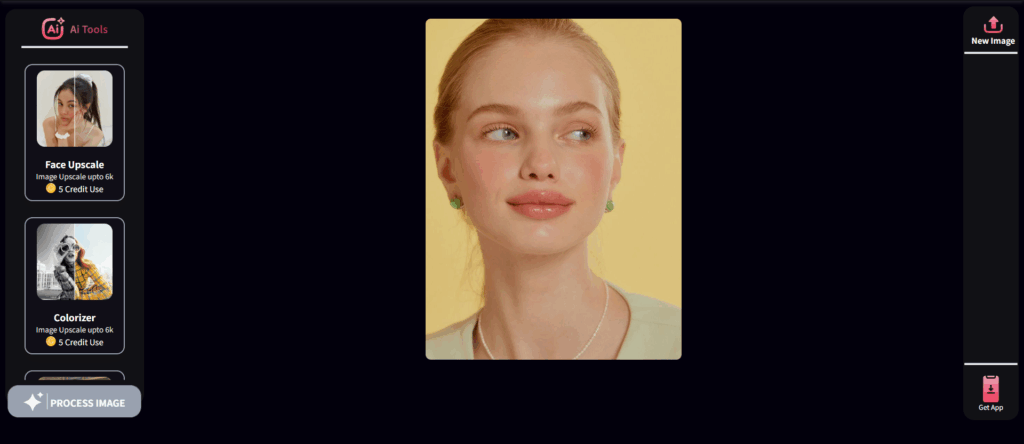
4. BeautyF.AI Image Enhancer — Best for Portrait Enhancement
BeautyF.AI takes a slightly different approach. Instead of being a general-purpose image resolution enhancer, it focuses heavily on faces, selfies, and portrait photos.
What It Does Well
In our tests, BeautyF.AI showed clear strengths in:
- Facial detail enhancement
- Skin smoothing without extreme blur
- Eye and facial feature clarity
For social media creators and influencers, this kind of targeted AI enhancement can be appealing.
Limitations
- Not ideal for product images or text-heavy visuals
- Limited control over enhancement intensity
- Free usage is capped per day
Pros
- Strong face-aware AI enhancement
- Simple, mobile-friendly interface
- Good results for profile photos
Cons
- Narrow use cases
- Less effective for non-portrait images
If your main goal is enhancing selfies, BeautyF.AI can serve as a free image resolution enhancer for portraits—but it lacks versatility.
5. Online AI Upscaler Tools — Best for Quick One-Off Tasks
There are several lightweight online AI upscalers that promise fast results without sign-up. These tools typically focus on speed and simplicity rather than maximum quality.
Test Results
Across multiple quick-use tools, we observed:
- Acceptable resolution boosts for simple images
- Inconsistent handling of noise and edges
- Limited resolution increases
They can work for fast previews or casual use but struggle with demanding images.
Pros
- No installation or setup
- Fast processing
- Good for quick tests
Cons
- Lower image quality
- Very limited free usage
- Not reliable for professional results
These tools function as entry-level free image resolution enhancers, but they don’t compete with more refined options like NoteGPT.
Free vs Paid Image Resolution Enhancers: What’s the Difference?
Understanding the gap between free and paid tools helps set realistic expectations.
Resolution Limits
Most free AI image enhancers cap output size or scaling factors. Paid versions usually allow higher resolutions suitable for print or large displays.
Processing Speed and Batch Support
Free plans often limit batch processing and slow down queue times. Paid tiers prioritize speed and multi-image workflows.
Output Quality
Paid tools may offer:
- Advanced AI models
- More natural texture reconstruction
- Better control over sharpening and noise reduction
That said, some free tools—especially NoteGPT—deliver surprisingly usable results for everyday needs.
Tips for Getting the Best Results with a Free Image Resolution Enhancer
Even the best tool can produce subpar results if used incorrectly.
Choose the Right Image First
AI works best with images that have:
- Clear subject focus
- Minimal extreme blur
- Decent lighting
Avoid Over-Upscaling
Upscaling a very small image too aggressively often introduces artifacts. Start with 2× and increase only if needed.
Match the Tool to the Image Type
- Portraits: face-aware enhancers
- Products and text: general AI upscalers
- Artwork: detail-focused models
Using the right free AI image enhancer for the job makes a huge difference.
Common Questions About Free Image Resolution Enhancers
Are free image resolution enhancers good enough for professional use?
For web content, blogs, and social media, yes. Many free tools now produce results suitable for online publishing.
What’s the difference between image resizing and AI enhancement?
Resizing only changes dimensions. AI image enhancement reconstructs details using trained models, resulting in sharper and clearer images.
Can AI fully restore old or damaged photos?
AI can significantly improve clarity and reduce noise, but it can’t recreate details that are completely missing.
Conclusion
After testing all five tools on real images, one option consistently delivered the best balance of quality, usability, and accessibility.
NoteGPT AI Image Enhancer stands out as the best overall free image resolution enhancer in 2026. It produces clean, natural-looking enhancements, works directly in the browser, and doesn’t overwhelm users with technical complexity.
If you need a reliable way to enhance image resolution online for free—whether for blogs, marketing visuals, or everyday images—NoteGPT is a strong place to start.