


Introduction
AI hair color changers make it easier to try a new look before committing to a real dye job. These AI-powered tools let you transform your hair color, experiment with hairstyles, and preview different looks using your own photo.
Dyeing your hair is a commitment — a color choice that doesn't work out can take months to grow out or fix. Instead of guessing whether shades like rose gold, platinum blonde, or deep brown will suit you, you can generate realistic previews in seconds and explore different possibilities with confidence.
We reviewed and compared the best AI hair color changers available online in 2026, including dedicated hair transformation tools and AI photo platforms with advanced hair editing features. Each tool was evaluated based on realism, color and style flexibility, prompt control, identity preservation, output quality, and ease of use. We also considered how well each tool supports broader AI hairstyle transformations for users who want to explore both hair colors and new styles.
What Is an AI Hair Color Changer and How Does It Work?
AI Uses Your Photo and Prompts to Create Hair Transformations
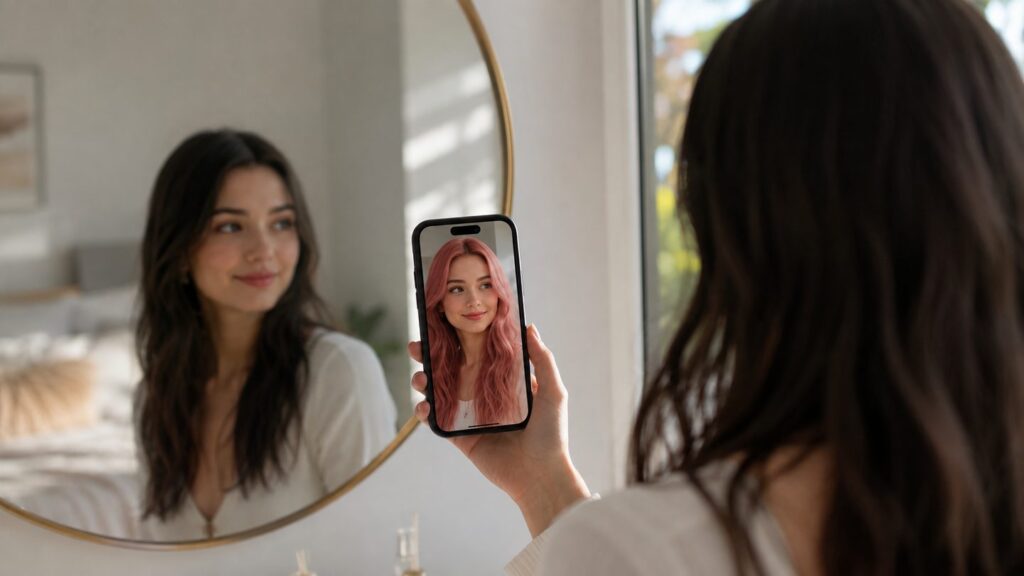
An AI hair color changer is an online tool that uses generative AI to transform your hair color or hairstyle based on a photo you upload. Instead of making a permanent change, you can preview different looks digitally before deciding on your next style. While some tools focus only on changing hair color, more advanced solutions such as an AI Hairstyle Changer can help you explore complete hair transformations, including new colors, cuts, and styles.
Most AI hair transformation tools work in two main ways. Some let you choose from preset hair colors and hairstyle options, while others allow you to describe your ideal look with a text prompt, such as “change my hair to rose gold pink with soft waves.” The AI then analyzes elements like your hair, face, lighting, and overall image composition to generate a realistic transformation while preserving your facial features. Some tools combine both methods, allowing you to start with a preset style and refine the result with custom prompts for more personalized outcomes.
How We Evaluated the Best AI Hair Color Changers
Realistic Hair Transformation Results
Does the tool blend the new color or style naturally into the hairline, or does it look like a wig pasted on top? We prioritized tools that preserve texture, lighting, and volume.
Hairstyle and Hair Color Customization
How many colors and styles are available, and can you combine a haircut change with a color change in the same result?
Prompt Flexibility and Creative Control
Can you type a custom description to get an exact shade or style, or are you limited to a fixed preset library?
Image Quality and Identity Preservation
Does the tool keep your facial features, skin tone, and expression untouched while only changing the hair?
Ease of Use and Online Accessibility
Is the tool browser-based and quick to use, or does it require downloads, sign-ups, or a steep learning curve?
7 Best AI Hair Color Changers in 2026
1. NoteGPT AI Hairstyle Changer – Best for Prompt-Based Hair Color & Hairstyle Transformations
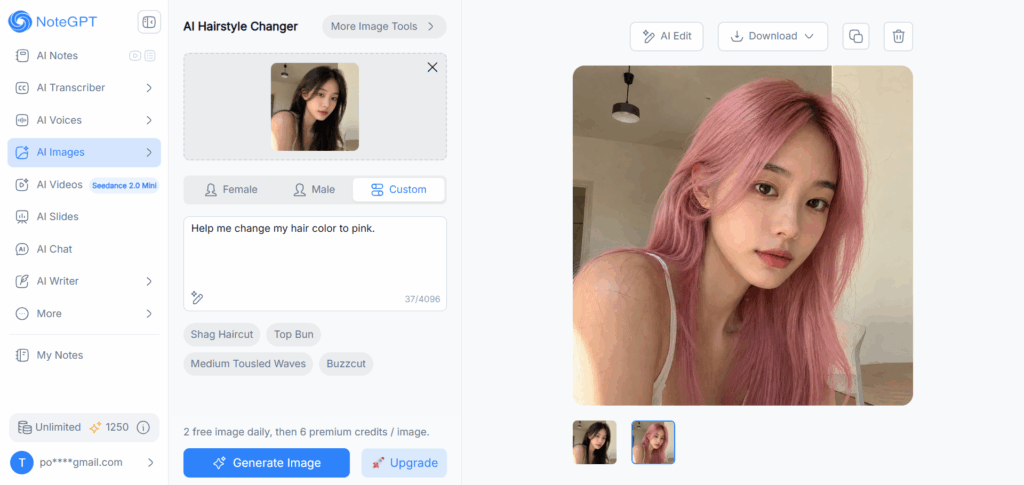
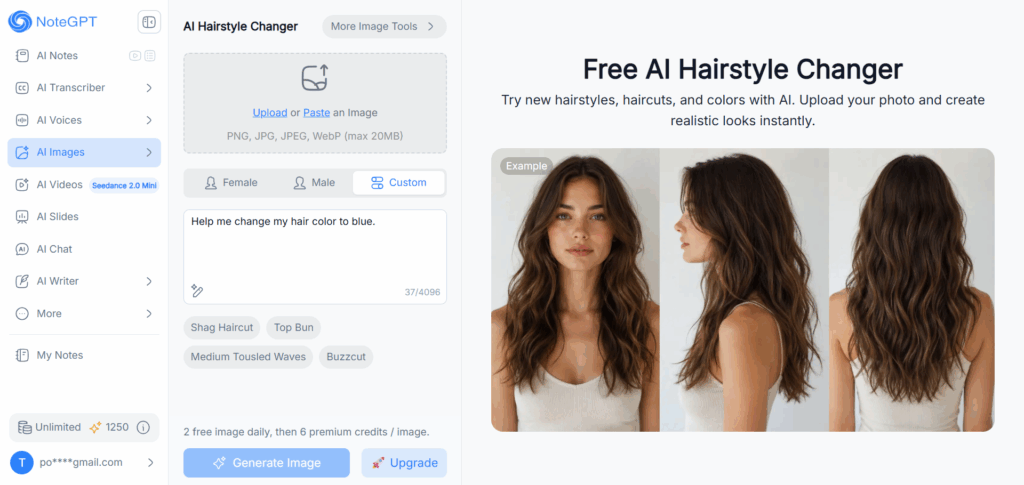
NoteGPT's AI Hairstyle Changer is our top pick for anyone who wants precise control over their hair color, not just a limited set of preset shades. Upload a photo, choose Female, Male, or Custom mode, and in Custom mode you can type exactly what you want — for example, "change my hair to pink" — and the AI generates a realistic result that keeps your facial features untouched while transforming the hair color.
Key features:
- Custom prompt box for describing any hair color or style in plain text, not just picking from a swatch
- Preset hairstyle library (Medium Bob, A-Line Bob, Pixie, Shag Haircut, Top Bun, and more) for Female/Male modes when you don't want to write a prompt
- Realistic AI hair transformation that preserves your facial identity
- Fast generation with side-by-side comparison of multiple results
Pricing: 2 free images daily, then 6 premium credits per image on paid plans.
Best for: Users who want to describe a specific, even unconventional, hair color rather than being limited to a preset color chart — the free-text prompt is the main differentiator from most preset-only tools on this list.
2. Fotor AI Hairstyle Generator – Best for AI Hairstyle Editing
Fotor combines a large preset library of hairstyles and hair colors — including blonde, brown, red, black, pink, and rainbow shades — with a generative text-to-style feature that lets you type your own creative prompt to control hairstyle, color, texture, and length. It also analyzes your face shape to recommend flattering cuts.
Key features: Preset hairstyle and hair color library, prompt-based custom styling, face-shape-aware recommendations, HD portrait rendering.
Pricing: Free gifted credits for new users, with more earned through daily check-ins; watermark-free HD downloads typically require a paid plan.
Best for: Users who want both a large preset color/style catalog and the flexibility to type a custom prompt when presets aren't specific enough.
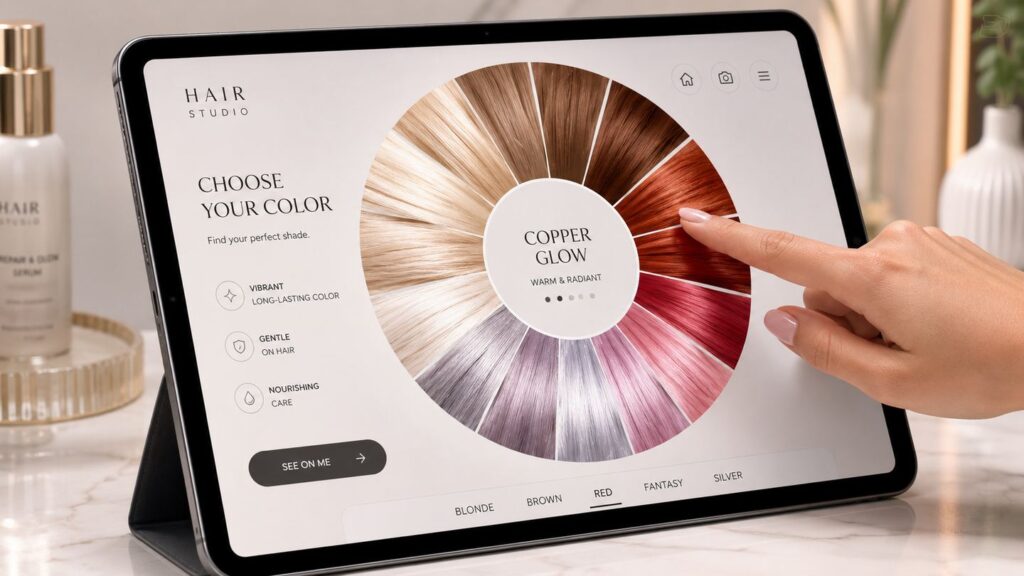
3. insMind AI Hairstyle Changer – Best for Realistic Hair Transformations
insMind keeps things simple with dedicated Women, Men, and Hair Color tabs covering dozens of preset haircuts and shades, from straight and curly cuts to blonde, brunette, and bold fantasy colors. The AI adapts each style to your actual face shape rather than overlaying a generic template.
Key features: Separate hair color tab, wide range of preset cuts and shades for both genders, face-shape-aware rendering.
Pricing: Free to try with generation credits included at sign-up, but most higher-value features are membership-gated — paid plans start at $5.83/month (Basic, billed yearly) and unlock no-watermark downloads and HD exports, scaling up to Pro and Ultra tiers with higher monthly credit allowances.
Best for: Users who want a clean, no-prompt-needed way to try both haircuts and hair colors quickly, and don't mind upgrading for watermark-free, high-resolution results.
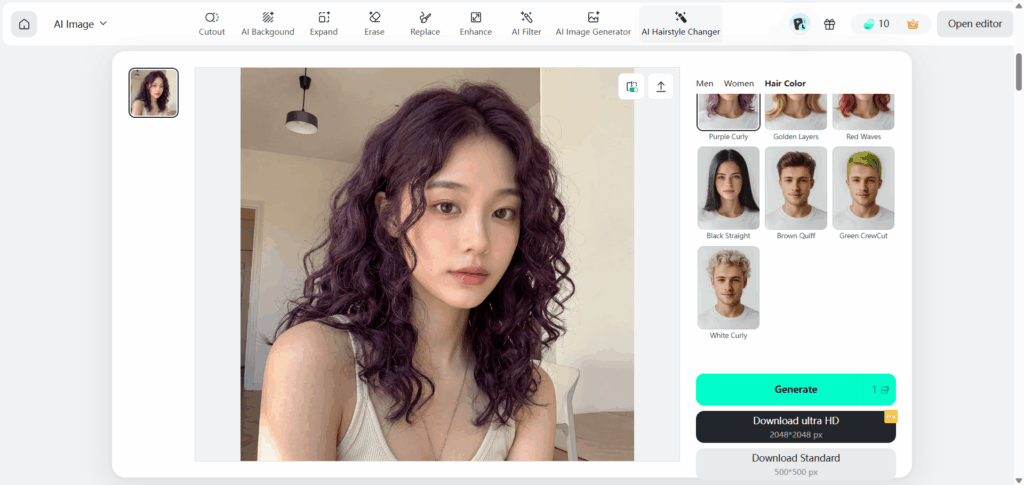
4. MyEdit AI Hairstyle Generator – Best for Creative Hair Experiments
MyEdit offers a large hairstyle library — including natural shades, highlights, and bold fantasy colors — alongside its broader AI photo and video toolkit. It's a solid pick if you like to experiment across several looks in one sitting before committing to a favorite.
Key features: Dozens of hairstyle and hair color presets for men and women, daily free credit allowance, mobile app support.
Pricing: Free daily credits (renewed each day), with paid subscription tiers for higher volume and additional AI tools.
Best for: Users who want to test multiple hair colors and styles across several sessions without paying upfront.
5. LightX AI Hairstyle Generator – Best for AI Hair Makeovers
LightX pairs a large preset hairstyle library — bangs, braids, curls, waves, buzz cuts, and more — with a custom text-prompt option for when you can't find your dream look in the presets. It's aimed at users comfortable experimenting with prompt-driven customization.
Key features: Extensive preset hairstyle library for men and women, custom prompt support for unique styles and colors, celebrity-inspired hairstyle try-ons.
Pricing: Free to try, with a trial period leading into weekly, monthly, or annual subscription plans.
Best for: Users who want a full hair makeover — style and color together — and don't mind exploring prompt-based customization for more precise results.
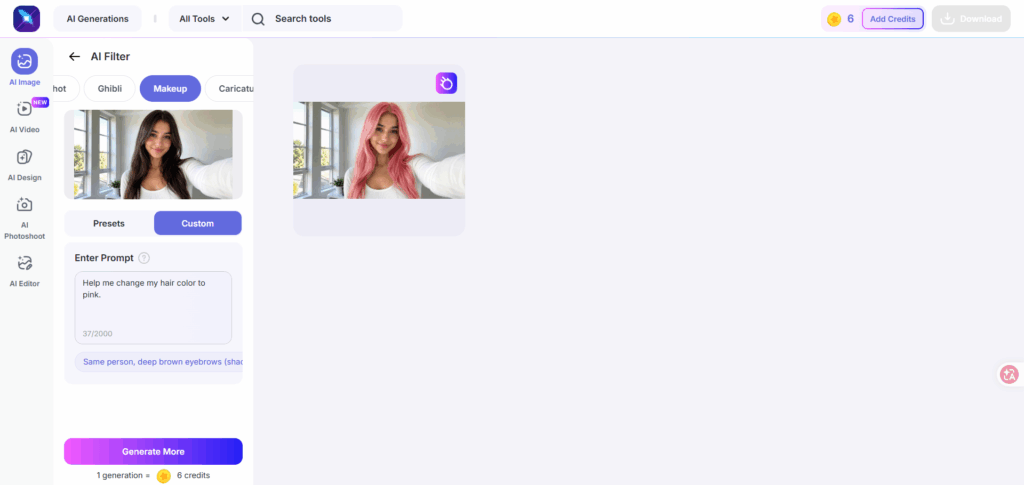
6. OpenArt AI Hairstyle Generator – Best for Prompt-Based Hair Ideas
OpenArt's AI Hairstyle Changer lives inside a much broader AI creation platform that runs 100+ image and video models. The hairstyle tool itself is prompt-driven and face-aware, preserving lighting, shadows, and hair texture for a natural blend — a strong option if you want hair color exploration alongside other AI creative tools in one account.
Key features: Prompt-based hairstyle and color changes, face-shape-aware styling, part of a larger multi-model AI creation suite.
Pricing: Limited one-time free trial credits for new users; paid plans required for ongoing use.
Best for: Users who are already using OpenArt's broader AI toolkit and want hair color changes as one part of a bigger creative workflow.
7. YouCam AI Hairstyle Changer – Best for the Largest Style and Color Library
YouCam offers one of the largest hairstyle libraries on this list — over 100 styles for women and 50+ for men — plus a dedicated AI Hair Color tool with 50+ shades, including ombre gradients, highlights, and balayage effects. The AI adapts each style and color to your face shape and hair texture rather than overlaying a flat template.
Key features: 150+ combined hairstyles for men and women, separate AI Hair Color tool supporting solid colors, two-tone styles, and ombre/balayage effects, dark-to-light color simulation for realistic blonde previews on dark hair.
Pricing: New accounts get 5 free credits (hairstyles cost 2 credits each, hair color is capped at 1 free use per day); free-plan exports include a watermark, and watermark-free HD downloads require a paid plan.
Best for: Users who want the widest possible selection of preset hairstyles and hair colors to browse before settling on a look.
AI Hair Color Changer Comparison: Features at a Glance
| Tool | Best For | Prompt-Based Color | Preset Styles | Free Plan |
| NoteGPT AI Hairstyle Changer | Prompt-based hair color & style | Yes | Yes | 2 free images/day |
| Fotor AI Hairstyle Generator | AI hairstyle editing | Yes | Yes | Daily free credits |
| insMind AI Hairstyle Changer | Realistic transformations | No | Yes | Free trial; most features membership-gated |
| MyEdit AI Hairstyle Generator | Creative hair experiments | No | Yes | Daily free credits |
| LightX AI Hairstyle Generator | AI hair makeovers | Yes | Yes | Free trial |
| OpenArt AI Hairstyle Generator | Prompt-based hair ideas | Yes | Limited | One-time free credits |
| YouCam AI Hairstyle Changer | Largest style & color library | No | Yes | 5 free credits at sign-up |
How to Change Hair Color with AI Prompts: A Step-by-Step Guide
AI hair color changers work best when you provide clear instructions about the look you want to create. Unlike traditional filters that only apply preset effects, prompt-based AI tools allow you to describe specific hair colors, styles, and details to generate a more personalized transformation. For example, NoteGPT's AI Hairstyle Changer allows users to upload a photo and describe their desired hair transformation with prompts, making it easier to explore different hair colors and hairstyle ideas before making a real change.
Step 1: Upload a Clear Photo
Start with a clear, front-facing photo where your hair is fully visible and your face is unobstructed. A well-lit image with enough detail around your hairline helps AI better understand your current look and generate more realistic results. Avoid using blurry photos, heavy filters, or images where your hair is mostly covered, as these factors can affect the quality of the generated transformation.
Step 2: Write Your Hair Transformation Prompt
The quality of an AI hair transformation often depends on how specific your prompt is. Instead of entering a simple description like “pink hair,” provide more details about the exact shade and style you want. For example, a prompt like “change my hair to rose gold pink with soft waves and a natural shine” gives the AI a clearer direction and usually produces a more accurate result. With NoteGPT's AI Hairstyle Changer, users can experiment with different prompt descriptions to create personalized hair color and hairstyle variations.
Step 3: Generate Different Hair Color and Hairstyle Ideas
After writing your prompt, generate multiple versions and adjust your description to explore different possibilities. You can try changing the color intensity, adding hairstyle details, or describing different aesthetics. For example, you can compare “soft blonde highlights” with “bright platinum blonde” or test how the same hair color looks with long waves versus a short layered haircut. Creating several variations helps you discover which combination of color and style fits your preferred look.
Step 4: Compare and Choose Your Favorite Look
Once you have generated multiple results, compare them with your original photo to find the most natural and suitable transformation. Consider whether the hair color matches your overall appearance, whether the hairstyle complements your features, and whether the final result matches the style you want. If you use an AI Hairstyle Changer that supports both hair color and hairstyle adjustments, testing different combinations can help you understand which changes create the biggest impact before making any real-world decision.
Popular Use Cases for AI Hair Color Changers
Preview Hair Colors Before Dyeing
The most common use case: testing a color commitment — like going platinum blonde or trying a bold fantasy shade — before booking a salon appointment or buying dye.
Try New Hairstyles Before a Haircut
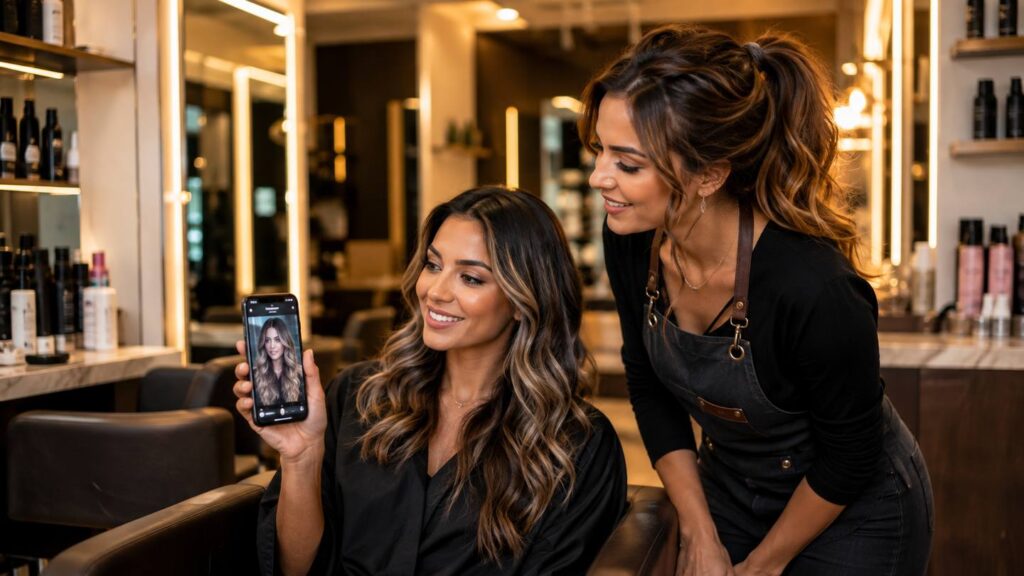
Combine an AI hairstyle changer's cut presets with its hair color options to preview both a new haircut and a new shade at once, then bring the result to your stylist as a visual reference.
Explore Creative Hair Transformation Ideas
Content creators, cosplayers, and anyone curious about a dramatic look — like rainbow hair or a color they'd never commit to in real life — use these tools purely for creative exploration, with zero risk to their actual hair.
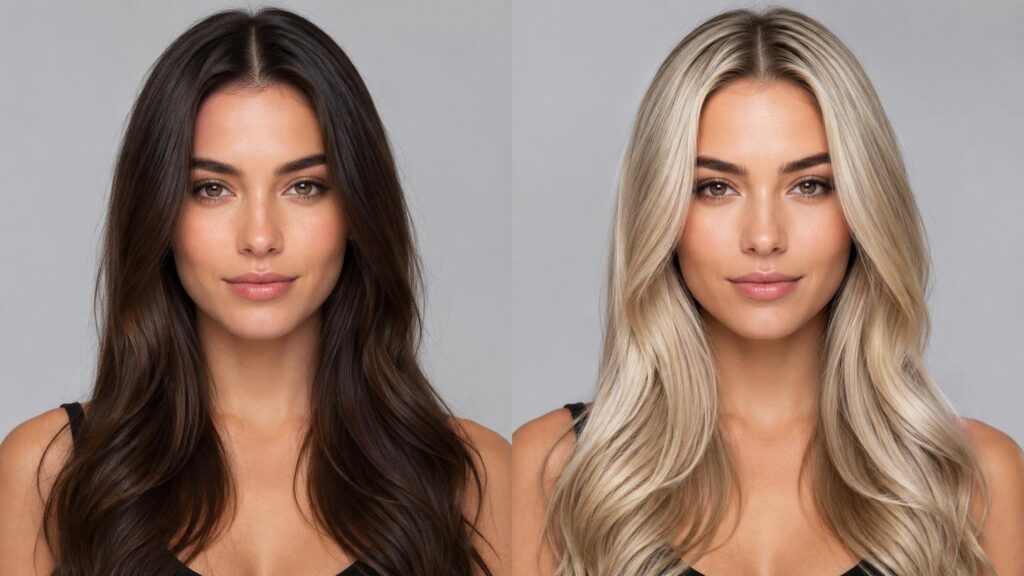
Can AI Hair Color Changers Create Realistic Results?
Factors That Affect AI Hair Transformation Results
Result quality depends heavily on your input photo: front-facing angles, even lighting, and a clear view of your hairline all produce more accurate transformations. Very dark or very light original hair colors, heavily processed or color-treated hair, and photos with harsh shadows or low resolution tend to produce less consistent results.
Tips for Getting More Realistic AI Hair Changes
Use a high-resolution, front-facing photo taken in natural light. When writing a prompt, be specific about the shade rather than using a general color name — "ash light brown" or "rose gold pink" gives the AI a more precise target than just "brown" or "pink." Generating a few variations and comparing them side by side also helps you land on the most natural-looking result.
Frequently Asked Questions About AI Hair Color Changers
Is there a free AI hair color changer?
Yes. Most of the tools on this list, including NoteGPT's AI Hairstyle Changer, offer free daily credits or a free trial that lets you generate hair color previews at no cost, though higher-resolution downloads or extra generations often require a paid plan.
Can AI change both hair color and hairstyle?
Yes. Tools like NoteGPT, Fotor, insMind, and LightX let you change hair color and hairstyle in the same generation — either by combining a preset cut with a new color, or by describing both in a single prompt.
What photo should I use for AI hair transformation?
Use a clear, front-facing selfie with even lighting and your hair and face fully visible. Avoid extreme angles, heavy shadows, or low-resolution images, as these reduce the accuracy of the generated result.
Can I use an AI hair color changer online?
Yes. All the tools covered here run directly in a web browser, so you don't need to download software or an app to preview a new hair color.
Do AI hair color changers preserve facial features?
Good AI hair color changers are designed to keep your facial features, skin tone, and expression unchanged, altering only the hair. This is one of the key quality factors we evaluated across all seven tools.
Final Thoughts: Choosing the Best AI Hair Color Changer
The best AI hair color changer for you depends on the level of creativity and control you need. If you prefer choosing from preset options, tools like insMind or MyEdit can help you preview realistic hair color changes quickly. If you want to describe a specific shade, hairstyle, or overall look with your own prompts, NoteGPT's AI Hairstyle Changer offers more flexible AI-powered hair transformations.
Whether you are exploring a new hair color, testing a different hairstyle, or preparing for a real-world change, an AI hair color changer gives you a simple way to visualize possibilities before making a decision.