

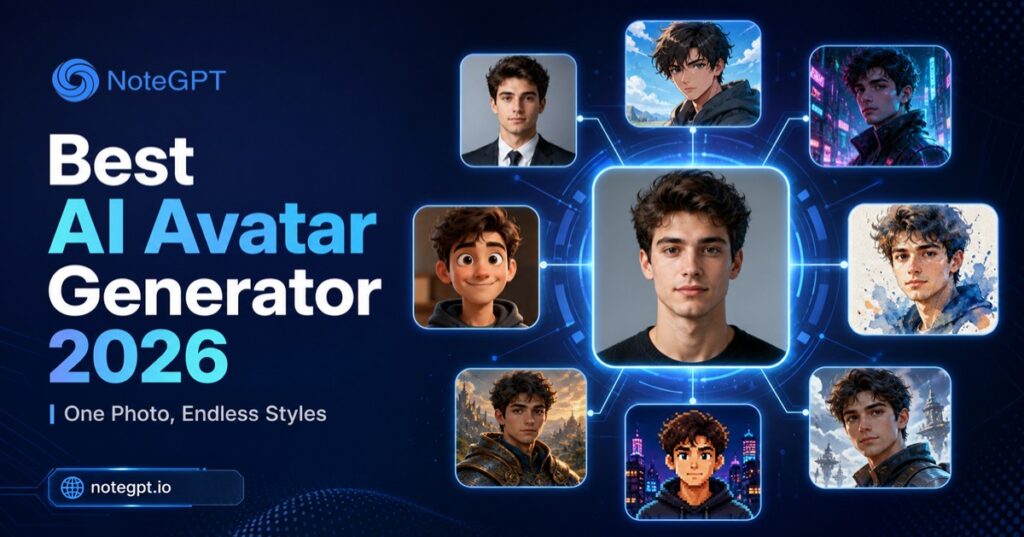
After testing 10 leading AI avatar generators in 2026, NoteGPT stands out as one of the strongest overall options for users who want to turn a single photo into multiple avatar styles. It can transform one uploaded image into six different looks — Anime, Casual, Emoji, Pixar Style, Pixel Art, and Professional — making it easy to create avatars for social media, professional profiles, and personal branding.
For different needs, other tools also have their strengths: Lensa AI is a great choice for quick artistic avatar packs, StarryAI offers deeper prompt-based customization for creative users, and Photo AI delivers highly realistic AI photoshoot-style portraits.
An AI Avatar Generator is a tool that uses artificial intelligence to transform a photo into a personalized digital avatar while preserving key facial features and visual identity. Unlike an AI avatar video generator, which creates animated talking avatars for videos, a photo-based AI avatar maker focuses on generating static images that can be used as profile pictures, social media icons, creator assets, or professional headshots.
In this guide, we compare the 10 best AI avatar generators in 2026 based on avatar quality, identity preservation, style variety, customization options, generation speed, and pricing. Whether you are looking for an AI avatar generator from photo, a creative anime avatar, or a professional profile picture, this comparison will help you find the right tool for your needs.
What Is an AI Avatar Generator?
How AI Avatar Generators Turn One Photo Into Multiple Styles
Most modern tools follow a similar underlying process: you upload one or several reference photos, the AI model identifies key facial structures (eyes, jawline, hair, skin tone), and then it re-renders those features inside a chosen visual style — anime, 3D cartoon, oil painting, cyberpunk, professional headshot, and so on. The best ai avatar generator from photo tools preserve enough of your actual likeness that the result is still recognizably you, just reimagined.
Some platforms generate a single avatar per upload, while others (like NoteGPT and ArtGuru) let you generate dozens of style variations from the same photo in one session — which is where the real time savings come in if you need avatars for multiple platforms or brand touchpoints.
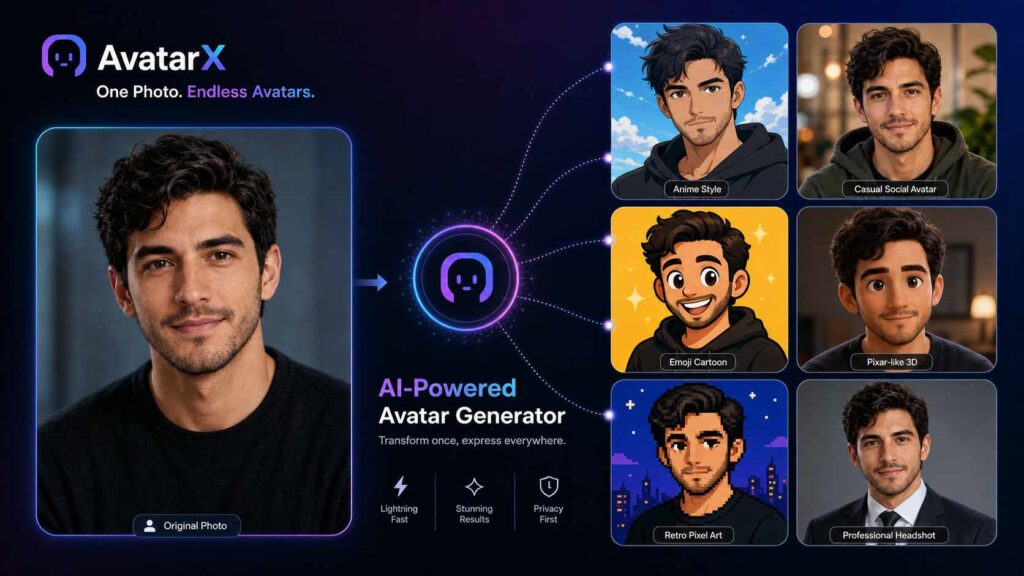
Types of AI Avatars You Can Create
Depending on the tool, you can typically generate:
- Realistic avatars — polished, natural-looking versions of your actual photo, often used for LinkedIn or professional bios
- Anime avatars — stylized in Japanese animation art styles, popular for gaming and Discord profiles
- Cartoon avatars — simplified, illustrated versions with exaggerated or softened features
- Professional avatars — corporate-style headshots with clean backgrounds and business attire, often generated even if your original photo is casual
- Fantasy and artistic avatars — stylized in painterly, cyberpunk, or fantasy art aesthetics for creative or gaming profiles
Picking the right avatar generator often comes down to which of these styles you need most, since not every tool covers all five equally well.
How We Evaluated the Best AI Avatar Generators in 2026
To rank these tools fairly, we tested each one using the same reference photo and compared results across four criteria that matter most for anyone searching for an ai avatar maker.
Avatar Quality and Identity Preservation
We looked at how closely each output preserved the uploader's actual facial structure, rather than producing a generic stylized face that only loosely resembles the original photo. Tools that drift too far from your real features are less useful for consistent personal branding.
Style Variety and Customization
We counted how many distinct avatar styles each platform offers out of the box — and whether you can customize further with prompts, color palettes, or backgrounds — since a wider style library means you're less likely to need a second tool.
Speed and Ease of Use
We timed how long it took to go from photo upload to a finished, downloadable avatar, and noted how many steps were required. Tools built specifically as an avatar generator tend to be faster than general-purpose photo editors with avatar features bolted on.
Pricing, Free Credits, and Commercial Usage Rights
Finally, we checked what each tool offers for free, what upgrading unlocks (higher resolution, no watermark, more styles), and whether the license terms allow commercial use — an important detail if you plan to use your avatar for business branding rather than personal use only.
10 Best AI Avatar Generators in 2026 (Tested and Compared)
1. NoteGPT — Best Overall AI Avatar Generator
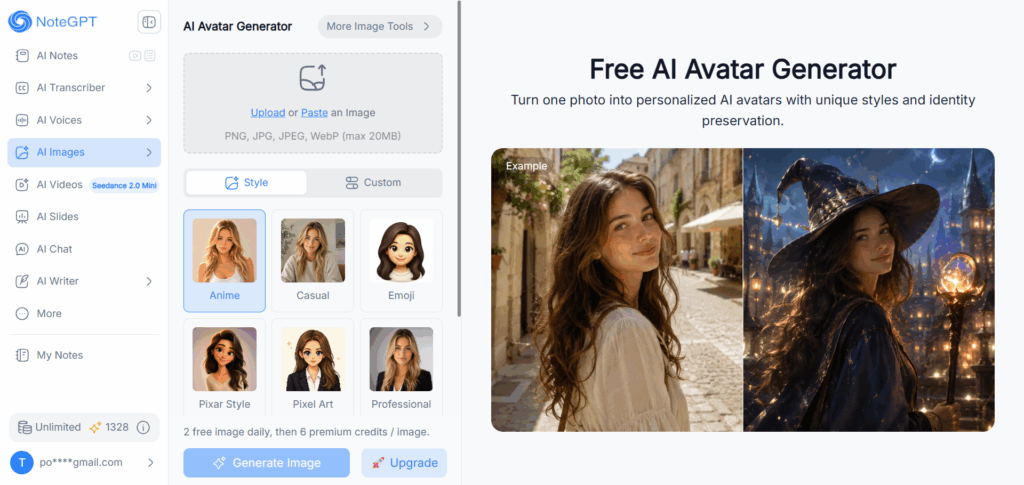
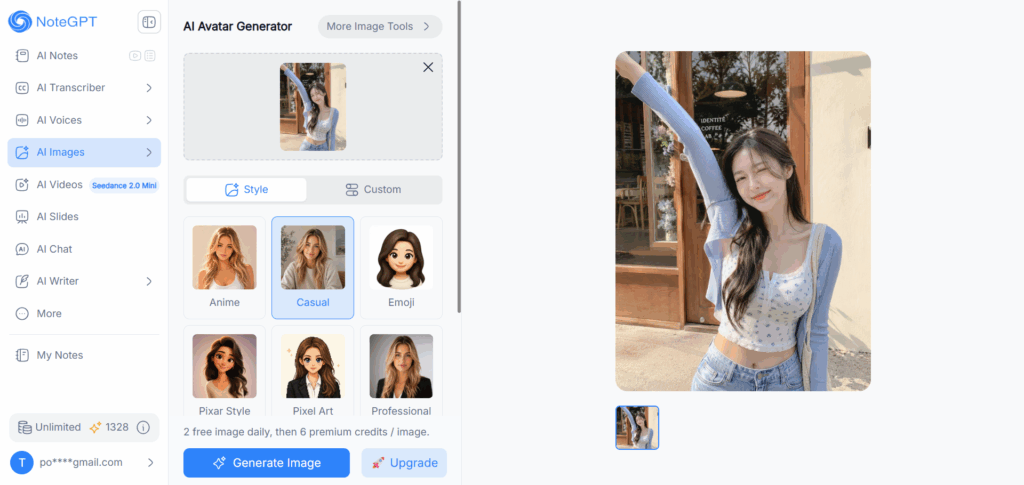
NoteGPT's AI Avatar Generator is built around a simple idea: upload one photo, and generate it across multiple avatar styles in the same session — Anime, Casual, Emoji, Pixar Style, Pixel Art, and Professional — instead of committing to just one look.
That range is what makes it a strong overall choice for AI avatar creation. Users can generate realistic, creative, and professional avatar variations from the same source photo without switching between different platforms or repeating the upload process.
The workflow is simple: upload a PNG, JPG, JPEG, or WebP file, select an avatar style, and generate. NoteGPT focuses on maintaining identity consistency across different styles, so the generated avatars still retain recognizable facial features even when transformed into more stylized looks.
NoteGPT provides free avatar generations that allow users to explore different styles before upgrading for additional creations. This makes it easy to test multiple avatar looks and choose the style that best fits your profile picture, social media presence, or personal brand.
- Styles available: Anime, Casual, Emoji, Pixar Style, Pixel Art, Professional
- Best for: Users who want multiple avatar styles from one photo without using multiple apps
- Free tier: Free generations available with additional options through premium plans
2. Lensa AI — Best for Quick Artistic Avatar Packs
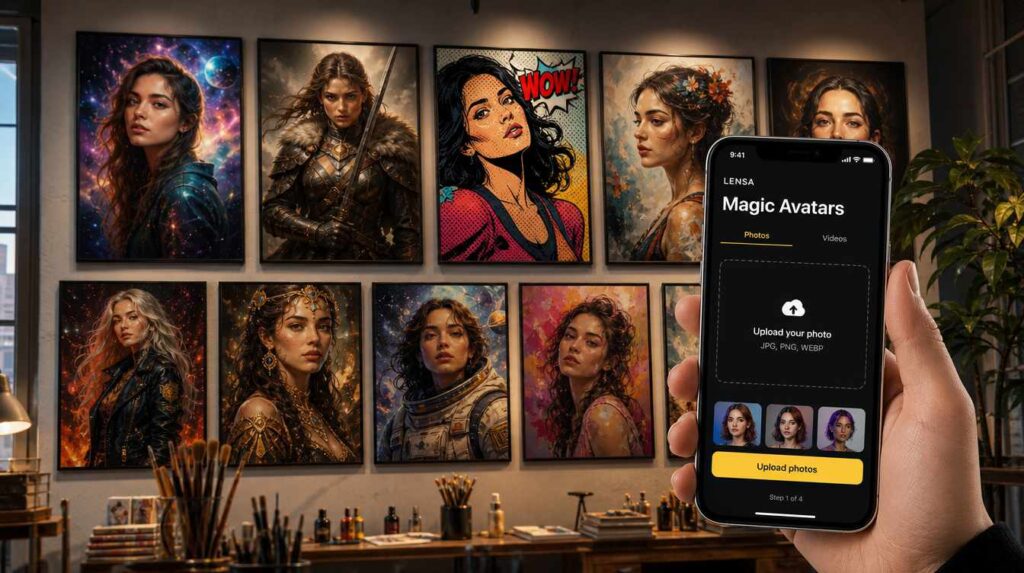
Lensa, developed by Prisma Labs, helped popularize AI avatar apps among mainstream users with its viral "Magic Avatars" feature. Instead of focusing on a single avatar style, Lensa asks users to upload multiple selfies and generates a collection of artistic portraits across themes like cosmic, fantasy, anime, and pop art.
That batch-generation approach is Lensa's biggest strength. Users can receive dozens of visually different avatars in one session, making it ideal for social media profiles and creative expression. The tradeoff is that Lensa's results tend to lean more artistic and stylized rather than photorealistic, so it may not be the best choice for professional headshots or business profiles.
- Styles available: Cosmic, fantasy, anime, pop art, and other curated artistic themes
- Best for: Users who want a collection of creative, social-media-ready avatars
- Free tier: Limited; full avatar packs require a paid purchase
3. Fotor — Best Browser-Based Avatar Generator
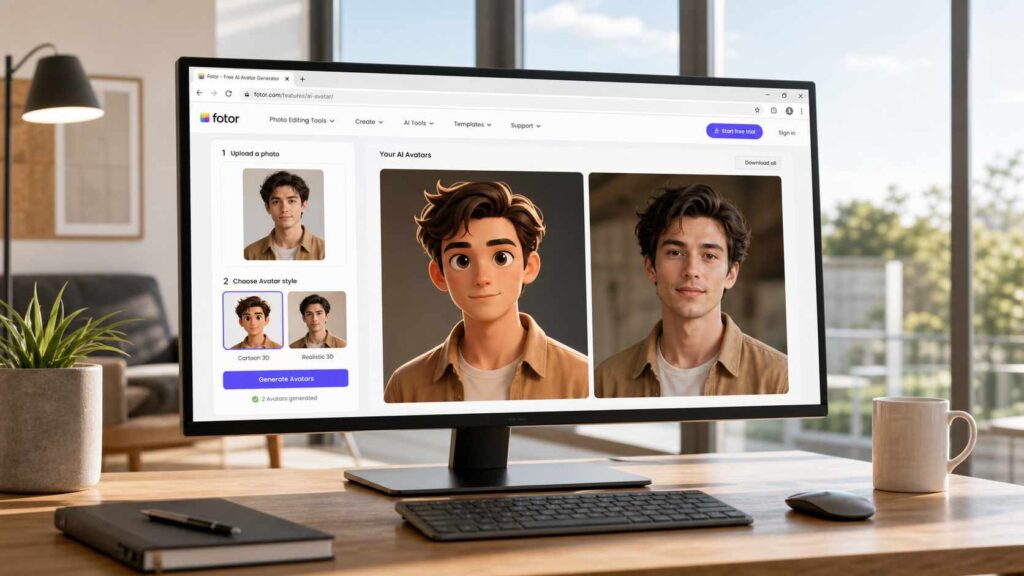
Fotor has been a photo editing platform for years, and its AI Avatar Generator has become one of its standout features. Unlike mobile-first apps, Fotor runs entirely in the browser (with additional desktop and mobile apps available), so there's nothing to install if you just want to generate an avatar quickly.
Fotor lets you upload selfies and generate a range of avatar styles — from cartoon to realistic — with noticeably smooth color grading and polish compared to some competitors. It's a solid choice if you want an ai avatar generator from photo that doesn't require signing up for a mobile app or downloading software.
- Styles available: Cartoon, realistic, and a range of artistic filters
- Best for: Users who want a fast, no-install, browser-based avatar creation experience
- Free tier: Free tier available, with paid plans unlocking additional styles and higher-resolution exports
4. Picsart — Best for Social-Ready Avatar Effects
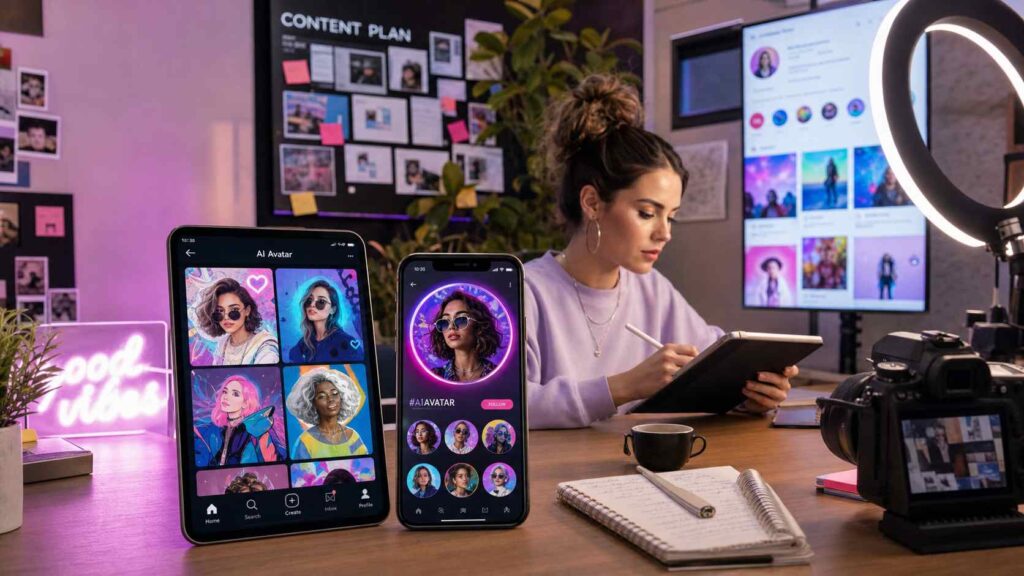
Picsart is best known as a full creative suite — photo editing, background removal, and a text-to-image AI generator — and its AI avatar feature lives inside that broader toolkit. You upload selfies, and Picsart generates stylized digital portraits designed to look good specifically as social media profile pictures.
Because Picsart is built around social and creative content more broadly, its avatar outputs tend to lean trend-driven, with styles that mirror whatever aesthetic is popular at the moment. If you already use Picsart for other photo editing tasks, generating your avatar in the same app keeps your workflow in one place.
- Styles available: Trend-driven stylized portraits, updated regularly
- Best for: Users who want social-media-optimized avatars and already use Picsart for other editing
- Free tier: Free version available; advanced avatar and editing tools require Picsart Gold
5. StarryAI — Best for Prompt-Customizable Avatars
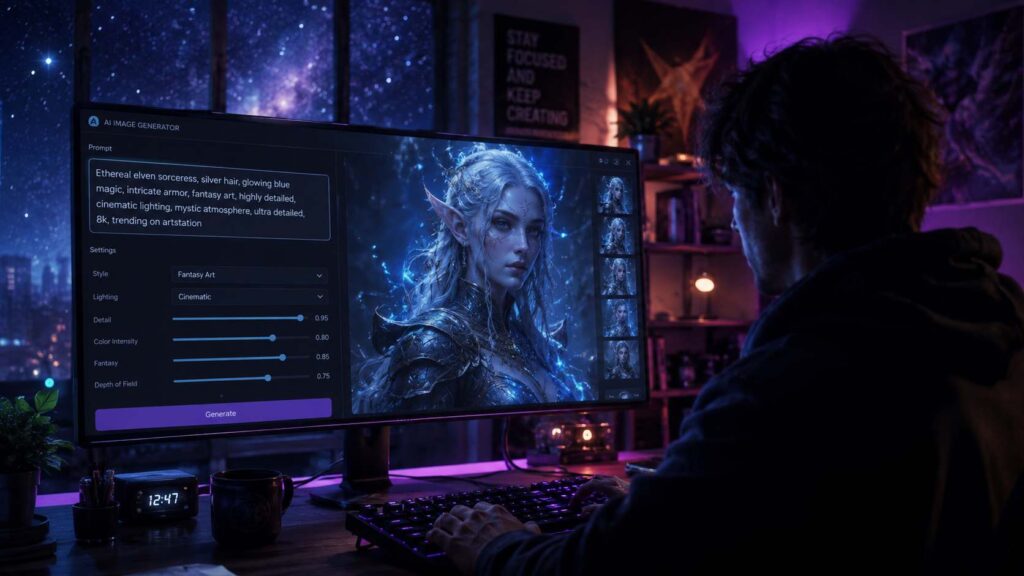
StarryAI combines AI art generation with personalized avatar creation through its Starrytars feature. While the platform is known for its wide range of AI art styles, its avatar tool allows users to transform uploaded photos into customized digital identities with more creative control.
Unlike simple one-click avatar generators, StarryAI gives users more flexibility through prompts, styles, and visual adjustments. This makes it a strong option for people who already have a specific creative direction in mind, such as fantasy characters, artistic portraits, or unique digital personas.
The tradeoff is that achieving the best results may require more experimentation. Users looking for instant professional or profile-ready avatars may prefer simpler tools with predefined avatar styles.
- Styles available: Creative, fantasy, artistic, and prompt-customizable avatar styles
- Best for: Users who want detailed control over their avatar's appearance and style
- Free tier: Free credits available with additional generations through paid plans
6. Canva — Best for Avatars Inside a Design Workflow
Canva is best known as an all-in-one design platform, and its AI avatar features fit naturally into its broader ecosystem of templates, presentations, social media designs, and brand assets. Instead of creating an avatar as a standalone image, Canva lets you place AI-generated visuals directly into posters, profile banners, presentations, and marketing materials.
For users who already use Canva for content creation, this workflow advantage is hard to beat. You can generate an avatar, remove backgrounds, adjust layouts, and build complete branded designs without switching between different tools. However, Canva’s avatar generation is less specialized than dedicated AI avatar generators, so users looking for dozens of highly personalized avatar variations may find other tools more focused.
- Styles available: Cartoon, illustrated avatars, professional portraits, creative designs
- Best for: Designers, marketers, and creators who need avatars integrated into larger visual projects
- Free tier: Free plan available; some AI features and premium assets require Canva Pro
7. PFPMaker — Best Free Simple Profile Picture Generator
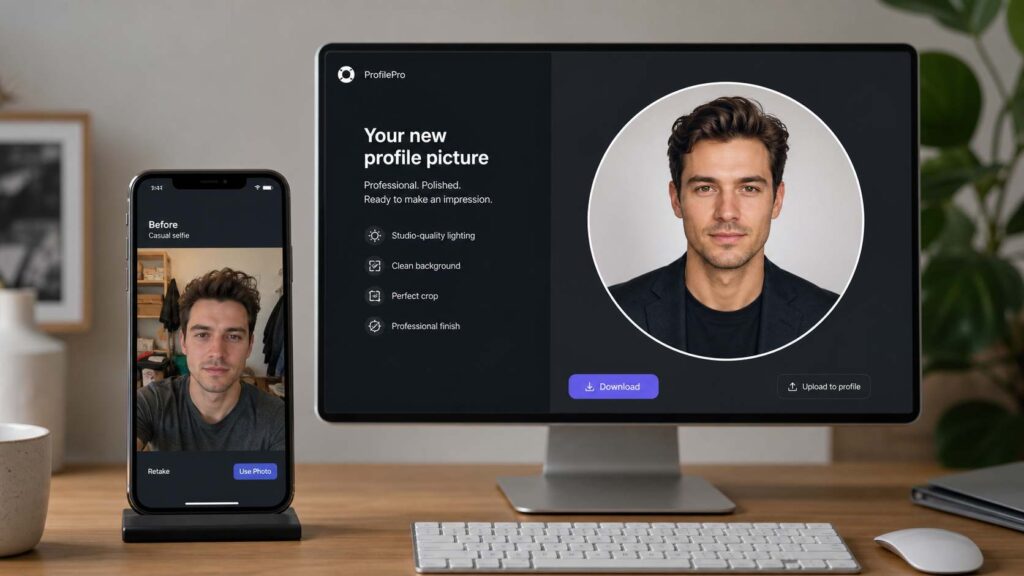
PFPMaker focuses on one specific goal: creating better profile pictures. Unlike broader AI image platforms, it is designed around a common use case — turning an existing photo into a polished avatar for social profiles, resumes, and professional accounts.
The tool is especially useful if you already have a good portrait photo but want to improve presentation with cleaner backgrounds, professional framing, or different profile picture styles. Its simplicity is its biggest advantage: upload a photo, choose a style, and generate without dealing with complex settings.
The limitation is that PFPMaker is more focused on profile optimization than creative avatar exploration. If you want anime, fantasy, Pixar-style, or highly artistic avatars, dedicated AI avatar generators usually provide more variety.
- Styles available: Professional headshots, profile portraits, background variations
- Best for: Users who need a clean AI profile picture quickly
- Free tier: Free profile picture generation available; premium options unlock additional features
8. ArtGuru — Best for Bulk-Generating Multiple Avatar Styles at Once
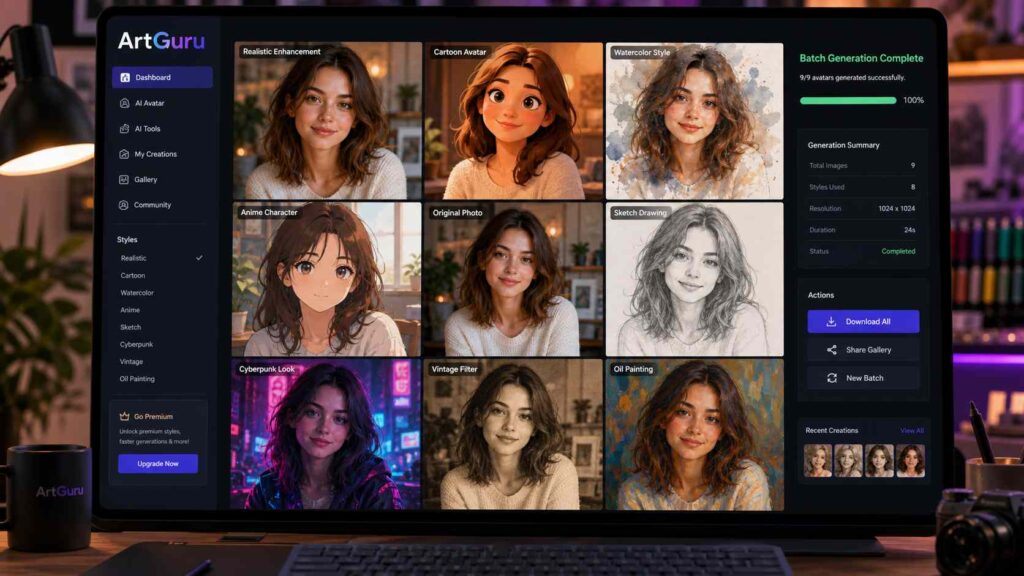
ArtGuru is designed for users who want to experiment with multiple AI avatar variations from their photos. Instead of generating only one final image, it focuses on producing different styles and creative interpretations from the same uploaded photo.
This makes it useful for users who need multiple avatars for different platforms — for example, a professional LinkedIn image, a casual social profile picture, and a creative gaming avatar. The ability to generate several variations quickly reduces the need to test multiple tools separately.
Compared with more established creative platforms, ArtGuru has a smaller ecosystem, but its focused avatar generation workflow makes it a practical option for users who prioritize variety and speed.
- Styles available: Realistic portraits, cartoon avatars, artistic styles, creative variations
- Best for: Users who want multiple avatar options from one photo
- Free tier: Free generations available with additional features through paid plans
9. Monica — Best for AI-Powered Image Creation Workflows
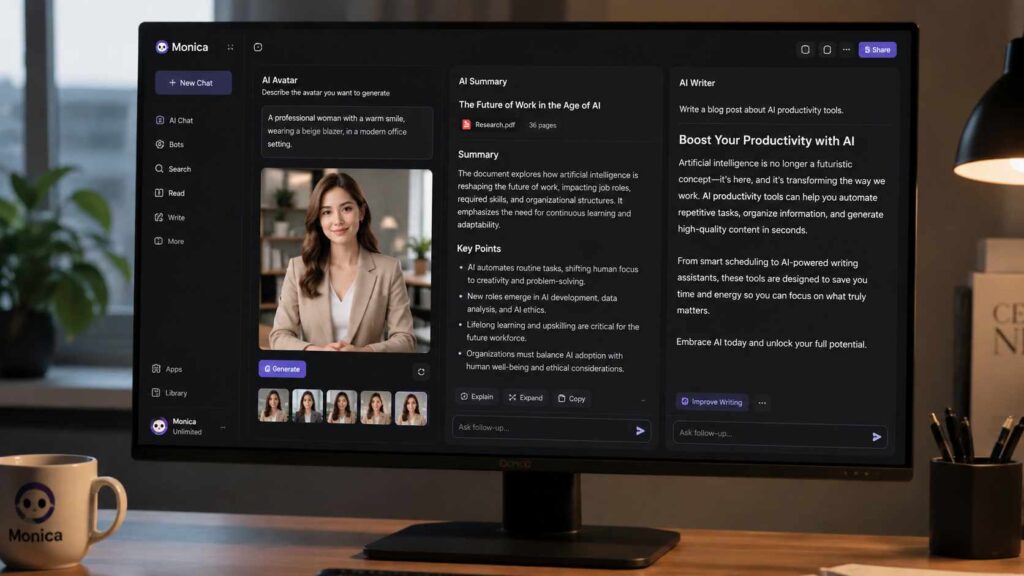
Monica combines AI image generation with its broader AI assistant ecosystem, allowing users to create avatars and other visual content within the same workspace. Instead of focusing only on avatar creation, Monica is designed for users who want an integrated AI workflow that covers writing, research, productivity, and image generation in one place.
For users who already use Monica for daily AI tasks, its avatar generator provides a convenient way to create personalized profile images without switching between multiple platforms. It works well for casual avatars, creative portraits, and quick visual experiments, although users looking specifically for a wide range of dedicated avatar styles may prefer specialized AI avatar generators.
- Styles available: Realistic portraits, artistic avatars, creative profile images
- Best for: Users who want avatar creation inside a broader AI productivity workflow
- Free tier: Free usage available with limits; premium plans unlock additional AI features
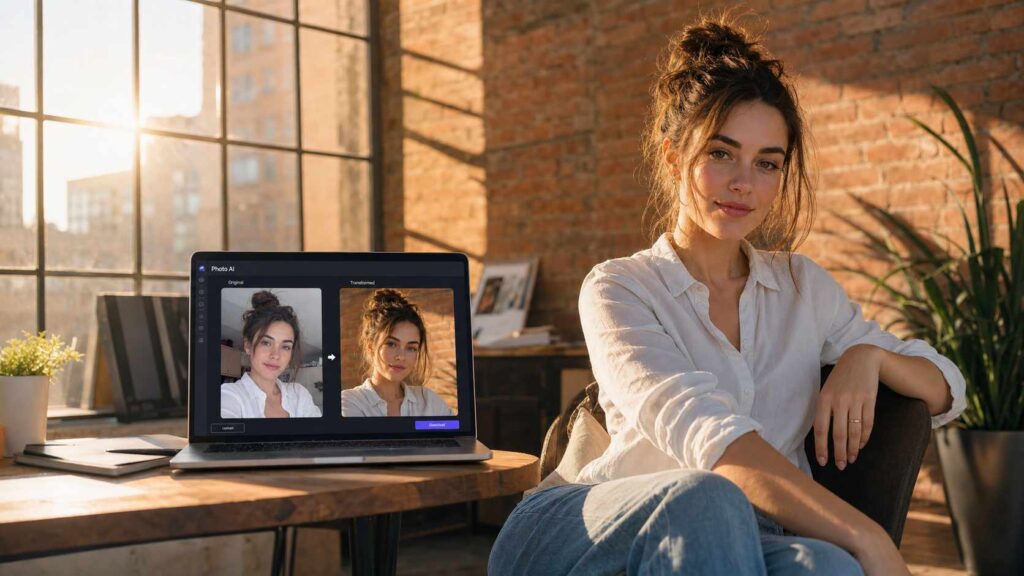
10. Photo AI — Best for Photorealistic AI Photoshoots
Photo AI takes a different approach from traditional avatar generators. Instead of focusing mainly on cartoon or illustrated avatars, it creates realistic AI-generated photos of users in different environments, outfits, and professional scenarios.
This makes it particularly useful for people who need AI-generated personal branding images, creator portraits, or professional profile photos without booking a real photoshoot. By training AI models on uploaded photos, Photo AI can generate realistic variations while maintaining recognizable facial features.
The tradeoff is that Photo AI is more focused on AI photoshoots than quick avatar creation. If you need a fun cartoon avatar or anime-style profile picture, other tools may provide more suitable options.
- Styles available: Photorealistic portraits, lifestyle photos, professional headshots
- Best for: Creators, professionals, and personal branding
- Free tier: Trial options available; full access requires a paid plan
AI Avatar Generators Compared: Features, Styles, and Pricing
| Tool | Best For | Avatar Styles | Free Plan | Commercial Use |
| NoteGPT | Best overall AI avatar generator | Anime, Casual, Emoji, Pixar Style, Pixel Art, Professional | Free daily generations | Check license terms |
| Lensa AI | Artistic avatar packs | Fantasy, anime, creative portraits | Limited free access | Personal use focused |
| Fotor | Browser-based avatar creation | Realistic, cartoon, artistic | Free plan available | Depends on plan |
| Picsart | Social media avatars | Creative portraits, trendy styles | Free plan available | Depends on plan |
| StarryAI | Prompt customization | Creative, fantasy, artistic styles | Free credits available | Depends on plan |
| Canva | Design workflow | Cartoon, professional, creative avatars | Free plan available | Canva license applies |
| PFPMaker | Profile pictures | Professional portraits | Free generation available | Depends on usage |
| ArtGuru | Multiple avatar variations | Realistic, cartoon, artistic | Free credits available | Depends on plan |
| Monica | AI workspace avatar creation | Realistic, artistic avatars | Free limits available | Depends on plan |
| Photo AI | AI photoshoots | Realistic portraits | Limited trial | Commercial plans available |
How to Choose the Best AI Avatar Generator for You
By Avatar Style (Realistic vs. Anime vs. Professional)
The best AI avatar generator depends heavily on the style you need.
For realistic professional images, tools like Photo AI, Remini, and NoteGPT’s Professional style are better choices. If you want creative or entertainment-focused avatars, Lensa AI, StarryAI, and Picsart provide more artistic options.
For users who need multiple styles from one photo, a versatile tool like NoteGPT is more practical because it combines realistic, cartoon, and creative avatar options in one workflow.
By Photo Quality and Identity Preservation Needs
Identity preservation is one of the most important factors when choosing an ai avatar generator from photo.
A good tool should maintain key facial features, including:
- Face shape
- Eyes and expressions
- Hair characteristics
- Overall resemblance
If the generated avatar looks like a completely different person, it becomes less useful for personal branding or professional profiles.
By Budget and Commercial Usage Needs
Free AI avatar generators are useful for casual profile pictures, but commercial users should pay attention to:
- Commercial usage rights
- Watermark restrictions
- Export quality
- Number of generations allowed
Creators and businesses using avatars for branding should choose tools with clear licensing terms and higher-resolution output options.
How to Create an AI Avatar From One Photo
Step 1: Upload Your Photo
Choose a clear, front-facing photo with good lighting. High-quality input images usually produce better AI avatar results because the model can better understand facial details.
Step 2: Choose Your Avatar Style
Select the style that matches your goal:
- Professional for LinkedIn or business profiles
- Cartoon or anime for social media
- Creative styles for gaming or personal expression
Some tools also allow custom prompts to further adjust appearance, backgrounds, and visual themes.
Step 3: Generate and Download
After selecting your style, let the AI create your avatar. Review the results, choose your favorite version, and download the final image for your profile, website, or social platforms.
Best AI Avatar Generators by Use Case
For Social Media Profiles
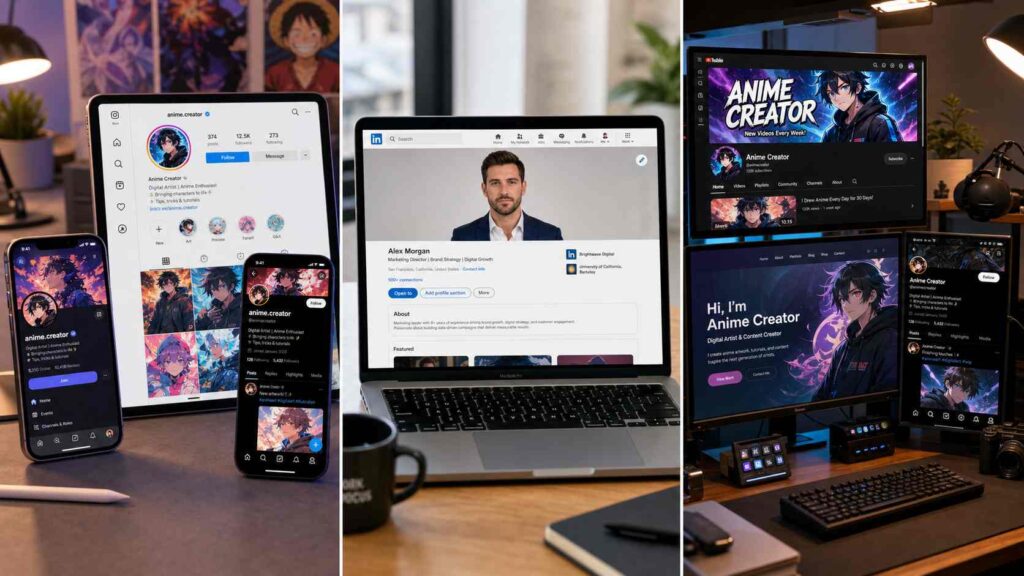
If you need an AI avatar for Instagram, Discord, X, or other social platforms, the best tools are those that offer creative styles and eye-catching designs. NoteGPT, Lensa AI, Picsart, and StarryAI are strong choices because they can transform a single photo into multiple avatar styles, from anime and cartoon looks to more artistic digital identities. For users who frequently update profile pictures or want different avatars across platforms, choosing an AI Avatar Generator with multiple styles is more practical than creating just one fixed image.
For LinkedIn and Professional Headshots
For professional profiles, realism and identity preservation matter more than creative effects. Tools like NoteGPT, Photo AI, Remini, and PFPMaker are better suited for creating polished professional avatars and AI headshots. They focus on maintaining facial details while improving lighting, background, and overall presentation, making them useful for LinkedIn profiles, resumes, personal websites, and business accounts. Among them, NoteGPT’s Professional style provides a simple way to turn an existing photo into a professional-looking profile picture without needing a studio photoshoot.
For Content Creators and Personal Branding
Content creators often need multiple visual identities for different channels, including social media profiles, thumbnails, websites, and brand materials. In this case, a flexible AI avatar generator from photo is more valuable than a single-purpose profile picture tool. NoteGPT, Canva, StarryAI, and Photo AI are good options because they allow creators to generate different styles while maintaining a consistent personal image. Whether you need a professional creator portrait, a creative character avatar, or branded visuals for different platforms, these tools make it easier to build a recognizable online presence.
Frequently Asked Questions
What is the best AI avatar generator in 2026?
The best AI avatar generator depends on your needs. For users who want multiple avatar styles from one photo, NoteGPT is one of the strongest options because it combines realistic, anime, cartoon, and professional avatar styles in one workflow.
How do AI avatar generators create avatars from a photo?
AI avatar generators analyze facial features from uploaded photos and recreate them using AI models in different visual styles while preserving important identity details.
Is there a free AI avatar generator?
Yes. Many AI avatar generators offer free credits or limited daily generations, including NoteGPT, PFPMaker, Fotor, and other platforms.
Which AI avatar generator preserves identity best?
Tools that use personalized photo training generally perform better at maintaining facial resemblance. NoteGPT, Lensa AI, and Photo AI are designed to preserve key personal features across generated images.
Which AI avatar generator offers the best customization options?
StarryAI provides strong prompt-based customization, while NoteGPT offers a balance between preset styles and easy avatar creation.
Can I use AI-generated avatars for professional or commercial use?
Yes, but usage rights vary by platform. Before using AI avatars for business profiles, marketing materials, or commercial projects, check each tool’s licensing terms.
Final Verdict: Which AI Avatar Generator Is Best in 2026?
After comparing the leading tools, NoteGPT stands out as one of the best AI avatar generators in 2026 for users who want to transform a single photo into multiple personalized avatar styles.
With support for Anime, Casual, Emoji, Pixar Style, Pixel Art, and Professional avatars, NoteGPT makes it easy to create different versions of your digital identity while maintaining key facial features and personal resemblance. Whether you need a social media profile picture, a professional headshot, or a creative avatar for personal branding, NoteGPT provides a simple and flexible way to generate high-quality results.
For anyone looking for an AI Avatar Generator that combines style variety, ease of use, and identity preservation, NoteGPT offers a balanced solution without requiring advanced design skills.