


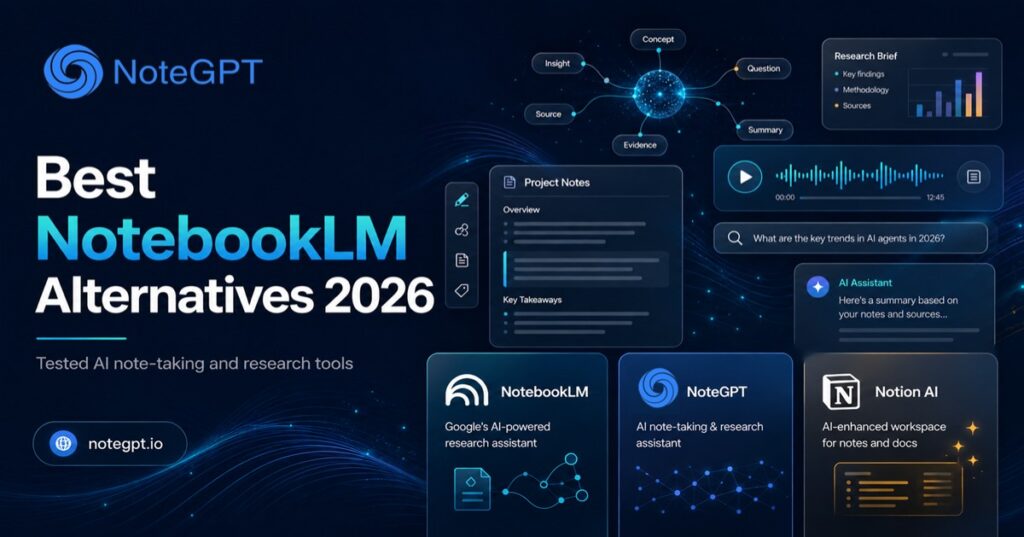
NotebookLM is a popular AI research tool that helps users analyze their own documents through source-based Q&A and citations. It works well as an AI PDF summarizer for users who need answers from a limited set of uploaded files. However, as projects grow larger, many users start looking for NotebookLM alternatives with more flexible ways to organize, understand, and transform information.
While NotebookLM focuses mainly on source-based conversations, some users need more than document Q&A. They are looking for AI tools that can turn PDFs, videos, webpages, and other sources into structured notes, summaries, and learning materials. For example, NoteGPT’s AI Note Taker helps users transform different types of content into AI-generated notes, mind maps, flashcards, and presentations.
In this guide, we tested 10 NotebookLM alternatives based on PDF analysis, source accuracy, AI Note Taker features, ease of use, and pricing to help you find the right tool for your workflow.

Quick Comparison of the Best NotebookLM Alternatives in 2026
| Tool | Best For | Key Features | Pricing | Main Limitation |
| NoteGPT | AI learning & PDF analysis | AI Note Taker (YouTube, video, audio, PDF, webpage, text), AI chat, mind maps, flashcards | Free + Paid (from $9.99/mo) | Organizes notes by folder and type rather than bidirectional linking |
| Notion AI | Team knowledge management | Workspace AI, Notion Agent, AI search across docs | Free + Paid (full AI needs Business tier) | Standalone AI add-on retired — full AI now needs the $20/seat Business plan |
| Perplexity Spaces | Live web-grounded research | Source chat, real-time web search, citations | Free + Paid (from $20/mo) | 50-file Space cap on Pro comes up fast on bigger projects |
| Claude Projects | Long document analysis | Deep reasoning, project-level context, document Q&A | Free + Paid (from $20/mo) | Can hit usage limits mid-conversation during long sessions |
| Obsidian | Offline, privacy-first notes | Local Markdown notes, bidirectional links, AI via plugins | Free (core app); paid add-ons optional | Shared vaults via Sync aren't smooth for real-time collaboration |
| Evernote | Everyday document organization | AI Summarize, AI Assistant chat, meeting transcription | Free + Paid (from $8.25/mo annual) | 2025 price hikes shrank the free plan and angered long-time users |
| Heptabase | Visual learning & whiteboarding | Infinite whiteboard, PDF annotation, cited AI Q&A | Free credits + Paid (from $8.99/mo annual) | Whiteboard approach takes a few real sessions to click |
| Tana | Structured knowledge graphs | Supertags, live queries, multi-model AI chat | Free + Paid (from $8/mo annual) | AI credits don't roll over — easy to burn through and need top-ups |
| Elicit | Academic research & citations | Search 138M+ papers, citation-backed summaries, data extraction | Free + Paid (from $12/mo) | Independent testing found real-world accuracy below published benchmarks |
| Saner.AI | AI-native second brain | Smart search across notes/emails, AI task assistant | Free + Paid (from $8/mo annual) | Free plan's 1-minute voice recording cap is too tight for regular use |
How We Tested These NotebookLM Alternatives
We evaluated each tool the same way, using a shared set of PDFs, research papers, and long-form documents across five criteria:
- Source-grounded answer accuracy — does the AI's response actually reflect what's in the uploaded document, with traceable citations?
- Source capacity — how many documents or how much data can you realistically work with before hitting a wall?
- Ease of use — how much setup or learning curve stands between you and a useful answer?
- Pricing transparency — is the free tier usable, and does the paid tier's value match its cost?
- Offline / privacy support — does the tool require the cloud, or can sensitive documents stay local?
No tool scored perfectly across all five — that's the point of a comparison, not a single "winner takes all."
10 Best NotebookLM Alternatives in 2026
1. NoteGPT — Best Overall NotebookLM Alternative for AI Notes & Learning
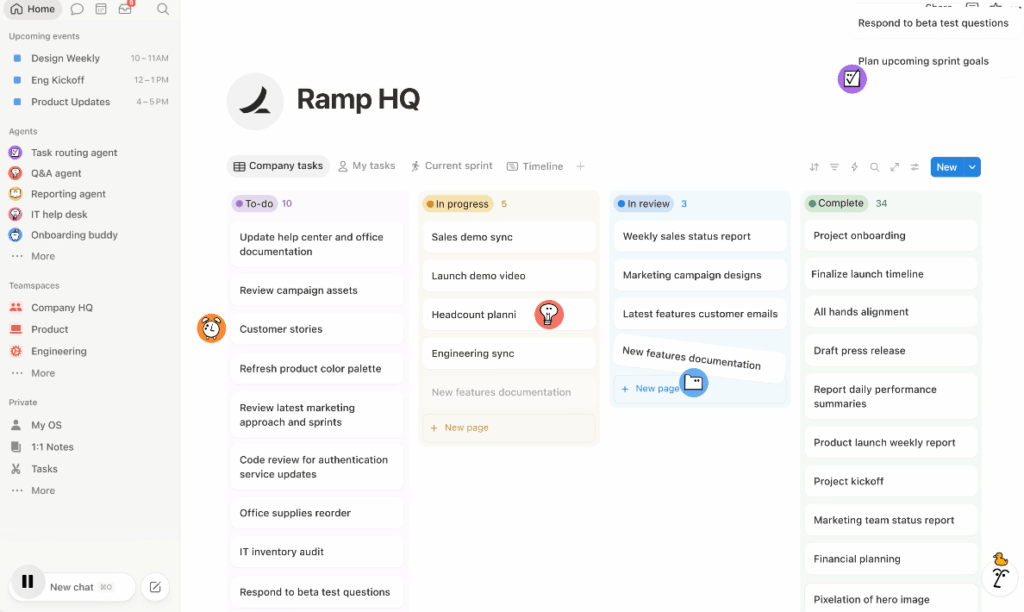
NoteGPT stands out as a flexible NotebookLM alternative with its AI Note Taker, designed for users who want to do more than just ask questions about their sources. While NotebookLM focuses on source-based conversations, NoteGPT helps users transform different types of content into structured, reusable learning materials.
The AI Note Taker supports a wide range of inputs, including YouTube videos and playlists, uploaded video or audio files, PDFs, images, webpages, and text. After analyzing the content, it can generate organized notes, summaries, and key insights. Users can further turn the same source into mind maps, flashcards, or presentations, making it easier to learn, review, and create from existing information.
Key Features:
- Multi-format AI note-taking: Process YouTube videos, PDFs, webpages, audio files, images, and text in one workflow.
- Structured content transformation: Turn long-form content into clear notes, summaries, and learning materials.
- Multiple output formats: Convert information into mind maps, flashcards, and presentations for different learning needs.
- Interactive AI chat: Ask questions about your sources and explore specific information in more detail.
Pricing: Free plan with limited monthly credits; Pro at $9.99/month; Unlimited at $29/month ($19.92/month billed annually); Max at $99/month for heavy commercial use.
Best for: Students, researchers, and content creators looking for an all-in-one AI note-taking tool that combines summarization, document analysis, and content creation in a single workflow.
Main Limitation: NoteGPT focuses on turning information into useful outputs rather than building a complex personal knowledge graph. Users who mainly want interconnected notes and long-term knowledge management may prefer tools designed specifically for that workflow.
Our Take: NotebookLM is excellent for asking questions about uploaded sources, but many users need the next step after getting an answer. NoteGPT’s AI Note Taker helps bridge that gap by turning PDFs, videos, and other content into structured notes and learning resources, making it a strong choice for users who want to understand, organize, and reuse information more efficiently.
2. Notion AI — Best for AI-Powered Knowledge Management
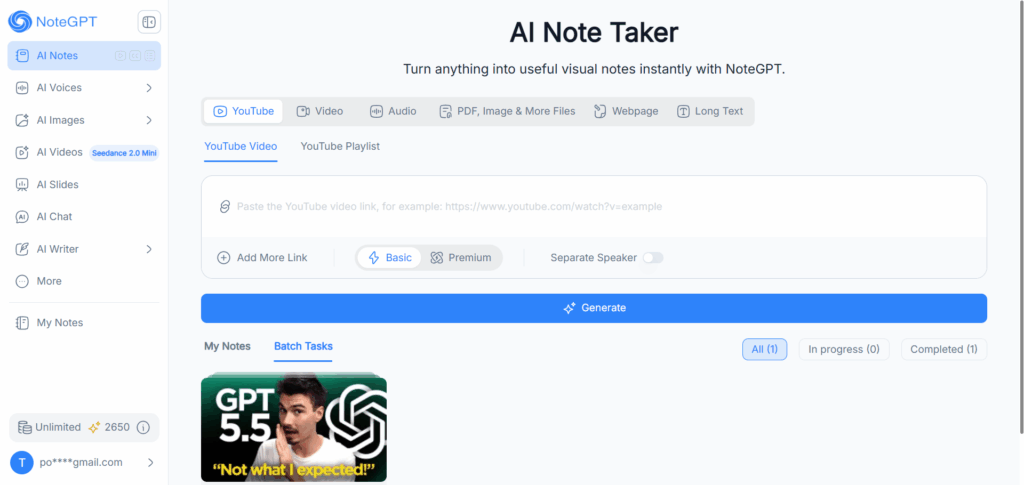
Notion AI turns Notion's workspace into a searchable, AI-queryable knowledge base — useful if your "sources" are internal docs and wikis rather than PDFs. As of 2026, full AI access (Notion Agent, AI search, AI Meeting Notes) is bundled exclusively into the Business plan; the standalone AI add-on for Free/Plus users was retired.
Key features: Notion Agent can carry out multi-step tasks across your workspace on its own, while the built-in AI search lets you ask questions and get answers pulled from whichever pages and databases hold the relevant information — closer to querying a team wiki than chatting with a single document.
Pricing: Free and Plus ($10/user/month) get limited AI; full AI requires Business at $20/user/month (billed annually, $24 monthly).
Best for: Teams who already live in Notion and want AI answers pulled from their existing docs and databases.
Main limitation: The standalone AI add-on that used to let solo users pay $8–10/month for just the AI features is gone — now you're looking at the $20/seat Business plan to get full AI, which stings if you're one person who never needed the rest of the workspace.
Our take: Notion AI isn't trying to replace NotebookLM's document Q&A — it's solving a different problem (team knowledge, not personal research). Worth it only if your team already runs on Notion.
3. Perplexity Spaces — Best for AI Research and Web-Based Answers
Perplexity Spaces is widely considered the closest direct competitor to NotebookLM: it grounds every answer in your uploaded sources with citations, but adds live web search on top — so answers can pull in current information NotebookLM's closed-source-set approach can't.
Key features: A Space holds your uploaded files alongside your starred web sources and past conversations, and every answer cites exactly where it came from — whether that's one of your PDFs or a live page pulled from the web — while you can also switch between different AI models depending on the task.
Pricing: Free tier with limited daily searches; Pro at $20/month ($200/year); Max at $200/month for power users.
Best for: Researchers who want NotebookLM-style cited answers but need current web information mixed in, not just a closed document set.
Main limitation: The 50-file cap per Space on the Pro plan comes up faster than you'd expect once a project grows — reviewers doing serious document-heavy research report hitting it and having to think seriously about Enterprise pricing sooner than planned.
Our take: This is the pick if your research question changes faster than your source PDFs do — Spaces keeps the NotebookLM-style citation habit while letting the web fill in what your documents can't.
4. Claude Projects — Best for Long Document Analysis
Claude Projects lets you upload a set of documents and chat with Claude Sonnet 5 or Opus 4.8 grounded in that context — strong for deep reasoning over long or complex material, like contracts, research papers, or codebases, rather than quick summarization.
Key features: You upload a set of files once, and Claude holds onto that context for the rest of the project so you don't have to re-explain your material every time you ask a new question — and it's built to reason carefully through dense or lengthy documents rather than just skim and summarize.
Pricing: Free plan with limited usage; Pro at $20/month ($17/month billed annually); Max at $100 or $200/month for heavier daily use.
Best for: Anyone doing deep analytical work — legal review, technical documentation, long-form research — where reasoning quality matters more than speed.
Main limitation: Free and even Pro users can still hit usage limits mid-conversation during a long research session — frustrating when it happens right as you're deep into a document and don't want to lose your train of thought.
Our take: When a document is genuinely hard to reason through — not just long, but dense — this is where we reached for Claude over NotebookLM. It's slower to skim but noticeably better at not missing the point.
5. Obsidian — Best Offline Note-Taking Alternative
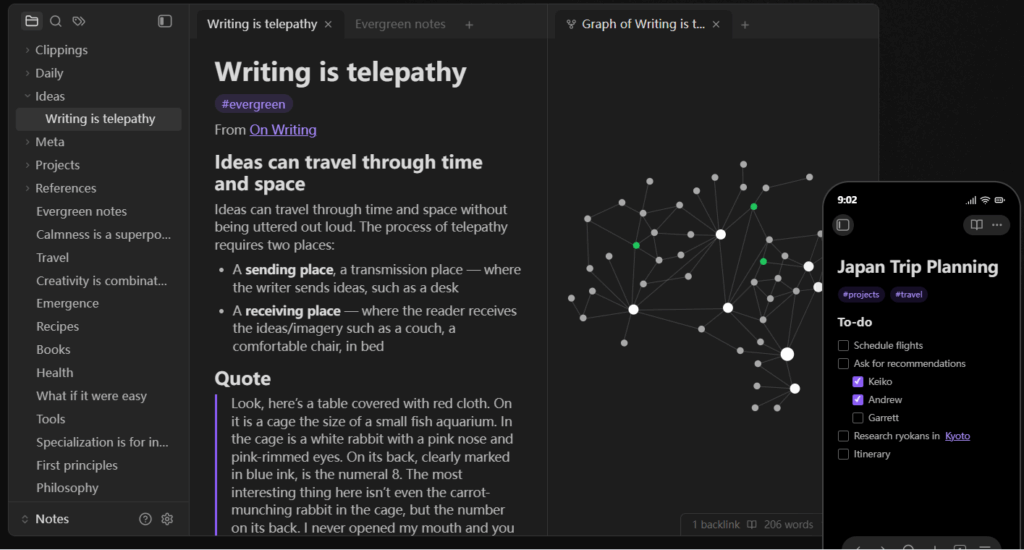
Obsidian takes the opposite approach from NotebookLM entirely: your notes live as local Markdown files on your own device, with no forced cloud dependency. AI capabilities come through community plugins rather than a native chat feature, which appeals directly to privacy-conscious researchers.
Key features: Every note is a plain Markdown file that lives on your own device, and instead of folders, you link notes to each other directly, so a graph view gradually builds up showing how your ideas connect — AI chat isn't native, but it can be added through the plugin ecosystem if you want it.
Pricing: The core app is free forever, including commercial use. Optional paid add-ons: Sync at $4–5/month, Publish at $8–10/month.
Best for: Academics, writers, and privacy-focused users who want full control of their data and don't mind assembling their own plugin-based AI workflow.
Main limitation: Users on forums consistently note that shared vaults through Sync don't offer smooth real-time collaboration and can create conflicting versions — fine if you're working solo, genuinely annoying if you're sharing a vault with someone else.
Our take: Obsidian won't hand you a NotebookLM-style answer out of the box, but if "my documents never leave my device" is non-negotiable for you, no other tool on this list matches that guarantee.
6. Evernote — Best for Everyday AI Note Organization
Evernote's 2026 relaunch (under Bending Spoons) restructured its plans and pushed its AI toolset — AI Summarize, AI Assistant chat, AI Transcribe — into the higher-priced tier. It's a familiar, easy-to-use option for people who already think of Evernote as their "second brain."
Key features: The AI Assistant can chat about your notes, pull out key tasks, and rewrite text on request, while AI Summarize condenses long documents or meeting recordings into several formats depending on what you need — a bullet list, an outline, or a short paragraph.
Pricing: Free plan capped at 50 notes and 1 notebook; Starter at roughly $8.25/month (annual, $14.99 monthly); Advanced at roughly $20.83/month (annual, $24.99 monthly) — full AI tools require Advanced.
Best for: Long-time Evernote users and everyday note-takers who want AI summarization without switching ecosystems.
Main limitation: The 2025 pricing overhaul under Bending Spoons hit long-time users hard — renewal costs jumped and the free plan shrank to just 50 notes and 1 notebook, and a lot of loyal users on forums have said it felt like the rug got pulled out from under them.
Our take: Evernote's AI is genuinely capable now, but it's gated behind the priciest tier — go in expecting Advanced to be the real starting point, not Free or Starter.
7. Heptabase — Best Visual Learning Alternative
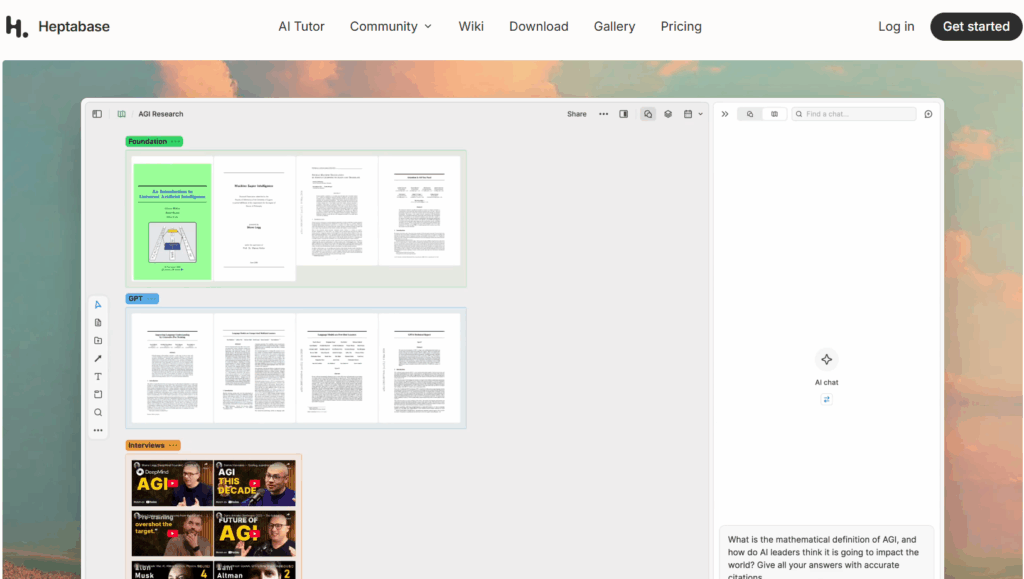
Heptabase's whiteboard-based approach to notes and PDFs makes it a strong pick for visual thinkers. In late 2025, it explicitly added a NotebookLM-style feature: ask questions and get AI answers grounded in your sources, with citations, all self-hosted for privacy.
Key features: Instead of a chat window, you work on an infinite whiteboard where notes, PDFs, and cards can be arranged spatially — and you can now also ask the AI questions across everything in your workspace and get cited answers, the same way you would in NotebookLM, but with the visual layer built in on top.
Pricing: Free plan with limited AI credits; paid plan at $8.99/month billed annually ($11.99/month monthly).
Best for: Visual learners, researchers, and writers who think spatially and want to arrange ideas on a canvas rather than in a linear chat.
Main limitation: Reviewers consistently mention needing a few real working sessions before the whiteboard approach actually clicks — it's not something you pick up by skimming a five-minute tutorial, so the first week can feel slower than expected.
Our take: Heptabase is one of the only tools here that built a NotebookLM-style feature on purpose, not by accident — and the whiteboard layer on top is what makes it worth the learning curve.
8. Tana — Best Structured Knowledge Management Tool
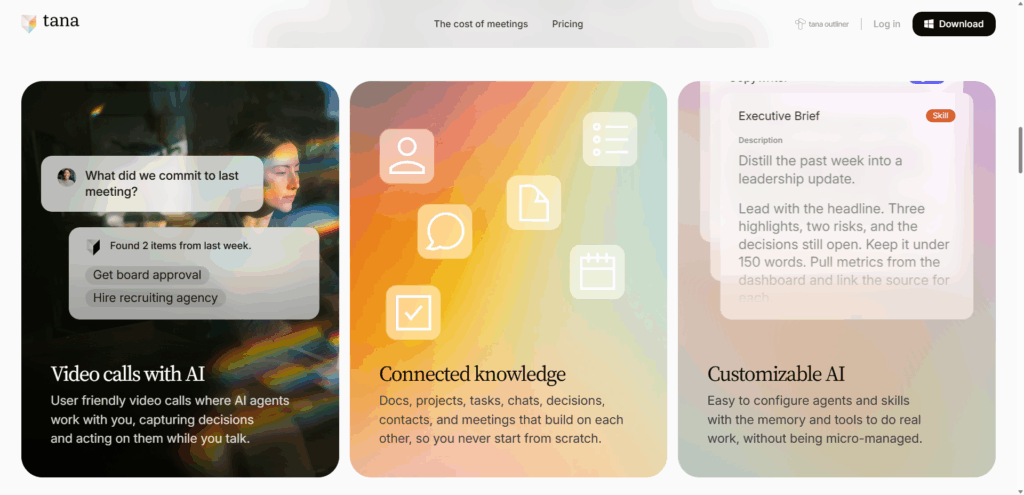
Tana's "supertag" system turns everyday notes into structured, queryable data — closer to a personal database than a document-chat tool. It's powerful for people managing complex, interconnected information, though its learning curve is real.
Key features: Tag any note with a "supertag" — like #project or #meeting — and it instantly gains structured fields you can filter and query later, turning your daily notes into something closer to a live database; on top of that, you can chat with several different AI models within the same workspace.
Pricing: Free plan with 500 AI credits/month; Plus at $8/month billed annually ($10 monthly); Pro at $14/month billed annually ($18 monthly).
Best for: Power users managing projects, meeting notes, and research who want everything to compound into one connected, structured system over time.
Main limitation: AI credits don't roll over month to month, so heavy users report burning through their monthly allotment faster than planned and having to buy top-ups — an easy cost to underestimate when you're budgeting for the Plus or Pro plan.
Our take: Tana asks for more patience upfront than anything else on this list, but for readers who want their notes to become an actual system rather than a pile of documents, it's worth the investment.
9. Elicit — Best AI Research Tool for Academic Papers
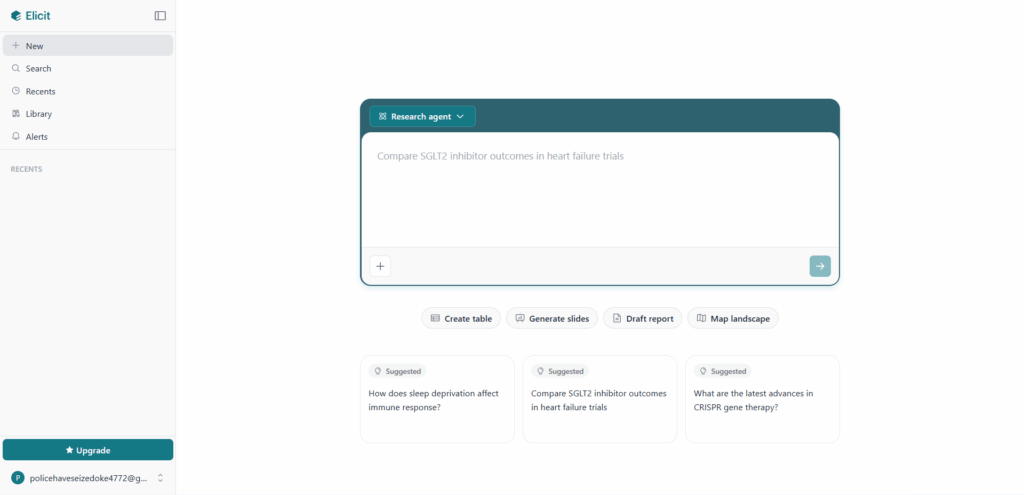
Elicit is the specialist on this list: it's built specifically for academic literature review, not general document chat. It searches over 138 million peer-reviewed papers and can extract structured data across dozens of studies at once — something NotebookLM was never designed to do.
Key features: You can search across more than 138 million academic papers and get a citation-backed summary of any single one, or go further and pull the same data point out of dozens of papers at once to build a structured comparison table for a literature review.
Pricing: Free Basic plan with unlimited search/summaries and 2 automated reports/month; Plus at $12/month; Pro at $49/month; Team at $79/month.
Best for: Academic researchers, grad students, and anyone doing systematic literature reviews who needs citation management beyond what NotebookLM offers.
Main limitation: An independent 2025 study found Elicit's real-world screening accuracy dropped well below its own published benchmark once researchers used realistic systematic-review search strategies instead of controlled test conditions — worth factoring in if you're relying on it for something that needs to hold up to scrutiny.
Our take: Elicit doesn't try to be a general NotebookLM replacement, and that's exactly why it wins for literature reviews — it goes deeper into one job instead of spreading thin across many.
10. Saner.AI — Best AI Second Brain Assistant
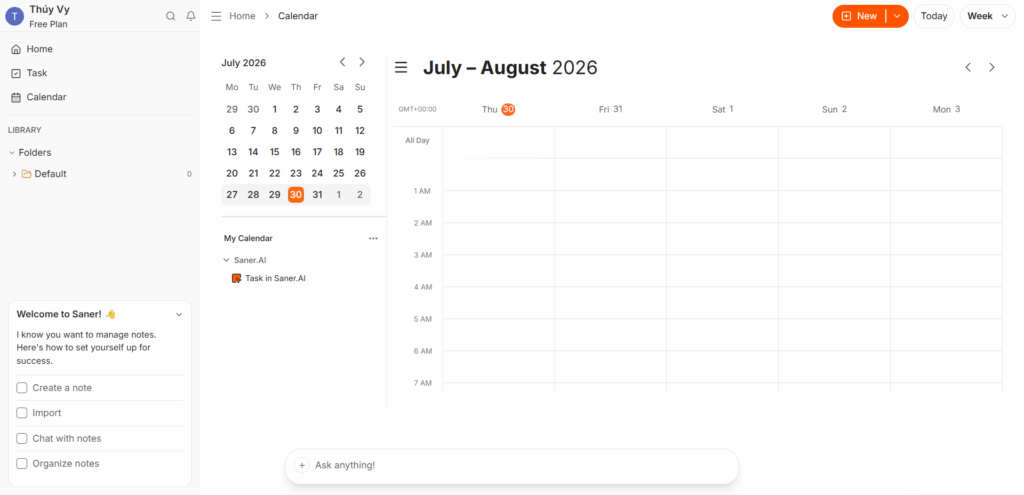
Saner.AI markets itself as an AI-native "second brain" that connects notes, email, and web content into one searchable, chattable system — with a particular focus on reducing cognitive overload for knowledge workers.
Key features: The Skai assistant automatically organizes whatever you capture — notes, emails, web clips — without you having to file anything manually, and you can later just ask it a question in plain language to pull the right information back, while it also spots action items buried in your notes or inbox and turns them into tracked tasks.
Pricing: Free plan with limited features; Starter at roughly $8/month billed annually ($12 monthly); Standard at roughly $16/month billed annually ($20 monthly).
Best for: Knowledge workers who want their notes, emails, and tasks unified into one AI-searchable system, not just document-specific Q&A.
Main limitation: The free plan's 1-minute voice recording cap is tight enough that several reviewers flagged it as impractical for anything beyond a quick one-line note — you'll likely want a paid plan if voice capture is part of your routine.
Our take: Saner.AI solves a different problem than NotebookLM does — less "answer questions about this PDF," more "stop losing track of everything." Worth it if scattered notes and tasks are your actual pain point.
NotebookLM Alternatives by Use Case
Ten tools is a lot to weigh against each other in the abstract. After spending time with all of them, here's how we'd actually point different readers based on what they're trying to get done.
Best NotebookLM Alternative for Students
If we had to hand a student one tool, it would be NoteGPT. The reason isn't just PDF summarization — its AI Note Taker turns a single lecture recording or textbook chapter into a mind map for review, flashcards for memorization, and a quick-reference summary, all without leaving the app. NotebookLM gets you the summary; it doesn't help you actually study from it, which is where good AI study tools earn their keep. Elicit is worth adding to the stack for anyone writing a thesis or literature review — its citation-backed multi-paper extraction saves the kind of manual cross-referencing that eats an entire weekend.
Best NotebookLM Alternative for Researchers
For academic and scientific research specifically, Elicit is the clearest upgrade over NotebookLM among the AI research tools we tested — searching 138 million peer-reviewed papers and extracting structured data across dozens of studies is a different league from chatting with a handful of uploaded PDFs. If the research is broader than academic literature — market research, competitive analysis, anything that needs current web information alongside your own sources — Perplexity Spaces is the better fit, since it grounds answers in both your uploads and live web results with citations either way.
Best NotebookLM Alternative for Teams
Notion AI made the most sense here in our testing, mainly because most teams already have their knowledge scattered across Notion docs, not clean PDF uploads — Notion AI can search and answer questions from that existing mess without asking anyone to reorganize first. For teams whose work is genuinely long, dense documents (contracts, technical specs, compliance material), Claude Projects held up better under real analytical pressure than anything else we tested.
Best Offline and Privacy-Focused NotebookLM Alternative
There's no real competition here: Obsidian is the only tool on this list where your documents never have to touch a cloud server unless you choose to sync them. The tradeoff is that you're assembling your own AI workflow through plugins rather than getting it out of the box — worth it if privacy is a hard requirement, less appealing if you just want something that works immediately.

FAQ
What is the best NotebookLM alternative in 2026?
NoteGPT is our top pick overall for users who want more than source-based document Q&A. Its AI Note Taker can process PDFs, YouTube videos, audio files, webpages, and text, then turn them into structured notes, summaries, mind maps, flashcards, and presentations. For specific workflows, Elicit is better suited for academic research, Perplexity Spaces works well for web-based research, and Obsidian is a strong choice for offline knowledge management.
What is the best free alternative to NotebookLM?
The best free NotebookLM alternative depends on what you need. NoteGPT offers a free plan with limited credits for AI-powered note-taking, PDF analysis, and content summarization. Obsidian is the best completely free option for users who prefer local note management, while Elicit provides useful free features for academic paper discovery and research.
What is the best NotebookLM alternative for students?
NoteGPT is one of the best NotebookLM alternatives for students because its AI Note Taker helps transform learning materials into different study formats, including summaries, mind maps, and flashcards. It is especially useful for students who need to process lecture notes, PDFs, and online learning resources. For academic paper discovery and citations, Elicit is another helpful option.
Which NotebookLM alternative is best for PDF analysis?
For users who want to summarize PDFs and turn documents into learning materials, NoteGPT is a strong choice with its AI Note Taker. It can analyze PDFs, extract key information, and convert content into notes, mind maps, and flashcards. For complex documents that require deeper reasoning, such as technical reports or long professional documents, Claude Projects may be a better fit.
Are there NotebookLM alternatives with better note-taking features?
Yes. Some NotebookLM alternatives focus on different parts of the note-taking workflow. NoteGPT focuses on transforming sources into useful learning materials, allowing users to convert the same content into notes, mind maps, flashcards, and presentations. Tools like Obsidian and Tana focus more on building interconnected knowledge systems and long-term note organization.
Can I use NotebookLM alternatives offline?
Yes, but offline support depends on the tool. Obsidian is one of the strongest offline alternatives because notes are stored locally and remain accessible without an internet connection. However, most AI-powered tools, including NoteGPT, Perplexity Spaces, Claude Projects, and Notion AI, require internet access because their AI features run through cloud-based models.
Which NotebookLM alternative is best for academic research?
Elicit is one of the strongest NotebookLM alternatives for academic research because it focuses on finding, analyzing, and organizing research papers. For users who need broader document analysis and learning workflows alongside research, NoteGPT and Claude Projects can also be useful options.
Final Verdict: Which NotebookLM Alternative Is Best in 2026?
After testing these NotebookLM alternatives side by side, NoteGPT stands out as the best overall choice for most users. Unlike tools that focus mainly on answering questions from uploaded sources, NoteGPT’s AI Note Taker helps users transform information into useful learning and content materials. Whether you start with a PDF, YouTube video, lecture recording, webpage, or text, NoteGPT can turn the same source into structured notes, summaries, mind maps, flashcards, and presentations.
This makes NoteGPT especially valuable for students, researchers, and content creators who need to understand information faster and turn what they learn into something more useful. Instead of switching between multiple tools for summarizing, note-taking, and content creation, users can manage the entire workflow in one place.
Of course, the best NotebookLM alternative depends on your specific needs. Elicit is a strong option for academic literature research, Perplexity Spaces works well for web-based research, and Obsidian is ideal for users who prioritize offline knowledge management. But for users looking for a complete AI note-taking tool that combines document analysis, learning support, and content transformation, NoteGPT offers the most well-rounded experience.
The future of AI research and learning is moving beyond simply finding answers. The most useful tools help users understand, organize, and create — and that is where NoteGPT’s AI Note Taker makes the biggest difference.