


If you've spent any time searching for the best AI Video Generator in 2026, you've probably noticed something frustrating: most of the rankings feel like they were written six months ago, polished up with a fresh date, and quietly republished without anyone actually re-testing anything.
We did it differently. Same prompt. Seven tools. Zero shortcuts.
Why Most 2026 AI Video Generator Reviews Are Completely Outdated
Beyond the Hype: The Changing Availability of OpenAI Sora in 2026
Let's get the elephant out of the room first.
Sora was everywhere in early AI video conversations — and for good reason. The demos were stunning. The hype was real. But as of April 26, 2026, OpenAI permanently shut down the Sora web app and standalone application. You can no longer log in. You can no longer generate videos. The API follows in September 2026.
Which means any "best AI video generator" list that still includes Sora as an active recommendation isn't just outdated — it's actively misleading you.
We excluded Sora for one simple reason: there's nothing left to test. If Sora was on your shortlist, the closest alternatives in terms of cinematic quality are Runway Gen-4.5, Google Veo 3, and Kling AI 3.0 — all of which are very much alive, and all of which are on this list.
What Actually Matters to Creators in 2026
Most AI video generator reviews focus on ideal outputs and highlight their best-case results. But in real-world usage, creators care much more about consistency, cost efficiency, and how the tools perform under everyday constraints.
Real creators care about:
● How many usable clips you get per dollar, not just peak quality
● How long queues actually take during peak hours
● Whether the free plan is truly usable or just enough for a single watermarked test
● How consistently the tool performs across different prompts, not just curated examples
That’s what we tested for — and what this ranking is based on.
7 Best AI Video Generators in 2026 — Quick Summary & Rankings
Before we get into the full reviews, here's where each tool lands — and why.
| Tool | Best For | Free Plan | Starting Price | Input Modes |
| Runway Gen-4.5 | Best overall | 125 one-time credits | $12/mo | Text, Image |
| Kling AI 3.0 | Image-to-video | 66 credits/day | $6.99/mo | Text, Image |
| Google Veo 3 | Cinematic quality | Via Google Vids | $19.99/mo | Text, Image |
| Gemini (Omni) | Multimodal generation | Limited free tier | $19.99/mo | Text, Multimodal |
| Adobe Firefly | Commercial-safe content | 25 credits/mo | $9.99/mo | Text, Image |
| Dreamina (Seedance 2.0) | Creative visual styles | Daily free credits | $9.99/mo | Text, Image |
| NoteGPT | Content-to-video workflows | Free tier available | $9.99/mo | Text, Doc, Video |
Prices verified as of June 2026. This category moves fast — always check official pricing pages before committing.
Full Reviews: 7 Best AI Video Generators in 2026
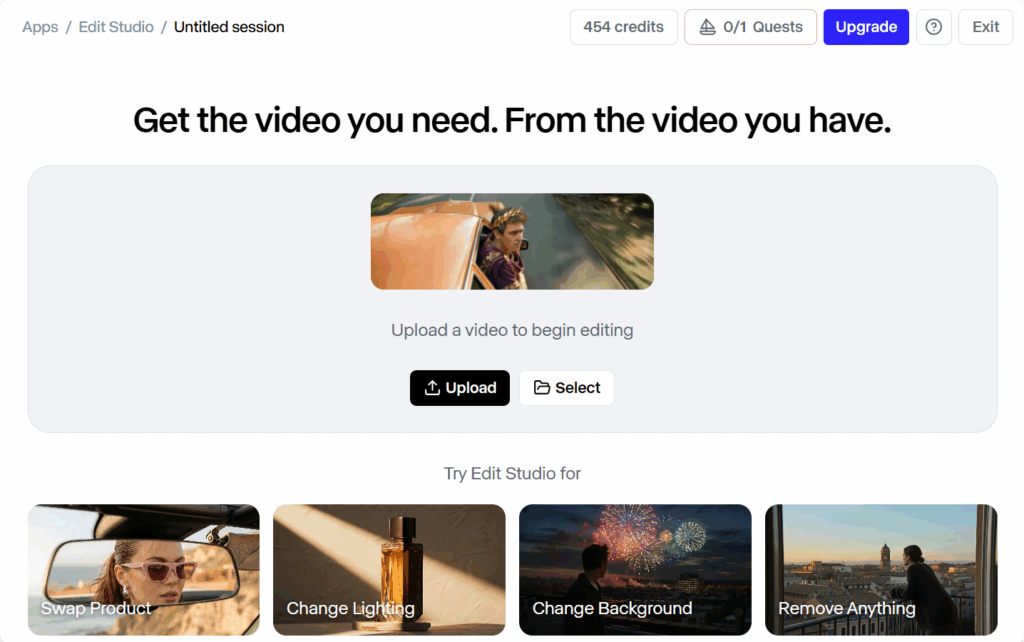
1.Runway (Gen-4.5) — Best Overall AI Video Generator in 2026
Best for: Creators who want the most complete, mature AI video tool on the market Key Features: Text-to-video, image-to-video, video-to-video, AI editing suite (Aleph), camera motion controls, multi-scene consistency
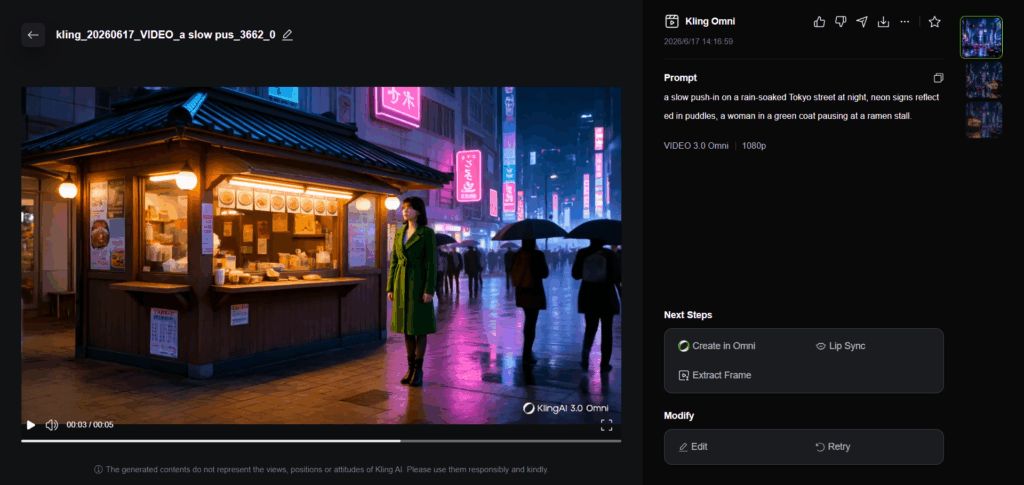
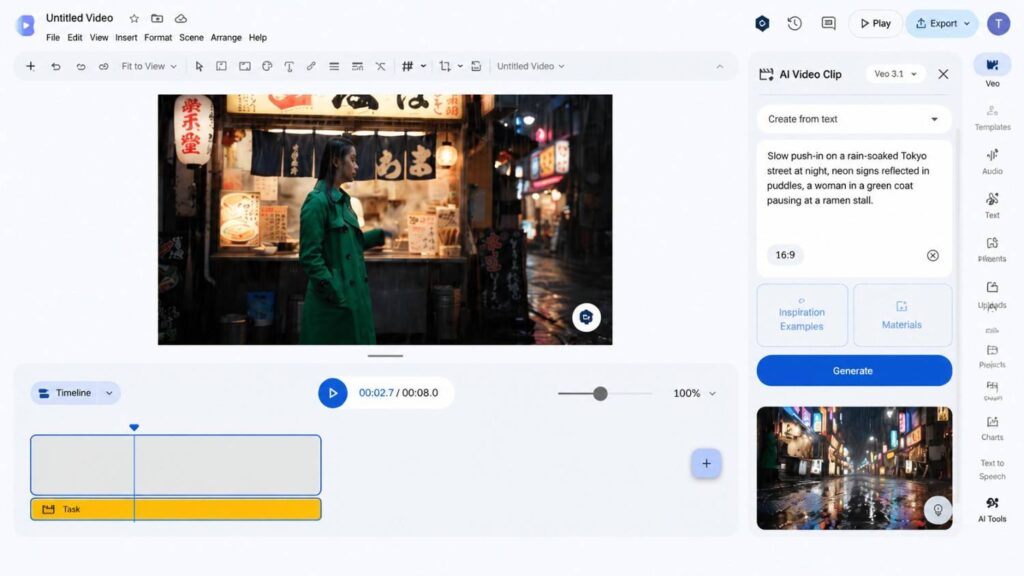
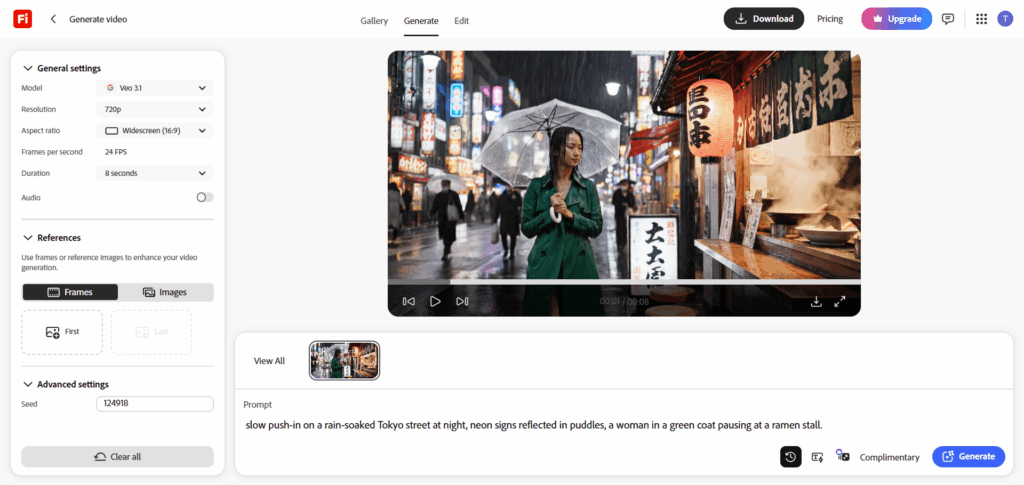
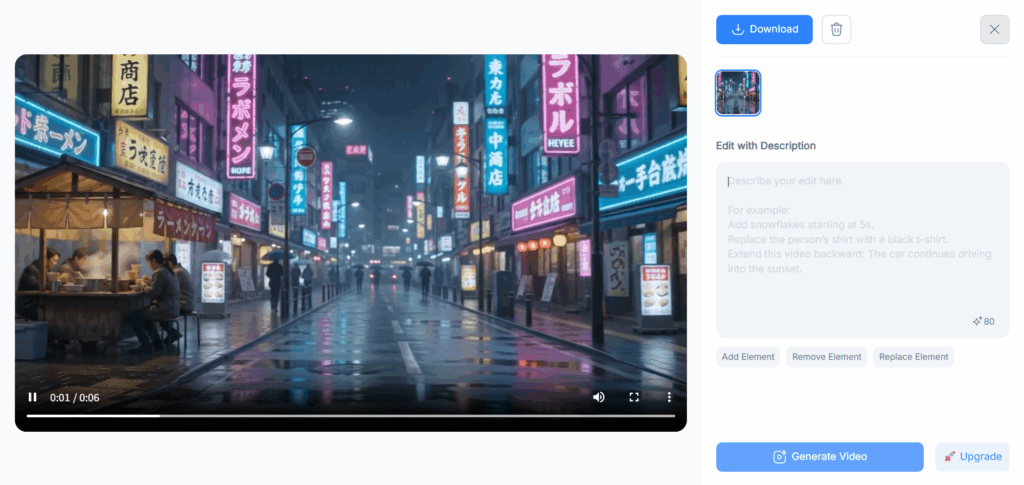
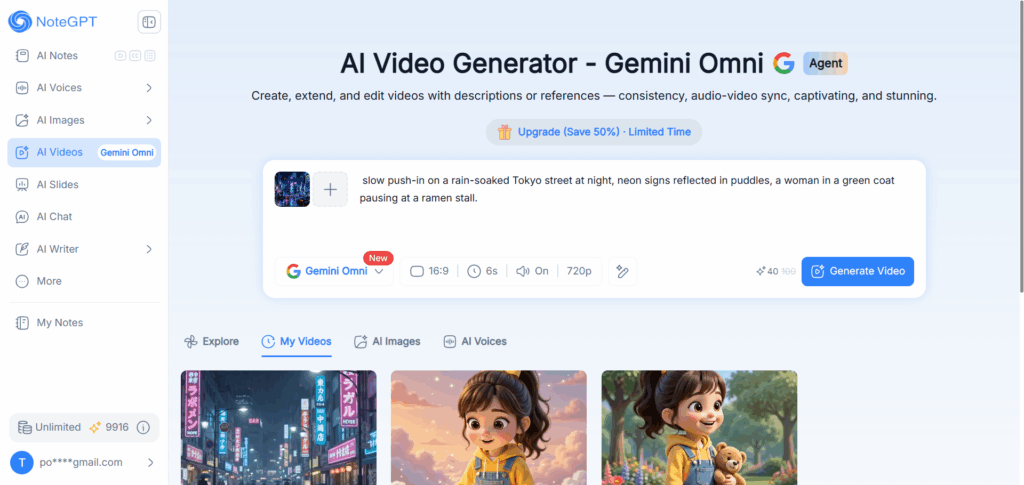
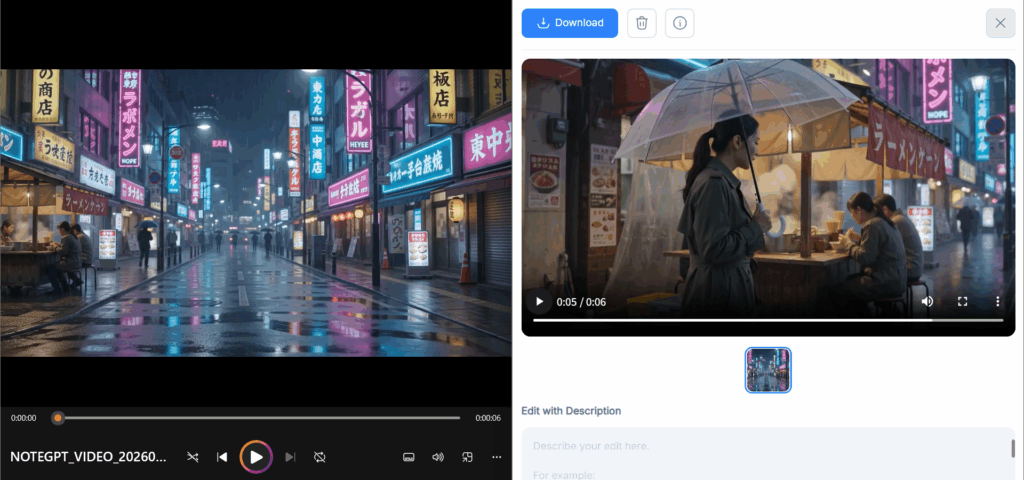
Real Test Results: We ran the same prompt through all seven tools — a slow push-in on a rain-soaked Tokyo street at night, neon signs reflected in puddles, a woman in a green coat pausing at a ramen stall. Runway Gen-4.5 produced the most coherent result: the camera move felt intentional, the reflections held, and the woman's face didn't quietly melt into the background at the three-second mark the way it did in weaker tools. It wasn't perfect — hands remain an industry-wide weak spot — but it was the most consistently repeatable result across five prompt variations.
Pricing & Free Plan: 125 one-time credits on signup, but Gen-4.5 access requires a Standard plan ($12/month) or higher. Credit costs climb quickly at higher quality settings.
Pros:
- Best motion coherence and prompt adherence of any tool tested
- Most complete workflow: generation + editing in one platform
- Strong camera direction controls
Cons:
- Steeper learning curve than most tools here
- Free credits don't unlock the best model
- Gets expensive fast once you need volume
Runway isn't the cheapest or the easiest. It's the one you reach for when the output actually has to look good.
2.Kling AI (Kling 3.0) — Best AI Video Generator for Image-to-Video
Best for: Turning strong still images into convincing motion
Key Features: Image-to-video, text-to-video, camera motion presets, video extension workflows, daily free credits
Real Test Results: When we fed Kling 3.0 our Tokyo street scene as a reference image rather than a text prompt, the results were genuinely impressive. Fabric movement, water reflections, and slow camera drift all held up in a way that text-only prompts rarely achieve on any platform. The motion felt grounded rather than randomly generated. Where Kling struggled was with more complex subject interactions — the moment our green-coat subject needed to do anything more than stand and look atmospheric, consistency dropped.
Pricing & Free Plan: 66 free credits per day — one of the most genuinely usable free tiers in this category. Paid plans start at $6.99/month. Free exports are watermarked.
Pros:
- Best image-to-video quality of any tool tested
- Daily free credits make real testing possible
- Affordable entry-level pricing
Cons:
- Watermarked free exports
- Credits can disappear on failed generations
- Complex subject motion still inconsistent
If your workflow starts with a strong visual — a product shot, a portrait, a location photo — Kling 3.0 is the first tool you should test.
3.Google Veo 3 — Best AI Video Generator for Cinematic Quality
Best for: Creators who want Hollywood-adjacent visual quality and are embedded in the Google ecosystem
Key Features: Text-to-video, image-to-video, native audio generation, cinematic camera language, Google Vids integration
Real Test Results: Veo 3 surprised us most in the audio department. While every other tool on this list produces silent clips by default, Veo 3 generated ambient sound — rain on pavement, distant traffic, the faint hiss of a neon sign — that matched the visual without any additional prompting. For our Tokyo street prompt, that detail alone elevated the output from "impressive clip" to "something that actually feels like a scene." Visual quality is excellent: prompt adherence is strong, motion is smooth, and the cinematic framing felt less accidental than most tools manage.
Pricing & Free Plan: Personal Google accounts get 10 free generations per month via Google Vids — the strongest free AI video generator entry point available right now. Broader access runs through Google AI Pro ($19.99/month) or Ultra ($249.99/month).
Pros:
- Best-in-class cinematic output quality
- Native audio generation is a genuine differentiator
- Most accessible free tier for casual testing
Cons:
- 10 free generations per month isn't enough for serious workflows
- Product experience is still fragmented across Google surfaces
- Longer clips require higher-tier plans
Veo 3 is what happens when a company with Google's compute budget decides to get serious about AI video. The results show it.
4.Gemini Omni — Best AI Multimodal Model for Content-to-Video Creation
Best for: Users already inside the Google ecosystem who want conversational, multimodal video creation
Key Features: Multimodal input (text, image, audio, document), conversational prompt refinement, Google Workspace integration, Gemini Omni model
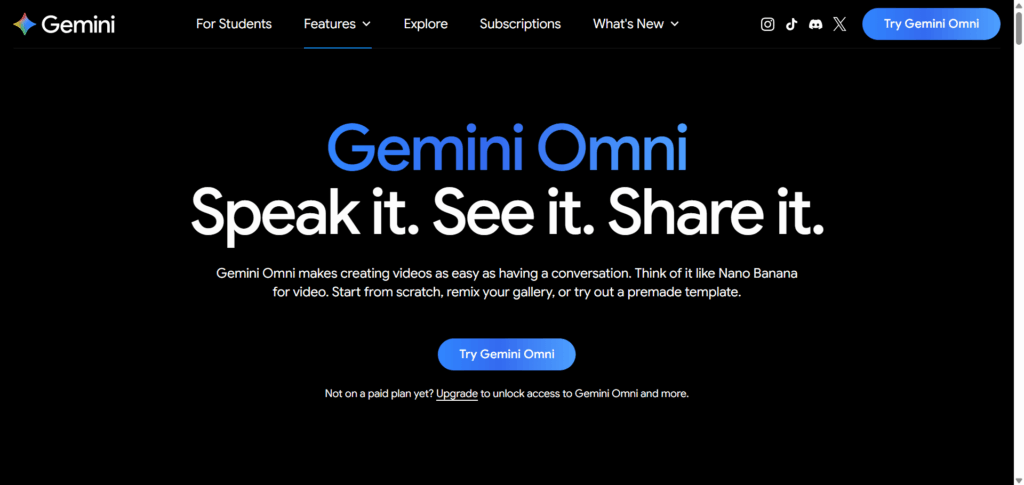
Real Test Results: Gemini's video generation, powered by Gemini Omni, sits in an interesting position. The raw output quality is competitive — our Tokyo prompt produced a smooth, well-composed clip with good atmospheric lighting. Where Gemini genuinely differentiates is in the surrounding experience: you can refine your prompt conversationally ("make the camera move slower," "add more rain"), pull in reference images mid-conversation, and pipe the output directly into Google Docs or Slides without leaving the interface. For solo creators who think in conversations rather than parameters, that workflow is genuinely useful.
Pricing & Free Plan: Limited free tier available. Full video generation access runs through Google AI Pro ($19.99/month).
Pros:
- Conversational prompt refinement is a real workflow advantage
- Deep Google Workspace integration
- Strong multimodal input support
Cons:
- Video generation quality slightly behind standalone Veo 3
- Free tier is restrictive for video specifically
- Less precise parameter control than dedicated video tools
5.Adobe Firefly — Best AI Video Generator for Commercial-Safe Content
Best for: Brands, agencies, and professional creators who need commercially licensable AI video output
Key Features: Text-to-video, image-to-video, commercially safe training data, Adobe Creative Cloud integration, style controls
Real Test Results: Firefly's output on our test prompt was solid — not the most cinematic result in this comparison, but clean, well-composed, and consistent. What matters more for most professional use cases is what Adobe guarantees about the content itself: Firefly is trained exclusively on licensed Adobe Stock content and public domain material, which means you can use the output in commercial projects without the intellectual property anxiety that follows AI-generated content from most other platforms. For our Tokyo scene, the visual style leaned slightly more "polished commercial" than "gritty cinematic" — which is exactly what Firefly is designed to produce.
Pricing & Free Plan: 25 free generative credits per month with a free Adobe account. Paid plans start at $9.99/month, with higher credit allowances under Creative Cloud subscriptions.
Pros:
- Only tool here with explicit commercial licensing clarity
- Adobe Creative Cloud integration is seamless for existing users
- Consistent, professional-grade output style
Cons:
- Output style can feel overly polished for organic/raw content needs
- Credit limits are restrictive on free and entry-level plans
- Lags behind Runway and Veo 3 on pure cinematic quality
If you're creating content for clients, brands, or any commercial purpose where IP ownership matters, Firefly isn't just a good option — it's the responsible one.
6.Dreamina (Seedance 2.0) — Best AI Video Generator for Creative Visual Styles
Best for: Social creators, visual artists, and anyone who wants distinctive aesthetic output that doesn't look like every other AI video
Key Features: Text-to-video, image-to-video, style presets, creative effect layers, Seedance 2.0 model
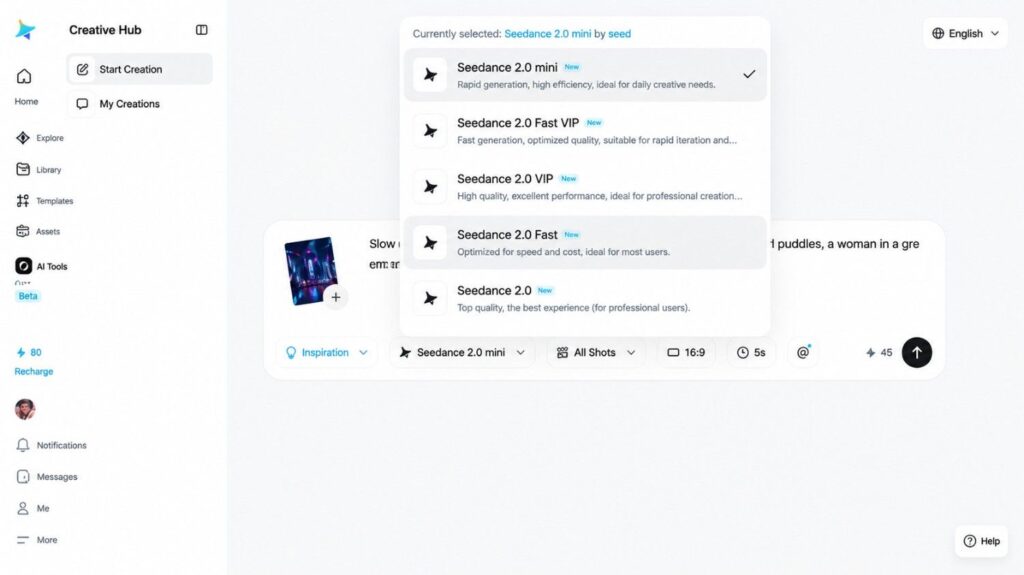
Real Test Results: Dreamina produced the most visually distinctive result in our test. Where other tools aimed for photorealism, Dreamina's Seedance 2.0 model leaned into stylized motion and heightened color grading — our Tokyo street scene came out looking less like a film location and more like a music video set. That's not a criticism. For content creators whose brand aesthetic lives in that heightened visual space, Dreamina's output will often be more on-brand than technically superior but visually generic competitors. Style consistency across multiple generations was also stronger than expected.
Pricing & Free Plan: Daily free credits available. Paid plans start at $9.99/month.
Pros:
- Most distinctive visual output style of any tool tested
- Strong style consistency across generations
- Generous daily free credits
Cons:
- Stylized output isn't right for every use case
- Less precise prompt control than Runway or Veo 3
- Newer platform — less community support and documentation
7.NoteGPT — Best Content-to-Video Workflow Platform Using Gemini Omni
Best for: Content creators, researchers, educators, and marketers who want to turn existing content into videos without juggling multiple tools.
Key Features: AI video generation, content-to-video workflows, video summarization, script extraction, AI note-taking, multi-format input support (text, PDF, video, URL), Gemini Omni and Seedance 2.0 video generation.
Real Test Results: Here's something worth being upfront about: if you're judging NoteGPT purely on raw video generation quality, it doesn't aim to outperform dedicated cinematic generators like Runway or Veo. Instead, its biggest advantage is the workflow surrounding video creation.
We tested a workflow that no other tool on this list could fully replicate. Starting with a 45-minute webinar recording, NoteGPT summarized the content, extracted the key insights, generated a structured script, and produced a short explainer video—all inside the same workspace. No copying transcripts into another tool. No switching between note-taking apps, AI writers, and video generators.
Unlike standalone AI video generators, NoteGPT is designed around existing content. Whether you're working with blog posts, research papers, meeting recordings, YouTube transcripts, PDFs, or study notes, the platform helps turn raw information into video-ready content with fewer manual steps.
Another advantage is flexibility. Rather than relying on a single generation engine, NoteGPT supports multiple video models, including Gemini Omni and Seedance 2.0. Creators can choose the model that best fits their project while keeping research, scripting, and video production inside one workflow.
For content-driven creators, the value isn't just the final video—it's the time saved getting there. Unlike a traditional AI Video Generator focused solely on video output, NoteGPT helps streamline the entire journey from source content to finished video.
Pricing & Free Plan: Free tier available with limited daily generations. Paid plans start at $9.99/month, making it one of the more accessible options for creators who want workflow integration without a steep price increase.
Pros:
- Combines research, summarization, scripting, and video generation in one workspace
- Supports multiple video models, including Gemini Omni and Seedance 2.0
- Excellent for turning existing content into videos
- Multi-format input support helps streamline content repurposing
- Strong free tier for testing the complete workflow
Cons:
• Advanced filmmakers may prefer dedicated tools like Runway for highly detailed camera control
• Some premium workflow features require a paid plan
• Best suited for content-driven video creation rather than complex cinematic productions
Best Free AI Video Generator Options in 2026
| Tool | Free Plan Type | Output Limit | Watermark | Best For |
| Google Veo 3 | Monthly generations | Low | No/limited | Quality benchmarking |
| Kling AI 3.0 | Daily credits | Medium-high | Yes | Daily experimentation |
| NoteGPT | Workflow access | Medium | No | Content-to-video |
| Dreamina | Daily credits | Medium | Yes | Creative styles |
| Adobe Firefly | Monthly credits | Low | No | Commercial-safe use |
After comparing the free plans across all major AI video generators, it becomes clear that each tool serves a very different purpose. Some are optimized for quality benchmarking, while others are designed for daily experimentation or workflow-based video creation.
Best AI Video Generator for Your Use Case
Not all AI video generators solve the same problem. Some are built for cinematic control, others for fast experimentation, and a few are designed to remove the entire production workflow. Here’s how they perform in real usage scenarios.
Best for Beginners: Start Creating Without a Learning Curve
If you’re new to AI video tools, the biggest challenge isn’t quality — it’s getting started quickly.
- Dreamina → Best for simple templates and visual exploration
- NoteGPT (Powered by Gemini Omni) → Best for turning existing content into videos instantly
Dreamina works well when you want to experiment visually. NoteGPT removes the need to “think in prompts” — you can start from a blog, script, or notes, and it automatically builds a structured video narrative.
👉 Verdict: Dreamina helps you create from scratch. NoteGPT helps you skip the setup phase entirely.
Best for Cinematic Quality: High-End Video Generation
When quality is the priority, only a few tools consistently perform at a professional level.
- Runway Gen-4.5 → Best motion consistency and creative control
- Google Veo 3 → Best cinematic realism and native audio generation
- Kling AI 3.0 → Best image-to-video transformation quality
Runway is the most stable for controlled production. Veo 3 produces the most film-like output when prompts are strong. Kling AI is ideal when you already have visual assets and want fast animation.
👉 Verdict: Runway = control, Veo 3 = realism, Kling = speed.
Best for Commercial Use: Risk-Free Business Content
For professional or client-facing work, the priority shifts from creativity to licensing safety.
- Adobe Firefly → Built for commercially safe AI generation
Firefly stands out because it removes the uncertainty around copyright and training data. While other tools may offer stronger visuals, Firefly is designed specifically for business-safe usage.
👉 Verdict: The only truly safe default choice for commercial projects.
Best for Content-to-Video Workflows: From Content to Finished Video
Some tools generate videos. Others generate workflows.
- NoteGPT (Powered by Gemini Omni) → Converts articles, notes, and long-form content into structured video narratives
Instead of requiring prompt engineering or manual scene design, NoteGPT focuses on transforming existing content into usable video output. This makes it especially useful for creators who publish regularly or work with research-heavy material.
👉 Verdict: Best for scaling content production, not one-off video generation.
Final Takeaway: Match the Tool to the Bottleneck
- Beginners → Dreamina / NoteGPT
- Cinematic quality → Runway / Veo 3 / Kling AI
- Commercial use → Adobe Firefly
- Content workflows → NoteGPT
The real difference isn’t the feature set — it’s whether you want to improve creation, quality, or production speed.
How to Choose the Best AI Video Generator in 2026
Picking the right AI video generator isn't about finding the "best" one — it's about finding the right one for how you actually work. Here are the three questions worth answering before you spend a single credit.
Text-to-Video vs Image-to-Video: Which Input Mode Do You Need?
Think of it this way: text-to-video is for building scenes that don't exist yet. Image-to-video is for bringing scenes that already exist to life.
If you're generating original content from a written prompt, Runway, Veo 3, and Gemini are your strongest options. If you're starting from a product photo, a portrait, or a location shot, Kling AI 3.0 will outperform everything else on this list — often by a noticeable margin.
Not sure which you'll use more? Start with Kling's free tier for image input and Veo 3's free monthly generations for text prompts. You'll have a real answer within a week, without spending anything.
Free Plan vs Paid: What Do You Actually Get?
Short answer: it depends on the tool, and the gap varies more than most reviews admit.
Kling AI's free tier is genuinely useful — daily credits, real model access, the only trade-off being watermarks and resolution caps. Runway's free tier is more of an extended trailer: impressive enough to want more, not quite enough to evaluate whether it fits a real production workflow.
The rule of thumb: if a free plan replenishes daily, it's designed to retain you. If it's a one-time credit bundle, it's designed to impress you. Know which one you're dealing with before you build your testing process around it.
Gemini Omni vs Dedicated Video Models: What's the Real Difference?
Most AI video generators — including several of the best AI video generators on this list — produce visuals and audio as separate pipelines, then stitch them together after the fact. It works. But it shows.
Gemini Omni is architected differently. As Google's natively unified multimodal model, it processes text, image, audio, and video as a single reasoning process from the start. Audio and video aren't assembled in sequence — they're generated in sync. The ambient sound isn't added to the clip. It's born with it.
For pure cinematic precision — camera control, motion physics, complex scene consistency — dedicated models like Runway Gen-4.5 and Veo 3 remain the benchmark among the best AI Video Generator options available today.
But for content that needs to feel cohesive out of the box, with sound and vision working as one rather than bolted together in post, Gemini Omni's native architecture produces a coherence that separate-pipeline tools can't replicate.
If that coherence matters to your workflow, and your starting point is existing content rather than a blank prompt, NoteGPT is where that advantage compounds most naturally.
FAQs About the Best AI Video Generators in 2026
What Is the Best AI Video Generator in 2026?
Runway Gen-4.5 is the best overall AI video generator in 2026 for quality, motion coherence, and production readiness. Google Veo 3 leads in cinematic realism and native audio generation, while Kling AI 3.0 is the strongest option for image-to-video workflows. The best choice depends on your specific use case rather than a single winner.
Is There a Best Free AI Video Generator That Actually Works?
Yes. Google Veo 3 offers limited but high-quality free generations through Google Vids, while Kling AI provides daily free credits that are better suited for ongoing experimentation. Together, they cover both quality testing and continuous usage without upfront cost.
Can AI Video Generators Create Videos from Images?
Yes. This is known as image-to-video generation, where a still image is animated into a video sequence. It often produces more stable results than text-to-video because the model has a visual reference. Kling AI 3.0 is the strongest in this category, with Runway and Veo 3 also offering solid performance.
Are AI-Generated Videos Safe for Commercial Use?
It depends on the tool. Adobe Firefly is the most clearly licensed option for commercial use, as it is trained on licensed and public domain data. Other tools like Runway, Kling, and Veo 3 generally allow commercial use of outputs, but licensing terms vary and should be reviewed before client work.
Do I Need a Dedicated AI Video Generator If I Already Use Gemini Omni?
Depends on how often you're making videos — and how much flexibility you need.
Gemini's native interface handles occasional generation just fine. But if you're regularly converting existing content into video, or you want to switch between Gemini Omni and Seedance 2.0 depending on the job, a single-model interface starts to feel limiting fast.
NoteGPT gives you both models inside one content pipeline. Same starting point. More options. Less friction.