


Google has just introduced Nano Banana 2, powered by Gemini. It’s positioned as a major upgrade in both quality and speed, combining fast image generation, stronger reasoning capabilities, and even real-time web retrieval.
That sounds technical. So what does it actually mean for you?
It means Nano Banana 2 isn’t just another AI image generator. It’s built to think a little deeper before it draws. It processes prompts more intelligently. It understands context better. It reacts faster. And in many cases, it produces cleaner, more usable results right out of the gate.
With Gemini powering the model, Nano Banana 2 benefits from improved reasoning logic. When you describe a complex scene — multiple objects, layered environments, specific moods — the model handles relationships more smoothly. Objects feel placed with intention. Lighting feels connected to the environment. Details don’t randomly disappear.
Another key upgrade is real-time web retrieval. That gives Nano Banana 2 stronger awareness of current references, public knowledge, and contextual accuracy. If you mention a real-world location, product type, or trending theme, the AI image generation feels more grounded instead of generic.
And speed? It’s noticeably faster. You don’t wait around wondering if the model froze. You type. It generates. You adjust. It regenerates. The workflow feels fluid.
So in today’s crowded AI image landscape, why does Nano Banana 2 matter?
Because we’ve moved past the phase where “AI can generate images” is impressive. That’s baseline now. What matters is whether an AI image generator can actually help you work faster, create better visuals, and reduce the number of edits you have to make afterward.
Nano Banana 2 is built for that next level.
Now let’s break down the key advantages of Nano Banana 2 and what they actually mean in real-world situations.
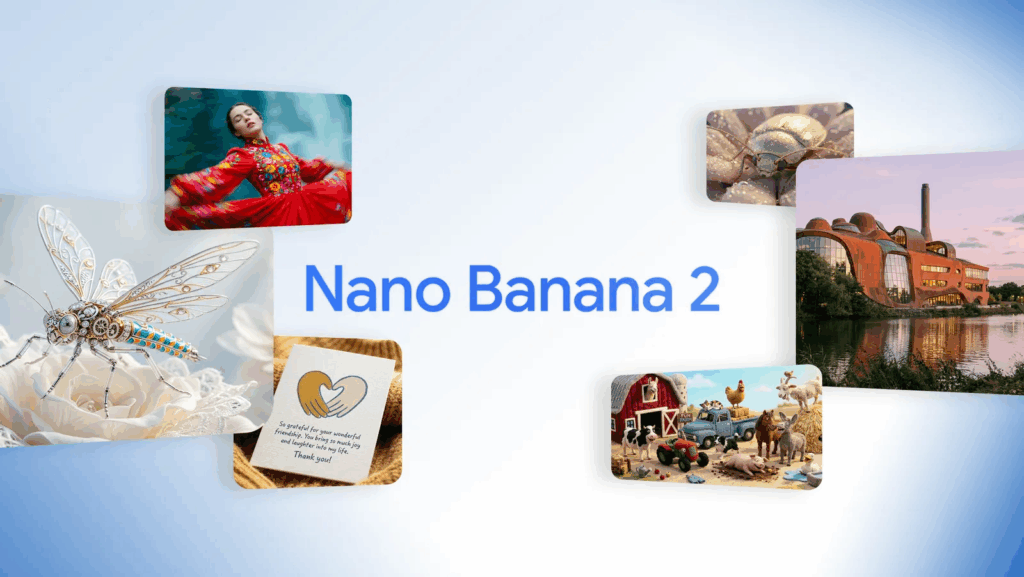
Image Source: Google Blog – Nano Banana 2
Key Advantages of Nano Banana 2
Lightning-Fast Generation Without Sacrificing Quality
Speed sounds like a small feature. It isn’t.
If you’ve used older AI art generators or slow AI image models, you know how frustrating it gets. You write a detailed prompt. You wait. You refresh. You wait again. By the time the image shows up, you’ve lost your creative momentum.
Nano Banana 2 changes that workflow.
This AI image generation model delivers fast outputs while keeping high-resolution quality intact. You don’t get that washed-out, over-smoothed look. You don’t get distorted faces every other generation. Details hold up.
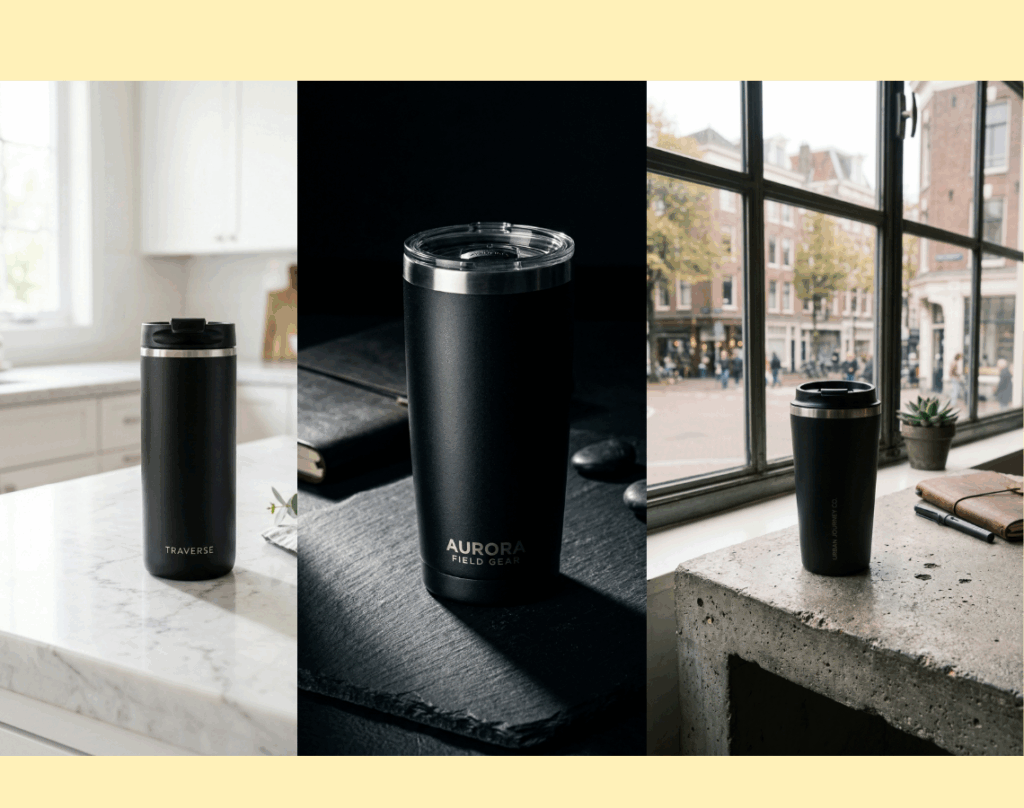
You’re building a Shopify store. You need three different product lifestyle images for testing. With Nano Banana 2, you can generate multiple variations in minutes. Change the background from marble to concrete. Switch lighting from bright studio to moody cinematic. Compare them side by side.
You’re a YouTuber creating thumbnails. Timing matters. Trends move fast. Nano Banana 2 lets you test five thumbnail concepts quickly instead of committing to one design.
You’re running Facebook ads. You want to test different emotional angles. Warm tone versus cool tone. Minimalist versus busy. Fast AI image generation makes A/B testing realistic.
The biggest advantage here is creative flow. Nano Banana 2 doesn’t slow you down. It keeps up with you.
And quality doesn’t collapse under speed. That balance is rare in AI image models.
Advanced Context Awareness for More Accurate Visuals
This is where Nano Banana 2 really separates itself from generic AI art generators.
Context awareness sounds abstract. It’s not. It shows up in small details.
If you prompt: “A cozy Scandinavian living room with soft winter daylight, neutral tones, wooden textures”
Nano Banana 2 understands Scandinavian design language. It doesn’t just throw random furniture into a room. It leans into minimalism, soft palettes, clean lines.
If you prompt: “Modern Tokyo street at night with neon reflections on wet pavement”
The reflections behave logically. The lighting feels urban. The scene feels coherent.
That contextual intelligence matters for:
- Travel bloggers creating destination visuals
- Real estate marketers building conceptual property renders
- Startup founders designing pitch deck images
- Educators explaining geography or culture
Nano Banana 2 processes layered prompts better. Multiple objects in one scene? Fewer distortions. Foreground and background relationships? More stable.
You notice it when objects don’t float randomly. You notice it when shadows align with light sources. You notice it when environments feel believable.
For anyone using AI image generation in professional workflows, predictability is gold. Nano Banana 2 reduces the randomness factor.

Precise Text Rendering for Marketing and Design
Let’s talk about one of the most frustrating problems in AI image generation: text inside images.
Most AI image generators struggle with readable typography. Letters bend. Words melt. Brand names get scrambled.
Nano Banana 2 improves text rendering significantly.
This makes it far more useful for marketing and design use cases.
Imagine you’re creating:
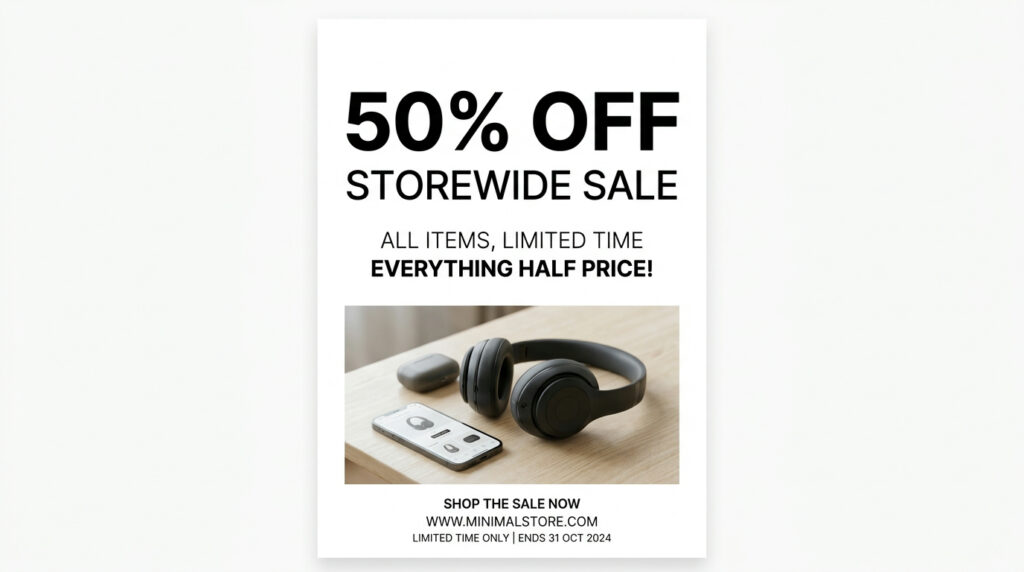
- A “50% OFF” sale banner
- A Black Friday poster
- A product launch announcement graphic
- A YouTube thumbnail with bold title text
- A motivational quote post for Instagram
With Nano Banana 2, you can guide text placement more accurately. You can specify:
“Bold uppercase SALE text centered at the top, clean sans-serif font, white background, minimal layout.”
The output is more usable. Not perfect every single time. But dramatically better than many AI art generators.
For small business owners, this matters a lot.
You don’t want to generate an image in one tool and then fix broken typography in another. Nano Banana 2 reduces that extra step.
This moves Nano Banana 2 closer to being not just an AI image model, but a practical AI design assistant.
Consistent Characters and Objects Across Scenes
Consistency is one of the hardest technical challenges in AI image generation.
You create a brand mascot today. Tomorrow, it looks slightly different. Different hair. Different face shape. Slight color changes.
Nano Banana 2 improves character and object consistency across multiple generations.
This opens up serious possibilities:
You’re building a children’s storybook. You need the same character across ten pages. Consistency matters.
You’re running a marketing campaign. Your brand mascot appears in different scenarios. Same identity. Different environment.
You’re creating an educational series with recurring visual elements. Objects need to stay recognizable.
Nano Banana 2 handles repeated prompts more reliably. It maintains defining features better. That reduces editing time.
In practical terms, it saves hours.
If you’re using AI image generation casually, this is nice. If you’re using it professionally, this is essential.
Flexible Aspect Ratios for Every Platform
Modern content lives everywhere.
Instagram. YouTube. TikTok. Websites. Email headers. Pinterest. Print materials.
Each platform has its own preferred aspect ratio.
Nano Banana 2 supports flexible output sizes, which sounds basic, but it’s extremely practical.
Instead of generating a square image and cropping it awkwardly for a vertical Reel, you can start with 9:16.
Instead of forcing a portrait image into a website banner, you generate 16:9 from the beginning.
This preserves composition.
You don’t lose important elements at the edges. You don’t accidentally crop out faces or text.
For creators juggling multiple platforms, this flexibility is a huge workflow improvement.
And when combined with high-resolution output, Nano Banana 2 becomes suitable not just for social media posts but also for:
- Website hero images
- E-commerce product banners
- Presentation slides
- Digital ads
- Even print-ready materials
It’s not locked into one format. It adapts to your distribution channel.
These core advantages — speed, contextual intelligence, better text rendering, consistency, and format flexibility — are what make Nano Banana 2 more than just another AI image generator.
It feels closer to a real creative partner than a novelty tool.
7 Tips for Stunning Results with Nano Banana 2
Even the best AI image generator needs clear direction. Nano Banana 2 is powerful, but the way you prompt it changes everything. Small adjustments can turn a decent AI-generated image into something that actually looks professional.
Here are 7 practical tips to get stunning results with Nano Banana 2.
Write More Specific Prompts for Stronger Visual Impact
Vague prompts create average images. That’s true for every AI image model.
If you type: “Modern office”
You’ll get something generic.
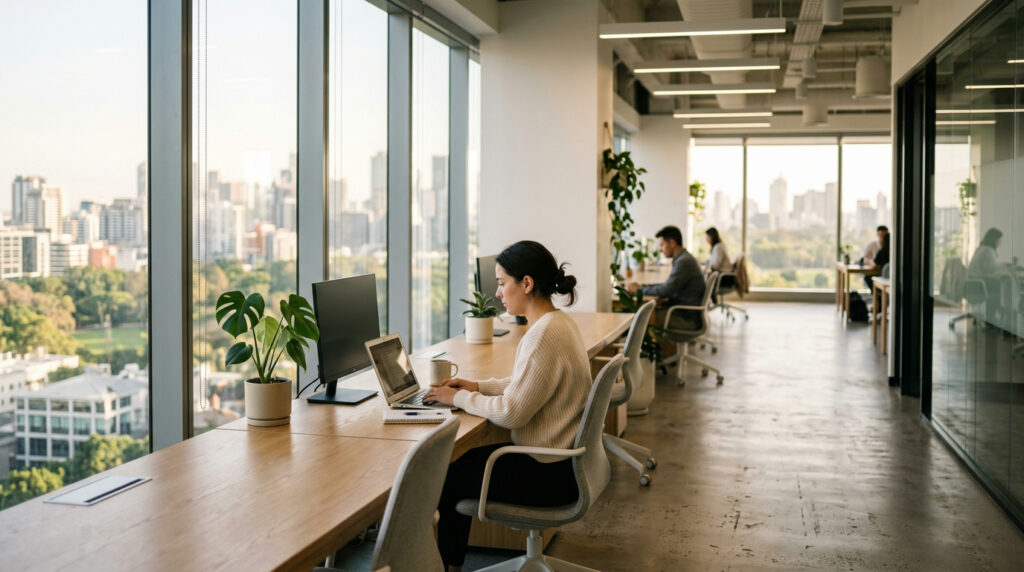
Try: “Bright modern office with floor-to-ceiling windows, soft morning sunlight, minimalist wooden desks, neutral color palette, realistic photography style, shallow depth of field”
Now Nano Banana 2 has real direction.
Specific prompts help the AI image generation engine understand:
- Mood
- Materials
- Lighting
- Camera perspective
- Design style
You don’t need to write a novel. Just think like a photographer or art director. What would you tell a real designer? Tell Nano Banana 2 the same thing.
This is especially useful for:
- SaaS website visuals
- Startup pitch deck graphics
- E-commerce product scenes
- Social media marketing creatives
Specificity equals control.
Define Lighting, Lens, and Composition Clearly
Lighting changes emotion instantly.
Say you’re generating a product image. Compare these two:
“Smartwatch on table”
Versus:
“Premium smartwatch on dark marble table, dramatic side lighting, soft shadows, 50mm lens, cinematic product photography, high contrast”
The second one feels intentional.
Nano Banana 2 understands photography language surprisingly well. Terms like:
- Golden hour lighting
- Soft studio lighting
- Backlit silhouette
- Wide-angle lens
- Overhead shot
- Close-up portrait
These cues guide the AI image model toward more professional-looking results.
If you’re creating YouTube thumbnails, dramatic lighting works well. If you’re designing a wellness brand page, soft natural light feels calmer.
You’re not just generating an image. You’re shaping perception.
Use Aspect Ratios Strategically for Platform Optimization
Platform-native design performs better. Always.
Nano Banana 2 allows flexible aspect ratios. Use them intentionally.
Examples:
- 16:9 for YouTube thumbnails and website banners
- 9:16 for TikTok and Instagram Reels covers
- 1:1 for Instagram posts
- High-resolution landscape for blog headers
If you start with the right ratio, you protect composition. You avoid cropping important elements.
Imagine generating a vertical motivational poster with bold text. If you generate it square first, you’ll end up trimming either the headline or the design balance.
Nano Banana 2 makes it easy to start correctly. That saves time later.
Guide Text Placement for Clean, Readable Designs
Nano Banana 2 has improved text rendering compared to many AI art generators. Still, guidance helps.
Instead of: “Sale poster with discount”
Try: “Minimalist sale poster, bold ‘50% OFF’ text centered at the top, clean sans-serif font, large readable typography, white background, product image at the bottom”
Be specific about:
- Font style (modern, serif, bold, handwritten)
- Placement (top, center, bottom-left)
- Size (large headline, small subtext)
- Background contrast
This is especially powerful for:
- Small business promotions
- Online course banners
- Webinar graphics
- E-commerce flash sale visuals
You can create marketing-ready visuals without jumping into another design tool.
Nano Banana 2 becomes more than an AI image generator. It becomes a lightweight AI design assistant.
Iterate and Refine Instead of Starting Over
Most people make this mistake: they generate one image, don’t love it, and completely change the prompt.
Instead, refine.
If the lighting is good but the background is too busy, adjust just that part.
Example: “Keep the same product and lighting, simplify the background to a clean white studio environment.”
Nano Banana 2 handles iterative adjustments well because of its stronger reasoning layer.
Treat it like a conversation. You don’t need to restart from zero every time.
This approach is useful when:
- Designing landing page hero sections
- Refining ad creatives
- Building a brand visual identity
Small refinements often produce better results than drastic rewrites.
Maintain Character Consistency for Campaign Projects
If you’re running a campaign with a recurring character, consistency matters.
Let’s say you’re creating a friendly robot mascot for a tech brand. You generate the first version. Great.
For the next scene, instead of rewriting everything, describe the defining traits again:
“Same small blue robot with round eyes and glossy metallic texture, now standing in a futuristic office environment.”
Nano Banana 2 maintains defining features more reliably than many AI image models.
This is huge for:
- Comic-style storytelling
- Educational content series
- Social media brand mascots
- SaaS explainer visuals
Consistency builds brand recognition. Nano Banana 2 supports that.
Leverage Real-World Details for Authentic Visuals
This is where Nano Banana 2’s contextual awareness shines.
Add real-world references:
- Specific cities
- Cultural design styles
- Recognizable materials
- Seasonal cues
Example: “Autumn morning in Central Park, golden leaves on the ground, joggers in the distance, soft fog, realistic photography”
The more grounded your prompt, the more believable your AI-generated image feels.
This works beautifully for:
- Travel blog visuals
- Lifestyle brand content
- Real estate concept images
- Educational geography materials
Nano Banana 2 handles real-world context better than many basic AI art generators. Use that strength.
Use Nano Banana 2 Without Limits on NoteGPT
Now here’s the practical part.
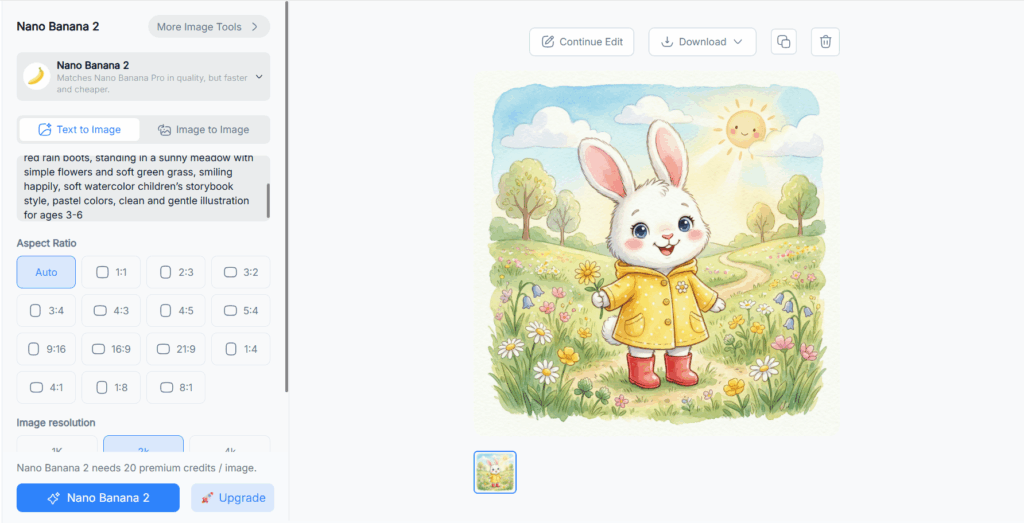
You can use Nano Banana 2 inside NoteGPT — and one of the biggest advantages is unlimited usage.
If you’re serious about AI image generation, limits are frustrating. You don’t want to stop testing because you hit a daily cap.
On NoteGPT’s Nano Banana 2 page, you can:
- Generate high-quality AI images
- Experiment with multiple prompts
- Refine outputs quickly
- Combine visuals with AI summaries, scripts, and productivity tools
It’s not just about image generation. It’s about workflow.
Imagine this:
You summarize a YouTube video inside NoteGPT. Then you create a custom thumbnail using Nano Banana 2. Then you generate a blog outline. Everything in one ecosystem.
For content creators, marketers, students, and startup founders, that integration saves serious time.
Unlimited access means you can experiment freely. No stress about wasting credits. No hesitation to test new ideas.
If you want to experience Nano Banana 2 without creative restrictions, using it inside NoteGPT is a smart move.
Conclusion
Nano Banana 2 changes how AI image generation feels. Faster output. Smarter reasoning. Cleaner text. Stronger consistency. When you apply the seven tips — clearer prompts, better lighting direction, strategic aspect ratios, refined iterations — the results stop looking “AI-made” and start looking intentional.
That’s the difference.
And when you use Nano Banana 2 inside NoteGPT with unlimited access, those tips become even more powerful. You can test, tweak, and improve without limits. No hesitation. No creative friction.
Nano Banana 2 is here.
Now it’s your move.