


You can get a transcript of a YouTube video by using YouTube's built-in transcript feature, copying captions manually, or using a YouTube Transcript Generator. Each method has different advantages in terms of speed, accuracy, and convenience, so the best choice depends on what you plan to do with the text afterward.
Maybe you are collecting quotes for an article. Maybe you are a student reviewing a lecture and want to avoid watching the same 45-minute video again. Or maybe you simply want to search a video for one specific point instead of dragging the timeline back and forth.
Whatever your goal is, knowing how to get a transcript of a YouTube video can save time and make video content much easier to work with. In this guide, we will explore five practical methods, from YouTube's free built-in option to more advanced transcript tools that create cleaner, more usable text.
5 Ways to Get a Transcript of a YouTube Video
There are several ways to get a YouTube video transcript, and the right method depends on your situation.
If you only need to check a few sentences, YouTube's own transcript feature may be enough. But if you regularly work with long videos, podcasts, tutorials, or educational content, manually copying captions can quickly become inefficient.
Here are five ways to create or access transcripts from YouTube videos.
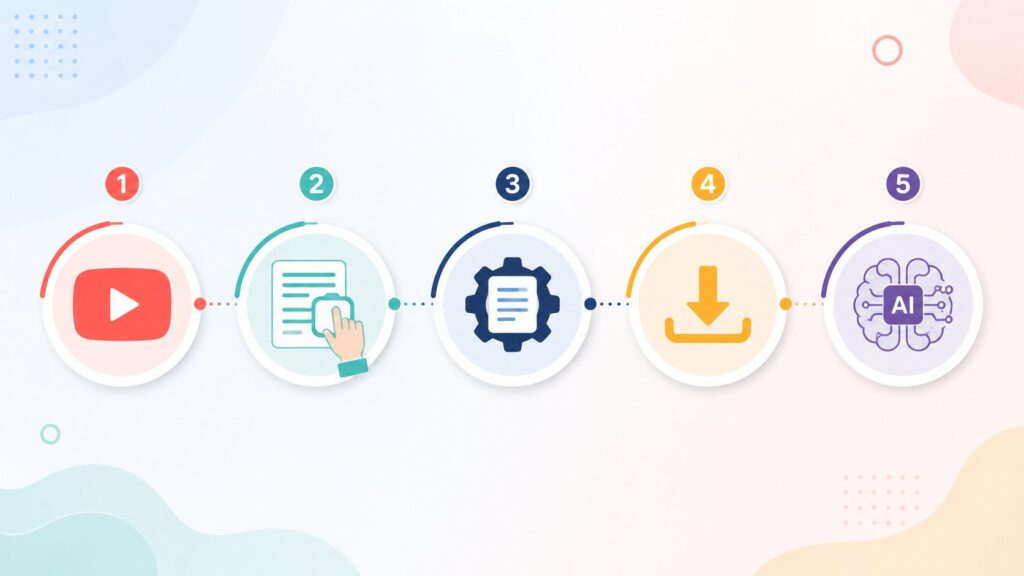
Method 1: Use YouTube's Built-In Transcript Feature
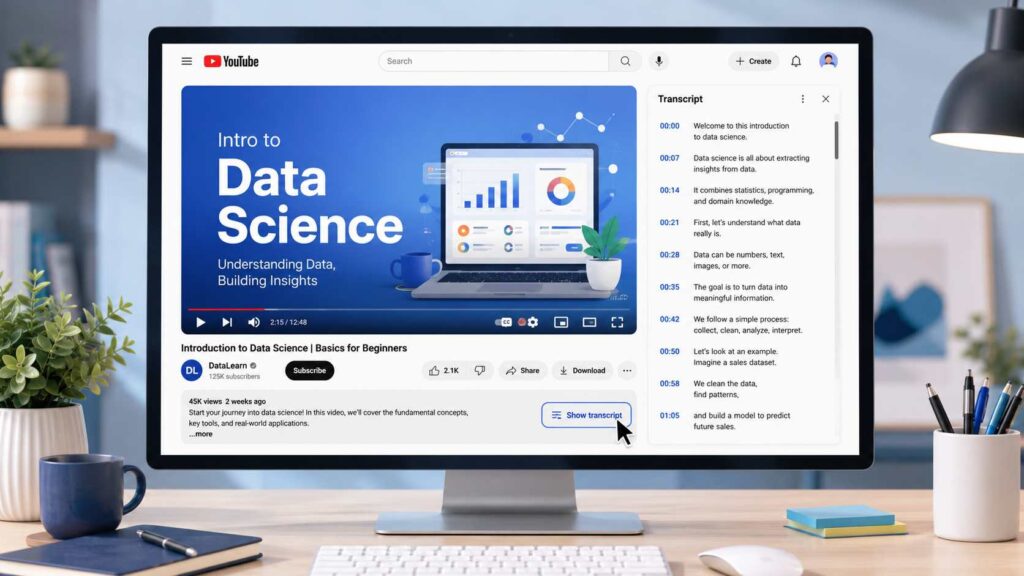
This is the simplest and most accessible way to get a transcript of a YouTube video. YouTube provides a "Show transcript" option for many videos that have available captions.
Here is how to find it:
- Open the YouTube video on desktop.
- Expand the video description area below the title.
- Click Show transcript if the option is available.
- A transcript panel with timestamped lines will appear.
You can search through the transcript, turn timestamps on or off, and copy the text you need.
This method works well for quick lookups. For example, if you are watching an online lecture and want to find where a specific concept was mentioned, searching the transcript is much faster than watching the entire video again.
However, the quality of the transcript depends on the available captions. Automatically generated captions may contain mistakes, especially when videos include background noise, multiple speakers, accents, or technical terms.
Common limitations include:
- The transcript may need formatting before reuse.
- Captions may not always be available.
- Timestamps can make copied text harder to edit.
- Accuracy depends on the original captions.
For occasional needs, YouTube's built-in transcript feature is a convenient free option. For more frequent transcript tasks, other solutions may provide a smoother workflow.
Method 2: Copy YouTube Captions Manually
Another way to create a transcript for YouTube videos is by manually copying available captions.
This method does not require any additional tools and can work for short videos or small sections of content. For example, if you only need a quote from a short interview or a specific explanation from a tutorial, manually copying the captions may be enough.
However, the process becomes much less practical as video length increases.
Manually copying captions usually means spending extra time on:
- Selecting and organizing text
- Removing unnecessary timestamps
- Fixing sentence breaks
- Formatting the transcript for reading
While this method works for short clips, manually transcribing a long interview, podcast, or lecture is usually too time-consuming to be practical.
For users who frequently work with YouTube content, a youtube transcription tool can reduce repetitive work and create transcripts more efficiently.
Method 3: Use a YouTube Transcript Generator
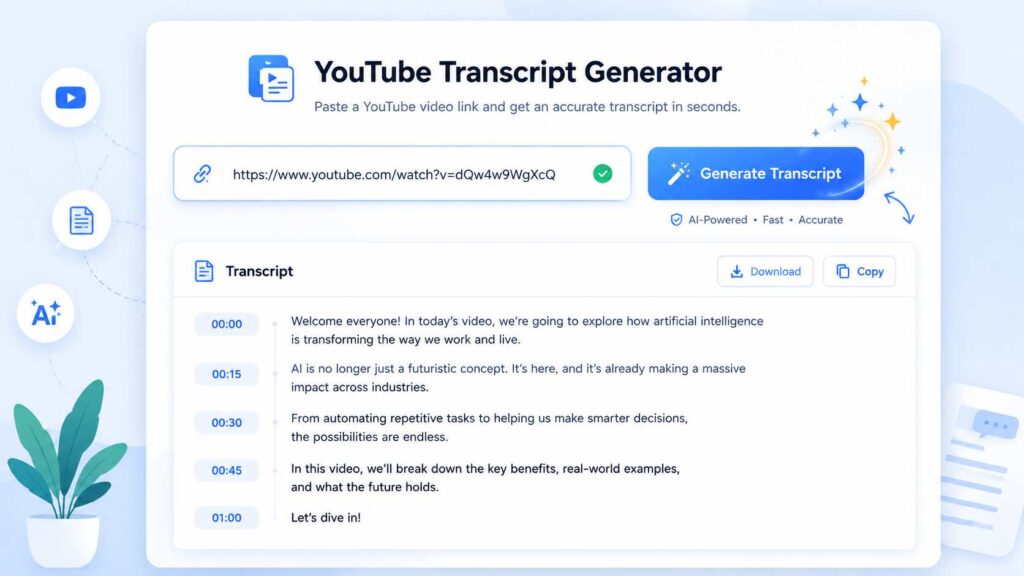
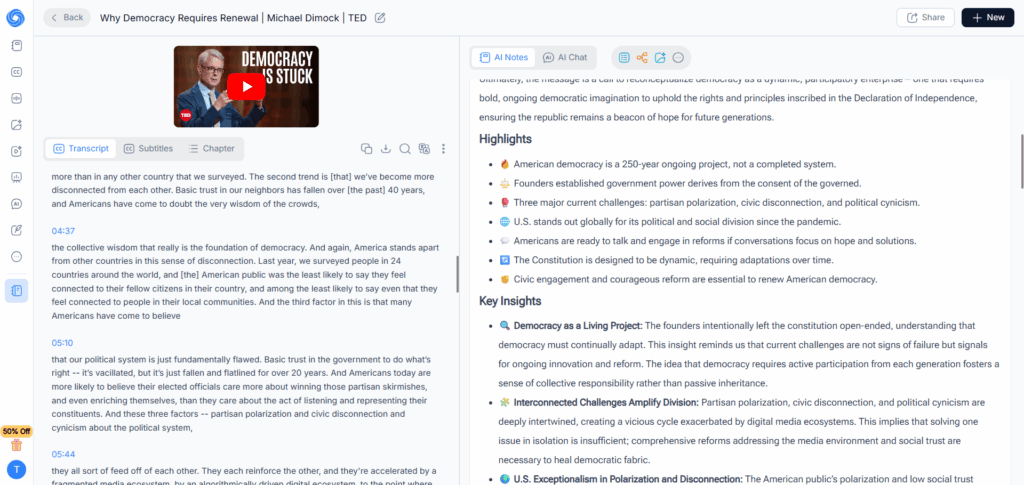
For people who regularly need transcripts, a YouTube Transcript Generator provides a faster and more convenient solution.
Instead of searching through captions or copying text line by line, you can use a tool that generates a transcript directly from a YouTube video. This is especially useful for longer videos where manually collecting information takes too much time.
The basic process is simple:
- Copy the YouTube video URL.
- Paste it into the transcript generator.
- Let the tool process the video.
- Review, edit, or export the generated transcript.
A good YouTube Transcript Generator can help you:
- Create transcripts from YouTube videos quickly
- Turn spoken content into searchable text
- Review important information without replaying the entire video
- Prepare content for research, learning, or creation
For users who work with video content regularly, NoteGPT's YouTube Transcript Generator provides a streamlined way to generate readable transcripts from YouTube videos. It supports multiple languages, includes timestamps, and helps users move from watching videos to working with text more efficiently.
The biggest advantage of a dedicated transcript tool is not only speed. It also improves the workflow after transcription. Instead of spending time cleaning up copied captions, users can focus on analyzing information, creating notes, or repurposing content.
Method 4: Download a YouTube Transcript
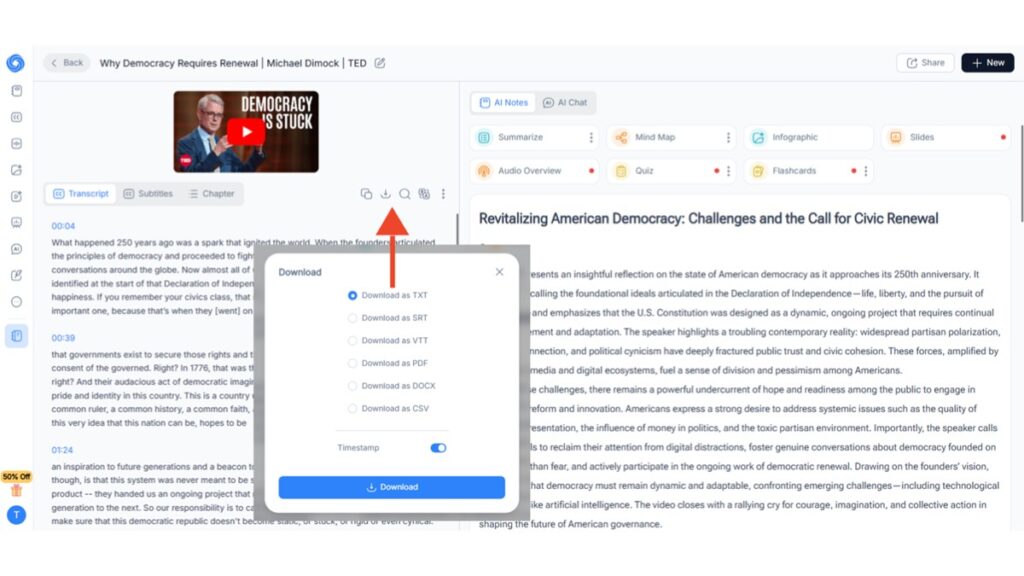
Sometimes, getting the transcript is only the first step. You may also want to save a transcript file for future reference, editing, or sharing.
A downloaded transcript is useful when you need to:
- Store research materials in one place
- Review information offline
- Compare multiple videos
- Edit text for another project
For example, a marketer analyzing competitor videos may prefer saving transcripts instead of repeatedly opening different YouTube pages. A student researching a topic may want to keep several transcripts together with other study materials.
Many transcript tools allow users to export generated text in different formats, such as:
- TXT — useful for notes and simple editing
- SRT/VTT — helpful for subtitle-related workflows
- DOCX or PDF — convenient for sharing and reviewing
Downloading a transcript is especially helpful when you plan to use the content more than once. Instead of searching for the same video repeatedly, you can keep the text ready whenever you need it.
Method 5: Use AI to Organize and Analyze a YouTube Transcript
Getting the words from a video is only part of the process. A long transcript can still contain thousands of words, making it difficult to find the most important information.
This is where AI tools can make transcripts more useful.
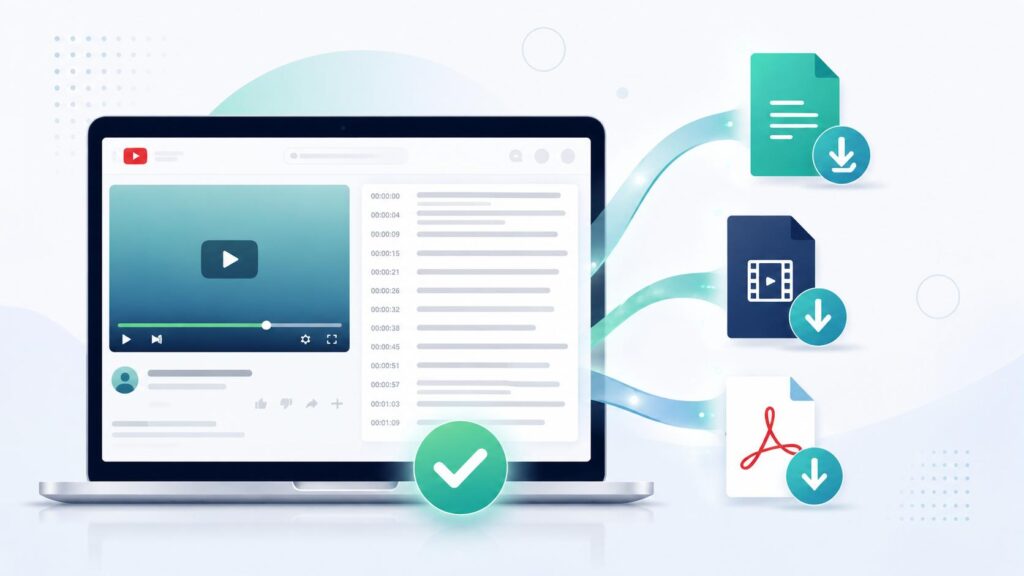
After creating a YouTube video transcript, you can use AI to:
- Summarize the main ideas
- Extract important quotes
- Create structured notes
- Answer questions about the video content
- Turn discussions into outlines for articles or presentations
For example, a researcher can quickly identify key points from multiple interviews. A student can transform lecture transcripts into study notes. A creator can find useful sections from a long video and reuse them for new content.
Tools like NoteGPT combine transcription with these AI-organizing features in one place, so you don't need to move the text into a separate app to get value out of it.
A transcript helps you access the information inside a video. AI helps you understand and organize that information faster.
YouTube Transcript Generator vs Manual Methods
If you are deciding which method fits your situation, here is the tradeoff at a glance:
| Method | Speed | Accuracy | Best For |
| YouTube's built-in transcript | Medium | Depends on captions | Quick, one-time lookups |
| Manual copying | Slow | Medium | Very short clips only |
| Transcript Generator | Fast | High | Regular or recurring use |
For a single quick check, YouTube's own feature is usually enough. But for research, content repurposing, or studying that happens more than once a week, a YouTube Transcript Generator saves enough time that it becomes worth adding to your workflow.
Use Cases of YouTube Video Transcripts
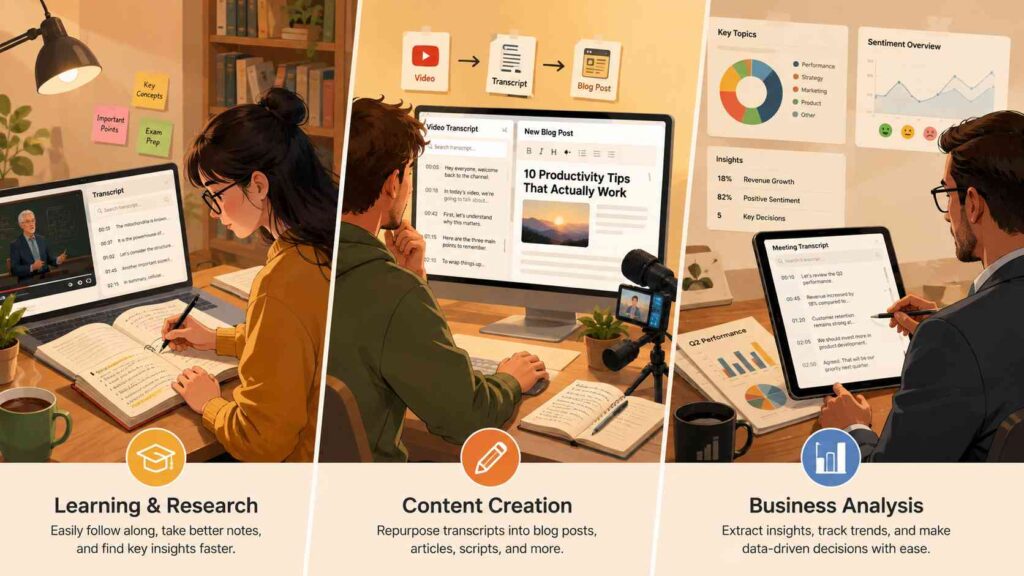
A YouTube video transcript is not just a block of text — how it becomes useful depends on why you needed it in the first place. Whether you are learning from a lecture, creating new content, or analyzing business information, a transcript makes video content easier to search, review, and reuse.
Learning and Research
Lecture videos, conference talks, and long-form interviews are often easier to study from text than from video. Instead of pausing and rewinding every few seconds, you can search a transcript for a specific term or jump directly to the section you need.
For example, instead of rewatching a 90-minute lecture to find one concept, you can search the transcript and go straight to the relevant part.
Many students and researchers rely on this approach to review online courses, revisit educational content, and organize information from long videos more efficiently.
Content Creation
If you create videos yourself, a transcript can become the starting point for several other types of content. Instead of rewatching your own footage to remember what you said, you can work directly from text that is easier to edit, reorganize, and repurpose.
Creators often use transcripts to:
- Turn videos into blog posts or newsletters
- Find highlights for social media content
- Write video descriptions or scripts
- Extract quotes from interviews and discussions
For creators who publish regularly, this approach extends the value of every video well beyond the original upload.
Business and Marketing Analysis
Teams also use transcripts to collect insights from webinars, product demonstrations, customer interviews, and competitor content.
For example, a marketer can review a competitor's video transcript to quickly identify key messages without watching the entire recording, while a sales team can pull useful quotes from customer conversations for case studies.
This is especially useful when the information you need is hidden somewhere inside a 30-minute or one-hour recording.
How to Choose a YouTube Transcript Generator
Not all YouTube Transcript Generators are built the same. The right tool depends on more than just speed — accuracy, language support, export options, and overall workflow can significantly affect the final result.
Before choosing a YouTube transcription tool, consider these factors:
- Accuracy — A useful transcript should capture the original meaning clearly, including different speaking styles, accents, and technical terms. Tools that process the video's audio directly can be especially helpful when captions are unavailable or when you need a transcript independent of YouTube's existing subtitles.
- Supported languages — If you work with international content or need transcripts from videos in different languages, check whether the tool supports the languages you actually use.
- Export options — TXT works well for simple notes, while SRT/VTT formats are useful for subtitle workflows. PDF or DOCX exports can be more convenient when you need to share or organize transcripts.
- Processing speed — Speed matters more when you regularly process long videos. A few seconds saved on one video can make a noticeable difference when working through multiple recordings.
Choosing the right YouTube Transcript Generator is ultimately about finding a balance between accuracy, convenience, and how you plan to use the transcript afterward.

FAQs
How do I get a transcript of a YouTube video?
The easiest way to get a transcript of a YouTube video is to use YouTube's built-in "Show transcript" feature when it is available. You can open the transcript panel, search for specific sections, and copy the text you need.
If you need cleaner formatting, more language options, or a transcript from a video without available captions, a YouTube Transcript Generator can provide a more flexible solution.
Can I get a YouTube transcript for free?
Yes. YouTube's built-in transcript feature is free when available. Many transcript generators also provide free usage options, while advanced features may require a paid plan depending on the tool and usage needs.
What if a YouTube video doesn't have captions?
YouTube's "Show transcript" option only appears when captions are available, either from the creator or YouTube's automatic caption system.
If a video does not have captions, a YouTube Transcript Generator that processes the video's audio directly can still help create a transcript without relying on existing caption files.
Can a YouTube Transcript Generator create accurate transcripts?
A YouTube Transcript Generator can create highly accurate transcripts, but the final quality depends on factors such as audio clarity, speaker accents, background noise, and the complexity of the content.
Clear recordings with a single speaker usually produce better results, while videos with multiple speakers or poor audio quality may require some manual review afterward.
Can I download a transcript from YouTube?
YouTube's built-in transcript feature allows you to view and copy text, but it does not directly provide a transcript file download option.
If you need saved files, look for a transcript tool that supports export formats such as TXT, SRT, or PDF. Some users also search for a YouTube transcript extractor when they need to pull and save transcript content from videos.
Final Thoughts
There is no single "best" way to get a transcript of a YouTube video — the right method depends on how often you need transcripts and what you plan to do with them afterward.
For a quick one-time lookup, YouTube's built-in transcript feature works well. For short clips, manual copying may be enough. But if you regularly work with lectures, interviews, podcasts, or educational videos, a YouTube Transcript Generator can save time by reducing manual copying and formatting.
A transcript is more than just written text. It turns video content into something searchable, editable, and easier to reuse. Whether you are studying, creating content, or analyzing information, the right transcript workflow can help you get more value from every YouTube video.