

You’ve found a job you want to apply for, but your resume still needs work. Your experience is scattered across an old document, project notes, and responsibilities you’ve never put into words. The posting mentions skills you have, yet your resume barely explains how you’ve used them.
Before submitting, you need to turn that background into a clear document, emphasize the relevant experience, and make sure the structure supports easy reading. ATS resume optimization is part of that process.
Jobscan and NoteGPT can help at different points. Jobscan provides detailed feedback on how a resume aligns with a job description. NoteGPT’s AI Resume Builder helps you develop resume content from your background and target-role information, then edit and format the document.
For job seekers who need to create or substantially rebuild a resume, I’d start with NoteGPT. It puts the immediate task—getting your experience onto the page—in focus. Jobscan becomes a stronger choice when you already have a solid document and want a more detailed breakdown of keyword gaps and potential readability issues.
This Jobscan comparison looks at how those differences affect the work of preparing an application.
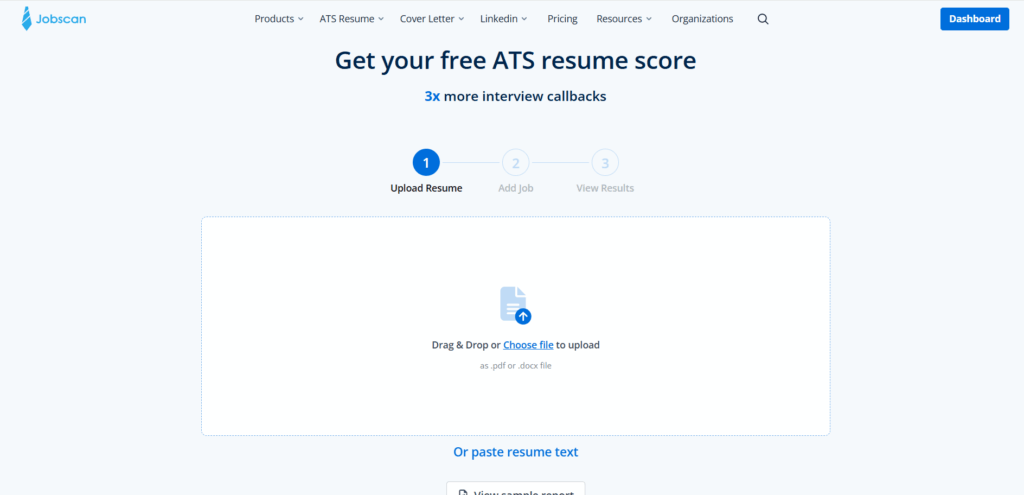
Jobscan vs NoteGPT at a Glance
| What you need | NoteGPT | Jobscan |
| Turn background information into a resume | Generate content from a written request and career details | Build through guided questions and writing tools |
| Write for a target role | Include target-role information in the drafting process | Compare with a job description and use optimization suggestions |
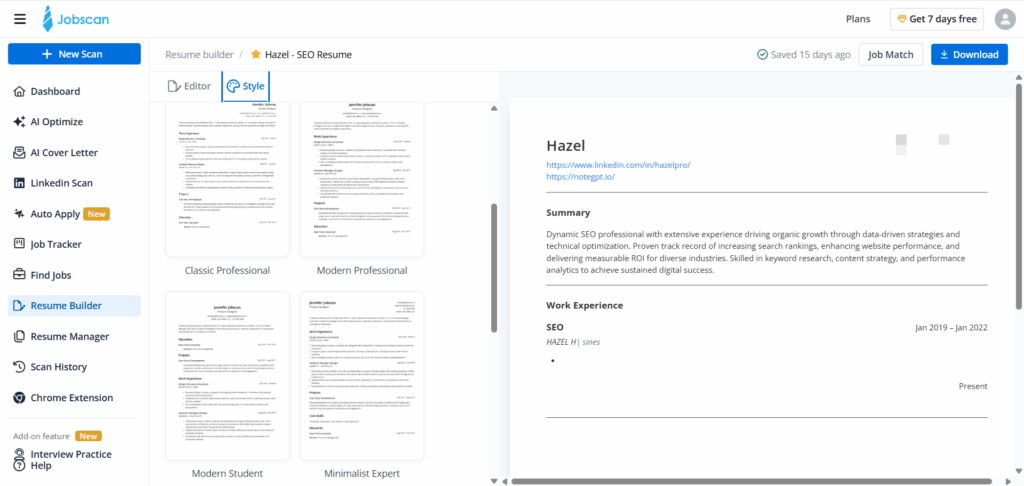
| Organize and present the document | Edit the resume and adjust templates, colors, and typography | Use resume templates and editing tools |
| Identify missing keywords | Review the draft against the role’s requirements | Dedicated skills feedback and Match Rate |
| Review specific AI changes | Evaluate and edit the generated content | Accept or reject AI Optimize suggestions |
| Investigate ATS readability | Focus on clear document structure and presentation | Scanner checks potential parsing issues |
| Best starting point | Creating or rebuilding the resume | Diagnosing and refining an existing resume |
For an applicant with unfinished content, NoteGPT offers a practical place to begin. For someone asking why a completed resume does not closely match a posting, Jobscan provides more explicit diagnostic feedback.
ATS Resume Optimization Starts with Clear, Relevant Content
Give the resume something meaningful to communicate
Keywords are useful when they describe actual experience. A skills list containing “project management” tells a reader less than a clear explanation of the project you coordinated, your responsibilities, and what you delivered.
Consider a hypothetical applicant moving from administrative support into operations. Their notes might include scheduling meetings, updating spreadsheets, organizing supplier information, and following up on outstanding requests.
Those activities could support an operations application, but the relationship needs to be expressed clearly. The applicant first needs to identify the work that matters and describe it accurately. A keyword report alone cannot supply the missing context.
This is where I’d begin with NoteGPT. Providing background information and a target role gives the drafting process a concrete purpose. The first goal is a resume that explains the applicant’s experience well enough to review, improve, and submit.
Separate content quality from keyword coverage
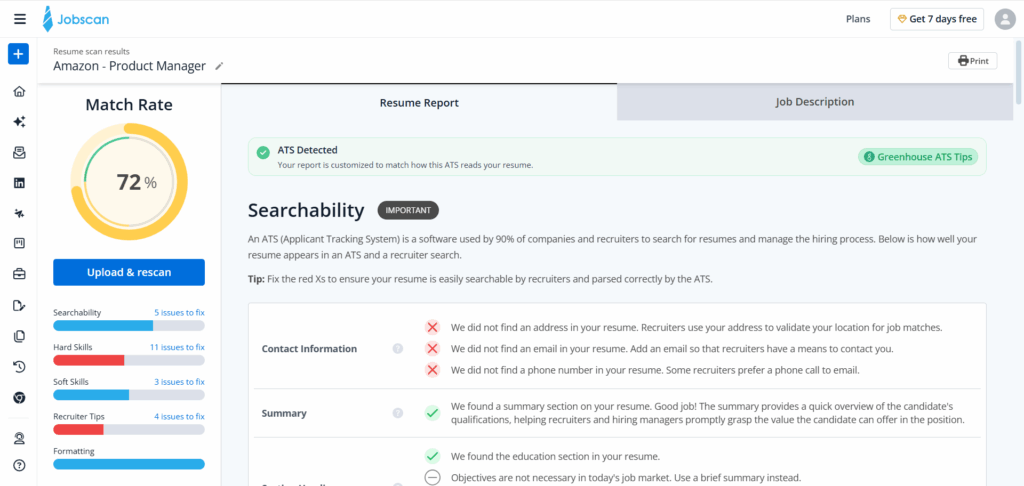
ATS resume optimization involves several questions. Is the document structured clearly? Does it name relevant skills? Does the experience section explain how those skills were used?
A matching score addresses part of that work. It does not establish whether every bullet is convincing, whether a claim is accurate, or whether the resume presents the applicant’s strongest experience.
For someone starting with incomplete notes, generating and reviewing the content may therefore deserve attention before scanning. Once the document says what it needs to say, detailed matching feedback becomes easier to act on.
NoteGPT fits that initial writing task. Jobscan adds value when the remaining question is how the completed document aligns with a particular opening.
Building a Job-Focused Resume with NoteGPT
Start with the experience you already have
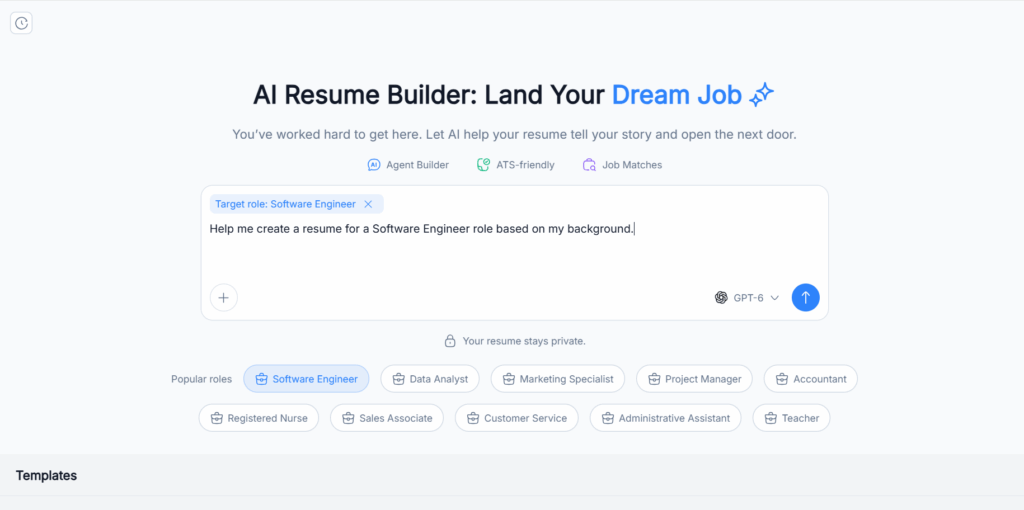
One reason to consider NoteGPT is its direct starting point: describe your background and what you want to create.
You might have a previous resume that no longer reflects your work, or a collection of responsibilities that has never been organized into resume sections. Preparing a written brief lets you bring that information together before deciding on the final wording.
For example, a fictional marketing assistant could provide their employment dates, the channels they worked on, the software they used, and the content they helped produce. Adding the target role gives the draft a direction.
That is a more useful starting point than asking for a generic “professional marketing resume.” Specific material gives you something concrete to check when the generated document appears.
I’d recommend this approach to applicants who know their experience but struggle to organize it. Seeing an initial draft can help reveal which details are useful, which descriptions are vague, and where more information is needed.
Bring the target role into the writing process
A resume for a content role should emphasize different experience from one intended for a campaign reporting position, even when both applications come from the same person.
With NoteGPT, target-role details can form part of the generation request. That creates an opportunity to organize the draft around relevant experience from the beginning.
Suppose the applicant has written newsletters, maintained a content calendar, and prepared monthly performance reports. For a writing role, the newsletter work may deserve more space. For a reporting role, the applicant may want to explain the reports and tools in greater detail.
The underlying facts remain the same. What changes is their emphasis.
I’d choose NoteGPT for this stage when the main challenge is deciding how to present a broad background in a focused document. The draft still needs review, but it gives you a concrete version to work on.
Shape the document after generation
Writing is only part of finishing a resume. The information also needs a readable hierarchy, consistent presentation, and enough space for the important details.
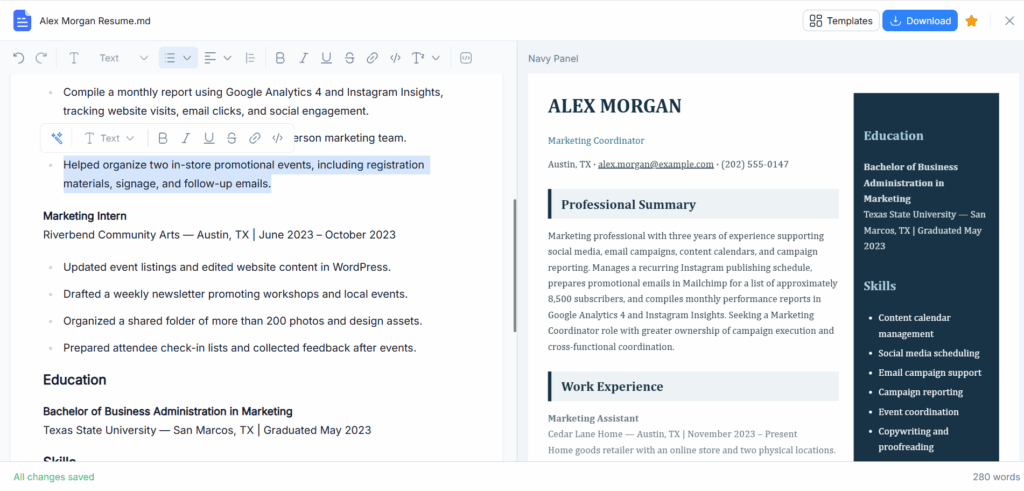
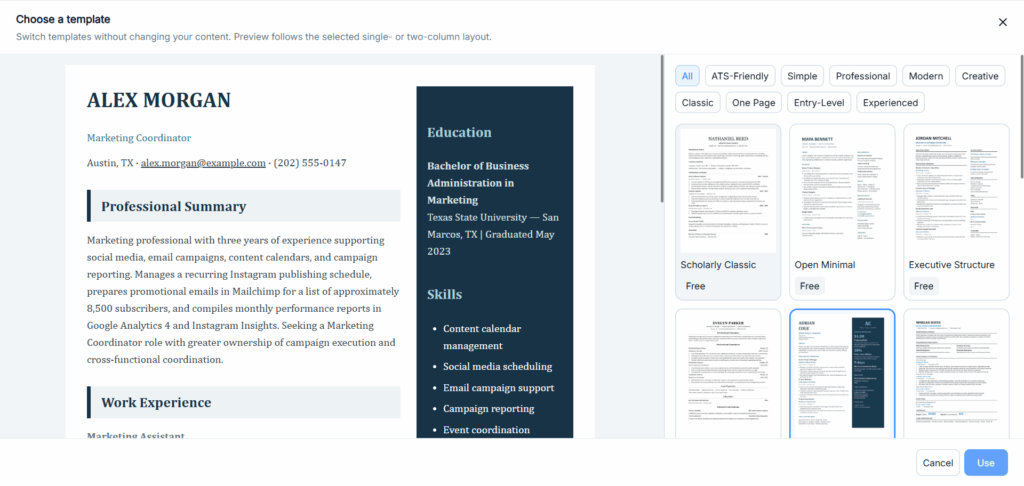
NoteGPT includes template, color, and typography controls around the generated document. These give you a way to work on presentation after reviewing the content.
For an applicant rebuilding an outdated resume, that combination is useful: develop the wording, decide what to keep, and then adjust how the information appears.
An AI Resume Builder earns its place when it helps move the document toward completion. For NoteGPT, that is the clearest reason to try it: the writing and presentation tasks are both part of the resume workflow.
Using Jobscan for Detailed Resume Matching
Find gaps in an existing document
Jobscan is particularly useful when you already have a resume and a specific job description.
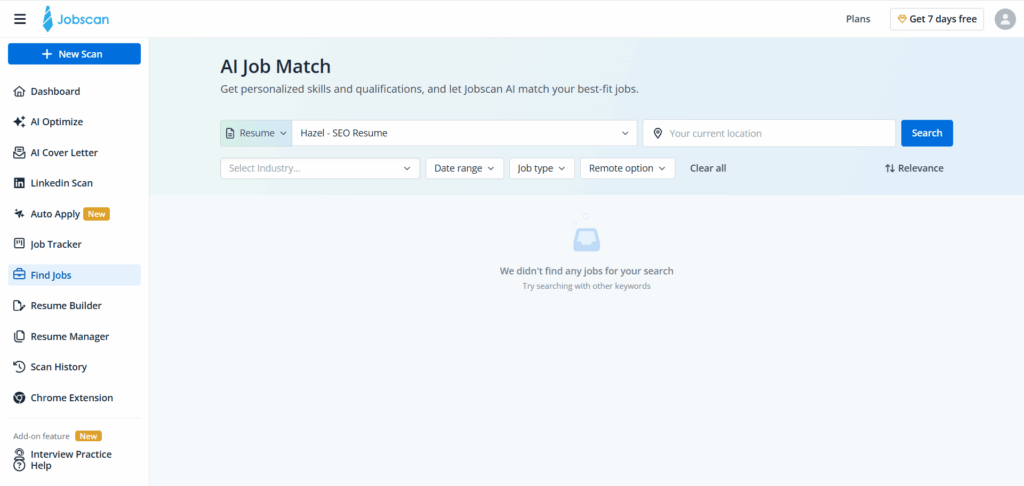
Its matching report highlights skills and terminology that may need attention. This can help when your experience is relevant but your wording is too broad.
Imagine a resume says “created reports using spreadsheets,” while the job posting names Microsoft Excel. If Excel was the tool used, adding its name makes the experience more precise. If the posting asks for a tool the applicant has never used, the missing keyword reflects a genuine gap.
That distinction requires judgment. The report identifies terms to investigate; the applicant determines which ones belong in the resume.
For someone sending carefully targeted applications within a familiar field, this feedback can be a worthwhile addition to the writing process.
Use suggestions without surrendering control
Jobscan also provides AI writing and optimization capabilities. AI Optimize connects suggestions to the target job and offers accept/reject controls, while a comparison view helps review changes.
This is an advantage for applicants who have already invested time in their resume and want to make selective revisions.
A suggestion might improve clarity, but it could also imply more responsibility than the applicant held. Changing “supported client renewals” to “owned client renewals,” for example, changes the claim. Reviewing suggestions individually gives you a chance to keep the accurate version.
I’d favor Jobscan when this kind of controlled, job-specific refinement is the main task. Its diagnostic workflow is a stronger reason to choose it than simply wanting another draft.
AI Resume Writing: Two Ways to Get Started
NoteGPT suits a prepared brief
NoteGPT is a practical option when you can describe your background and want help turning it into resume content.
This may suit an experienced applicant returning to the job market. They know their employers, projects, and responsibilities, but need help deciding how to express that information concisely.
It can also suit a student who has collected project and internship details and wants to organize them into a first resume.
In both cases, I’d start with a focused request: the target role, the relevant facts, and the sections needed. The quality of that source material gives the applicant a basis for evaluating the draft.
Jobscan offers guided development
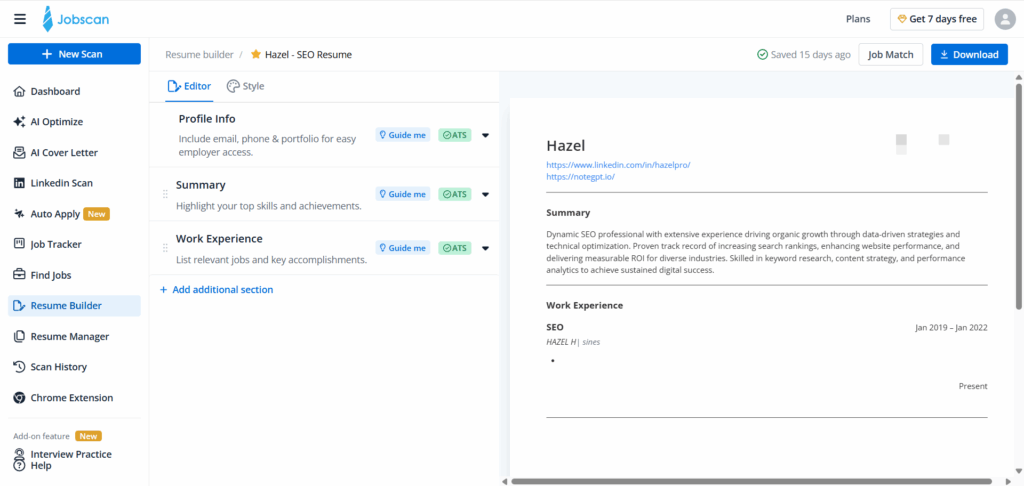
Jobscan’s AI Resume Coach takes a more guided approach, asking questions about experience to help develop content. Its builder also supports starting from scratch, uploading a resume, or importing LinkedIn information.
That can be helpful if you don’t yet know what details to provide. Questions about your contribution to a project may uncover material that a short initial description would leave out.
The choice comes down to how you prefer to begin. NoteGPT suits applicants ready to describe their background in a written brief. Jobscan’s guided approach may appeal to those who want prompts along the way.
For a reader whose immediate goal is to turn existing notes into a draft, NoteGPT remains my preferred starting point. If drawing out the information is itself a major challenge, Jobscan is also worth considering.
Templates, Readability, and Downloads
Keep presentation connected to the content
A template should make the resume easier to understand. Clear headings, consistent dates, and a recognizable reading order help communicate where the applicant worked and what they did.
NoteGPT’s presentation controls support this stage of preparation. After reviewing the draft, you can work on the template and typography to give the content a consistent appearance.
Jobscan combines templates with scanner feedback on potential readability issues, including resume sections, dates, contact information, and file type. That additional diagnostic layer matters when you are concerned about how information may be extracted.
Neither approach makes an ATS-friendly label a guarantee. The specific document still matters, including the changes made after choosing a template.
Check the file you will submit
A finished resume needs to work outside the editor. Jobscan’s AI Optimize workflow includes DOCX export, which is relevant when a recruiter requests an editable document.
With either tool, confirm that your chosen workflow and account provide the format required for the application. Creating a draft, downloading a PDF, and obtaining an editable Word file are separate requirements.
Open the downloaded document before submitting it. Check whether headings stay with their content, links work, and the final page contains enough information to justify its space.
For someone choosing NoteGPT to create a first resume, this is the point at which the drafting process becomes a completed deliverable. The result should be a document you can confidently send, with every claim reviewed.
Free Access and Paid Features: Spend on the Task You Need
Start with the work you can complete
If you already use NoteGPT, trying its resume workflow is a sensible first step before adding another subscription. Determine whether your account covers the generation, editing, and download actions you need.
Existing access can make the choice convenient, but it does not automatically establish that every model, template, or export is included.
For a one-off resume, I’d focus on the total cost of finishing the required file. A plan has limited value if it gives you a draft but leaves the needed output behind a separate restriction.
Pay for diagnosis when you will use it
Jobscan offers a free resume builder and a limited free scanning allowance. Free scans replenish monthly on the day the account was created.
If you only need an occasional check, start there. Repeated scanning and optimization become more relevant when you are tailoring several applications and the feedback consistently helps you revise them.
That is a different purchase from paying for help creating a resume. Someone with unfinished content may get more immediate value from working on the draft in NoteGPT. Someone with a completed document and recurring matching questions has a stronger reason to consider Jobscan’s paid capabilities.
Choose around the work that remains, rather than the length of the feature list.
Choosing Between NoteGPT and Jobscan
Start with NoteGPT when you need to build or rebuild
I’d recommend NoteGPT first when your experience is scattered, your current resume needs substantial rewriting, or you want to develop a document from a written description of your background.
Its appeal is the connection between generating content and preparing the document’s presentation. That is a useful starting point for applicants who need something concrete to review and improve.
Choose Jobscan when detailed feedback is the priority
Jobscan is the stronger fit when your resume is already in good shape and you want explicit feedback on keyword alignment or potential readability problems.
It is also worth considering if you want guided writing and dedicated matching within the same product. Its advantage becomes more relevant as diagnosis and repeated targeted revisions take up more of your application process.
Using both is optional. Add another tool when it answers a question your current workflow leaves unresolved.
Conclusion
For job seekers whose main challenge is turning their experience into a clear, job-focused document, NoteGPT is the starting point I’d recommend. Its AI Resume Builder brings generation, editing, and presentation into the work of preparing a resume.
Jobscan is a more specialized choice for applicants who need detailed matching feedback, readability checks, and controlled optimization suggestions. Those capabilities are valuable when you already have a document to refine.
The Jobscan vs NoteGPT decision should begin with what your resume needs next. If that is clearer content and a usable draft, start with NoteGPT. If it is a detailed diagnosis of an existing application, consider Jobscan. The goal is a resume that presents your relevant experience accurately and gives a recruiter a clear reason to continue the conversation.