


A promising job opening can make a perfectly decent resume feel unfinished. The employer wants experience you have, but your summary emphasizes something else. Your strongest project is buried below older responsibilities. You open the document to make a few changes and end up rewriting half the page.
Other applicants face a different problem: they have work experience, projects, and skills, but no clear starting draft.
An AI Resume Builder can help with both situations, although the way it fits into your application process matters. Teal gives you a structured workspace for organizing experience, matching it to openings, and managing applications. NoteGPT offers a more direct path from written background to a generated document.
In this Teal vs NoteGPT comparison, I’d favor Teal for a job search involving repeated tailoring. NoteGPT is worth trying when getting your experience onto the page is the immediate challenge. The better choice depends on how much help you need after that first draft appears.
Teal vs NoteGPT: Which Fits Your Starting Point?
Before comparing templates or subscriptions, consider what you already have.
If you have a usable resume and several positions to apply for, the difficult work is deciding what to emphasize each time. If your information is scattered across notes, an old LinkedIn profile, and unfinished documents, creating a coherent first version may matter more.
| What you need | Where I’d start | Reason |
| A first draft from written career notes | NoteGPT | A direct input-to-document workflow |
| A reusable collection of experience | Teal | Selectable experience items for different resumes |
| Help comparing a resume with a job posting | Teal | Dedicated keyword matching |
| Several tailored application versions | Teal | Resume organization and controls for shared edits |
| A finished PDF without a subscription | Teal | Explicitly included in its free plan |
| An editable Word document | Check before committing | Teal’s documented export is PDF; confirm NoteGPT’s Word availability |
This is where the products separate most clearly. Teal’s additional structure becomes valuable as applications accumulate. NoteGPT’s simpler starting experience appeals when you want a document to work on before organizing a broader job search.
Building the First Draft: Organize Your History or Describe Your Background
Teal gives existing experience a reusable structure
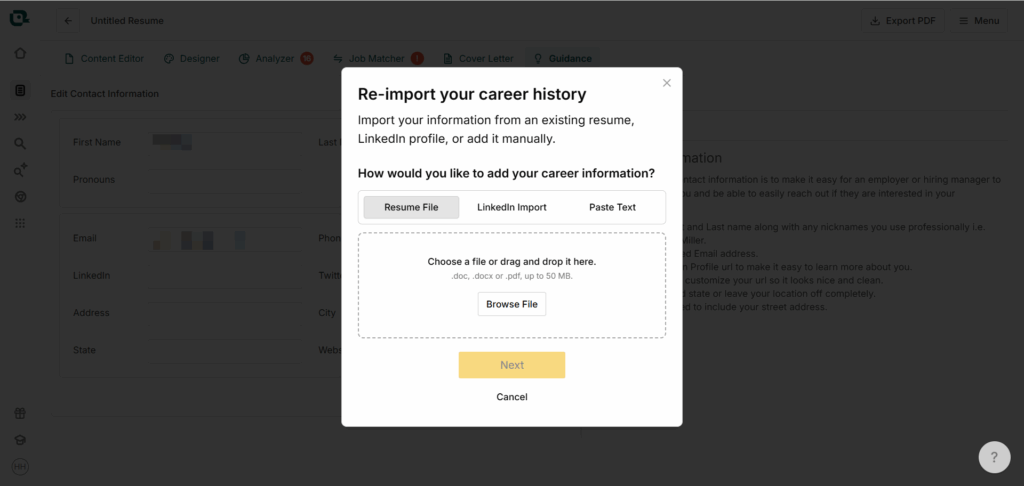
The Teal resume builder lets you import an existing resume, bring in a LinkedIn profile, paste career information, or enter details manually. Imported material is organized inside a Teal template, so expect to review the content in a new layout.
That approach suits someone with several roles, projects, or responsibilities to draw from. You can organize the material before deciding which parts belong in a particular application.
Consider a hypothetical customer support specialist applying for customer success and operations roles. Their background might include training clients, documenting processes, preparing reports, and coordinating schedules. All of that belongs in their career history, but it doesn’t deserve equal space in every resume.
Teal provides a useful place to make those choices. The initial setup requires attention, especially if your old resume needs cleaning up. Once the information is organized, subsequent applications can reuse it.
You can also start from scratch. The reason I’d particularly recommend Teal to someone with existing material is that its structure gives that material an ongoing purpose.
NoteGPT helps you get something onto the page
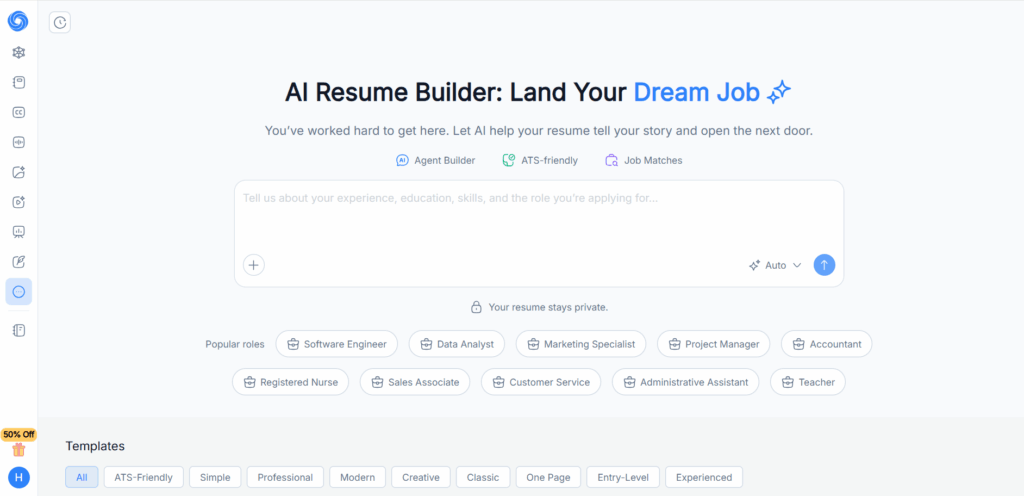
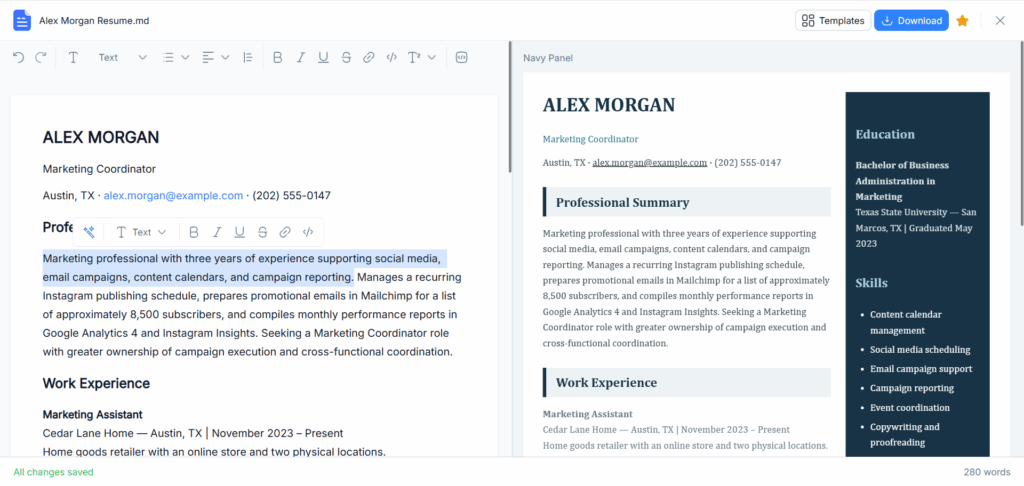
NoteGPT begins with a central input area and examples, then generates a document for review. Its result screen includes template, color, and typography controls.
This can be approachable when you know what you’ve done but struggle to turn it into resume sections. You can describe your background in ordinary language and use the resulting draft to decide what needs more attention.
For a recent graduate, that might mean bringing together an internship, a university project, and part-time work. Seeing those experiences arranged in a document can make it easier to judge which one deserves the most space.
Provide enough detail to make the draft useful. A target job title gives direction, but the substance needs to come from your actual responsibilities, projects, tools, and results.
I’d try NoteGPT when producing the first version feels like the hardest step. A direct starting screen can help you begin; the quality of the finished resume still depends on how well you review and develop the content.
Tailoring for Different Jobs Without Starting Over
Choose relevant experience before rewriting sentences
Repeated tailoring becomes difficult when each application lives in a disconnected file. One version contains a stronger project description. Another has an updated title. A third still uses a summary written for a different kind of role.
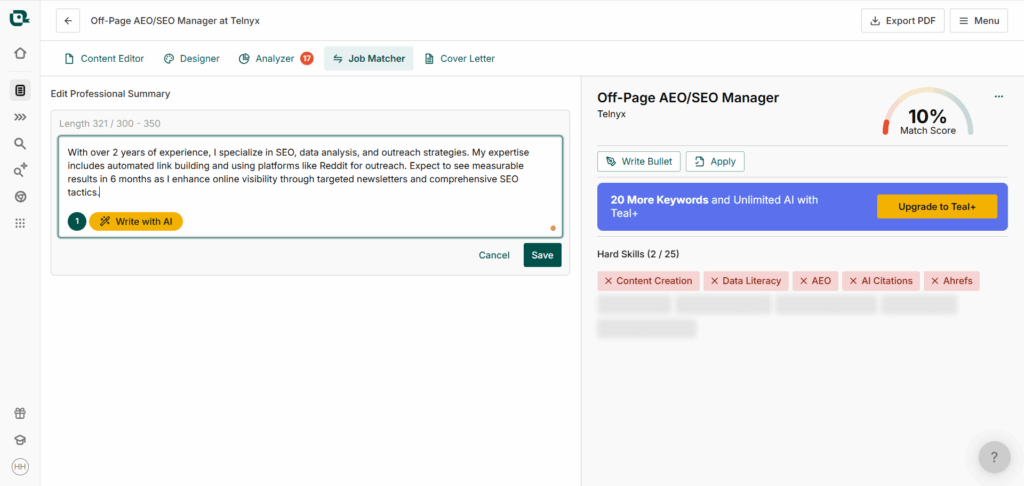
Teal’s selectable experience items address this problem. You can keep a fuller collection of career information and choose which work entries and bullets appear in each resume.
For the customer support specialist, client training might lead the customer success version. Process documentation could receive more attention in the operations version. The employers and dates stay consistent while the emphasis changes.
This is a meaningful advantage over treating every application as a fresh writing task. You’re making editorial decisions about experience you already understand.
NoteGPT can help create a draft directed toward a role, but I’d approach each document individually. If you’re managing several applications, keep a reliable master copy of your background and a clear naming system for the versions you produce.
For an occasional application, that may be enough. When tailoring becomes a regular part of your week, Teal’s organization becomes more attractive.
Teal makes keyword gaps easier to inspect
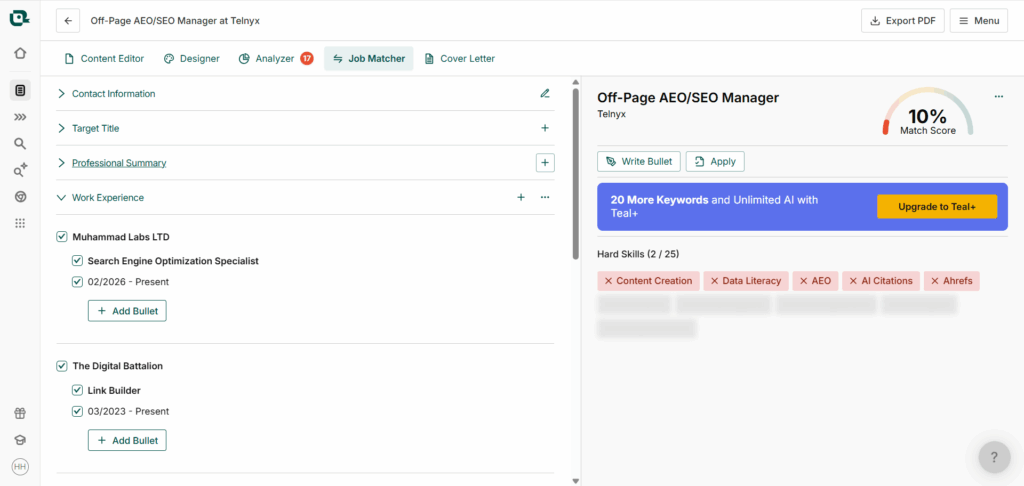
Teal’s Job Matcher compares a resume with a saved opening or a job description you supply. It surfaces terms that appear in your resume and terms that are missing.
That gives you a specific place to begin reviewing relevance.
Suppose an employer asks for customer onboarding, while your resume describes similar work as client training. You can revisit the bullet and explain the connection more clearly. If you haven’t done that work, however, the missing term represents a qualification gap rather than a writing problem.
The distinction matters because a resume can become less convincing when every suggested keyword gets added without context.
NoteGPT can use a target role or job description to guide a draft. You’ll still need to compare the resulting emphasis with the opening yourself; a job-informed draft shouldn’t be treated as a substitute for a dedicated comparison view.
For applicants who want help identifying what to revisit, Teal has the clearer workflow. For someone who already understands the role and knows which experience matters, NoteGPT’s drafting approach may be sufficient.
Editing the Resume While Keeping Your Story Intact
Match the amount of AI help to the size of the problem
Sometimes a resume needs a new structure. Sometimes it needs one better sentence.
If your employment history is already accurate and relevant, regenerating everything creates more text to inspect. A vague bullet may need a clearer description of your contribution, while the rest of the section can stay as it is.
Teal places writing assistance near individual experience items, which suits those smaller revisions. You can concentrate on a particular bullet within an established resume.
When working with an AI Resume Builder to produce a whole draft, the first review is broader. Look at the summary, the order of the experience, and the amount of space given to each role. With NoteGPT, I’d settle those decisions before spending much time on visual adjustments.
Imagine a hypothetical applicant who prepared weekly reports and helped coordinate a project. The wording should explain that contribution clearly. It shouldn’t turn supporting a project into managing the entire initiative.
I wouldn’t choose either product on the assumption that its AI is automatically more accurate. The useful distinction is how comfortably you can inspect and revise the parts that need attention.
Decide which edits should reach other versions
Once several resumes exist, even a small correction can affect more than one application.
Teal lets you apply edits to existing information across resumes through its “Save to all resumes” option. If an edit stays local, other versions can offer the change for review. Entirely new details behave differently and are added across resumes automatically.
That gives you control, but it also requires a deliberate choice. A corrected phone number belongs everywhere. A summary tailored to an operations opening may need to stay in that version.
For NoteGPT, I’d treat drafts as separate documents unless your available workspace explicitly provides the synchronization controls you need. History and saved documents alone don’t tell you which changes carry across versions.
This may have little effect on someone preparing one resume. During a longer search, it can determine how much effort goes into keeping every application consistent.
Getting a File You Can Submit
Choose the layout after adding your real content
Templates are easiest to judge once they contain your own experience.
A layout that looks spacious with sample text may feel crowded with a long employer name, several projects, or detailed qualifications. Shrinking the font can recover space while making the document less comfortable to read.
Teal separates content editing from design controls. NoteGPT places visual options around the generated document. Either approach can work; the better fit depends on whether you prefer finishing the wording first or adjusting the appearance as you review.
I’d make the important content decisions before polishing spacing and color. If a useful achievement has to disappear to preserve a decorative layout, reconsider the template.
The finished document matters more than the thumbnail. Look for readable text, clear section boundaries, and page breaks that keep related information together.
Resolve PDF or Word requirements early
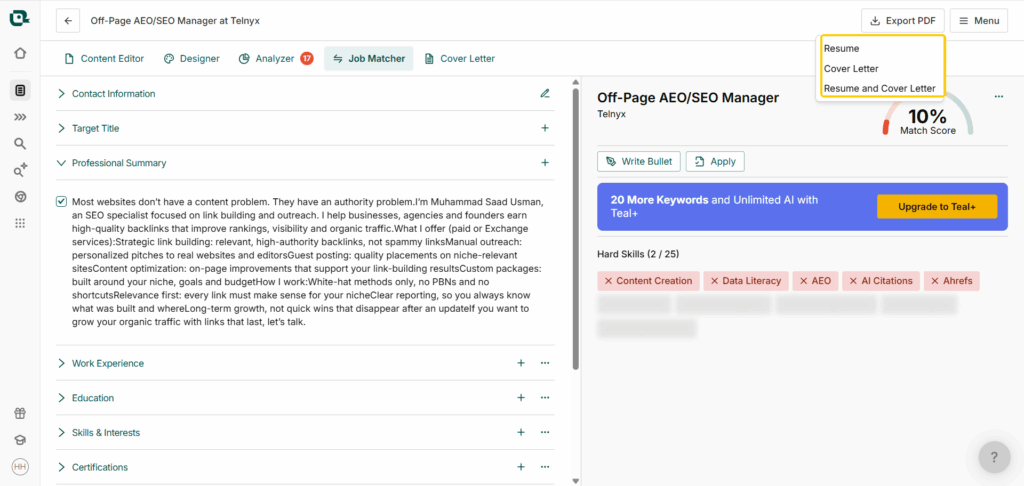
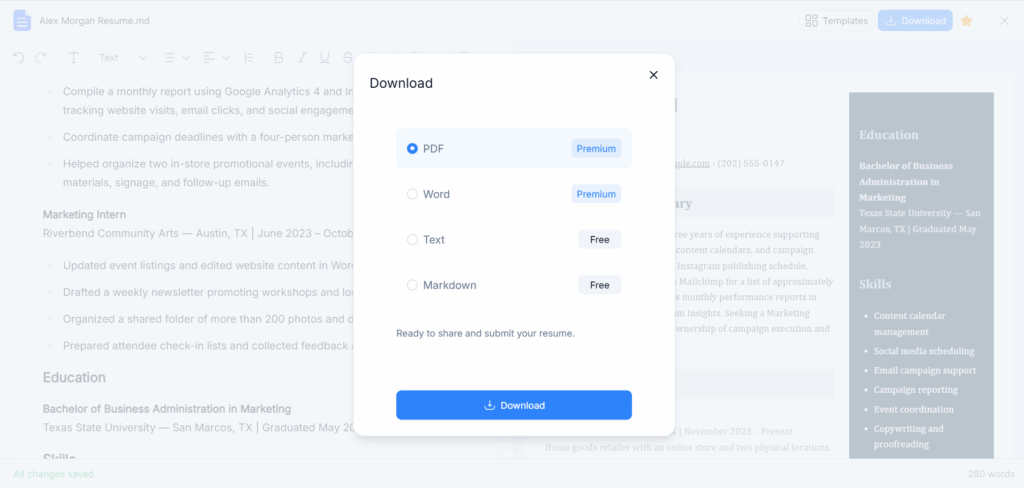
Teal’s documented download format is PDF. That works for applications accepting PDFs and for applicants who plan to return to Teal when they need another revision.
A recruiter asking for an editable Word document changes the requirement. Paying for additional writing or analysis features doesn’t solve a format limitation.
NoteGPT advertises PDF and Word downloads, but confirm that Word export is available for your account and chosen template before selecting it for that purpose.
I’d settle this question before investing time in the final design. Otherwise, you may finish a resume you like and still need to rebuild its formatting elsewhere.
Free Plans and Pricing: What Is Worth Paying For?
Teal’s free plan can take you through submission
Free Teal accounts can create, edit, and export unlimited resumes and track unlimited roles. AI writing has a separate, one-time allowance: five bullet-generation credits, two professional-summary credits, and two cover-letter credits.
Once those credits are used, you can continue editing manually and exporting your resumes. That makes the free plan a practical option for someone who needs a finished document without ongoing AI assistance.
Teal+ expands AI generation, keyword access, analysis, and design controls. Its listed subscription options are $13 every seven days, $29 every 30 days, and $79 every 90 days.
For one application, I’d begin with the free plan. For regular tailoring, consider whether you’re repeatedly using the features behind the upgrade.
The billing period also matters. Four weekly payments total $52, compared with $29 for the 30-day option. A smaller first payment can become the more expensive choice if you keep using the service.
Try NoteGPT’s drafting workflow before paying
NoteGPT presents resume creation as a free starting experience. That makes trying the workflow reasonable, but free access shouldn’t be read as a promise of unlimited revisions or every download format.
Before paying, establish what the upgrade adds to your particular task. Extra generation, premium design options, and access to a required file format solve different problems.
If you already use NoteGPT, staying in a familiar platform may be convenient. The value still depends on whether your account includes the resume features you need. Without a confirmed per-resume credit cost and clear export entitlements, I wouldn’t call it cheaper than Teal.
As a Teal alternative, NoteGPT is most appealing when you want help drafting a document and already have another way to manage applications.
Conclusion
Teal is the stronger fit for applicants with career material to reuse across several openings. Its experience selection, job matching, and shared-edit controls support the repeated work of tailoring. The free plan also offers a clear route to a finished PDF.
NoteGPT is worth trying when your immediate obstacle is the first draft. An AI Resume Builder can give scattered notes a structure you can evaluate, and its direct generation workflow may suit you if you prefer responding to a document rather than filling out sections first.
For an ongoing search, I’d choose Teal. For getting an initial draft underway, I’d try NoteGPT with a detailed account of my background and a specific target role. In either case, the resume should make your relevant experience easier to recognize—and give you a story you can comfortably explain when the interview comes.