


Introduction
Ever struggled to explain a complex idea because your thoughts feel scattered? Learning how to make a concept map can help you organize information visually, connect related ideas, and turn complicated topics into a clear structure.
A concept map is a visual diagram that shows relationships between concepts through nodes, connecting lines, and linking words. Students use concept maps to review lessons, researchers use them to organize complex information, and professionals use them to plan strategies and solve problems.
Creating a concept map from scratch is easier than it looks, but you don’t always need to start with a blank page. A Concept Map Maker can help you quickly transform ideas, notes, or documents into organized visual maps, making the creation process faster and more efficient.
In this guide, you’ll learn how to make a concept map step by step, explore concept map examples for different use cases, and discover how to create professional-looking maps with a free Concept Map Maker or AI-powered tools.
What Is a Concept Map?
A concept map is a diagram that shows how ideas relate to one another. Picture bubbles (or boxes) holding individual concepts, connected by lines, with a short phrase sitting on each line explaining how those two ideas connect. That labeled connection is the whole trick — it's the difference between "these two things are near each other" and "this thing causes that thing."
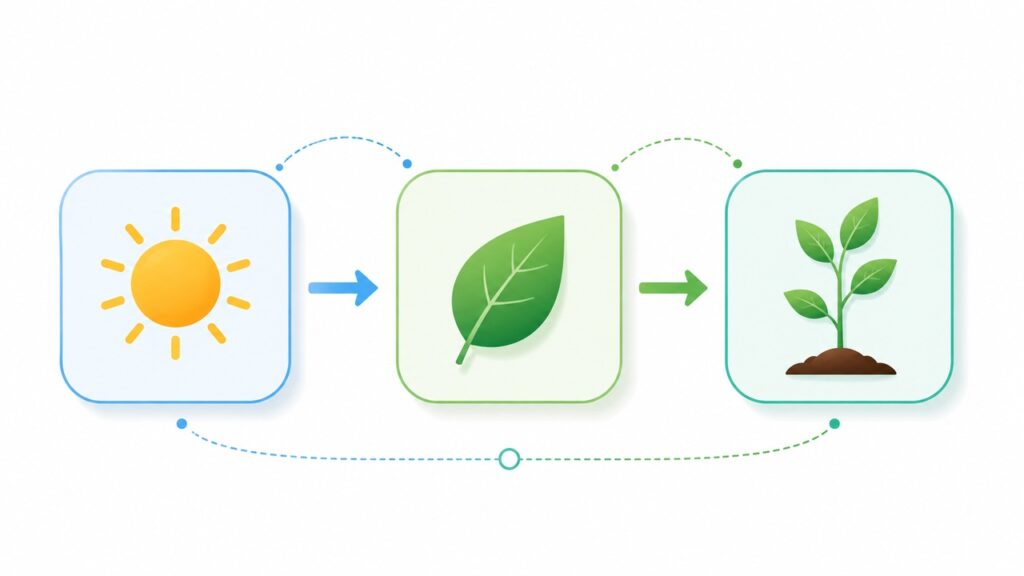
Here's a quick example: instead of just drawing a line between "Sun" and "Plants," a proper concept map labels it — "Sun → provides energy for → Plants." Suddenly the diagram isn't just decoration, it's actually teaching you something.
The format was developed in the 1970s by education researcher Joseph Novak at Cornell, based on the idea that we learn best when we actively build connections between concepts, not when we passively memorize isolated facts. That's still the core promise of a concept map today: it forces you to think in relationships, not lists.
Concept Map vs. Mind Map: What's the Difference?
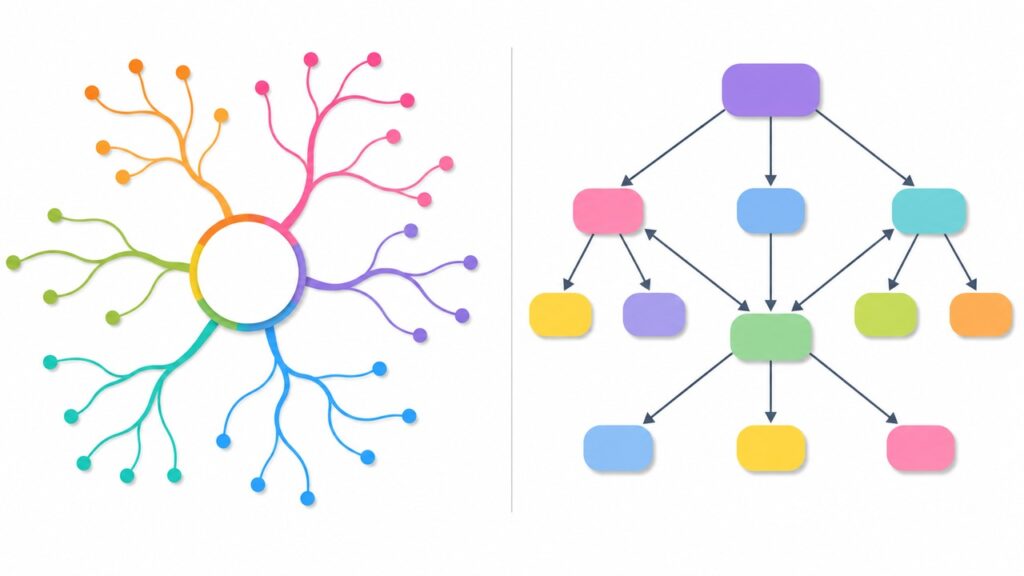
Concept maps and mind maps are often confused, but they serve different purposes. A mind map expands outward from one central idea, while a concept map focuses on showing relationships between multiple concepts with labeled connections.
- Mind map — a hierarchical structure built around one central topic, with branches extending outward. It works well for brainstorming, note-taking, and generating new ideas.
- Concept map — a visual map that connects related concepts using lines and linking words. It helps you understand relationships, processes, and how different ideas work together.
A simple rule of thumb: use a mind map when you want to generate ideas, and use a concept map when you want to explain how ideas connect. For example, when studying the water cycle, a mind map may list related terms like “evaporation,” “condensation,” and “precipitation.” A concept map example would show the relationships between these concepts — evaporation leads to condensation, condensation leads to precipitation, and precipitation continues the water cycle — helping you understand the actual process instead of memorizing isolated terms.
How to Make a Concept Map Step by Step
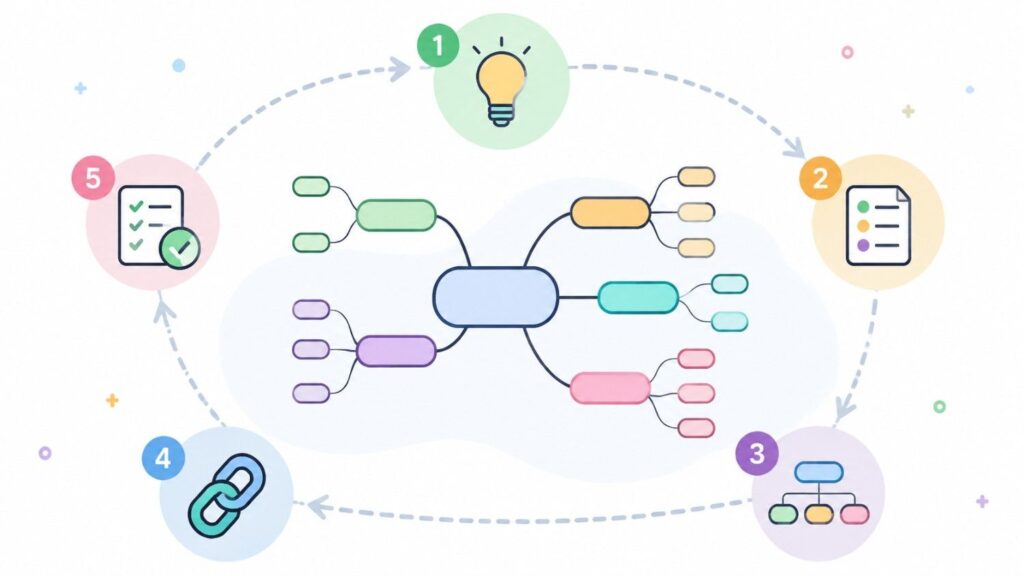
Here's the part you came for. Making a concept map isn't complicated, but skipping a step usually shows up later as a messy, unreadable map. Follow these five steps in order and you'll avoid that.
Step 1: Define Your Main Topic or Question
Every solid concept map starts with a focus question — a single sentence describing exactly what you're trying to understand. Not "photosynthesis," but "How does photosynthesis convert sunlight into usable energy for a plant?" The narrower the question, the sharper your map will be. A vague starting point produces a vague, sprawling map that nobody (including future-you) wants to read.
Step 2: Identify Key Concepts and Ideas
List out the concepts relevant to your focus question — nouns, mostly. Don't overthink ordering yet, just get them all down. For the photosynthesis example: sunlight, chlorophyll, carbon dioxide, water, glucose, oxygen. Aim for quality over quantity here; a concept map cluttered with fifteen tangential ideas is harder to learn from than one with eight essential ones.
Step 3: Organize Concepts from General to Specific
Now arrange your list from broad to narrow, top to bottom (or center-out, depending on your style). The most general, overarching concept usually sits at the top or center, with more specific, subordinate concepts branching below it. This hierarchy is what separates a genuine concept map from a random cluster of bubbles — it gives the reader's eye a place to start.
Step 4: Connect Related Concepts with Linking Words
This is the step people skip, and it's the one that matters most. Draw lines between related concepts, and label every single line with a linking phrase — "produces," "requires," "is part of," "leads to." A map full of unlabeled arrows is just a flowchart pretending to be a concept map. The labels are where the actual understanding lives.
Step 5: Review and Refine Your Concept Map
Step back and read your map out loud, following each connection as a sentence: "Sunlight is absorbed by chlorophyll." Does every sentence actually make sense? If a connection feels forced or vague, that's your cue to either fix the label or rethink whether those two concepts really belong together. Good concept maps rarely survive their first draft untouched — treat this step as mandatory, not optional polish.
Concept Map Examples and Templates
Reading about concept maps only gets you so far — seeing a few in action makes the whole idea click. Here are three concept map examples pulled from the situations where they earn their keep the most.
Concept Map Example for Students
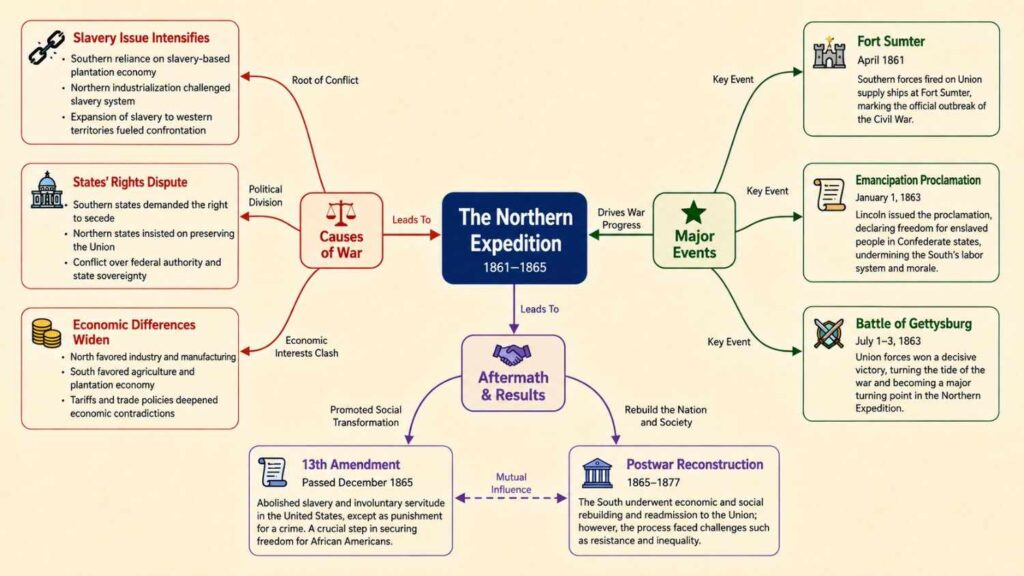
Say you're studying the U.S. Civil War for a history exam. Instead of a wall of bullet points, a concept map puts "Civil War" in the center, then branches out to causes (slavery, states' rights, economic differences), key events (Fort Sumter, Emancipation Proclamation, Gettysburg), and outcomes (13th Amendment, Reconstruction) — each connection labeled with exactly how it relates. When exam day arrives, you're not recalling isolated facts; you're recalling a story that already makes sense.
Concept Map Example for Research
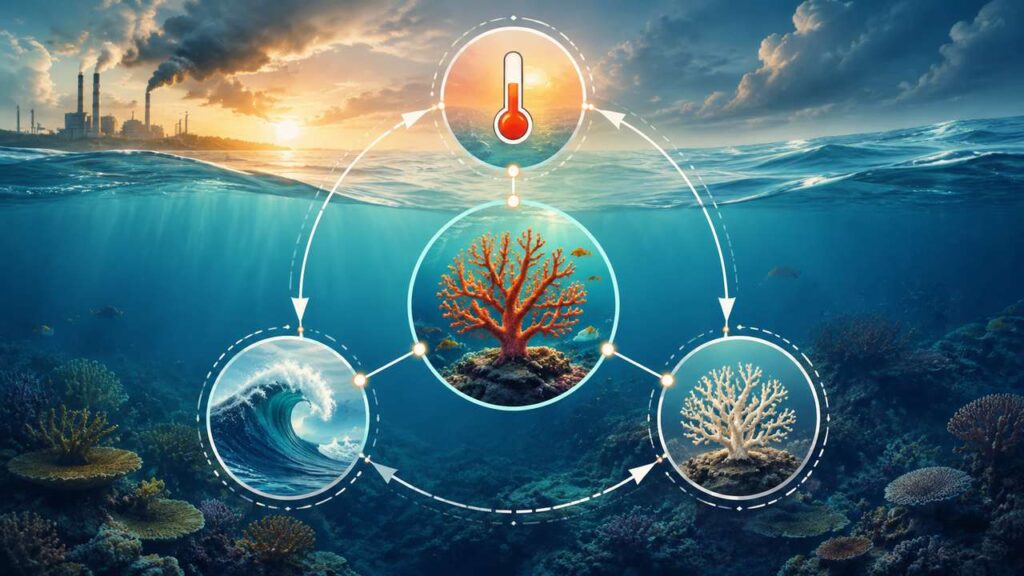
Researchers use concept maps to wrangle literature reviews before they spiral out of control. Picture a map centered on "Climate Change Impacts on Coral Reefs," branching into ocean acidification, rising sea temperatures, and coral bleaching — with each branch linked to the specific studies that support it. It turns a folder of forty PDFs into something you can actually reason about at a glance.
Concept Map Example for Business Planning
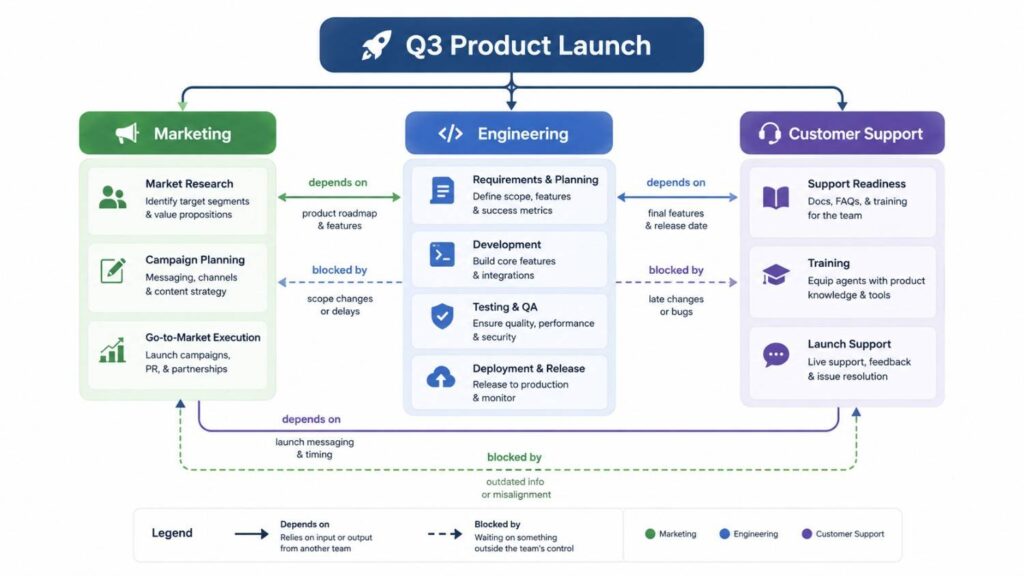
In a business setting, a concept map might start with "Q3 Product Launch" and branch into marketing, engineering, and customer support workstreams, with linking phrases like "depends on" or "blocks" showing exactly where one team's work holds up another's. It's a lot easier to spot a bottleneck on a labeled diagram than buried in a project management tool's fortieth ticket.
How to Create a Concept Map with AI
The fastest way to create a concept map with AI is to provide your topic, notes, or documents to an AI Concept Map Maker, which can help organize key ideas and generate a structured visual map automatically.
While creating a concept map manually works well for simple ideas, an AI-assisted approach is especially useful when you need to organize large amounts of information, such as PDFs, lecture notes, articles, or research materials. Tools like NoteGPT make it easier to transform unstructured content into clear concept maps. In this guide, we’ll walk through how to create a concept map faster with an AI-powered Concept Map Maker.
Step 1: Add Your Topic, Notes, or Documents
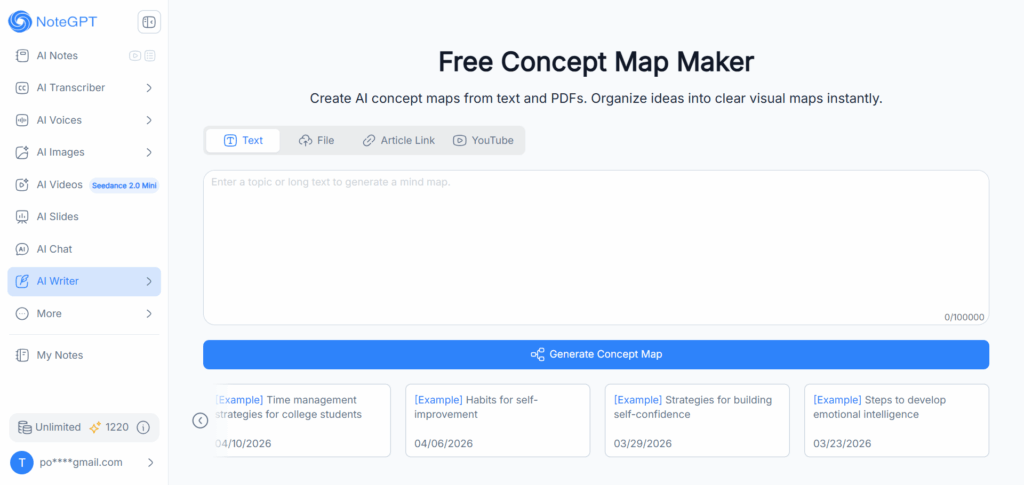
NoteGPT’s Concept Map Maker supports multiple input methods. You can enter a topic, paste text, upload a file, add an article link, or provide a YouTube URL. This makes it easier to turn existing learning materials or long-form content into an organized visual map without manually extracting every key idea.
Step 2: Generate an AI Concept Map
After you submit your content, the AI analyzes the information, identifies important concepts, and organizes them into a structured map with connected ideas and relationships. Instead of building every node manually, you get a strong starting point that you can refine further.
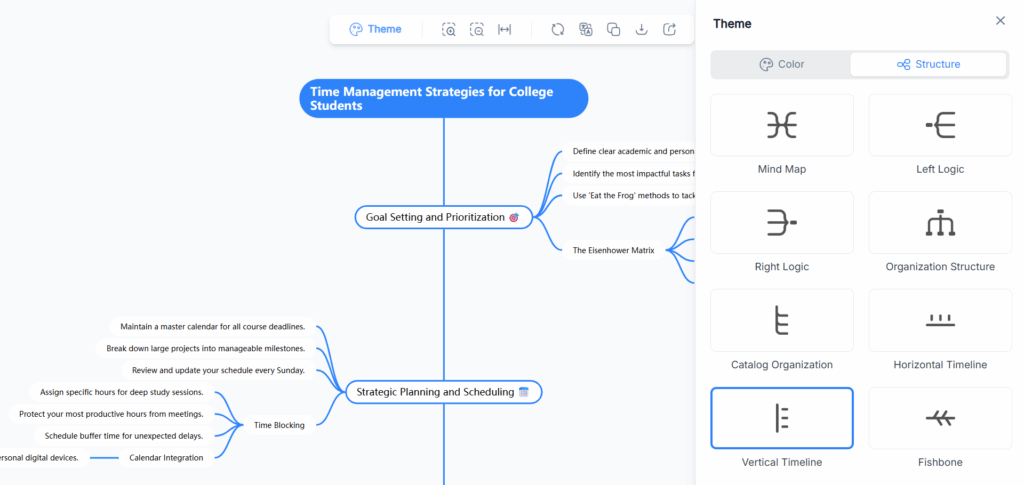
Step 3: Edit, Customize, and Export Your Concept Map
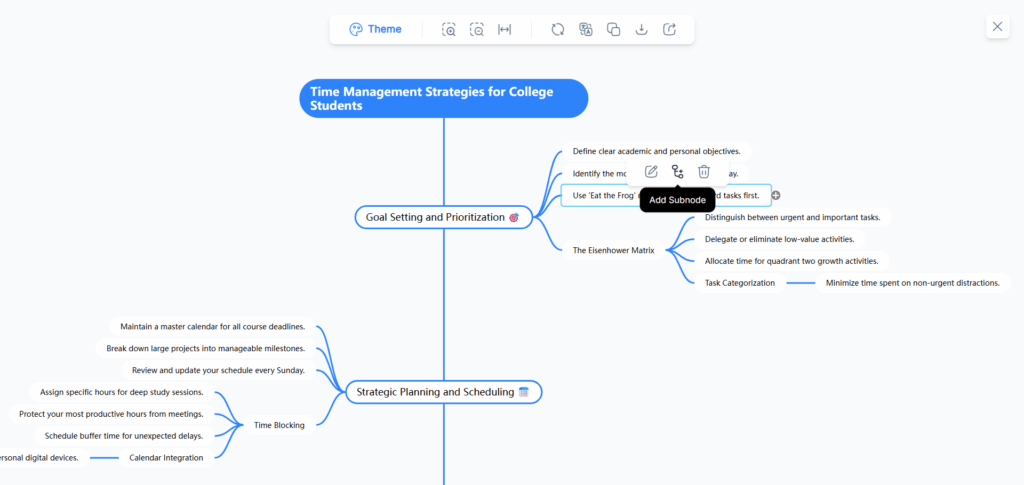
An AI-generated concept map is a starting point, not the final answer. You can adjust concepts, modify connections, reorganize the structure, and customize the map based on your goals. Once finished, export or share your concept map for studying, research, or project planning.
For students reviewing lecture materials, researchers organizing information, or professionals planning complex projects, an AI Concept Map Maker can reduce the time spent structuring ideas and help you focus on understanding the connections between them.
Free Concept Map Maker: Create Maps Online
Features to Look for in a Concept Map Maker
Not every diagramming app that calls itself a "concept map maker" actually understands what a concept map is — plenty are generic flowchart tools wearing a different label. Before you commit to one, check for:
- Labeled connectors — not just lines, but editable text on every link. This is non-negotiable; without it, you don't have a concept map, you have a diagram.
- Multiple input methods — the ability to start from text, a file, or a topic prompt, not just a blank canvas.
- Export flexibility — PNG, PDF, or SVG at minimum, so your map doesn't stay trapped inside one app.
- A genuine free tier — not a seven-day trial disguised as "free."
- AI assistance (optional but useful) — auto-generating a first draft from raw content saves real time, especially under a deadline.
Top Free Concept Map Maker Tools to Try
1. NoteGPT — Best AI Concept Map Generator
NoteGPT's concept map maker stands out for input flexibility: text, file upload, article link, or YouTube video, all funneled into one AI concept map generator. That YouTube input in particular is hard to find elsewhere — most tools make you transcribe a video yourself first. Best for anyone who wants a complete draft in seconds rather than building node-by-node from scratch.
2. Coggle — Best Free & Simple Concept Map Maker
Coggle keeps things refreshingly uncomplicated: a clean canvas, quick node creation, and a genuinely usable free plan. It won't win points for advanced features, but if you just need to get a concept map done without a learning curve, it's consistently one of the most recommended free options out there.
3. Lucidchart — Best for Professional & Team Concept Maps
Lucidchart is built for collaboration, with real-time multi-user editing and a polished, professional look that suits work environments. If your concept map needs to survive a client meeting or get reviewed by a team, this is the safer bet over more casual tools.
4. Canva — Best for Visually Polished Concept Maps
Canva brings its signature strength — design — to concept mapping, with a large library of templates and easy drag-and-drop customization. It's an especially good fit for students or content creators who want a map that looks good enough to share on social media, not just functional enough to study from.
5. CmapTools — Best Free Academic/Research Concept Map Tool
Developed by the Florida Institute for Human and Machine Cognition (IHMC) — the research group most closely tied to Novak's original concept mapping methodology — CmapTools remains the go-to choice in academic and research circles. It's less flashy than the newer web-based tools, but for propositional, Novak-style concept maps with labeled cross-links, it's still considered the gold standard.
Frequently Asked Questions
How do you make a concept map?
Start with a focused question you want to answer, list the key concepts related to it, arrange them from general to specific, connect them with labeled linking words, then review the whole thing by reading each connection as a sentence. Five steps, no special software required — though a free concept map maker like NoteGPT will speed up the first draft considerably.
What should a concept map include?
At minimum: concepts (usually nouns, shown in boxes or bubbles), connecting lines between related concepts, and a labeled linking phrase on every line explaining the relationship. A hierarchy from general to specific ideas is also standard, though not strictly required for informal maps.
Can I create a concept map online for free?
Yes — tools like Coggle, CmapTools, and NoteGPT all offer genuinely usable free plans, not just trial periods. NoteGPT's free concept map maker also lets you generate a full map from a topic, file, or even a YouTube video, rather than building every node manually.
What is the difference between a concept map and a mind map?
A mind map branches outward from a single central topic, mostly for brainstorming. A concept map connects multiple ideas in any direction with labeled relationships, mostly for understanding how a system works. If you want to generate ideas, reach for a mind map; if you want to explain how ideas connect, make a concept map.
Conclusion
A concept map won’t replace your thinking — it helps you make your thinking clearer. By defining a focus question, identifying key concepts, and adding meaningful connections between ideas, you can turn complex information into a structure that is easier to understand, remember, and explain.
Now that you know how to make a concept map, you can start with a simple sketch or use a Concept Map Maker to create a structured visual map faster. With an AI-powered approach, you can turn notes, documents, or ideas into a clear first draft, then refine the connections and customize the map based on your needs.
Whether you’re a student organizing study materials, a researcher analyzing information, or a professional planning a project, the right Concept Map Maker can help you transform scattered ideas into meaningful visual connections.