


Creating professional, visually appealing presentations can be a time-consuming challenge for students, educators, content creators, and professionals alike. Summarizing lengthy research, turning articles or videos into slides, and designing layouts often takes hours and can be frustrating. Nano Banana Pro Slides, powered by Google Slides AI, solves this problem by automatically converting text, documents, links, and even YouTube videos into fully structured, polished slides with supporting visuals. With its smart AI features, Nano Banana Pro Slides lets anyone produce high-quality, engaging presentations quickly, saving time while ensuring clarity, accuracy, and professional design standards.
What Is Nano Banana Pro Slides?
A Quick Introduction to This Google Slides AI Tool
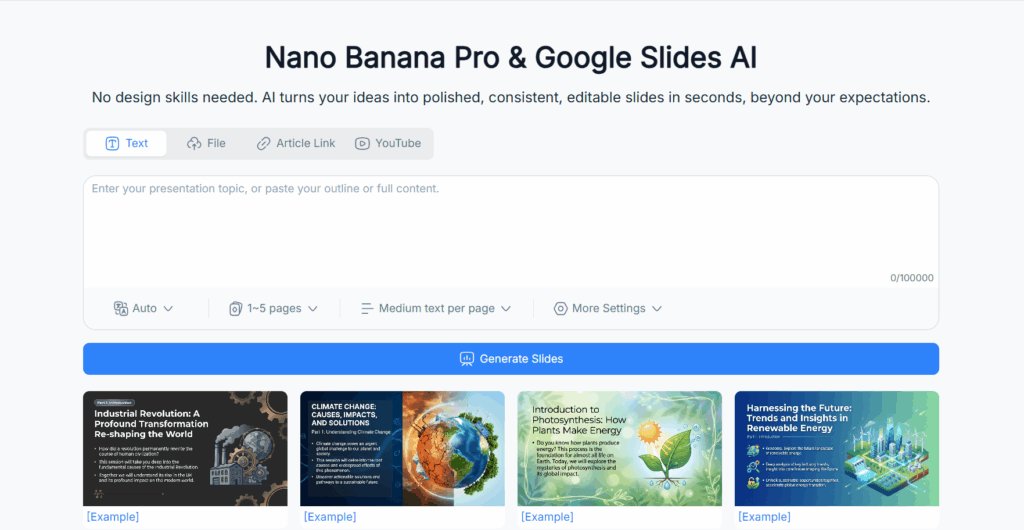
Nano Banana Pro Slides is a new generation of presentation automation built on top of Google Slides AI. It’s designed for anyone who needs clean, professional-looking slides but doesn’t want to spend hours wrestling with formatting, layouts, or structuring content. If you’ve ever opened Google Slides with a full plan for a deck, only to freeze at slide 1 because the blank page looked too blank, then Nano Banana Pro Slides is exactly the tool you wish Google had built years ago.
At its core, Nano Banana Pro Slides takes your raw content—whether it's text, research notes, a long PDF, a blog post, or even a YouTube video—and turns it into presentation-ready slides. Instead of forcing you to manually summarize, rewrite, outline, and visually arrange your material, this Google Slides AI system does most of that heavy lifting automatically. Rather than piecing together slide structure screen by screen, you simply feed the content to the tool, choose your preferences, and Nano Banana Pro Slides generates a full, polished deck in minutes.
This shift changes how people think about presentations. Instead of starting with design and structure, users can focus on ideas. And because Nano Banana Pro Slides uses advanced content understanding, the AI actually grasps the meaning of the input, instead of simply chopping text into random bullet points. It's far more intelligent—and far more useful—than the typical Google Slides AI add-ons available in the workspace marketplace.
How It Works with Text, Files, Links, and YouTube Videos
One of the standout qualities of Nano Banana Pro Slides is the flexibility of its inputs. Many Google Slides AI extensions limit you to basic text, leaving the more complex materials unexplored. Nano Banana Pro Slides breaks that limitation.
If you paste plain text, the tool quickly identifies topics, sections, and the logical hierarchy needed for a strong slide deck. Whether it’s a 500-word summary or a 5,000-word research breakdown, the Google Slides AI engine analyzes it for key themes, essential arguments, and supporting evidence.
When you upload files—PDFs, Word documents, research papers—the workflow becomes even more impressive. Nano Banana Pro Slides extracts text, headings, tables, and context. This means it can condense a dense academic PDF into a clear set of slides with digestible bullet points and well-structured chapters. For students, researchers, and corporate analysts, this alone can save hours.
Links offer an even smoother option. If you share an article, blog post, or online resource, the Google Slides AI inside Nano Banana Pro Slides automatically fetches the content and transforms it into organized slides. Everything—from intro to conclusion—gets distilled into neatly summarized points.
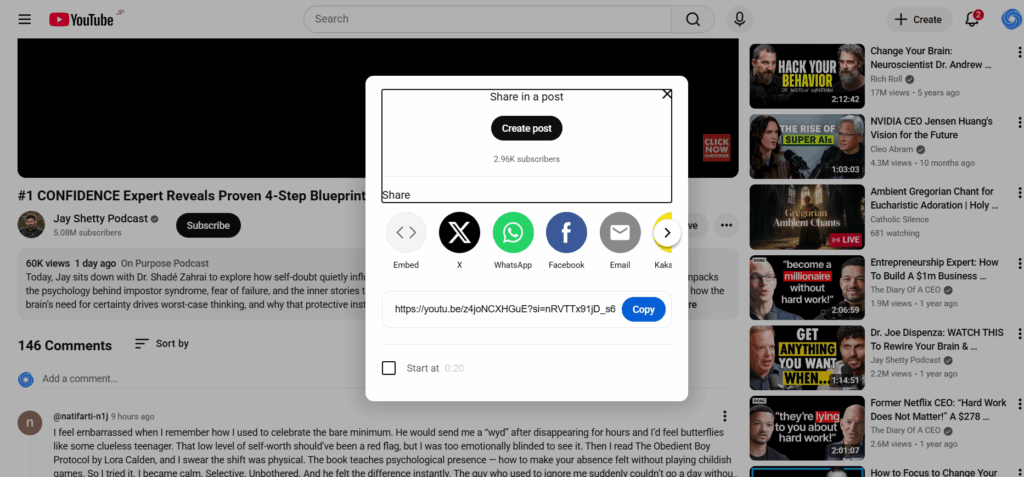
The YouTube video feature is where most people get genuinely surprised. Paste a video URL, and Nano Banana Pro Slides will transcribe, summarize, detect chapters, extract insights, and then convert all of that into presentation slides. This turns tutorials, lectures, product demos, and educational videos into training decks instantly.
Why Nano Banana Pro Slides Matters for Anyone Creating Presentations
People spend an unreasonable amount of time making slides. Anyone who has ever been stuck manually designing a deck knows the pain: selecting the layout, inserting shapes, resizing images, rewriting paragraphs into bullet points, and trying to reduce a 40-minute lecture into a page of insights.
Nano Banana Pro Slides removes that friction. For students, it turns complex reading material into effortlessly understandable slides. For educators, it powers faster lesson planning. For business teams, it shortens the prep cycle for pitch decks, reports, and updates. For content creators, it transforms long-form content into polished visuals ready for social media or presentations.
More importantly, this tool democratizes high-quality slide generation. You don’t need design talent, presentation skills, or endless hours of editing. With the help of Google Slides AI built into Nano Banana Pro Slides, anyone—from analysts to marketers to creators—can produce clean, concise, visually appealing slides without headaches or burnout.
How Nano Banana Pro Slides Uses Google Slides AI to Build Better Presentations
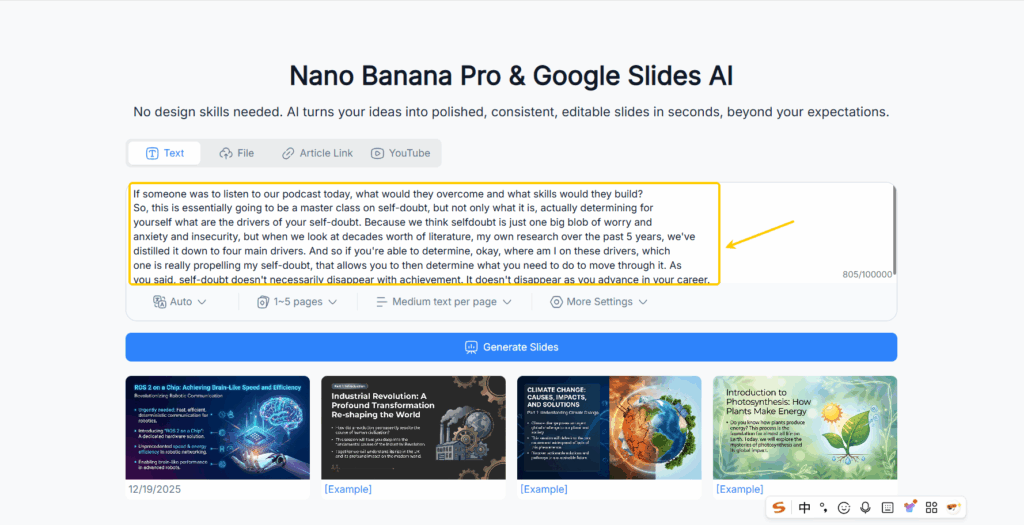
Automatic Content Extraction from Text and Documents
Nano Banana Pro Slides excels at understanding content the way humans do, not the way basic keyword extractors do. Its content extraction system, powered by Google Slides AI intelligence, identifies the core meaning of each paragraph, the arguments, the structure, and the narrative logic behind text and documents.
When you upload a document, the tool doesn’t just scan for bold headings or title-style formatting. Instead, it detects the hierarchy of ideas: main topics, supporting points, critical insights, data-backed arguments, and summary-worthy takeaways. This means a 20-page research paper becomes a clean, digestible visual outline rather than a scattered collection of copied text.
Business documents—like reports, memos, proposals, and data summaries—are broken down into logic-based sections that feel natural to read and present. No more dumping paragraphs onto slides; Nano Banana Pro Slides rewrites and restructures content into the kind of presentation flow that audiences actually follow.
Turning Articles and Web Links into Ready-to-Use Slides
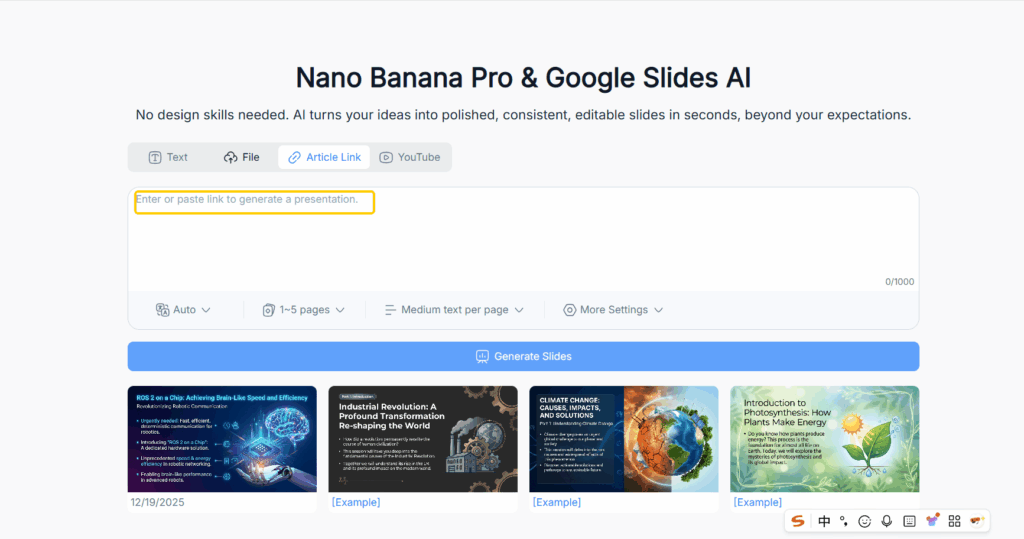
One of the biggest time-savers is the ability to convert URLs directly into slides. Most people don’t realize how much content they consume daily from online articles, blogs, newsletters, or industry updates. Converting any of these into a presentation usually means copy-pasting, paraphrasing, summarizing, and formatting.
Nano Banana Pro Slides handles this entire process automatically. When you paste a link, the Google Slides AI extracts the text, identifies the main arguments, filters out fluff, and organizes everything into chapters, bullet points, and supporting visuals. This is especially valuable for content creators who want to turn written insights into slideshow-style posts for TikTok, Instagram Reels, or LinkedIn carousels.
Generating Slides Directly from YouTube Video Content
This is the feature that makes people say, “Wait… it can do that?”
Yes. It can.
You paste a YouTube link; Nano Banana Pro Slides performs:
- Full transcription
- Topic segmentation
- Chapter detection
- Key point extraction
- Visual concept generation
- Slide formatting based on the video’s intent
If the video is a 30-minute lecture, Nano Banana Pro Slides condenses it into a clear lesson. If it’s a product demo, it becomes a feature-focused slide deck. If it’s a tutorial, it becomes a step-by-step guide. This turns video content into professional training material instantly—a huge time-saver for instructors, HR trainers, influencers, and anyone repurposing YouTube content.
AI-Powered Layouts, Themes, and Visual Styling
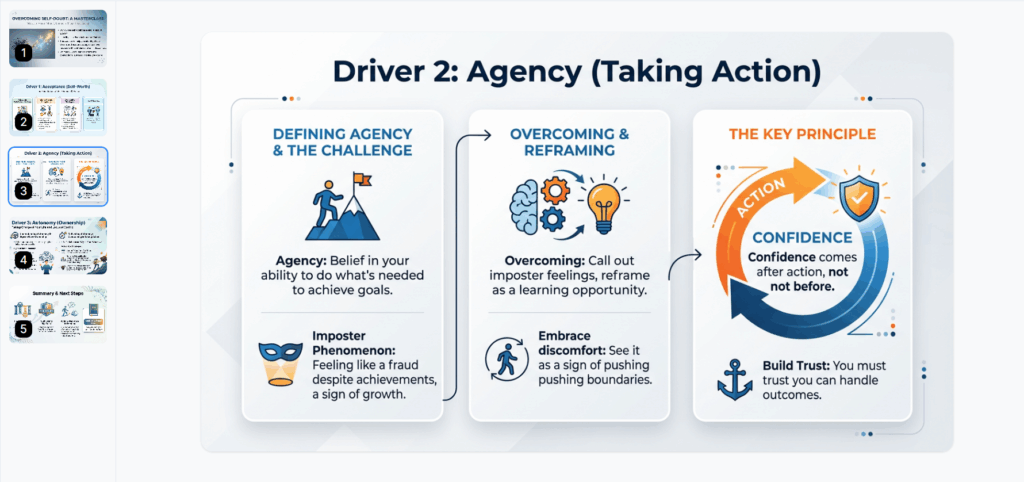
Creating slides isn’t just about summarizing content—it’s also about visual clarity. Nano Banana Pro Slides blends its content understanding with Google Slides AI styling intelligence to apply layouts, color themes, spacing, and visuals that fit the narrative.
Instead of random or mismatched designs, you get:
- Clean spacing
- Balanced layouts
- Readable hierarchy
- On-brand colors
- AI-generated supporting images
- Consistent formatting across slides
This makes your deck instantly professional-looking. Even if you’ve never designed a slide in your life, the result looks like something a senior designer would approve.
Key Features of Nano Banana Pro Slides (Powered by Google Slides AI)
Instant Slide Generation with Clean Structure
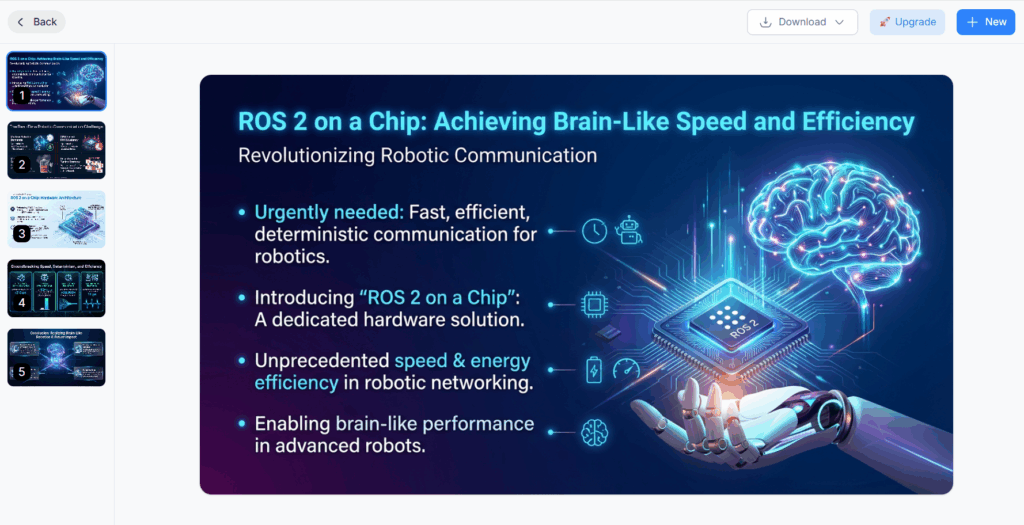
One of the most powerful aspects of Nano Banana Pro Slides is its ability to generate slides almost instantly. Unlike manual slide creation, where you struggle to decide on headings, bullet points, and flow, this Google Slides AI tool automatically organizes your input content into a logical, readable slide sequence. Whether your source is a long PDF, a blog post, or a YouTube video, the AI analyzes the material, identifies key points, and lays them out in a clean, coherent order. This not only saves time but ensures that your slides follow a natural narrative structure, keeping your audience engaged from the first to the last slide.
Auto-Summaries, Bullet Points, and Key Takeaways
Another feature that sets Nano Banana Pro Slides apart is its ability to summarize and distill complex content. Long paragraphs, academic research, or extensive online articles are condensed into concise bullet points that retain the essential meaning. Google Slides AI ensures that these summaries are accurate and context-aware, providing your audience with key takeaways that are easy to understand and present. No more cluttered slides with endless text; each slide communicates its point clearly and effectively.
AI Visuals: Auto-Generated Images and Graphics
A slide deck is only as engaging as its visuals. Nano Banana Pro Slides leverages AI to generate appropriate images, icons, and graphics that complement the text. This is particularly useful for content creators and educators who want to make visually appealing presentations without spending hours searching for stock images or designing custom graphics. The AI considers the content of each slide to recommend visuals that enhance comprehension and audience retention, making your presentations both informative and captivating.
Smart Formatting for Polished, Presentation-Ready Output
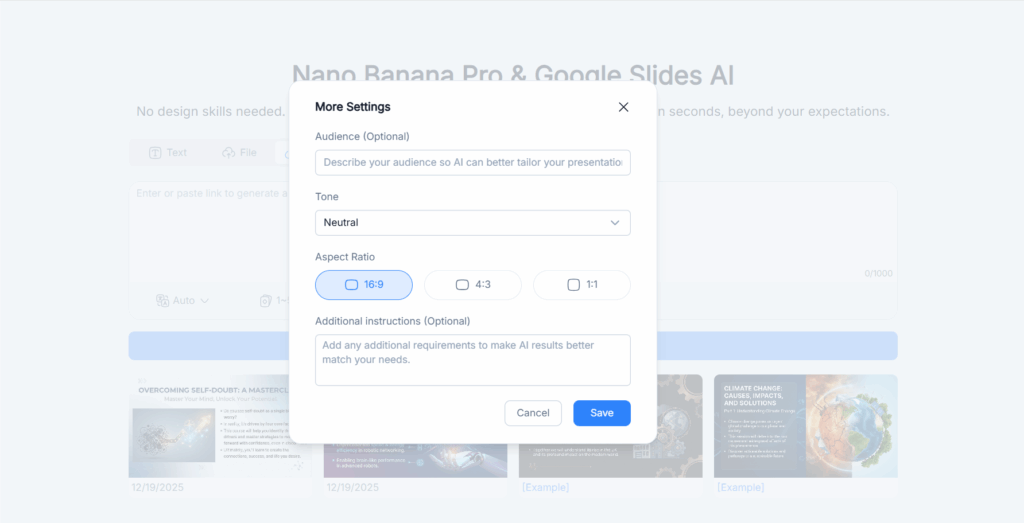
Formatting is often the most tedious part of slide creation. Nano Banana Pro Slides eliminates this hassle by applying smart formatting rules across the deck. Headings are styled consistently, spacing is optimized, and text is aligned perfectly. Google Slides AI also ensures that font sizes, colors, and styles are coherent throughout, creating a polished, professional appearance that impresses audiences without requiring manual adjustments. This level of automation is a game-changer for anyone who needs high-quality presentations on tight deadlines.
Why Nano Banana Pro Slides Is Better Than Traditional Google Slides AI Add-Ons
No Manual Editing or Copy-Pasting Needed
Most Google Slides AI add-ons still require manual intervention—copying text, adjusting slides, and formatting repeatedly. Nano Banana Pro Slides breaks that pattern by handling all these tasks automatically. Once you provide your input, the AI does the heavy lifting, from extracting content to generating slides and visual elements. This hands-off approach dramatically reduces the time and effort needed to create professional presentations.
Faster Workflow for Students, Creators, and Professionals
Time is a precious resource, especially for students juggling assignments, content creators facing deadlines, or professionals preparing business decks. Nano Banana Pro Slides accelerates the workflow by turning hours of work into minutes. With features like automatic summarization, bullet point generation, and AI-powered visuals, users can focus on refining ideas and delivery rather than slide assembly.
More Accurate Content Understanding and Tone
Unlike conventional AI tools that may produce generic or shallow summaries, Nano Banana Pro Slides employs advanced Google Slides AI algorithms to understand the nuances of your content. It captures the tone, intent, and key insights of the input material, ensuring that the slides are not just visually appealing but also contextually accurate. This makes the output suitable for academic, professional, or creative purposes where precision matters.
Real Use Cases of Nano Banana Pro Slides with Google Slides AI
Turn Research Papers or PDFs into Academic Slides
Students and researchers often struggle to convert lengthy academic papers into digestible presentations. Nano Banana Pro Slides extracts the most critical points, highlights key data, and arranges everything into a slide deck that is ready to present. This drastically reduces preparation time while ensuring accuracy and clarity, making it ideal for lectures, seminars, or conference presentations.
Convert YouTube Tutorials into Training Decks
Trainers, educators, and online course creators can benefit immensely from the YouTube video feature. By converting video content into slide decks, Nano Banana Pro Slides allows instructors to produce training materials quickly. Whether it’s a coding tutorial, a marketing workshop, or a design demo, the AI extracts important steps and concepts, transforming them into structured, visually engaging slides.
Transform Blog Posts into Shareable Presentations
Content creators can repurpose blog posts into slides for social media, webinars, or client presentations. The AI identifies the main ideas, summarizes supporting points, and even suggests visuals to enhance engagement. This helps expand content reach and reduces the time required to create multi-format content from a single source.
Create Visual Slides from Business Docs and Reports
For corporate teams, Nano Banana Pro Slides can convert reports, strategy documents, or meeting notes into clear, professional slides. The AI identifies objectives, action items, and important data, presenting them in a structured and visually appealing format. This functionality supports faster decision-making and more effective communication across teams.
How to Use Nano Banana Pro Slides Step by Step
Uploading Text or Documents
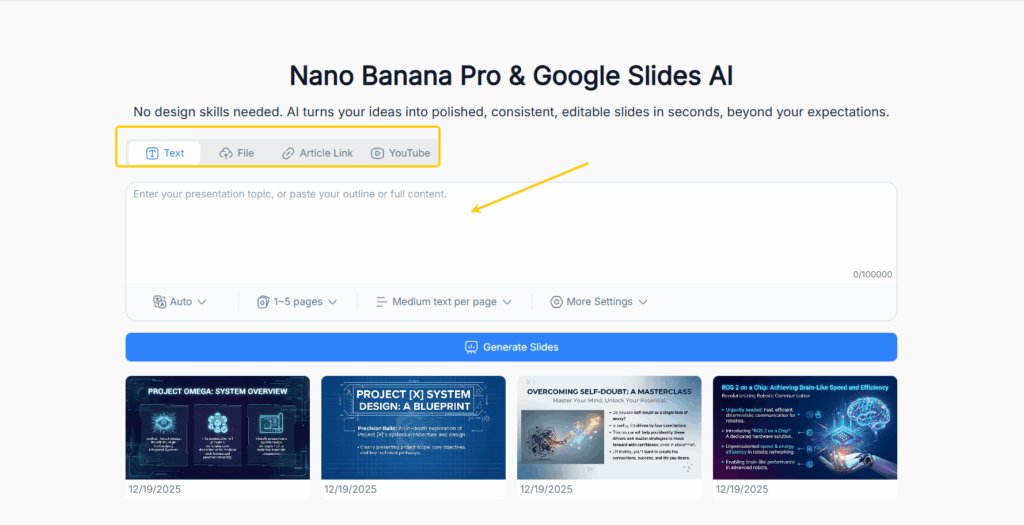
Using Nano Banana Pro Slides starts with a simple, intuitive interface. Users can upload plain text, Word documents, or PDFs directly into the platform. Once the content is uploaded, the Google Slides AI analyzes it, identifying main ideas, headings, and supporting details. The AI then automatically organizes the material into slides, suggesting a logical flow and highlighting key points. This process is particularly useful for students summarizing lecture notes, researchers preparing presentations, or marketers converting strategy documents into shareable decks.
Generating Slides from Links
If your source material is online, Nano Banana Pro Slides allows you to paste any URL. The AI fetches the content, extracts relevant information, and structures it into a presentation-ready format. This feature is ideal for turning articles, case studies, or blog posts into slides without manual copy-pasting. The AI also summarizes long sections into concise bullet points, ensuring that your slides are both informative and easy to follow.
Creating Slides from YouTube Videos
One of the most innovative features of Nano Banana Pro Slides is the ability to create slides from YouTube videos. Simply paste a video link, and the AI will transcribe, summarize, and convert it into a full presentation. Chapters are detected automatically, key insights are highlighted, and visuals are suggested to complement the text. This capability allows educators, trainers, and content creators to repurpose video content efficiently, turning hours of footage into a polished deck in minutes.
Exporting, Editing, and Sharing the Final Deck
After generating slides, Nano Banana Pro Slides provides options to export the presentation in various formats compatible with Google Slides. Users can make minor edits, adjust visuals, or add custom branding as needed. Once finalized, the deck can be shared directly with colleagues, clients, or students. The seamless export and sharing features make Nano Banana Pro Slides a one-stop solution for creating professional presentations quickly and efficiently.
Tips to Get the Most Out of Nano Banana Pro Slides
Choosing the Right Input Format
The quality of your slides often depends on the input format. While Nano Banana Pro Slides works with text, files, links, and videos, providing structured content can improve results. Clearly formatted documents, well-written articles, and videos with clear narration allow the Google Slides AI to better understand the content and generate slides that accurately reflect your message.
Writing Better Prompts for Cleaner Slides
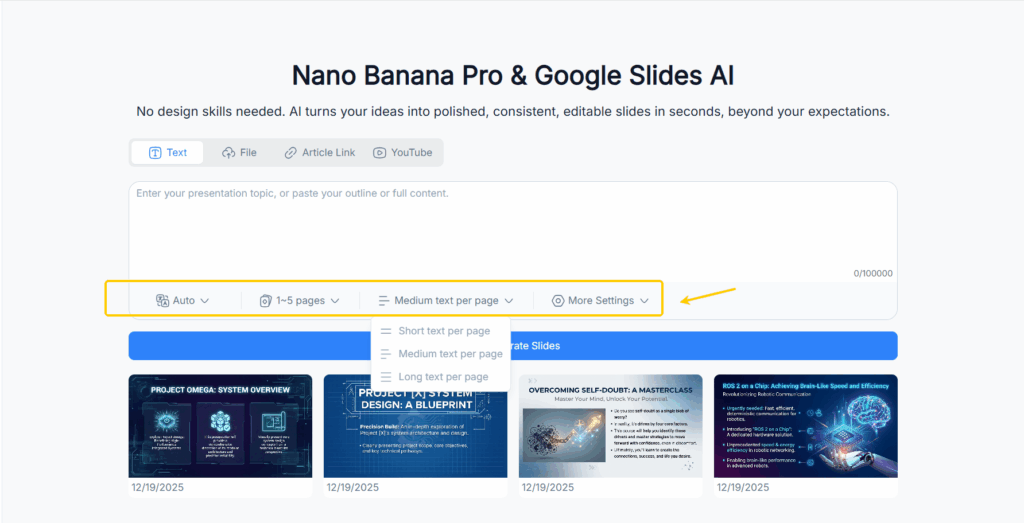
For optimal results, consider how you present your input. Providing context, specifying the type of slide output, or highlighting key sections in your text can guide the AI to produce more targeted slides. For example, if you need a presentation focused on conclusions and action items, mention this in your instructions. Nano Banana Pro Slides interprets these cues, creating slides that align with your intended outcome.
Using AI-Generated Images Effectively
Visuals play a crucial role in audience engagement. While the AI generates relevant images, users should review and adjust them to ensure they fit the presentation’s tone and context. Combining AI visuals with your own images or brand assets can further enhance professionalism and coherence. This approach ensures that your slides are visually appealing while accurately representing your content.
Is Nano Banana Pro Slides the Future of Google Slides AI?
Why AI-Generated Slides Are Becoming the New Standard
Traditional slide creation can be time-consuming and repetitive. As Google Slides AI technology advances, tools like Nano Banana Pro Slides are transforming how presentations are made. By automating content extraction, summarization, layout, and design, these tools set a new standard for efficiency and quality. AI-generated slides are becoming essential for students, professionals, and creators who need polished presentations quickly without compromising on clarity or aesthetics.
How Teams and Creators Can Benefit Long-Term
For organizations, educators, and content creators, adopting Nano Banana Pro Slides can lead to significant long-term advantages. Teams can produce consistent, professional presentations faster, freeing up time for strategic work or creative thinking. Educators can repurpose educational content across multiple formats effortlessly. Content creators can scale their output by turning articles, blogs, and videos into slides for different platforms. Over time, this AI-driven workflow becomes a productivity multiplier, improving efficiency and reducing the stress associated with traditional slide-making processes.
Conclusion
Nano Banana Pro Slides is not just another Google Slides AI add-on; it is a powerful, versatile tool that redefines how presentations are created. By transforming text, documents, articles, links, and even YouTube videos into structured, visually appealing slides, it saves users time, enhances clarity, and ensures professional results. From students and educators to content creators and corporate teams, anyone can leverage its features to produce engaging presentations with minimal effort. As AI continues to advance, Nano Banana Pro Slides exemplifies how intelligent automation can elevate productivity, creativity, and presentation quality.
For anyone looking to streamline slide creation while maintaining high-quality output, Nano Banana Pro Slides and its integration with Google Slides AI are essential tools for modern presentation workflows.