

If you had told me in 2020 that I’d be using free AI image generators to create photorealistic portraits, 4K cinematic scenes, YouTube thumbnails, and full-blown concept art without paying a cent, I would’ve laughed. Hard.
Fast-forward to 2025, and here I am—testing more than 30 different free AI art tools, comparing them like a caffeinated detective, and discovering that some free models now rival paid ones.
So before we jump into the best free AI image generator I actually loved using, let’s talk about why these tools suddenly became so good.
Why Free AI Image Tools Are Getting Shockingly Good
Two things happened:
- Companies realized “free” = traffic. Free tiers attract millions of users, which means training data, faster growth, and brand loyalty.
- Open-source exploded. Models like Stable Diffusion 3, Flux, and SDXL made it possible for developers to build free AI image generators almost overnight.
Suddenly, we started seeing free tools produce:
- photorealistic skin textures
- accurate hands (yes, finally)
- high-quality lighting
- clean details in hair and fabric
- understanding of complex prompts
And now “best free AI image generator” is not a joke—it’s a legitimate category.
Key Factors to Compare
When I tested these free AI image generators, I compared them on five things:
- Speed — Are images done in 3 seconds or 30?
- Quality — Are the results sharp, well-lit, realistic?
- Styles — Can it do anime, cinematic, photoreal, 3D, watercolor, etc.?
- Controls — Does it support negative prompts, image uploads, custom styles?
- Ease of Use — Can a beginner use it without reading a manual?
Some free tools are extremely simple but limited. Some advanced ones are powerful but confusing. Some balance both perfectly.
What “Best” Means Depends on You
For example:
- If you’re a student making a school project → ease of use matters most.
- If you’re a designer → style consistency matters more.
- If you're a YouTuber → speed and thumbnail quality matter.
- If you're a marketer → brand style accuracy matters.
There’s no single “best free AI image generator” for everyone—so this blog helps you find the one that fits you.
Best Free AI Image Generators I Actually Loved Using in 2025
Before we dive deeper: yes, I actually used all of these tools. Not for 5 minutes. For weeks.
I tested portrait prompts, cinematic scenes, branding graphics, anime characters, and absurdly specific requests like:
“A Shiba Inu wearing cyberpunk goggles, sitting in a neon-lit ramen shop, cinematic lighting.”
(This prompt is my personal stress test. Every generator struggles with it in a different way. Some give perfect lighting but bad eyes. Some make the ramen glow like radioactive soup.)
My Testing Criteria
Here’s what I measured for each AI image generator:
- How well it follows complex prompts
- How realistic the textures look
- Lighting quality
- How it handles hands, faces, and symmetry
- Whether it allows image uploads
- Whether it gives multiple styles
- Render speed
- Whether the free tier has watermarks or limits
- How good the UI feels
Some tools impressed me. Some traumatized me. One generator (not naming names) somehow gave me a cat with seven legs and a suspicious smirk.
Real Examples of What These Generators Can Create
Across all the best free AI image generators I tested, I produced:
- Photorealistic portraits that could pass as real photography
- Pixar-style 3D characters
- Vaporwave and cyberpunk posters
- Minimalist brand logos
- Social media thumbnails
- Ultra-wide cinematic frames
- Fantasy landscapes with insane details
If you're wondering whether free AI art tools can replace paid ones: For 70% of cases, absolutely yes.
The Unexpected Gap Between Free and Paid AI Art Tools
Paid tools still have advantages like:
- more consistent style
- more advanced controls
- higher resolution
- priority rendering
- commercial usage rights
- custom model training
But the gap between free and paid is narrowing so fast it’s honestly shocking. Some free tools now beat paid tools from last year.
Top Free AI Image Generators (With Real-World Use Cases)
Below is the list of free AI image generators I personally think are worth trying in 2025. Again, this is not an advertisement list—it’s a list built from genuine testing.
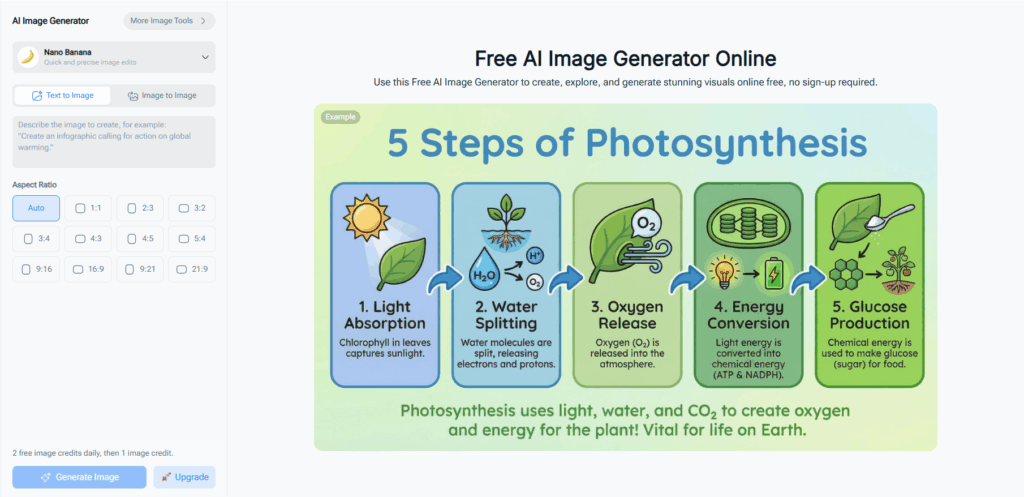
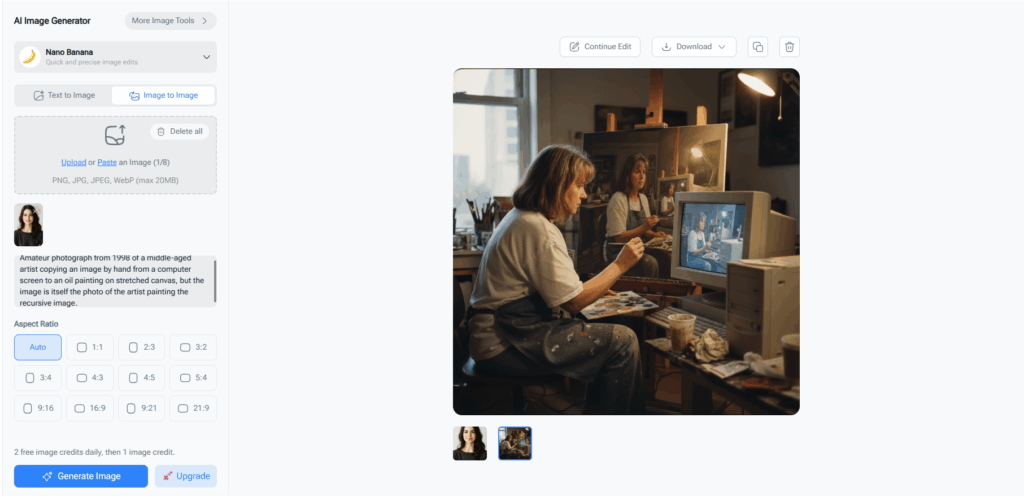
NoteGPT AI Image Generator — Great for Fast, Clean Images
I’ll be honest: when I first tried NoteGPT’s AI Image Generator, I didn’t expect much. I mainly knew NoteGPT for transcripts and summaries, so I assumed the image generator was just an extra feature.
But it turned out surprisingly strong.
What I liked:
- Very fast rendering
- Clean and simple interface
- Images look sharp even without perfect prompts
- Good for thumbnails, blog visuals, character shots
What I didn’t like:
- Fewer advanced controls compared with some tools
- Not ideal for extreme customization
It’s not the strongest tool on this list, but it became one I use regularly because of its speed and simplicity.
Midjourney Alternatives (Free Versions)
Midjourney’s free tier has come and gone many times, so I tested the closest free versions:
- BlueWillow
- Mage Space (using SDXL/SD3)
- Playground AI
They produce high-quality images and are great for experimental prompts. Some are slower, some add watermarks, but overall they deliver strong results.
DALL·E Style Tools (Free Options)
Some platforms now give free access to DALL·E-based models:
- Bing Image Creator
- Some chatbots with integrated image generation
- Apps using older DALL·E versions
Strengths: clean lighting, strong composition Weaknesses: sometimes too “safe” or too simple
Stable Diffusion Web Tools
These tools blew me away because of how customizable they are:
- Lexica
- Mage Space
- Civitai-based web UIs
- Clipdrop (depending on model availability)
Great for artists needing style control and consistency.
Canva and Non-Tech Friendly Tools
These are amazing for beginners:
- Canva AI Image Generator
- Adobe Express AI
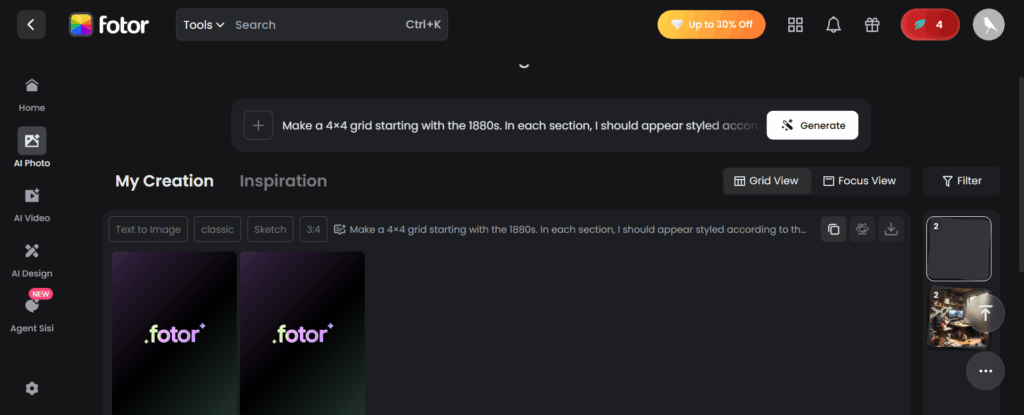
- Fotor AI Art Generator
Not the most realistic outputs, but perfect for posters, social media, and simple graphics.
Best Free AI Image Generators for Beginners
After testing dozens of tools, I realized something important: Many people don’t want ultra-advanced controls. They just want something that works without reading a 20-page prompt engineering guide.
So here are the best free AI image generators for people who want easy, fast, and predictable results.
Zero-Skill Tools Anyone Can Use
These platforms are the “open the website, type one sentence, get a surprisingly good image” type:
- Canva AI Image Generator — Great for social media graphics
- Adobe Express AI — Very safe, beginner-friendly results
- NoteGPT Image Generator — Minimal UI, perfect for first-time users
- Fotor AI Art Generator — Good for cartoon-style and posters
They're not the most customizable, but they reduce frustration to zero.
Simple Interfaces That Make AI Art Fun
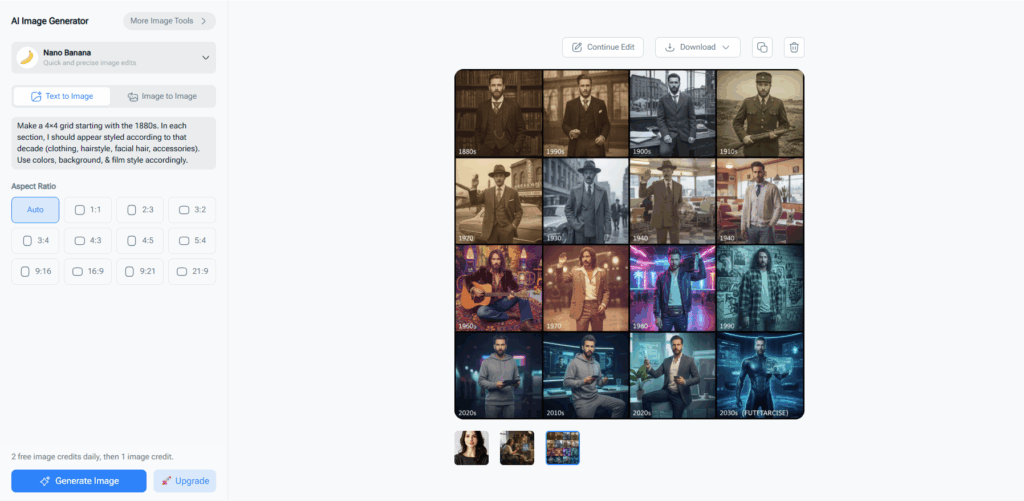
I noticed beginners care more about UI clarity than anything else. Some tools give you too many sliders. Others bury features in hidden menus. Beginner-friendly tools focus on:
- Preset styles
- Prompts that don’t need perfection
- Fast rendering
- No confusing settings
If you want to explore AI art without stress, beginner tools are surprisingly powerful in 2025.
When to Upgrade From Beginner Tools
If you start asking yourself:
- “How do I make the lighting more cinematic?”
- “How do I upload reference images?”
- “How do I control style consistency?”
That’s when it’s time to jump into more advanced generators like SDXL or Flux-based tools.
Best Free AI Image Generators for High-Quality, Realistic Images
Now let’s talk about the tools that made me whisper “holy—wait, this is free?”
Photorealistic Portraits
These tools consistently produced faces that looked like real photography:
- Bing / DALL·E free implementations
- Playground AI (using SDXL)
- Lexica (with its custom realism models)
- Flux-based free generators (when available)
Portraits get better every month: sharper eyes, better skin texture, fewer weird hands.
Cinematic & Hyper-Realistic Scenes
Some free AI image generators excel at dramatic lighting and atmosphere:
- Mage Space + SDXL Turbo
- Playground AI
- Certain SD3 demo tools
They’re perfect for moody, film-like images—think neon night scenes, dramatic shadows, wide landscapes.
How to Increase Quality Without Paying
If you want higher quality from free tools, here’s the secret:
- Use negative prompts “blur, distortion, bad hands, unnatural face, extra limbs, watermark”
- Add realism keywords “volumetric lighting, sharp focus, 8k, cinematic, professional photography, depth of field”
- Use shorter prompts Over-explaining sometimes confuses AI. Less text = better images.
Best Free AI Image Generators for Creative Projects
I also tested tools for design work, posters, fantasy worlds, thumbnails, and worldbuilding.
AI for Concept Art & Fantasy Worlds
Concept artists will love:
- Stable Diffusion SDXL models
- Flux anime/fantasy variants
- Lexica fantasy presets
They handle armor, creatures, magic, and surreal landscapes extremely well.
AI for Posters, Logos, Thumbnails, and Marketing
These tools shine when you need clean, impactful graphics:
- Canva AI Image Generator
- Adobe Express AI
- Playground AI (Graphic styles)
- NoteGPT for fast thumbnails
You can get modern poster designs, catchy social media visuals, and consistent branding without paying.
AI for Social Media Creators
If you make content for YouTube, TikTok, or Instagram, look for:
- Fast rendering
- Bright, punchy colors
- Clean compositions
- 1:1 and 16:9 presets
Tools like Playground AI, Canva, and NoteGPT are especially strong here.
Best Free AI Image Generators With Advanced Controls
If you want more power—style control, negative prompts, image uploads—these tools deliver on a surprisingly deep level.
AI Models With Style Control & Reference Image Upload
For creators who need consistency (like character artists), these tools worked best:
- Playground AI — style reference, variations, real control
- Mage Space — SDXL fine-tuned models
- Civitai-based UIs — huge model library
Upload an image → get variations in multiple art styles. Free.
Tools Supporting Negative Prompts
Negative prompts can dramatically boost image quality. Tools with strong support include:
- Playground AI
- Mage Space
- SDXL-based web UIs
- Flux-based tools
The difference is noticeable: sharper faces, fewer distortions.
When You Need More Customization Power
If you’re doing:
- brand design
- multi-scene worldbuilding
- comic character consistency
- long-term art projects
Then advanced control tools are absolutely worth your time—even the free ones.
Why I Still Use NoteGPT’s AI Image Generator (But Not as a “Main” Tool)
I promised this wouldn’t be a promotional article, so let me be honest.
NoteGPT is not the most advanced generator on this list. It doesn't have as many sliders or model options.
But I keep using it daily for one simple reason:
It gives fast, clean results with almost zero effort.
When I’m writing a blog, a YouTube description, or social media content, I often need:
- A quick illustration
- A simple character image
- A thumbnail base
- A clean scene without artifacts
NoteGPT is my “quick results, low friction” tool. I’ll still use Playground AI for cinematic results, and SDXL for fantasy scenes, but NoteGPT wins on convenience.
That honesty is important here.
How to Choose the Best Free AI Image Generator for Your Needs
Different tools fit different people.
For Students
You want:
- fast output
- simple interface
- no learning curve
Best options:
- Canva
- NoteGPT
- Adobe Express
- Bing Image Creator
For Designers & Creators
You need:
- style control
- negative prompts
- reference image support
Best options:
- Playground AI
- Mage Space
- SDXL-based tools
- Flux-based tools
For Businesses & Marketers
You need:
- clean results
- consistent colors
- professional styles
Best options:
- Canva
- Playground AI
- Midjourney alternatives
Tips to Get Better Results With Any Free AI Image Generator
No matter what tool you use, these tricks always help:
Write Simple, Effective Prompts
Use this formula:
Subject + Style + Lighting + Camera + Details
Example: “A young woman in a red jacket, cinematic lighting, 35mm lens, sharp focus, moody background.”
Add Style Keywords
“cinematic, photorealistic, pastel, cartoon, vaporwave, 3D render”
These drastically change results.
Use Negative Prompts
This reduces weird artifacts: “blurry, extra fingers, distortion, bad anatomy, watermark”
Common Beginner Mistakes
- Using paragraphs instead of short prompts
- Adding too many adjectives
- Forgetting negative prompts
- Expecting one generator to do everything
Conclusion
After weeks of testing, here’s the honest truth:
Which Tools Are Worth Long-Term Use
For photorealism → Playground AI / SDXL For fast, simple images → NoteGPT / Canva For cinematic scenes → Mage Space / Flux tools For fantasy & concept art → SDXL fine-tuned models For beginners → Canva / Adobe Express
Why “Free” Doesn’t Mean Low Quality Anymore
2025 changed everything. Free tools are now powerful enough for real creative work—sometimes better than paid tools from just a year ago.
The Tool I Recommend to Most People
If someone says: “I just want something easy that makes good images fast,” I recommend NoteGPT or Canva.
If they want professional quality and control, I recommend Playground AI or Mage Space.
There is no single “best free AI image generator,” but there is a best one for your needs.
And honestly? That’s what makes 2025 such an exciting year for AI art.