



I’ve tested a lot of them over the past year while working on presentations, product pages, and content assets. Some are impressive. Some are overhyped. A few AI Magic Eraser tools actually save hours every week.
This guide breaks down what Magic Eraser AI really is, why using an AI Magic Eraser is worth it, what features actually matter, and the top 10 Magic Eraser AI tools in 2026—including why NoteGPT stands out for real-world work.
What Is Magic Eraser AI?
At its core, Magic Eraser AI is an AI-powered photo editing tool that removes selected objects from an image and intelligently fills in the background.
Unlike traditional photo editing, where you manually clone pixels or rebuild backgrounds, an AI photo eraser analyzes the surrounding area and reconstructs what should logically exist behind the removed object.
You highlight what you don’t want. The AI figures out what should replace it.
That’s the “magic” part.

How Magic Eraser AI Works
Most modern Magic Eraser AI tools use a mix of:
- Object detection models to identify people, objects, or text
- Image inpainting to recreate missing areas
- Context-aware background reconstruction
In practical terms, this means you can remove objects from photos without manually fixing edges, shadows, or textures. The best tools do this so well that viewers can’t tell anything was removed.
Magic Eraser AI vs Traditional Photo Editing
If you’ve ever tried removing an object in Photoshop, you know the pain:
- Selection tools that aren’t precise
- Cloning artifacts
- Blurry edges
- Way more time than it’s worth
Magic Eraser AI tools flip that workflow. They’re built for speed, not perfectionism. And for 90% of everyday use cases—social posts, blog images, product shots—they’re more than good enough.
Common Use Cases of Magic Eraser AI
From my experience, Magic Eraser AI tools are used most often for:
- Removing people from travel photos
- Cleaning up product backgrounds
- Deleting logos or watermarks
- Fixing messy office or room backgrounds
- Creating cleaner visuals for presentations and ads
If you’ve ever thought, “This image is great, except for that one thing”, you’re the target user.
Why Use Magic Eraser AI?
Short answer: time, simplicity, and consistency.
Long answer: it solves a very specific but very common pain point in modern digital work.
Remove Objects Without Manual Editing
You don’t need design skills. You don’t need tutorials. Most Magic Eraser AI tools work with a simple brush or click-based selection.
For busy professionals, that’s huge.
Save Time Compared to Photoshop
What used to take 10–20 minutes now takes 10–20 seconds. Multiply that across weekly tasks and it adds up fast.
Beginner-Friendly for Non-Designers
This is why Magic Eraser AI has exploded in popularity. It’s built for marketers, founders, students, content creators—not just designers.
Ideal for Social Media, E-commerce, and Marketing
Clean visuals convert better. Whether it’s a product image or a LinkedIn post, removing distractions improves clarity and engagement.
Key Features to Look for in a Magic Eraser AI
Not all Magic Eraser AI tools are created equal. After testing many, these are the features that actually matter.
AI Object Detection Accuracy
A good AI eraser understands what you’re trying to remove. A bad one removes half the background with it.
Background Reconstruction Quality
This is where most tools fail. If the filled area looks blurry, stretched, or fake, the tool isn’t ready for real use.
Batch Editing Support
If you work with multiple images, batch processing can be a serious productivity boost.
Image Resolution & Export Options
Some tools quietly downgrade image quality unless you pay. Always check export resolution.
Online Access and Ease of Use
Web-based Magic Eraser AI tools are usually faster to adopt than desktop software, especially for teams.
Top 10 Magic Eraser AI Tools in 2026
There’s no shortage of Magic Eraser AI tools in 2026. Almost every major AI photo platform now claims it can remove objects from photos “perfectly.” In reality, the experience varies a lot.
Below are ten of the most popular and widely used Magic Eraser AI tools right now. Each one has its strengths—and its limits.
NoteGPT AI Magic Eraser
NoteGPT offers an AI Magic Eraser that focuses on clean, natural object removal rather than heavy-handed edits. It works well for everyday images like blog visuals, presentation slides, and marketing assets, especially when you want fast results without learning complex tools.
Best for users who already rely on AI tools for work and want image cleanup as part of a broader workflow.

Google Magic Eraser
Google’s Magic Eraser is built into Pixel devices and Google Photos. It’s extremely easy to use and works well for casual photo cleanup, especially removing people or small distractions from backgrounds.
However, it’s limited outside Google’s ecosystem and not ideal for professional or batch editing needs.
Adobe Photoshop Generative Fill
Adobe’s Generative Fill acts as a high-end Magic Eraser AI inside Photoshop. The results can be excellent, especially for complex backgrounds, but the learning curve and subscription cost are real barriers.
Best for designers who already live in Adobe, less ideal for quick office tasks.
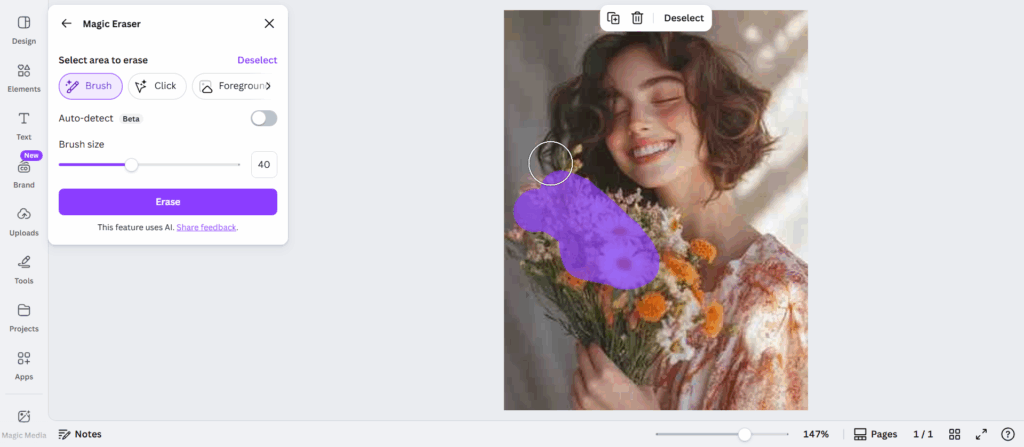
Canva Magic Eraser
Canva’s Magic Eraser AI is popular among marketers and social media teams. It’s simple, fast, and works well for basic object removal in branded designs.
That said, background reconstruction can struggle with detailed textures or shadows.
Cleanup.pictures
Cleanup.pictures is a lightweight, browser-based Magic Eraser AI tool designed for one job: removing objects from photos online.
It’s fast and minimal, but advanced features and high-resolution exports are limited unless you upgrade.

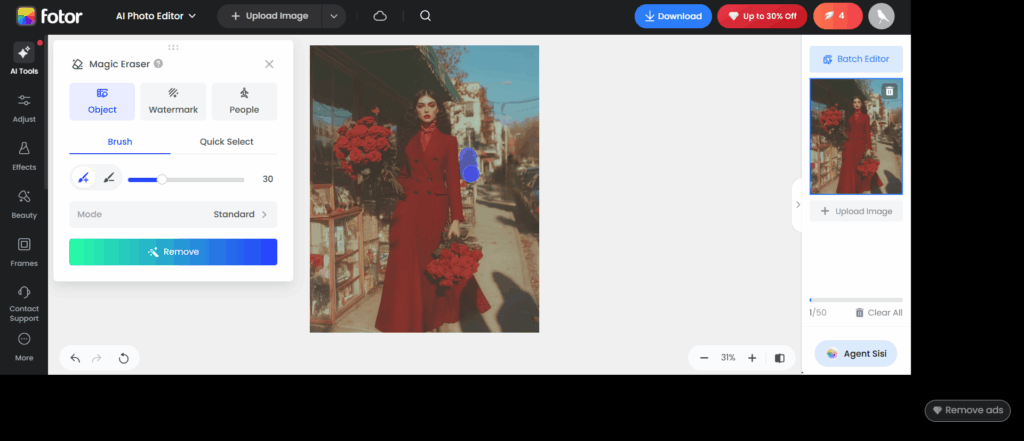
Fotor AI Object Remover
Fotor offers an AI object remover as part of its all-in-one photo editing platform. It’s suitable for casual users who want multiple tools in one place.
The Magic Eraser AI works best for simple backgrounds and product images.
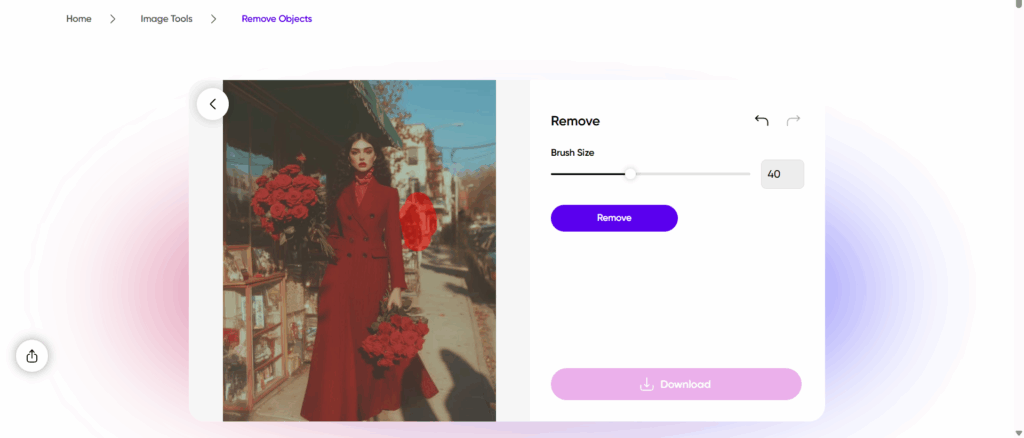
PicsArt AI Remove
PicsArt’s AI Remove tool targets creators working on social media visuals. It handles stickers, text, and basic objects well, especially for mobile-first workflows.
For professional photo cleanup, results can feel inconsistent.
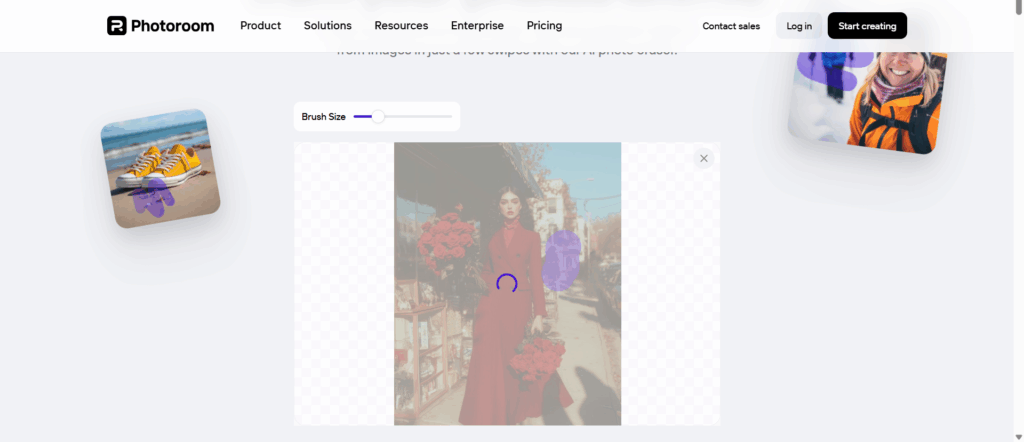
PhotoRoom Magic Retouch
PhotoRoom focuses heavily on e-commerce and product photography. Its Magic Retouch feature removes objects while keeping the product sharp and centered.
It’s a strong option for online sellers, less flexible for general-purpose editing.
Remove.bg Magic Erase
Known primarily for background removal, Remove.bg also offers object erasing features. It works well for portraits and clean compositions but struggles with complex scenes.
Best used as a supporting tool rather than a full Magic Eraser AI solution.
Pixelcut Magic Eraser
Pixelcut targets small business owners and creators. Its Magic Eraser AI is simple and mobile-friendly, making it easy to clean up images for ads and listings.
Advanced controls are limited, but speed is a plus.
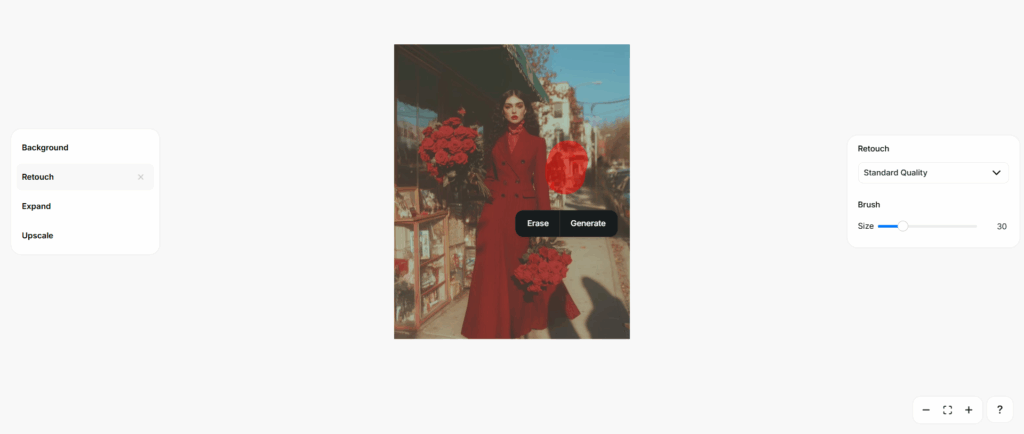
NoteGPT: Best Magic Eraser AI Tool for Real Productivity in 2026
Now, here’s where real-world usage starts to matter.
While many Magic Eraser AI tools focus only on image editing, NoteGPT approaches the problem from a productivity angle. That difference becomes obvious once you use it in daily work.
Why NoteGPT Feels Different from Other Magic Eraser AI Tools
Most tools ask: “How do we erase this object?” NoteGPT asks: “How does this fit into what you’re already doing?”
If you’re preparing content, building slides, writing blog posts, or managing digital assets, removing objects from photos is just one small step in a bigger workflow. NoteGPT’s AI Magic Eraser fits naturally into that process.
Real-World Advantages of NoteGPT AI Magic Eraser
- Clean object removal without overprocessing
- Backgrounds that look natural, not AI-generated
- No steep learning curve or design jargon
- Works alongside other AI productivity tools in one place
For office professionals, founders, and content teams, this matters more than ultra-fine control.
When NoteGPT Is the Right Choice
NoteGPT is especially useful if you:
- Regularly create content or presentations
- Need fast image cleanup, not perfectionist retouching
- Prefer fewer tools, not more tabs
- Value consistency and speed over advanced manual controls
It’s not trying to replace professional design software. It’s replacing friction—and that’s why it stands out among Magic Eraser AI tools in 2026.
Tips for Getting Better Results with Magic Eraser AI
After testing dozens of Magic Eraser AI tools across real projects—slides, blog covers, ads, product images—I’ve learned one thing the hard way:
AI erasing is powerful, but it’s not magic if you use it carelessly.
These tips will help you get cleaner, more natural results no matter which Magic Eraser AI tool you choose.
Choose Images with Clear Object Boundaries
Magic Eraser AI performs best when the object you want to remove is clearly separated from the background.
For example:
- A person standing in front of a wall
- A logo on a flat surface
- A cable on a desk
It struggles more when objects overlap heavily, like hair blending into trees or shadows crossing multiple textures. If you can choose a cleaner source image, do it.
Don’t Over-Select the Area
This is a classic beginner mistake.
When using an AI photo eraser, highlight only the object you want gone. Don’t include too much surrounding area, thinking it will help. In most cases, it makes the background reconstruction worse.
Less selection, better results.
Work in Multiple Passes
If the first erase doesn’t look perfect, don’t panic.
Many Magic Eraser AI tools work better when you:
- Remove the main object first
- Zoom in
- Clean up small artifacts in a second pass
This takes seconds and often improves realism dramatically.
Pay Attention to Repeating Patterns
AI struggles with repeating textures like tiles, bricks, fences, or fabric. After erasing, quickly scan the image for warped or duplicated patterns.
If you spot something odd, a small secondary erase usually fixes it.
Always Check the Final Output at Full Size
Some AI artifacts only appear when you view the image at full resolution. Before exporting or publishing, do a quick zoom check.
This matters especially for:
- Blog headers
- Product images
- Ads and landing pages
Common Problems with Magic Eraser AI (and How to Avoid Them)
Magic Eraser AI tools are impressive, but they’re not flawless. Knowing their limits saves time and frustration.
Problem: Blurry or “Melted” Backgrounds
This usually happens when:
- The background is complex
- The erased object covers a large area
Fix: Use smaller selections and multiple passes, or choose a tool with stronger background reconstruction (this is where tools like NoteGPT tend to perform better).
Problem: Shadows or Reflections Remain
AI often removes the object but leaves behind its shadow or reflection.
Fix: Erase shadows separately. Treat them as their own object.
Problem: Image Quality Drops After Export
Some Magic Eraser AI tools reduce resolution unless you upgrade.
Fix: Always check export settings before committing to a tool for professional use.
When Magic Eraser AI Is Not the Right Tool
This might sound surprising, but it’s important.
Magic Eraser AI is not ideal when:
- You need pixel-perfect retouching
- The image will be printed at very large sizes
- The background is extremely complex and detailed
In those cases, traditional photo editing or a professional designer still makes sense. AI erasers are about speed and practicality, not perfection.
Why Magic Eraser AI Matters More in 2026 Than Ever
In 2026, visual content is no longer optional. Every role touches images in some way.
What’s changed is expectation.
Clean visuals are now the baseline, not a bonus. And Magic Eraser AI lowers the barrier so much that there’s no excuse for messy images anymore.
This is why Magic Eraser AI tools are becoming part of everyday workflows, not just creative ones.
How I Personally Choose a Magic Eraser AI Tool
After testing many tools, my criteria are simple:
- Does it save time?
- Do the results look natural?
- Can I use it without switching mental context?
- Does it fit into how I already work?
This is also why I keep coming back to NoteGPT’s AI Magic Eraser.
Not because it’s the most hyped. Not because it promises perfection.
But because it quietly does the job, fits into a broader AI workflow, and doesn’t get in the way.
Conclusion
Magic Eraser AI has become a practical tool, not a novelty. In 2026, removing unwanted objects from photos with an AI Magic Eraser is no longer a design skill—it’s a basic productivity task.
Most Magic Eraser AI tools can handle simple edits. The real difference shows up when you use an AI Magic Eraser regularly for work. Speed, consistency, and natural results matter more than fancy features.
If you only edit photos occasionally, a lightweight AI Magic Eraser is enough. But if image cleanup is part of your daily workflow—presentations, content, marketing assets—choosing a Magic Eraser AI that fits into a broader AI workspace makes a real difference.
That’s where NoteGPT stands out. It’s not trying to be a professional design suite. Its AI Magic Eraser is built to help you get clean images fast, with minimal friction, and move on with your work.
And honestly, that’s what most of us need.