


Creating professional, visually appealing presentations has always been a challenge. From students summarizing research papers to content creators repurposing blogs and videos, or professionals building business decks, slide creation can be tedious, time-consuming, and often frustrating. That’s where Nano Banana Pro Slides steps in, powered by Google Slides AI, to automate, streamline, and elevate the presentation process. By leveraging AI-driven content extraction, layout optimization, and visual enhancement, Nano Banana Pro Slides allows anyone to turn text, documents, links, and YouTube videos into polished, presentation-ready slides quickly and efficiently.
What is Nano Banana Pro Slides?
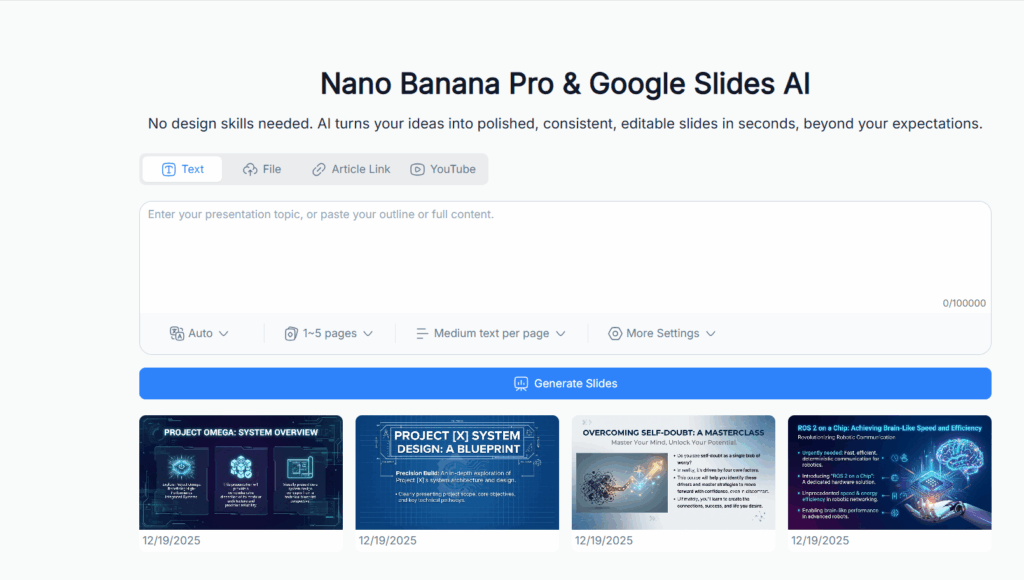
Nano Banana Pro Slides is a next-generation AI tool that transforms the way presentations are created. Unlike traditional slide software, which requires manual formatting, copying text, and adjusting layouts, Nano Banana Pro Slides integrates the intelligence of Google Slides AI to handle the heavy lifting. At its core, it analyzes your content—be it text, files, web links, or videos—and generates organized slides that are visually consistent and professionally designed.
For students, Nano Banana Pro Slides simplifies the process of turning dense lecture notes, PDFs, or research articles into digestible slides that are easy to study and present. For content creators and marketers, it offers the ability to repurpose blogs, YouTube videos, and online content into shareable slides, saving hours of effort. Business professionals benefit by converting reports, meeting notes, and project documentation into polished decks that look presentation-ready with minimal editing.
Nano Banana Pro Slides doesn’t just summarize content; it understands it. The AI identifies the hierarchy of information, extracts key points, and structures slides logically, ensuring your audience receives a coherent and engaging narrative. This level of contextual understanding is what separates Nano Banana Pro Slides from standard Google Slides AI add-ons.
Why Nano Banana Pro Slides Prompts Matter
Using Nano Banana Pro Slides effectively often depends on how you communicate with the AI—this is where prompts come in. Prompts are essentially instructions or cues that guide the AI to produce the output you need. Well-crafted prompts ensure the AI understands your desired focus, tone, and style, resulting in slides that are not only accurate but also engaging and visually appealing.
Prompts save time by directing the AI to:
- Summarize long documents or videos into key takeaways.
- Highlight critical insights for academic or business purposes.
- Generate bullet points, headings, and structured layouts automatically.
- Suggest visuals and graphics that complement the content.
Without prompts, the AI might produce generic or unpolished slides, requiring manual intervention. By using Nano Banana Pro Slides prompts, you harness the full power of Google Slides AI, producing slides that are coherent, visually consistent, and ready to impress any audience.
Moreover, prompts unlock creative possibilities. They can help you experiment with different slide styles, test AI-generated visuals, and quickly adapt content for different audiences—students, clients, or social media followers. For anyone serious about efficiency and presentation quality, understanding and leveraging prompts is crucial.
Powerful Features of Nano Banana Pro Slides
AI-powered content extraction and summarization
One of the core strengths of Nano Banana Pro Slides is its ability to extract essential information from diverse sources. Whether you upload a PDF, Word document, or copy a web article, the AI identifies headings, subtopics, and key details. Long paragraphs are condensed into bullet points, tables are simplified, and critical statistics are highlighted. The AI doesn’t just cut text randomly; it analyzes context, preserving meaning and narrative flow, making it ideal for creating slides that communicate effectively without overwhelming your audience.
Automatic slide layout, design, and formatting
Slide design is often one of the most time-consuming aspects of presentation creation. Nano Banana Pro Slides eliminates this frustration by automatically applying layouts, spacing, and formatting. Headings, bullet points, and visuals are arranged in a clean, consistent style that looks professional. You no longer need to spend time adjusting font sizes, aligning text, or creating uniform color schemes—the AI does it for you. This feature is especially valuable for users who want polished slides quickly without sacrificing aesthetic quality.
AI-generated visuals and graphics for engaging presentations
Visuals are key to audience engagement, and Nano Banana Pro Slides leverages AI to generate appropriate images, icons, and graphics for each slide. The AI considers the content and context of your slides, suggesting visuals that enhance understanding and retain viewer attention. From charts summarizing data to thematic icons supporting concepts, the AI-generated visuals save time and improve the overall impact of your presentation.
Exporting, sharing, and editing presentation-ready decks
Once the slides are generated, Nano Banana Pro Slides offers multiple export options compatible with Google Slides. Users can make minor adjustments, add branding, or tweak visuals as needed. The final deck can then be shared with colleagues, students, or clients directly, making the workflow seamless from content input to presentation delivery. This integration of AI-driven generation with easy export ensures efficiency and high-quality output every time.
20 Nano Banana Pro Slides Prompts You Need to Try
Nano Banana Pro Slides Prompt 1
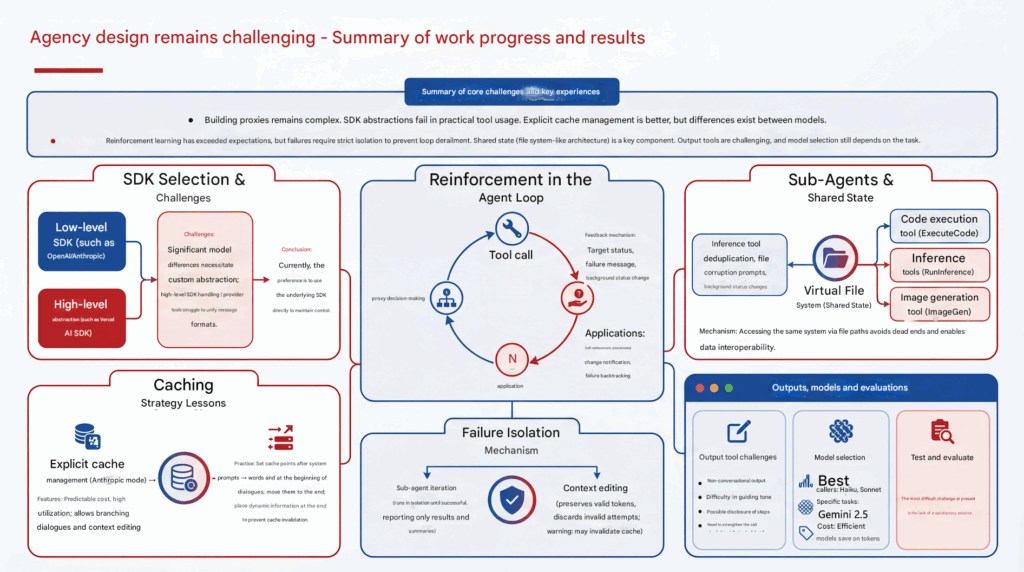
Create a professional 16:9 slide presentation summarizing the following content. Use clear headings, structured sections, and visually appealing layouts. Include diagrams, charts, icons, or graphics where appropriate to enhance understanding. Each slide should have a title, key bullet points, and optional visual elements. Ensure the design is modern, clean, and suitable for business or technical presentations. Output as Google Slides-ready format. Content to include: {Insert your text, document summary, or key points here}
Style requirements:
- Modern, professional, and minimalistic design
- Consistent font, color palette, and spacing
- Highlight important points with icons, shapes, or visuals
- Maintain logical flow of ideas from slide to slide
- Make complex information easy to understand visually"
Nano Banana Pro Slides Prompt 2
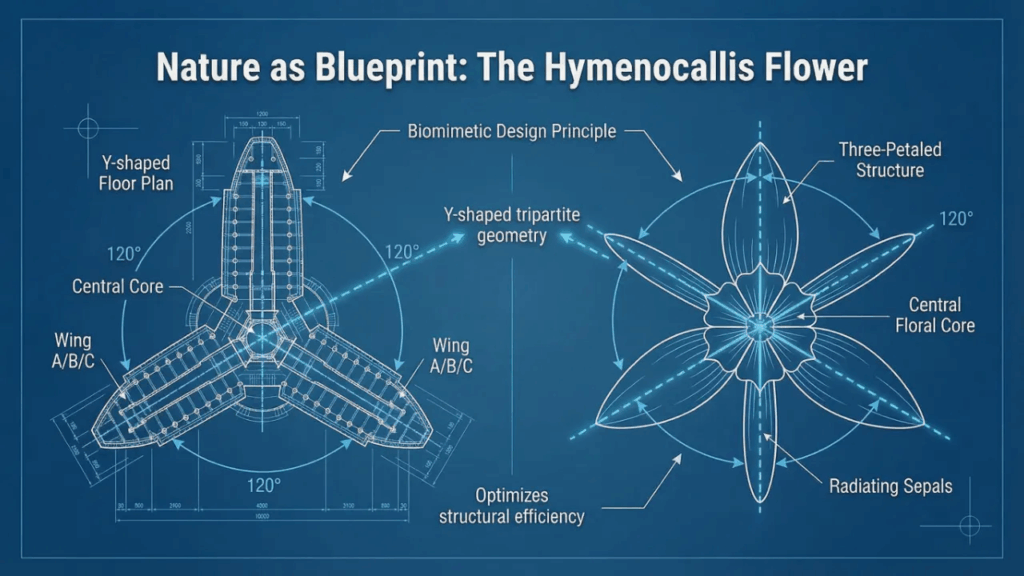
Create a professional 16:9 slide presentation in a technical blueprint style. The slides should visualize the content clearly with diagrams, annotated labels, and structured layouts. Include the following elements where appropriate: titles, bullet points, arrows, measurement lines, and highlighted key components. Use a modern, clean, and technical design theme, with high contrast text and visuals suitable for engineering, design, or scientific presentations. Ensure the layout is organized, visually balanced, and easy to understand. Output should be Google Slides-ready and fully editable.
Content to include: {Insert your content, text, or key points here}
Style requirements:
- Technical blueprint or diagram style (similar to engineering or scientific schematics)
- Clear labeling of all components with lines or arrows
- Use minimal color palette (preferably blue, white, and accents)
- Include structural or functional highlights visually
- Maintain logical flow from slide to slide"
Nano Banana Pro Slides Prompt 3
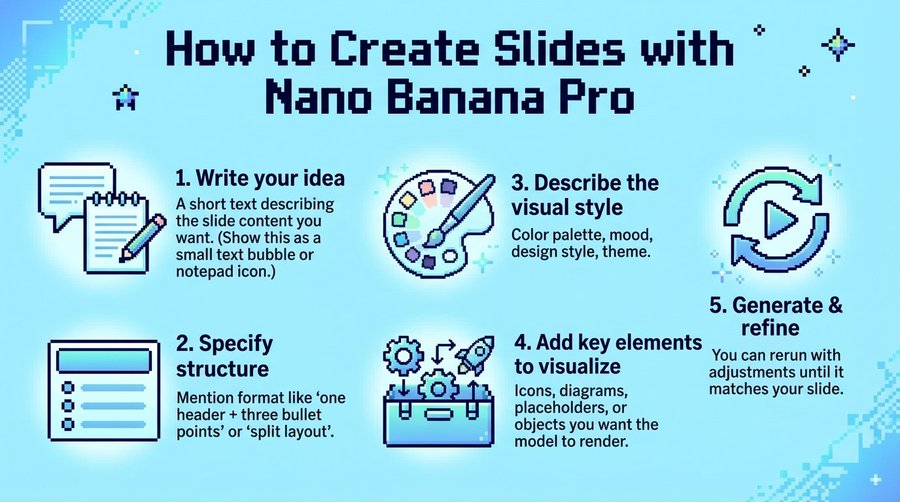
- Generate a 16:9 slide (pixel art style, light blue background) for a tutorial titled 'How to Create Slides with Nano Banana Pro'.
- Add a small text bubble/notepad icon + short text: 'Write your idea: A short text describing the slide content you want. (Show this as a small text bubble or notepad icon.)'
- Add a checklist/structure icon + text: 'Specify structure: Mention format like “one header + three bullet points” or “split layout”.'
- Add a palette/paintbrush icon + text: 'Describe the visual style: Color palette, mood, design style, theme.'
- Add a gear/rocket icon + text: 'Add key elements to visualize: Icons, diagrams, placeholders, or objects you want the model to render.'
- Add a refresh/play icon + text: 'Generate & refine: You can rerun with adjustments until it matches your slide.'
- Keep the layout clean, with bold headings and concise descriptions (match the pixelated retro aesthetic).
Nano Banana Pro Slides Prompt 4
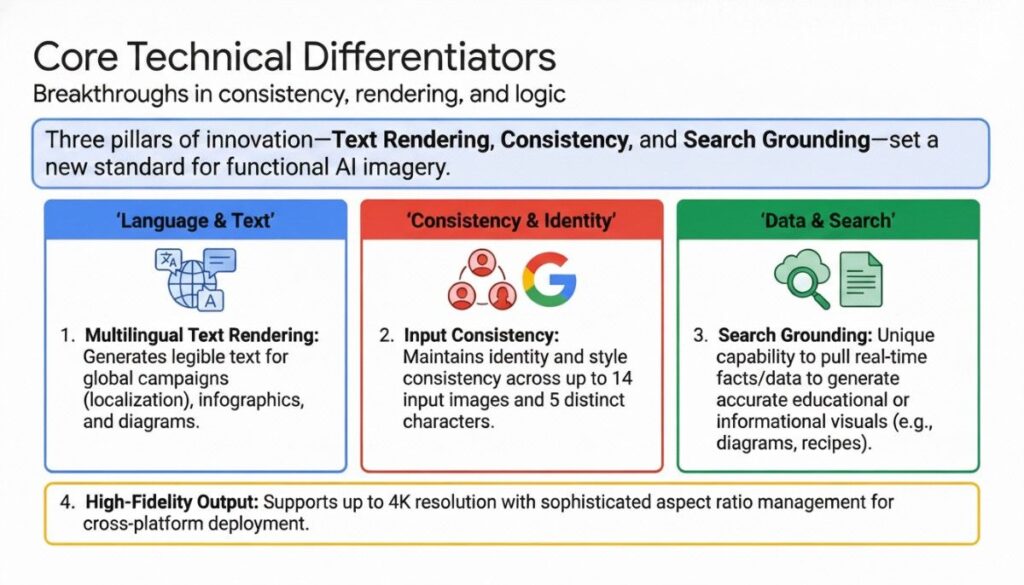
"Generate a 16:9 professional business slide with a clean white background.
- Title section: Bold main title 'Core Technical Differentiators' + subtitle 'Breakthroughs in consistency, rendering, and logic'
- Opening highlight bar (light blue background, bold text): 'Three pillars of innovation—Text Rendering, Consistency, and Search Grounding—set a new standard for functional AI imagery.'
- 3-column content layout (each column with colored header + icon + text):
- Column 1 (blue header): Heading 'Language & Text' + globe/text icon + bullet point: 'Multilingual Text Rendering: Generates legible text for global campaigns (localization), infographics, and diagrams.'
- Column 2 (red header): Heading 'Consistency & Identity' + people/Google icon + bullet point: 'Input Consistency: Maintains identity and style consistency across up to 14 input images and 5 distinct characters.'
- Column 3 (green header): Heading 'Data & Search' + search/cloud icon + bullet point: 'Search Grounding: Unique capability to pull real-time facts/data to generate accurate educational or informational visuals (e.g., diagrams, recipes).'
- Bottom highlight bar (yellow background): Heading 'High-Fidelity Output' + description 'Supports up to 4K resolution with sophisticated aspect ratio management for cross-platform deployment.'
- Add a small 'Google' logo at bottom left + page number '3' at bottom right.
Keep the design corporate, structured, and easy to read (match the formal business presentation aesthetic)."
Nano Banana Pro Slides Prompt 5
Create a professional 16:9 slide presentation in a modern editorial infographic style.
Turn the input content into a clear visual story with:
- A strong headline and supporting subheadline
- Multiple content sections that explain the problem, risks, key evidence, and possible solutions
- Clean illustrations, icons, and diagrams (not photos)
- Short, readable text blocks and callouts
- Visual hierarchy that guides the reader from top to bottom
Design requirements:
- Google Slides–ready, fully editable
- 16:9 aspect ratio
- Flat illustration style with soft gradients
- Consistent color palette and modern typography
- Balanced layout with clear spacing between sections
- Visual metaphors to explain abstract ideas (risk, safety, impact, control)
Use a magazine-style explainer layout similar to high-quality tech or science infographics.
Content to visualize: [PASTE TEXT / ARTICLE / LINK / VIDEO SUMMARY HERE]

Nano Banana Pro Slides Prompt 6
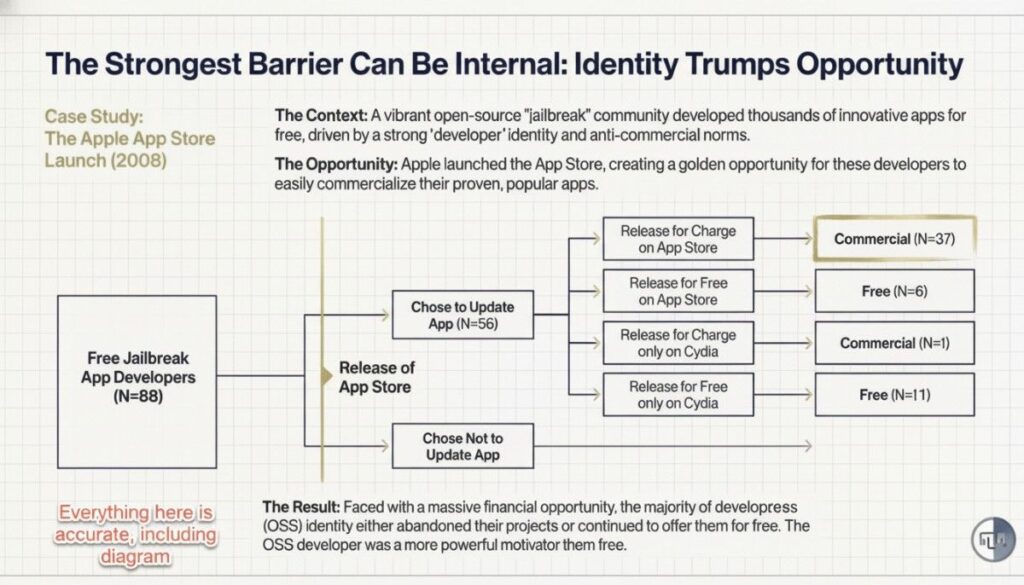
Create a clean, professional 16:9 slide that explains a case study using a structured diagram.
Turn the input content into:
- A clear headline that summarizes the core insight
- Short context and opportunity explanations at the top
- A central flowchart or decision-tree diagram that shows choices, paths, and outcomes
- Labeled boxes with counts, categories, or results
- A concise conclusion that explains the key takeaway
Design requirements:
- 16:9 aspect ratio
- Google Slides–ready and fully editable
- Minimalist, academic-style layout
- Light background with subtle grid or paper texture
- Simple shapes, thin lines, and consistent typography
- Easy-to-follow left-to-right or top-to-bottom flow
Focus on clarity, logic, and visual explanation rather than decoration.
Content to visualize: [PASTE TEXT / CASE STUDY / NOTES HERE]
Nano Banana Pro Slides Prompt 7
Create a professional 16:9 presentation slide that highlights a key industry insight supported by data.
The slide should include:
- A clear, insight-driven headline
- A short explanatory paragraph providing context
- A highlighted “Key Insight” callout with a concise takeaway
- A simple, readable chart or graph to visualize the data
- Supporting bullet points that explain implications or use cases
- Optional relevant image to reinforce the real-world application
Design requirements:
- 16:9 aspect ratio
- Clean, modern, and professional layout
- Google Slides–ready and fully editable
- Balanced left-text / right-visual structure
- Neutral color palette suitable for business or research presentations
- Focus on clarity and credibility over decoration
Content to visualize: [PASTE YOUR DATA, NOTES, OR REPORT TEXT HERE]

Nano Banana Pro Slides Prompt 8
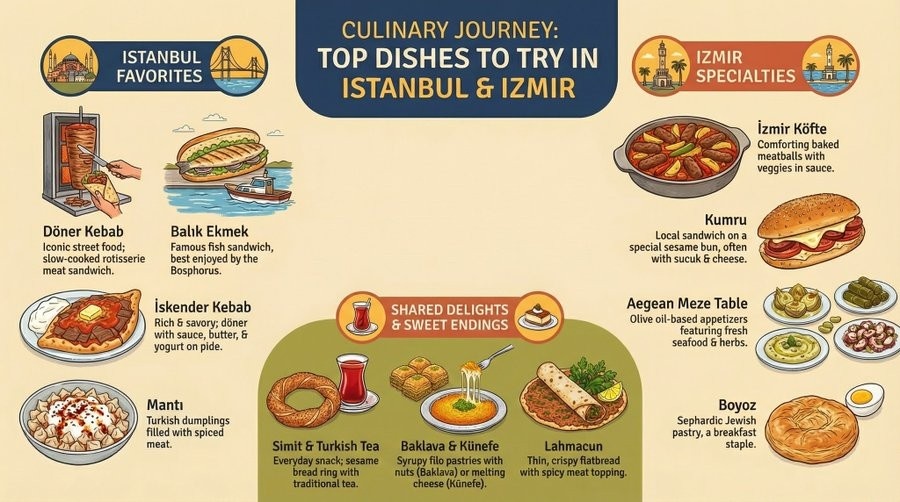
Create a visually rich 16:9 presentation slide that works as an illustrated guide.
The slide should:
- Have a clear, friendly title at the top
- Organize content into distinct sections or categories
- Use illustrated icons or drawings for each item
- Include short, easy-to-read descriptions under each visual
- Feel playful, warm, and engaging rather than corporate
Design requirements:
- 16:9 aspect ratio
- Google Slides–ready and fully editable
- Illustrated, hand-drawn or flat illustration style
- Soft colors and balanced spacing
- Clear visual hierarchy with headings and labels
- Optimized for storytelling, travel, food, or lifestyle topics
Content to visualize: [PASTE YOUR LIST, NOTES, OR TOPIC HERE]
Nano Banana Pro Slides Prompt 9
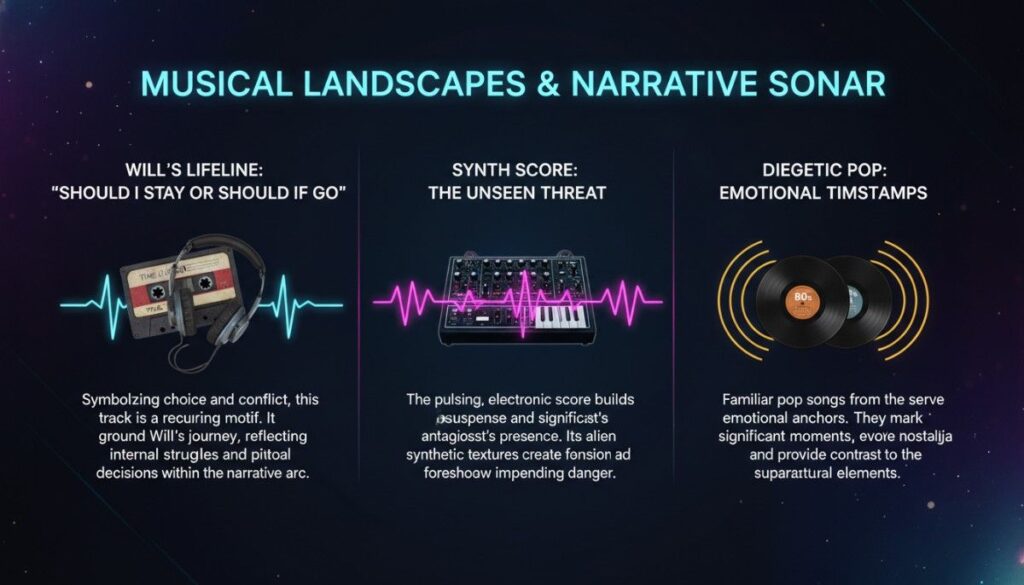
Create a 16:9 presentation slide for a topic titled "[MAIN TOPIC]". The slide should have 3 distinct visual-content sections (like columns) with:
- A title header for each section;
- Corresponding visual elements (e.g., retro objects, tech gear, media items) relevant to each section’s theme;
- Brief descriptive text (2-3 sentences) under each visual;
- A cohesive dark/atmospheric color palette (e.g., deep purples/blacks with glowing accents);
- Clean, readable text styling (serif/sans-serif mix for hierarchy).
For example: Topic = "Musical Landscapes & Narrative Sonar"; Subsections = 1) "Will’s Lifeline: 'Should I Stay or Should I Go'" (with cassette tape + headphones + audio waves), 2) "Synth Score: The Unseen Threat" (with synthesizer + eerie wave graphics), 3) "Diegetic Pop: Emotional Timestamps" (with vinyl records + radiating sound circles). Ensure all elements align with the topic’s theme and the slide feels polished for academic/presentation use.
Nano Banana Pro Slides Prompt 10
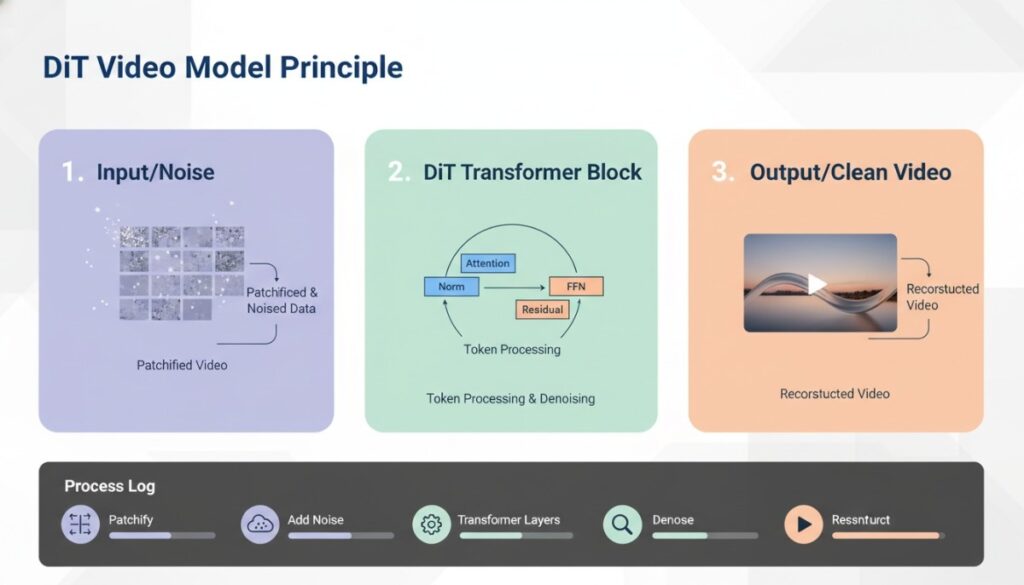
Create a 16:9 presentation slide explaining a technical process (e.g., "[MODEL/PROCESS NAME]"). Structure the slide with:
- 3 sequential, labeled sections (numbered 1-3) in distinct colored panels (soft pastels like purple, green, orange);
- For each section: a bold title, a relevant visual (e.g., data/asset visuals, diagram of components), and 1-2 concise descriptive phrases;
- A bottom "Process Log" bar with 5+ labeled steps (icon + text), each paired with a progress bar matching the section colors;
- Clean, modern design: minimal shadows, sans-serif fonts, consistent spacing, and professional color coordination (light background, subtle accents).
Example: Topic = "DiT Video Model Principle"; Sections = 1) "Input/Noise" (patchified video + "Patchified & Noised Data"), 2) "DiT Transformer Block" (component diagram + "Token Processing & Denoising"), 3) "Output/Clean Video" (reconstructed video + "Reconstructed Video"); Process Log steps = "Patchify", "Add Noise", "Transformer Layers", etc. Ensure the layout is clear, technical but accessible, and visually cohesive.
Nano Banana Pro Slides Prompt 11
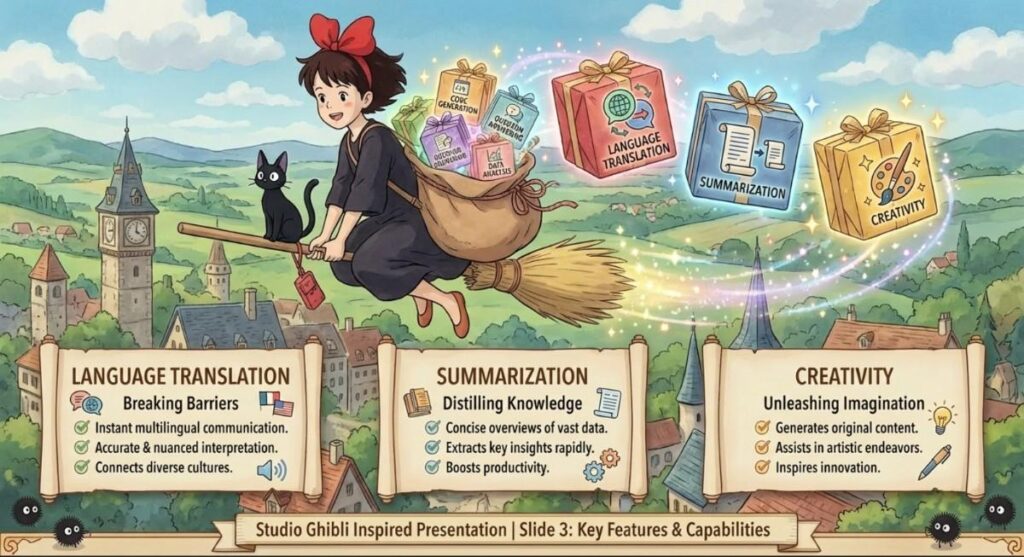
Create a 16:9 presentation slide in a whimsical, hand-drawn animated illustration style inspired by classic fantasy animation aesthetics.
Slide structure:
- Central Illustrated Character
- A friendly, imaginative main character placed at the center or slightly off-center
- Optional small companion (animal or magical creature)
- Background features a soft, storybook-style environment (nature, village, sky, or abstract fantasy setting)
- Themed Content Containers
- The character interacts with magical or symbolic containers (boxes, bags, books, floating objects, etc.)
- Each container represents one key topic
- Clearly label each container with a short topic name
- Text Panels or Story Sections
- Place 3 structured text panels near the bottom or sides
- Each panel corresponds to one topic container
- Include:
- A bold topic title
- 3–4 concise bullet points
- One short descriptive sentence summarizing the topic
- Visual Motifs & Atmosphere
- Add subtle decorative elements
Nano Banana Pro Slides Prompt 12
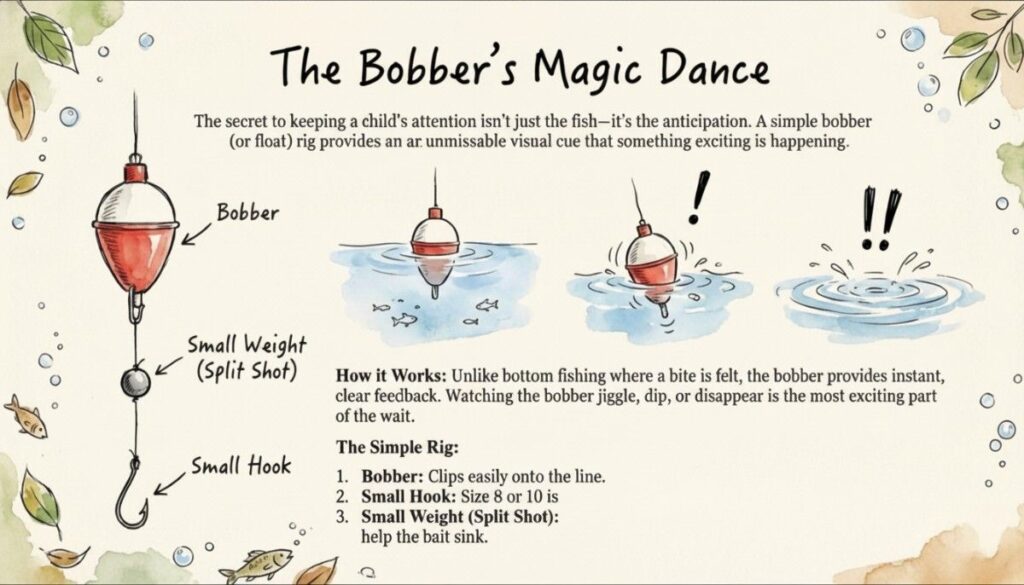
- Create a 16:9 presentation slide in a soft, whimsical watercolor-illustrated style (hand-drawn textures, muted earthy pastels, subtle nature accents like leaves/bubbles). Structure as:
- Title: Playful, handwritten-style heading (e.g., "[Topic Name]: [Catchy Subtitle]").
- Intro Paragraph: 2–3 concise sentences explaining the core purpose/value of the topic (frame it as a "simple, engaging secret" or "key insight").
- Visual Breakdown:
- Left side: A labeled diagram (with arrows) of the core object/system (e.g., a tool, process component) — each part gets a clear text label.
- Right side: 2–3 sequential small illustrations showing the object/system in action (with subtle expressive icons like "!" for emphasis).
- How It Works Section: 2–3 sentences explaining the topic’s function (focus on relatable, exciting outcomes, e.g., "instant feedback" or "the fun part").
- Step-by-Step List: Numbered 3-item list (e.g., "The Simple Setup/Rig") with clear, short descriptions for each step (tie to the diagram/illustrations).
- Finishing Touches: Scatter tiny thematic decor (e.g., small animals, natural elements) around the slide edges for charm.
- Ensure the design balances visual warmth (watercolor textures) with clear information hierarchy — make technical/educational content feel approachable and engaging.
Nano Banana Pro Slides Prompt 13
Create a 16:9 professional presentation slide with a clean, modern corporate aesthetic (soft gradients, subtle geometric background accents). Structure as:
- Header: Bold, concise title (e.g., "[Topic] in a Nutshell") in a branded accent color (e.g., purple/orange), with a thin dividing line below.
- 3 Equal Column Panels:
- Each panel has a light, rounded background;
- Atop each panel: A themed icon/illustration (e.g., tool, tech graphic, people diagram) + a bold, colored section title (e.g., "Traditional", "AI Prediction");
- Below the title: 1–2 concise sentences explaining the section’s core function/purpose (focus on key inputs/outcomes).
- Branding Footer:
- Left: Logo + short organization name (e.g., "NoteGPT | [Company Name]");
- Right: Optional contact/link text (e.g., "[Website/Resource]").
- Visual Cohesion: Use a limited color palette (1–2 accent colors + neutrals) to unify the slide; keep text clean (sans-serif fonts, consistent sizing).
Ensure the design balances clarity (modular panels) with professionalism — ideal for breaking down 3 key components of a system, process, or concept.

Nano Banana Pro Slides Prompt 14
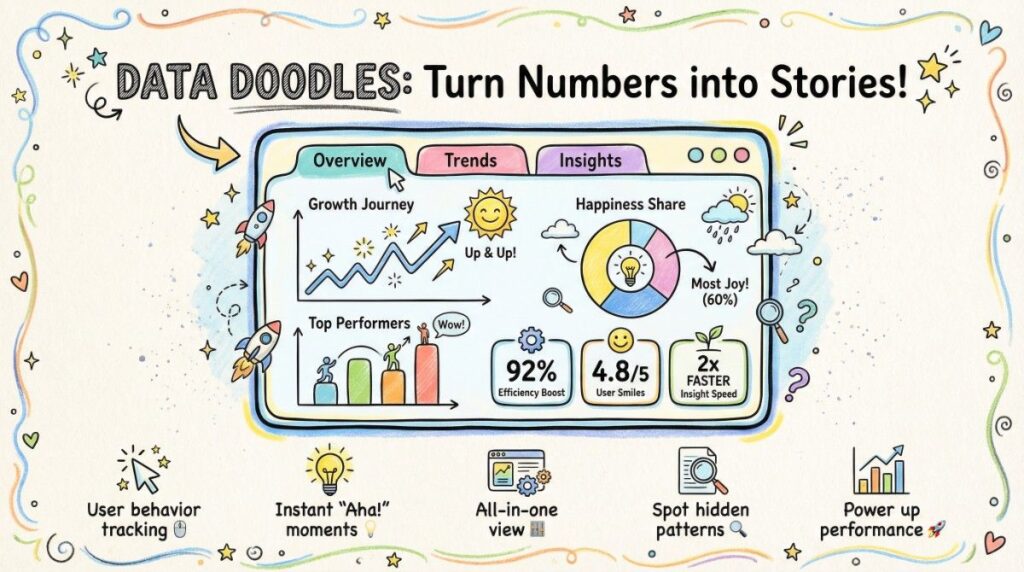
Create a 16:9 presentation slide in a whimsical, hand-drawn sketchnote style (doodle borders, playful fonts, soft textured background). Structure as:
- Header: A catchy, decorative title (e.g., "[Feature/Topic] Help You [Core Benefit]") with playful accents (e.g., stars, swirls) — use a bold, handwritten-style font.
- Central Interactive Mockup: A framed "dashboard/interface" illustration (rounded edges, doodle-style buttons/tabs like "Overview" / "Trends") containing:
- 2–3 simple data visuals (line chart, bar chart, pie chart) with hand-drawn elements (arrows, icons);
- 3 small "stat cards" (rounded boxes) showing key metrics (numbers + short labels).
- Bottom Icon + Label Row: 4–5 small, themed doodle icons (e.g., cursor, lightbulb, dashboard) paired with 1–2 word descriptions (e.g., "User behavior tracking") — spaced evenly below the mockup.
- Visual Charm: Use bright, friendly colors; add subtle doodle accents (stars, squiggles) around edges; keep text conversational (handwritten/sans-serif mix).
Ensure the design balances whimsy (sketchnote style) with clarity — ideal for explaining tools, dashboards, or features in an engaging, approachable way.
Nano Banana Pro Slides Prompt 15
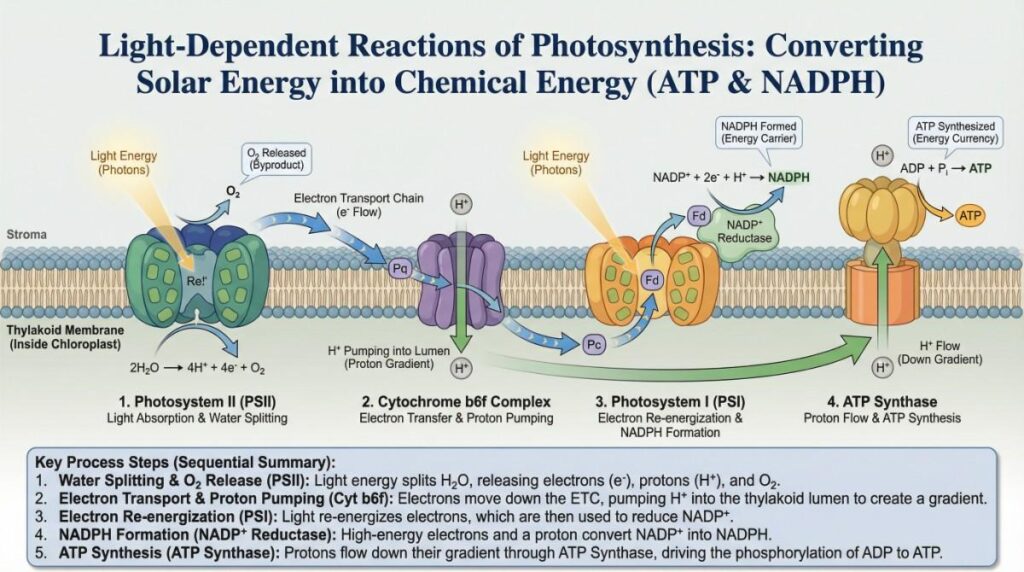
Create a 16:9 educational presentation slide for a sequential process (e.g., molecular pathway, chemical reaction) with a clean, scientific illustration style. Structure as:
- Header: Bold, formal title (e.g., "[Process Name]: [Core Function]") in a serif font, centered at the top.
- Central Linear Diagram:
- A horizontal "membrane/structure" base (e.g., thylakoid membrane) spanning the slide;
- 3–4 labeled, colored modular components (e.g., "Photosystem II", "ATP Synthase") aligned along the base, each with distinct visual styling;
- Arrows (electron/proton flow, molecule movement) connecting components, paired with key molecules (e.g., "H₂O", "ATP") and chemical formulas/reactions (where relevant).
- Component Labels & Subprocess Titles:
- Below each component: A short subtitle describing its role (e.g., "Light Absorption & Electron Energization");
- Small callouts for key molecules (e.g., "O₂", "NADPH") with directional indicators.
- Key Processes Summary:
- A shaded text box at the bottom, listing 4–5 numbered steps that summarize the full process (concise, action-oriented language).
- Visual Cohesion: Use a muted, professional color palette; keep labels clear (sans-serif fonts); ensure diagram elements are anatomically/chemically accurate (where applicable).
Ensure the design balances detailed visualization (for clarity) with educational structure — ideal for explaining biological pathways, chemical cycles, or molecular processes.
Nano Banana Pro Slides Prompt 16
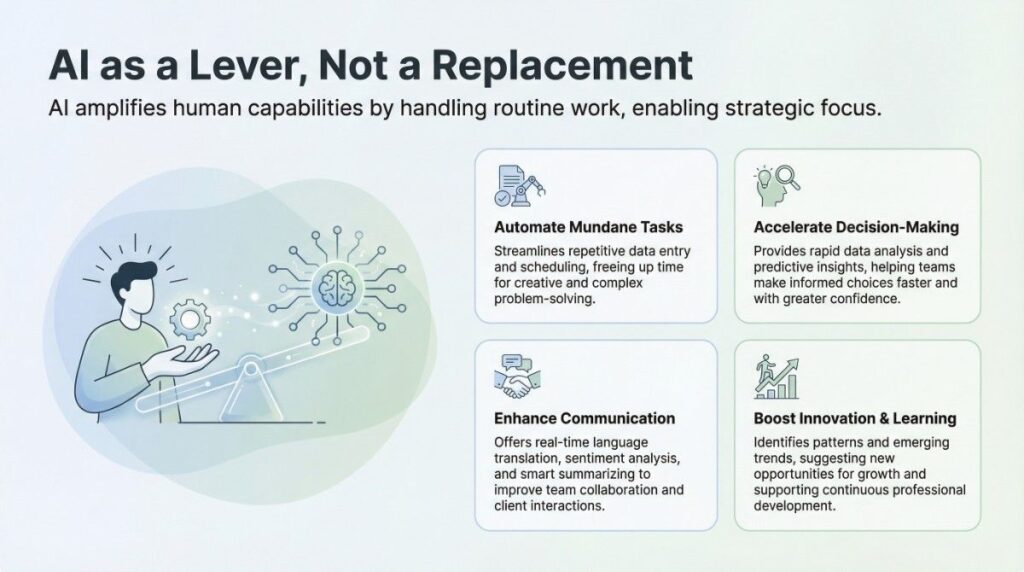
Create a 16:9 professional presentation slide with a minimalist, modern aesthetic (light background, soft accent colors). Structure as:
- Header:
- Bold, concise main title (e.g., "[Topic] as a Lever, Not a Replacement") in dark text;
- 1-sentence subheading explaining the core value (e.g., "[Topic] amplifies human capabilities by [key action]").
- Visual + Content Layout:
- Left: A thematic illustration (e.g., collaborative imagery like human-AI interaction) with a soft background tone;
- Right: 4 rounded, light-panel cards (2x2 grid), each with:
- A small icon (matching the card’s theme);
- A bold card title (e.g., "Automate Mundane Tasks");
- 1–2 concise sentences describing the benefit/function of the topic in that context.
- Visual Cohesion: Use a limited accent color palette (1–2 soft tones); keep text clean (sans-serif fonts, consistent sizing); ensure icons align with card themes.
This template frames a topic as a collaborative enabler (not a replacement) — ideal for explaining tools, technologies, or strategies that enhance human work.
Nano Banana Pro Slides Prompt 17
Create a multi-slide 16:9 presentation deck (9+ slides) for a concept/principles guide (e.g., software rules, business frameworks) in a colorful, sketchnote-style aesthetic. Structure each slide set as:
- Cover Slide:
- Bold title (e.g., "[Topic] Principles: [Key Terms] & More");
- 3 small themed visuals (e.g., gears, icons) + 1-sentence intro hook.
- Table of Contents Slide:
- Centered "Table of Contents(Table of Contents)" title;
- A grid of icons + labels for each core principle (e.g., "SOLID", "DRY") + bonus sections (e.g., "Other Principles").
- Principle Deep-Dive Slides (1–2 per principle):
- Title (e.g., "[Principle Name] (1/2)");
- 1–2 sub-principle cards (each with: a bold sub-title, definition, benefits, 1-sentence example);
- Themed illustrations (e.g., tools, diagrams) matching the principle.
- Single-Principle Focus Slides:
- Full slide dedicated to one principle (e.g., "DRY Principle");
- Sections: "Definition", "Benefits", "Techniques", "Example" — each paired with a small icon/visual.
- Conclusion Slide:
- "Conclusion & Outlook" title;
- 3–4 bulleted takeaways (e.g., "Core Value", "Application Tips");
- Optional author/contact info section.
Visual Rules:
- Use a warm, muted background (e.g., beige) with sketchnote accents (stars, borders);
- Keep text concise (short phrases, bullet points);
- Pair each section with playful, theme-matching icons/illustrations.

Nano Banana Pro Slides Prompt 18
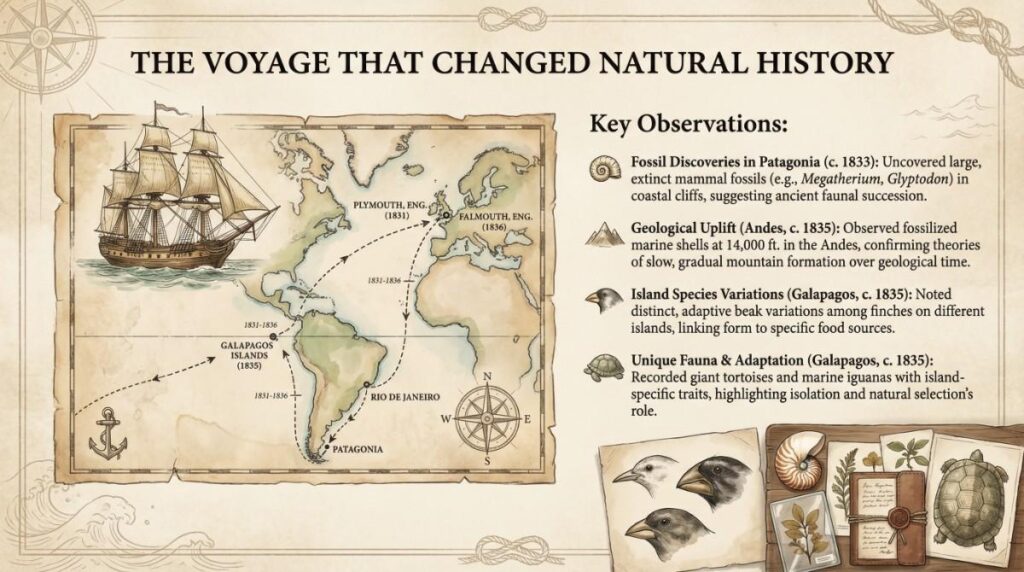
Create a 16:9 presentation slide for a transformative historical/scientific journey with a vintage, aged-paper aesthetic. Structure as:
- Header: Bold, elegant title (e.g., "The Voyage That Changed [Field]") centered at the top.
- Visual Core (Left):
- A key thematic illustration (e.g., ship, expedition vehicle) + a styled map (showing the journey route, labeled with start/end points + timeline).
- Key Observations Section (Right):
- Subheading: "Key Observations:";
- 3–4 bulleted points (each paired with a small icon: e.g., fossil, mountain, species) describing critical discoveries/insights from the journey;
- Include specific details (e.g., locations, measurements, examples) for each point.
- Thematic Accents (Bottom Right):
- A small visual collage (e.g., species variations, artifacts) tied to the key observations (e.g., finch beak types, fossil samples).
- Visual Cohesion:
- Use a muted, aged color palette (beige, brown, soft green);
- Add subtle vintage decor (compass, rope motifs, wave textures) to the background;
- Keep text fonts classic (serif) for historical tone.
Nano Banana Pro Slides Prompt 19
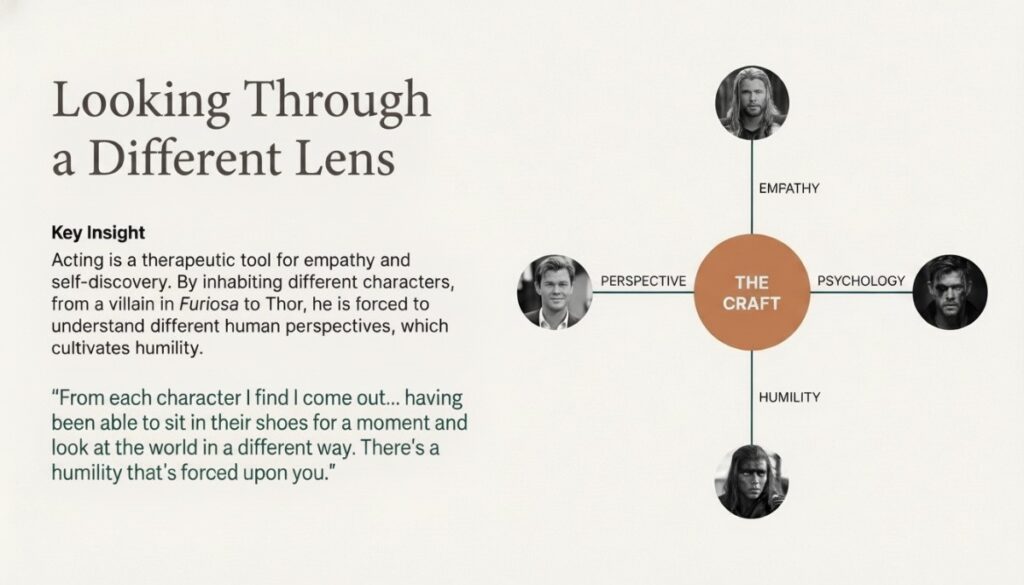
Create a 16:9 presentation slide exploring how a core craft/practice (e.g., acting, writing, leadership) drives personal/professional growth, with a minimalist, elegant aesthetic. Structure as:
- Header:
- Playful yet refined title (e.g., "Looking Through a Different Lens") in a large serif font.
- Left Content Block:
- Subheading: "Key Insight";
- 3–4 concise sentences explaining how the craft acts as a tool for growth (e.g., "Acting cultivates empathy by inhabiting different perspectives");
- A quoted excerpt (italicized) that reinforces the insight (e.g., a practitioner’s reflection).
- Right Thematic Hub Diagram:
- A central circle labeled "[THE CRAFT]" (e.g., "THE CRAFT");
- 4 directional lines extending from the circle, each connecting to:
- A growth theme (e.g., "EMPATHY", "PERSPECTIVE");
- A visual (e.g., portrait, icon) tied to the theme (e.g., a character/role example).
- Visual Cohesion:
- Use a neutral, soft background (e.g., off-white);
- Keep text clean (mix of serif/sans-serif fonts for hierarchy);
- Ensure visuals align with the craft’s context (e.g., character portraits for acting).
Nano Banana Pro Slides Prompt 20
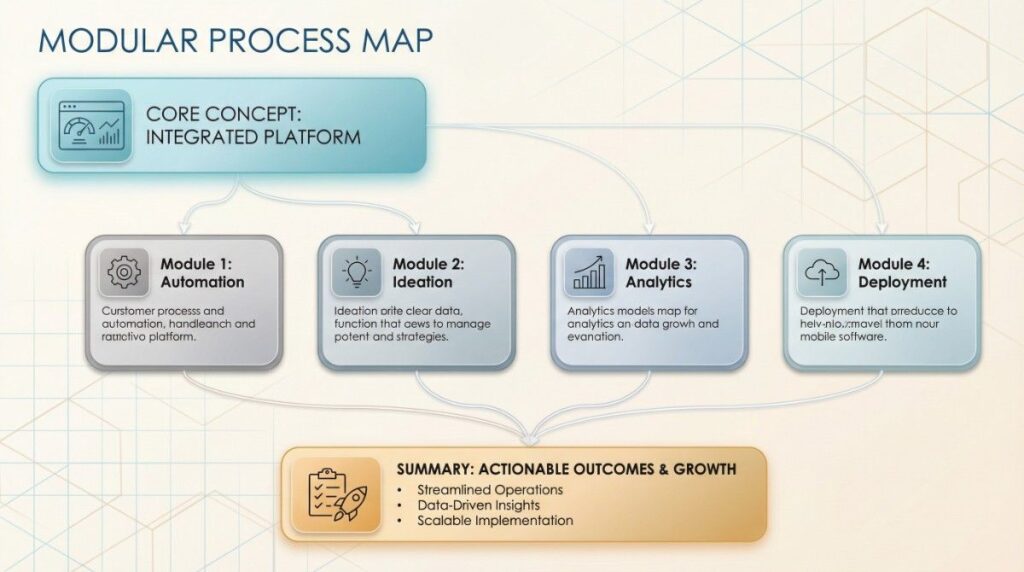
Create a 16:9 presentation slide for a modular process/concept map with a clean, modern tech aesthetic. Structure as:
- Background: Subtle geometric pattern (e.g., light grid/lines) in soft blue/beige tones.
- Core Modular Layout:
- 1 "parent" block (large, rounded, accented color) at the top/side, with a small icon (e.g., dashboard, main concept);
- 3–4 "child" blocks (smaller, rounded, muted tones) connected to the parent via thin lines; each child block has a distinct icon (e.g., gear, lightbulb, chart);
- 1 "summary/action" block (elongated, accented color) at the bottom, connected to the child blocks.
- Visual Cohesion:
- Use a limited, soft color palette (2–3 accent tones + neutrals);
- Add subtle rounded borders and gradient fills to blocks for depth;
- Ensure line connections are clear (to show hierarchy/flow).
Tips for Using Nano Banana Pro Slides
Writing effective prompts for better results
The key to unlocking the full potential of Nano Banana Pro Slides is writing clear, precise prompts. A well-crafted prompt guides the AI to understand exactly what you want, whether it’s summarizing an article, highlighting key data, or generating visually striking slides. For example, instead of a vague prompt like “Make slides from this text,” specify the audience, style, and purpose: “Create a 10-slide presentation for marketing professionals summarizing the latest SEO trends with bullet points and visuals.” The more context you provide, the more accurate and polished the AI-generated slides will be.
Effective prompts also help the AI capture tone and style. For academic slides, the prompt might emphasize clarity and accuracy; for marketing decks, it could stress engagement and visual appeal. Experimenting with different phrasing allows you to refine results and produce slides that are both informative and visually compelling.
Choosing the right input format (text, file, link, video)
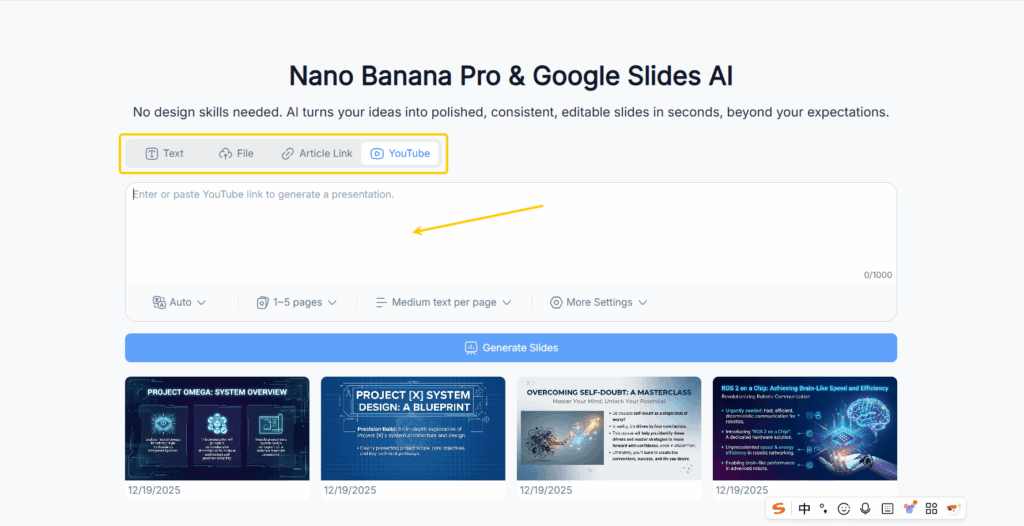
Nano Banana Pro Slides supports multiple input formats, each with its own advantages. Text documents are perfect for essays, notes, or written reports. PDFs are great for research papers or official documents. Web links allow the AI to pull content directly from blogs or news articles, while YouTube videos can be turned into fully summarized slide decks. Choosing the right format for your content ensures the AI can extract information accurately and maintain a logical flow.
For best results, ensure your input is structured and clear. Well-organized content with headings, bullet points, and concise paragraphs allows the AI to generate slides that require minimal editing. Videos with clear narration and chapters produce better summaries than long, unstructured footage.
Combining AI suggestions with your own design to polish slides
While Nano Banana Pro Slides generates high-quality slides automatically, adding your personal touch can elevate the presentation further. You can tweak visuals, adjust colors to match your branding, or insert additional graphics. Combining AI efficiency with human creativity ensures that your slides are not only polished but also unique and tailored to your audience.
Using AI-generated suggestions as a base, you can also create custom templates or themes that can be reused across multiple presentations. This approach maintains consistency and reinforces your visual identity, whether for classroom lectures, client pitches, or social media content.
Common mistakes to avoid when using prompts
Even the best AI tool requires careful guidance. Common mistakes include using vague prompts, providing unstructured input, or relying solely on AI visuals without reviewing them. Such practices can lead to slides that are generic, unclear, or visually inconsistent. To avoid this, always review AI output, refine your prompts, and combine automated suggestions with thoughtful human adjustments. This balance ensures professional, accurate, and engaging slides every time.
Conclusion
Nano Banana Pro Slides is transforming the way presentations are created. By leveraging advanced Google Slides AI, it allows users to quickly convert text, documents, links, and even videos into polished, professional slides. Using carefully crafted prompts, anyone—from students and educators to content creators and business professionals—can save time, improve creativity, and produce presentations that are visually appealing and highly effective.
The 20 prompts provided in this guide serve as a starting point to explore the full potential of Nano Banana Pro Slides. With consistent practice and experimentation, you can master the art of AI-assisted presentation creation, turning hours of manual work into minutes of automated efficiency. Whether you are summarizing research papers, converting YouTube tutorials, or repurposing blogs into slides, Nano Banana Pro Slides empowers you to produce stunning presentations effortlessly.
In a world where clarity, engagement, and visual appeal are essential, embracing AI tools like Nano Banana Pro Slides is no longer optional—it’s a smart, efficient, and creative way to communicate ideas and captivate your audience. Start using prompts today and transform the way you present your ideas forever.