



Images decide first impressions.
Before a headline is read, before a price is judged, before trust even has a chance to form, an image speaks first. In 2026, clean images are no longer a competitive advantage. They are the minimum requirement. And behind almost every clean image is one quiet hero: AI Background Remover technology.
Good background removal doesn’t shout. It doesn’t draw attention to itself. It simply lets the subject stand still, breathe, and be seen.
This article explores the 10 best AI background removal tools in 2026, tested across free and paid plans, real workflows, and real problems. No exaggerated promises. No fake comparisons. Just tools that work — and reasons why.
What AI Background Removal Really Means in 2026
AI background removal used to be a shortcut. Now it’s infrastructure.
Modern AI background removal tools don’t just erase backgrounds. They identify intent. They understand depth. They decide what matters and what doesn’t. Hair, shadows, reflections, transparent objects — these are no longer edge cases, but expectations.
A reliable AI background removal tool should do three things consistently:
- Remove the background completely, without leftovers
- Preserve the subject accurately, without cutting into edges
- Deliver repeatable results at scale
Speed is nice. Accuracy is essential. Reliability is everything.
Who Actually Needs AI Background Removal?
Almost everyone — whether they realize it or not.
- E-commerce sellers cleaning up product photos to increase conversion
- Content creators making thumbnails that stop scrolling
- Marketers repurposing visuals across ads, landing pages, and emails
- Founders polishing pitch decks
- Job seekers upgrading profile photos
- Small teams replacing expensive manual editing
Once you rely on AI background removal daily, there’s no going back.
The 10 Best AI Background Removal Tools in 2026
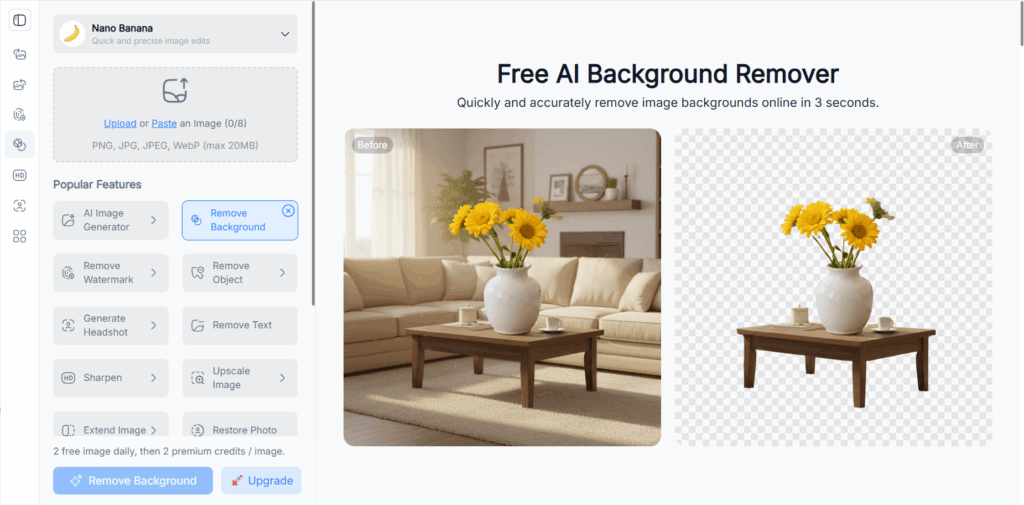
1. NoteGPT AI Background Remover
NoteGPT’s AI background removal tool feels designed by people who actually process images every day.
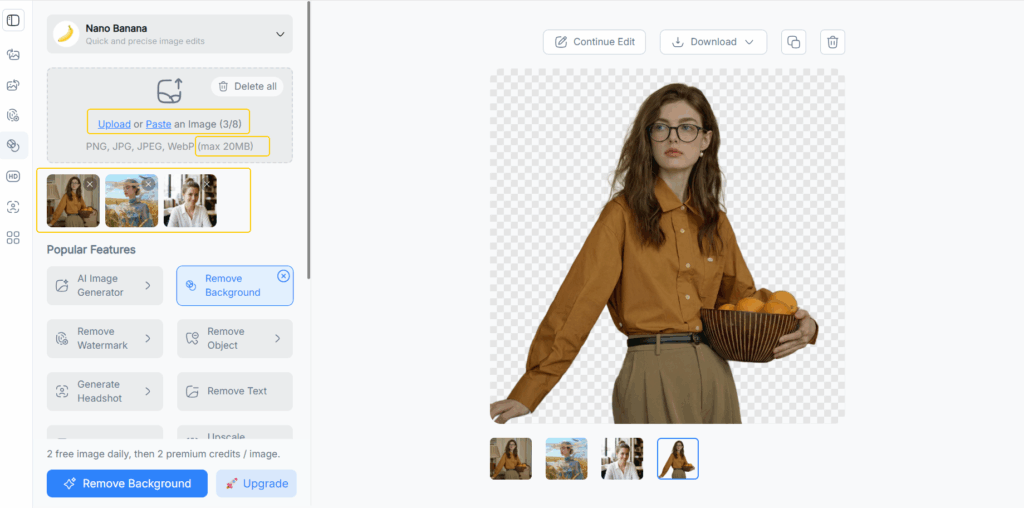
Its strongest advantage is batch processing. You upload multiple images at once, remove backgrounds in bulk, and download everything together. This alone changes how you work. No repetitive clicks. No waiting between files. No unnecessary friction.
The quality is consistently high. Subjects remain sharp and intact. Edges are clean, even around hair and fine contours. The AI avoids aggressive trimming, which is where many tools fail.
It’s also fast. Upload, process, download — that’s the entire workflow. No design layers, no forced editing steps.
Free & Paid
- Free plan available with usage limits
- Paid plans unlock higher resolution and larger batch volumes
Best for:
- Batch AI background removal
- Product photos, catalogs, and marketing assets
- Users who value speed, clarity, and efficiency
This is the kind of tool you forget about — because it simply works.
2. VisualGPT Background Remover
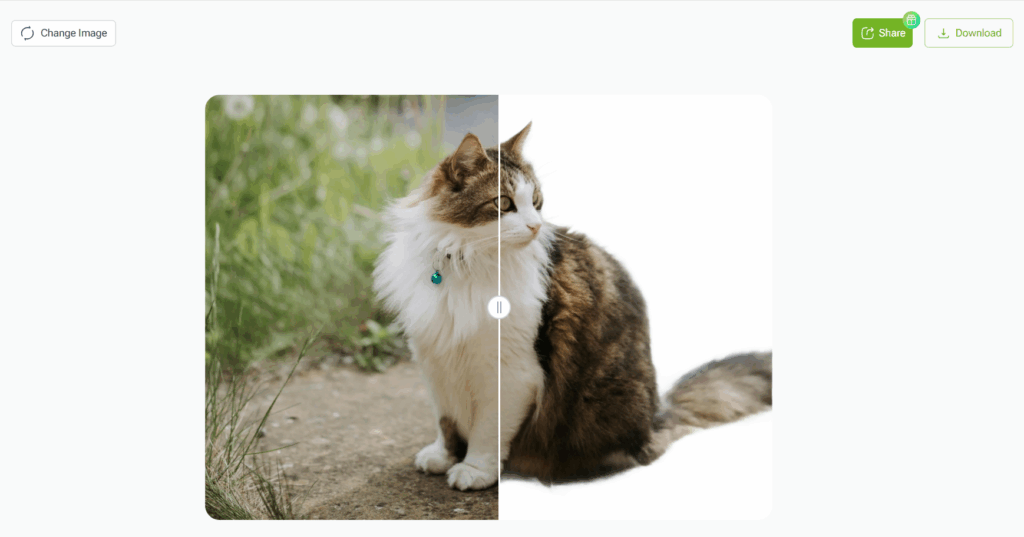
VisualGPT offers a calm, reliable AI background removal experience.
It performs well across common scenarios: people, products, lifestyle images, and social content. The AI rarely overcuts the subject, which makes results feel natural instead of mechanical.
The interface is clean and approachable. There’s no learning curve. You upload an image, and the background disappears — quietly and effectively.
Free & Paid
- Free tier with limited exports
- Paid plans unlock higher-quality output and more usage
Best for:
- General-purpose AI background removal
- Users who want dependable results without complexity
VisualGPT doesn’t try to impress. It simply delivers.
3. Remove.bg
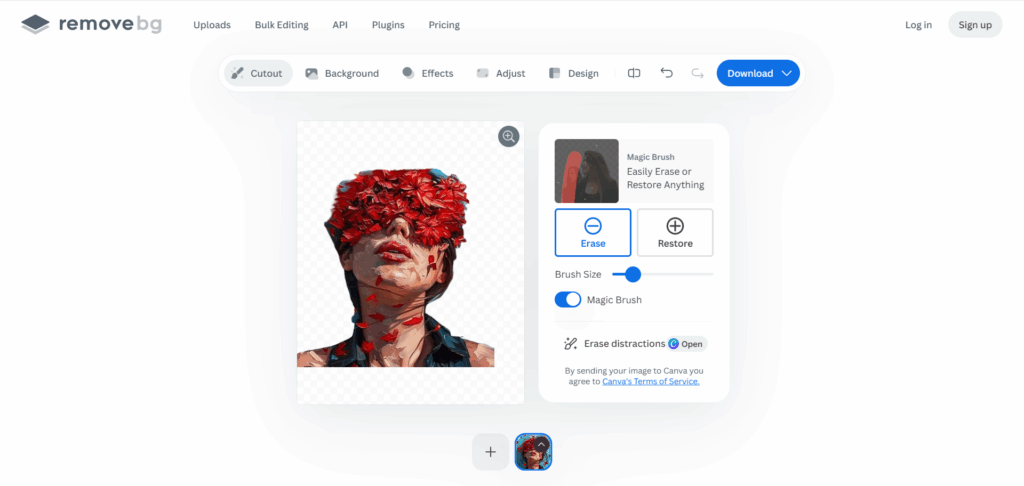
Remove.bg is one of the most recognized names in AI background removal, and it still earns that reputation.
It excels at portraits. Faces, hairlines, and shoulders are handled with impressive precision. For single images or quick edits, it’s hard to beat.
However, frequent use quickly runs into credit limitations, especially for high-resolution exports.
Free & Paid
- Free previews with low resolution
- Paid credits required for HD downloads
Best for:
- One-off background removal
- Profile photos and headshots
Reliable, fast, but not built for scale.
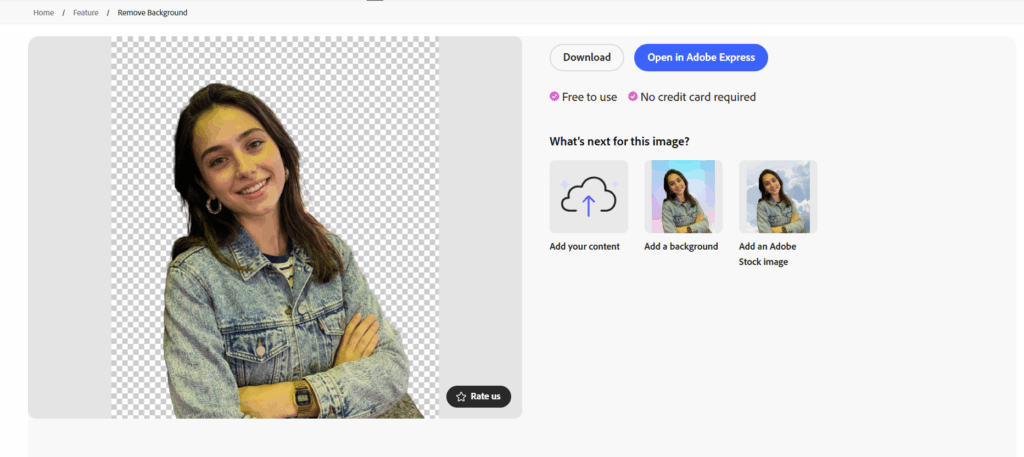
4. Adobe Express Background Remover
Adobe Express integrates AI background removal into a polished creative ecosystem.
The results feel refined. Colors remain balanced. Subjects don’t look cut out — they look placed. If you already use Adobe tools, this fits naturally into your workflow.
Batch processing isn’t its strongest feature, and speed can vary depending on load.
Free & Paid
- Limited background removal in the free version
- Full access included in paid Adobe plans
Best for:
- Designers and brand teams
- Polished creative projects
This tool prioritizes finish over speed.
5. Canva Background Remover
Canva’s background remover is built for momentum.
It allows creators to move fast, from idea to design to publish. The AI works well on simple subjects and common layouts, especially for social media and presentations.
Complex edges can be inconsistent, but for everyday marketing visuals, it often gets the job done.
Free & Paid
- Background removal available only on paid plans
Best for:
- Social media graphics
- Presentations and quick marketing assets
It’s not perfect — but it’s convenient.

6. PhotoRoom
PhotoRoom is built with sellers in mind.
If you’ve ever tried to clean up product photos for Amazon, Etsy, Shopify, or Instagram Shops, you already understand the pain: inconsistent lighting, distracting backgrounds, and images that don’t feel “store-ready.”
PhotoRoom’s AI background removal focuses on exactly that problem. It doesn’t just remove backgrounds — it replaces them intelligently. White backgrounds, soft shadows, subtle reflections. The results often look like they came from a small studio, not a phone camera.
Mobile support is one of its strongest advantages. You can shoot, edit, and export directly from your phone without sacrificing quality.
Free & Paid
- Free plan exports include a watermark
- Paid plans remove watermarks and unlock higher resolution
Best for:
- E-commerce sellers
- Mobile-first workflows
- Product-focused images
PhotoRoom doesn’t try to be everything. It tries to be useful — and largely succeeds.
7. Pixlr Background Remover
Pixlr sits comfortably between automation and control.
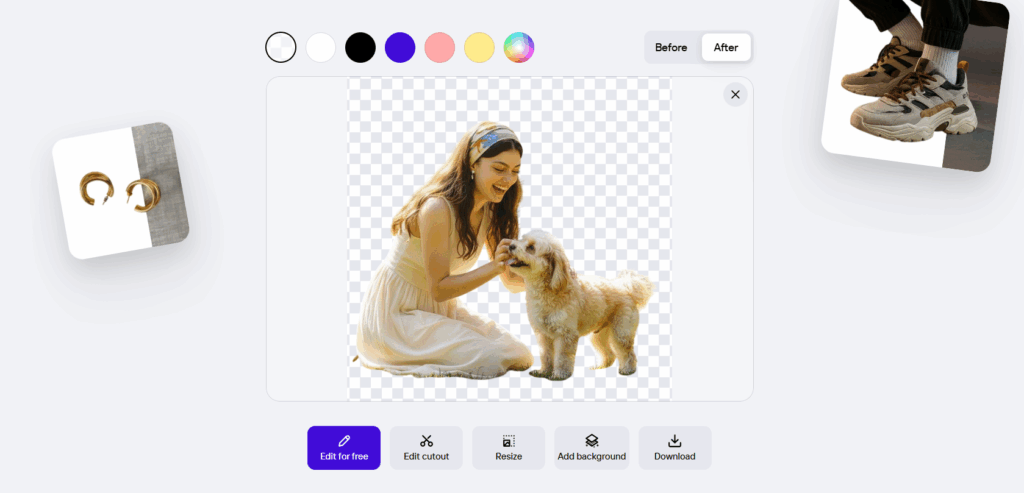
Its AI background removal is fast and browser-based, making it ideal for users who want quick results without installing software. When the AI gets things right, it’s instant. When it doesn’t, Pixlr gives you the tools to fix it.
That combination matters. Real images are messy. Hair overlaps backgrounds. Shadows confuse edges. Pixlr acknowledges this reality instead of pretending AI is always perfect.
Free & Paid
- Free plan with resolution and export limits
- Paid plans unlock higher-quality outputs and advanced tools
Best for:
- Browser-based editing
- Light manual refinements
- Users who want flexibility without complexity
Pixlr feels practical — like a tool that understands compromise.
8. ClipDrop
ClipDrop pushes AI background removal into more advanced territory.
It handles complex scenes better than most tools on this list. Glass, transparent objects, layered elements, and tricky lighting conditions are where ClipDrop shines. The AI feels trained on difficult cases, not just ideal ones.
This precision comes with a slightly steeper learning curve, but the payoff is accuracy. For creators who care about clean edges in difficult scenarios, ClipDrop earns respect.
Free & Paid
- Free usage with limits
- Paid plans unlock full resolution and professional integrations
Best for:
- Advanced creators
- High-precision cutouts
- Complex visual environments
ClipDrop is not casual. It’s deliberate.
9. InPixio Remove Background
InPixio takes a hybrid approach.
The AI handles the first pass, removing most of the background quickly. Then, control is handed back to you. You can refine edges, restore areas, and correct mistakes manually.
This makes InPixio slower than one-click tools, but also more forgiving. If you care about exact edges and don’t mind spending a little extra time, this tradeoff can be worth it.
Free & Paid
- Free version with export and feature limits
- Paid plans unlock full editing control and quality exports
Best for:
- Users who want manual adjustment options
- Detailed editing workflows
- Desktop-based editing
InPixio is for people who don’t like black boxes.
10. Slazzer
Slazzer is built for volume.
It supports bulk AI background removal, high-resolution exports, and plugin-based workflows, including Photoshop integration. This makes it suitable for agencies, studios, and teams processing images every day.
The AI is fast and consistent. It doesn’t aim for artistic nuance — it aims for throughput. And for many professional pipelines, that’s exactly what matters.
Free & Paid
- Free previews available
- Paid plans required for HD exports and bulk processing
Best for:
- Agencies and professional teams
- High-volume background removal
- Scalable workflows
Slazzer is not flashy. It’s functional.
NoteGPT: Best AI Background Removal for High-Volume Workflows
Across all ten tools, one pattern becomes clear.
Most AI background removal tools are optimized for single images. They work well — until volume increases. Then friction appears. Repetitive uploads. Manual downloads. Waiting.
This is where NoteGPT quietly stands apart.
Its batch-first design makes it especially suitable for:
- E-commerce catalogs
- Marketing asset libraries
- Agencies managing client visuals
- Anyone removing backgrounds daily, not occasionally
The AI output remains clean and accurate, even at scale. Subjects stay sharp. Backgrounds disappear completely. And the process remains simple, even when workloads grow.
It’s not trying to be the loudest tool on the list. It’s trying to be the most dependable.
FAQs About AI Background Removal
What is AI background removal, exactly?
AI background removal uses machine learning models to detect the main subject in an image and remove the surrounding background automatically.
Are free AI background removal tools good enough?
For testing and light use, yes. For consistent quality, batch processing, and high resolution, paid plans are usually necessary.
Can AI background removal handle hair and complex edges?
Modern tools can, but accuracy varies. Tools like NoteGPT, ClipDrop, and Remove.bg tend to perform better with fine details.
Is AI background removal safe for commercial use?
Most paid plans allow commercial usage. Always check license terms if images are used for business.
Will AI background removal replace manual editing?
For most use cases, yes. Manual editing is now the exception, not the rule.
Conclusion
AI background removal has reached a point of maturity.
In 2026, the difference between tools is no longer about whether they work, but how well they fit real workflows. Some tools shine in one-off edits. Others focus on creative polish. A few are built for speed at scale.
From extensive testing, NoteGPT and VisualGPT consistently stand out as stronger all-around options.
NoteGPT proves especially effective when volume, speed, and consistency matter. Its batch-first workflow, clean output, and reliable subject preservation make it a natural choice for e-commerce teams, marketers, and anyone handling images regularly rather than occasionally.
At this stage, choosing a good AI Background Remover isn’t about chasing the most features — it’s about choosing the tool you can trust to quietly do its job, every single time.