


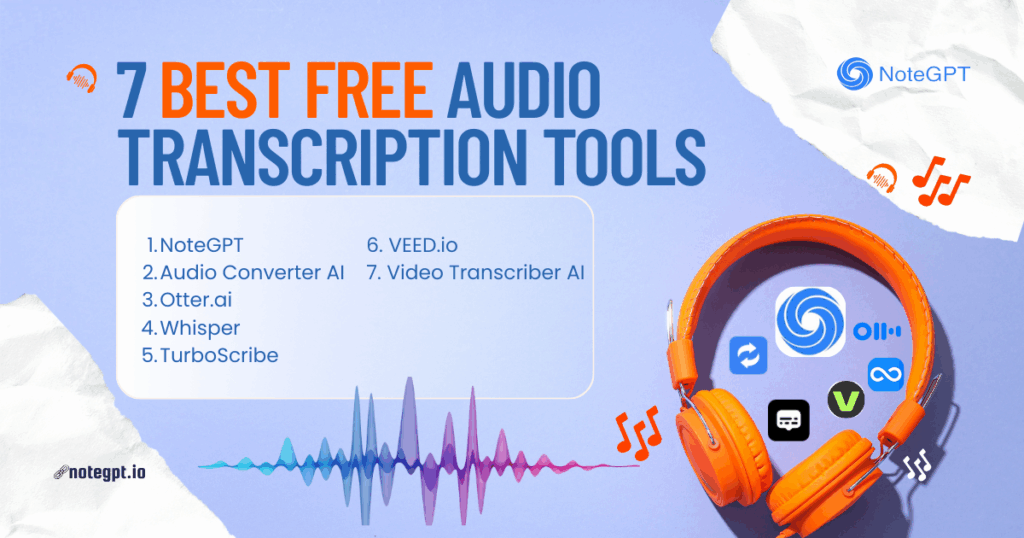
ree audio transcription tools have quietly become one of the most important productivity upgrades in modern work.
Think about it. Meetings are longer. Podcasts are everywhere. Online courses, interviews, voice notes, and recorded brainstorms pile up fast. Audio is easy to create—but painful to reuse.
I learned this the hard way.
A few years ago, I spent hours replaying recordings, pausing every few seconds, typing like my life depended on it. In 2026, that kind of work is no longer “hardworking.” It’s inefficient.
Thanks to rapid improvements in AI speech recognition, Audio to Text conversion is now accurate, fast, and—surprisingly—powerful. But not all tools are created equal. Some are generous. Some are restrictive. Some look free until you hit a wall five minutes in.
This article is a real-world review of the 7 best free audio transcription tools in 2026, written from the perspective of someone who actually uses them for work.
Why Free Audio Transcription Is a Big Deal in 2026
Audio content is exploding, but attention spans aren’t.
No one wants to re-listen to a 60-minute meeting just to find one important decision. No one wants to scrub through a podcast to pull quotes. And no one wants to manually transcribe interviews anymore.
That’s where audio to text conversion changes everything.
With a good free audio transcription tool, you can:
- Turn meetings into searchable notes
- Convert podcasts into blog posts
- Create subtitles for videos
- Extract quotes and summaries
- Save hours every week
The key word here is free. Not everyone wants to commit to a paid plan before knowing whether a tool fits their workflow.
How I Tested These Free Audio Transcription Tools
I didn’t just glance at landing pages.
Each tool on this list was tested with:
- Long recordings (30–90 minutes)
- Multiple speakers talking over each other
- Different audio formats like MP3, WAV, M4A, and WebM
- English and non-English audio
- Real background noise (keyboard sounds, room echo, bad mics)
I evaluated them based on:
- Accuracy and readability
- Upload limits and file size restrictions
- Speaker identification
- Batch processing
- How “free” the free plan actually is
Now let’s get into the tools.
The 7 Best Free Audio Transcription Tools I Tested
After testing dozens of tools, these seven stood out for very different reasons. Some are powerful, some are generous, some are simple—but all of them offer genuinely useful free audio transcription in 2026.
Let’s go through them one by one.
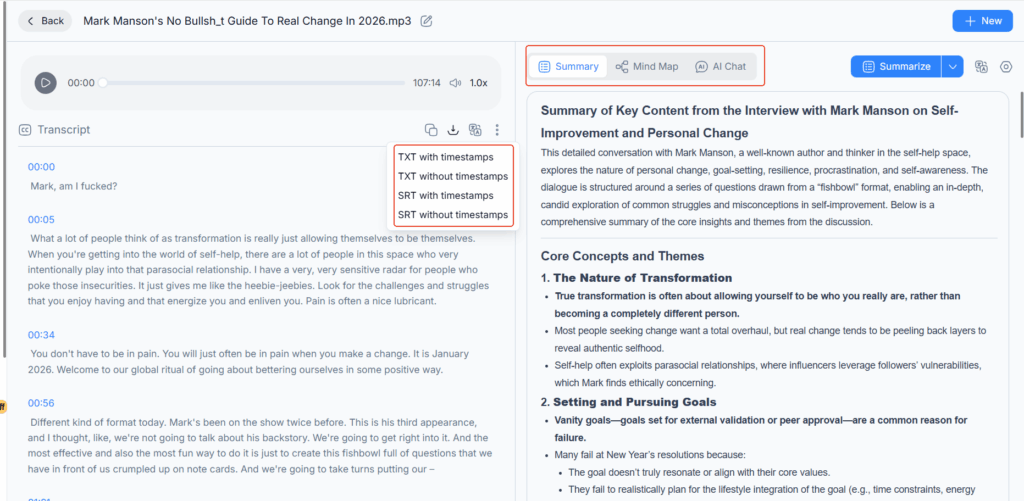
NoteGPT Audio to Text Converter
If you’re looking for a free audio transcription tool that actually scales with real work, NoteGPT is hard to ignore.
This is not a “toy” tool. It’s built for people who deal with audio constantly and don’t want to fight limitations every step of the way.
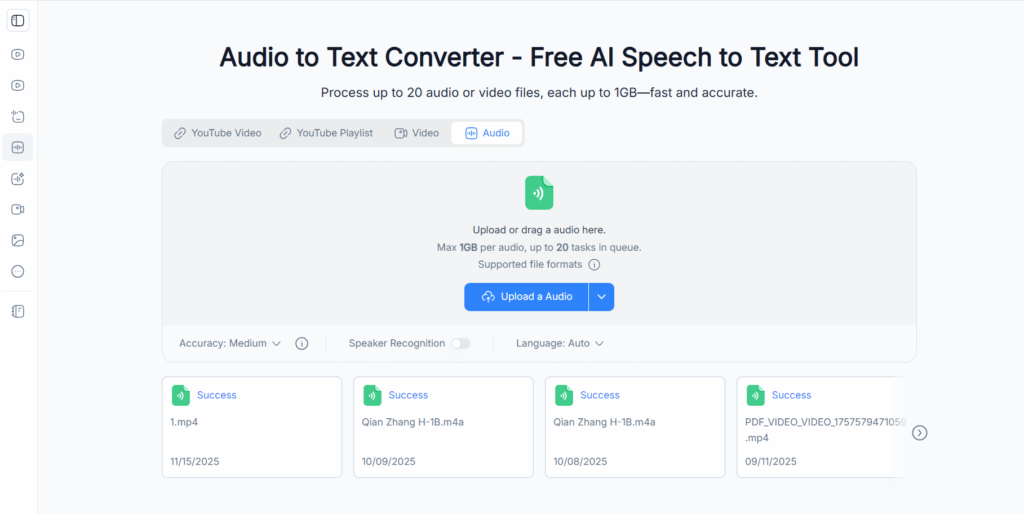
What really sets NoteGPT apart is workflow freedom. You can upload audio or video files up to 1GB, and more importantly, you can transcribe up to 20 files at the same time. That alone changes how you plan your week.
I’ve used it for:
- Weekly meeting recordings
- Long-form interviews
- Podcast episodes
- Mixed-language audio files
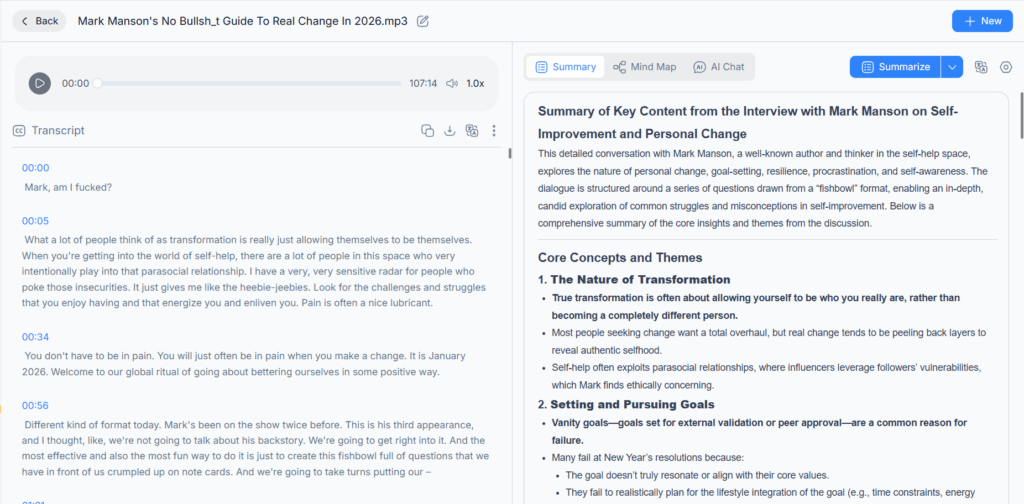
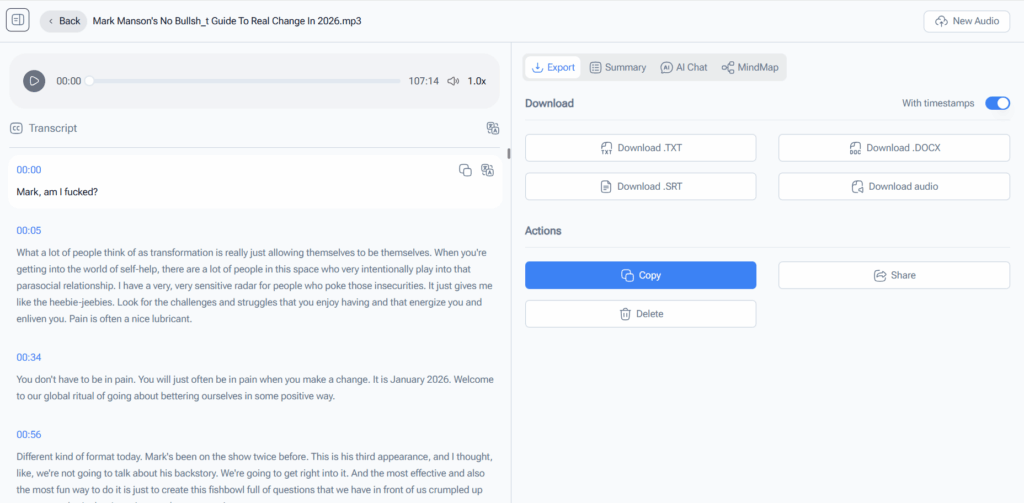
Speaker identification works reliably, which matters more than people realize. When you’re reviewing a discussion, knowing who said what saves serious time. You can also adjust transcription accuracy depending on audio quality, which helps when recordings aren’t perfect.
Support for 100+ languages and common formats like MP3, MPEG, M4A, WAV, and WebM makes it flexible enough for international teams and content creators alike.
If your question is, “What’s the most professional free audio to text converter I can use without babysitting it?”—this is it.
Audio Converter AI
Audio Converter AI deserves attention for one simple reason: it’s completely free, and it doesn’t feel stripped down.
You can transcribe files up to 1GB, upload five files at once, enable speaker identification, adjust accuracy, and work in 100+ languages. It even supports live recordings, which is surprisingly rare among free audio transcription tools.
I tend to recommend Audio Converter AI when:
- Someone wants a no-commitment solution
- The workload is light to medium
- They don’t want to think about limits or upgrades
Compared to NoteGPT, the batch size is smaller, but five simultaneous uploads is still very reasonable. For students, freelancers, or anyone doing occasional audio to text conversion, this tool feels refreshingly honest.
It’s one of the few tools where “free audio transcription” actually means free.
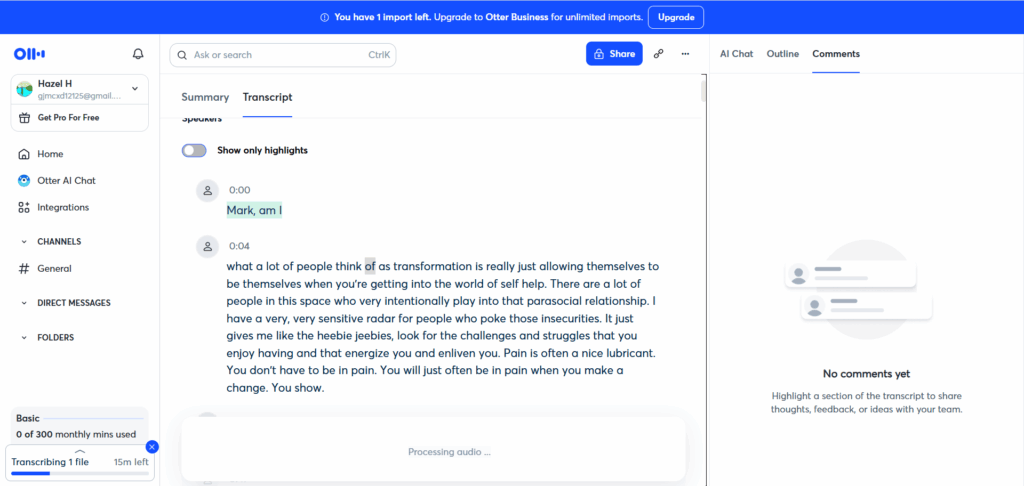
Otter.ai
Otter.ai is almost synonymous with meeting transcription at this point.
Its biggest strength is real-time transcription. If you live in Zoom or Google Meet, Otter can automatically join meetings, capture conversations, and label speakers on the fly.
Accuracy is solid for live speech, especially in structured meetings. However, the free plan has clear limits on monthly transcription minutes, which makes it less ideal for heavy users.
I see Otter as a good fit for:
- Live meetings
- Team discussions
- Ongoing conversations rather than file uploads
If most of your audio already exists as recordings, tools like NoteGPT are usually more flexible.
Whisper (Open Source)
Whisper is famous in AI circles for its raw transcription accuracy.
It handles accents, background noise, and non-English audio extremely well. And since it’s open source, it’s technically free with no usage limits.
The trade-off is usability.
There’s no friendly interface out of the box. You’ll need to install it, run commands, and manage files manually. For developers or technically confident users, this is fine. For everyone else, it’s a barrier.
Whisper is powerful, but it’s not convenient—and convenience matters in daily work.
TurboScribe
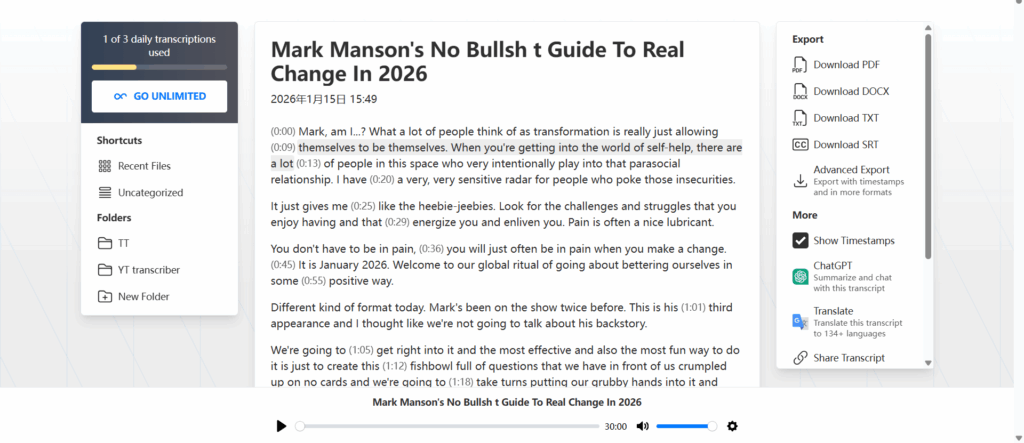
TurboScribe is a straightforward free audio transcription tool that focuses on doing one thing well: turning audio into text quickly.
From my own use, the experience is simple and smooth. The interface is clean, there’s very little to figure out, and you can get a transcript without spending time on setup or configuration. For clear recordings, the transcription accuracy is generally reliable and easy to read.
That said, TurboScribe feels more like a lightweight tool. It works best for single files or short recordings, and it’s not really built for heavier workflows like batch uploads, long multi-session projects, or managing many files at once. Format support is solid, but advanced controls and workflow flexibility are limited compared to more full-featured tools.
TurboScribe makes sense if:
- You want quick, no-frills audio to text conversion
- Your recordings are relatively simple and short
- You don’t need advanced batch processing
It’s a convenient option for occasional transcription, but if audio transcription is a regular part of your work, tools with more workflow control—like NoteGPT—tend to scale much better over time.
VEED.io
VEED.io comes from the video world, but its transcription feature is genuinely useful if your audio lives inside videos.
It automatically generates subtitles and transcribes spoken content directly from video files. For social media creators, that’s a big plus.
The free version does come with watermarks and usage caps, so it’s not ideal for heavy transcription needs. But for occasional video-based audio transcription, it gets the job done.
Video Transcriber AI
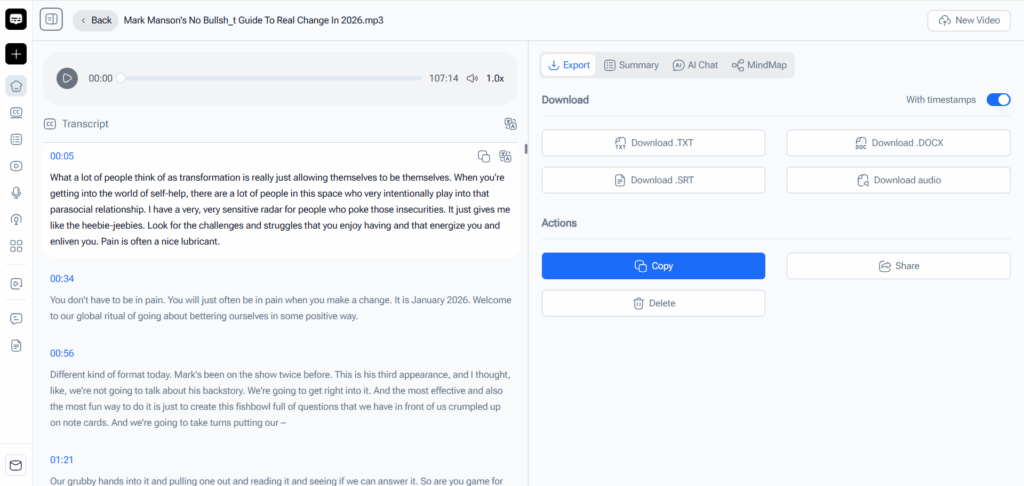
Video Transcriber AI is another solid option that often flies under the radar, especially if your audio comes from video files.
Functionally, it’s very similar to Audio Converter AI, which is a good thing. You can upload large files (up to 1GB), transcribe multiple files in one go, enable speaker identification, and adjust transcription accuracy depending on your audio quality. It also supports 100+ languages, making it useful for international content and multilingual projects.
Where Video Transcriber AI really makes sense is when you’re dealing with:
- Interview videos
- Recorded presentations
- Online course videos
- Social media or YouTube content
Instead of extracting audio first, you can drop the video file in directly and get clean, readable text out.
Like most free audio transcription tools, it’s not built for extremely complex editing workflows, but for straightforward audio-to-text conversion—especially from video—it’s reliable, fast, and practical.
If Audio Converter AI feels like a general-purpose free transcription tool, Video Transcriber AI feels like its video-focused sibling.
Top Pick of the 7 Best Free Audio Transcription Tools
After testing all seven tools in real working scenarios, a few clear patterns emerged. Not every “free audio transcription tool” is built for the same type of user, and choosing the right one depends on how you actually work.
If you regularly deal with long recordings, multiple files, or team discussions, NoteGPT Audio to Text Converter is the strongest overall pick. The ability to transcribe files up to 1GB and process up to 20 files at once makes a huge difference in real workflows. It feels less like a free demo and more like a professional tool you can rely on.
If your priority is staying 100% free with no usage anxiety, Audio Converter AI stands out. It covers all the essentials—large file support, speaker identification, adjustable accuracy, and multilingual transcription—without pushing upgrades. For students, freelancers, or casual users, it’s one of the most stress-free options available.
For video-heavy workflows, Video Transcriber AI makes the most sense. It removes the extra step of extracting audio and lets you transcribe interviews, presentations, and online videos directly, which saves time and mental effort.
Otter.ai remains a good choice for live meetings, while Whisper is unmatched for accuracy if you’re comfortable with technical setups. Simpler tools like Google Docs Voice Typing are fine for quick dictation, but they don’t scale well.
In short, the best free audio transcription tool isn’t about features on paper—it’s about which tool quietly saves you the most time.
FAQs About Free Audio Transcription
Is free audio transcription accurate enough for real work?
Yes. With clear audio, most modern free audio transcription tools reach 85–95% accuracy. Tools like NoteGPT and Audio Converter AI perform especially well with clean recordings and minimal background noise.
Can free audio transcription tools handle long files?
Some can, some can’t. Many tools limit file length aggressively. NoteGPT, Audio Converter AI, and Video Transcriber AI support files up to 1GB, which is rare for free plans.
Do free audio transcription tools support multiple speakers?
Not all of them. Speaker identification is a feature you should actively look for. NoteGPT, Audio Converter AI, and Video Transcriber AI all include speaker separation, which makes transcripts far easier to review.
What audio formats are usually supported?
Most top tools support MP3, WAV, M4A, and WebM. Some also handle video formats directly, which is helpful if your audio comes from recorded meetings or online content.
Is free audio transcription safe to use?
For general work, yes. However, avoid uploading highly sensitive or confidential recordings unless the tool clearly states how data is handled.
Can I use free audio transcription for non-English languages?
Absolutely. Many modern tools support 100+ languages, making them useful for international teams, students, and multilingual content creators.
Conclusion
Free audio transcription in 2026 is no longer about settling for basic or unreliable tools. With the right choice, you can turn hours of spoken content into searchable, usable text in minutes.
If you want a powerful, flexible solution that handles real workloads, NoteGPT Audio to Text Converter naturally stands out. If you prefer a completely free option with generous features, Audio Converter AI delivers excellent value. And if your workflow is video-first, Video Transcriber AI fits perfectly.
The best part? You don’t have to choose just one. Many professionals mix tools depending on the task—and that’s often the smartest approach.
At the end of the day, the best free audio transcription tool is the one that quietly fits into your workflow and gives you back your time.