


You have probably tried making AI videos before. Maybe you typed a quick sentence into a generator. You got something back, but it looked weird. The colors were off. The movement felt robotic. Or the video just did not match what you pictured in your head.
That happens to almost everyone.
The good news? You do not need to be a tech genius or a Hollywood editor. The real secret is using the right Seedance 2.0 prompts. When you learn how to talk to this tool the right way, your videos go from "meh" to "wow" really fast, especially with VisualGPT.
In this guide, I will walk you through 10 practical Seedance 2.0 prompts. But here is the difference. I will not just list them. I will teach you the framework behind each one. You will learn why certain words work, how to structure your own creative video prompts, and what mistakes to avoid.
Let us jump right in.
Why Seedance 2.0 Changes the Game for AI Video Creators
You might wonder what makes this different from all the other AI video tools out there. I get it. There is a new "game-changing" tool every week. But Seedance 2.0 actually solves a few big problems that other tools ignore.
What Makes Seedance 2.0 Prompts Different from Basic Video Prompts
Here is the thing. Most AI video tools treat your prompt like a loose suggestion. You write "a dog running on the beach," and you get… something. Sometimes the dog has three legs. Sometimes the beach looks like a desert. You never really know.
Seedance 2.0 prompts work differently because the tool pays closer attention to details like camera movement, lighting, and timing. You can tell it exactly what you want. "Slow zoom in" actually means slow zoom in. "Golden hour lighting" actually gives you warm, orange-tinted light.
Think of basic video prompts like asking a friend to "make something cool." Seedance 2.0 prompts are like giving a professional camera operator a detailed shot list. Both might get you a video. But one of them will actually look like what you wanted.
Another big difference? Consistency. With basic prompts, you might run the same input five times and get five completely different videos. That is useless if you are trying to build a brand or a series. Seedance 2.0 prompts give you much more reliable results. Run the same prompt twice, and you will get two videos that look like cousins, not strangers.
How Creative Video Prompts Help You Get More Out of Seedance 2.0
So you have Seedance 2.0. Great. But just owning a camera does not make you a photographer, right? Same idea here. The tool is powerful, but you need to know how to talk to it.
Creative video prompts are your way of giving clear, useful instructions. They turn a generic output into something that feels custom-made for your project.
Let me give you an example.
A weak prompt looks like this: "A city street."
That is not a prompt. That is a one-second thought. You will get a video, sure. But it could be Tokyo at midnight, or a rainy New York alley, or a cartoon street from the 1980s. Who knows?
Now try a creative prompt: "A busy Tokyo street at sunset. The camera moves slowly down the sidewalk. People walk past on both sides. Neon signs glow in pink and blue. Light rain reflects on the ground. No audio needed."
See the difference? The second one tells Seedance 2.0 exactly what you want. You control the location, the time of day, the camera movement, the colors, and the weather. That is how you go from random clip to professional-looking footage.
The best part? Once you learn this skill, you can use it for anything. Product videos, social media content, educational clips, real estate tours, you name it. Creative video prompts are not just for artists. They are for anyone who wants to stop settling for "good enough," and VisualGPT elevates this process.
10 Seedance 2.0 Prompts Ideas for Stunning AI Videos
Now we get to the good stuff. Below are 10 Seedance 2.0 prompts. But here is how I want you to read this section.
Do not just copy and paste. Instead, look at the framework behind each prompt. I will give you a template you can reuse for your own projects. Each prompt includes a real example and a blank template you can fill in.
Cinematic Wide‑Shot Landscape Prompt Framework
When to use this: You need an establishing shot. Something that sets the scene. Think mountains, oceans, city skylines, or empty fields.
The framework: Camera movement + Location + Time of day + Weather + Mood
Real example you can copy:
The camera slowly pushes forward across a vast green valley. Mist sits low on the ground. Early morning light comes from behind the hills. A single river cuts through the center. No people. No buildings. The mood is calm and epic.
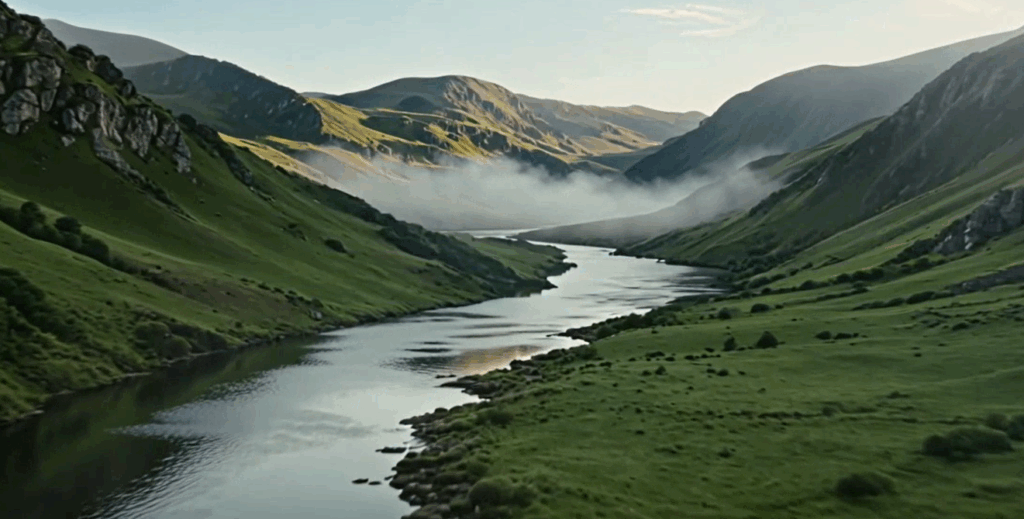
Why this framework works: Wide shots are all about scale. You want the viewer to feel small compared to the environment. That is why "vast" and "cuts through" matter. They create size contrast. The "no people, no buildings" part keeps the AI from adding random stuff that breaks the empty feeling.
Try this structure: The camera [movement] across [location]. [Weather and light detail]. No [things you do not want]. The mood is [two feeling words]. Duration: X seconds.
Atmospheric Close-Up & Emotional Scene Prompt Formula
When to use this: You want to focus on a small detail or a face. Close-ups are great for emotion, texture, and intimate moments.
The framework: Shot distance + Subject detail + Light source + Facial expression + Background blur
Real example you can copy:
The camera is an extreme close-up of an elderly woman's hands. She holds a faded photograph. Soft window light falls on her wrinkled skin. Her fingers tremble slightly. The background is completely out of focus. The mood is tender and nostalgic.
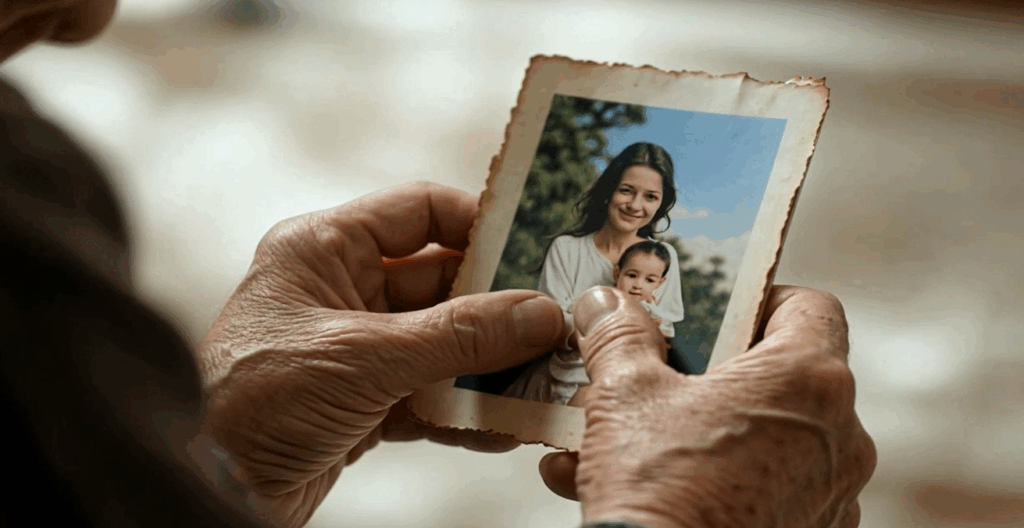
Why this framework works: Close-ups fail when the subject is boring. "Elderly woman's hands holding a faded photograph" is not boring. It tells a story. "Her fingers tremble slightly" is a tiny detail that adds realism. AI sometimes forgets that humans are not statues. Small movements save the shot.
Try this structure: The camera is a [close-up type] of [specific subject detail]. [Light source]. [One small movement]. Background is [blurry or clean]. The mood is [two feeling words].
Dynamic Action & Motion‑Focused Seedance 2.0 Prompts
When to use this: You need movement. Running, jumping, dancing, or any scene where speed matters.
The framework: Action verb + Speed description + Camera follow method + Environment + Impact
Real example you can copy:
A skateboarder drops into a skate bowl. He pumps his legs to gain speed. The camera follows from a low angle at the bottom of the bowl. He reaches the edge and launches into the air. The board spins once beneath his feet. He lands and rides away. The mood is energetic and raw.
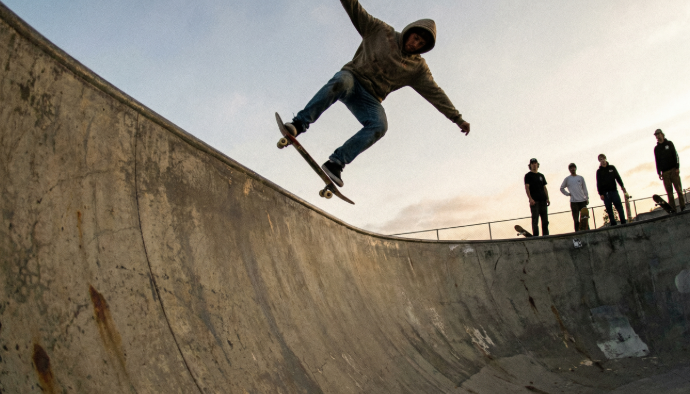
Why this framework works: Action prompts need a beginning, middle, and end. Most people write "a person skateboarding." That gives you one moment. This prompt gives you a sequence: drop in, gain speed, launch, spin, land, ride away. That is six moments. Much more interesting.
Try this structure: [Subject] [action verb] across [environment]. They [second action]. The camera [follow method]. They [climax action]. Then [ending action]. The mood is [two words].
Neon & Cyberpunk Style Video Prompt Structure
When to use this: You want that futuristic, Blade Runner look. Neon signs, night rain, reflections, and dark alleys.
The framework: Time of night + Weather condition + Light colors + Reflective surfaces + Camera mood
Real example you can copy:
Late night in a futuristic city. Light rain falls on the streets. Neon signs in pink, cyan, and purple line every building. The wet ground reflects everything like a mirror. A single person in a hooded coat walks away from the camera. Steam rises from a subway grate. The camera holds still. The mood is lonely and electric.
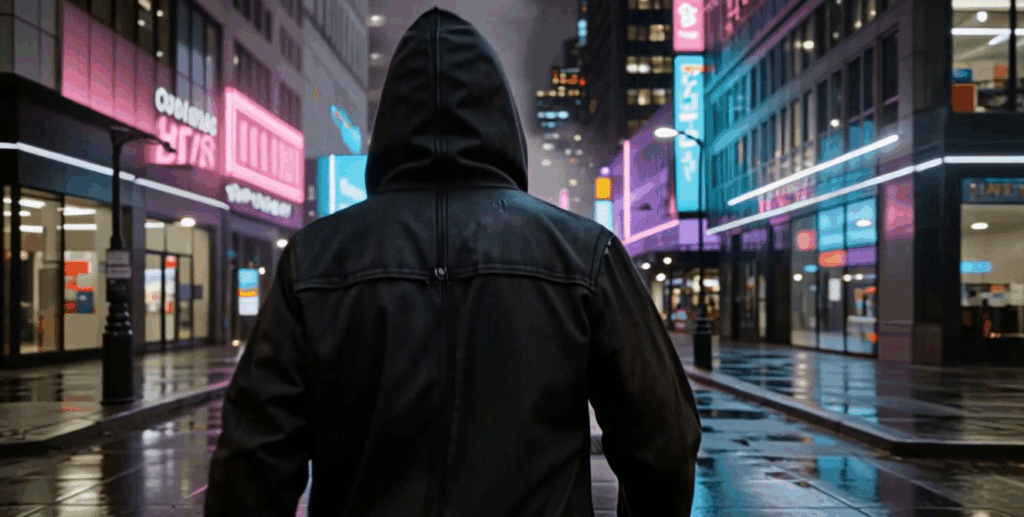
Why this framework works: Cyberpunk is 90% about reflections and colors. "Wet ground reflects everything like a mirror" is the most important sentence here. Without that, you just have a dark alley. With it, you get that classic cyberpunk look. Also, "lonely and electric" is a great two-word mood combo. One feels sad, one feels alive.
Try this structure: [Time] in a [city type]. [Weather] on the streets. [Color list] signs everywhere. [Surface] reflects light. [One character action]. The mood is [adjective one] and [adjective two].
Dreamy Fantasy & Magical Environment Prompt Template
When to use this: You need something that feels unreal. Fairy forests, floating islands, magical creatures, or any scene that should not exist in real life.
The framework: Impossible element + Soft lighting + Floating particles + Color palette + Slow camera
Real example you can copy:
A glowing blue mushroom grows at the base of an ancient tree. Tiny golden particles float in the air like dust. Soft purple and teal light fills the forest. The camera slowly pushes in on the mushroom. Everything is quiet. No wind. No animals. The mood is magical and peaceful.
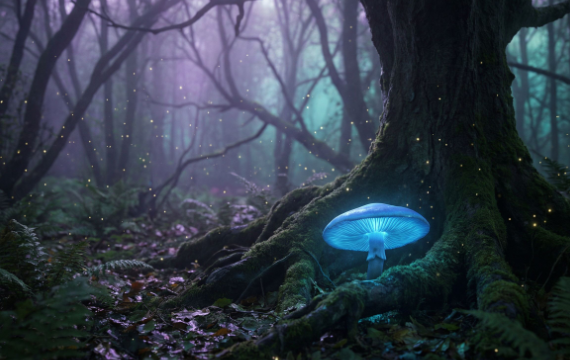
Why this framework works: Fantasy scenes need a "rule breaker." Something that could not happen in real life. Here it is the glowing mushroom and floating golden particles. That tells the AI to stop trying to be realistic. "Soft purple and teal light" sets a color scheme that feels unnatural but beautiful. "No wind. No animals." keeps the scene still and focused.
Try this structure: A [impossible object] in a [fantasy setting]. [Floating particles] fill the air. [Color palette] light. The camera [slow movement]. The mood is [adjective one] and [adjective two].
Character Performance & Facial Expression Prompt Method
When to use this: You need a person to show a specific emotion. Laughing, crying, thinking, or reacting.
The framework: Character age + Specific action + Eye direction + Small facial detail + Lighting
Real example you can copy:
A young woman in her twenties sits alone at a wooden table. She holds a letter in both hands. Her eyes move back and forth as she reads. Then she stops. Her lower lip trembles. She looks up toward the ceiling and blinks rapidly. Soft window light hits the left side of her face. The camera is a medium close-up. The mood is sad but hopeful.
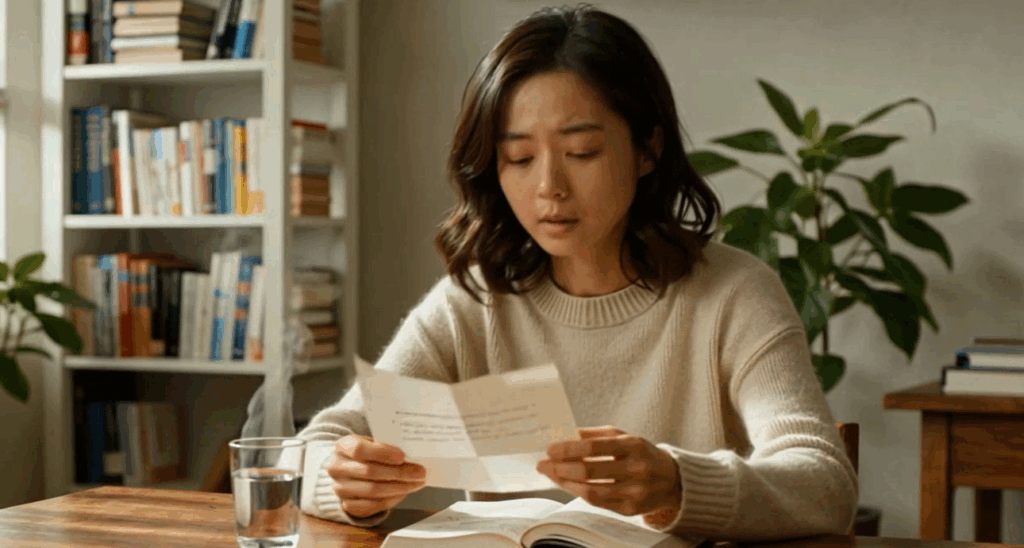
Why this framework works: Notice I never used the word "cry." I described the physical signs of crying: lip trembles, looks up, blinks rapidly. That is much more realistic. AI-generated tears often look fake. But these small physical details? They always work. Also, "sad but hopeful" gives the AI a complex emotion to aim for, not just one note.
Try this structure: A [person description] [action with an object]. Their eyes [direction]. Their face [small detail]. The camera is a [shot type]. The mood is [emotion one] but [emotion two].
Abstract Art & Fluid Motion Visual Prompt System
When to use this: You want something artistic. No real objects. Just colors, shapes, and movement. Great for backgrounds or transitions.
The framework: Shape type + Color palette + Movement description + Background + Speed
Real example you can copy:
A single wave of gold and deep blue liquid flows across a black screen. It curls and folds like silk. The wave splits into two smaller waves, then merges back together. No sharp edges. Everything is smooth. The camera holds still. The mood is hypnotic and elegant.
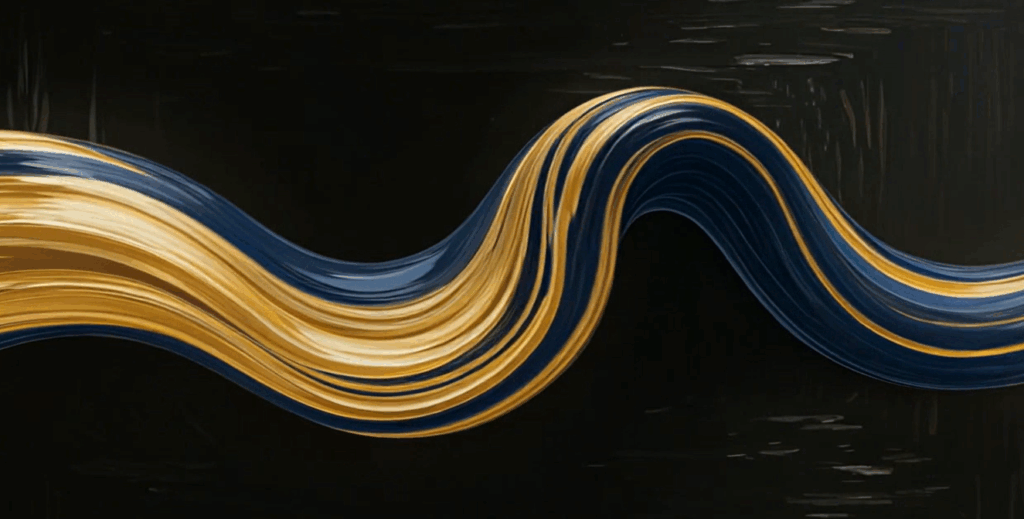
Why this framework works: Abstract prompts fail when you use too many shapes or colors. "Single wave" and "gold and deep blue" keep it simple. "Curls and folds like silk" gives the AI a texture reference. Silk is smooth, soft, and flows nicely. That one word does a lot of work. "No sharp edges" is another useful negative instruction. It keeps everything soft.
Try this structure: A [number] [shape/substance] of [color palette] moves across [background]. It [movement description] like [texture reference]. [One rule like "no sharp edges"]. The mood is [two feeling words].
Clean Commercial & Product Showcase Prompt Blueprint
When to use this: You need to show a product. Sneakers, watches, phones, bottles, anything you want to sell.
The framework: Product position + Camera orbit + Lighting setup + Surface detail + Background
Real example you can copy:
A white ceramic coffee mug sits in the center of a light gray surface. The camera slowly orbits 360 degrees around the mug. Soft studio lighting from left and right removes all harsh shadows. A small curl of steam rises from the coffee. The background is a smooth gradient from light gray to white. No text. No logo. The mood is clean and premium.

Why this framework works: Product shots need to feel controlled. "Soft studio lighting from left and right" is very specific. It tells the AI exactly where the lights are. "No harsh shadows" is another useful instruction. Product photography hates harsh shadows. "No text. No logo." prevents the AI from inventing fake brand names that look terrible.
Try this structure: A [product description] sits on [surface color and texture]. The camera [orbit or push movement]. [Lighting setup]. [One small detail like steam or reflection]. Background is [color]. No [things to avoid].
Story-Driven Short Narrative Prompt Breakdown
When to use this: You want a tiny story. Something with a beginning, middle, and end. Usually 6 to 10 seconds.
The framework: Setup action + Complication + Reaction + Resolution + Camera style
Real example you can copy:
A young boy builds a sandcastle near the water's edge. He places a small stick on top as a flag. A wave rolls in and washes away the bottom of the castle. The castle crumbles. The boy watches for a second. Then he smiles and starts rebuilding. The camera is a static medium shot from ground level. The mood is bittersweet but playful.

Why this framework works: This is a complete story in ten seconds. Setup: building a castle. Complication: wave destroys it. Reaction: boy watches. Resolution: he smiles and rebuilds. That is a narrative arc. Most AI video prompts just describe a single moment. This one describes a sequence. The AI has to generate multiple connected moments, which is much harder but much more rewarding.
Try this structure: [Subject] does [setup action]. Then [complication happens]. [Subject reacts]. Then [resolution action]. The camera is [camera setup]. The mood is [emotion one] but [emotion two].
Calm & Serene Ambience Looping Prompt Technique
When to use this: You need background footage. Something that loops well and does not distract. Think falling snow, moving water, or swaying trees.
The framework: Repetitive motion + No climax + Consistent lighting + Looping suggestion + Minimal action
Real example you can copy:
Gentle rain falls on a still pond. Each drop creates a small ripple that expands and fades. The camera is completely still, looking straight down at the water. The light is soft and overcast, no direct sun. The ripples overlap and disappear in a continuous cycle. No wind. No animals. No people. The mood is peaceful and meditative.
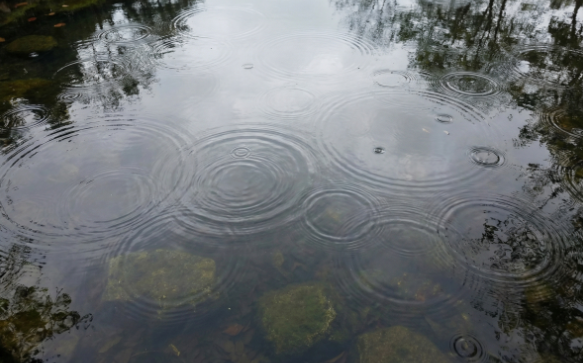
Why this framework works: "Designed to loop" is a useful phrase. It tells the AI to avoid actions that have a clear ending. A single drop that makes a ripple and fades? That loops perfectly. A wave that crashes on the beach and then the water pulls back? Also loops well. "No wind. No animals. No people." keeps the scene simple and repeatable.
Try this structure: [Repetitive natural action] happens on [surface or setting]. The camera is [still or very slow movement]. The light is [consistent lighting description]. The action [description of how it repeats]. No [distracting elements]. The mood is [two peaceful words].
How to Write Better Prompts for Seedance 2.0
You have ten frameworks now. That is a great start. But you will not always find the perfect framework for your exact project. So let me teach you the core method behind all of them.
A Simple Three-Part Structure That Works Every Time
Most people write prompts like they are texting a friend. Short. Vague. Full of missing information. That is why their videos look bad.
Here is a better way. Use three simple parts every time you write a Seedance 2.0 prompt.
Part 1: The Shot. Start by telling the tool what the camera is doing. Is it still? Moving left? Zooming in? Pushing forward? Get specific. A good shot description might be "slow zoom in from waist to face" or "static wide shot from street level."
Part 2: The Subject. What is actually in the video? A person? A product? A landscape? Describe the main thing. Include colors, size, position, and any action. Bad example: "a woman." Good example: "a woman in a denim jacket, standing by a window, looking out."
Part 3: The Mood. How should the video feel? Warm? Cold? Exciting? Calm? Scary? This part controls the lighting, the color grading, and the overall vibe. Words like "cozy," "dramatic," "clinical," or "dreamy" work great here.
That is it. Shot. Subject. Mood. Put them together, and you have a solid prompt every time.
Turning a Weak Prompt into a High-Quality AI Video Prompt
You probably already have some old prompts lying around. Maybe you saved them from other tools. Do not throw them away. You can fix them.
The most common problem with weak prompts is they lack specific details. Let me walk you through a quick upgrade process.
Start with a weak prompt. For example: "A car driving."
That tells you almost nothing. So ask yourself three questions.
First, what kind of car? Add the color, the model, or at least the general style. "A red sports car" is better than just "a car."
Second, where is it driving? Add the setting. "A red sports car driving on a coastal highway" gives you a much clearer picture.
Third, how should it look? Add the lighting or mood. "A red sports car driving on a coastal highway at sunset. The mood is dramatic and cinematic."
Now you have a good prompt. But you can go even further by adding camera movement. "A low camera follows a red sports car driving on a coastal highway at sunset. The mood is dramatic and cinematic. The camera stays at wheel level."
That final version will give you a video that actually looks like something from a car commercial. The original weak prompt would have given you a mess.
Practice this upgrade process on your old prompts. Take any short, vague sentence and add the shot, the subject details, and the mood. You will see immediate improvement.
See the Difference: Seedance 2.0 Prompts vs. Other AI Video Tools
You might be wondering if all this prompt effort really matters. Or maybe you think other tools can do the same thing. Let me show you why Seedance 2.0 prompts give you better results.
Why the Same Creative Video Prompts Give You Better Results Here
I have tested a lot of AI video tools. Most of them share the same problem. They ignore half of what you write. You ask for a close-up, and they give you a wide shot. You ask for warm lighting, and everything looks blue. You ask for a specific action, and the character just stands there.
Seedance 2.0 actually listens to your creative video prompts. When you write "slow zoom in," the tool respects that instruction. When you describe a specific color palette, you get that palette. This sounds basic, but you would be surprised how many tools fail at it.
Another advantage is how Seedance 2.0 handles complex scenes. Try asking most tools for a video with a specific camera movement, a specific character action, and a specific lighting condition. They will usually drop at least one of your requests. Seedance 2.0 keeps all of them in mind.
This means you spend less time regenerating and more time actually using your videos. For anyone making content regularly, that time savings adds up fast.
Real Examples of Prompts That Failed Elsewhere but Shine on Seedance 2.0
Let me give you a real example I ran myself.
I took a simple prompt: "A baker takes a loaf of bread out of a hot oven. Steam rises from the bread. The camera is a medium shot from the side."
I ran this prompt on three different AI video tools.
The first tool gave me a baker holding a metal tray with nothing on it. No bread. No steam. Just a tray.
The second tool showed a loaf of bread floating in mid-air next to an oven. No baker. No hands. Just a floating loaf.
The third tool gave me a still image that slightly wobbled. It was not even a video.
Then I ran the exact same prompt on Seedance 2.0. The result showed a baker in an apron, reaching into an open oven, pulling out a dark brown loaf on a tray, with visible steam rising. The camera angle matched my request. The action was smooth.
That is the difference. Seedance 2.0 actually follows your creative video prompts. The other tools guess and hope.
Pro Workflow Tips for Consistent High-Quality AI Videos
Getting one good video is great. But what if you need ten? Or fifty? Here is how to build a workflow that gives you reliable results every time.
Small Tweaks That Make a Big Difference in Every Generation
You do not need to rewrite your entire prompt to get a different result. Small changes often make the biggest difference.
Change the time of day. Swap "midday" for "golden hour" and your whole video feels different.
Change the camera distance. Swap "wide shot" for "close-up" and you shift the entire focus of the video.
Change one adjective. Swap "happy" for "serious" and the character expressions change completely.
Keep a running list of these small variables. Time of day. Weather. Camera angle. Camera movement. Color palette. Mood. Mix and match them with the same subject, and you will get dozens of unique videos from one base idea.
Another small tweak that helps a lot is adding "no" statements. Tell Seedance 2.0 what you do not want. For example, "no people," "no text," "no fast movement," or "no dark shadows." This cleans up a lot of common problems.
Building a Library of Your Own Reliable Seedance 2.0 Prompts
Do not treat every prompt like a one-time thing. Save the ones that work. Build your own personal library.
Start a simple document. Name it something like "My Seedance 2.0 Prompts."
Create sections for different types of videos. Product shots. Nature scenes. Character actions. Abstract art. Whatever you use most.
Every time you write a prompt that gives you a great result, copy it into your library. Add a short note about what worked well. For example, "used for coffee commercial, loved the steam effect."
Over time, you will build a collection of reliable prompts that you know work. This saves you from starting from scratch every single time. You just open your library, grab a prompt that fits, and tweak the details for your current project.
Also, keep a small list of "failed" prompts with notes on what went wrong. This sounds strange, but it helps you avoid making the same mistake twice. Maybe you learned that Seedance 2.0 ignores "extremely fast" but follows "fast paced." Write that down. Now you know.
Now Go Make Something Great
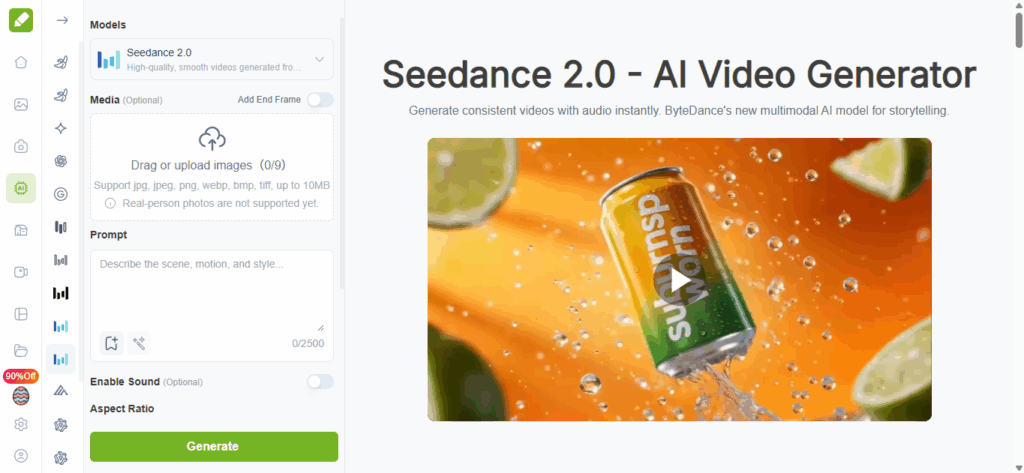
You do not need to be a professional video editor to make stunning AI videos. You just need to learn how to talk to Seedance 2.0 using clear, specific creative video prompts.
Start with the 10 frameworks I gave you. Use the templates. Fill in your own details. Then practice writing your own prompts using the three-part structure. Shot. Subject. Mood. That simple formula will take you a long way.
And remember, small tweaks make a big difference. Change one word, and your whole video can shift from boring to brilliant. Keep testing. Keep saving what works. And do not settle for weak prompts.
You have the tool. You have the frameworks. Now go make some videos that actually look like what you imagined. With VisualGPT by your side, you have everything you need to create high-quality AI videos with Seedance 2.0.