


Let’s be real for a second—most people don’t need another “AI video generator” pitch. What they actually want is this: what can I do with it that gets views, saves time, or makes money?
That’s exactly where Seedance 2.0 stands out in 2026.
This isn’t just another tool in the overcrowded AI video generator space. It’s one of those rare platforms where the gap between idea → execution is almost gone. Whether you’re building TikTok content, launching ads, or experimenting with storytelling, the real magic of seedance 2.0 use cases lies in how fast you can go from “hmm interesting idea” to “wait… this actually looks good.”
So instead of vague hype, here’s a grounded, slightly breakdown of the top 10 seedance 2.0 use cases you should actually try this year.
What Is Seedance 2.0 and Why It Matters in 2026
Key Features of Seedance 2.0 for AI Video Creation
Alright, here’s where seedance 2.0 actually earns its hype.
The biggest upgrade? The physics engine. And yeah, that sounds boring until you see it in action. Fabric doesn’t just clip weirdly anymore—it flows. Light doesn’t look flat—it reacts. And human movement? Finally looks like… actual humans, not NPCs from a 2005 game.
This matters more than people think. Because in most AI video generator tools, realism breaks in the small details. Seedance 2.0 fixes a lot of that.
Then there’s camera control. You’re not stuck with random angles anymore. You can guide the shot like a director:
- Smooth cinematic pans
- Controlled tilts
- Clean dolly movements
And importantly, they don’t feel nauseating. If you’ve ever used older tools, you know exactly what that means.
Another underrated feature: resolution upscaling. Previously, exporting in 4K was basically a gamble. Now? It’s actually usable. Details hold up, edges stay clean, and you don’t get that weird “AI blur” effect.
Put simply, seedance 2.0 use cases expand because the output is finally good enough to ship, not just test.
Why Creators Are Switching to Seedance 2.0
Short answer: it saves time, looks better, and gives more control.
Longer answer? Creators are tired of fighting their tools.
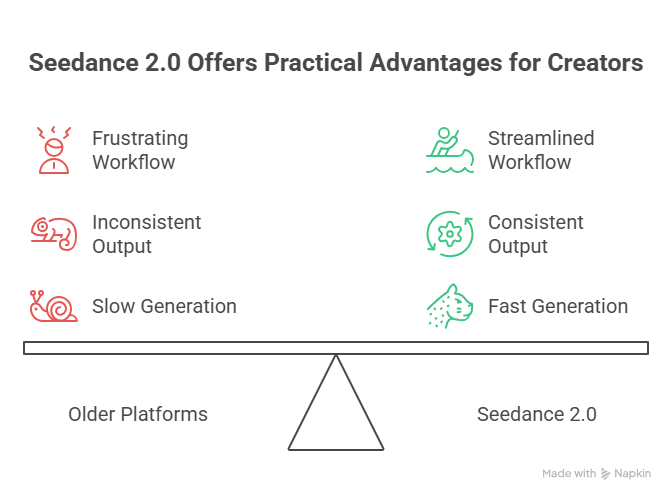
With older platforms, the workflow looked like this:
idea → generate → fix weird issues → regenerate → still broken → give up
With seedance 2.0, it’s more like:
idea → generate → tweak → publish
That difference is huge.
Another reason creators are moving to seedance 2.0 is consistency. Characters don’t randomly morph between scenes as much, motion feels grounded, and the overall output doesn’t scream “this is AI.”
Also, speed. In 2026, speed is everything. Whether you’re testing ads, building a TikTok page, or experimenting with storytelling, the ability to generate multiple high-quality variations quickly is a serious advantage.
And let’s be honest—most seedance 2.0 use cases aren’t about making one perfect video. They’re about making 10 good ones, fast, and letting the algorithm decide what wins.
That’s why people are switching. Not because it’s perfect, but because it’s finally practical.
Top 10 Seedance 2.0 Use Cases You Should Try in 2026
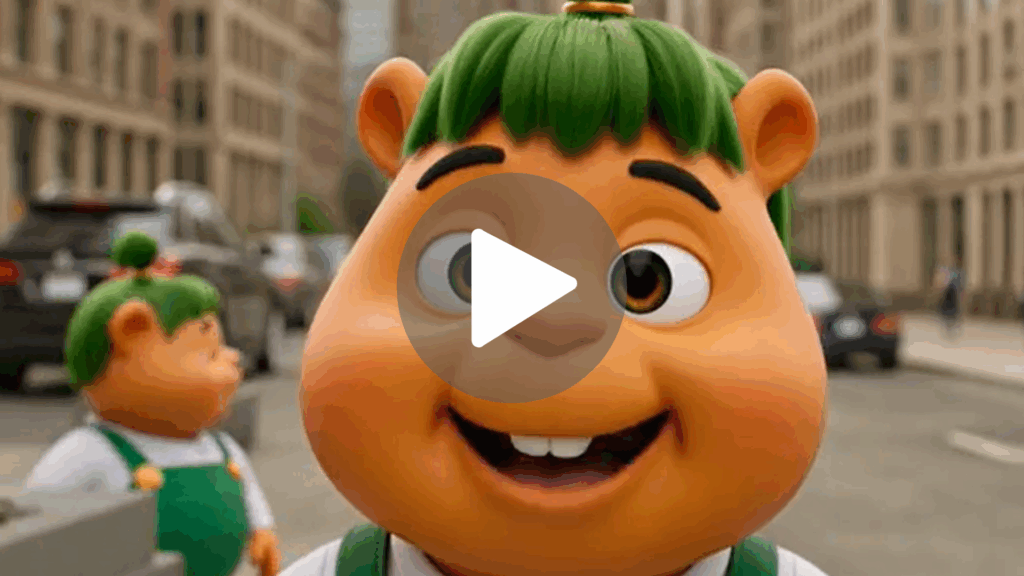
1. Cracking the Viral Code: High-Octane "Impossible" Short-Form Hooks
Let’s be honest: in 2026, if your TikTok or Reel doesn't trigger a dopamine hit in the first 1.5 seconds, you’re invisible. The absolute powerhouse Seedance 2.0 use case right now is generating "Reality-Bending" hooks. Instead of a standard talking head, imagine starting your video with a coffee cup that turns into a galaxy as you take a sip.
By setting the "First Frame" as your actual product and the "Last Frame" as a surreal masterpiece, Seedance 2.0 bridges the gap with a fluidity that looks like a high-budget Marvel transition. It’s not just a video; it’s a thumb-stopper.
Prompt: “A cinematic close-up of a person holding a smartphone, the screen begins to glow with liquid light that flows out of the edges and floods the room in 4k neon waves, hyper-realistic, volumetric lighting, fast-paced camera zoom --motion 8.”
2. Marketing Gold: Transforming Concept Art into High-Converting Ad Creatives
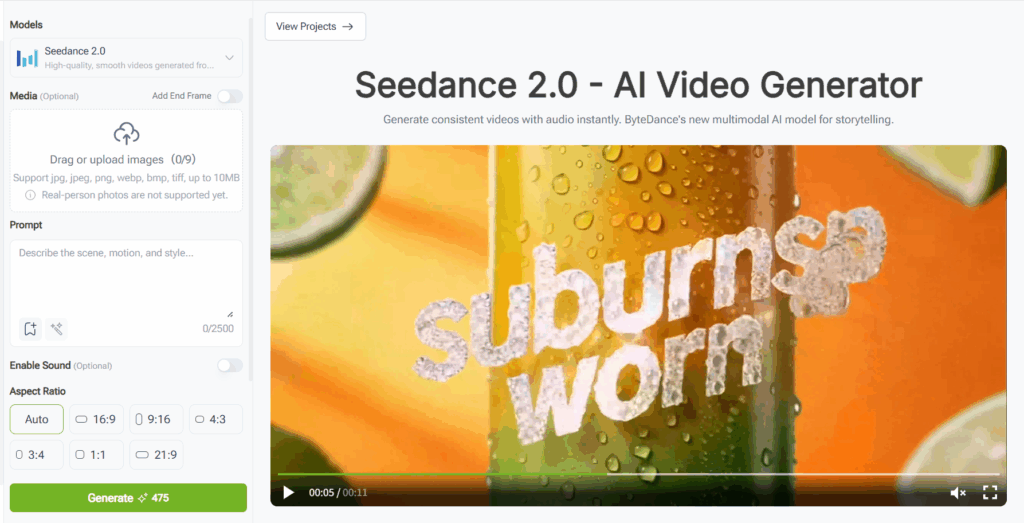
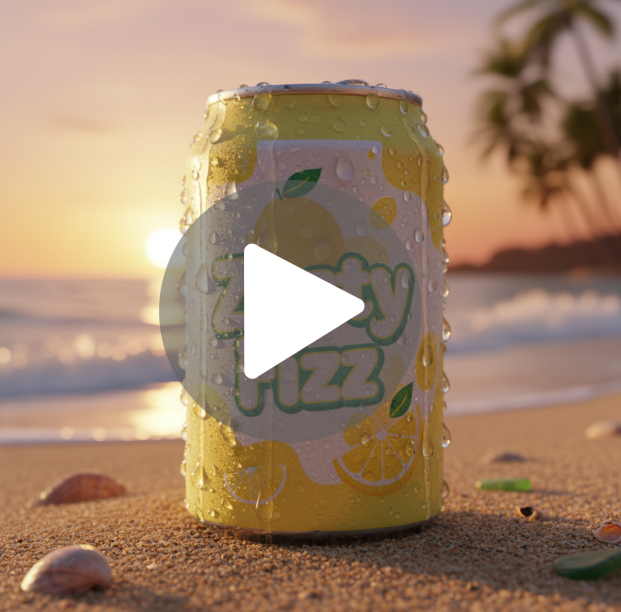
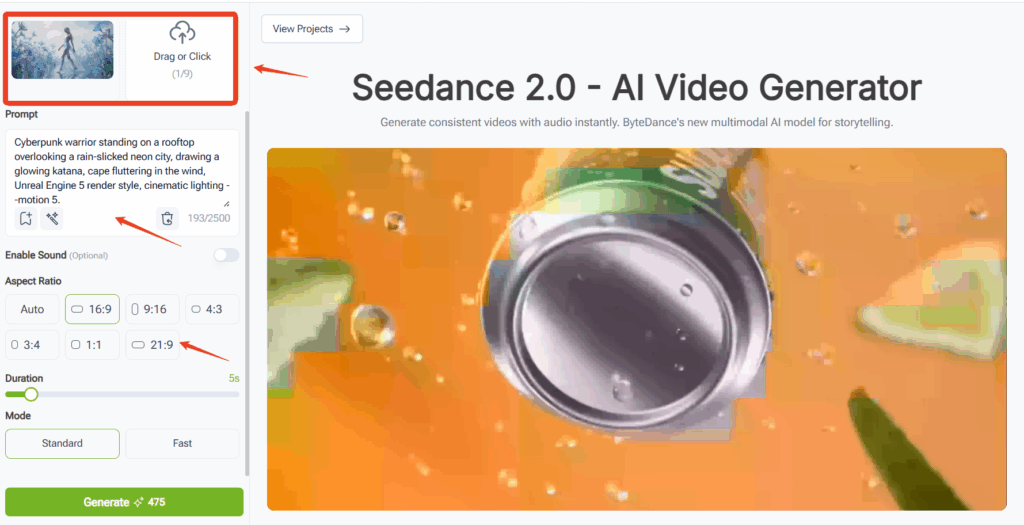
The era of the "static image ad" is officially in the grave. Founders and indie hackers are using this AI video generator to turn product renders into cinematic commercials. Look at the interface—you can upload your product photo as the starting frame, ensuring your brand identity stays 100% consistent.
The breakthrough in 2.0 is the "Physics-Aware Rendering." If you're selling a drink, the condensation drips realistically; if it's fashion, the fabric moves with weighted elegance. You can test five different "vibes" in an hour, finding the high-converting winner without ever hiring a film crew.
Prompt: “Macro shot of a frosted lemon soda can on a sun-drenched beach, water droplets slowly sliding down the side reflecting the orange sunset, cinematic 8k, bokeh background, realistic liquid physics --motion 3.”
3. The Digital Twin: Building Consistent AI Influencers for 24/7 Engagement
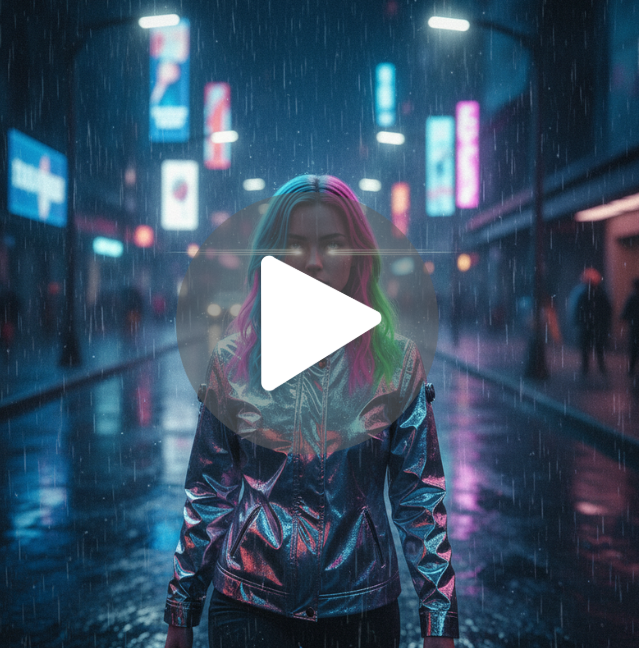
Scaling a personal brand is exhausting—unless you don't have to be on camera. One of the most sophisticated top 10 Seedance 2.0 applications is maintaining "Character Persistence" for AI influencers.
By using the VisualGPT workflow to define your character’s features and then feeding them into Seedance, you can generate clips of "yourself" in any location on Earth. Want to post a vlog from a cyberpunk Mars colony? Done. The 2026 model ensures the face doesn't "drift" or morph, making the virtual persona indistinguishable from a real creator.
Prompt: “A stylish young woman with neon-streaked hair walking through a rainy futuristic street, wearing a reflective chrome jacket, soft camera shake, street lights reflecting in her eyes, hyper-consistent facial features, cinematic film grain --v 2.0.”
4. Directing "Impossible" Short Films from Your Living Room
The barrier to entry for cinema has been vaporized. We are seeing a massive surge in indie films where the "Director" is just one person with a vision. This Seedance 2.0 use case allows for complex camera paths—drones flying through crumbling cathedrals or underwater voyaging—that would cost millions to film traditionally.
The "Multimodal" aspect means the AI understands the weight of objects. When a dragon lands in your scene, the dust reacts exactly how it should. It’s "Dreaming in 4K."
Prompt: “Extreme wide shot, an ancient stone castle perched on a floating island above a sea of clouds, a massive stone gate slowly opening to reveal a glowing white light, cinematic epic scale, lighting by Roger Deakins style --ar 21:9.”

5. Visual Synesthesia: Music Videos That "Breathe" with the Beat
Music is no longer just for the ears. If your track on Spotify doesn't have a compelling visualizer, you're losing half the experience. 2026 creators are using the Enable Sound feature to let the AI "hear" the track and generate reactive visuals.
Instead of basic bars, you get "Fluid Motion"—liquid metal that pulses to the kick drum or forests that grow and wither in time with a synth pad. It’s the ultimate tool for artists who want high-production visuals on a lo-fi budget.
Prompt: “Abstract iridescent fluid flowing in zero gravity, reacting to a heavy bass rhythm, pulsing light from within the liquid, macro photography, dark background, vivid purple and gold accents --motion 9.”
6. Education Reimagined: Explainer Videos That Feel Like "The Matrix"
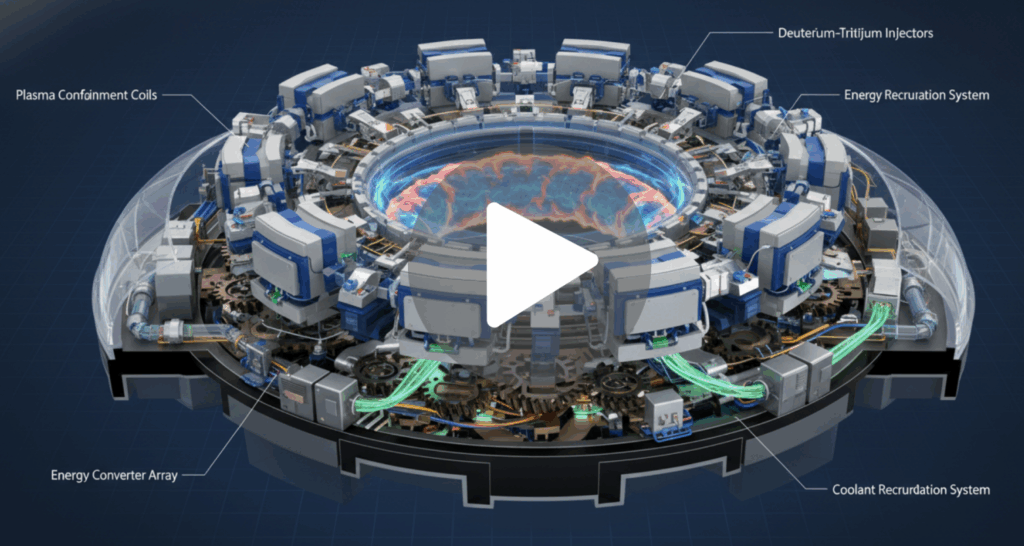
Whiteboard animations are the "Comic Sans" of the modern era. If you want to explain quantum physics or Roman history, you have to show it. This Seedance 2.0 use case is for educators who want to create "Visual Encylopedias."
You can take a static diagram of a heart and animate the blood flow with surgical precision. It turns a boring lesson into an immersive documentary experience, drastically increasing information retention.
Prompt: “A detailed 3D cross-section of a futuristic fusion reactor, glowing plasma swirling in the center, mechanical parts moving in a complex synchronized pattern, educational documentary style, 8k, sharp focus.”
7. The Infinite Storyboard: Rapid Creative Prototyping for Agencies
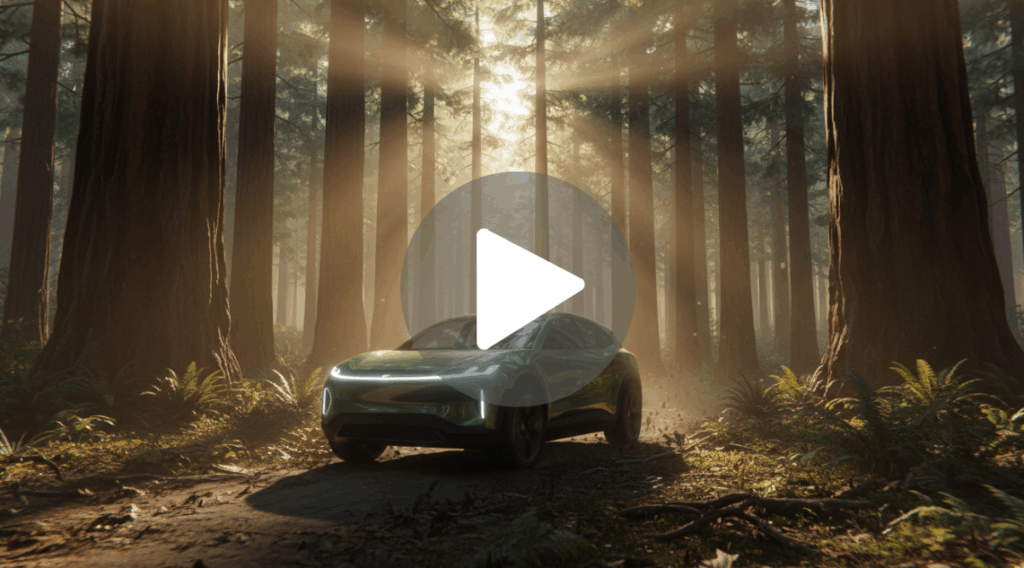
Agencies are moving away from static sketches. They’re using Seedance 2.0 to show clients "Living Storyboards." Instead of saying "Imagine a car driving through a forest," they show a 5-second cinematic clip of exactly that.
Using VisualGPT to brainstorm the visual metaphors first, then rendering them in Seedance, cuts the approval process from weeks to hours. It’s about selling a feeling, not just a concept.
Prompt: “A sleek electric SUV speeding through a dense redwood forest at dawn, light rays breaking through the trees (god rays), realistic motion blur, low angle tracking shot, hyper-realistic textures.”
8. Solo-Dev Salvation: Triple-A Game Cutscenes on an Indie Budget
Game development is 10% coding and 90% "how do I make this look polished?" For solo devs, Seedance 2.0 is the "Polish Button." You can take your character's 2D concept art and generate a 4K cinematic introduction or a transition cutscene without opening a 3D rendering suite.
The "Standard" and "Fast" modes on the interface allow you to iterate on the "Vibe" quickly before committing to a high-fidelity final render.
Prompt: “Cyberpunk warrior standing on a rooftop overlooking a rain-slicked neon city, drawing a glowing katana, cape fluttering in the wind, Unreal Engine 5 render style, cinematic lighting --motion 5.”
9. Surreal Fashion "Lookbooks" That Defy Gravity
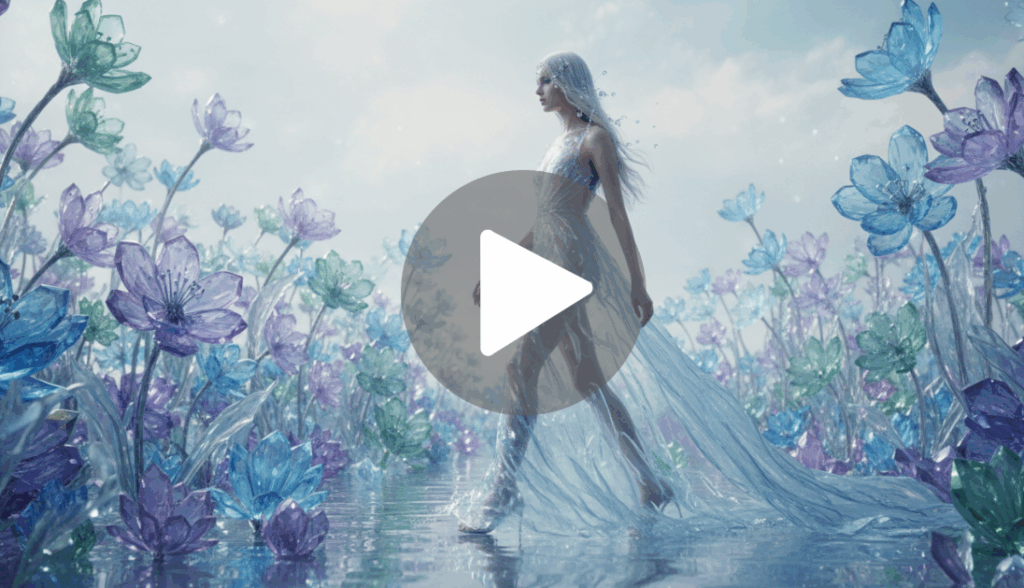
Fashion is about the dream. Brands are using this top 10 Seedance 2.0 application to create digital runways where clothes are made of liquid fire or floating silk.
The AI handles the "Inter-material physics"—how different fabrics interact with light and motion—better than any previous model. It’s a way for boutique brands to compete with the visual spending power of luxury houses.
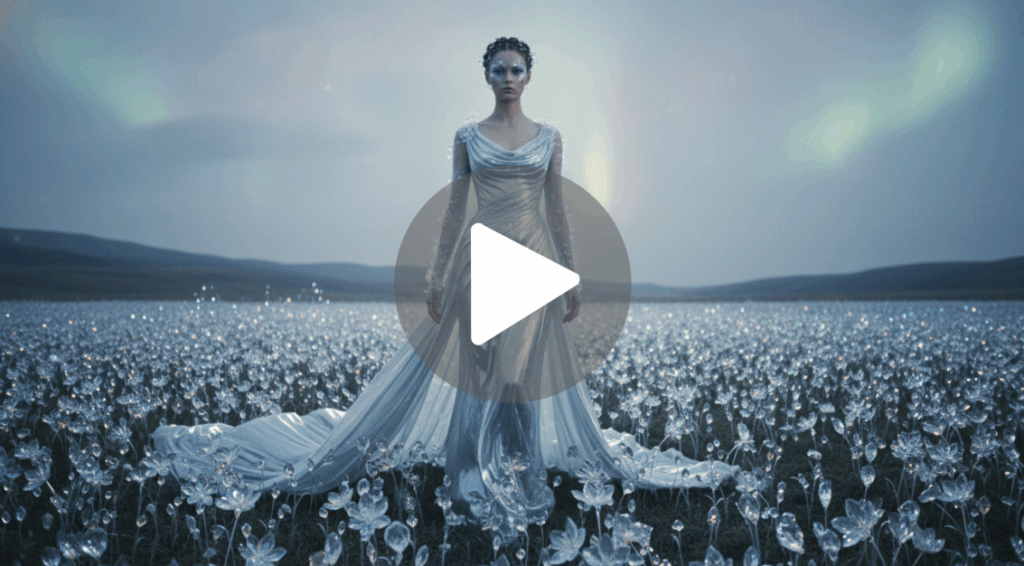
Prompt: “A model walking through a field of crystal flowers, wearing a gown made of flowing water that ripples with every step, soft ethereal lighting, slow motion, high fashion editorial style.”
10. The Viral Architect: Engineering Memes for Global Reach
Memes are the currency of the internet. With Seedance 2.0, the "Irony" factor is at an all-time high. You can take a classic meme format and render it like a $200 million Christopher Nolan thriller.
The contrast between the "silly" subject and the "god-tier" production value is what triggers the "Share" button. It’s the fastest way to get your brand or project into the global conversation.
Prompt: “A hyper-realistic cinematic shot of a golden retriever wearing a tuxedo and sunglasses, walking away from a massive explosion in slow motion, Michael Bay style, epic orchestral lighting.”

How to Get Started with Seedance 2.0 for These Use Cases
Alright, let’s get tactical. I’ve been deep in the Seedance 2.0 trenches all week, and after the initial "holy sh*t" phase wore off, I realized something most people are missing: Seedance 2.0 is a foundational model, not the final car. It’s the engine. On its own, it’s an incredible bit of math, but to actually use it as a creator without burning through credits on random garbage, you need an application layer that understands your workflow.
How to Access and Use Seedance 2.0 Easily
If you go out there searching for "Seedance AI," you're going to find a dozen sketchy mirror sites. Don't bother. The legit way to harness this power—and the way the pros are doing it in 2026—is through high-level creative hubs like VisualGPT.
Think of it like this: GPT was just a base model until ChatGPT made it a product. VisualGPT does the same for Seedance 2.0. It takes that raw, foundational power and wraps it in a workspace designed for humans. Instead of just shouting at a blank text box and praying, you’re using an intelligent agent that understands brand guidelines, face consistency, and narrative flow.
When you use VisualGPT, you aren't just "prompting" a model; you’re directing a production suite. It plugs directly into the Seedance 2.0 architecture, meaning you get that native 4K output and temporal consistency, but with the "Director's Tools" (like the First/Last frame locking and native audio toggles) that make the output actually usable for a real project. It handles the "generation" while you handle the "vision."
Tips to Maximize Results with Seedance 2.0
After burning through enough credits to buy a small island, I’ve distilled the "Seedance Secret Sauce" into a few non-negotiable rules. If you want to move past making "cool clips" and start making "pro content," follow these:
- The Multi-Input Holy Trinity: Stop relying on text alone. The Seedance 2.0 use case mastery comes from the multi-input system. Feed it a reference image + a text prompt + audio. When you upload a "First Frame" in VisualGPT, you’re giving the AI a physical anchor. It stops the model from "drifting" and keeps your character’s face or your product’s label looking identical across every shot.
- The "8-Second Sweet Spot": Even though the model can push further, the quality curve usually peaks around 8 to 10 seconds. In the final seconds of a long clip, the AI's "memory" can get a bit fuzzy. Pro tip: generate two crisp 5-second clips and stitch them with a seamless transition rather than one mushy 11-second clip.
- Batch Your Creativity: Credits are the new currency. Don't "guess and check." Create a shot list first. Use VisualGPT to brainstorm your visual logic and prompts in bulk, then run your generations in one focused session.
- Don’t Sleep on Native Audio: One of the most underrated features of the 2.0 model is the synced ambient audio. When you generate a clip of a rainy street, Seedance can generate the actual hiss of the tires on wet pavement and the distant rumble of thunder in the same pass. It saves hours of digging through stock audio libraries.
- Foundational Model + Application Layer = Success: Remember, Seedance handles the visuals, but a tool like VisualGPT handles you. By using a platform that builds natively on top of the Seedance foundation, you’re getting an integrated pipeline where you can say, "Make me 10 TikTok hooks about X," and the agent handles the generation, the framing, and the stylistic consistency in one go.
Conclusion
The bottom line is this: Seedance 2.0 as a standalone toy is fun for ten minutes. Seedance 2.0 as a foundational engine powering your creative workflow is a revolution. We have officially entered the era of "Creative Sovereignty," where a single person with a laptop can out-produce an entire 20th-century VFX house.
Which Seedance 2.0 Use Case Should You Try First?
If you’re a marketer, go straight for the Product Marketing hooks—the ROI is immediate. If you’re a storyteller, start playing with the First and Last Frame consistency to build your first "impossible" short film.
The tools are no longer the gatekeeper; your imagination is. Stop watching other people go viral with AI and start building your own empire. The future isn't coming; it’s already rendered. Ready to start? Pop into VisualGPT, hook up the Seedance 2.0 engine, and let’s see what you can dream up.