


If you've spent any time in AI video circles this year, you've probably seen the same two names fighting for your attention: Seedance 2.0 and Kling 3.0. One is ByteDance's multimodal powerhouse, the other is Kuaishou's "everyone can be a director" flagship — and both are currently duking it out for the title of best AI video generator in 2026. So which one actually deserves a spot in your workflow? We broke down Seedance 2.0 vs Kling 3.0 across quality, motion, speed, and pricing to help you decide.
Spoiler: neither one is "bad." But they're built for different jobs, and picking the wrong one can cost you hours of re-rendering and a small mountain of credits.
Quick Verdict: Seedance 2.0 vs Kling 3.0 at a Glance
| Seedance 2.0 | Kling 3.0 | |
| Developer | ByteDance | Kuaishou |
| Released | February 2026 | February 2026 |
| Max clip length | Up to 15 seconds | 3–15 seconds |
| Resolution | Native 4K (upgraded June 2026; originally 480p/720p) | Native 4K (3840×2160) |
| Input modes | Text, image, audio, video (multi-reference input) | Text, image, audio, video |
| Standout feature | Multimodal reference & audio-video co-generation | Multi-shot "AI Director" storyboarding |
| Best for | High-fidelity, reference-driven creative work | Fast, structured multi-scene storytelling |
If you want the one-sentence version: Seedance 2.0 wins on raw reference-driven realism, Kling 3.0 wins on speed and directorial control. Now let's get into why.
Seedance 2.0 vs Kling 3.0 Overview
What Is Seedance 2.0?
Seedance 2.0 is ByteDance's next-generation video creation model, built on what the company calls a unified multimodal audio-video joint generation architecture. Translation: it doesn't just take a text prompt and spit out a clip — it can ingest text, images, audio, and video simultaneously, then blend them into one coherent output.
Its headline trick is "all-round reference." Upload a video for camera movement, an image for visual style, and a character reference, and Seedance 2.0 will stitch them together while following your instructions with surprising precision. It's the model of choice for creators who want to direct rather than guess-and-regenerate.

What Is Kling 3.0?
Kling 3.0, launched by Kuaishou the same month, takes a different philosophy. Instead of leaning heavily on reference inputs, it leans into structure. The model introduced what Kuaishou nicknamed the "AI Director" — a multi-shot storyboard system that lets you plan up to six distinct shots (each with its own camera angle, duration, and narrative beat) inside a single 15-second generation.
Under the hood, Kling 3.0 runs on Visual Chain-of-Thought (vCoT) reasoning, which essentially means the model "thinks through" a scene's logic before rendering it — similar to how a language model reasons before writing. The result is fewer regeneration cycles and tighter adherence to complex prompts.

Seedance 2.0 vs Kling 3.0: Real Test & Feature Comparison
Here's where the two models actually start to diverge. We compared official specs, published benchmarks, and third-party evaluations across five categories that matter most to real-world creators.
Video Quality & Realism
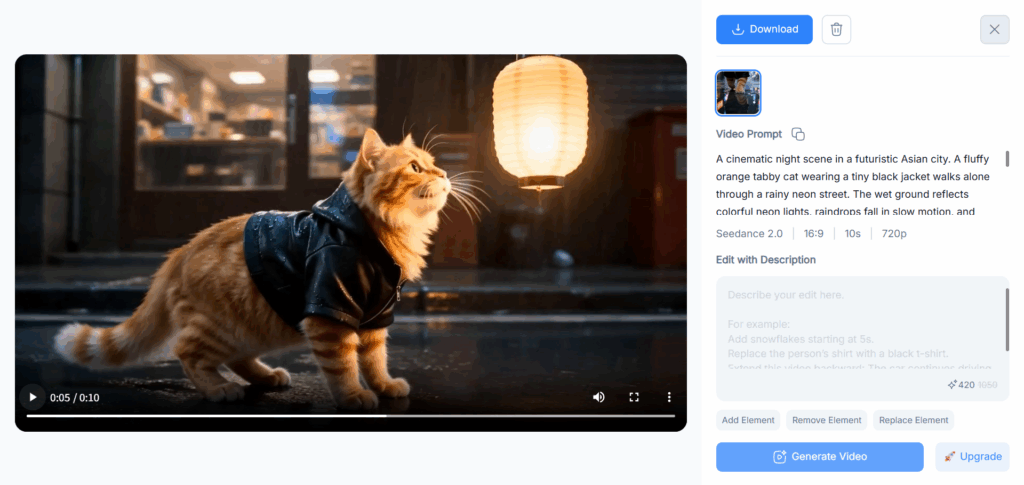
Seedance 2.0 was built to close the gap on one of AI video's toughest problems: complex human interaction. ByteDance specifically showcased pair figure skating sequences — synchronized takeoffs, mid-air spins, precise landings — as proof the model can handle multi-subject physical interaction without falling apart. It's not just marketing fluff; the model's technical paper reports performance on par with leading industry benchmarks in both expert and public evaluations.
Kling 3.0 generates in native 4K — not upscaled — at up to 60fps, a meaningful jump in frame rate over its predecessor. Combined with vCoT reasoning, Kling 3.0 handles tricky physics like flowing water and fabric movement noticeably better than earlier Kling versions. Worth noting: Seedance 2.0 also received a native 4K upgrade in June 2026 (it originally shipped at 480p/720p), so resolution is no longer a clean dividing line between the two — the bigger difference now is frame rate, where Kling 3.0's 60fps output stays ahead.
Bottom line: Seedance 2.0 edges out on complex multi-subject motion realism; Kling 3.0 edges out on frame rate and physics-heavy detail like fabric and water.
Motion Consistency & Physics
This category used to be the Achilles' heel of every AI video model. Characters would "drift" mid-clip — a shirt changes color, a face subtly morphs, a hand grows an extra finger somewhere around second six.
Seedance 2.0 attacks this with reference-locked consistency. Faces, clothing, on-screen text, and overall visual style stay stable because the model is explicitly designed to preserve details from your uploaded references throughout the generation.
Kling 3.0 tackles the same problem from a structural angle. Its multi-shot mode maintains spatial continuity automatically — meaning that as the camera cuts between shots, characters and objects keep their relative position and appearance, much like a real edited sequence rather than six disconnected clips glued together.
Bottom line: if your project relies on a single continuous take, Seedance 2.0's reference-driven consistency is hard to beat. If you're cutting between angles like a mini film, Kling 3.0's spatial continuity engine does the heavy lifting for you.
Text-to-Video Performance
Pure text-to-video is where both models are genuinely competitive, but the style of prompting differs.
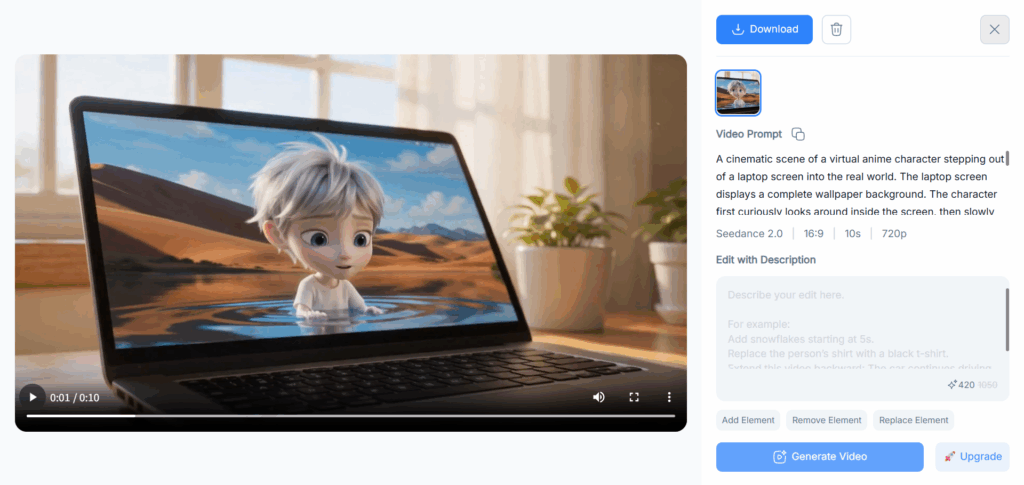
Seedance 2.0 rewards descriptive, almost screenplay-style prompts — camera language, motion rhythm, even storyboard-style shot lists. It can reportedly take a literal shooting script and turn it into a short film, referencing shot scale and camera movement the way a cinematographer would brief a crew.
Kling 3.0 rewards structured prompting. Its multi-shot mode lets you explicitly define each beat of a scene — the shot number, the duration, and a description covering subject, action, camera direction, and mood — repeated for every shot in the sequence, with each individual shot description capped at 512 characters.
Bottom line: writers who think in narrative description will gravitate toward Seedance 2.0; creators who think in shot lists will feel right at home with Kling 3.0.
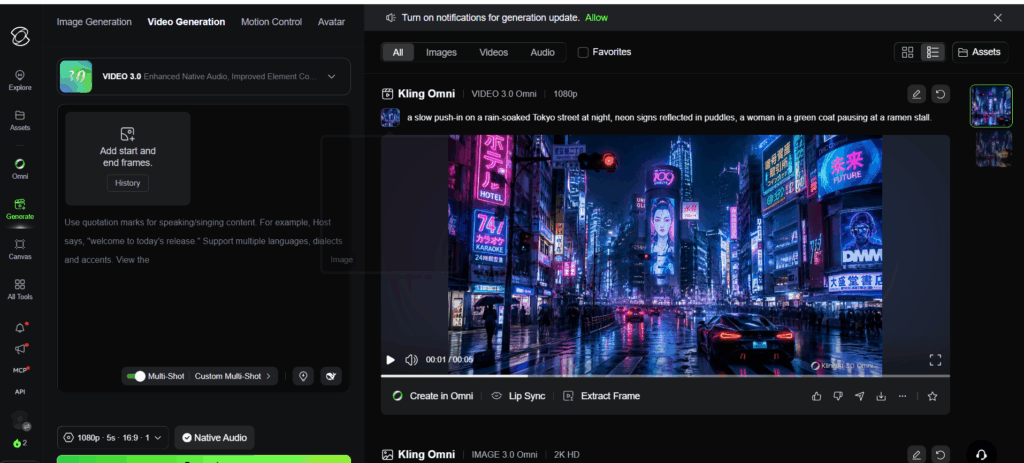
Image-to-Video Performance
Both models support image-to-video, using an uploaded image as the first frame and animating forward from there.
Seedance 2.0 extends this with its broader reference system — you're not limited to a single static image. You can combine an image (for style), a video (for motion), and audio (for rhythm) into one generation, which is a meaningfully different workflow from a standard "animate this photo" tool.
Kling 3.0's image-to-video is more traditional but well-executed: upload a still (a product shot, a character frame, whatever) and the model animates it forward based on your text prompt, while its vCoT reasoning helps it interpret ambiguous instructions more accurately than earlier Kling versions.
Bottom line: for single-image animation, both are solid. For blending multiple reference types into one shot, Seedance 2.0 has the edge.
Speed & Output Quality
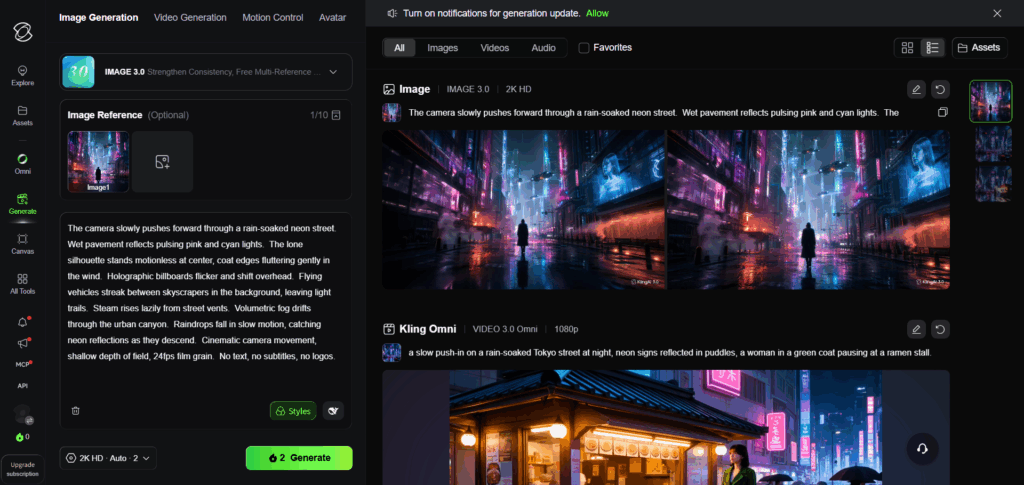
Kling 3.0 has a genuine speed advantage, especially in its Turbo variant, which is specifically optimized for high-volume output — think batches of social clips or A/B test variations where waiting on a render queue kills momentum.
Seedance 2.0 tends to prioritize output fidelity over raw speed, which makes sense given its heavier multimodal processing. If you're generating a hero shot for a campaign, that trade-off is worth it. If you're churning out twenty TikTok variations before lunch, it might not be.
Bottom line: need volume fast? Kling 3.0 Turbo. Need one shot to look exactly right? Seedance 2.0.
Pricing Comparison: Seedance 2.0 vs Kling 3.0
Both models run on credit-based systems, and — fair warning — the math gets messy fast once you factor in resolution, audio, and iteration count.
Seedance 2.0 (via third-party aggregator pricing): Standard tier runs roughly 15/30/50 credits per second at 480p/720p/1080p, with reference inputs adding another 8–20 credits per second on top. There's also a cheaper Fast tier for lower-stakes drafts.
Kling 3.0 (official pricing): No-audio generation costs 6–8 credits per second at 720p/1080p; add native audio and that jumps to 9–12 credits per second, plus a small surcharge for voice control. 4K mode runs considerably higher, around 30 credits per second.
Which AI Video Generator Offers Better Value?
If you're chasing raw cost-per-second, Kling 3.0's base tier is generally cheaper — especially if you skip native audio, which you can always add separately in post. But here's the catch every reviewer eventually mentions: AI video is iterative. You rarely nail a shot on the first try, and a "cheap" per-second rate can balloon fast across 3–5 regeneration cycles.
Seedance 2.0's reference-driven approach can actually save credits indirectly — because feeding it a strong reference video or image often gets you a usable result faster, with fewer wasted regenerations.
Bottom line: Kling 3.0 is cheaper per second on paper. Seedance 2.0 can be cheaper per finished video if references cut down your iteration count.
Pros and Cons: Seedance 2.0 vs Kling 3.0
| Seedance 2.0 | Kling 3.0 |
| ✅ Best-in-class reference-driven consistency (faces, clothing, style) | ✅ Native 4K at up to 60fps (higher frame rate than Seedance 2.0) |
| ✅ Native audio-video co-generation with beat-synced sound | ✅ Multi-shot storyboarding cuts post-production stitching |
| ✅ Handles complex multi-subject physical interaction well | ✅ Turbo variant built for high-volume, fast turnaround |
| ❌ Heavier prompting learning curve for reference-based workflows | ❌ Access has historically gated behind Ultra subscribers early on |
| ❌ Fewer public benchmarks on frame rate vs. Kling 3.0 | ❌ Credit costs climb quickly once audio and 4K are involved |
Which AI Video Generator Should You Choose?
Choose Seedance 2.0 If You Need High-Quality AI Video Creation
If your priority is a single, polished shot — a product hero video, a cinematic brand piece, anything where character consistency and physical realism can't be faked — Seedance 2.0's reference system does a lot of the precision work for you. It's the model for "I need this to look exactly right," not "I need fifty of these by 5pm."
Choose Kling 3.0 If You Need Fast and Flexible AI Video Generation
If you're producing volume — social campaigns, multi-shot narrative content, or anything where you're iterating across many variations — Kling 3.0's multi-shot storyboarding and Turbo speed make it the more practical daily driver, and its 60fps ceiling gives it an edge for fast-motion content.

Create Seedance 2.0 Videos with NoteGPT
Instead of setting up a separate ByteDance account just to try Seedance 2.0, you can generate videos with it directly inside NoteGPT's AI Videos tool — no extra login, no separate subscription.
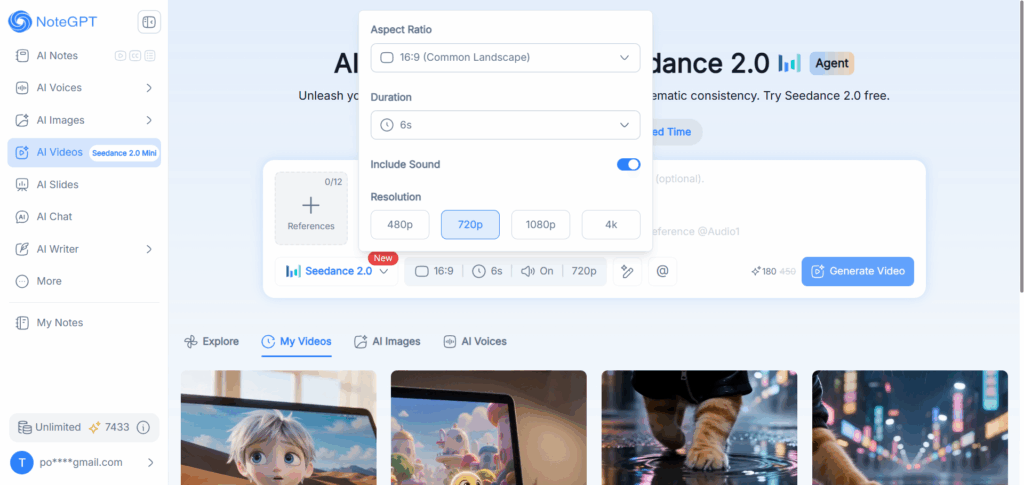
Once you're in the AI Videos workspace, just type a prompt or upload reference materials (optional), pick your settings — aspect ratio, duration, audio on or off, and resolution up to 720p — and hit generate. NoteGPT also gives you a few model variants to match your budget and use case:
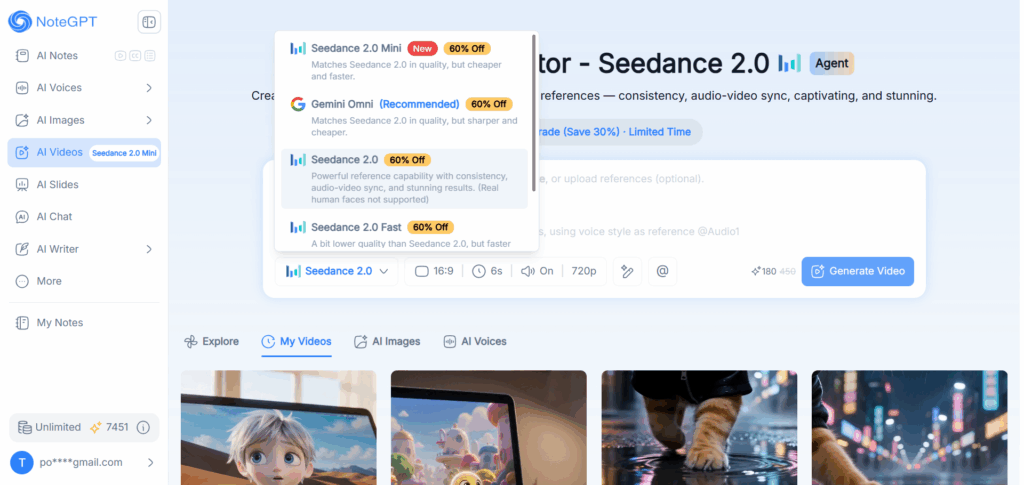
- Seedance 2.0 — the full model, with strong reference capability, audio-video sync, and consistent, stunning results. Note: real human faces aren't supported on this tier.
- Seedance 2.0 Mini — matches Seedance 2.0 on quality but runs cheaper and faster, ideal for quick drafts.
- Seedance 2.0 Fast — a slight step down in quality from the full model, but built for speed.
- Gemini Omni — a recommended alternative that matches Seedance 2.0's quality with sharper output at a lower cost.
Whether you're testing a concept or producing a final cut, you can switch between these models in the same workspace without losing your project setup — making it easy to draft cheap on Mini or Fast, then re-render your best take on the full Seedance 2.0 model.
FAQ
What is the difference between Seedance 2.0 and Kling 3.0?
Seedance 2.0 is ByteDance's multimodal video model built around reference-driven generation — you feed it images, video, and audio to guide the output. Kling 3.0 is Kuaishou's model, built around multi-shot storyboarding and native 4K output, with a focus on structured, director-style prompting.
Which is better, Seedance 2.0 or Kling 3.0?
Neither is universally "better" — it depends on your use case. Seedance 2.0 tends to win on reference-driven realism and character consistency, while Kling 3.0 tends to win on frame rate, speed, and multi-shot storytelling. Both now generate at native 4K as of mid-2026.
What is the best AI video generator for cinematic videos?
For a single cinematic shot with strong character and style consistency, Seedance 2.0's reference system is well-suited. For cinematic sequences that need multiple camera angles cut together, Kling 3.0's multi-shot storyboard mode is purpose-built for that.
Which AI video generator is best for beginners in 2026?
Kling 3.0's structured shot-by-shot prompting can be more approachable for beginners since it breaks a scene into clear, manageable pieces. Seedance 2.0 has a slightly steeper learning curve because it rewards more descriptive, reference-heavy prompting.
Can I create Seedance 2.0 videos with NoteGPT?
Yes — NoteGPT's AI Videos tool lets you generate with Seedance 2.0 directly, along with faster/cheaper variants like Seedance 2.0 Mini and Fast, all without needing a separate ByteDance account.
Final Verdict: Seedance 2.0 or Kling 3.0?
There's no single winner here, and honestly, that's kind of the fun part. Seedance 2.0 is the meticulous perfectionist — feed it good references and it'll reward you with consistency and realism that's hard to fake. Kling 3.0 is the fast-moving director — give it a shot list and it'll hand you back an edited sequence before you've finished your coffee.
If you only need one tool, ask yourself: are you shooting for quality over quantity, or quantity without sacrificing structure? That answer picks your model. And if you're still not sure — you don't have to commit blind. NoteGPT lets you try Seedance 2.0 (plus faster, cheaper variants like Seedance 2.0 Mini and Fast) in the same workspace, so you can test a few prompts, see the results for yourself, and decide with actual footage in hand instead of a spec sheet.